
Two-factor authentication (2FA) gives your WordPress login an extra verification step beyond the password. If someone gets hold of a password, they still need the second factor to access the account. This makes 2FA particularly useful for administrators, editors, store managers, members, and other users with access to important site functions.
The right 2FA plugin depends on your site, user base, and the level of control you need over 2FA. Some sites need a simple setup, while others require more flexibility as the number of users and roles grows. This guide compares five popular WordPress options to help you choose the right plugin for your site.
5 Leading 2FA Plugins for WordPress
Here is a quick comparison of the five options, with the key differences in authentication methods, capabilities, and pricing.
| Plugin | Best For | Authentication Options | Key Strength | Pricing |
|---|---|---|---|---|
| miniOrange 2FA – Two-Factor Authentication for WordPress | Businesses and enterprises | TOTP, Passkeys, Email OTP, Security Questions, SMS, WhatsApp, Telegram, Push, hardware tokens | Unlimited users on the free plan with multiple authentication options | Free plan; paid plans available |
| WP 2FA | General WordPress websites | TOTP, Email, Passkeys, backup codes, hardware keys | Guided setup and flexible 2FA policies | Free plan; Premium plans available |
| Two-Factor | Lightweight websites | TOTP, email, backup codes | Simple and focused 2FA | Free |
| Wordfence Security | Security-focused websites | TOTP, Passkeys, recovery codes | 2FA within a broader security suite | Free; Premium plans available |
| Security Plugin by CleanTalk | Website hardening | 2FA and login security | 2FA with firewall, malware scanning, and vulnerability checks | Free trial; $9/year after trial |
Note: Pricing, feature availability, and free-plan limits can change as vendors update their products. Check the current plan details before implementation.
1. miniOrange 2FA for WordPress
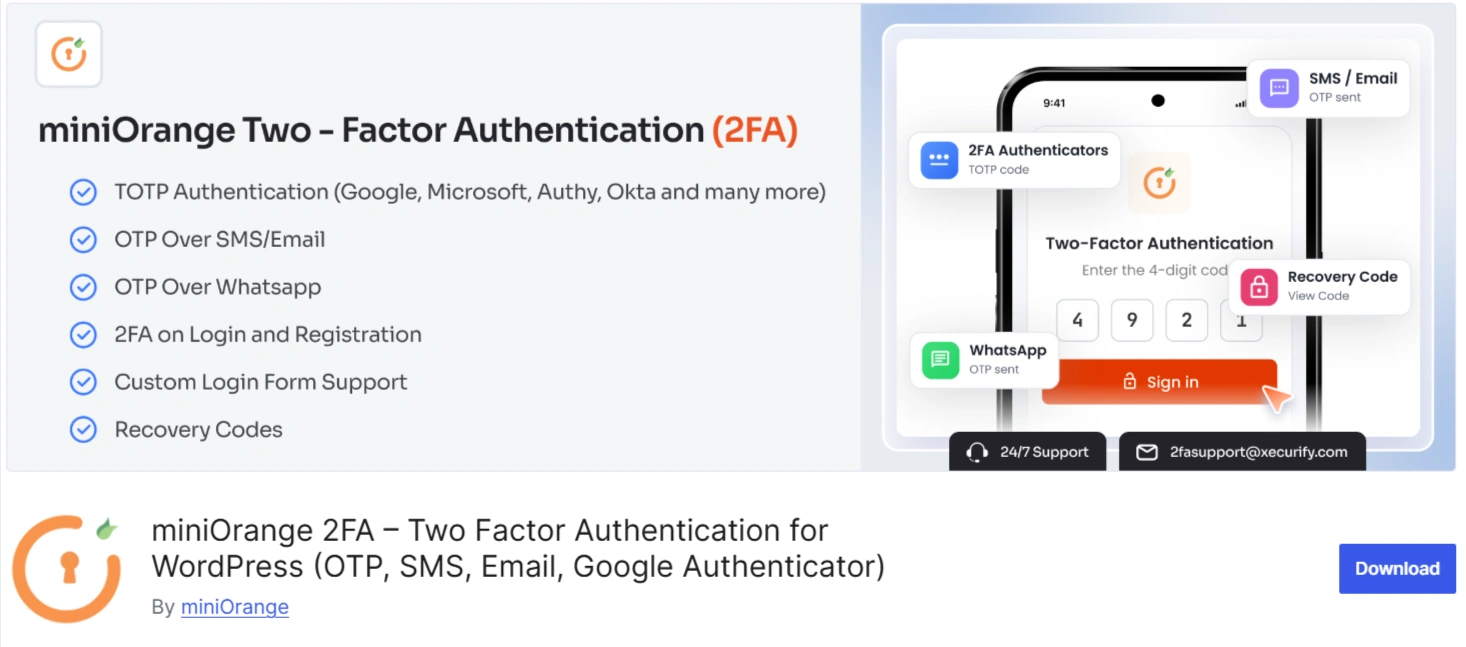
miniOrange 2FA is a well-rounded option for WordPress sites that need more than basic login protection. It brings several 2FA options into one plugin and gives administrators useful controls for managing protection across different users and roles. The free plan covers the core features, while premium plans add more controls for larger or more complex setups.
Key Features
- Passkey Authentication: Supports WebAuthn/FIDO2 with Face ID, Touch ID, Windows Hello, Android biometrics, and compatible security keys.
- Authenticator Apps and OTP: Works with TOTP apps and Email OTP, with SMS, WhatsApp, and Telegram OTP available in premium plans.
- Push Notifications: Premium users can approve login requests from their phones without entering a code.
- Role-Based 2FA Policies: Administrators can enforce 2FA for specific roles or users and configure grace periods.
- Recovery and Trusted Access: Backup codes, trusted devices, and other recovery options help users regain access when their primary factor is unavailable.
- Passwordless and WordPress Integrations: Offers magic link, OTP login, WooCommerce 2FA, multisite, custom branding, and compatibility with popular WordPress login plugins.
Pros
- The free plan supports unlimited users without per-seat charges.
- Passkey authentication is available in the free plan.
- Supports several authentication methods under one plugin.
- WooCommerce support extends protection to customer accounts.
- Premium plans cover push, SMS, WhatsApp, and Telegram.
Cons
- Advanced authentication methods require a premium plan.
- Complex configurations might require technical assistance.
Why Consider miniOrange 2FA?
miniOrange 2FA stands out for the flexibility it offers without making the free plan feel restrictive. It supports unlimited users and covers the core 2FA requirements, while premium plans add more controls for sites with larger or more complex setups.
The plugin also receives regular updates covering security fixes, compatibility, performance improvements, and new authentication features, giving WordPress site owners a solution that continues to evolve with their requirements.
2. WP 2FA
WP 2FA from Melapress focuses on making 2FA easier to configure and enforce. Its setup wizard guides administrators and users through configuration, while the plugin supports authenticator apps, email codes, Passkeys, backup codes, and policy controls. Premium plans expand the authentication methods and add capabilities such as trusted devices, hardware keys, and WooCommerce integration.
Key Features
- Authenticator Apps and Email: Works with TOTP authenticator apps and email-based verification codes.
- Passkeys: Enables passwordless login with passkeys, with multiple passkeys available per user in Premium.
- 2FA Policies: Lets administrators enforce 2FA for users and set grace periods before enforcement.
- Backup Codes: Gives users recovery codes if they lose access to their primary authentication method.
- Developer and REST API: Provides options for custom authentication methods and headless WordPress setups.
- Premium Controls: Includes trusted devices, YubiKey support, WooCommerce integration, email links, and extensive white labeling.
Pros
- Wizard-driven setup suits non-technical administrators.
- Free 2FA is available for all users.
- Role-based policies support targeted enforcement.
- REST API supports custom WordPress implementations.
- Front-end setup avoids mandatory dashboard access.
- Premium plans expand authentication and branding options.
Cons
- Several advanced methods require a premium plan.
- Hardware security key support requires Premium.
Why Consider WP 2FA?
WP 2FA is a good option for sites where users do not always follow the standard WordPress login flow. It supports custom login pages and lets users set up 2FA without accessing the WordPress dashboard, which makes it a better fit for WooCommerce stores, membership sites, and other user-facing websites.
3. Two-Factor
Two-Factor takes a focused approach to WordPress authentication. It gives individual users access to 2FA settings from their profiles, while administrators can configure available providers and enable the feature for specific roles. The plugin supports TOTP and email-based authentication, backup codes, and additional providers through extensions.
Key Features
- TOTP Authentication: Supports Google Authenticator, Authy, and other compatible authenticator apps.
- Email Authentication: Provides email-based verification as another login method.
- Backup Codes: Gives users recovery codes when their usual authentication method is unavailable.
- Role-Based Availability: Administrators can make 2FA available to selected WordPress roles.
- User-Level Configuration: Individual users manage their authentication methods from their WordPress profiles.
- WebAuthn Extension: A separate provider supports Passkeys and hardware security keys.
Pros
- Free plugin with a focused authentication purpose.
- Keeps configuration relatively small and straightforward.
- Supports standard TOTP authenticator applications.
- Backup codes provide an account recovery option.
- Role-based availability suits administrator-focused protection.
- WebAuthn support is available through a dedicated extension.
Cons
- WebAuthn requires a separate provider plugin.
- The feature set is narrower than that of dedicated 2FA suites.
Why Consider Two-Factor?
Two-Factor suits administrators who want a straightforward 2FA layer without a broader security platform. TOTP, email authentication, backup codes, and role-based availability cover the core requirements, while the WebAuthn provider gives sites another route to passkeys and hardware security keys.
4. Wordfence Security
Wordfence combines 2FA with a wider WordPress security toolkit. Its login security features include TOTP-based 2FA, recovery codes, Passkeys, and role-based controls. The same plugin also provides a firewall, malware scanner, vulnerability detection, CAPTCHA, and other protections. Wordfence added Passkey authentication for free and premium installations in its August 2026 release.
Key Features
- TOTP 2FA: Works with authenticator-based two-factor authentication for WordPress accounts.
- Passkey Authentication: Enables Passkey login in free and premium installations.
- Recovery Codes: Provides backup access when users lose their primary authentication method.
- Role-Based Controls: Allows administrators to configure authentication requirements for user roles.
- Firewall Protection: Helps block malicious traffic and common WordPress attacks.
- Malware and Vulnerability Scanning: Checks WordPress files and installed components for security issues.
Pros
- Combines 2FA with a broad security toolkit.
- Free and premium versions support passkeys.
- Firewall protection covers threats beyond account login.
- Malware scanning adds another layer of site protection.
- Vulnerability detection helps identify risky components.
Cons
- Its 2FA method range is narrower than that of specialized plugins.
- The wider security suite might exceed a simple 2FA requirement.
Why Consider Wordfence Security?
Wordfence makes sense when 2FA needs to sit alongside broader WordPress security controls. Instead of managing authentication, firewall protection, malware scanning, and vulnerability checks through separate tools, administrators get these capabilities within one security plugin. Its recent release also brought Passkey authentication to both free and premium installations.
5. Security Plugin by CleanTalk
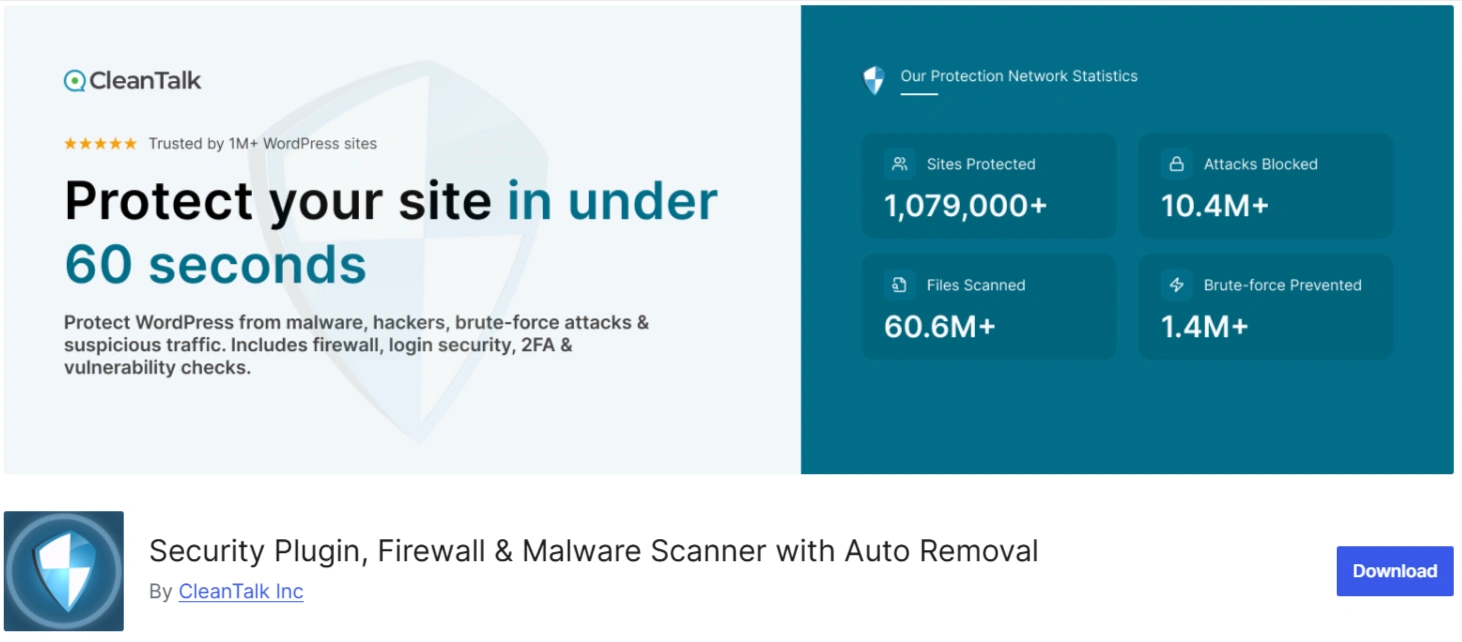
Security Plugin places 2FA within a broader website security package. Along with login protection, it provides a firewall, brute-force protection, malware scanning, vulnerability checks, traffic monitoring, and security logs. CleanTalk states that it typically releases a new version twice a month.
Key Features
- Two-Factor Authentication (2FA): Creates another verification layer for WordPress login.
- Login and Brute-Force Protection: Limits login attempts and blocks repeated attacks against WordPress accounts.
- Security Firewall: Blocks traffic based on IP addresses, networks, or countries.
- Malware Scanning: Detects malicious or modified code in WordPress files.
- Vulnerability Scanning: Identifies known vulnerabilities in installed plugins and themes.
- Security Monitoring: Offers traffic monitoring, security logs, audit details, and login notifications.
Pros
- Combines 2FA with broader WordPress security controls.
- Firewall protection covers IP, network, and country rules.
- Malware scanning includes an automatic cure function.
- Vulnerability scanning covers installed plugins and themes.
- Security logs provide visibility into login activity.
- CleanTalk states that it releases updates twice monthly.
Cons
- The security service requires an account and subscription after the trial.
- Its 2FA capabilities are less extensive than those of dedicated 2FA plugins.
Why Consider the Security Plugin by CleanTalk?
CleanTalk is a good choice if you want to add 2FA without managing a separate plugin for other login security needs. Its 2FA feature adds another layer of protection to WordPress accounts, while security logs help you keep track of login activity. The regular updates also make it a dependable option for ongoing WordPress security.
How to Choose the Best 2FA Plugin for Your WordPress Site
The best 2FA plugin depends on more than the number of authentication methods listed on its feature page. Before you decide, look at how the plugin fits your users, your WordPress setup, and the level of control you need.
Authentication Methods
Start with the second factor your users need. TOTP works well for users with authenticator apps. Passkeys provide a more modern, phishing-resistant option. Email, SMS, and other OTP methods offer additional choices for users who need simpler verification.
Check both the free and paid versions before you decide. A method listed on the product page might belong to a premium plan.
User and Role Policies
Your administrators might need mandatory 2FA, while other users have different requirements. Look for role-based policies, user-level controls, grace periods, and enforcement options if your site has several types of users.
User Experience
2FA should strengthen security without making every login unnecessarily difficult. Check how users register their second factor, recover access, switch devices, and complete authentication.
A clean setup matters even more on WooCommerce, membership, and community sites where many users interact with the login process.
Recovery and Account Access
Users lose phones. They replace devices. They forget where they stored their backup codes.
Review the recovery options before enabling 2FA. Backup codes, alternate authentication methods, administrator reset options, and recovery workflows help prevent legitimate users from getting locked out.
WordPress and Plugin Compatibility
Check compatibility with WooCommerce, multisite, custom login forms, membership plugins, page builders, and other components that affect authentication. A plugin that works perfectly with the default WordPress login might need additional configuration for a custom login flow.
Updates and Security Maintenance
Look at the plugin's release history and changelog. Regular updates matter for authentication software because WordPress, browsers, PHP versions, and security requirements continue to change.
The changelog also gives you a better idea of whether the vendor actively addresses bugs, compatibility issues, and security concerns.
Support and Documentation
A 2FA problem can prevent users from accessing their accounts. Clear setup instructions, troubleshooting resources, support forums, and responsive technical support therefore matter more than they might for an ordinary WordPress plugin.
How Does 2FA Protect Your Website?
2FA does more than create another step on the login screen. It changes what an attacker needs to compromise an account.
1. Reduces the Impact of Stolen Passwords
A stolen password alone does not complete the login when the account requires a second factor.
2. Strengthens Administrator Accounts
Administrators have broad permissions across WordPress. Protecting these accounts with another authentication factor reduces the chance that a stolen password leads directly to site-level compromise.
3. Helps Limit Account Takeover
Attackers often rely on stolen credentials, phishing, or password reuse. A second verification step creates another barrier during these attacks.
4. Protects High-Value User Accounts
WooCommerce managers, editors, membership administrators, and other privileged users often have access to valuable site data or functions. 2FA gives these accounts another layer of protection.
5. Supports Stronger Authentication Practices
Passkeys, authenticator apps, hardware keys, and other second factors give organizations more options than password-only authentication. The right method can improve both security and the login experience.
Give Your WordPress Login a Stronger Security Layer
As your WordPress site grows, so do the risks around user access. More users, roles, and critical site functions make login security harder to overlook. Adding 2FA gives your WordPress login an extra layer of protection and helps keep user accounts secure.
If you are looking for a 2FA plugin for WordPress, miniOrange 2FA gives you the flexibility to secure different types of users and sites. It supports unlimited users on its free plan, with more controls available in its paid plans. Visit the miniOrange website to explore the plugin and its plans.
Frequently Asked Questions
1. Is 2FA necessary for WordPress administrator accounts?
2FA is especially useful for administrator accounts because they have permission to change critical WordPress settings, users, plugins, themes, and content. A second factor creates another barrier when an attacker obtains an administrator's password.
2. Which 2FA method is the most secure?
Passkeys and hardware security keys provide strong phishing-resistant authentication. TOTP authenticator apps also provide a widely supported second-factor option. The right method depends on your users and security requirements.
3. Can I enforce 2FA for specific WordPress roles?
Several plugins support role-based 2FA policies. miniOrange 2FA, WP 2FA, and Wordfence provide controls for applying authentication requirements to selected users or roles.
4. Does miniOrange 2FA support unlimited users?
Yes, the current free plan supports unlimited users without a per-seat charge. It includes Passkey, Google Authenticator, Email OTP, security questions, backup codes, and role-based 2FA.
5. Do WP 2FA, Wordfence, and Two-Factor have Passkey options?
Yes, WP 2FA includes Passkey authentication, with its Premium version allowing multiple Passkeys per user and YubiKey hardware security keys. Wordfence offers Passkey authentication in both free and premium installations. The core Two-Factor plugin does not provide WebAuthn directly, but a separate WebAuthn provider enables Passkey and hardware security key authentication.
About the Author

Content Writer
Alankrita Shrivastava is a B2B technical content writer specializing in SaaS, cybersecurity, and WordPress security. She translates complex security concepts into clear, practical insights that support both technical decision-making and business outcomes. At miniOrange, she develops content on IAM, including SSO, MFA, and User Lifecycle Management, along with WordPress Plugin Security. She also covers broader security areas such as UEM, MDM, CASB, and DLP. Her work focuses on real-world use cases, security best practices, and solution-driven guidance that helps organizations assess risks, improve access control, and strengthen their overall IT security posture.

Leave a Comment