

WPVibe and miniOrange Secure MCP Server are two of the leading options in the WordPress MCP space. Both let you manage your WordPress site directly through AI assistants, with abilities for content, WooCommerce, page builders, and more.
If you are trying to decide which one fits your setup, we have put together a detailed breakdown comparing their features, key differences, and strengths to help you pick the right plugin for your WordPress site.
TL;DR
- WPVibe (226 abilities): Built for speed and multi-site management. It connects instantly via a hosted cloud relay and is ideal for updating multiple client sites at once.
- miniOrange Secure MCP Server Plugin (426+ abilities): The plugin offers an expanding library of 426+ abilities across WordPress core, WooCommerce, page builders, SEO plugins, and more. Beyond basic security, it lets you set strict limits on what AI can do, automatically hides sensitive customer data, pauses risky actions for manual approval, and offers other advanced security features exclusive to this plugin.
- Other Factors to Consider: Before making a decision, consider the plugin’s pricing, range of features, ease of setup, frequency of updates, customer support, and whether you can customize existing abilities or request new ones.
Quick Comparison: WPVibe vs. miniOrange Secure MCP Server
| Feature / Capability | WPVibe | miniOrange Secure MCP Server |
|---|---|---|
| Total Abilities | 226 abilities covering WordPress content, WooCommerce, media, WP-CLI, and themes | 426+ abilities across 26 categories, with more on the way |
| Hosting Architecture | Third-party relay hosted on Cloudflare, where WordPress Application Passwords are stored with AES-256-GCM encryption | Runs directly on your WordPress server without an external relay |
| Authentication | OAuth magic-link authorization | Self-hosted OAuth 2.1 with PKCE and secure tokens |
| Ease of Setup | One-click authorization using a magic link | Guided setup that takes about 2 minutes and includes AI agent configuration |
| AI Client Support | Claude Desktop, Claude on the web, Claude Code, ChatGPT, Cursor, Windsurf, OpenCode, and other MCP-compatible AI clients | Claude, ChatGPT, Gemini, Cursor, Windsurf, and other MCP-compatible AI providers |
| AI Access Control | WordPress capability checks and approval controls for destructive actions | Dedicated AI Agent Registry to define which abilities each AI agent can access |
| Data Prevention Rules | No dedicated data prevention rules feature listed in the supplied readme | Built-in data prevention rules to mask sensitive information, including emails, phone numbers, and secrets |
| Human Approvals | Chat-based approval panel with a dry-run preview for destructive actions | Human-in-the-Loop approvals to pause sensitive actions for manual review |
| AI Security Monitoring | Append-only approval log for sensitive actions | Prompt-injection detection, behavioral anomaly detection, rate limits, quotas, and detailed audit logs |
| Activity Logs | Records sensitive actions, previews, and results | Records allowed and refused calls, including the user, AI identity, client, tool, outcome, and time |
| Undo and Rollback | Theme publishing includes backups for rollback; deleted posts go to the trash | Supports revision restoration and automatic rollback for supported theme changes |
| Content Management | Creates and edits posts, pages, media, categories, and tags, with find-and-replace for posts, metadata, and settings | Creates, edits, publishes, schedules, duplicates, trashes, and restores WordPress content |
| WooCommerce | Reviews the store and bulk-edits product prices, stock, and descriptions | Provides dedicated abilities for products, orders, refunds, customers, coupons, and sales reports |
| REST API and Abilities API | Exposes WordPress REST API operations and abilities from compatible plugins through MCP, including custom post types and plugin routes | Provides governed REST API access with route-level, method-level, and role-based permissions, alongside WordPress Abilities API support |
| WP-CLI-Style Commands | Runs WordPress administration commands through native PHP dispatch, without shell access or SSH | Provides WordPress administration and maintenance abilities through MCP |
| Theme and Code Editing | Offers a draft-preview-publish workflow, sandboxed file editing, PHP syntax checks, and a classic theme builder | Supports theme templates, global styles, patterns, and theme files, with validation, previews, backups, and rollback |
| Page Builders | Elementor, Bricks, Breakdance, Beaver Builder, and Divi, with builder-specific save workflows. Built-in workflows also cover Gutenberg, Kadence, GeneratePress, and SeedProd | Elementor, Divi 4 and Divi 5, and Kadence Blocks, with more integrations available upon request |
| Custom Fields | Reads and writes custom fields, including Advanced Custom Fields (ACF) fields and fields on custom post types | Includes dedicated ACF abilities and custom post type and field management |
| Media Uploads | Uploads media from URLs and searches Unsplash for stock images | Provides WordPress media library abilities |
| Multi-Site Management | Updates WordPress core, plugins, and themes across connected sites from one panel, with version checks | Provides centralized policy controls for governing AI access across sites |
| AI Guidance and Notifications | Provides on-demand skills to guide AI through WordPress tasks and live browser notifications for changes | Provides dashboard monitoring and detailed audit logs for AI activity |
| Pricing | Free plugin available. Paid plans start at $99. | Free plugin available. Paid plans start at $79 with an early-bird offer. |
| Customer Support | Standard WordPress plugin support | Email, ticket, and scheduled-call support |
Disclaimer: All details above, including plugin versions, features, and total ability counts, are based on each plugin's official readme file at the time of writing and may change as new updates roll out.
WPVibe
When WPVibe launched, it quickly became a popular and fast way to connect AI assistants to WordPress. It uses a cloud relay design, which means it relies on a third-party cloud service to connect your site to AI. It comes with 226 abilities focused on content creation, testing themes, and managing multiple sites.
Strengths
- Fast Setup: You can connect your site to AI clients almost instantly using a simple one-click magic link.
- Content Management: Create and edit posts, pages, categories, and tags, with the ability to find and replace specific text easily.
- Broad AI Support: Works smoothly with Claude, ChatGPT, Cursor, Windsurf, and OpenCode.
- Page Builders: Provides ready-to-use abilities for popular page builders like Elementor, Bricks, Breakdance, Beaver Builder, and Divi.
- Safe Theme Testing: You get a safe draft area to test code and theme changes before you publish them to your live site.
- Managing Multiple Sites: It is great for agencies because you can push updates to several client sites from one main dashboard.
- WordPress Commands: It can run WordPress admin commands directly using PHP, so you do not need complex server access.
- Approval Checkpoints: It includes a chat panel where you can preview and approve major changes before they happen.
- Easy Image Uploads: The AI can upload media directly from web links and search Unsplash for free stock photos.
- Built-in Backups: It automatically creates backups when you publish themes and sends deleted posts to the trash so you can undo mistakes.
- Helpful Notifications: It shows live pop-up notifications in your WordPress dashboard while the AI is working.
- Flexible Pricing: You can start with a free version, and paid premium plans start at $99.
miniOrange Secure MCP Server
Built by miniOrange, a globally trusted cybersecurity company protecting over 30,000 customers and recognized as a “Strong Performer” in the Gartner Voice of the Customer report for three consecutive years, the Secure MCP Server puts both security and privacy before anything else.
The miniOrange Secure MCP Server runs completely on your own WordPress setup. It is a fast-growing plugin that already packs 426+ abilities for complete site control, and the miniOrange team is always adding more to cover all the plugins you need.
Strengths
- Supported AI Clients: Connects smoothly with Claude, ChatGPT, Google Gemini, Cursor, Windsurf, and any other MCP-compatible AI client.
- Huge Ability Library: Offers over 426+ abilities for handling your content, store, and site. The plugin keeps growing, and you can request new abilities if you need them.
- Fully Self-Hosted: The plugin runs entirely on your own WordPress server. Your data stays completely private and never passes through an outside cloud service.
- Secure AI Logins: AI assistants connect to your site using secure methods like OAuth 2.1 with PKCE, which means they never actually see or store your real WordPress password.
- WordPress Core Management: Gives your AI safe access to over 105 core abilities to draft, edit, and organize posts, handle media, oversee users, and check site health.
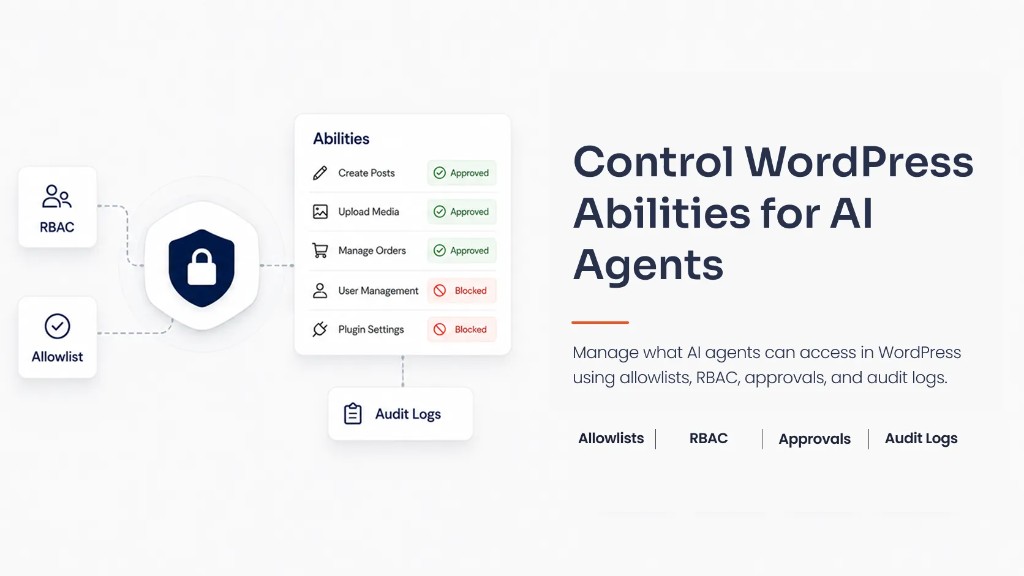
- Agent Registry and Role-Based Access: Define, assign, and control exactly which abilities each AI assistant can access based on their WordPress user role. This prevents a simple writing AI from changing your main site settings.
- SEO Automation: Generate, fine-tune, and bulk edit your SEO titles, meta descriptions, and keywords using built-in support for Yoast SEO and Rank Math.
- Complete WooCommerce Control: Build, run, and modify your online store through chat with 41 dedicated abilities for products, orders, refunds, and sales reports.
- Deep Page Builder Support: Design, adjust, and refine your page layouts. The AI can safely read, modify, and move blocks in Elementor (Free and Pro), Divi (4 & 5), and Kadence without breaking your design.
- Forms and Lead Tracking: Build forms, handle entries, and review submissions, as well as export lead data from Contact Form 7, WPForms, Gravity Forms, and Fluent Forms.
- Custom Fields and Content: Add, structure, and tweak custom post types and handle Advanced Custom Fields (ACF) naturally.
- Safe REST API and WP-CLI Access: Allow AI to safely use developer commands and REST API endpoints from other plugins, all protected by strict access rules.
- Data Protection: Automatically hides sensitive customer details like emails, phone numbers, and passwords before the AI can see them.
- Human Approvals: Pauses risky actions so a real person can review and approve them before they go live on your site.
- Smart Security Tracking: Watches for suspicious behavior, blocks bad prompts, and keeps a detailed log of all AI activity.
- Shadow AI Blocking: Actively spots and reports any unapproved AI connections trying to access your website.
- Safe Code Editing: The AI can write, test, and safely modify theme files and templates in a safe test area before anything goes live.
- Undo and Recovery: Easily reverse supported changes, restore previous post revisions, and recover from errors using automatic backups.
- Easy Setup and Troubleshooting: Connect your site in about two minutes with a guided setup, and use built-in logs to quickly find and fix any connection issues.
- Pricing and Customer Support: Start for free, or get the premium plan at a special $79 early bird rate. You also receive direct customer support through email, tickets, and scheduled calls.
Final Verdict: Which Plugin Should You Choose?
Both plugins (WPVibe and miniOrange Secure MCP Server) have extremely useful abilities and features that you would need when you are connecting AI to your website. The real difference between them comes down to the total number of features, the depth of their advanced security features, their hosting server structure, and their overall pricing plans.
Choose WPVibe if:
- Page builder integrations are a priority, with ready-to-use options for easy visual editing and quick page design.
- Everyday content updates and site management are the main focus. Its 226 abilities cover regular WordPress tasks, though it offers fewer abilities than miniOrange Secure MCP Server.
- An external server is acceptable under your privacy rules. WPVibe runs on Cloudflare for a quick setup, but site data and encrypted passwords pass through an external server.
- The starting price of $99 is within your budget.
Choose miniOrange Secure MCP Server if:
- One MCP server plugin should cover your business needs, with 426+ abilities across 26 categories and support for WooCommerce, Elementor, Elementor Pro, Divi 4, Divi 5, and Kadence. More abilities and integrations are available on request.
- Strong security is a priority, with protection for sensitive customer data and clear limits on what AI assistants can access and do.
- Keeping everything on your own WordPress server matters, without relying on an external MCP server.
- Direct technical support is important, with the option to schedule calls with the team when needed.
- Starting at a lower cost makes sense, with the premium plugin available for $79 through limited-time early-bird pricing.
FAQs
What is the main difference between WPVibe and miniOrange Secure MCP Server?
WPVibe operates as a cloud-hosted plugin using Cloudflare, offering 226 abilities for fast page builder setups and everyday site management. The miniOrange Secure MCP Server is fully self-hosted, meaning it runs directly on your own server for total privacy. It delivers over 426 abilities to create, manage, and update content across 26 categories, providing deeper WooCommerce control and advanced security controls.
How do WPVibe and miniOrange secure my WordPress login when connecting to AI?
WPVibe uses a third-party cloud service to link your site to AI clients. The miniOrange Secure MCP Server relies entirely on your own server. It connects AI assistants to your site using highly secure protocols like OAuth 2.1 with PKCE, which ensures the AI never actually sees or stores your real WordPress password.
Which plugin is a better fit for managing WooCommerce stores?
While both plugins are effective for everyday content, the miniOrange Secure MCP Server includes 41 dedicated abilities specifically built for WooCommerce. This allows your AI assistants to quickly draft product listings, manage customer orders, update pricing levels, and process refunds through a simple chat interface, making it a highly capable choice for active online stores.
Can AI edit Elementor, Divi, or Kadence pages using these plugins?
Yes, WPVibe offers out-of-the-box integrations for quick visual editing. The miniOrange Secure MCP Server allows AI assistants to safely read, modify, and move layout blocks in Elementor, Elementor Pro, Divi 4, Divi 5, and Kadence without breaking your page design. Additionally, extra abilities and custom integrations are available upon request from the miniOrange team.
How do these plugins handle SEO automation?
Both plugins allow AI to interact with your site content, but the miniOrange Secure MCP Server provides direct, out-of-the-box support for Yoast SEO and Rank Math. This lets your AI assistants generate, fine-tune, and bulk update SEO titles, meta descriptions, and keywords naturally, with connections for other SEO plugins available upon request.
What happens if an AI assistant makes a mistake on my live website?
Both plugins offer abilities to reverse errors. WPVibe provides a safe draft area to test code and sends deleted posts to the trash. The miniOrange Secure MCP Server features robust undo and recovery options to easily reverse supported changes and restore previous post revisions using automatic backups. It also includes human approvals, which pause risky actions so a real person can review them before they affect the live site.
How do these MCP servers protect private customer data?
When you use the miniOrange Secure MCP Server, your site is protected by automatic Data Loss Prevention (DLP). This security control actively hides sensitive details like customer emails, phone numbers, and passwords before the AI can even see them. WPVibe routes data through its cloud servers, so you will need to decide if using an external server aligns with your personal privacy rules.
Which plugin offers better control over exactly what the AI can do?
WPVibe relies on its cloud dashboard to handle general AI access. The miniOrange Secure MCP Server includes an Agent Registry with strict role-based access. This allows you to define, assign, and update exactly which abilities each AI assistant can use based on their specific WordPress user role, ensuring a simple writing AI cannot change critical site settings.
Leave a Comment