
Picture this: an organization rolls out a small policy update on a Friday evening, expecting to fix a few login issues. By Monday morning, half the users can’t access their accounts, help desk tickets are flooding in, and the IT team is scrambling to trace what went wrong.
That’s how quickly a single misconfiguration in Active Directory can snowball into a full-blown business disruption. In 2026, managing AD isn’t just about adding users or resetting passwords; it’s about maintaining stability in an ecosystem that’s constantly changing.
Hybrid environments, automation tools, and tighter compliance demands have made Active Directory more powerful, but also far more complex to manage.
In this blog, we’ll look at the most common Active Directory management challenges you’ll face in 2026, why they happen, and how smarter automation tools like miniOrange AD Management can help you stay in control.
What Makes Active Directory Harder to Manage in 2026?
Managing Active Directory in 2026 is not what it used to be. The shift to hybrid infrastructure, identity sprawl, and AI-assisted tools has completely changed how IT teams handle users and policies.
Let’s be honest, most organizations now juggle on-prem AD, Azure AD, and multiple SaaS identity providers. Each brings its own schema, sync rules, and admin controls. What once ran smoothly inside a local network now needs to perform securely across clouds and geographies.
Here’s what’s making Active Directory harder to manage today:
- Multiple Directories Overlap: Multiple directories result in inconsistent attributes, duplicate users, and synchronization delays.
- Security Blind Spots: Legacy policies often fail to detect threats in real-time, leaving entry points open for lateral movement.
- Compliance Overload: Frameworks like GDPR 2.0 and India’s DPDPA require detailed user-activity tracking, which AD alone can’t handle.
- Skill Gap Among Admins: As experienced AD specialists retire, many IT teams rely on generalists who struggle with complex delegation and policy design.
The challenge isn’t that AD stopped working; it’s that enterprise IT evolved faster than most management frameworks did. Without better visibility, automation, and control, even small directory changes can ripple into large security or compliance risks.
The Real-World Challenges of Managing Active Directory in 2026
Now that we’ve seen how environments around Active Directory have evolved, let’s talk about what’s actually going wrong on the ground.
Most IT teams today face a mix of technical and operational problems, sync delays, user duplication, incomplete audits, and rising security pressure. These challenges don’t just slow down admins; they expose gaps that attackers and compliance audits can easily exploit.
The truth is, Active Directory alone is very powerful, but it can have certain limitations. To keep it reliable and secure in 2026, you need to understand the pain points that repeatedly cause disruptions across enterprises.
Let’s look at the most common Active Directory management challenges that IT teams are dealing with right now, and what you can do about them.
Challenge #1 – Hybrid AD and Multi-Directory Complexity
The move to hybrid IT sounded simple on paper: connect on-prem Active Directory with Azure AD, sync users, and go. In practice, it’s where most management headaches begin.
When directories live across multiple environments, consistency becomes the first casualty. Attributes don’t always sync, permissions drift, and objects often get duplicated. Admins end up fixing sync errors instead of improving security.
Here’s what makes hybrid AD management complex:
- Attribute mismatches: Display names, UPNs, and email fields often conflict between on-prem and Azure AD.
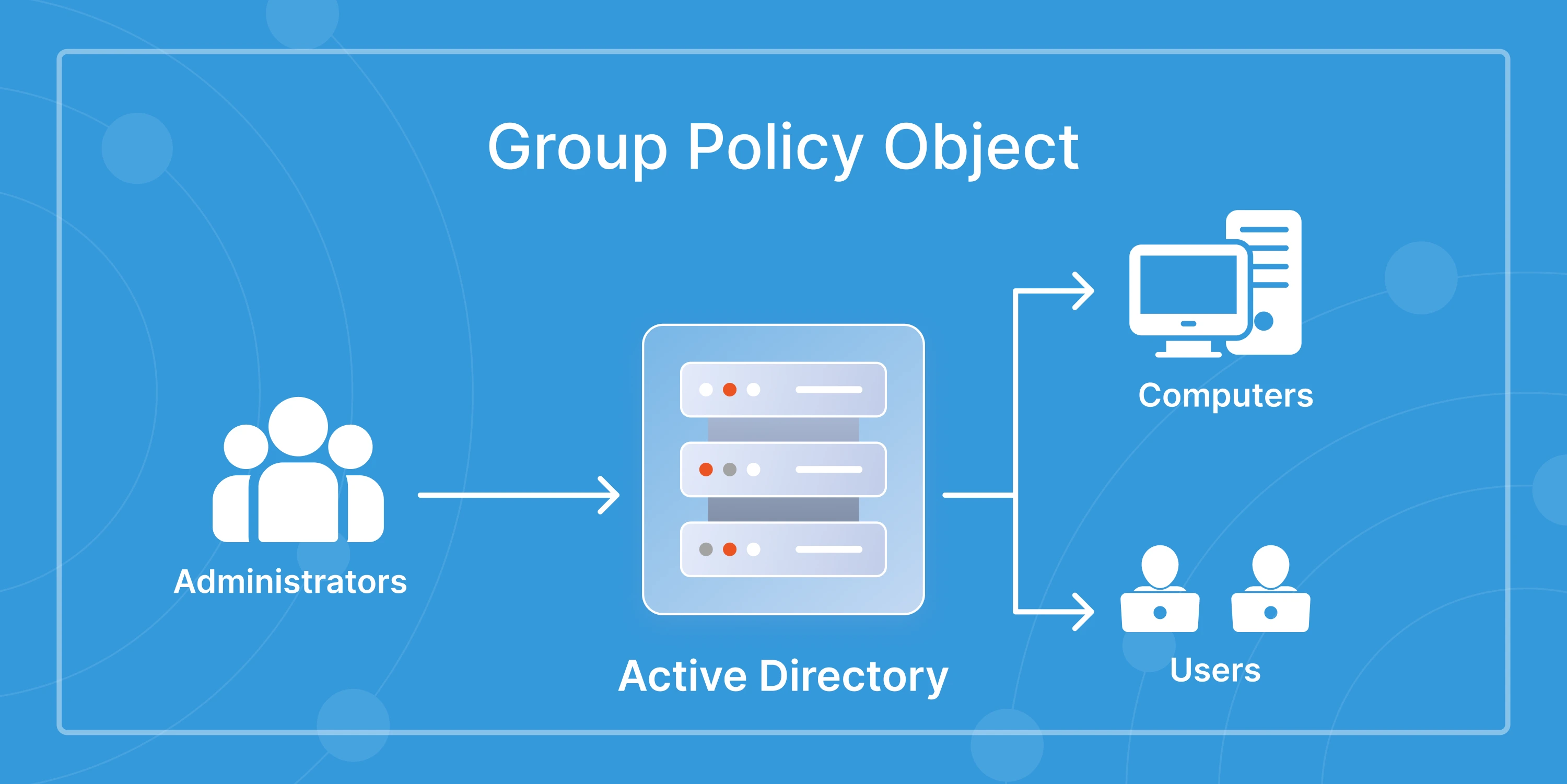
- Group policy confusion: GPOs apply only to on-prem resources, leaving cloud accounts unmanaged or outdated.
- Latency and sync delays: Real-time changes in Azure AD may take minutes to reflect in local domains, affecting login or MFA behavior.
- Decentralized control: Different admins manage different parts of the identity ecosystem, making auditing and delegation harder.
Hybrid AD isn’t going away; it’s the reality of modern enterprise identity. The solution is unified visibility and automation. A single console that tracks sync health, monitors changes, and automates corrections can eliminate most of these pain points before they escalate.
Challenge #2 – Lack of Automation in Daily Operations
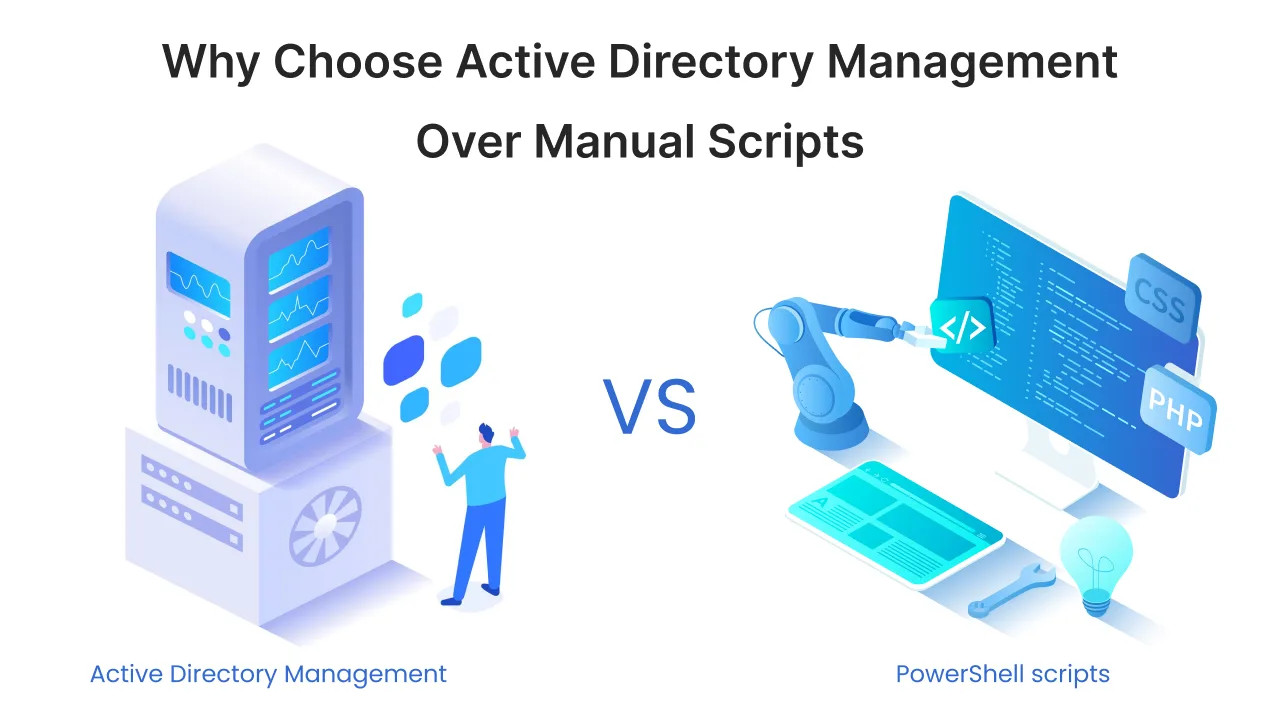
Active Directory has become the nerve center of every IT environment, but much of it still runs on manual effort. Admins create users one by one, reset passwords through ticket requests, and update attributes using PowerShell scripts. It works, but it’s slow, repetitive, and prone to human error.
Without automation, these daily tasks quickly snowball into bigger issues:
- Delayed onboarding and offboarding: New users can’t access systems on time, while former employees retain unnecessary privileges.
- Inconsistent updates: Departments use different naming conventions or attributes, creating mismatched user records.
- High dependency on IT: Even basic actions like group assignment or password reset need admin intervention, leaving help desks overwhelmed.
- Risk of manual errors: A small typo in an OU or attribute can lock out entire departments or break application access.
No visibility into repetitive tasks: Without reporting or scheduling, there’s no way to track how often changes occur or which actions fail.
In 2026, automation is no longer optional. Policy-based workflows, smart templates, and scheduled jobs are now essential to keep Active Directory consistent and compliant. A single automated change can save hours of manual work and prevent security missteps before they happen.
Challenge #3 – Visibility and Auditing Gaps
You can’t manage what you can’t see, and that’s exactly the problem most IT teams face with Active Directory today. Despite AD’s importance, its native tools provide limited visibility into who changed what, when, and why.
Admins often find themselves piecing together event logs across multiple domain controllers just to trace a single modification. By then, it’s too late to reverse the damage or identify the root cause.
Here’s what visibility and auditing gaps usually look like:
- No unified view: Logs are scattered across servers, making it hard to detect anomalies in real time.
- Limited GPO insights: There’s no easy way to track which policies were applied, disabled, or modified.
- Poor compliance visibility: Auditors often need evidence of user or group changes, which native AD tools can’t provide quickly.
- Reactive troubleshooting: Teams notice problems only after users complain or systems fail.
- Missed security alerts: Subtle changes, like privilege escalation or account lockouts, often go unnoticed until it’s too late.
By 2026, organizations are expected to maintain continuous audit trails for every access change, policy update, or directory modification. Real-time reporting tools and automated alerts make this possible, giving admins the clarity they need to prevent small issues from turning into full-scale outages or compliance violations.

Challenge #4 – Security Risks and Privilege Escalation
Active Directory is still one of the most targeted assets in enterprise environments. According to Microsoft’s 2025 Digital Defense Report, over 40% of ransomware attacks begin with compromised AD credentials. That single stat highlights why security remains the toughest challenge for admins in 2026.
The problem isn’t just stolen passwords; it’s how easily excessive privileges, stale accounts, and misconfigured permissions spread across large environments. Attackers don’t break in anymore; they log in through forgotten credentials or over-provisioned roles.
Common security challenges in AD environments include:
- Dormant accounts: Unused admin or service accounts left active become easy backdoors.
- Privilege escalation: Users with unnecessary domain-level rights can manipulate permissions unnoticed.
- Password reuse and weak policies: Reused, unchanged, or leaked passwords increase breach exposure.
- Insufficient MFA enforcement: Legacy systems often skip multi-factor authentication, especially in hybrid logins.
- Inconsistent access reviews: Without regular audits, no one knows who has access to what until something breaks.
In 2026, the focus has shifted from perimeter security to identity-centric defense. Continuous access monitoring, adaptive MFA, and least-privilege enforcement have become baseline security expectations. Organizations that rely solely on static group memberships are leaving open doors where attackers are already looking.
Challenge #5 – Compliance and Governance Pressure
Every organization running Active Directory today faces a growing list of compliance requirements. From GDPR 2.0 in the EU to India’s Digital Personal Data Protection Act (DPDPA), auditors now expect full visibility into how user data, privileges, and access logs are managed.
For IT teams, this means more reports, more policies, and tighter documentation, often without the right tools or automation to back them up. Native AD auditing alone can’t deliver the traceability most regulators demand.
Here’s how compliance pressure shows up in daily operations:
- Manual evidence gathering: Teams spend hours collecting user and group change logs for every audit.
- Policy inconsistency: Different departments apply different security and retention policies, creating governance gaps.
- Incomplete audit trails: Native AD logs don’t track all attribute or permission changes.
- Cross-border data handling: Multinational companies must now prove where AD data resides and who accessed it.
- Limited accountability: When multiple admins make changes, it’s hard to pinpoint responsibility.
In 2026, compliance is no longer just an IT issue; it’s a business risk. Organizations that can demonstrate automated policy enforcement, audit-ready reporting, and clear ownership structures will have a significant advantage during regulatory reviews. Tools with built-in governance frameworks are quickly becoming a necessity, not a choice.
Challenge #6 – Zero Trust and Conditional Access Integration
Zero Trust isn’t just a security trend anymore; it’s a mandate for modern enterprises. Yet, integrating Zero Trust principles with Active Directory continues to challenge even mature IT environments.
Active Directory was designed for a time when trust started inside the network. In 2026, that assumption no longer works. Employees connect from personal devices, contractors log in remotely, and cloud services access internal systems through APIs. All these factors make context-based access control far more complex than simple username and password checks.
Here’s where the real challenge lies:
- Static permissions: AD struggles to adapt to dynamic, risk-based access decisions.
- Limited context awareness: Traditional AD can’t evaluate device posture, network type, or session risk in real time.
- Integration gaps: Many organizations still treat AD and conditional access tools as separate systems.
- Policy sprawl: As Zero Trust rules increase, policies often conflict or overlap, creating more confusion than control.
- User friction: Poorly tuned conditional access can lock out legitimate users, hurting productivity.
The future of AD security depends on how well organizations blend their legacy structure with modern identity intelligence. Centralized access dashboards, adaptive MFA, and contextual policies can make Zero Trust achievable, without overwhelming IT teams or disrupting user access.
Challenge #7 – AI and Automation Side Effects
AI is making IT administration faster, but not always safer. In 2026, more organizations are using AI-driven tools to automate provisioning, monitor health, and suggest configuration changes in Active Directory. While these tools save time, they also introduce new risks if left unchecked.
The problem isn’t automation itself; it’s blind automation. AI doesn’t always understand business context or access sensitivity. A misjudged recommendation can create security gaps that go unnoticed until something breaks.
Common AI-driven management risks include:
- Over-provisioned access: AI scripts can unintentionally assign higher privileges to users.
- Automated misconfiguration: Suggested policy updates may override critical GPO or OU settings.
- No audit explanation: Many AI tools make changes without logging why or who approved them.
- Bias in decision logic: Models trained on old data might apply outdated permissions or password rules.
- Loss of human oversight: Overreliance on AI leads to fewer manual checks and weaker accountability.
As AI adoption grows, enterprises need to strike the right balance; automation should assist, not replace, human decision-making. The most secure environments use AI with guardrails: approval workflows, audit trails, and real-time rollback options that keep automation powerful but predictable.
Challenge #8 – Admin Skill Gaps and Process Drift
Technology has evolved faster than the people managing it. In many organizations, Active Directory is still maintained by small IT teams juggling multiple responsibilities. As senior AD administrators retire or move on, their replacements often inherit scripts, policies, and workflows that were never documented.
This skill gap creates something called process drift, when routine AD tasks gradually deviate from standard procedures. Over time, this leads to inconsistent configurations, policy conflicts, and audit failures.
Here’s how the skill gap and process drift show up:
- Outdated processes: Manual steps that worked years ago no longer align with hybrid or cloud-first environments.
- Dependency on key individuals: Only one or two admins understand legacy scripts or permissions.
- No change documentation: Teams apply updates without recording them, breaking continuity and traceability.
- Training backlog: New hires take months to understand AD structures, delaying operations.
- Inconsistent troubleshooting: Without clear ownership, every issue gets handled differently.
In 2026, effective AD management depends on process clarity as much as technology. Organizations that invest in standardized workflows, training programs, and self-service admin dashboards are finding it easier to scale operations while keeping configurations predictable and compliant.
How Automation and Templates Solve These Problems?
By now, it’s clear that the challenges around Active Directory aren’t about technology alone; they’re about time, visibility, and control. That’s where automation and smart templates step in. In 2026, most forward-looking IT teams are adopting tools that automate repetitive tasks, enforce consistent policies, and reduce admin dependency.
Automation not only saves time but also prevents the errors that come from manual operations. Whether it’s bulk user provisioning, group modifications, or OU updates, standardized templates ensure every change follows the same logic across environments.
This is exactly where the miniOrange AD Management tool stands out. It lets administrators:
- Automate repetitive AD tasks: Create, modify, or delete users, groups, and computers in bulk with pre-defined templates.
- Apply consistent policies: Enforce naming conventions, password rules, and access permissions without writing scripts.
- Track every action: Get real-time reports and change logs for audits and compliance checks.
- Empower non-admin teams: Delegate safe, limited tasks like password resets or group membership updates to help desks and HR teams.
- Integrate with hybrid environments: Manage on-prem and Azure AD objects from a single console.
For enterprises aiming to simplify directory operations, automation is no longer a luxury; it’s a safeguard. Tools like miniOrange AD Management bring that balance of control and agility every modern IT team needs to manage AD efficiently.
Future Outlook – Active Directory in 2026 and Beyond
Active Directory isn’t going anywhere. It’s evolving. As enterprises continue shifting toward hybrid and multi-cloud environments, AD will remain the foundation of identity management, but it will look and behave differently from the version IT admins grew up with.
By 2026, three clear trends are shaping how organizations approach AD management:
- AI-assisted provisioning: Machine learning will predict access patterns and recommend user provisioning actions, reducing manual work but requiring tighter audit control.
- Deeper cloud integration: Expect AD to work natively with cloud directories like Azure AD, Okta, and Google Workspace, eliminating the friction between local and cloud identities.
- Stronger compliance alignment: Automated policy enforcement, version tracking, and continuous monitoring will become standard features for audit-readiness.
The goal isn’t just to manage Active Directory; it’s to manage it intelligently. Automation tools like miniOrange AD Management are already leading this transition by combining traditional directory control with centralized visibility.
In the next few years, IT leaders who invest in smarter directory governance and hybrid automation will not only reduce risks but also unlock agility for their entire infrastructure.
Conclusion
Active Directory management in 2026 is no longer about keeping user accounts clean or policies up to date. It’s about bringing automation, visibility, and intelligence together to handle an identity system that never stops changing.
From hybrid directory sync to AI-driven provisioning and tighter compliance demands, IT teams are managing far more complexity than ever before. The way forward is to simplify operations with automation and policy-based control.
miniOrange AD Management gives organizations the balance, automating routine tasks, improving audit readiness, and keeping hybrid environments consistent and secure. It’s how modern IT teams are preparing their directory infrastructure for the next phase of digital growth.
If your goal is to manage AD smarter, not harder, this is the year to start automating.
FAQs
What are the most common Active Directory management challenges?
Most organizations struggle with hybrid AD synchronization, privilege escalation, lack of automation, incomplete audit trails, and compliance reporting.
How can automation simplify Active Directory administration?
Automation reduces manual effort in provisioning, group management, and password resets. It ensures consistency and minimizes configuration errors across domains.
What security risks are associated with poor AD management?
Weak password policies, inactive accounts, and unmonitored privileges are common entry points for attackers targeting Active Directory.
How does hybrid cloud make AD management harder?
When directories span on-prem and cloud platforms like Azure AD, sync mismatches, latency, and policy fragmentation become common issues.
What is the best way to audit and monitor Active Directory?
Use tools that offer real-time change tracking, audit logs, and alerting systems. Native tools are limited, so dedicated solutions like miniOrange AD Management provide better visibility.
How can organizations prepare for future AD challenges in 2026?
Adopt automation early, align with Zero Trust principles, and invest in continuous audit frameworks to keep pace with evolving hybrid environments.

Leave a Comment