
Introduction
B2B buyers today expect corporate procurement to feel as seamless as shopping online on any modern ecommerce store, but with the higher control, stronger compliance, and streamlined approval workflows their companies require. They don’t want to toggle between supplier websites, manually handle product details, or deal with pricing inconsistencies.
As a result, procurement teams are steadily moving toward centralized, automated e-Procurement systems that integrate directly with their internal systems. Recent industry data reinforces this shift:
- More than 60% professionals now use digital procurement tools, including eProcurement platforms and supplier punchout systems.
- Digital procurement solutions are gaining favor, with 75% buyers claiming improved spend visibility, and 70% saying that it reduced ordering time.
This is a clear sign that Shopify merchants selling to B2B buyers cannot afford to ignore these trends.
PunchOut integration supports just this: a structured, efficient method of purchasing. It lets enterprise buyers access a supplier’s store, e.g., a Shopify Plus storefront, directly from procurement systems (SAP Ariba, Coupa, Jaggaer, Oracle) with their contract-based pricing and catalogs already visible.
For Shopify merchants and B2B buyers, PunchOut implementation is quickly becoming essential to meeting the evolving requirements for corporate procurement. In this blog, we’ll break down how PunchOut works, its role in B2B procurement in Shopify Plus, and how you can integrate PunchOut with your Shopify store for seamless & secure procurement sessions with miniOrange’s advanced authentication and access control solutions.
What Is Punchout and Why Do Enterprises Use It?
Before looking at how PunchOut fits into modern B2B procurement, it’s important to understand what it actually does. PunchOut integration is the process of connecting a supplier’s online store with a buyer’s procurement system (like SAP, Coupa, or Ariba).
Instead of manually placing orders from static product lists, buyers can “punch out” from their internal system directly into the supplier’s live catalog. Here, they can select items, add them to their cart, and then return the cart to their e-procurement platform to complete the purchase.
Integrating supplier catalogs with procurement systems removes duplicate data entry, reduces human errors, and accelerates the B2B purchasing process, making it a valuable tool for corporate procurement teams handling high-volume orders.
Hosted Catalogs Vs. PunchOut Catalogs
- Many suppliers start with a hosted catalog, where the buyer uploads a static product list inside their procurement platform. While simple, it requires constant manual updates and can’t handle real-time pricing, stock, or product configurations.
- A PunchOut catalog, on the other hand, pulls buyers directly into the supplier’s live storefront. This ensures that buyers always see up-to-date inventory, accurate pricing, and the correct variants; no manual catalog management needed.
By linking procurement platforms directly to live supplier catalogs, PunchOut functionality ensures orders flow smoothly from selection to approval, all without leaving the buyer’s system.
Understanding Punchout Functionality & How It Works
Imagine you’re a procurement manager who needs to place a routine supply order for your company. Instead of visiting a supplier’s website separately or manually recreating a Purchase Order (PO) inside your procurement system, you start directly within your company’s eProcurement platform. From there, you open the supplier’s PunchOut catalog, which immediately takes you into their online store, but still within the flow of your internal system.
You can browse the supplier’s catalog, check product details, and add items to your cart just like a normal online purchase. When you’re done, instead of checking out on the supplier’s storefront, the entire cart is sent straight back to your procurement system so it can follow your company’s usual review and approval process.
This makes B2B purchasing faster, cleaner, and far more accurate because nothing needs to be manually entered or duplicated.
Step-by-step workflow for PunchOut integration:
- The buyer signs into the company’s procurement platform and “punches in” to access the supplier’s live catalog.
- The buyer is taken into the supplier’s punchout-enabled storefront while remaining in the same user session.
- The buyer browses the catalog, selects items, and adds them to the cart, just as in a normal online purchase.
- The cart is sent back to the e-procurement system for review, approvals, and order processing.
Behind the scenes, secure authentication and session handling make this redirection feel even more seamless. An advanced solution, such as miniOrange's Single Sign-On (SSO), for example, can ensure that the buyer stays logged in to both the procurement platform and the supplier’s storefront throughout the PunchOut session without needing to log in again. Essentially, by handling identity verification in the background and maintaining session persistence, SSO simply keeps the PunchOut flow smooth, secure, and uninterrupted.
How To Implement PunchOut Functionality In a Shopify B2B Setup?
Now that we’ve seen how a PunchOut session works, the next question that merchants usually have is: How does this apply to a Shopify B2B setup?
Shopify has evolved into a strong platform for B2B commerce, offering built-in features like company profiles, customer-specific catalogs, and tailored storefront experiences.
Dedicated B2B solutions from miniOrange further extend these capabilities, with advanced features like flexible authentication, content restriction, and user provisioning, making Shopify a sought-after platform for B2B procurement.
These tools allow suppliers to serve different B2B buyers with precision, without needing any custom development from their side.
Punchout functionality extends this even further. Instead of navigating to the store manually, B2B PunchOut enables buyers to launch the supplier’s catalog from within their procurement platform. This creates a direct bridge between Shopify (supplier’s website) and the buyer’s internal system, making it easier to integrate supplier catalogs with procurement systems that enterprises already rely on.
When buyers “punch in,” they enter the supplier’s storefront built on Shopify. Here, they browse products, view negotiated pricing, and add items to their cart, powered by Shopify’s real-time catalog management. The buyer then “punches out”, wherein the cart is then sent back into the corporate procurement system for approvals and budget checks, preserving all internal controls.
Because this setup involves constant connection between Shopify and e-procurement systems, merchants often layer their PunchOut implementation with access management solutions like Single Sign-On, Content Restriction, and User Sync. This allows merchants to let buyers move between their procurement system and Shopify without repeated logins, ensures they only see specific products and catalogs, and immediately updates access when a team member exits their company—supporting secure, scalable Shopify PunchOut experiences.
Shopify Punchout Integration: Key Benefits for Suppliers and Buyers
PunchOut integration strengthens both sides of the B2B procurement relationship by connecting live product data on Shopify with a buyer’s eProcurement system. This eliminates manual tasks, improves accuracy, and creates a smoother experience for corporate purchasing teams.
| Supplier Benefits | Buyer Benefits |
|---|---|
| Valuable behavioral insights, including buyer preferences, purchase patterns, and product trends, help suppliers refine offerings and increase revenue. | Lower transaction costs due to automated workflows and fewer manual updates. Reduced rogue spending, thanks to tighter alignment with budgets, purchasing rules, and approval paths set by the corporate management. |
| Better control over expenditure management, as PunchOut implementation brings procurement procedures and data together in a single flow. | A more personalized and seamless B2B buyer experience, enhanced by a stable and familiar interface on Shopify Plus storefronts. |
| Improved buyer experience through real-time updates on pricing, inventory, and product details, reducing back-and-forth communication between Shopify and the procurement platform. | Better control and insights for corporate procurement specialists managing high-volume or recurring orders. |
| Greater brand visibility across procurement platforms, as PunchOut catalogs appear directly within the corporate purchasing system. | Faster B2B purchase cycles, supported by real-time catalog data and structured PunchOut processes. |
Practical Use Cases of Punchout Integration for Shopify
1. PunchOut SSO for Smooth B2B Procurements
A buyer at a large enterprise signs in to their eProcurement system (Coupa, SAP Ariba, JAGGAER). They click on a Punchout tile expecting to navigate into a Shopify storefront without thinking twice about login screens or redirects. PunchOut should feel like a natural extension of their procurement platform.
But in many Shopify setups, the buyer is shown a login page the moment they arrive on the storefront. This breaks the PunchOut session, forces unnecessary authentication, and disrupts what should be a seamless B2B procurement flow. Repeated login prompts frustrate buyers and increase drop-offs.
With miniOrange Single Sign-On, the B2B buyer’s identity is verified as soon as they log into their e-procurement system. When they “punch out” to the supplier’s store, SSO ensures that they stay authenticated throughout the PunchOut session—browsing products, adding items, and returning the cart to the procurement system—without ever logging in again.
Through easy authentication and maintaining session persistence, miniOrange SSO can ensure the entire flow feels unified, stable, and professional, strengthening the supplier’s B2B PunchOut experience.
2. Tailored Access to Punchout Catalogs with Content Restriction
A supplier works with several corporate buyers, each needing different product visibility and pricing. When a buyer punches out from their corporate procurement platform, they expect a catalog that matches their requirements and access level, without seeing unrelated products or having to hunt for the right items.
Shopify, by default, does not automatically align buyer identities with the correct content. Due to this, buyers may end up accessing irrelevant collections, miss important items, or encounter inconsistent pricing. This slows down ordering, causes errors, and adds extra work for both buyers and suppliers.
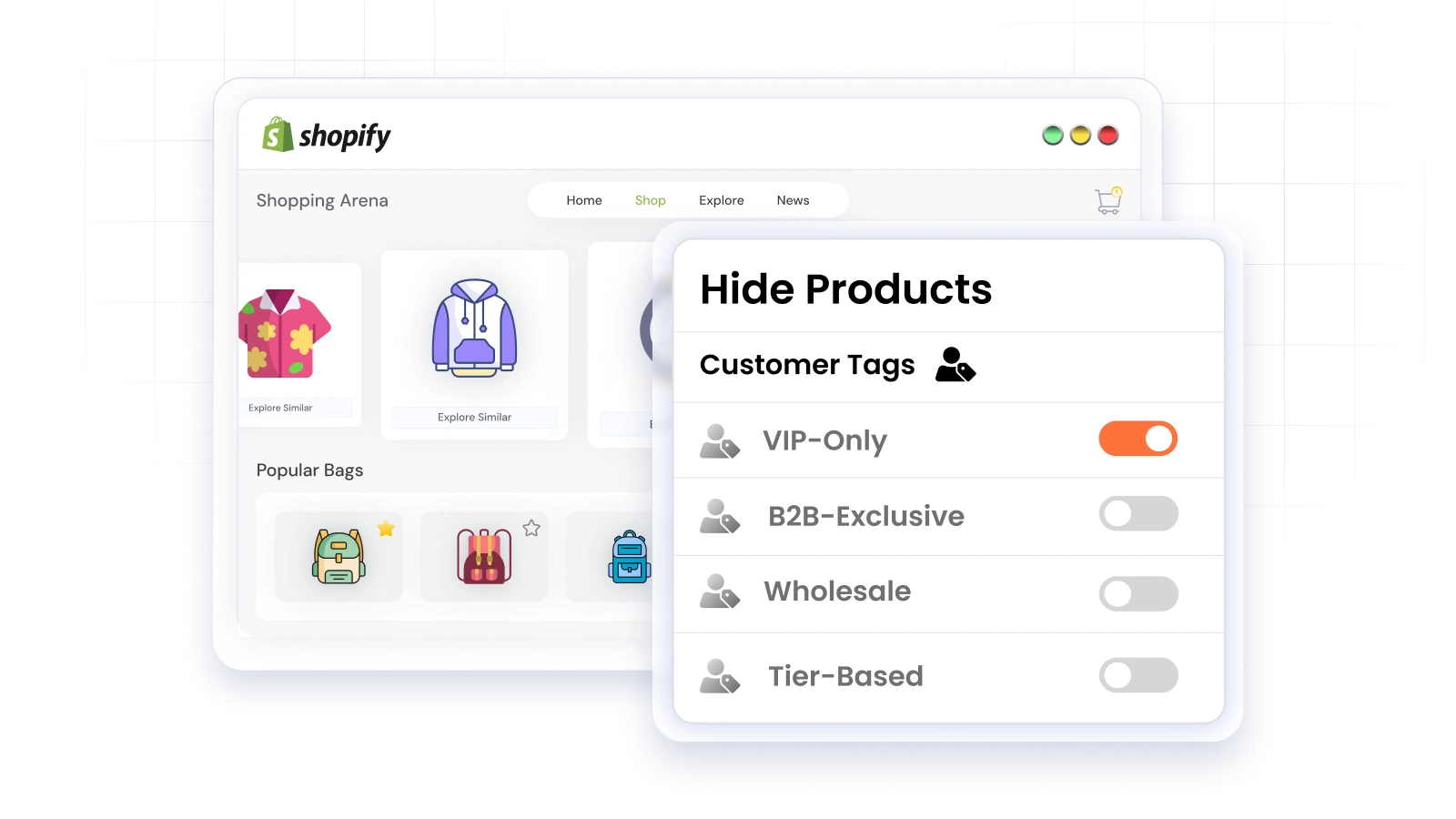
The LockOn Restrict Store solution from miniOrange ensures the PunchOut catalog is automatically tailored for each buyer. During the PunchOut session, the system checks the buyer’s identity, tags, or customer group, and displays only the collections, products, and pricing assigned to them, while keeping exclusive content hidden. This automated content restriction streamlines catalog management during a PunchOut session and delivers a seamless B2B procurement experience.
3. Secure B2B Punchout Access Via User Sync & Deprovisioning
In many organizations, procurement teams grow and change frequently, new buyers are added, and others move to different roles or leave altogether. When buyers access a supplier’s PunchOut catalog on Shopify from their procurement platform, the supplier needs to ensure that only authorized users can start PunchOut sessions and access the store.
Without an automated way to manage user accounts, suppliers have to manually create, update, or delete access for every buyer in Shopify. This can easily result in former employees still being able to access the punchout-enabled storefront or active buyers lacking the access they need. It not only creates security risks, but also disrupts B2B procurement workflows and makes catalog management inconsistent.
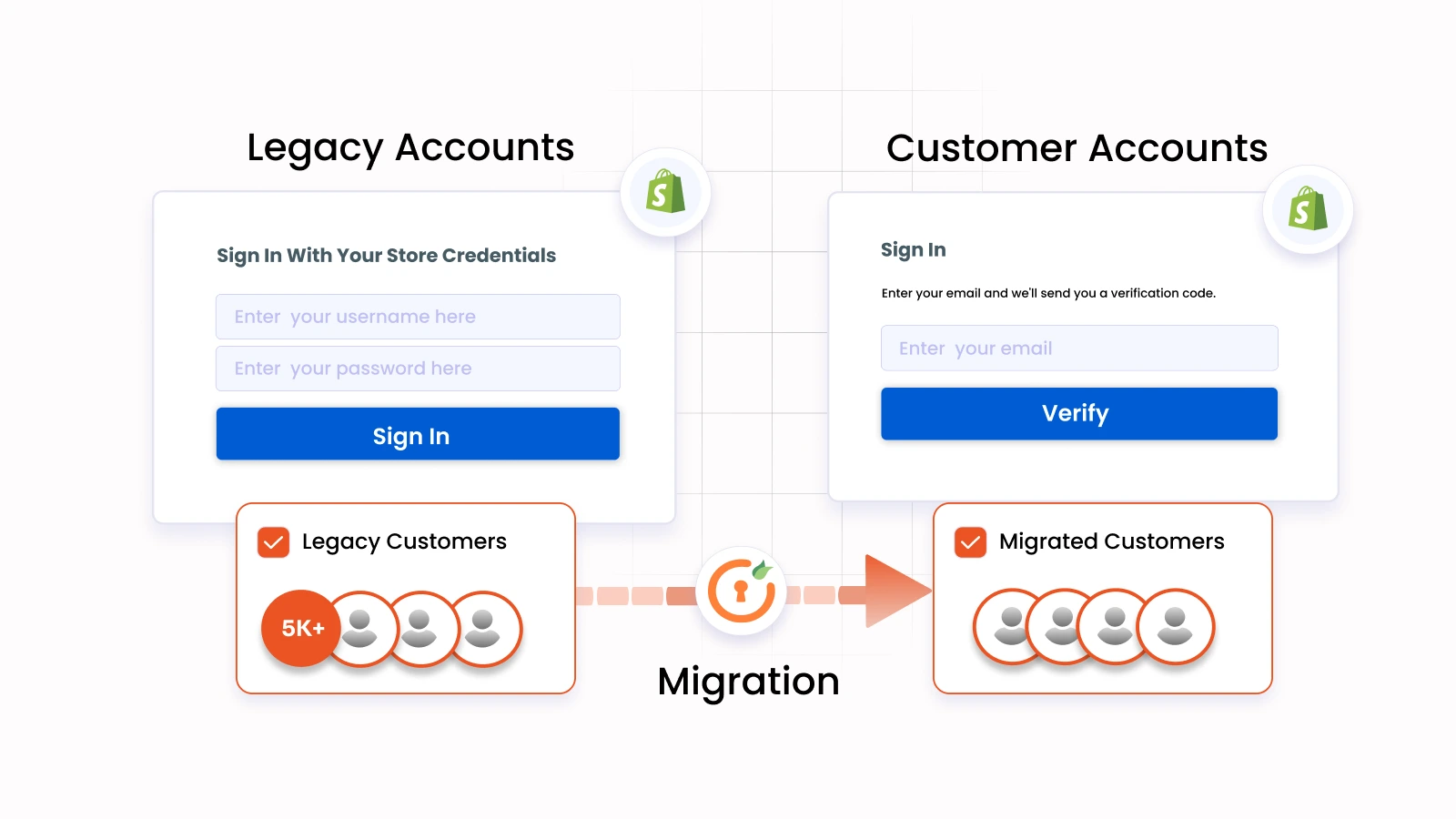
With miniOrange's SyncUP application (SCIM User Provisioning), user profiles are synchronized automatically between the buyer’s corporate Identity Provider and Shopify. When a procurement team member is added to the corporate directory, SCIM instantly provisions their account in Shopify with the correct permissions and tags.
If someone leaves the organization or changes roles, SCIM automatically deactivates or updates their account in real time without manual intervention. This ensures that only active users can access the PunchOut catalog on Shopify. This access remains aligned with the buyer’s corporate procurement structure, improving security and reducing administrative effort.
Frequently Asked Questions (FAQs)
What is the common workflow for a PunchOut session between a corporate procurement platform and a Shopify Plus store?
A PunchOut session begins inside the buyer’s eProcurement system (SAP Ariba, Coupa, Oracle, etc.), where they click the supplier tile to open the PunchOut catalog. They are taken into the punchout-enabled Shopify storefront, browse items, and return the cart to their procurement platform for approvals. This creates a seamless workflow where buyers shop on Shopify while staying fully within their corporate procurement process.
What is the difference between a hosted catalog and a PunchOut catalog in a Shopify B2B setup?
A hosted catalog is static and stored inside the procurement system, meaning suppliers must manually update pricing, stock, and product information. A PunchOut catalog, however, pulls buyers into the live Shopify store, ensuring accurate inventory and real-time pricing during B2B procurement. This is why PunchOut for Shopify is gaining preference for corporate purchasing, especially in high-volume B2B procurement setups.
Can I keep buyers logged in across the procurement system & Shopify storefront during a B2B PunchOut session?
Yes. With advanced authentication solutions like miniOrange Single Sign-On (SSO), buyers can login once to their procurement platform using existing credentials and remain logged in when they access the Shopify PunchOut catalog. SSO maintains session persistence between the platforms, so the buyer is navigated instantly to the PunchOut-enabled storefront without need for repeated logins, making B2B procurement feel like a single, uninterrupted workflow.
How can I show different PunchOut catalogs to different corporate buyers based on their access level?
You can automatically display the correct PunchOut catalog to each buyer based on various user profile attributes like email domain or customer tags. Tailored content restriction solutions like LockOn - Restrict Store from miniOrange, ensure that during a PunchOut session, every corporate buyer sees only the pages, collections, products and pricing specific to their requirements and permission levels, streamlining catalog management and improving the B2B PunchOut experience.
How do I ensure that only authorized buyers from a corporate procurement team can access my storefront?
Using the miniOrange SyncUp (SCIM Provisioning) application, user accounts in Shopify update automatically based on the buyer’s corporate directory. If someone leaves the organization or changes roles, SyncUp instantly removes or adjusts their access, ensuring only authorized users can reach the PunchOut-enabled storefront. This keeps your PunchOut implementation secure and aligned with the buyer’s B2B procurement structure.
Conclusion
PunchOut has become a key part of modern B2B procurement because it connects e-commerce platforms like Shopify directly to corporate procurement systems that most enterprises already use.
By letting B2B buyers access a live PunchOut catalog from their eProcurement system, Shopify stores are able to fit naturally into structured corporate purchasing flows; no manual updates, no duplicate entries, and no unnecessary switching between systems. It’s a cleaner, faster way to manage high-volume B2B procurement.
miniOrange’s SSO, content restriction, and user sync solutions further help maintain seamless PunchOut sessions, consistent catalog management, and secure storefront access. These applications make PunchOut for Shopify a straightforward extension of a store’s existing B2B setup, rather than adding a complex new process.
Looking to align your Shopify Plus store with corporate procurement workflows or implement a scalable PunchOut solution? Connect with our support team today!
Leave a Comment