
Introduction
Hiding products on Shopify without deleting them is a common requirement when managing storefront visibility. By default, Shopify doesn’t provide a dedicated “hide product” button, but it does offer various visibility controls using product status, sales channels, and newer features like unlisted products.
However, for merchants that need hidden products on Shopify that are visible only to certain users (logged-in customers or buyers with tags like wholesale), these native options may fall short. This is where third-party product access control apps for Shopify become necessary.
In this blog, you’ll understand how to hide a product on Shopify using built-in solutions, how to confirm whether a product is truly hidden, the limitations of native controls, and how apps like LockOn – Shopify Content Restriction help merchants gain more granular visibility control.
Native Ways to Hide Products on Shopify
Shopify does not have a dedicated “hide product” option. Instead, it offers several built-in workarounds that help merchants manage Shopify product visibility depending on their use case. These native options are useful for basic scenarios such as temporarily hiding products from the storefront or preventing unfinished products from being discovered.
1. Set products to Draft status:
One common method to hide products from Shopify storefront is setting their status to Draft. Draft products are completely hidden from your store; they won’t appear in collections, search results, or even via direct URLs. This is ideal for products that are still being created or reviewed, but it also means the product cannot be purchased or shared with any customer.
2. Manage visibility on sales channels:
Another option is managing sales channel availability. Shopify allows you to choose which sales channels a product is published to (Online Store, POS, or custom apps). Removing a product from the Online Store channel hides it from your storefront while keeping it active in the admin. This method essentially removes storefront visibility without deleting the product record.
3. Set status to “Unlisted”:
Shopify recently introduced a new product status called “Unlisted”, which lets you hide a product from discovery but still allows access through a private link. Unlisted products are hidden from search engines, storefront search, collections, etc. However, the product page remains accessible via a direct URL on your online store or custom storefronts.
4. SEO Hidden Metafield:
Shopify also supports hiding products using the ‘seo.hidden’ metafield. When applied, this hides the product from search engines, search results within the storefront, the sitemap, and the Shopify catalog. However, the hidden product can still appear in collections, product recommendations, and third-party sales channels, and remains accessible via direct URLs. This is useful when you want to limit discoverability, but it does not provide complete Shopify product access control.
Shopify Hide Products By Managing Sales Channels
Sales channels are how Shopify determines where products are published. Every product can be published to one or more channels, including the Online Store, POS, and third-party marketplaces like Facebook or Google. Managing these sales channels allows you to control Shopify product visibility without deleting the product or changing its status.
This method is especially useful when you want to hide a product from the storefront on Shopify while keeping it active in the admin or available on other channels.
1. Hide Products on Shopify One-by-One
To hide a single product at a time from specific sales channels, you can update its publishing settings directly from the product page.
- From your Shopify admin, go to Products and open the product you want to hide.

- In the Publishing section, click on the Manage button or the adjust icon.

- Uncheck the channels you want to hide the product from (Online Store, Shop, or Facebook & Instagram)
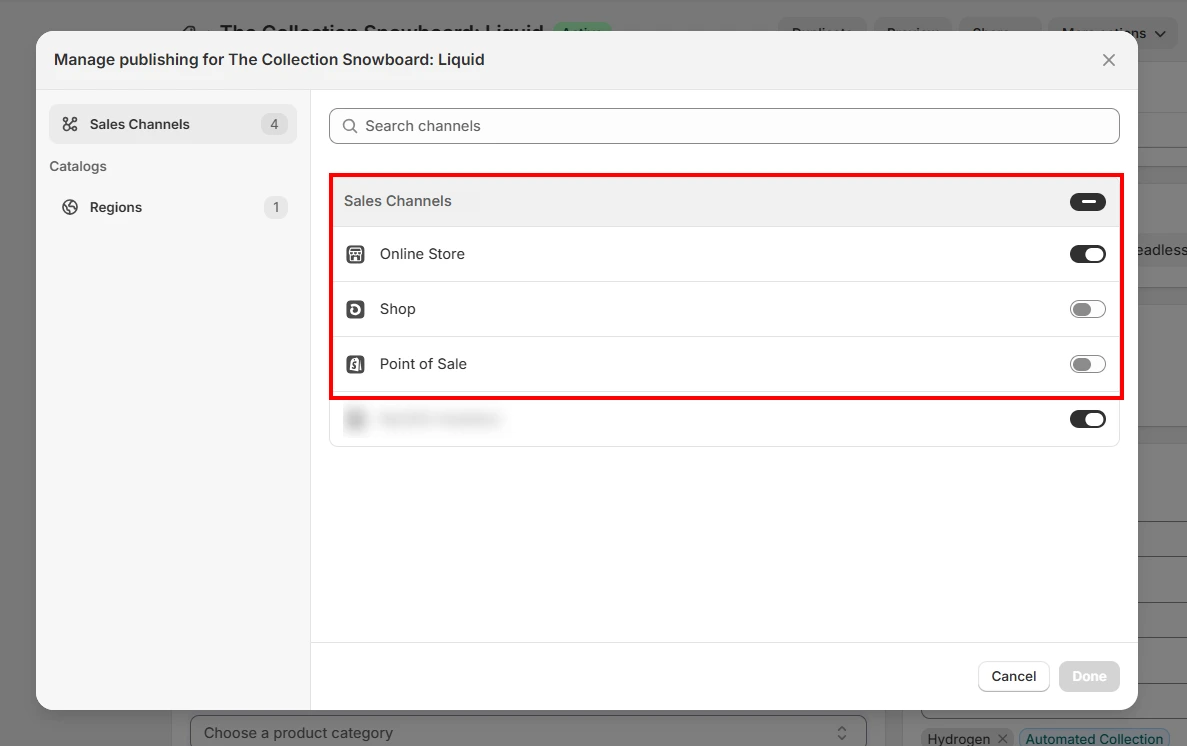
- Click Done, and then Save.
Once removed from the Online Store channel, the product becomes a Shopify hidden product; it will no longer appear on your storefront, collections, or storefront search results, while remaining available in the admin.
2. Hide Multiple Products on Shopify
If your workflow involves managing multiple products at once, bulk actions are the most efficient way to hide products on Shopify across sales channels.
- From your Shopify admin, go to Products and select the products you want to update.
- You can manually select individual products, select all products on a page, or use search and filters to narrow down your selection first.
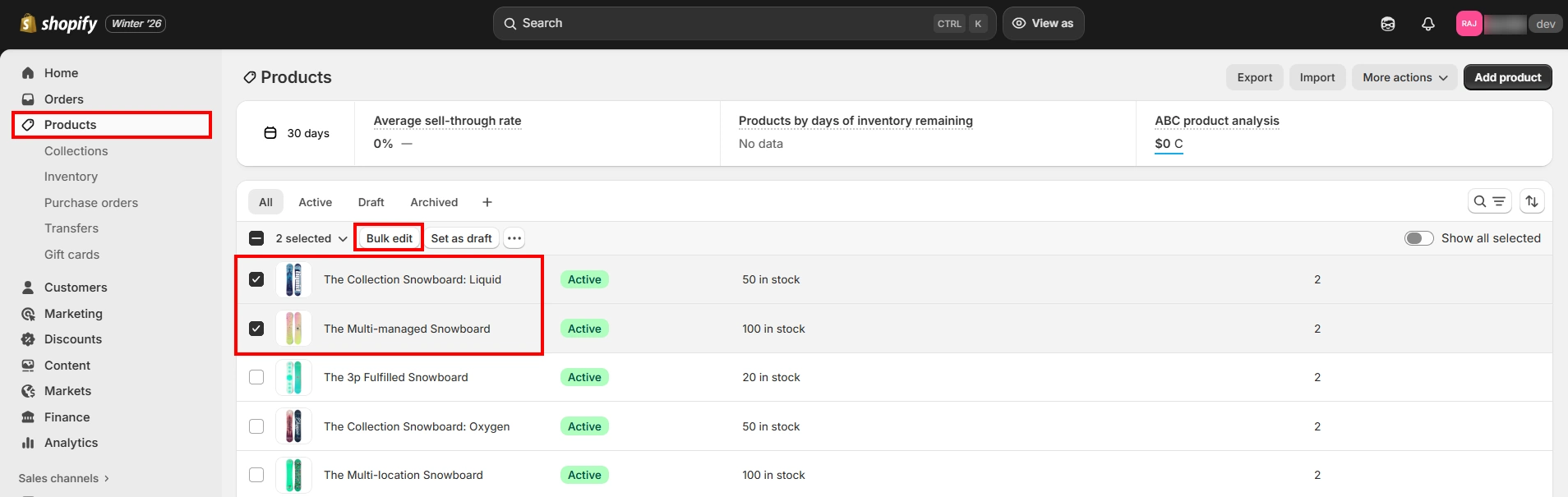
- Once selected, click on Bulk edit as shown above.
- In the bulk editor, click Columns and locate the sales channels you want to manage (Online Store, Shop)
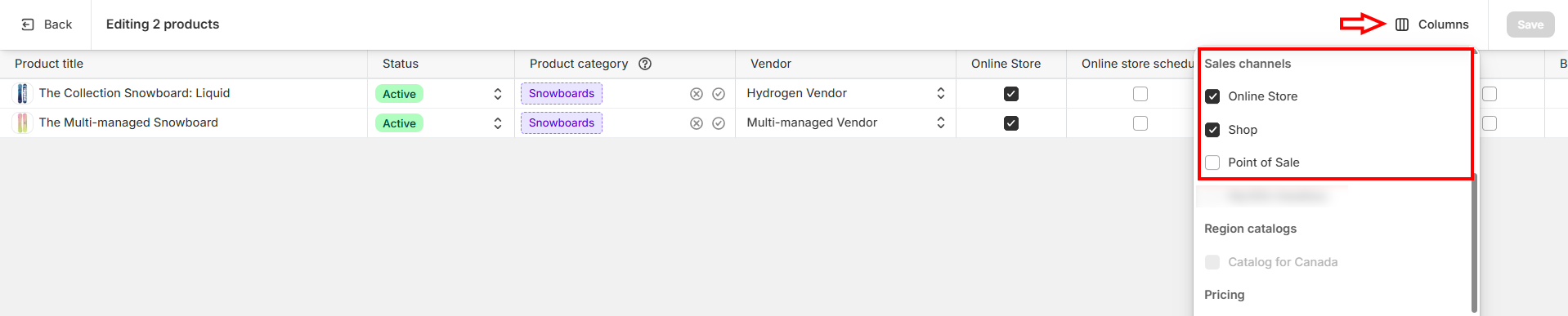
- Uncheck the relevant sales channel(s) to hide that product from those channels
- Click Save to apply all changes.
This approach makes it easy to manage Shopify hidden products at scale, especially for seasonal items, B2B-exclusive products, or limited catalog visibility.
However, product visibility rules on sales channels apply universally. This means you cannot use this method to hide products for specific customers, since it doesn’t support customer-specific restriction logic.
How to Check If a Product Is Hidden
If you’re unsure whether a product is hidden from your storefront, Shopify offers a few simple ways to verify product visibility.
- First, check the product status and sales channels in the admin. From the Products page, click on the product name to open its details. At the top, review the Status to confirm whether the product is Active, Draft, Archived, or Unlisted.
- Then scroll to the Publishing section to review the Sales channels section and verify that the Online Store channel is unchecked; if it is, the product is hidden from the storefront.
- Next, try accessing the product using its direct URL in an incognito browser. If the product returns a “page not found” error or redirects, it’s likely hidden. If the page loads, the product is still accessible, even if it’s not visible in collections.
- If a product is still visible in collections but not appearing in search results, it may be hidden using the ‘seo.hidden’ metafield. To verify this, open the product in your admin and add /metafields.json to the end of the product URL in your browser. Look for a metafield with:
- Namespace: seo
- Key: hidden
- Value: 1
If the parameters are met, the product is hidden from search engines and search results within the Shopify store, even though it may still appear elsewhere in the store.
Limitations of Shopify’s Built-In Product Hiding
While Shopify’s native visibility controls are useful for basic catalog management, they are not designed for customer-specific or role-based access control. For growing storefronts or businesses that serve multiple customer types, certain challenges become apparent.
1. No way to hide products for specific customers
Shopify does not allow you to show or hide products based on individual customers, customer tags, or login status using native settings alone.
2. Sales channel rules apply to everyone
When a product is unpublished from a sales channel, it is hidden for all visitors; there’s no option to conditionally control visibility per user group.
3. Products may remain accessible via direct URLs
Certain visibility methods, such as unlisting or hiding via SEO metafields, still allow products to be accessed if someone has the direct product link.
4. No tag-based or role-based access control
Shopify does not natively support restricting product visibility based on customer roles (B2B buyers, staff, partners) or customer tags.
5. No option to hide individual product variants
Native content restriction settings apply at the product level, making it impossible to hide specific variants like sizes, regions, or pricing tiers.
6. No built-in scheduling for visibility changes
Shopify does not offer automatic hide/show scheduling for products, requiring manual updates for launches, seasonal items, or limited-time offers.
7. Limited support for B2B and wholesale visibility rules
While Shopify B2B offers company pricing, it does not fully control which products or prices are visible to different buyer groups.
How to Hide Shopify Products From Certain Customers
For merchants who need Shopify product access control based on customer attributes like roles, tags, location, or login status, the above limitations can quickly become restrictive.
In many Shopify stores, product visibility needs to change based on who is viewing the store, not just where the product is published. Common scenarios include:
- Showing different products to wholesale or B2B buyers than to retail shoppers
- Making certain items visible only to logged-in customers
- Restricting products to customers with specific tags or roles
Unfortunately, Shopify’s native tools don’t support conditional, customer-based logic. Sales channel visibility cannot tell the difference between a tagged customer and a general visitor; it simply controls whether a product is published or not.
This means merchants cannot decide that “only customers tagged B2B can see product X” or “keep this product hidden unless the user is logged in”. As your store grows and your customer segmentation becomes more complex, Shopify’s built-in features may fall short - and that’s where third-party apps become necessary.
Shopify Hide Products From Store Using Apps
Apps built for content restriction extend Shopify’s native visibility controls by introducing conditional, customer-centric logic. Instead of applying the same visibility rules to every visitor, these apps allow merchants to define who can access specific products, collections, or pages.
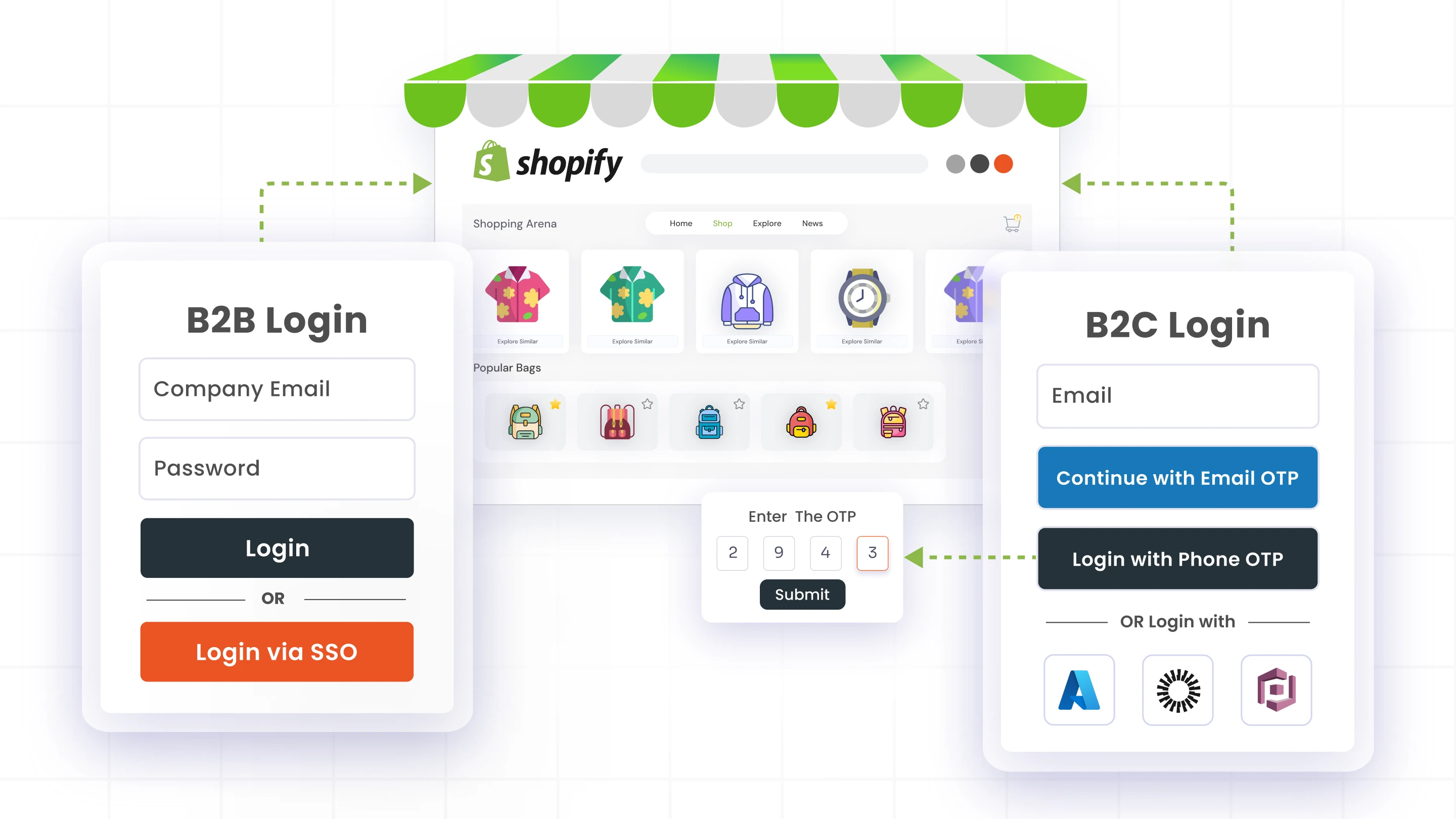
One such solution is the LockOn - Restrict Store application by miniOrange, which enables merchants to manage Shopify product access control using flexible rules rather than universal publishing settings.
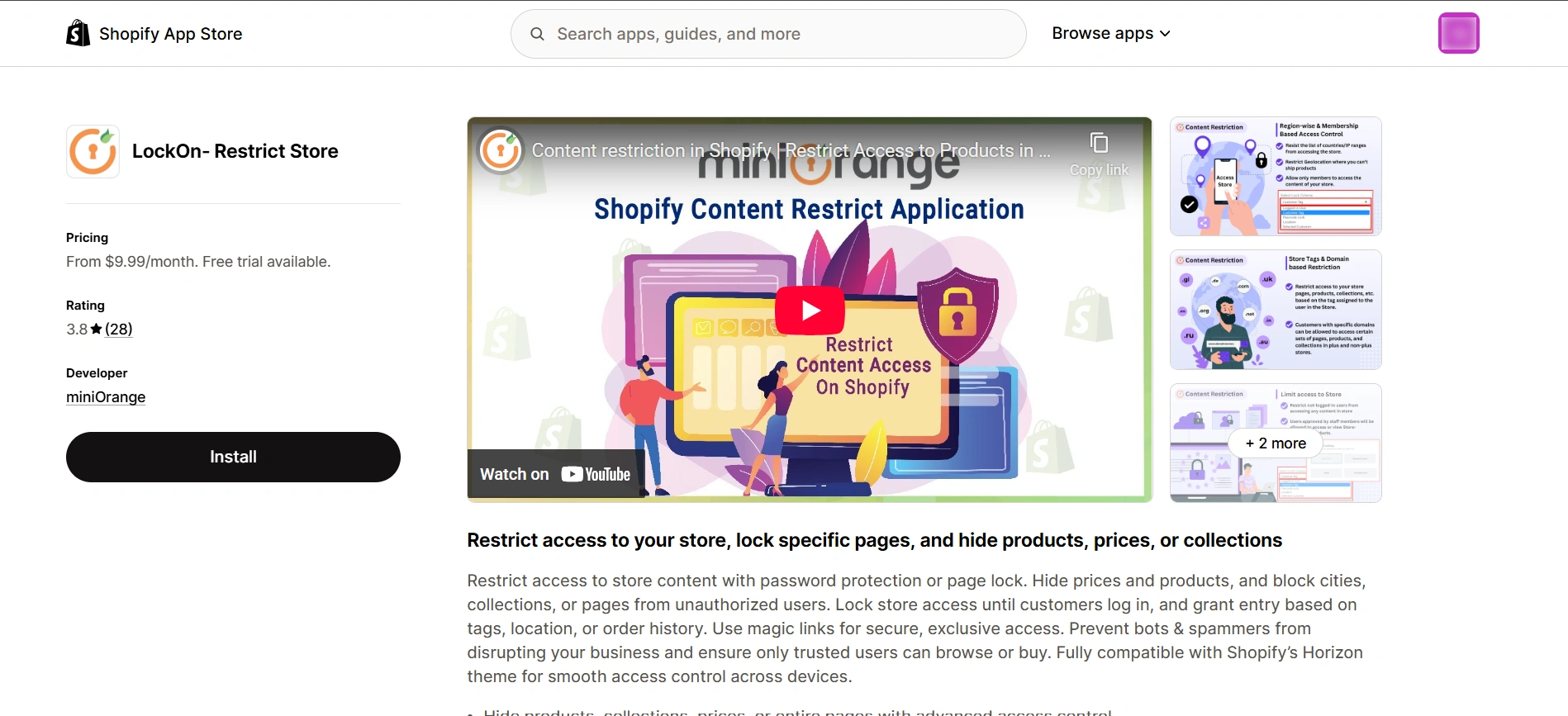
Unlike Shopify’s built-in options, apps like LockOn allow you to:
- Hide products from non-logged-in users while keeping them visible to authenticated customers
- Restrict specific products to VIP customers, wholesale/B2B buyers, or internal teams
- Lock entire collections or sections of the store behind defined access conditions
- Control visibility based on customer tags, email domains, location, or login status
Content restriction solutions help adapt product visibility dynamically to each visitor. This makes them especially useful for B2C stores with premium or member-only products, wholesale or B2B catalogs, and stores offering segmented pricing or private collections.
What You Can Do With Shopify Product Restriction Apps
Content restriction applications give merchants advanced control over Shopify product visibility, going far beyond what the native settings allow.
With apps like LockOn, merchants can hide products on Shopify using real-world access rules:
1. Restrict access based on customer login status: Products can be hidden from guest users and shown only after login, making this ideal for member-only pricing, private catalogs, or wholesale storefronts.
2. Control visibility using customer tags or roles: You can limit products to specific customer groups—such as Wholesale, VIP, or Employee—ensuring that only the right audience sees certain items.
3. Apply location-based restrictions: Products can be hidden or shown based on a visitor’s country, city, or even IP, helping with regional availability, compliance, or localized offerings.
4. Enforce email domain-based access: Shopify product visibility can be restricted to customers using approved email domains, which is useful for B2B buyers or corporate internal stores.
5. Manage visibility at the variant level: Instead of hiding an entire product, specific variants (such as sizes, regions, or pricing tiers) can be selectively restricted while others remain visible.
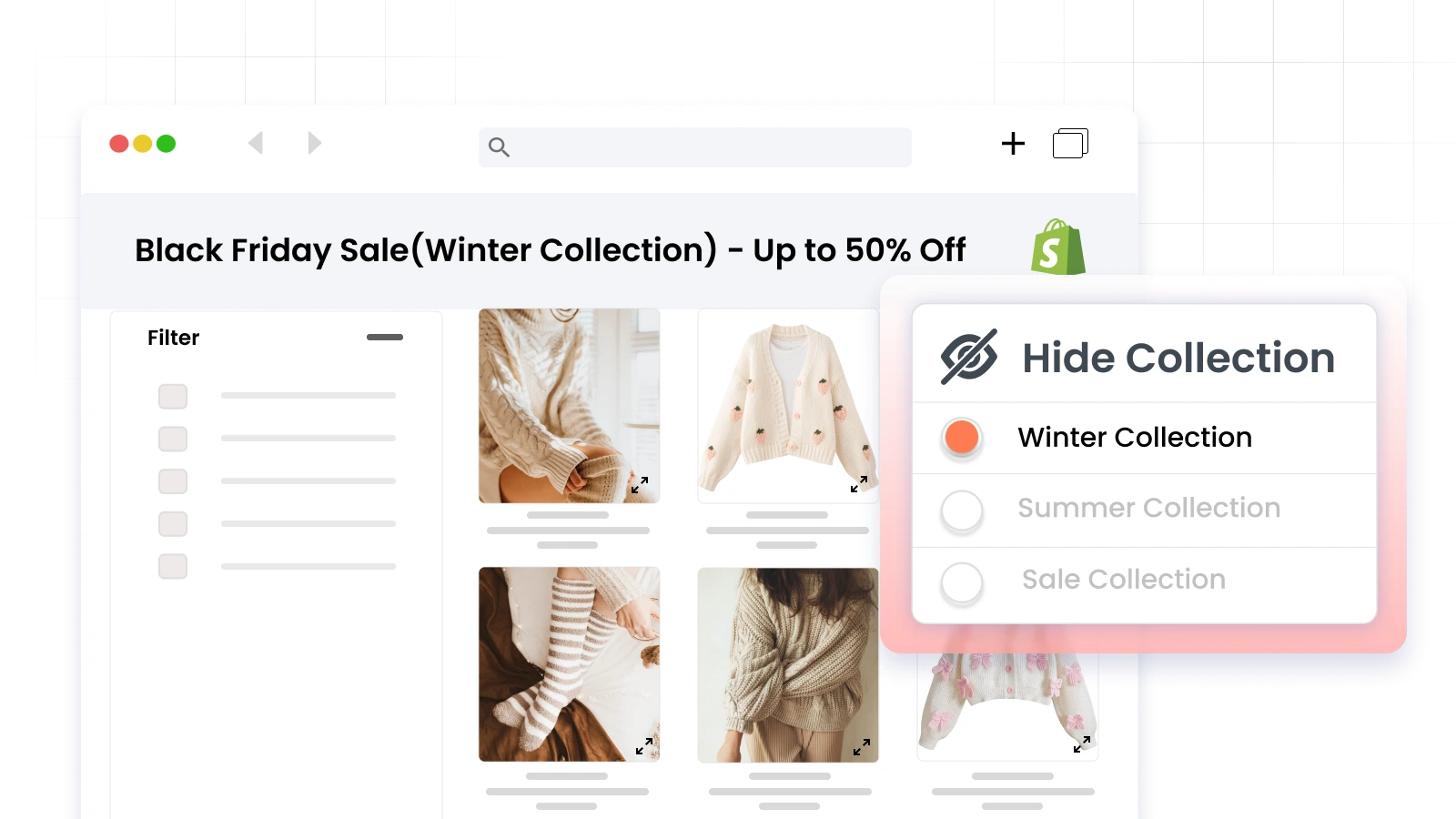
6. Schedule product and content visibility: Hide products or collections so that they automatically appear or disappear at predefined times, useful during new product launches, seasonal collections, or limited-time promotions.
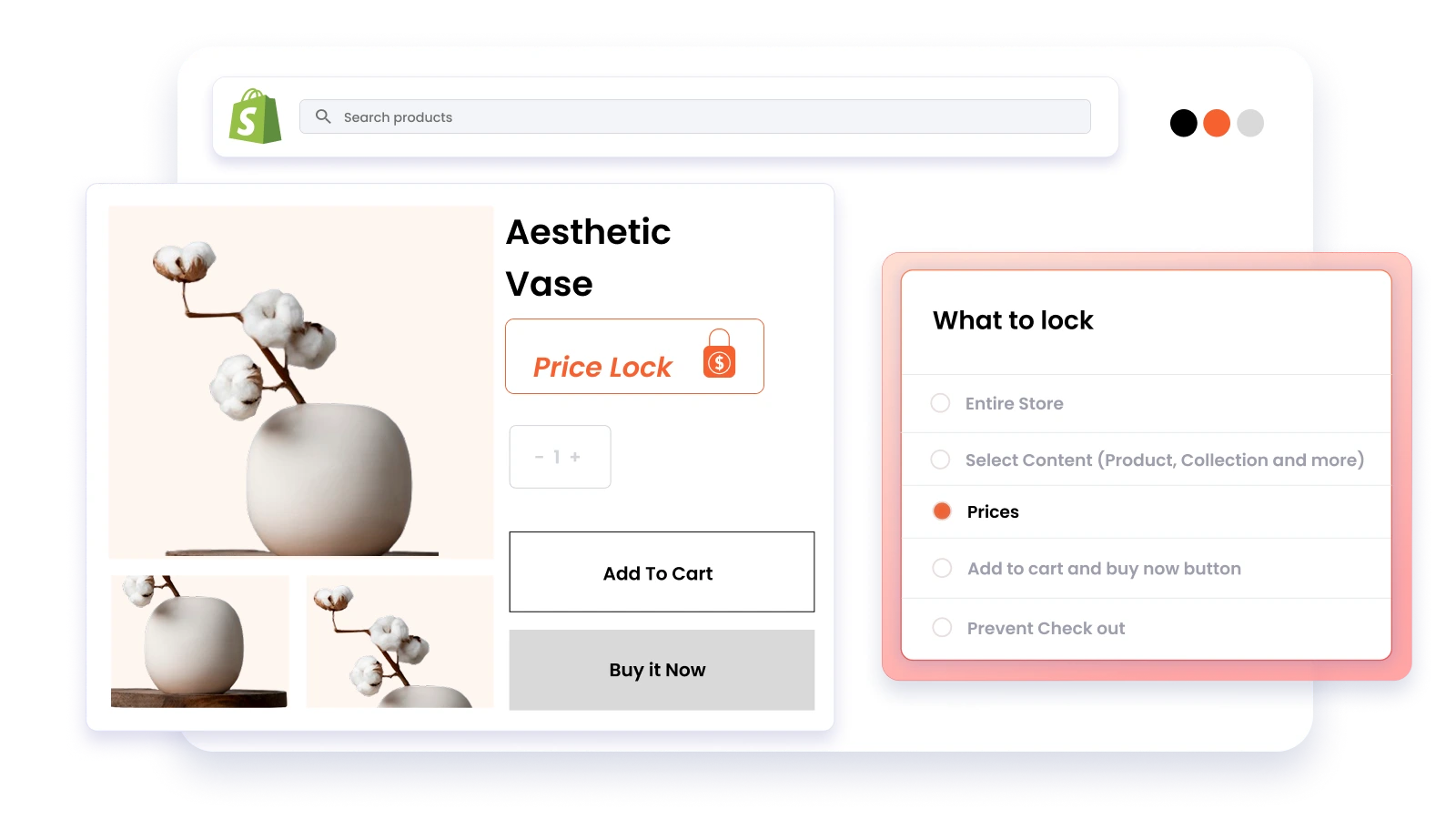
7. Lock entire store sections or the full storefront: Restrict access to pages, collections, or even the entire store, ensuring unauthorized visitors cannot access restricted content, even via direct URLs or magic links.
By using product restriction apps, merchants can seamlessly hide products on Shopify for specific customers, prevent unauthorized access, and maintain consistent visibility rules across their storefront. This level of product access control isn’t achievable using Shopify’s built-in features alone.
Frequently Asked Questions (FAQs)
Can I hide a product on Shopify without deleting it?
Yes. Shopify lets you hide products without deleting them by using native options such as Draft status, unpublishing products from the Online Store sales channel, setting products as Unlisted, or applying the seo.hidden metafield. If you need more control, such as keeping products hidden based on specific access conditions, apps like LockOn - Restrict Store can manage visibility dynamically without affecting the product record.
How can I hide products from specific customer groups?
Shopify’s built-in tools cannot hide products based on customer groups like wholesale, B2B, or tagged users. To hide products for specific customers, such as logged-in users, B2B buyers, or customers with specific tags, you need a product restriction app. Solutions like LockOn enable customer-based Shopify product access control using rules based on login status, tags, email domains, or location.
Will hiding a product affect my inventory data?
No. Whether you hide a product using Shopify’s native settings or through an app like LockOn, the product’s inventory, pricing, and configuration remain unchanged in the Shopify admin. Hiding a product only controls who can see or access it; it does not remove or alter inventory data.
Conclusion
Knowing how to hide a product on Shopify is essential for merchants who want more control over their storefront experience. While Shopify’s native tools offer basic workarounds, such as draft status, sales channel management, etc., they are limited to global visibility rules.
For stores that serve multiple customer types, including B2C and B2B buyers, hiding products for specific customers becomes a necessity rather than a preference. In such cases, extending Shopify’s capabilities with product restriction apps allows you to manage access intelligently without compromising your store structure or inventory. Choosing the right approach depends on how much control and flexibility your business needs as it grows.
Want more granular control over who can see your products? Reach out to know more about our content restriction solution today!

Leave a Comment