

Most Drupal security strategies focus on protecting user accounts before login. Organizations invest in strong passwords, multi-factor authentication (MFA), and Single Sign-On (SSO) to prevent unauthorized access.
While these controls are important, security risks do not disappear once a user successfully authenticates.
Users may remain logged in for extended periods, share credentials with others, access accounts from multiple devices simultaneously, or leave active sessions unattended. Without proper visibility and control, these activities can create security gaps that increase the risk of unauthorized access, compliance violations, and account misuse.
This is where Drupal session management becomes critical.
Effective Drupal session management helps organizations control, monitor, and secure user sessions after authentication. It allows administrators to limit concurrent logins, automatically terminate inactive sessions, monitor user activity, and maintain detailed audit trails.
In this blog, we will explore why Drupal session management matters, how to limit concurrent sessions, how Drupal auto logout works, and why auditing user activity is essential for maintaining a secure Drupal environment.
What is Drupal Session Management?
Drupal session management is the process of controlling, monitoring, and securing user sessions after authentication. It helps administrators manage active sessions, limit concurrent logins, automatically log users out after inactivity, and track user activity across the Drupal environment.
In simple terms, session management determines what happens after a user logs in.
A user session begins when a user successfully authenticates and ends when they log out or the session expires. During that time, the user may access content, modify data, interact with applications, or perform administrative actions. Without proper controls, organizations have limited visibility into how these sessions are being used.
Drupal session management provides that visibility while helping organizations enforce security policies, improve accountability, and reduce the risk of session-based attacks.
Why is Session Management Important for Drupal Security?
Most security discussions focus on keeping attackers out. However, once users are inside the system, organizations need visibility into how access is being used. Effective Drupal session management helps maintain that visibility while ensuring user sessions remain secure throughout their lifecycle.
Session Limits Reduce Unauthorized Access
Allowing unlimited concurrent sessions can create unnecessary security risks. A single user account could be active on multiple devices, browsers, or locations simultaneously. In some cases, this may be legitimate. In others, it may indicate credential sharing or unauthorized access.
Session limits help organizations control how many active sessions a user can maintain at any given time. By restricting concurrent logins, administrators can reduce the risk of account misuse while improving overall access control.
Auto Logout Protects Unattended Sessions
One of the most common security risks is an active session left unattended. Users often forget to log out after completing their work. In shared environments or public workstations, this can expose sensitive information to unauthorized individuals.
Drupal auto logout helps reduce this risk by automatically terminating inactive sessions after a predefined period. This ensures users only retain access while actively using the system.
User Session Monitoring Improves Visibility
Organizations cannot secure what they cannot see. User session monitoring provides visibility into active sessions, allowing administrators to understand who is currently logged in, from where they are accessing the system, and how sessions are being used.
This level of visibility helps identify unusual activity and supports better security decision-making.
Audit Trails Improve Accountability
Every user action should be traceable. Detailed session logs provide information about login activity, logout events, devices, IP addresses, and session history. This helps organizations investigate incidents, understand user behavior, and maintain accountability across the environment.
Faster Incident Response
When suspicious activity is detected, speed matters. Administrators should be able to identify active sessions, investigate unusual behavior, and terminate access immediately when necessary. Effective session management provides the visibility and control needed to respond quickly to potential security incidents.
Benefits of Drupal Session Management
Strong session management provides much more than security. It also improves visibility, accountability, and operational control. Here are some of the key benefits of Drupal session management:
- Prevent unauthorized access: Session management helps ensure only authorized users maintain access to the Drupal environment. Features such as session restrictions and automatic logout reduce opportunities for unauthorized access.
- Reduce session abuse and credential sharing: Shared accounts and credential sharing can create significant security challenges. Limiting concurrent sessions helps prevent multiple users from accessing the same account simultaneously.
- Strengthen protection against Brute-Force attacks: While brute-force protection typically focuses on authentication, session controls provide an additional layer of defense by limiting opportunities for attackers to maintain persistent access after login.
- Detect suspicious login faster: Session monitoring makes it easier to identify unusual login patterns, multiple active sessions, unexpected access locations, or unusual device activity.
- Improve user accountability: When every session is tracked and recorded, user actions become easier to attribute. This creates greater accountability and supports internal security investigations.
- Simplify compliance audits: Many regulatory frameworks require organizations to maintain records of user activity and access events. Session history and audit logs make it easier to demonstrate compliance during audits.
- Strengthen overall Drupal security: Strong session controls complement authentication and authorization measures, creating a more comprehensive security posture across the Drupal environment.
How to Limit Concurrent Sessions in Drupal?
Concurrent session control is one of the most effective ways to strengthen account security. In simple terms, concurrent session management limits the number of active sessions a user can maintain at the same time. Instead of allowing unlimited logins, organizations can define session limits based on their security requirements.
Effective Drupal user session monitoring often begins with understanding who is logged in and how many active sessions they currently have.
For example, organizations may choose to:
- Allow only one active session per user
- Allow a limited number of active sessions
- Automatically terminate older sessions when new sessions are created
- Notify users when concurrent logins are detected
Limiting concurrent sessions helps prevent credential sharing, unauthorized account access, session abuse, and access control violations. The general process typically involves:
Step 1: Define Session Policies
Start by establishing clear session management policies based on your organization's security requirements. This includes deciding how many active sessions a user can maintain at the same time, whether multiple device logins should be allowed, and how long sessions should remain active before expiring. These policies serve as the foundation for controlling user access across the Drupal environment.
Step 2: Monitor Active Sessions
Continuously monitor active user sessions to maintain visibility into who is currently logged in and how they are accessing the system. Effective monitoring should include session details such as user information, device type, browser, IP address, login time, and session status. This visibility helps administrators quickly identify unusual or unauthorized activity.
Step 3: Detect Concurrent Logins
Review active session data to identify users who exceed the permitted number of concurrent sessions. For example, a single account may appear active on multiple devices, browsers, or locations at the same time. Detecting these concurrent logins helps organizations uncover credential sharing, unauthorized access attempts, or policy violations before they become security incidents.
Step 4: Enforce Session Restrictions
Once a concurrent session is detected, the system should automatically enforce the organization's session policy. This may involve terminating older sessions, preventing additional logins, forcing re-authentication, or notifying administrators of suspicious activity. Automated enforcement ensures session restrictions are applied consistently without requiring manual intervention.
Why Auditing User Activity Matters in Drupal?
Security is not just about preventing incidents. It is also about understanding what happens when an incident occurs. Without visibility into user activity, organizations often struggle to investigate suspicious behavior, identify security gaps, or demonstrate compliance during audits. This is why Drupal user session monitoring and auditing play such an important role in modern security strategies.
Auditing user activity helps administrators track who accessed the system, when they logged in, how long their sessions remained active, and what actions they performed during their session. Here are some of the key reasons why auditing user activity matters in Drupal:
Login and Logout Tracking
Maintaining a record of login and logout activity provides a clear picture of user access patterns. Administrators can identify successful logins, failed login attempts, login timestamps, logout timestamps, and session duration. This information helps security teams investigate unusual activity and verify access events when needed.
Session Visibility and Monitoring
Active session monitoring provides real-time visibility into user sessions. Administrators can see active users, device information, browser details, session status, and access locations. This visibility helps identify suspicious activity before it becomes a larger security issue.
Improved Accountability
When user actions are properly logged, accountability improves across the organization. Every action can be tied back to a specific user session, making it easier to understand who performed a particular action and when it occurred.
Simplified Compliance Reporting
Many compliance frameworks require organizations to maintain records of user activity and access events. Session auditing helps support HIPAA compliance, GDPR requirements, internal security audits, and access governance initiatives. By maintaining detailed audit logs, organizations can demonstrate that user access is properly monitored and controlled.
Faster Security Investigations
When suspicious activity occurs, audit logs provide valuable context. Instead of relying on assumptions, administrators can review session activity and investigate events using accurate historical data.
Default Drupal Session Limitations
Drupal includes basic session handling capabilities out of the box. While these default capabilities are sufficient for many websites, organizations with stronger security, compliance, or governance requirements often need additional controls. This is why many businesses begin looking beyond native Drupal session management capabilities.
No Native Concurrent Session Enforcement By default, Drupal does not provide robust controls for limiting concurrent sessions. A user can often maintain multiple active sessions across different devices and browsers simultaneously without triggering any restrictions. For organizations concerned about credential sharing or unauthorized account access, this can become a significant security gap.
Limited Auditing Visibility
Drupal provides basic logging capabilities, but detailed session-level auditing is limited. Administrators may lack visibility into active sessions, session history, device information, session ownership, and real-time user activity. This makes security investigations and compliance reporting more difficult.
Basic Inactivity Handling
Drupal's default session handling does not provide advanced inactivity management capabilities. Organizations often require role-based timeout policies, custom inactivity limits, force logout controls, and session expiration policies. These controls typically require additional session management capabilities.
No Advanced Access Controls Modern organizations often need contextual access controls that extend beyond authentication. Examples include:
- IP-based restrictions
- Device-based restrictions
- Location-based restrictions
- Time-based access policies
These controls help reduce risk by limiting access based on context rather than authentication alone.
Best Practices for Drupal Session Restriction
Effective Drupal session security requires more than a single control. Organizations should combine session restrictions, monitoring, auditing, and access policies to reduce risk throughout the user session lifecycle.
- Login Audit and Brute Force Protection Regularly monitor login activity and review authentication logs for suspicious behavior. Tracking failed login attempts and unusual authentication patterns can help identify brute-force attacks before accounts are compromised. Maintaining detailed login audits also improves visibility and accountability across the environment.
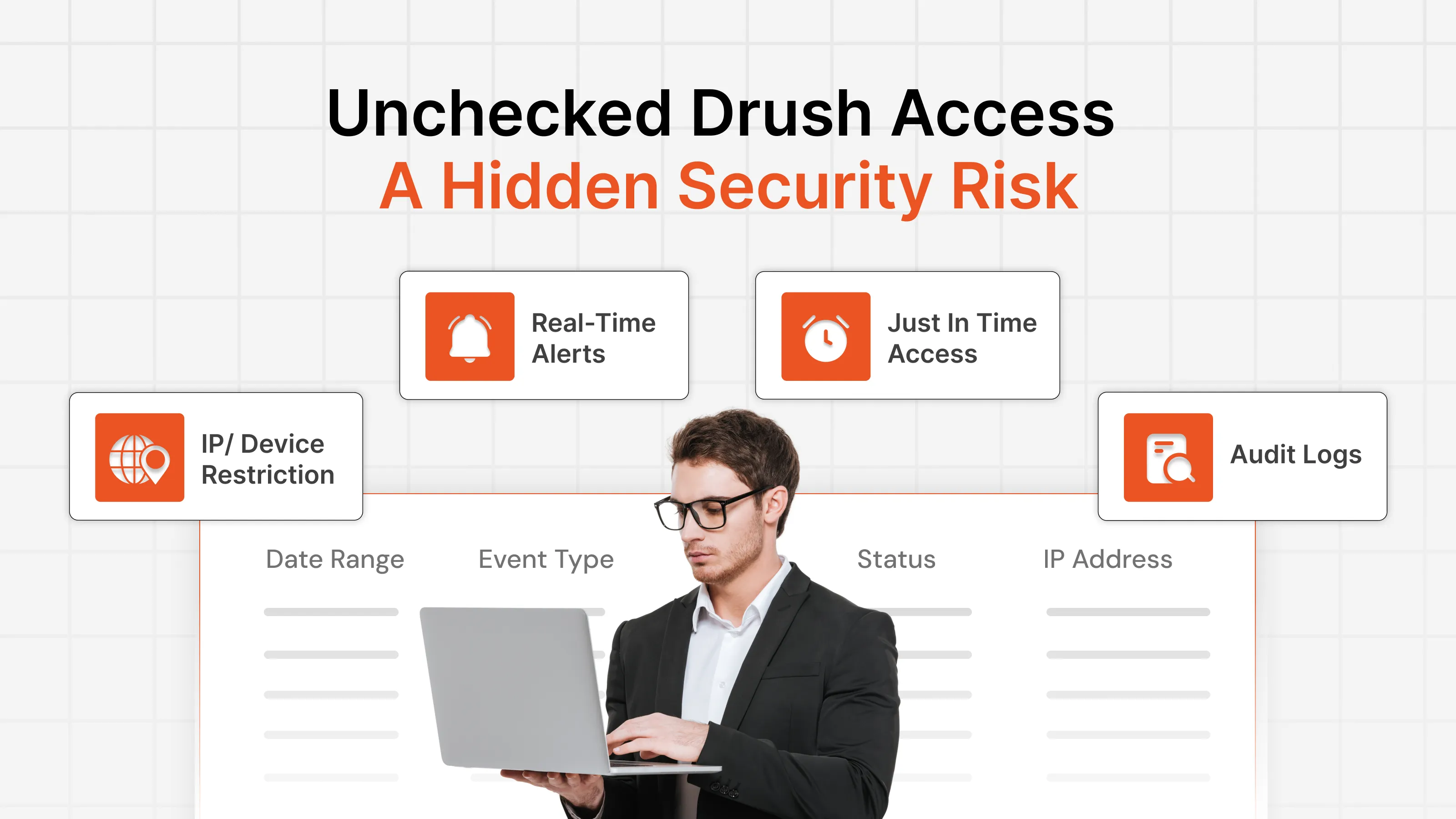
- IP-Based Restriction and Network-Level Protection Restricting access based on trusted IP addresses helps reduce exposure to unauthorized users. Organizations can allow access only from approved networks while blocking traffic from suspicious sources. This additional layer of security helps protect sensitive Drupal environments from unwanted access attempts.
- Geofencing (Location-Based Access Control) Not every user should be able to access Drupal from every location. Geofencing allows organizations to restrict access based on geographic regions. Access attempts from unauthorized countries or regions can be blocked automatically, reducing exposure to suspicious login attempts.
- Session Management, Monitoring, and Auditing Organizations should continuously monitor active sessions and maintain detailed session histories. Effective session monitoring helps administrators track active users, detect unusual activity, identify concurrent sessions, investigate incidents, and maintain compliance records. Visibility is one of the most important components of session security.
- Automatic Logout Idle sessions create unnecessary risk. Implementing automatic logout policies ensures users do not retain access longer than necessary. Sessions should automatically terminate after a defined period of inactivity, particularly for privileged accounts and sensitive environments.
- Time-Based Access Control Some organizations only require access during specific business hours. Time-based access controls help enforce these restrictions by limiting when users can access Drupal resources. This reduces exposure outside approved operating hours.
- IP Whitelisting and Blacklisting Maintaining IP allowlists and blocklists provides an additional layer of access control. Trusted IP addresses can be explicitly approved, while known malicious or unwanted IP addresses can be blocked from accessing the Drupal environment. Combined with session monitoring, this approach helps strengthen overall access security.
Simplify Drupal Session Management with miniOrange
As Drupal environments grow, managing user sessions manually becomes increasingly difficult. Organizations need visibility into active sessions, control over user access, and the ability to enforce security policies consistently across the platform.
This is where miniOrange helps.
miniOrange provides a complete Drupal Login Access Security and Session Governance plugin solution designed to help organizations monitor, control, and secure user sessions throughout their lifecycle.
Instead of focusing only on authentication, miniOrange extends security beyond login by providing tools that help administrators manage what happens after users gain access.
Key capabilities include:
- Concurrent session control to limit multiple active logins
- Active session monitoring for real-time visibility
- Session history and audit logs for accountability
- Auto logout and force logout controls
- Login activity tracking and reporting
- IP-based access restrictions
- Device-based access controls
- Geofencing and location-based restrictions
- Time-based access control policies
- Single Logout (SLO) for centralized session termination
These capabilities help organizations improve security, reduce session abuse, strengthen compliance efforts, and gain better visibility into user activity across their Drupal environment.
Whether your goal is limiting concurrent sessions, implementing Drupal auto logout, monitoring user activity, or improving audit readiness, miniOrange provides the tools needed to simplify Drupal session management.
Ready to strengthen Drupal session security? See how miniOrange can help you monitor, control, and secure user sessions with advanced session management and access governance capabilities.
Schedule a demo today.
Leave a Comment