

Drupal is one of the most widely adopted enterprise Content Management Systems (CMS), powering government portals, healthcare platforms, educational institutions, financial services, and large corporate websites.
Drupal can be managed through its web based administrative interface (GUI), which is the standard way to configure and administer sites. It has improved immensely when it comes to UI / UX aspects of the admin section - largely to improve and ease user adoption.
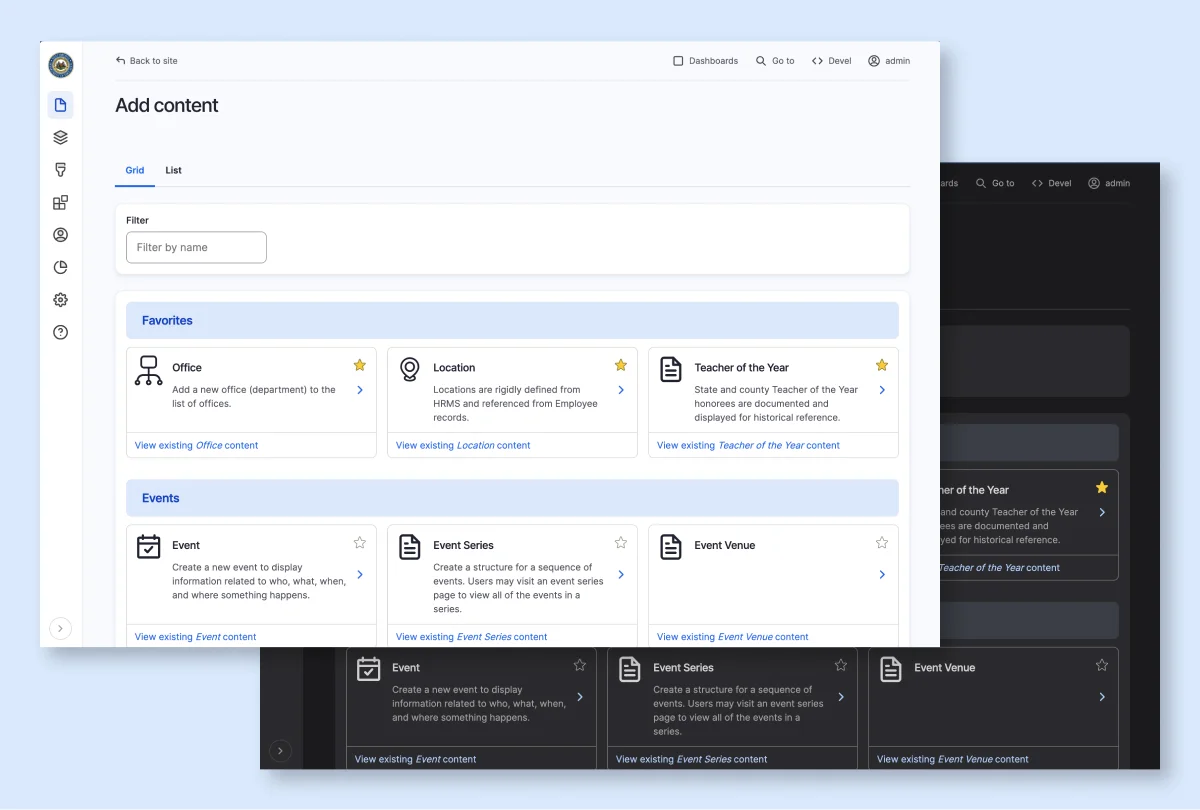
In addition, to cater to the veterans developers - it provides a powerful Command Line Interface (CLI) called Drush, which allows admins and devs to manage the site, automate routine tasks - and many advanced admin tasks - directly from the command line.
In addition to the web-based interface, Drupal provides a powerful Command Line Interface (CLI) called Drush. It allows experienced developers and administrators to manage the site, automate routine tasks, and perform advanced administrative operations directly from the command line.
What exactly is Drush?
Drush (Drupal + Shell) is an administrative command-line tool that enables users to perform Drupal operations without interacting with the web interface. It is primarily used for handling / dealing with cache issues, importing/ exporting configuration, module installations and updates, managing databases and much much more.
It’s been around since 2006 and has been an integral part of Drupal for the longest time.
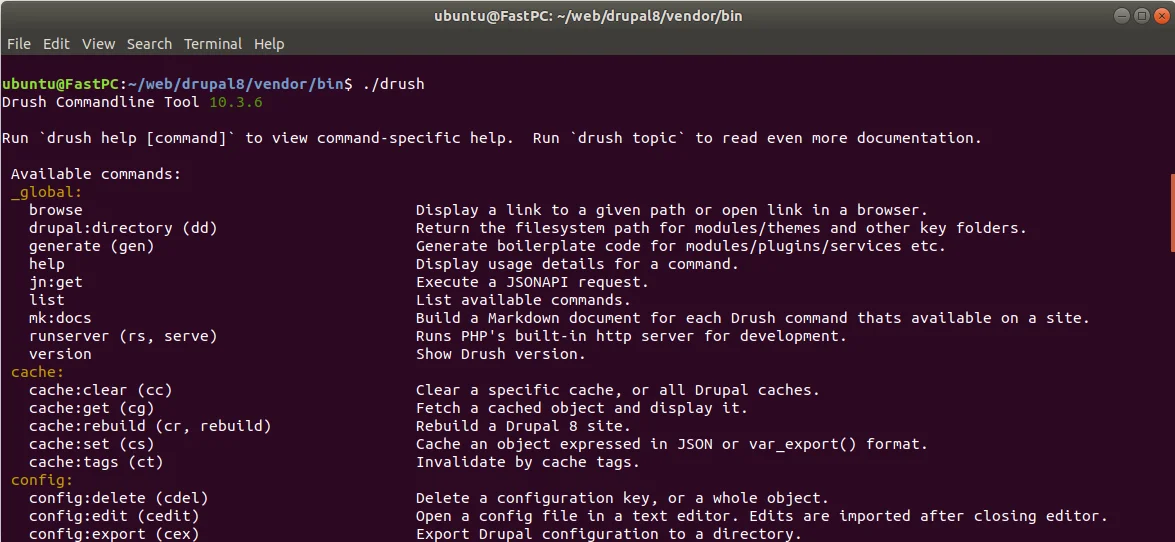
What can it do?
Broadly - someone with Drush access may be able to perform the following actions.
User Administration
- Generate one-time login URLs for any Drupal user
- Create, update, block, or delete user accounts
- Reset passwords
- Modify user roles and permissions
Site Administration
- Clear and rebuild caches
- Enable or disable maintenance mode
- Import and export configuration
- Execute database updates
- View and modify site settings
Module & System Management
- Install, enable, disable, or uninstall modules
- Execute module-specific administrative commands
- Run cron jobs and deployment tasks
- Execute custom Drush commands
For a detailed overview of the user-management operations that can be performed through Drush - read Mastering User Management in Drupal with Drush: A Comprehensive Guide.
Drush is generally considered to be safe for use, as it requires access to the system backend - which - ideally - is already gated. But have any of you ever stopped to wonder what would happen if you had a rogue agent or zombified privileged account in your midst?
The Serious Bits
The Drush operations - often privileged - are executed directly through the command line and may not pass through Drupal's standard authentication mechanisms.
As a result, controls such as Single Sign-On (SSO), Multi-Factor Authentication (MFA), IP restrictions, CAPTCHA, and session policies can be bypassed when admin actions are performed via Drush.
While this functionality is essential for enterprise administration, it also creates a privileged access and attack surface that requires - nay demands - governance, visibility, auditing, and access controls.
What if Drush is left unchecked?
Developers or administrators with elevated privileges may perform unauthorized administrative actions - either of their own accord, or as a victim of a social engineering attack or simply human stupidity.
Without proper auditing applied to a direct backend access tool, organizations would be left helpless in the aftermath of an incident and may not easily answer questions such as:
- In-case of an unauthorized login, who generated the login link? Was that person authorized to do so? Can everyone with the same role generate login links? Do you have logs for these actions that can be audited later?
- Which user was the culprit or the victim?
- If a module was installed - who installed it? If a module was disabled it - whodunit? If some critical module configuration was messed with, who is responsible?
This creates a privileged access gap that is difficult to monitor, control and restrict.
For example - If an attacker gains server access or compromises a privileged account, they may leverage Drush commands to obtain admin access without interacting with the normal Drupal login process - thereby bypassing any access control mechanisms you’ve got in place for protection against unauthorized access.
That’s not all. Here’s a glimpse into what can go wrong
- A privileged user generates a one-time login URL for a threat agent to access the system with elevated access without approval or audit logging.
- The threat actor can then disable or uninstall security-critical modules such as Role-Based Access Control (RBAC), SSO, MFA, logging, or auditing modules.
- Install unauthorized or malicious modules capable of capturing user credentials or sensitive information.
- An attacker resets an admin's password using Drush, locking out the legitimate admin and gaining unauthorized privileged access.
- And taking things a step further, the threat actor can even dump the entire database (sql:dump), including sensitive customer details, user passwords, and API keys.
- Truncate database tables, delete records, or execute arbitrary SQL queries to alter site data, remove user accounts, or modify site configurations.
Privileged Access Management is one of our fortes, and placing Databases Access behind a PAM system - without any significant overhead - is something that makes us stand out from. This guide would elaborate on what all we can do.
Here’s the fix
Safeguard Drush as you would any other system. Access, protected. Each action, tracked. Each Drush user, governed.
Historically, anyone who had access to the admin system - could access the Drush CLI, unchecked.
With Secure Drush, you can add a layer of user authentication to Drush, and with that, gain a significant amount of granular access control over it.
This can go one of 2 ways -
Approval-Based Privileged Access
No access by default - all developers would start off following the principle of least privilege - and have no privileged access by default. Only after going through the proper channels for approval, would they be able to get that coveted privilege.
- Developer -> Requests privileged access
- Manager approves -> Temporary login URL generated
- This link expires automatically after five minutes
Short Lived Access
No persistent access.
- Request Access -> Access granted for set period of time
- Privileged operations completed -> Access automatically revoked
[!NOTE] With either scenario, there would have to be periodic access reviews to ensure there’s no account with dormant privileged access that can be taken over.
Once the Drush sessions are tied to a user entity, you can enforce restrictions and security checks that can be a higher level of protection.
Drush Command Governance
- Enable or disable sensitive Drush commands
- Restrict privileged commands to authorized roles
- Limit execution during approved business hours
- Enable / Disable module installation through Drush
Audit and Compliance
Maintain logs for Drush command execution, login URL generation, password resets, user creation, administrative privilege elevation (maybe more)
Real-Time Monitoring
Generate alerts whenever privileged login links or sensitive Drush commands are executed. This capability naturally complements existing solutions like - Login and Access Security & Site Health.
Conclusion
Drush is an indispensable tool for enterprise Drupal administration, but its privileged capabilities introduce a governance gap that traditional Drupal authentication controls do not address.
The primary concern is not external attackers exploiting Drush, but insider risk along with protection against compromised privileged accounts, excessive permissions, and the absence of visibility into sensitive administrative operations.
By implementing Privileged Access Controls for Drupal, organizations can extend Zero Trust principles to command-line administration through approval workflows, just-in-time access, audit logging, IP restrictions, and time-bound privileged sessions.
This transforms Drush from an unmanaged administrative interface into a governed and compliant privileged access channel suitable for enterprise environments.

Leave a Comment