
Introduction
Shopify stores are evolving beyond simple retail operations. What once was a primarily consumer-focused platform is now powering complex B2B experiences with tiered pricing, customer groups, and negotiated catalogs catering multiple B2B vendors and companies. However, as stores diversify their audiences, authentication becomes a critical pain point.
A login flow designed for retail customers might be fast and convenient. Still, that same experience often falls short for B2B users who need approval workflows, stronger security, or identity provider integrations.
Instead of forcing one authentication model on two distinct user types, many merchants are actively looking for ways to implement separate login flows for B2C and B2B users in Shopify to reduce friction, improve security, and ultimately increase conversions.
Why a Single Login Flow Doesn't Work for All Shopify Customers
B2C and B2B customers arrive at your Shopify store with entirely different expectations and goals. B2C users want quick access to browse products and complete purchases with minimal friction. They expect to create an account in seconds, log in instantly, and start shopping. Any barrier between them and the checkout page represents a potential conversion loss.
B2B customers, on the other hand, approach the store with a very different intent. These customers are typically purchasing on behalf of organizations, allowing them to view negotiated pricing, place bulk orders, manage accounts, or access restricted catalogs. For these customers, robust verification protocols, approval workflows, and controlled access are expected, not optional.
When both groups are funneled through the same login page and authentication logic, neither experience is optimal. Retail users face unnecessary hurdles, while B2B users may not get the level of access control they require.
The result? Confusion, failed logins, and abandoned sessions.
How B2C Customers Expect to Log In on Shopify?
B2C authentication on Shopify is designed around speed and convenience. Retail customers expect a fast, direct login experience that allows them to access their account and start shopping with minimal interruption.
Typical B2C Login Expectations
For B2C users, the login journey should be straightforward and familiar. Common expectations include:
- Direct login on the storefront
- Simple authentication methods such as passwordless logins or social login options
- Minimal steps between login and browsing or checkout
In B2C commerce, every additional login step can impact conversion rates. Customers are less tolerant of friction, especially on mobile devices.
Problems arise when B2C login flows are forced to accommodate B2B requirements. Adding approval steps, enterprise security controls, or restricted access logic into login journeys can disrupt retail customer experience and increase the risk of cart abandonment.
B2C authentication works best when it remains lightweight and focused solely on fast access.
How B2B Customers Expect to Log In on Shopify?
B2B authentication serves a very different purpose. Wholesale customers are not just shoppers; they are business accounts with negotiated pricing, restricted catalogs, and multiple internal users.
How B2B Login Requirements Differ
B2B authentication often includes:
- Account approval after sign-up
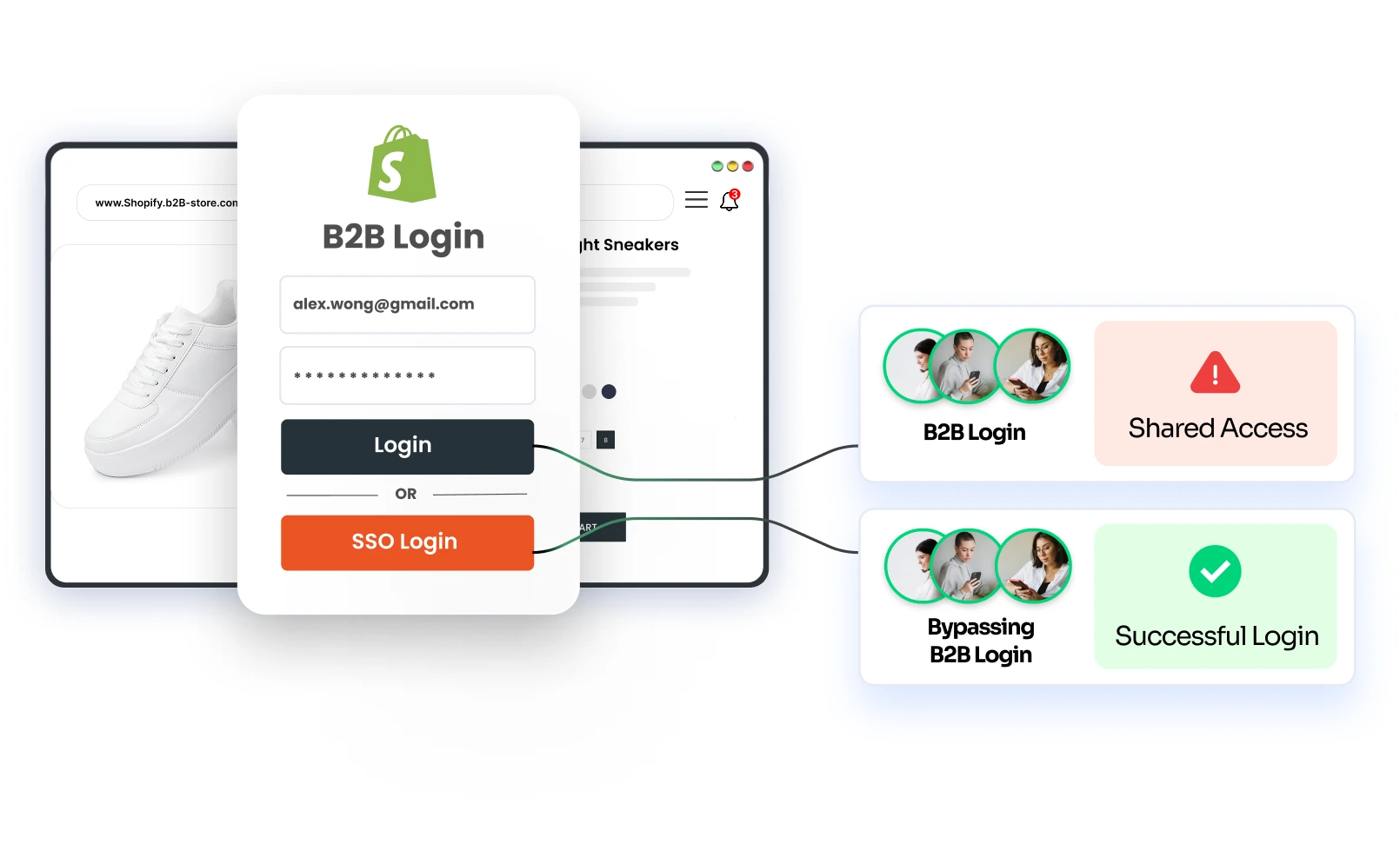
- Stronger and multiple authentication options, including SSO, MFA, and traditional email-password login
- Controlled access to B2B-exclusive pages, products, and collections
- Role-based access for buyers, sales reps, or partners
- Higher security expectations compared to retail users
These expectations reflect the higher risk associated with B2B commerce. A single B2B account may represent an entire organization, multiple buyers, and sensitive pricing data.
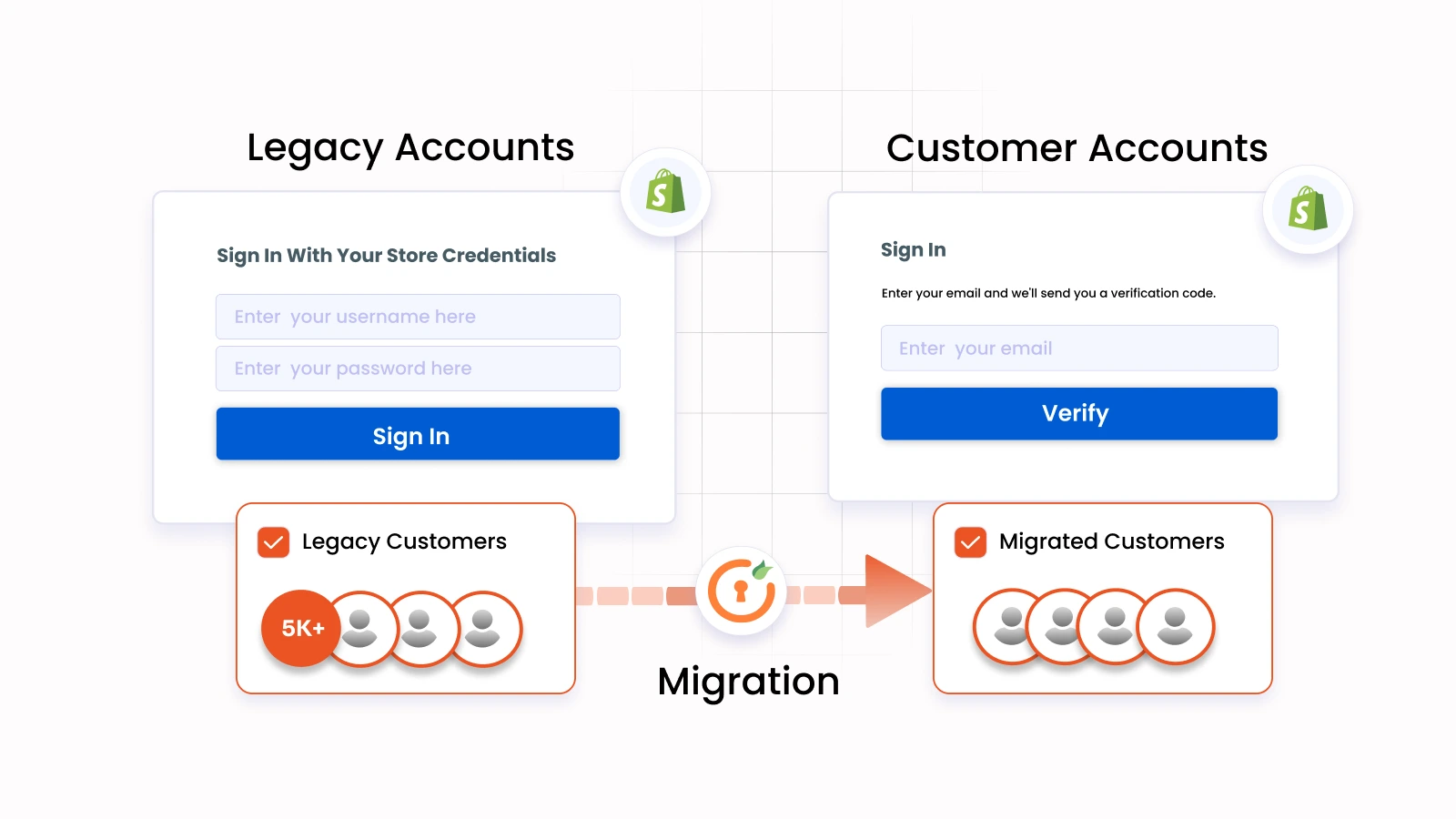
While convenient for retail shoppers, Shopify’s default Customer Accounts login, which relies on email-based OTP login, can introduce friction for B2B users and limit flexibility. Most B2B merchants struggle to support multiple login methods, enterprise-grade authentication methods like SSO and MFA via identity providers, or role-based access using native flows alone.
B2B vs B2C Login Requirements in Shopify - Key Differences
| Category | B2C Customers | B2B Customers |
|---|---|---|
| Customer Intention | Quick access to browse and purchase products | Access business accounts, negotiated pricing, and restricted catalogs |
| Sign-Up Experience | Open, self-service sign-up with minimal details | Sign-up may require company information and approval workflows |
| Login Methods | Passwordless access (email/phone OTP), social login | Username/password, SSO via corporate identity providers |
| Access Control Requirements | Standard customer account access | Role-based access to products, pricing, and company accounts, reports |
| User Experience Focus | Fast, conversion-driven access | Controlled, security-driven authentication |
When both user types share the same login flow, B2C users experience unnecessary friction while B2B users face inadequate access control. This imbalance often results in security risks, user confusion, and increased support overhead.
Solving This with Separate B2B & B2C Login Flows in Shopify
To overcome the limitations of a shared authentication experience, Shopify Plus merchants are now looking for separate login and sign-up flow options for B2B and B2C users.
This approach acknowledges that B2B buyers, retail customers, employees, and partners interact with the store in fundamentally different ways, and should not be forced into a single authentication model.
How to Solve this using miniOrange’s Shopify B2B Login Solution?
One practical way merchants can implement this is through dedicated tools, such as miniOrange’s Shopify B2B Customer Login solution, which enables distinct login journeys while continuing to use Shopify Customer Accounts as the underlying system.
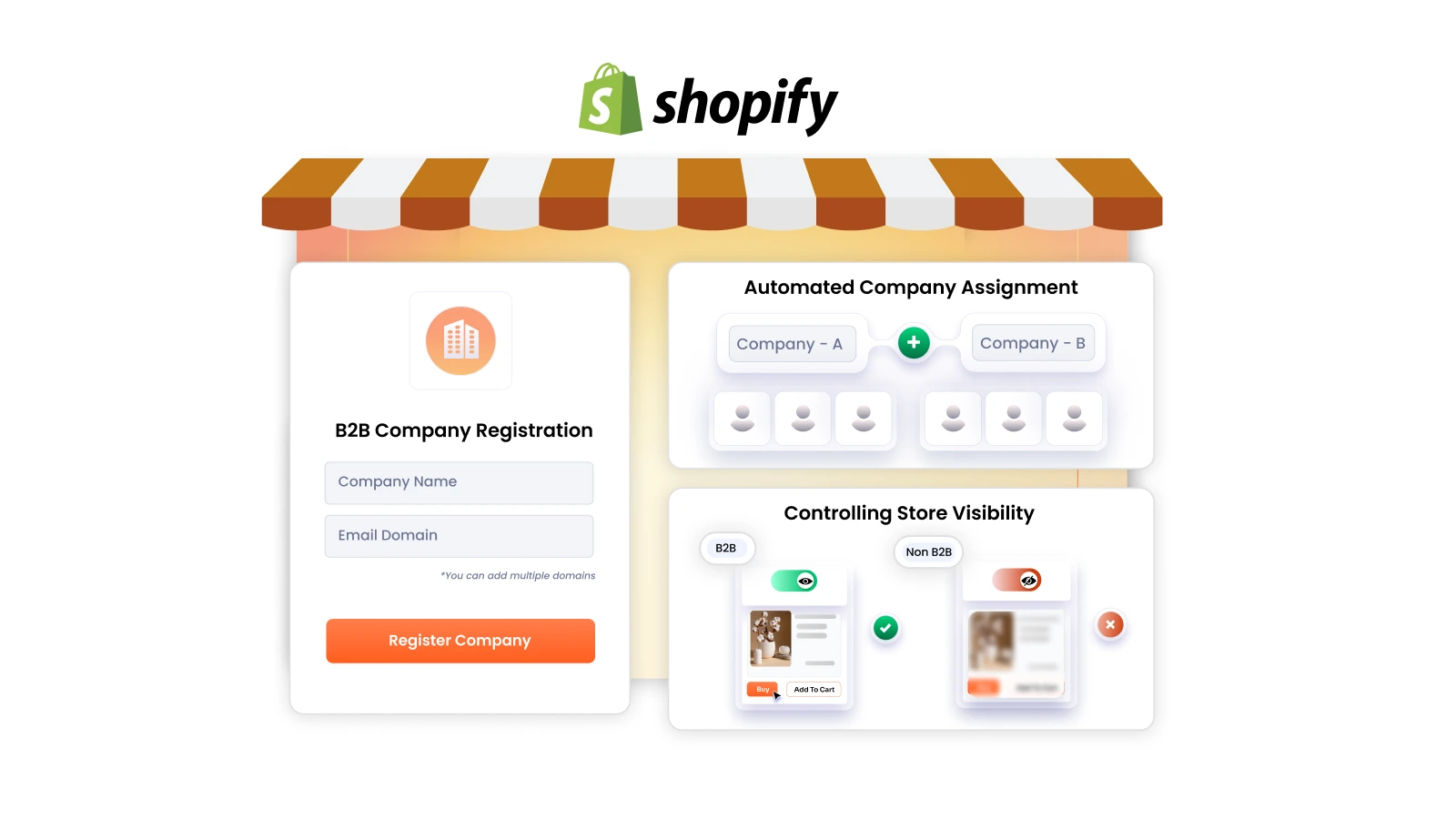
1. Embedded Sign-Up Pages for B2B and B2C
Instead of routing all users through a single sign-up form, the solution allows merchants to offer dedicated B2B and B2C sign-up pages for storefront login, embedded directly within Shopify.
- B2C sign-ups remain open and lightweight
- B2B sign-ups collect additional business details and can trigger admin approval workflows
Because these sign-up pages are embedded, they feel native to the store and maintain a consistent user experience.
2. Login Page Selection and Routing
Merchants can also choose how users are routed into the correct login flow using the Shopify B2B login solution:
- Separate login pages for B2B and B2C users for separate onboarding
- A single login page with multiple login methods (email/phone OTP, username-password, SSO using corporate IDP credentials, or social login), allowing users to select their preferred login method
- Domain-based routing, where users enter their email address and are automatically directed to the appropriate login flow based on their domain
These models reduce confusion and ensure users enter the correct authentication journey from the start.
3. Customization & Flexibility in Login Methods
As Shopify stores grow, authentication needs evolve. Different user groups, B2B buyers, employees, partners, and B2C customers, require different login methods.
- B2C users benefit from quicker, passwordless methods like phone or email-based OTP, and social login
- B2B users require more robust methods like the traditional password-based login, or single sign-on using their existing credentials aligned with corporate identity systems.
By enabling flexible authentication for Shopify Customer Accounts, the miniOrange solution allows merchants to support multiple login methods for each user type. This is important especially for Shopify Plus stores planning to scale B2B operations or integrate new identity providers over time.
Beyond authentication, merchants can also customize the look and structure of login and sign-up pages to align with their storefront experience.
Admins can control which login options appear on each page, adjust branding elements, and tailor flows based on customer type, ensuring both usability and consistency across the store while maintaining distinct authentication journeys.
4. Restrict Store Content Based on User Type
Separating login flows becomes even more effective when combined with content restriction and access control through the miniOrange solution. For example, a Shopify Plus merchant running a dedicated B2B storefront may need to ensure that only verified B2B employees can view negotiated pricing, restricted catalogs, or B2B-specific pages.
By setting up structured authentication and access rules, merchants can restrict store visibility based on approved company profiles or user roles. Whitelisted pages can remain accessible to all visitors, while B2B-specific products, collections, or account areas stay hidden from non-verified users.
This ensures that sensitive pricing and business data are only visible to authorized contacts, without limiting the broader storefront experience for retail customers.
Best Practices for Managing B2B and B2C Logins in Shopify
1. Design Login Journeys Based on Customer Type
Authentication flows should reflect why users are logging in. Retail customers prioritize speed, while B2B users require structure and security. Designing journeys around these differences improves usability for both.
2. Keep B2B Security Strong Without Slowing Down B2C Users
Applying enterprise-level security to all users can hurt conversions. Strong access controls should be enforced where necessary, without introducing friction into retail login experiences.
3. Plan for Scalability and Future Login Methods
As businesses scale, authentication must adapt to different security and access expectations. Supporting new identity providers, login methods, and user roles becomes significantly easier when B2B and B2C flows are already separated.
Conclusion
Serving B2B and B2C customers through a single login flow creates friction, security risks, and operational overhead for Shopify Plus merchants. Retail and wholesale users have fundamentally different expectations, and authentication systems must reflect that reality.
Separate login flows allow Shopify merchants to deliver better user experiences, stronger access control, and clearer onboarding journeys. More importantly, they provide a scalable foundation for long-term B2B growth.
Ready to enable flexible, tailored authentication options in Shopify? Explore miniOrange’s Shopify B2B Login solution to find out how separate login flows for B2C & B2B customers can drive conversions and secure access across your Shopify storefront.
Ready to configure seperate login flows for your Shopify B2B and B2C customers? Reach out to us today!
Leave a Comment