
68% of companies suffered endpoint attacks that compromised sensitive data, 28% of those involved stolen or hacked devices.
— Study by Ponemon Institute
Here, the problem is not just mobile devices anymore. It’s laptops, tablets, IoT sensors, rugged field devices, third-party vendor systems, all accessing corporate data from everywhere.
And this is where the confusion begins:
Should an organization rely on Enterprise Mobility Management (EMM)? Or is Unified Endpoint Management (UEM) the safer bet in today's threat landscape?
Unified Endpoint Management vs. Enterprise Mobility Management is not just a technical comparison, but a security decision.
Let’s start by defining what EMM is and what UEM is.
What is Enterprise Mobility Management (EMM)?
By definition, EMM is a framework for managing mobile devices, apps, and content that your employees use to access company data. The device could be company-owned or personal, under a Bring Your Own Device (BYOD) model.
EMM builds on MDM. While MDM gave IT teams basic control over devices, EMM took it further by adding application, content, identity integration and automation to the mix.
- Application management or Mobile Application Management (MAM) means control over which apps get deployed, updated, or blocked on a device without touching anything out of work environment.
- Content management or Mobile Content Management (MCM) equals control over what can be downloaded, shared, or accessed from a corporate context.
- Identity integration in EMM means connecting the device to the enterprise identity systems such as IAM, SSO, Active Directory, and MFA so that access to apps and data is tied to the user’s identity, not just the device they use.
- Automation covers device enrollment, security provisioning, and app access, which are based on employee roles, groups, and access policies.
In short, EMM equals MDM…
- Automating how devices get enrolled & provisioned
- Managing the apps on those devices (MAM)
- Controlling the content in those apps (MCM)
- Monitoring who can access that content, & under what conditions
- Verifying identity before that access is granted
Where it stops: EMM was built for mobile. The moment your organization needs to manage laptops, desktops, or IoT devices under the same policy, it's time you need UEM.
What is Unified Endpoint Management (UEM)?
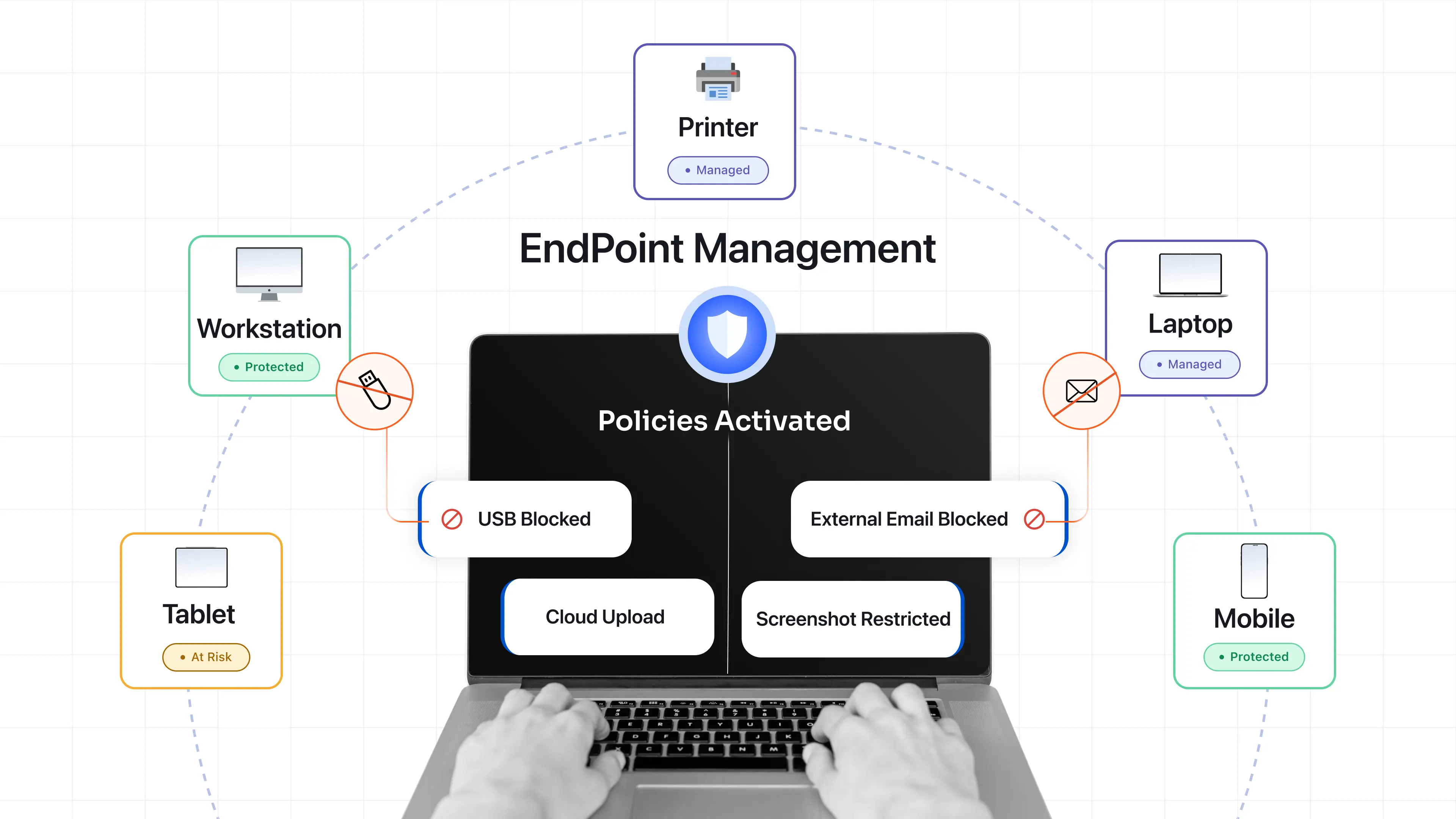
By definition, UEM manages every endpoint in your organization from one centralized dashboard. These endpoints could be smartphones, laptops, kiosks, rugged devices, barcode scanners, printers, and IoT devices.
All of it, one dashboard, one place to see what’s happening across the entire device estate.
This centralized control isn’t just administrative. It’s a security necessity. A big organization doesn’t just have mobile devices. These organizations are dealing with acquisitions, multiple directories, in-office employees, remote teams, and third-party vendors.
In fact, 78% of employees use personal devices (smartphones/laptops) for work tasks in remote/hybrid setups. This underscores why security must cover every endpoint.
UEM addresses this with a broader feature set. Which means UEM equals EMM…
- Full device lifecycle management across ALL ENDPOINTS
- Patch management & automated remediation
- Compliance enforcement
- Full identity integration
- Support on both cloud & on-premise deployments
- Bulk user import and multi-directory management
And that’s how a UEM platform let’s the organization enforce consistent policies, moitor device health and compliance, and respond quickly to threats across all endpoints from a single dashboard.
But here’s where it gets complicated: UEM is a heavier investment to set up and configure correctly. For a smaller organization with a straightforward, mobile-first device fleet, it can be more than what’s actually needed.
UEM vs. EMM: Key Differences
Here’s where the rubber meets the road.
Both UEM and EMM manage devices. Both enforce security policies. Both integrate identity systems. But the difference between UEM and EMM lies in scope, depth, and what happens when your endpoint environment grows beyond smartphones and tablets.
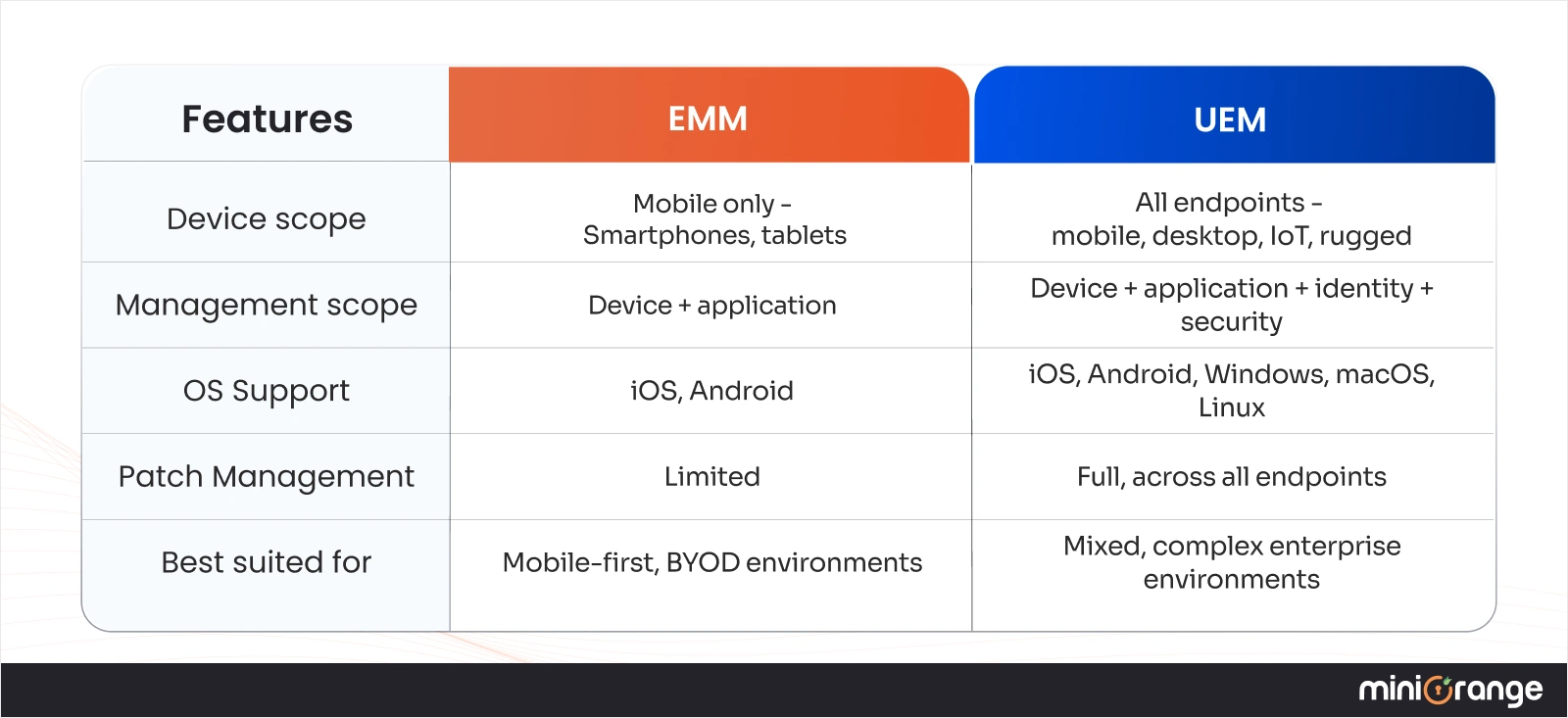
The simplest way to put it: EMM manages mobility. and UEM manages everything.
UEM vs. EMM vs MDM: Understanding the Evolution
It started with smartphones.
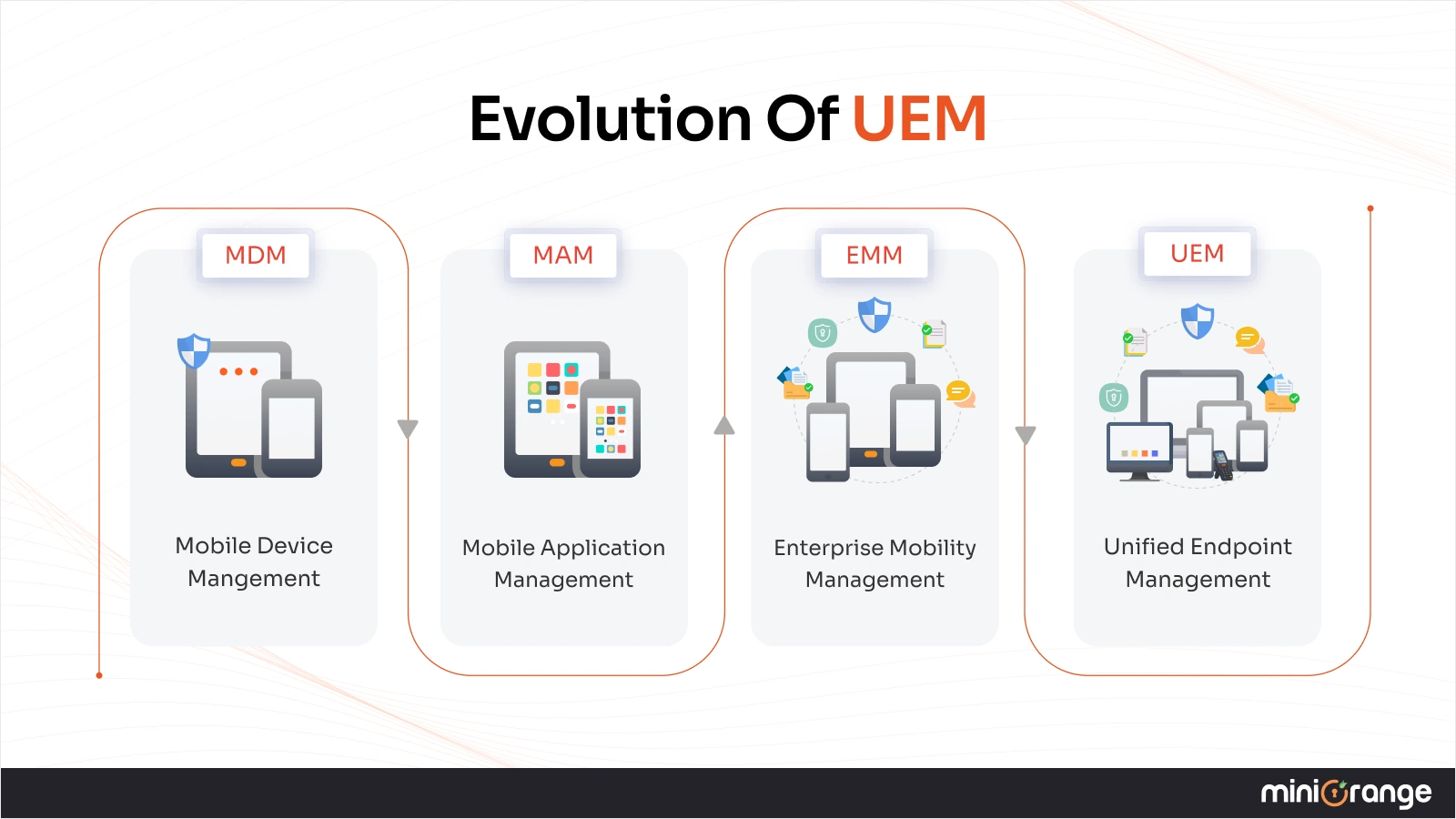
When employees started checking corporate emails on personal devices, organizations responded with Mobile Device Management (MDM). Then came app-level controls, also known as Mobile Application Management (MAM), content security, also known as Mobile Content Management (MCM), and identity integration. All coming together to be what we now call Enterprise Mobility Management (EMM).
But the modern enterprise no longer operates on just mobile devices. Hybrid work, BYOD, IoT expansion, and third-party vendors have multiplied the number of endpoints that can access sensitive information.
This shift gave rise to Unified Endpoint Management (UEM).
So, when should you choose EMM and UEM, and which one does your organization actually need?
When Should You Choose EMM?
As we discussed earlier, EMM manages mobility, as in, managing organization’s mobile ecosystem. An EMM solution works best when your device environment is genuinely mobile-centric.
If you’re running a BYOD program, EMM’s containers would help keep your data separate from personal data. The IT wouldn't have to touch the personal data on the device. An EMM Solution gives you control without unnecessary overhead.
Think of a smaller organization with straightforward device fleets, sales teams, or educators on tablets; this is where EMM is the most practical choice.
So, choose EMM when:
- You’re running a BYOD program
- Your workforce is primarily field-based or mobile
- You’re a smaller organization
- Your compliance requirements are mobile-specific only.
What EMM won’t do is manage your desktops, IoT sensors, or 3rd party vendors under the same policy.
When Should You Choose UEM?
Choose a UEM Solution when your endpoints don’t fit into one category. Which, for most enterprises today, is already the case.
If you’re managing a mix of device types, UEM removes the need for more than one tool and blind spots between those tools. For example, UEM is best for regulated industries like healthcare, education, logistics & delivery, NGO & NPO and hospitality. It can manage laptops, iPads, and smart medical equipment under HIPAA compliance from a single console.
So, choose UEM when:
- You manage a mixed device environment
- You have remote, hybrid, or 3rd party workers
- Compliance is non-negotiable
- Security is the primary driver
- Your company is growing & IT is struggling to keep up
Simplify Endpoint Management with miniOrange’s UEM Solution
For real, the shift has already happened. The majority of organizations manage more than just one type, in this case, mobile. That’s the direction a UEM solution takes. And that’s where IT governance is headed.
miniOrange’s UEM solution brings all this under one umbrella. Whether you’re managing Android, iOS, Windows, or macOS devices, across Bring You Own Device (BYOD), Company-Owned Personally Enabled (COPE), or company-owned setups, miniOrange gives IT a single dashboard to enroll, monitor, secure, and control every endpoint.
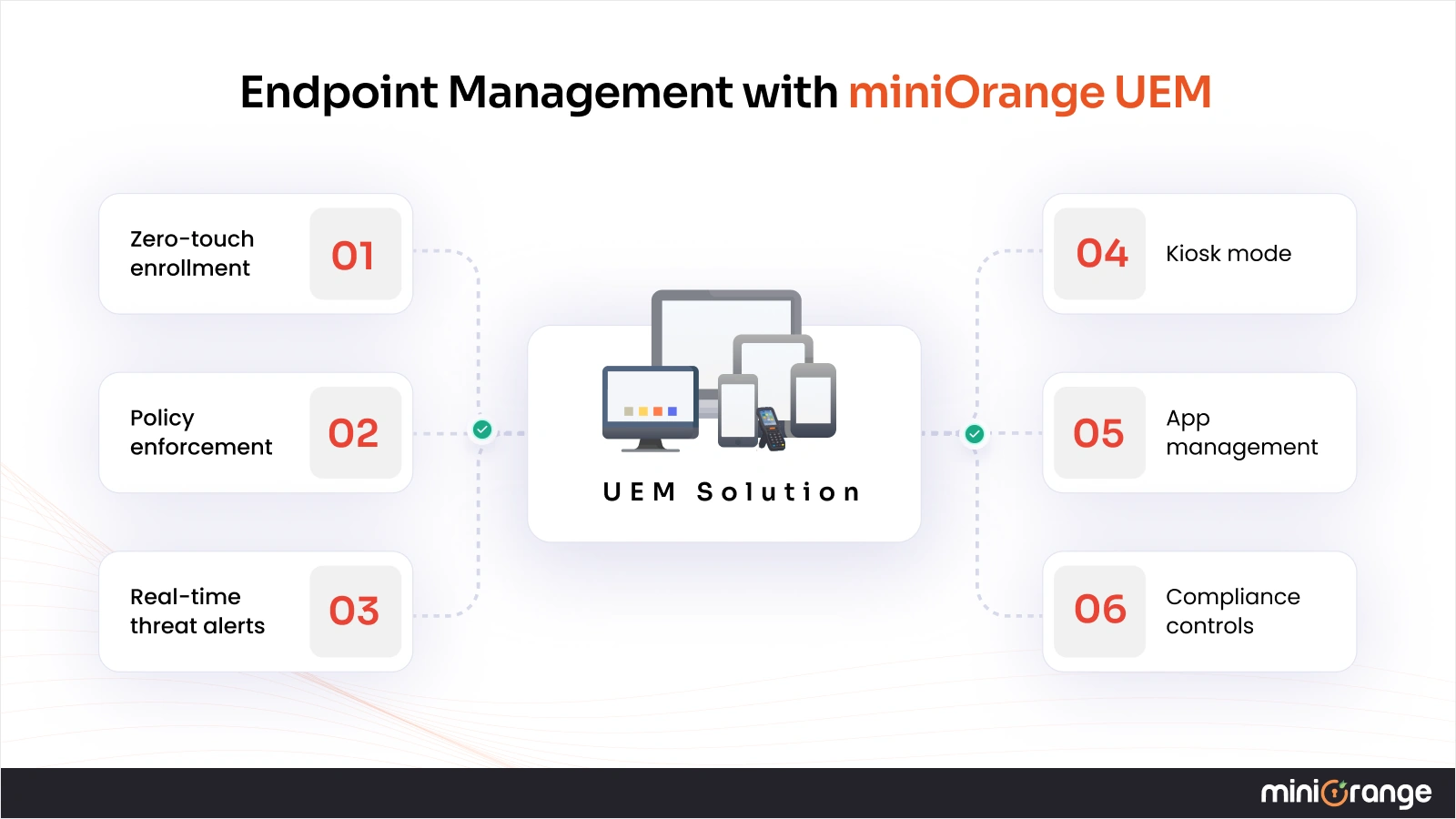
Some of the top features of miniOrange’s UEM solution include:
- Zero-touch enrollment
- Automated policy enforcement
- Real-time threat alerts
- Kiosk mode
- App management
- Compliance controls
If your organization is still juggling separate tools for separate device types, that’s the gap miniOrange’s UEM closes.
Frequently Asked Questions
1. What’s the main difference between UEM and EMM?
The EMM vs. UEM comparison really comes down to one thing - scope. EMM manages mobile devices and the apps and content on them. UEM manages all endpoints (smartphones, laptops, kiosks, barcode scanners, printers, IoT devices, etc.) from a single centralized platform.
2. Is UEM better than EMM?
Not always. It depends on what you’re actually managing. For a mobile-first organization, EMM is enough. For mixed and growing organizations, UEM is a more complete and secure option.
3. Can UEM manage mobile devices?
Yes. UEM has everything EMM does for mobile devices. Plus coverage for every other endpoint type
4. Is EMM outdated?
For larger, more complicated organizations, yes. Now, most big organizations have device types that EMM wasn’t built for.
5. What industries need UEM?
Healthcare, finance, logistics, manufacturing, etc. Basically, any industry that is managing a diverse, distributed endpoint environment. If devices span multiple types and locations, UEM is the right fit.
Leave a Comment