Step 1: Set Up miniOrange as Identity Provider
- Go to miniOrange Admin console https://login.xecurify.com/moas/login and login with your miniOrange credentials.
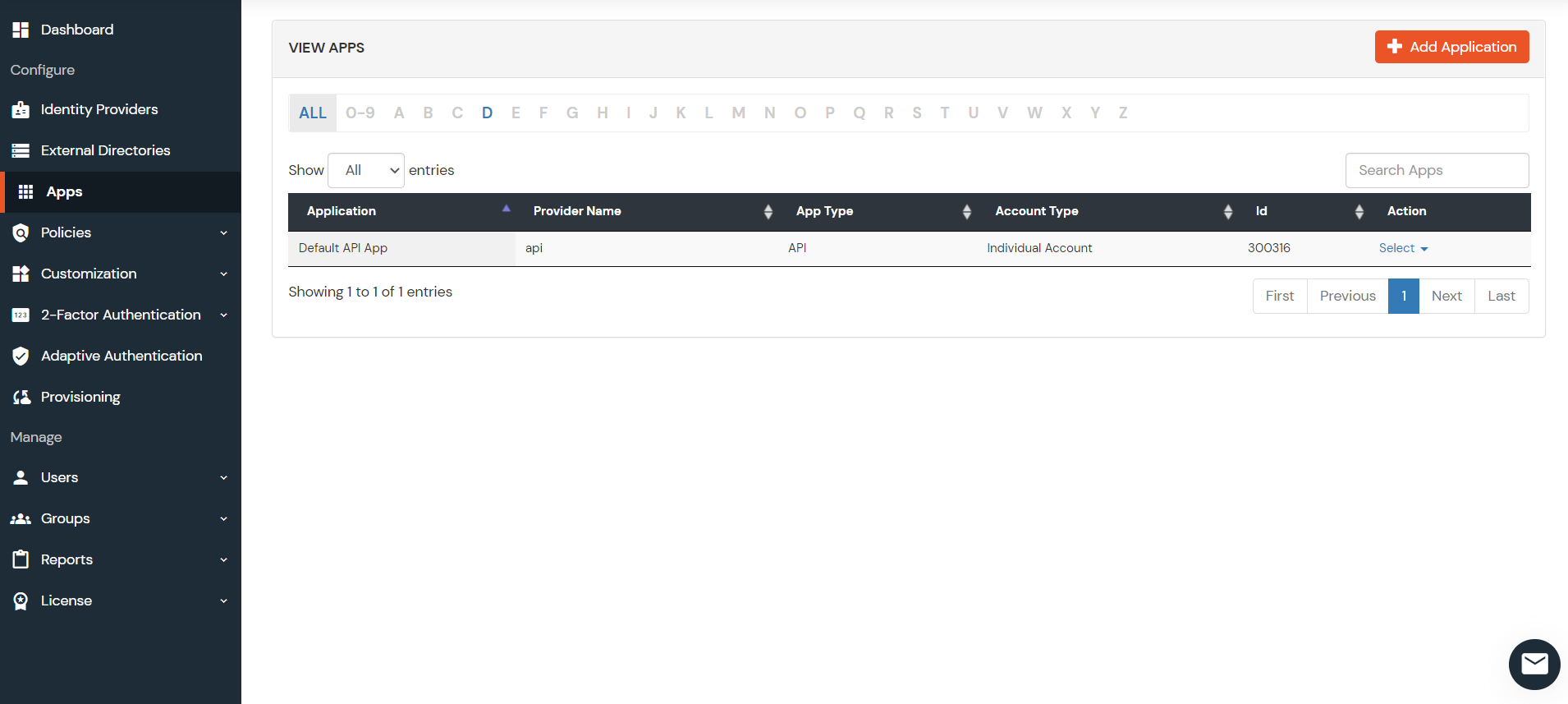
- From the left menu, go to Apps.
- Click on Add Applicaton button.
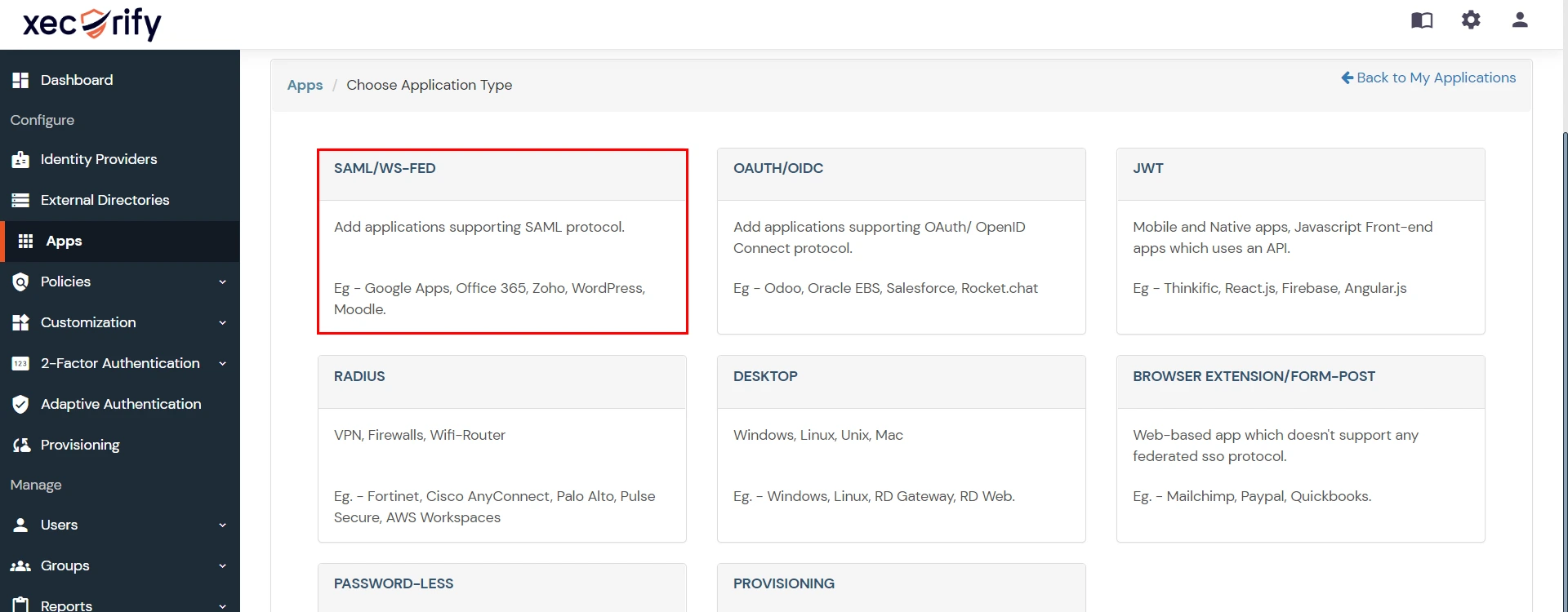
- In Choose Application Type click on Create App button in SAML/WS-FED application type.
- In the next step, search for your application from the list, if your application is not found. Search for "custom" and you can set up your app via Custom SAML App.
- Method 1: Manual Configuration
- Enter the following the textboxes:
-
Method 2: Import SP Metadata:
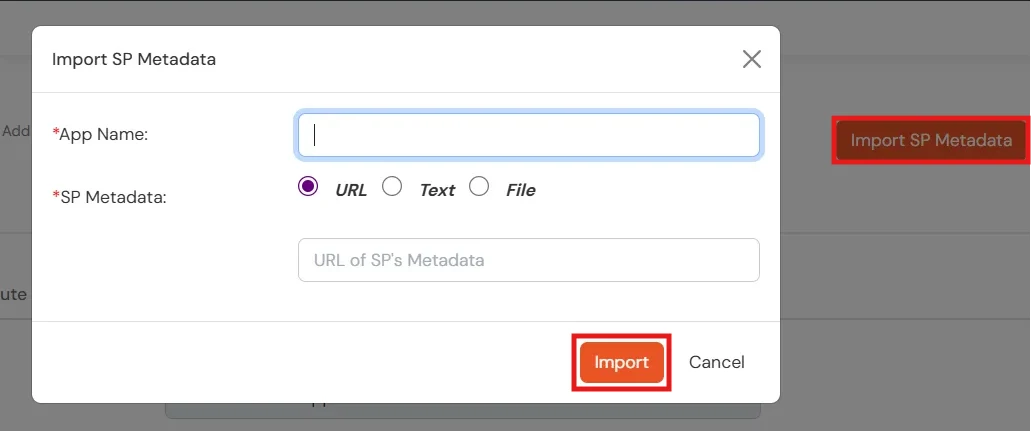
- You can also import SP metadata to configure your app.
- Click on Import SP Metadata button.
- Enter your Custom Application Name in App Name text box.
- Upload plugin metadata in form of text, File or URL and Click Import.
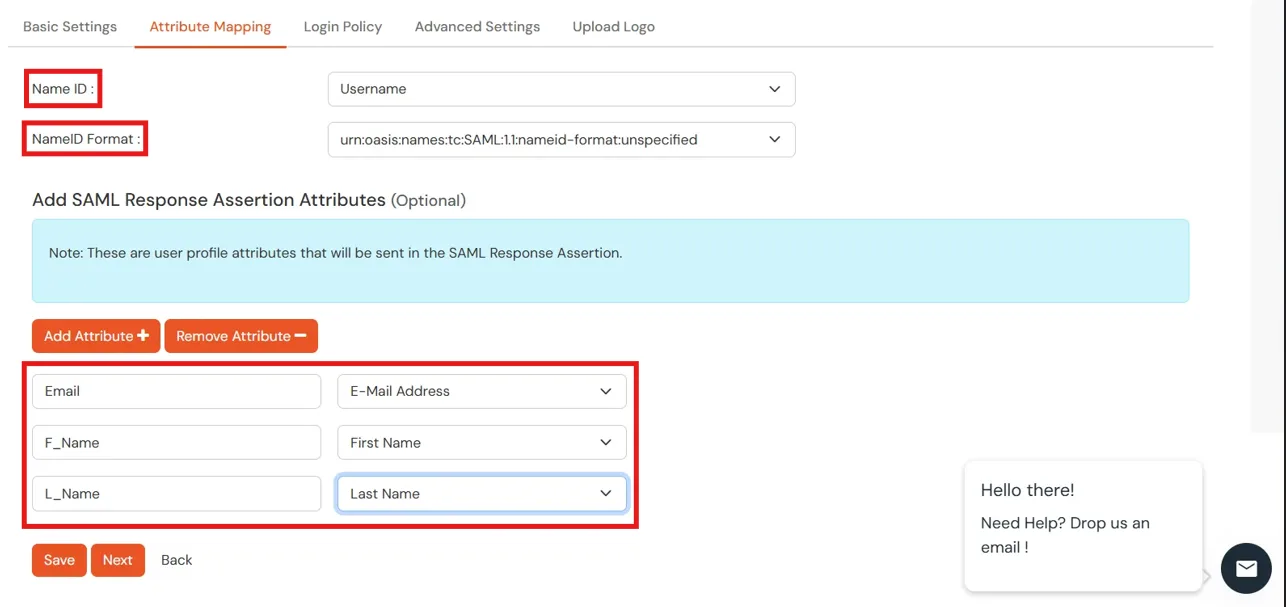
- Name ID Setup And Attribute Mapping :
- Enter the attribute name with which you want to log in your application in NameID field.. eg.Username, Email etc.
- Enter name ID format such as emailAddress, nameid etc. in Name ID Format.
- Attributes can be mapped using Add Attribute tab.
- Add attributes such as first name, last name, group Name, etc.with its corresponding value as per shown in image.
- Multiple attributes can be added using icon
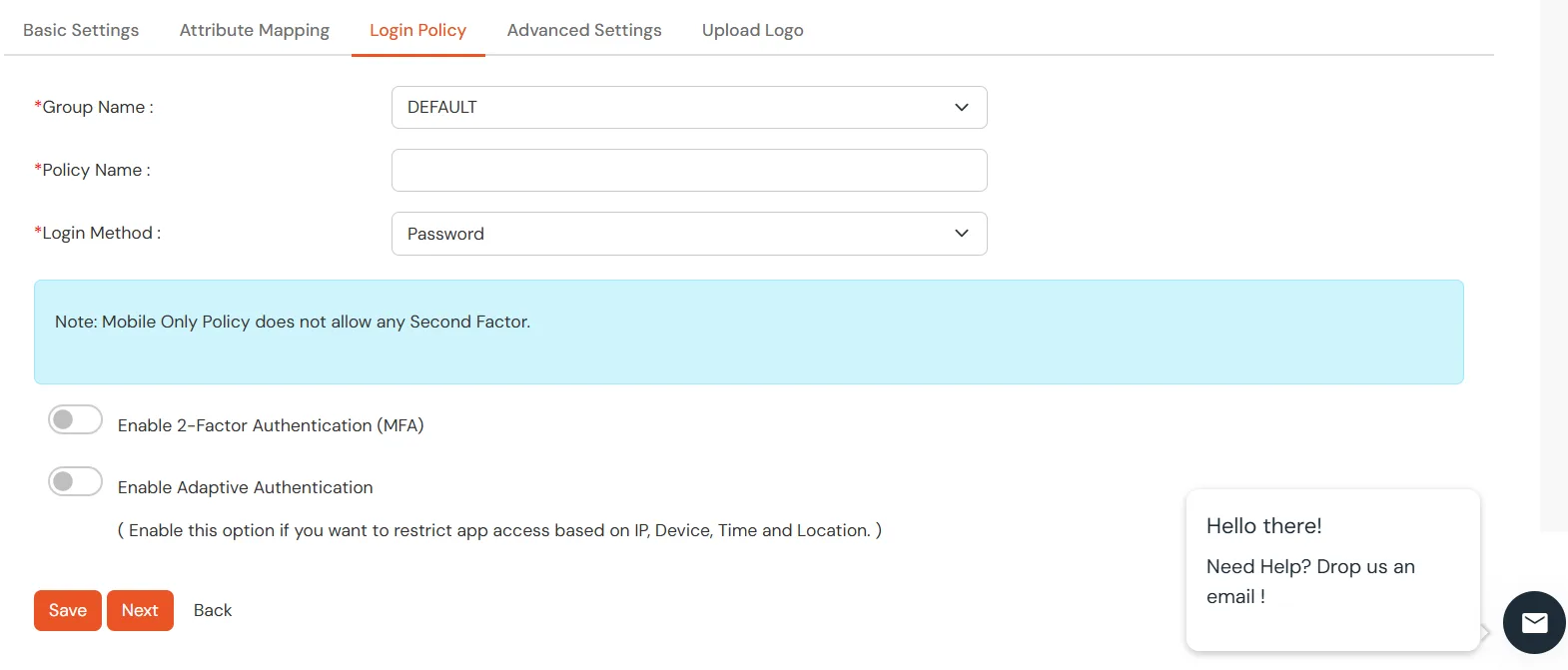
- Select Default from the Group Name dropdown.
- Enter Policy Name you would like to provide.
- Select Password from the Login Method Dropdown.
- Click on Save to add the App.
- Navigate to Apps Manage Apps.
- Click on the metadata link against your app.
- Download the Metadata XML File or note down the given information and keep it handy to configure the add-on.
- You can also provide Metadata URL in plugin settings.
 Creating App in miniOrange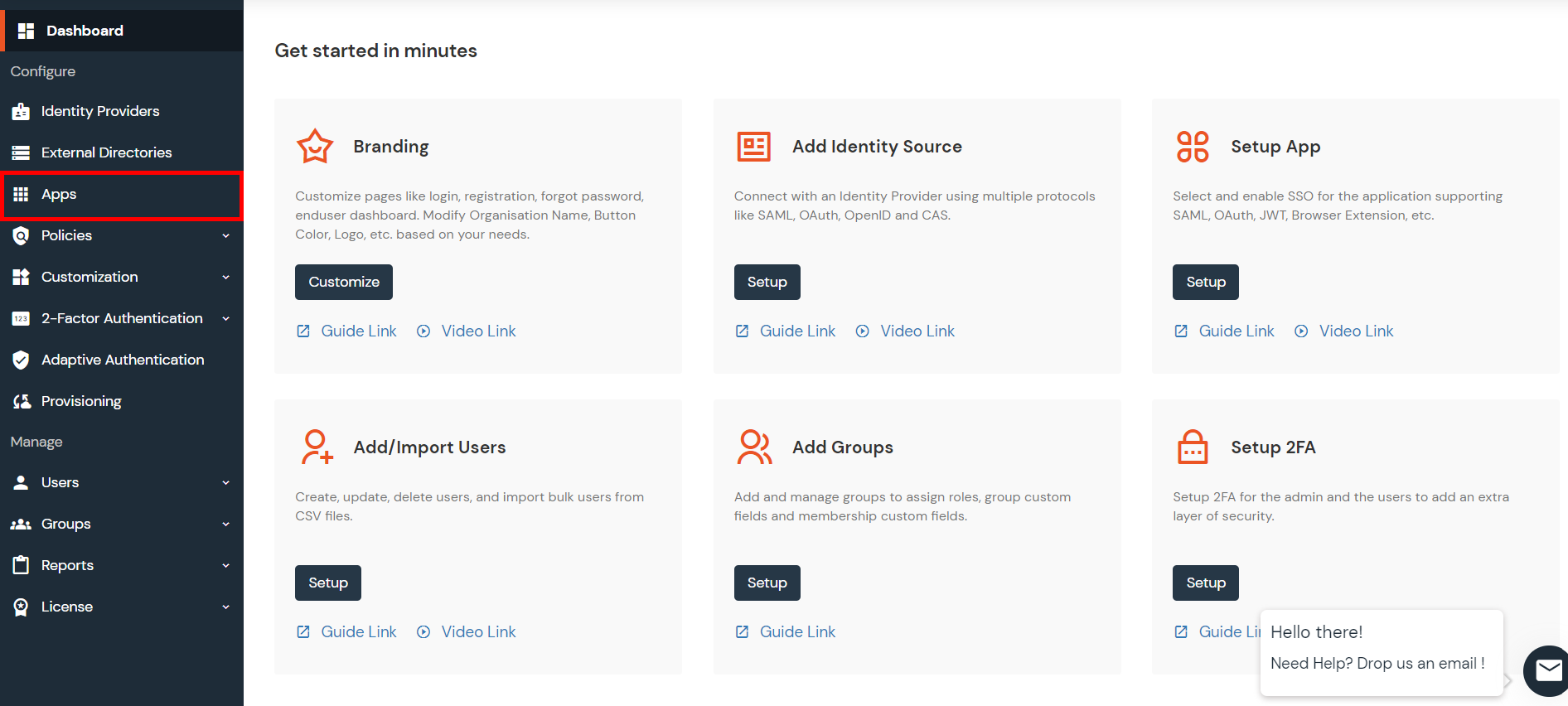
| Custom Application Name | App name you like to provide. |
| SP Entity ID or Issuer | Enter SP Entity ID / Issuer from Service Provider Info tab of the plugin |
| ACS URL | Enter ACS (Assertion Consumer Service) URL from Service Provider Info tab of the plugin |
| Single Logout URL | Enter Single Logout URL from Service Provider Info tab of the plugin |