
Most IT teams reach a point where Active Directory starts working against them, rather than supporting daily operations. User creation takes too long, group updates are inconsistent, and minor configuration errors can lead to access issues that impact entire departments. As these gaps grow, the help desk fills up with password resets, permission errors, and urgent change requests that should never have reached that stage.
These are early signs that manual AD management is no longer enough. When your directory becomes complex, scattered, or unpredictable, you need a structured way to automate tasks, control access, and keep track of every change.
In this blog, we’ll break down the five signs that show your organization is ready for an Active Directory management tool and why addressing them early helps prevent bigger operational and security risks.
What Is an Active Directory Management Tool and Why Do You Need One?
What Does an AD Management Tool Do?
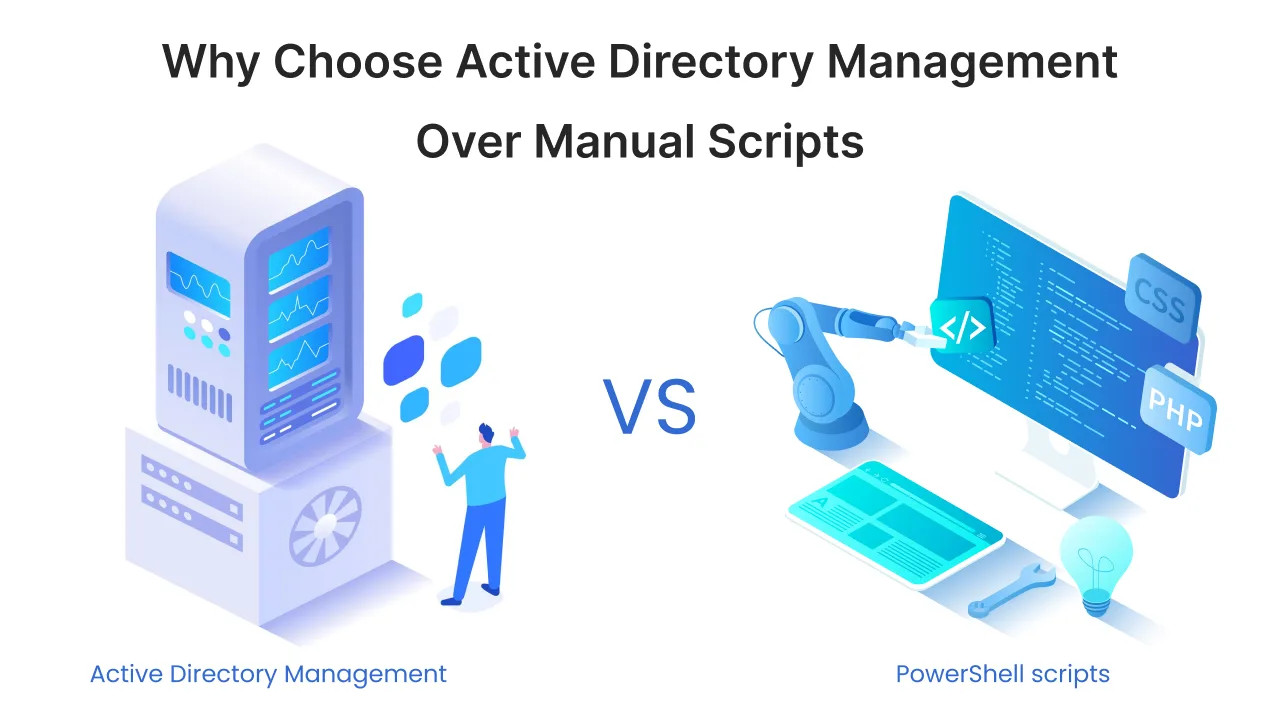
Let’s start with understanding what AD Management Tools are. An Active Directory management tool is software that helps you manage users, groups, devices, and permissions from one central dashboard. It replaces manual scripts with simple actions that automate everyday tasks. This keeps your directory organized, updated, and consistent as your environment grows.
Why Your Organization Needs AD Management Tools?
As your directory grows, manual updates become harder to control. An Active Directory management tool helps you keep everyday tasks consistent, accurate, and predictable. Here’s why most teams reach a point where the switch becomes necessary:
- You need an Active Directory management tool when accuracy, speed, or control start dropping in daily operations.
- Automation removes repetitive work and reduces common mistakes.
- User onboarding becomes faster because accounts and groups are created in one flow.
- Access changes follow clear rules instead of scattered, inconsistent updates.
- Reports give clear visibility, making compliance checks easier to pass.
- These improvements make your AD environment easier to manage and safer to scale.
5 Signs that Show You’ve Outgrown Manual AD Management
Active Directory issues rarely appear all at once. They start as small delays, missed updates, or scattered changes, and then build into larger problems that slow down your entire IT workflow. These five signs help you see when your directory has reached that point and when it’s time to switch to a proper Active Directory management tool.
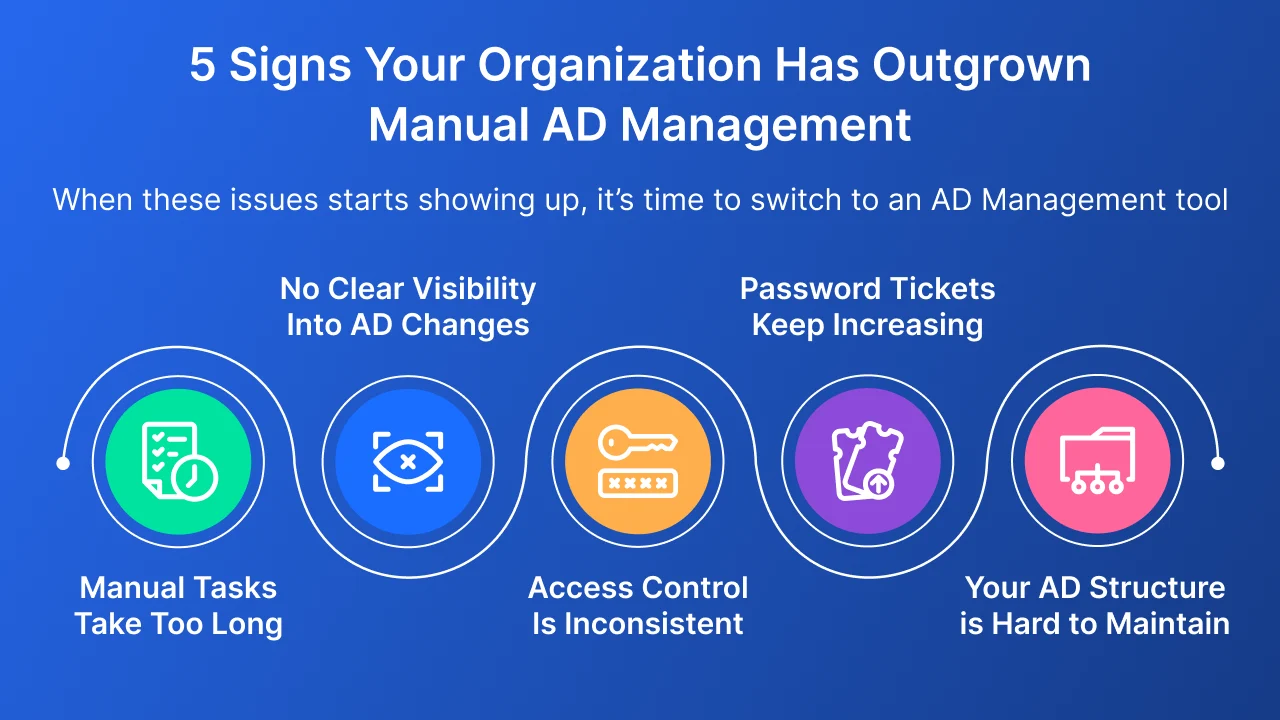
Sign 1 – Manual AD Tasks Take Too Much Time
Where the Slowdown Begins
- User accounts are created, updated, and disabled one at a time.
- Group memberships depend on manual checks, which leads to missed or delayed assignments.
- Access changes pile up, and revoking rights takes longer than expected.
- PowerShell scripts break, need updates, or rely on a single admin to maintain them. These delays are the first sign that manual Active Directory work is no longer sustainable.
How Automation Solves It
- Automated workflows create, modify, and disable accounts in one action.
- Group assignments follow predefined rules that keep permissions consistent.
- Access changes apply instantly instead of waiting in queues or emails.
- AD tasks run in the background, without scripts or manual cleanups.
What Your Team Gains
- Faster onboarding and offboarding.
- Less time lost on repetitive tasks.
- Fewer errors caused by manual updates.
- A smoother, more organised AD environment.
Sign 2 – You Don’t Have Clear Visibility Into AD Changes
Where Visibility Breaks Down
- You cannot track who made a change or what was changed.
- Logs are scattered across domain controllers and are hard to review.
- Privilege escalations or risky modifications go unnoticed.
- Preparing for audits becomes stressful because reports are inconsistent. These visibility gaps make it easy for misconfigurations to slip through.
How Better Reporting Fixes It
- Centralised reports show every user, group, and access change in one place.
- Real-time tracking highlights unusual activities before they turn into incidents.
- Alerts notify your team when permissions, policies, or accounts change unexpectedly.
- Reporting covers compliance needs without manual log reviews.
What Your Team Gains
- Full clarity over changes across all OUs and domains.
- Faster troubleshooting when access issues appear.
- Stronger control during compliance checks.
- A safer AD environment with fewer blind spots.
Sign 3 – Access Control and Group Management Are Inconsistent
Where Inconsistency Starts
- Different teams create groups without a clear naming or usage pattern.
- Users retain access long after they move to new roles.
- Permissions grow without review, creating unnecessary access risks.
- Managers request changes through emails, causing errors or missed updates. These inconsistencies weaken the structure of your directory.
How Structured Access Fixes It
- Role-based templates assign the right groups and permissions automatically.
- Delegation rules make sure changes are done only by approved teams.
- Access updates follow a defined path, not last-minute instructions.
- Permissions can be reviewed and cleaned up regularly without manual digging.
What Your Team Gains
- Consistent access for every employee.
- Easier group management across departments.
- Lower risk of privilege misuse.
- A clean, predictable access model that is easier to maintain.

Sign 4 – Password Tickets Keep Hitting Your Help Desk
Where the Ticket Load Comes From
- Users forget passwords and rely on IT for resets.
- Account lockouts block productivity during peak hours.
- Password expiry catches teams off guard and increases back and forth.
- Policies differ across OUs, causing confusion and mismatched settings. These daily issues consume more time than most teams realize.
How Automation Reduces the Load
- Self-service portals let users reset or unlock their accounts safely.
- Automated policies enforce expiry, complexity, and history rules without manual effort.
- Notifications remind employees before their passwords expire.
- IT can track password status from a single view.
What Your Team Gains
- Fewer help desk tickets.
- Lower downtime for end users.
- Better password hygiene across the directory.
- Consistent policy enforcement without manual monitoring.
Sign 5 – Your AD Structure Has Become Too Complex to Manage Manually
Where Complexity Shows Up
- OUs grow without a clear structure, making it hard to locate or manage objects.
- Groups overlap, duplicate, or stay unused because no one has time to clean them up.
- Permissions are spread across multiple teams, and no one has a full view of who has access to what.
- Changes rely on multiple approvals, emails, and manual updates that are easy to miss. These issues create an environment that is harder to control and harder to scale.
How Centralised Management Fixes It
- A single console lets you manage users, groups, computers, and OUs without switching tools.
- Cleanup tasks run consistently, removing stale objects and unused groups.
- Delegation rules keep access changes organized and traceable.
- Approval flows reduce back and forth and help teams update AD without errors.
What Your Team Gains
- A cleaner and more predictable AD structure.
- Easier troubleshooting when issues come up.
- Faster updates because tasks follow a proper process.
- A stable directory that supports growth without increasing manual load.
Why Automation is No Longer Optional for AD Management?
Manual Active Directory work leaves too many gaps that are hard to track and even harder to fix. When changes are scattered across teams and scripts, you lose visibility into who has access, which permissions are outdated, and where risky configurations may be hiding. These gaps lead to slow response times, audit issues, and security exposures that build up quietly.
Automation and clear visibility give you the structure your directory needs. Tasks run the same way every time. Changes are recorded in one place. Access follows a predictable process instead of individual habits. As AD environments continue to grow, teams that adopt automation early find it far easier to stay compliant, reduce manual load, and keep their directory stable over the long term.
How to Choose the Right Active Directory Management Tool
Picking an AD management tool is easier when you focus on the problems you want to solve. Look for features that remove manual work, improve accuracy, and give your team more control without adding extra steps.
Key things to look for in AD Management Tools
- A clear dashboard that lets you manage users, groups, computers, and OUs from one place.
- Automation for user provisioning, updates, and removals.
- Strong reporting that shows every change across your directory.
- Simple approval flows for access updates and sensitive actions.
- Delegation controls that let teams make updates without giving full admin rights.
- Built-in cleanup options for inactive users, unused groups, and stale objects.
- Support for password policy management and account unlock tasks.
Why these features matter
- They reduce mistakes caused by manual reviews and scattered processes.
- They speed up onboarding and daily updates.
- They help you enforce consistent access rules.
- They give you the visibility needed to pass audits without last-minute fixes.
Conclusion
When your directory starts slowing down work, causing permission issues, or creating unnecessary load for your IT team, it's a clear signal that manual handling is no longer enough. These five signs help you catch that moment early. A proper Active Directory management tool brings structure to your updates, removes repetitive tasks, and gives you full visibility into every change.
With the right tool in place, your team spends less time fixing problems and more time improving your environment. It becomes easier to maintain clean access, stay compliant, and keep your directory stable as your organization grows.
FAQs
1. What Tasks Can AD Management Tools Automate?
AD management tools handle more than user creation and access changes. They automate many everyday tasks that usually take hours of manual effort. Common tasks that can be automated
- User onboarding and offboarding workflows
- Updating attributes like department, manager, or contact details
- Bulk user and group updates
- Password resets and account unlocks
- Group creation, cleanup, and membership updates
- OU management and object moves
- Periodic cleanup of inactive users and unused groups
- Reporting on changes, logins, and permission usage
- Sending alerts for risky or unusual directory activity These automations keep your directory consistent and remove the repetitive work that slows teams down.
2. What is an Active Directory management tool?
It is software that helps you manage users, groups, devices, and permissions from one place. It replaces manual scripts with automation and gives you clear visibility into every change.
3. Why do organizations need an AD management tool?
As your directory grows, manual updates become slow and inconsistent. A management tool keeps tasks accurate, reduces mistakes, and helps your team stay in control of access and daily updates.
4. What tasks can be delegated safely?
You can delegate password resets, group updates, attribute changes, and basic user management without giving full admin rights. This helps teams work faster without risking the directory.
5. How does an AD management tool improve security?
It tracks every change, enforces access rules, and prevents unwanted permissions from spreading across the directory. You get alerts for risky actions and fewer blind spots.
6. Is manual Active Directory management still safe?
It can work for small teams, but it becomes risky as the directory grows. Manual updates lead to delays, missed changes, and permissions that are hard to track.
7. How hard is it to adopt an AD management tool?
Most tools are simple to set up. You can start with basic automation, reporting, and delegation, then expand to advanced workflows as your needs grow.

Leave a Comment