
When a company expands its workforce or restructures teams, the number of identity updates inside Active Directory jumps instantly. New hires need accounts created, existing employees need group changes, and contractors need temporary access that must be removed on time. Handling all of this manually slows down onboarding, increases access delays, and opens the door to avoidable security gaps.
Bulk user management Active Directory tasks turn into a bottleneck when every update depends on clicks, scripts, and spreadsheets. The same issue appears with Active Directory bulk user management for group assignments and permission updates. As the volume grows, so does the chance of inconsistent data.
This is the point where automation becomes more than an efficiency upgrade. When you automate Active Directory user management, you standardize identity updates, reduce manual work, and give IT teams more control over speed and accuracy.
What Is Bulk User and Group Management in Active Directory?
Bulk user management in Active Directory means handling large sets of user accounts at once. Instead of updating identities one by one, admins process multiple accounts through predefined rules, CSV imports, or automated workflows. This keeps user attributes consistent across the directory.
Key actions under bulk user management include:
- creating multiple user accounts at once
- updating attributes like department, phone, title, or manager
- moving users across OUs based on role or location
- disabling or deleting inactive users in batches
Bulk group management in Active Directory focuses on controlling access in larger batches. Groups decide who gets into apps, shared drives, and internal resources. When groups grow or change, bulk updates keep permissions aligned.
Typical bulk group tasks include:
- Adding or removing users from multiple groups
- Creating or retiring groups in bulk
- Updating access rights when policies change
- Cleaning up unused or outdated groups
Organizations depend on bulk actions when:
- Onboarding large hiring batches
- Reorganizing departments
- Managing seasonal staff
- Applying new security or compliance rules
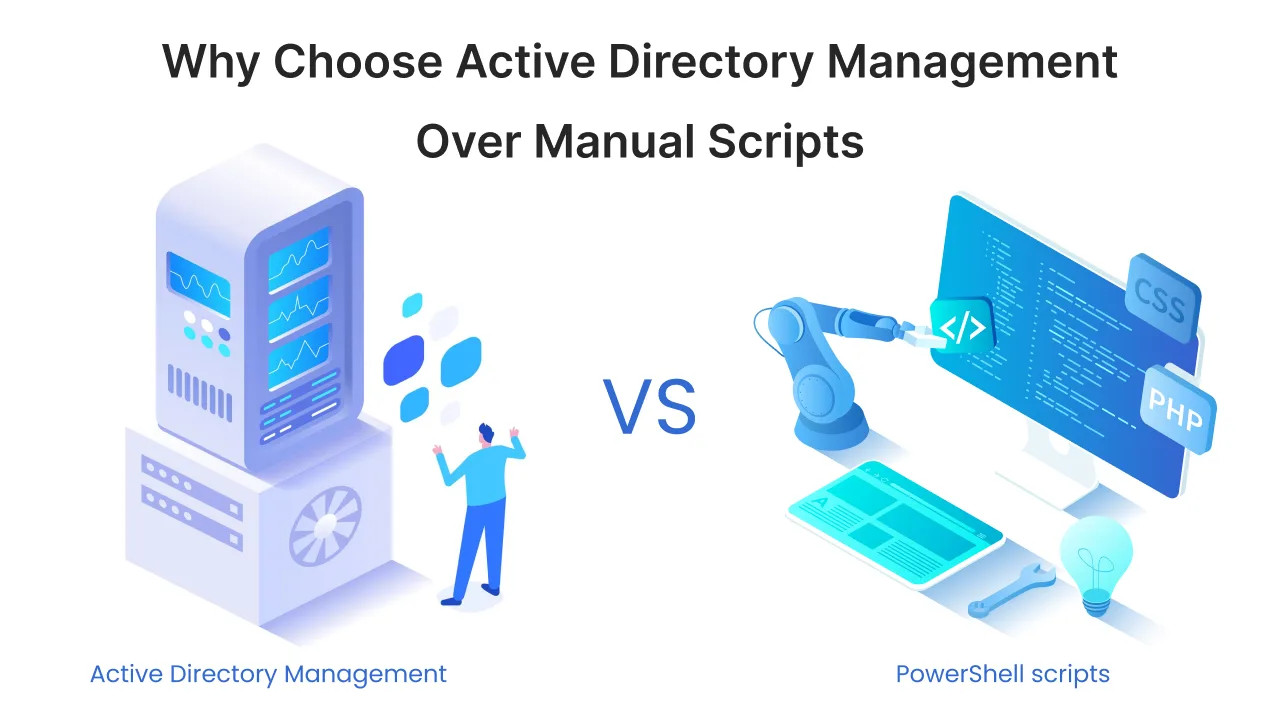
Manual methods fail at scale because they depend on repeated clicks and one-off PowerShell scripts. This slows down response times and increases inconsistencies. Bulk management solves part of the problem, but automation is what makes the entire workflow reliable and fast.
Why Manual AD Management Breaks at Scale
Manual user and group updates inside Active Directory work only when the workforce is small. The moment an organization starts to manage thousands of AD users, the limitations show up quickly. Admins spend hours handling repetitive actions, and every extra click increases the chance of mistakes.
Manual processes struggle because:
- Too many repetitive tasks
Creating accounts, updating fields, and fixing permissions become time-consuming when done one by one. - High chance of human errors
A single typo in a username, department code, or email field can break login access or sync workflows. - Inconsistent attributes across OUs
Different teams follow different steps, which leads to mismatched data across the directory. - Delays in onboarding and offboarding
Hiring waves, role changes, and exits become slow because each step depends on manual updates. - Group membership drift
Users gradually collect unnecessary access, and groups lose alignment with actual roles over time. - Compliance issues from dormant accounts
Old, unused accounts stay active longer than they should, creating security and audit risks. These problems grow as identity volumes increase. Bulk user provisioning at scale becomes difficult to manage through ADUC or standalone scripts. Without automation, administrators spend more time fixing old issues than improving identity operations.

Why Automation Is Key for AD User and Group Management
Automation changes how IT teams handle identity operations inside Active Directory. Instead of clicking through ADUC, automated bulk user management and automated group membership give admins a faster and more controlled way to manage users at scale.
- Speed
Automation removes slow, repetitive tasks. Creating accounts, updating attributes, or fixing group memberships takes minutes, not hours. This makes a real difference during hiring waves or department changes. - Accuracy
User attributes stay consistent because rules replace manual entry. Every new user follows the same policy, the same naming format, and the same group assignment logic. This reduces errors that impact login access or license sync. - Governance
Automated workflows support stronger oversight. Access rights follow defined rules, group memberships reflect real job roles, and dormant accounts get flagged or disabled automatically. This helps meet internal security controls and external audit needs. - Zero-touch workflows
After rules are configured, identity updates can run without manual involvement. HR sends a structured input, and the workflow handles provisioning, attribute mapping, and group assignments on its own. - Business continuity
Automation keeps identity operations stable even when the IT workload spikes. Cross-functional teams get the access they need on time, and the directory stays clean and updated without extra effort from admins.
What Can You Automate in Active Directory
Automation gives IT teams a way to handle large identity updates with more consistency and less manual effort. These tasks run through rules, templates, or workflows, which makes Active Directory easier to manage at scale.
Automated Bulk User Management Tasks
Automated bulk user management focuses on handling user accounts in large batches without repeated clicks or manual edits.
Key tasks include:
- Automated user creation based on templates or CSV inputs
- Automated user updates when roles, departments, or managers change
- Bulk attribute updates for fields like phone, title, or location
- Bulk movement between OUs during reorganizations or location changes
- Bulk disabling and deletion for users who leave the organization These actions help admins keep identity data clean and consistent across the directory.
Automated Group Management Tasks
Automated bulk group management helps maintain accurate access control across apps and internal systems.
Common automated tasks include:
- Automated group creation for projects or departments
- Automated membership updates driven by rules or conditions
- Rule-based membership assignments tied to job roles or departments
- Automated cleanup of unused or outdated groups This reduces group membership drift and keeps access aligned with business needs.
Identity Lifecycle Automation
Identity lifecycle automation connects onboarding, access changes, and offboarding into a structured workflow. It supports active directory lifecycle management across the entire user journey.
Key lifecycle tasks include:
- Automated onboarding triggered by HR updates or input files
- Automated role mapping and access control based on group, department or location
- Automated offboarding that removes access in the right order
- Department change updates that adjust attributes and group memberships These workflows ensure users get the right access at the right time, without delays or manual errors.
Automation for Hybrid Active Directory Environments
Hybrid identity changes how organizations manage users. When on-prem Active Directory works together with Entra ID, updates must stay consistent across both systems. Manual steps cannot keep up with this pace, which is why hybrid active directory user management relies heavily on automation.
Automation helps keep directories aligned in both environments. User updates made in on-premise AD can sync to Entra ID, and group changes made in the cloud can reflect through established rules. This reduces mismatched data and lowers the effort needed to keep identities in sync.
Key hybrid automation tasks include:
- Syncing user and group changes between AD and Entra ID
- Updating attributes across systems during onboarding or role changes
- Handling Active Directory to Azure AD bulk sync for large batches
- Running scheduled sync jobs to maintain accuracy
Cloud apps bring additional needs that benefit from automation. Organizations can automate:
- Bulk license assignment for Microsoft 365 users
- Bulk role mapping inside cloud apps based on department or job title
- Group membership updates that control access to SaaS platforms
- Cleanup of old cloud groups that no longer match the structure in AD
Entra ID group automation plays a major role here because cloud apps depend on accurate group data. Automated processes ensure users get the right access without delays, even when the workforce scales across multiple locations or systems.
How Automation Supports Security and Compliance
Security and compliance depend on accurate identities and controlled access. When Active Directory grows without structure, outdated accounts, unnecessary permissions, and inconsistent group memberships become real risks. Active directory compliance automation helps reduce these issues by enforcing rules that run without manual effort.
- Automating dormant account cleanup
Inactive accounts often stay in AD longer than they should. Automation identifies dormant users based on last logon or activity data and moves them to a disabled OU or removes them completely. This reduces the attack surface and keeps your directory clean. - Privilege creep reduction
Users collect extra permissions over time, especially when group updates are manual. Automated checks revoke access that no longer aligns with a user's job role, keeping permissions aligned with the principle of least privilege. - Access reviews
Group membership review automation helps managers and security teams validate who has access to what. Automated review cycles keep membership lists updated without chasing teams for manual approvals. - Audit-ready reporting
Automation generates consistent logs of who was created, updated, disabled, or moved. This provides clear evidence for audits and reduces the time teams spend preparing documentation for compliance checks.
Templates, Policies, and Delegation for Large-Scale AD Management
Large environments need structure to manage identities at scale. Templates, policies, and delegated access help keep Active Directory consistent, especially when multiple teams handle user management tasks.
User and Group Templates
Active Directory user templates make it easier to create new accounts with the correct attributes from day one. Templates store predefined values for fields like department, location, title, and password settings. This reduces entry mistakes and speeds up onboarding.
Active directory group templates follow the same logic. They define naming rules, group types, and default permissions. When new projects or departments are created, templates keep group structures consistent.
Bulk user attribute templates AD add another layer of control by allowing large updates to follow a standard pattern. This prevents mismatched data across different OUs.
Rule-Based and Policy-Based User Provisioning
Policy-based user provisioning: AD uses defined rules to decide how users should be created or updated. These rules cover naming formats, group memberships, access rights, and attribute mappings.
Rule-based group membership AD helps automate who belongs to which group. Users are added or removed based on their role, department, location, or other conditions set by IT. This keeps permissions accurate and reduces manual changes.
These workflows replace guesswork with clear policies that scale as the organization grows.
Delegated and RBAC-Based AD Operations
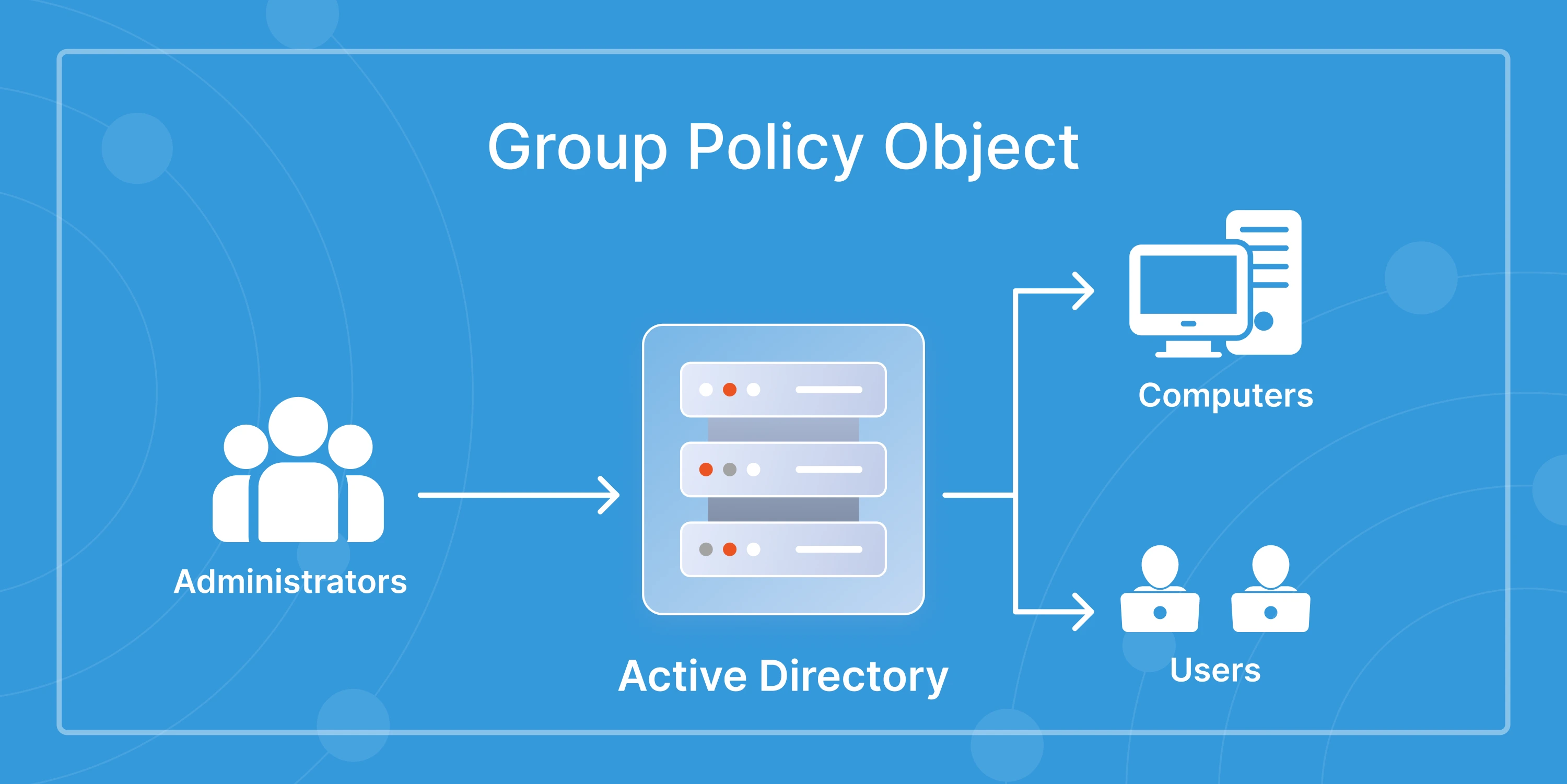
Delegation allows teams outside IT to handle limited identity tasks without full administrative rights. Delegated ad user management lets HR or helpdesk teams create users, reset passwords, or update basic attributes within controlled boundaries.
RBAC for Active Directory helps enforce the right level of access for each team. Roles define what actions each group can perform, reducing the need for domain admin privileges.
Helpdesk bulk user management becomes easier when access is delegated properly. It reduces the dependency on senior admins and removes bottlenecks from daily operations.
Delegation and RBAC bring structure to identity operations and help organizations manage AD at scale without sacrificing security.
Troubleshooting Common Bulk User and Group Issues
Bulk updates save time, but they also introduce errors when data is inconsistent or workflows are not aligned. Many administrators struggle with CSV import errors, Active Directory, Active Directory bulk import errors, or bulk user update not working in AD because these problems show up often during large changes.
Here are the issues that appear most frequently:
- Common CSV formatting errors
Missing headers, extra spaces, unsupported characters, or incorrect delimiters cause most import failures. AD tools expect a specific format, and even a small mismatch can stop the entire batch. - Attribute mismatch
Values that do not match the schema, such as wrong department codes or invalid manager attributes, lead to rejected records. This problem becomes more visible during role changes or large reorganizations. - Group membership not updating
If groups are synced to cloud apps or controlled by rules, manual edits may not apply correctly. This creates delays or inconsistent access until the next scheduled task runs. - Sync conflicts in hybrid AD
When on-prem and cloud directories do not match, attribute conflicts stop updates. Duplicate usernames, invalid UPN formats, or blocked sync rules create errors that need manual correction. - PowerShell script failures
Scripts break when input files change, modules update, or permissions are limited. Missing parameters or outdated commands cause silent failures that are hard to trace.
Troubleshooting becomes easier when workflows are automated. Rules and templates catch most issues before they reach production, which keeps bulk updates consistent across the directory.
Industry Use Cases for AD Bulk Automation
Different industries manage identity volumes in different ways, but they all rely on bulk automation to keep access consistent. Industry-based identity management becomes easier when Active Directory can process large user groups without manual steps.
- Education
Education user onboarding AD workflows handle large student batches every semester. Bulk user creation and automated group assignments help IT teams set up accounts for new students, teaching staff, and temporary faculty. Automation also manages seasonal deactivations when academic terms end. - Healthcare
Active Directory automation for healthcare supports rotating staff, visiting doctors, and contract workers who need quick access to clinical systems. Automated onboarding, offboarding, and department-based group mapping help maintain strict access control without slowing down operations. - Manufacturing
Manufacturing environments depend on shift-based staffing and location-based access. Bulk attribute updates and automated role changes simplify how identities move across plants, warehouses, and production units. Automation keeps group memberships aligned with job roles and safety requirements. - Retail
Retail organizations deal with seasonal hiring spikes. Bulk user creation, automated access mapping, and scheduled deactivations help manage high volumes without straining IT teams. Group updates for store transfers or department changes stay consistent across locations. - BFSI
BFSI companies follow strict compliance rules. Bulk access reviews, dormant account cleanup, and policy-driven provisioning help maintain accurate identity data across bank branches and corporate offices. Automation supports audit readiness and reduces the risk of privilege creep.
Best Practices for Automating AD User and Group Management
Strong processes make automation more effective. These Active Directory automation best practices help organizations automate AD at scale and keep identity data consistent across systems.
- Always use templates for consistency
User and group templates ensure every new account follows the same structure, naming format, and access pattern. This reduces errors during onboarding. - Aggregate recurring tasks into workflows
Instead of running multiple manual steps, combine them into automated workflows that handle creation, updates, and group memberships in one process. - Schedule reviews for group memberships
Regular review cycles help maintain accurate access and prevent permission bloat, especially in large or long-running groups. - Automate cleanup tasks
Dormant accounts, unused groups, and outdated attributes should be handled through automated checks. This keeps the directory secure and audit-ready. - Move from scripts to policy automation
Scripts are helpful, but they break easily. Policy-based rules scale better and adjust automatically when workflows change. - Implement role-based delegation
Delegation reduces dependency on domain admins. Helpdesk and HR teams can manage controlled identity updates without exposing sensitive privileges.
Conclusion
Identity operations get harder as organizations scale. Manual updates slow down onboarding, create inconsistent data, and increase access risks. Automation brings structure to this entire workflow. It improves accuracy, supports compliance, and gives IT teams more control over daily operations.
The miniOrange AD Tools are built for this exact requirement. It helps you automate bulk user management in Active Directory, streamline group updates, and maintain clean identity data across on-prem and hybrid environments. With features like templates, lifecycle workflows, delegated administration, and scheduled automation, IT teams can handle large identity volumes without the usual manual load.
If your organization is looking to automate AD at scale, miniOrange AD Tools gives you a simple and reliable way to manage users, groups, and access with confidence.
FAQs
1. How do I bulk-create users in Active Directory?
You can create multiple users by using CSV imports, PowerShell scripts, or automated workflows. However, these tasks can be simplified with AD Tools, which handle attribute mapping, group assignment, and OU placement without manual steps.
2. How do I automate AD user management?
Automating AD user management involves using templates, rules, and workflows to process account creation, updates, movements, and deactivation. Tools like miniOrange AD Tools make this easier by running policies in the background.
3. What is the fastest way to update multiple AD users?
The fastest method is to apply automated bulk user management workflows. They validate data, update attributes, and adjust group memberships in a single process, rather than running changes one by one.
4. How do I fix Active Directory bulk import errors?
Most errors come from incorrect CSV formats, missing headers, invalid attributes, or schema mismatches. Fixing formatting issues or using a template that matches your AD schema usually resolves the problem.
5. How do I automate group membership changes in AD?
Rule-based membership updates add or remove users based on attributes like department, title, or location. Automated workflows keep groups accurate without manual edits.
6. How do I sync groups between AD and Azure AD?
Hybrid environments rely on automated sync jobs to align groups across on-prem and cloud directories. Tools with active directory to Azure AD bulk sync keep permissions consistent in Entra ID and Microsoft 365.
7. Can I automate onboarding and offboarding in Active Directory?
Yes. Onboarding and offboarding workflows assign or remove access based on templates and policies. Automation using some AD integration tools ensures users get the right access on day one and lose it immediately when they leave.
8. Why are group memberships not updating after bulk changes?
This usually happens due to sync delays, invalid attributes, or hybrid conflicts. Automated workflows detect these issues early and fix them before they reach production.

Leave a Comment