

There are dozens of "Top 10 Magento Security Extensions" lists on the internet, and most of them have the same problem: they read like Amazon product roundups. Logo, three bullet points, price, next product. They tell you what exists, but not what to actually buy — or whether you need to buy anything at all.
This guide is different. It is built around the question store owners actually ask: "My store has problem X — which extension fixes it?" Each section maps a concrete security gap to the extensions that close it, with honest notes on what the built-in Magento module already covers, what an extension genuinely adds on top, and what to watch out for before installing. By the end you should be able to put together a shortlist for your store in 20 minutes, not a research project that drags into the next sprint.
Do You Even Need a Security Extension? An Honest Answer First
Before recommending anything, it is worth being clear about what Magento already does for you. Magento 2.4.x ships with a meaningful security baseline by default:
- Native 2FA (Magento_TwoFactorAuth) is mandatory and supports Google Authenticator, Duo, Authy, and U2F security keys.
- Built-in admin action logging is available in Adobe Commerce (Stores → Configuration → Advanced → Admin → Admin Actions Logging).
- Admin URL renaming, session lifetime controls, failed-login lockout, and CSRF protection via Add Secret Key to URLs are all configurable from the admin panel.
- Google reCAPTCHA integration is built in for login, registration, password recovery, and checkout.
- ACL with granular role-based permissions is part of the core platform.
For a small or mid-sized store with one or two admins and a careful operator, that baseline is genuinely enough to defeat the bulk of opportunistic attacks. The honest answer is that most stores do not need a security extension first — they need to actually configure what is already installed. Patch to the latest release, force native 2FA on every admin, change the admin URL, enable reCAPTCHA, tighten lockout policies. If you have not done those things, no extension you buy will compensate.
Extensions earn their place when the native controls run out of room — and they do run out of room in six common situations:
- You need 2FA on the customer-facing storefront, not just the admin panel. The native module covers admins only.
- You need a wider range of authentication factors (email OTP, SMS, push notifications, hardware tokens with conditional rules) than the four native providers.
- You need policy-level controls the native module does not expose — IP-based bypass rules, role-based 2FA enforcement, time-based conditions, country-level blocking.
- You need SSO — either admin-side integration with a corporate IdP (Okta, Azure AD, ADFS, Google Workspace) or customer-side social login and SAML for B2B. Magento has no native SSO support at all.
- You are on Magento Open Source and need admin action logging, which is an Adobe Commerce-only feature out of the box.
- You want centralized security visibility — a dashboard that surfaces failed logins, file changes, configuration changes, and patch status in one place rather than scattered across logs and config screens.
Map your situation against that list. If none of those apply, skip the extensions and go work on configuration. If one or more apply, the sections below tell you what to install.
Category 1: Admin Login Hardening (Brute Force + Activity Logging)
The problem. Native Magento gives you basic lockout controls but no real visibility into what's happening at the login layer. You cannot easily see distributed brute-force attempts against one account, distinguish credential stuffing from forgotten-password fumbling, or trigger graduated responses (CAPTCHA first, lockout second). And on Magento Open Source, you have no built-in admin action log at all.
Extensions worth a look:
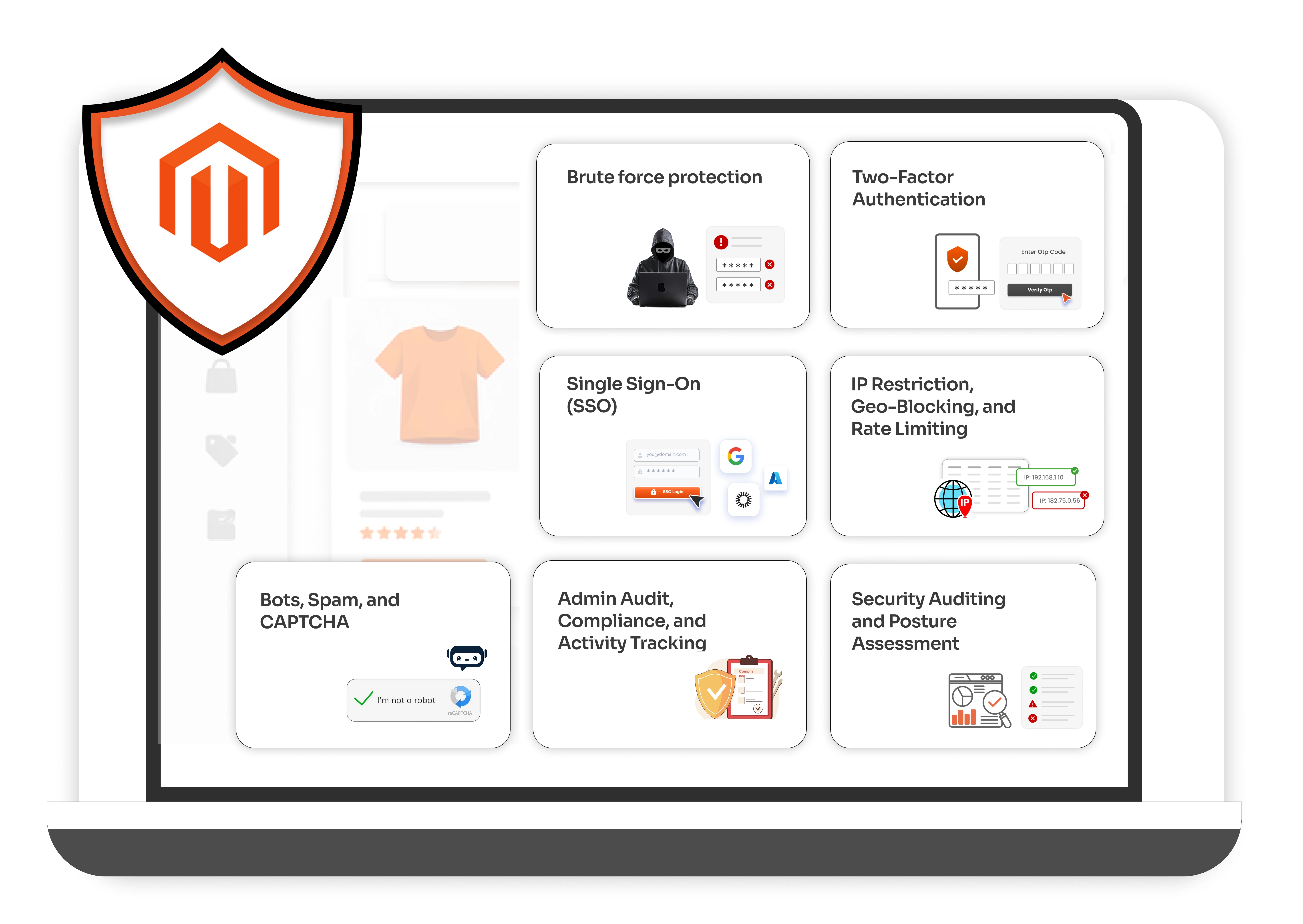
- miniOrange Security Suite — This is the one extension that closes both halves of the gap in a single install: brute-force protection and admin activity logging in the same module, which is unusual — most vendors split these into two products and charge for both. You get progressive delays after failed attempts, configurable lockout thresholds, real-time email alerts on suspicious activity, customer-side login protection (not just admin), one-click unblock from the admin panel, and the full audit trail of admin actions on top. The free tier covers the essentials; the premium tier adds richer policy controls and reporting. Best for: any store that wants brute-force defense and admin logging without bouncing between two vendors or two dashboards.
- Amasty Security Suite. Combines admin login monitoring, file change detection, session tracking, geolocation-based login alerts, role-permission management, and 2FA in a single dashboard. Heavier and the brute-force and audit pieces are bundled with modules you may not need. Worth considering if you are already standardized on Amasty across other modules.
- Mageplaza Magento 2 Security. Includes a security checklist (admin username strength, CAPTCHA settings, version check, database prefix), file change scanning with secure hashes, admin reCAPTCHA, "Away Mode" to block logins during off-hours, brute-force protection, and 2FA. Reasonable second choice if the miniOrange Security Suite does not fit, but be aware the activity logging is shallower than what miniOrange or Amasty provide.
Category 2: Two-Factor Authentication (Beyond the Native Module)
The problem. The native Magento_TwoFactorAuth module is genuinely good — for admins. It supports Google Authenticator, Duo, Authy, and U2F, and it is mandatory in 2.4.x. The gaps are: it does not protect the customer-facing storefront, it does not support email OTP or SMS as factors, and it does not offer policy controls like "skip 2FA on the office network" or "require hardware token for the finance role only."
Extensions worth a look:
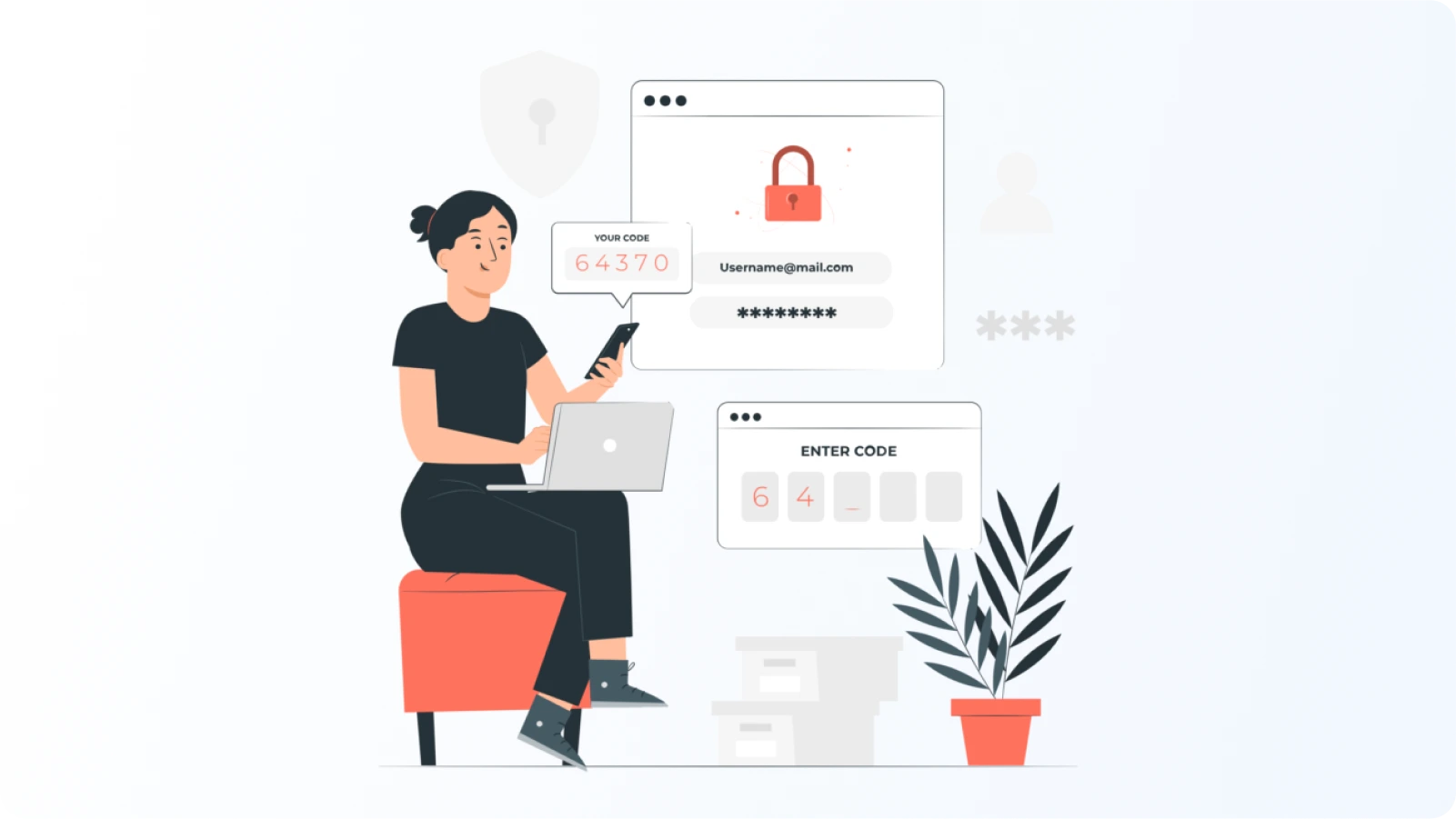
- miniOrange Magento Two-Factor Authentication — It is the only extension on the market that closes all three gaps in the native module at once, and it does so by extending the native module rather than replacing it — which is the architectural shape you want for a critical control. Specifically: (1) customer-side 2FA, not just admin — useful for B2B stores (Global & Sub-Users Access), high-value storefronts, or anywhere account takeover has a real cost; (2) a wider factor menu including email OTP, SMS, push notifications, security questions, QR-code login, and hardware tokens, so you can match the factor to the risk profile of each user group; (3) policy controls — role-based and user-based 2FA rules, IP-based and time-based conditions, trusted-device options that reduce lockout-driven support tickets. Works alongside the native module, not instead of it.
- Magento native (no extension). Worth reiterating: if your only requirement is mandatory TOTP-based 2FA for a small admin team, do not buy an extension. Configure the native module. The miniOrange extension earns its place when you need customer-side 2FA, more factor variety, or policy flexibility the native module does not provide.
Category 3: Single Sign-On (SSO) for Admins and Customers
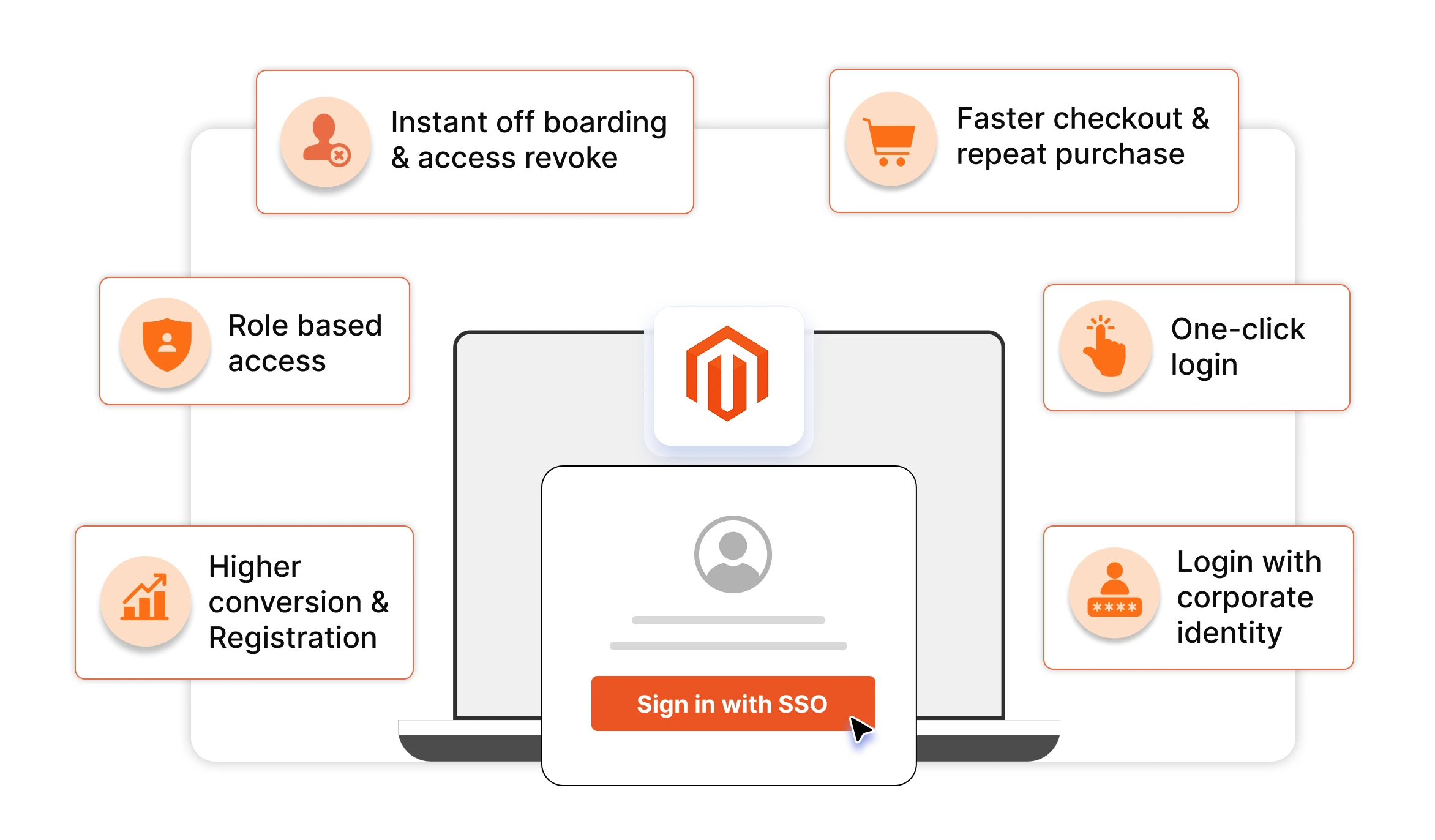
The problem. Magento ships with no native SSO support at all. Every admin maintains a separate Magento password; every customer creates yet another account. For admin teams, that means credentials live outside your identity provider, no central offboarding when someone leaves, no enforcement of corporate password policy, and no audit trail tied to your IdP. For customer-facing storefronts — particularly B2B, multi-brand, or membership stores — it means higher cart abandonment at the registration step and a worse experience for users who already have an identity with Google, Microsoft, Facebook, Okta, Azure AD, or a corporate SAML provider.
The gap is bigger than it looks: SSO is not just a convenience feature, it is a security control. Central identity means central revocation, MFA enforcement at the IdP layer, and one place to look during an incident — none of which Magento provides on its own.
Extensions worth a look:
- miniOrange Magento SSO Extension — the top pick for this category. This is the most complete SSO coverage available for Magento, and it is the only vendor that handles both the admin side and the customer storefront side with the same depth. Specifically: (1) SAML 2.0 SSO with Okta, Azure AD, ADFS, OneLogin, Ping, Google Workspace, JumpCloud, and any standards-compliant SAML IdP — for both admin login and customer login; (2) OAuth 2.0 / OpenID Connect social login for the storefront with Google, Microsoft, Facebook, Apple, LinkedIn, GitHub, and 20+ other providers, plus support for custom OAuth providers; (3) attribute mapping and role mapping from the IdP into Magento — so an "admin" group in Okta automatically gets the right Magento ACL role, and a customer's IdP attributes (group, company, region) flow into the customer profile for use in segmentation or B2B catalogs; (4) just-in-time (JIT) user provisioning so accounts are created on first login rather than pre-staged; (5) SP-initiated and IdP-initiated flows; (6) single logout (SLO) so signing out of the IdP signs out of Magento. Best for: any store with a corporate IdP (admin-side SSO), any Magento B2B store SSO (customer-side SAML SSO), or any consumer storefront wanting one-click social login.
- Mageplaza Social Login. Narrower scope — customer-side social login only (Google, Facebook, Twitter, LinkedIn, a handful of others). No SAML support, no admin-side SSO, no enterprise IdP integration. Reasonable choice if your only requirement is reducing checkout friction for B2C customers with consumer social accounts, and you have no admin SSO need at all.
Category 4: IP Restriction, Geo-Blocking, and Rate Limiting
The problem. Native Magento gives you no first-class controls for restricting the admin panel by IP, blocking entire countries, or rate-limiting specific endpoints. You can do all of this at the web server level (nginx allowlists, Cloudflare WAF rules, fail2ban) but configuring it lives outside the Magento admin, which means it lives outside your operators' day-to-day workflow.
Extensions worth a look:
- miniOrange Magento IP Restriction and Rate Limiting. Handles this layer from inside the Magento admin: IP allowlist and blocklist, country-level deny rules using GeoIP, per-endpoint rate limits, graduated responses (CAPTCHA, throttling, hard block), and per-store rules for multi-site setups. Best for: stores that want one team managing IP/geo rules without bouncing between Magento admin and infrastructure consoles.
- Admin Shield - IP Restrictor (Azguards). Narrower scope: lets you restrict the backend per-user by IP address or IP range, defined directly in the user profile. No country-level rules, no rate limiting. Cheap and simple if all you need is "admin user A can only log in from the office network."
- Webserver-level rules (no extension). If you have engineering capacity, an nginx allowlist on the admin frontname plus Cloudflare WAF rules at the edge will outperform any in-admin extension on raw effectiveness. The trade-off is workflow — every rule change is an infrastructure change, not a Magento admin change.
What to watch for. GeoIP databases age fast. An extension that ships with a static IP-to-country mapping and never updates it will silently start letting blocked traffic through. Confirm the extension uses a maintained GeoIP source (MaxMind GeoIP2 or equivalent) with a clear update cadence.
Category 5: Bots, Spam, and CAPTCHA
The problem. Native Google reCAPTCHA covers login, registration, password recovery, and a handful of other endpoints — but it does not address fake-account creation at volume, comment/review spam, coupon-abuse bots, or scraping. And for stores that find reCAPTCHA's customer friction unacceptable, there is no native alternative.
Extensions worth a look:
- Extendware Bot Blocker. Combines honeypot fields, user-agent detection, behavioral signals, CAPTCHA fallbacks, and rate limiting. Lets you define custom ban rules or rely on its built-in detection logic. Best for: stores being hit by scrapers, fake-account creation, or form spam at meaningful volume.
- Amasty Google Invisible reCaptcha. A polished wrapper around Google's invisible reCAPTCHA, with template-based deployment to specific page types. Best for: stores that want reCAPTCHA on more endpoints than the native integration covers, without writing custom code.
- CDN-WAF bot rules (no extension). Cloudflare, Sucuri, Akamai, and AWS WAF all ship managed bot-protection rule sets that often outperform in-Magento bot blockers because they fire at the edge before traffic ever reaches your server. If you already have a CDN WAF, exhaust its bot-rule capabilities before buying an in-Magento bot blocker.
Category 6: Admin Audit, Compliance, and Activity Tracking
The problem. Adobe Commerce includes detailed admin action logging out of the box. Magento Open Source does not. And even on Adobe Commerce, the native logging is fine for forensics but light on day-to-day visibility — there is no good "who changed what last week" report, no per-user activity dashboard, no easy export for compliance evidence.
Extensions worth a look:
- miniOrange Magento Admin Logs & Activity Monitor. Brings Adobe-Commerce-style logging to Magento Open Source, plus richer reporting on top of either platform: per-user activity reports, payment configuration change tracking, module install/uninstall audit, role change history, customer data export tracking, searchable audit trail. Best for: Open Source stores, larger admin teams, anyone preparing for a PCI assessment.
- Amasty Admin Actions Log. Comparable scope, slightly different UX. Tracks logged actions with retention controls, supports reverting recent changes in bulk, includes real-time login notifications and admin navigation history. Best for: stores already using other Amasty modules — buying within one vendor ecosystem reduces compatibility risk.
Category 7: Security Auditing and Posture Assessment
The problem. Even with everything installed and configured, you need a way to periodically ask "what is the actual state of this store's security posture, and where is the gap?" Doing it manually is a multi-day exercise. Doing it never is what most stores actually do.
Extensions worth a look:
- Adobe Magento Security Scan Tool (free). Covers CVE exposure, missing patches, malware signatures, and common misconfigurations. Free. Run it weekly. There is no excuse for not using it.
- Adobe Site-Wide Analysis Tool (Adobe Commerce only). Deeper performance and security analysis across the whole store including extensions. Use alongside Security Scan, not instead of it.
Closing Thought
The honest answer to "what's the best Magento security extension?" is "the one that closes a gap you actually have, sold by a vendor that will still exist in three years, that extends the native module without replacing it, and that you have tested in staging." That description does not narrow the field to one product — and it should not. Different stores have different gaps.
Work backward from the gap, not forward from the product. If you start with a clear statement of what your native Magento configuration leaves uncovered — customer-side 2FA, IP rules in-admin, brute-force visibility on Magento Open Source, audit reporting for compliance — the shortlist of extensions worth evaluating is usually short, and the right answer falls out of the buying framework in an afternoon. If you start by browsing "top 10 Magento security extensions" lists, you will find yourself comparing feature checklists that all look identical and never deciding.
Leave a Comment