

If you're an Atlassian admin planning a move to the Cloud, you probably already know that migration is not just about moving data.
It’s about deciding what should move.
Most Confluence environments have been around for years. Over time, teams create pages, upload attachments, build spaces, add users, and create groups.
That’s a lot of unnecessary baggage. Sensitive information hidden inside pages. Old page versions nobody remembers. Oversized attachments consuming space. Dormant users who haven't logged in for months. Legacy groups that no longer serve a purpose.
All of these will be migrated as-is if you don’t clean your Confluence environment. This can increase storage consumption and create compliance exposure.
That is why pre-migration cleanup matters.
Your Confluence Instance Probably Contains More Than You Think
You are probably underestimating what’s inside your Confluence environment. Most organizations do.
You might have:
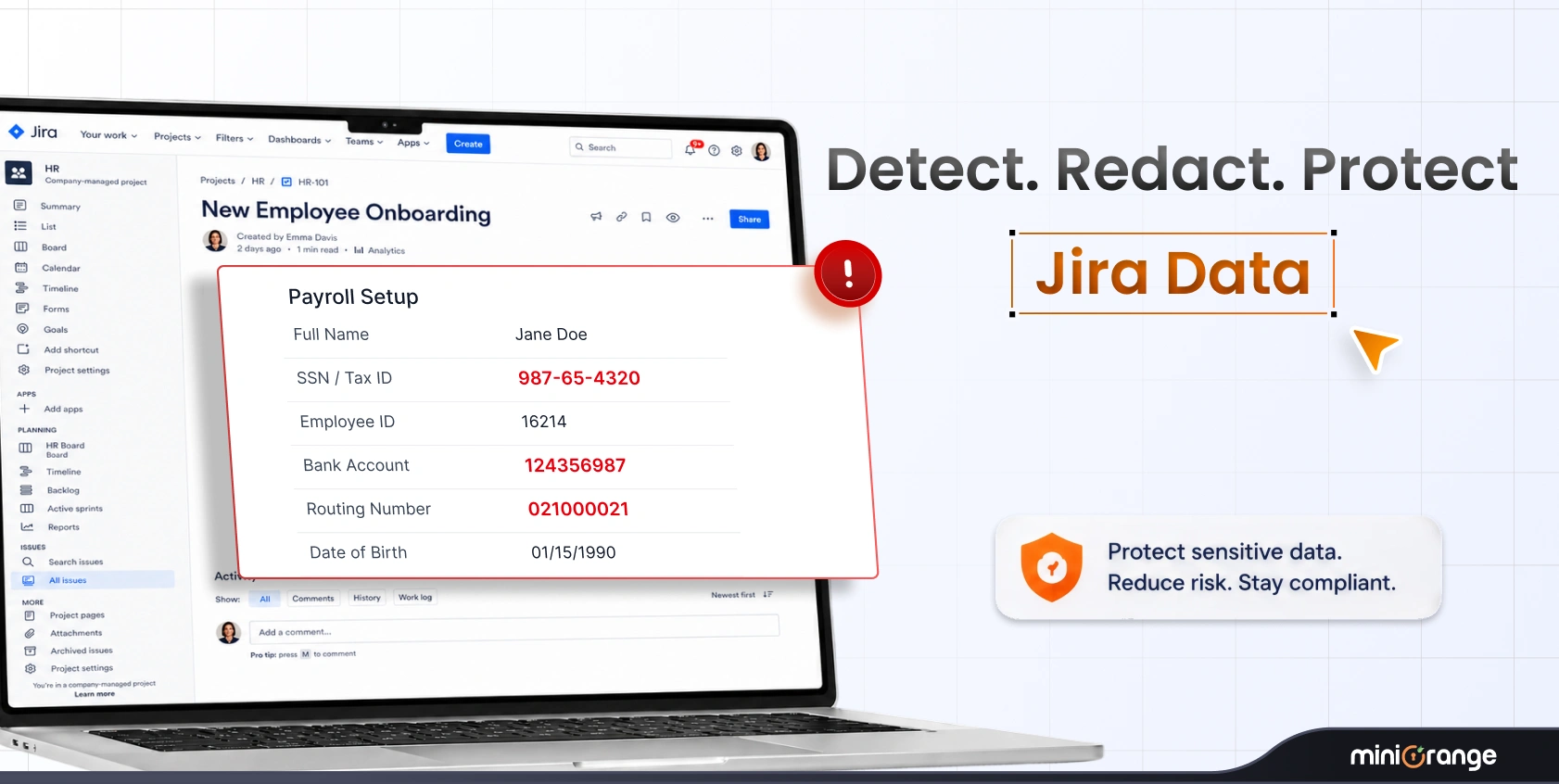
- Customer information inside documentation pages
- Email addresses scattered across knowledge bases
- Credentials or passwords pasted into internal runbooks
- Financial or payment information embedded in old content
- Large attachments nobody has opened in years
- Dormant users still consuming licenses
- Empty groups left behind after team changes or reorganizations
The tricky part is that this data isn’t always visible, at least on the surface. Some of it may live in old spaces, archived content, or page version history.
Now that’s a problem for both admins and compliance teams. Because if sensitive information exists anywhere in the environment, it can still become part of your Cloud migration.
Old Versions Still Matter
Reviewing only current content is not enough because Confluence keeps a history of page changes. That means sensitive information removed from a page can still exist in older versions.
From a compliance perspective, that matters. If you are working toward requirements tied to GDPR, HIPAA, or SOC 2, hidden historical content can become an overlooked risk.
Cleaning visible content alone may not be enough. You also need visibility into what exists across page history.
That is where a pre-migration scanning approach becomes useful.
Scan Confluence Pages, Attachments, and Version History for Sensitive Data
Before migrating to the Cloud, you need a reliable way to inspect your Confluence environment.
The miniOrange DLP - Sensitive Data (PII, GDPR) Scanner for Confluence helps you do exactly that.
Instead of manually going through pages, you can scan your Confluence environment for sensitive information at scale. The scanner looks for sensitive patterns such as:
- Personally identifiable information (PII)
- Email addresses
- Credit card numbers
- Passwords
- Other sensitive content patterns
And it can scan the page version history as well. This ensures sensitive information doesn’t resurface after migration because it existed in a page revision.
You Stay in Control of Remediation
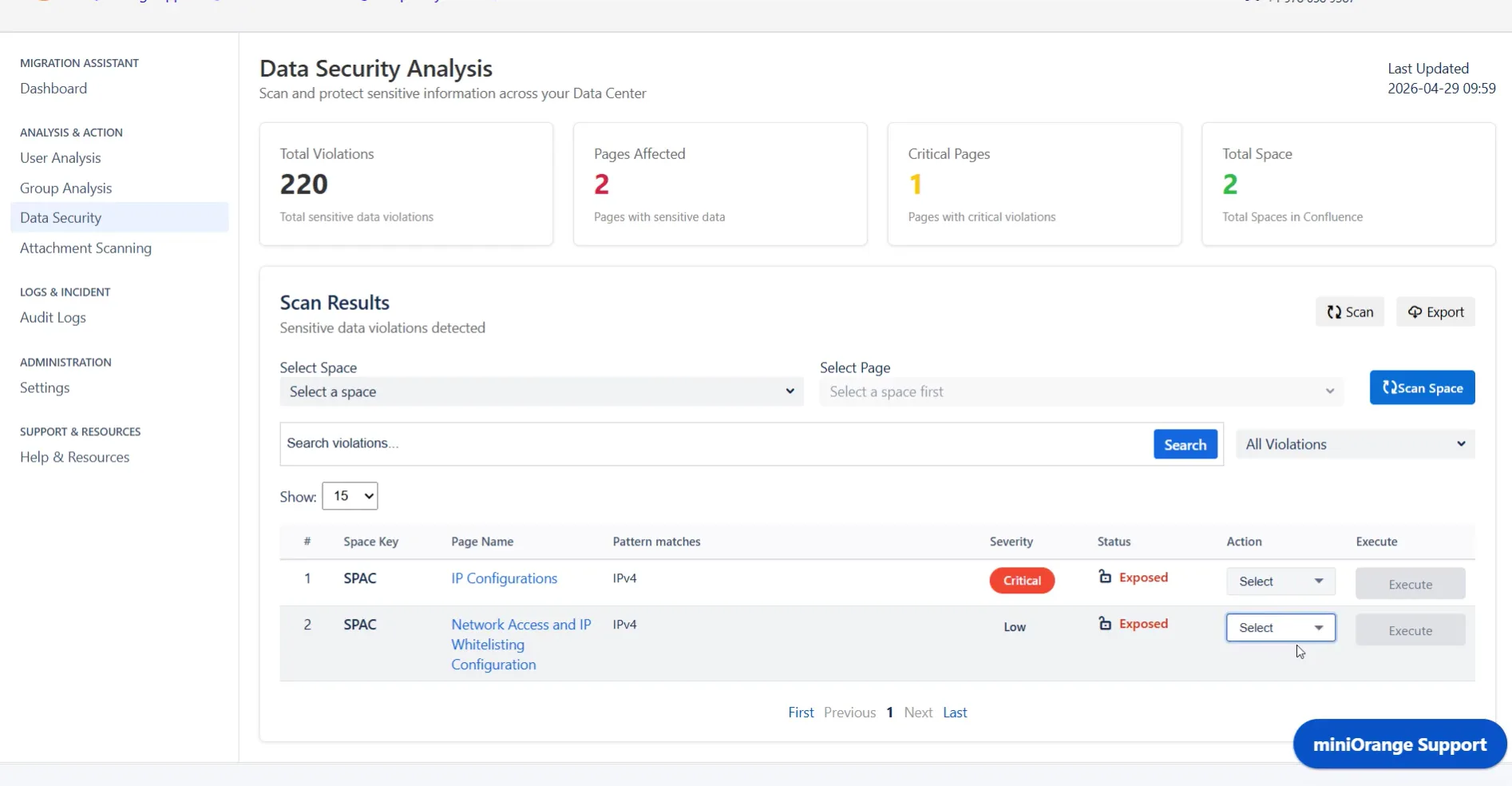
Finding sensitive information is only half the solution. The next step is deciding what to do with it.
The miniOrange DLP - Sensitive Data (PII, GDPR) Scanner for Confluence gives you flexibility in how you remediate sensitive data. You can redact sensitive information, delete it, or encrypt it before migration.
You can encrypt content in your source environment and then safely decrypt it in the Cloud instance afterward.
Instead of treating cleanup as a destructive process, you can apply the remediation strategy that best aligns with your security and governance requirements.
Large Attachments Can Inflate Your Cloud Footprint
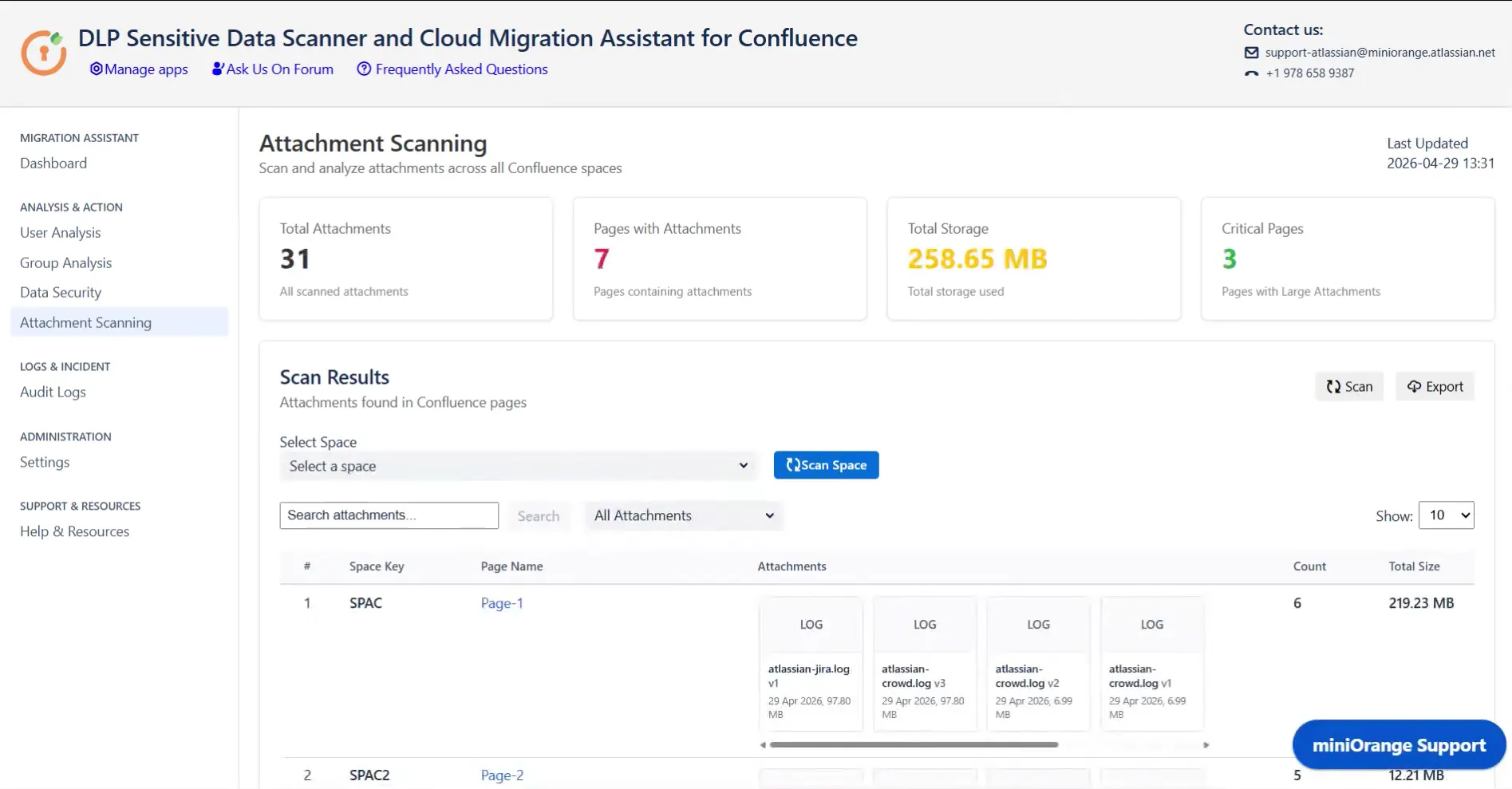
Now, let’s talk about the other side of migration readiness. Storage.
Confluence environments tend to accumulate attachments over time. Many of them remain untouched for years.
Without visibility, you may end up moving files that you don’t need anymore. That creates unnecessary overhead before you even begin using Cloud.
The miniOrange DLP - Sensitive Data (PII, GDPR) Scanner for Confluence surfaces attachments across your Confluence instance so you can review and filter them by size.
You can trim your Cloud storage footprint before migration starts.
Dormant Users and Legacy Groups Can Increase Cloud Overhead
Over time, Confluence environments accumulate inactive users and outdated groups.
If you migrate them without cleanup, you risk carrying unnecessary administrative overhead into Cloud. That can affect governance and access management.
The miniOrange DLP - Sensitive Data (PII, GDPR) Scanner for Confluence helps you tackle this problem as well.
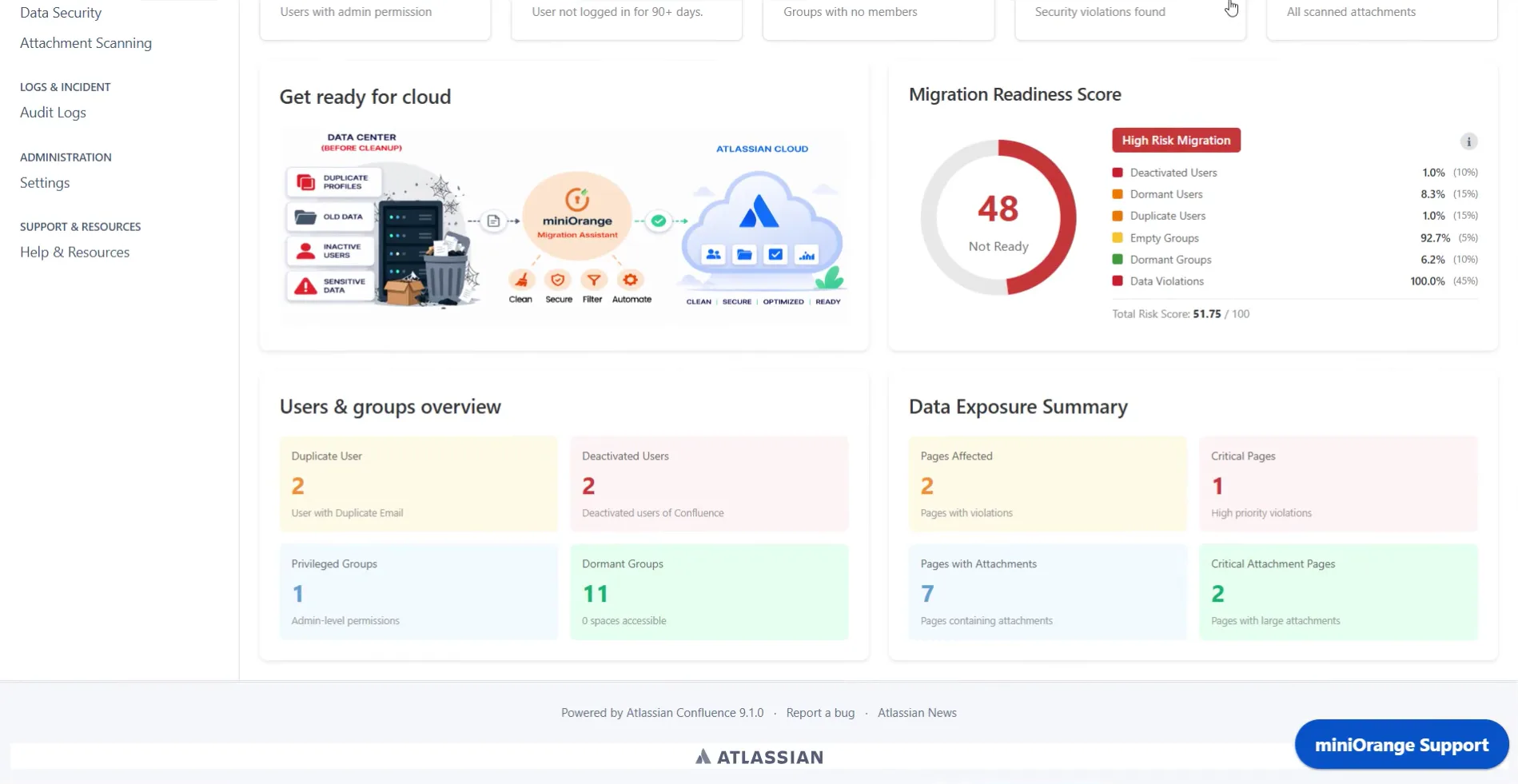
You can identify dormant users and bulk-deactivate them before migration. You can also review and remove empty legacy groups that no longer serve a functional purpose.
You get a clean Confluence Cloud environment from day one.
Audit Logging Matters for Compliance Teams
Stakeholders often need traceability when you redact data, encrypt content, deactivate users, or remove groups.
The PII Scanner ensures that every action taken through the cleanup workflow is logged.
That visibility supports:
- Compliance reporting
- Governance reviews
- Internal audits
- Stakeholder accountability
For compliance officers, a clean audit record is not just helpful. It’s often essential.
Get Ready for the Cloud with miniOrange
You can treat Cloud migration as an opportunity to reset your Confluence environment instead of transferring years of accumulated clutter.
With miniOrange DLP - Sensitive Data (PII, GDPR) Scanner for Confluence, you can improve security posture, reduce unnecessary storage, optimize user management, and strengthen compliance readiness.
By scanning Confluence pages, attachments, and version history for sensitive data, reviewing large files, cleaning dormant identities, and maintaining a complete audit trail, you build a cleaner path to Cloud.
Know what lies inside your Confluence environment today.
FAQs
Q. What types of sensitive data can be detected in Confluence?
Sensitive data scanning tools can detect personally identifiable information (PII), email addresses, passwords, credit card numbers, financial information, credentials, and organization-specific patterns defined through custom rules or regex configurations.
Q. Can inactive users and legacy groups impact Confluence Cloud migration?
Yes. Inactive users and outdated groups can increase administrative complexity and contribute to unnecessary license usage or access sprawl. Reviewing them before migration helps create a cleaner Cloud environment.
Q. Which compliance frameworks benefit from Confluence sensitive data cleanup?
Confluence pre-migration cleanup can support organizations working toward compliance frameworks such as GDPR, HIPAA, SOC 2, and similar data governance or security requirements.
Leave a Comment