

If your login page no longer looks like the rest of your storefront, this isn’t a coincidence; Shopify's platform is changing.
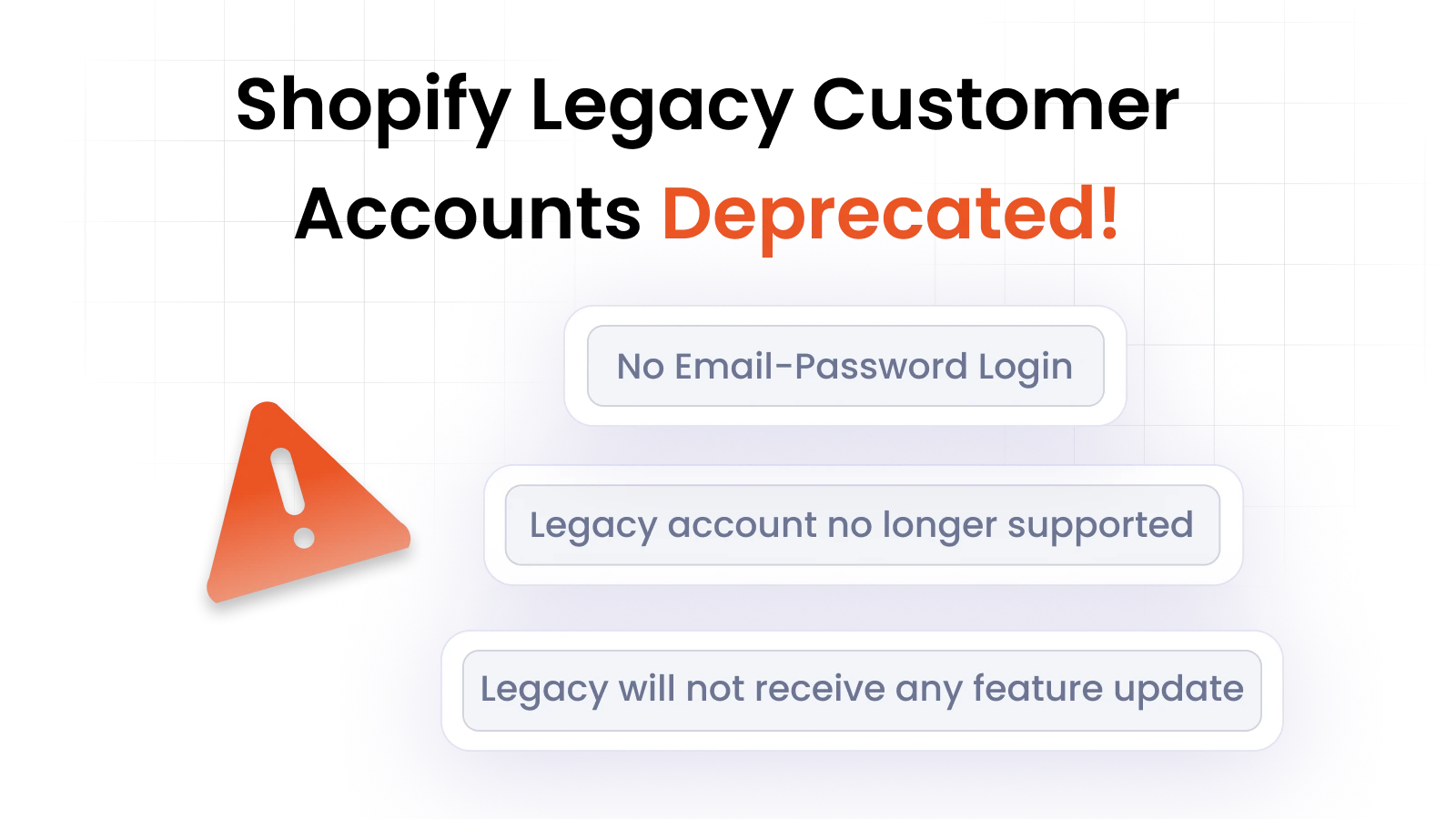
Shopify is officially deprecating Legacy Customer Accounts in 2026, with an aim to fully transition to the newer Customer Accounts framework.
This shift is part of a broader move toward a more standardized and secure authentication model. While this improves consistency at a platform level, it changes how much control merchants have over the customer experience.
Under Legacy Accounts, merchants had extensive control over storefront components. Using Liquid templates and Storefront APIs, it was possible to fully customize login pages, including layout structure, branding elements, and UI behavior. Many merchants used this flexibility to ensure that the login experience matched their storefront design and brand identity.
With the introduction of Shopify Customer Accounts, that level of flexibility has been significantly reduced.
What’s New with Shopify Customer Accounts
The move to Customer Accounts introduces a more structured and standardized system, but it significantly limits what merchants can modify.
While some flexibility still exists, it is limited to specific parts of the storefront.
Before (Legacy Accounts) vs After (Customer Accounts):
- Product pages and order-related experiences remain customizable
- Login and account pages are now Shopify-hosted
- Direct UI-level modifications to login interfaces are restricted
This creates a clear limitation. While most of the storefront UI can still reflect your brand, the login layer is now controlled by Shopify.
The immediate impact? Losing control over the first point of customer interaction - the login page.
Why Login UI Matters
The login interface is not a neutral component. It plays a functional and perceptual role in the overall customer experience.
For many users, the login screen is the first interaction after deciding to engage with the store. This makes it a high-visibility touchpoint. If the design and structure do not align with the storefront, it creates a break in continuity.
Several factors are directly influenced by login UI:
- Brand trust: Consistent design reinforces credibility
- User familiarity: Familiar layouts reduce friction during login
- Conversion perception: A seamless experience supports smoother transitions into purchasing
When users are redirected to a standard Shopify login interface, the visual and experiential flow breaks. The transition from a branded storefront to a generic login page introduces friction, even if the functionality itself remains intact.
Who Does This Impact the Most?
These limitations are most relevant for:
- Shopify Plus merchants managing B2B or gated storefronts
- Agencies and developers building customized login and onboarding flows
- Headless or custom storefronts where frontend control is critical
- High-volume stores that rely on consistent branding across the user journey
For these users, the inability to control login UI is not just a design constraint. It directly affects how users access and interact with the storefront.
Why Shopify Plus Merchants Are Losing Login Page Control
The restriction on login page customization introduces a clear structural limitation. Shopify Plus merchants no longer have the ability to control how the authentication interface appears or behaves.
Key limitations include:
- No control over layout structure of the login UI
- No flexibility in positioning branding elements
- No ability to visually align login pages with storefront themes
This creates a separation between two critical layers:
- The storefront experience, which remains partially customizable
- The authentication layer, which is fixed and system-driven
The result is a disconnect between the storefront experience and the authentication layer, especially evident in B2B and high-volume stores, where consistent branding and structured user flows are essential. Even well-designed stores are forced to rely on a login experience that does not reflect their design system.
This is not just a limitation in customization; it is a break in the overall user experience.
How miniOrange Restores Full Login UI Control on Shopify
Shopify Customer Accounts removes the flexibility that previously existed through Liquid and theme-level modifications, especially at the authentication layer.
miniOrange’s dedicated Shopify Customer Accounts Login solution addresses this by introducing an external identity layer that operates outside Shopify’s native login system. Instead of attempting to modify restricted pages, it allows merchants to rebuild the login experience independently and embed it back into the storefront.
Important Note: The solution does not override Shopify’s authentication. It restructures how users enter and interact with it.
1. Rebuilding Login UI Outside Shopify’s Native Layer
With miniOrange, login forms are no longer tied to Shopify-hosted pages. They are created externally and embedded directly into the storefront, allowing full control over both design and user interaction.
This enables:
- Branded login entry points within the storefront
- Elimination of forced redirects to generic Shopify login pages
- Consistent experience from storefront to authentication
In practical terms, users interact with a login interface that feels native to the store, even though the underlying authentication still integrates with Shopify.
2. Full Control Over Login UI Design
Once the login interface is decoupled from Shopify’s hosted pages, merchants regain control over all major visual elements. This allows the login experience to align completely with the storefront design system.
Customization includes:
- Color schemes aligned with brand identity
- Typography consistent with storefront UI
- Logo placement and branded elements within the login interface
- Custom text for login and onboarding
This ensures that the login experience is visually consistent and does not appear as a disconnected system layer.
3. Embedding Login Flows in Your Storefront
Beyond visual design, the Shopify Customer Accounts Login solution allows merchants to control how the login interface is structured and presented within the storefront.
This includes:
- Embedding login forms directly into pages
- Creating custom login entry flows before authentication
- Defining how users interact with login based on the page or context
Instead of relying on a fixed login page, merchants can design authentication as part of the overall user journey.
4. Custom Domains and Branded Entry Points
The solution also enables the use of custom domains and branded login URLs. This ensures that users are not redirected to Shopify-hosted pages that break the storefront experience.
Instead:
- Login touchpoints remain within the brand environment
- URLs can reflect the business identity
- The transition into authentication remains seamless
This directly addresses one of the most visible limitations of Shopify Customer Accounts.
Rebuilding Flexibility Around Authentication
While Shopify limits customization at the core login layer, miniOrange shifts the control point outward. By introducing an identity layer that handles UI, entry flows, and user interaction, it allows merchants to rebuild flexibility around authentication while complying with Shopify’s system requirements.
The result is a login experience that is:
- Fully branded
- Structurally flexible
- Context-aware
and most importantly, consistent with the rest of the storefront.
How It Works: Building a Custom UI Layer with miniOrange
To understand how this works in practice, consider a typical login flow with miniOrange acting as the identity layer.
1. Customer starts on your storefront
A shopper visits your store and selects a login entry point: Account, Log in, or a dedicated B2B portal. This interaction happens within your storefront environment.
2. Login is handled through miniOrange
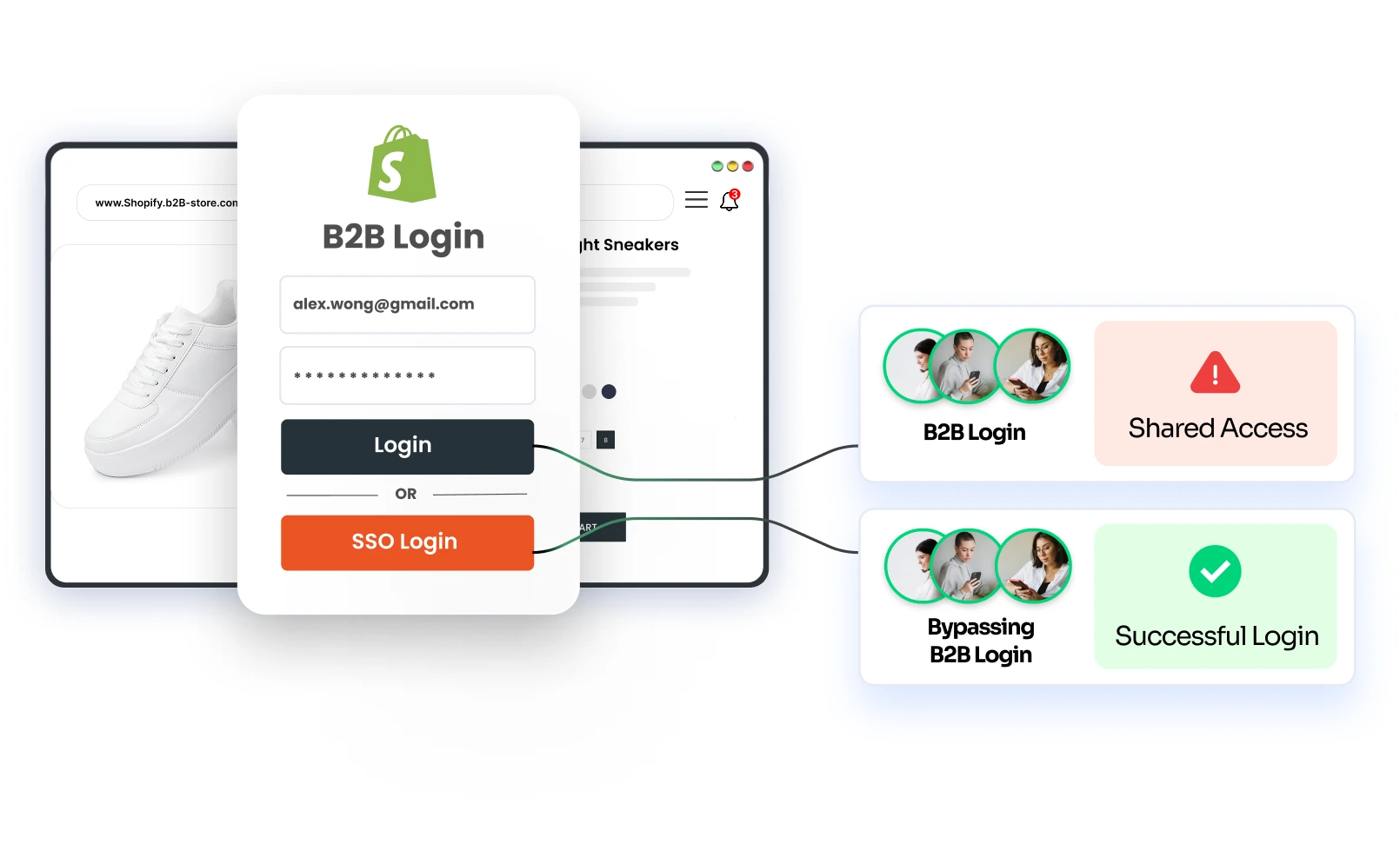
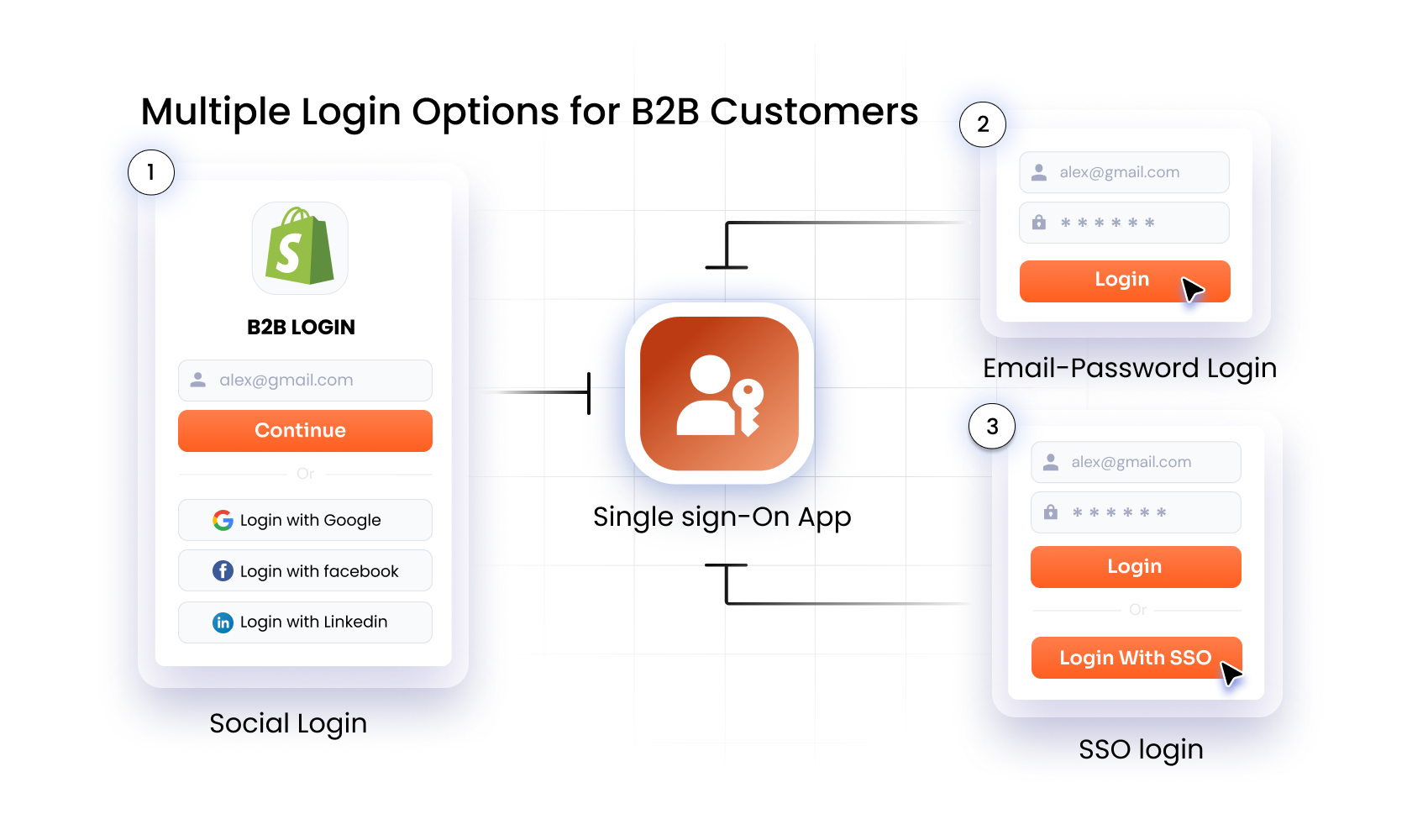
Instead of being redirected to a Shopify-hosted page, the user sees a fully branded login interface powered by miniOrange and embedded within the store. This interface reflects your logo, colors, and configured login methods such as SSO, OTP, shop app login and social login.
3. Shopify still manages the customer account
Once the user signs in, authentication is completed through Shopify. Customer data, order history, and B2B rules continue to be managed within Shopify’s system. This ensures that the login experience is customized without altering the underlying account infrastructure.
4. User returns to the intended storefront flow
After successful login, the user is redirected back to the relevant page, such as their account dashboard, cart, or a restricted catalog, without encountering disruptive redirects.
5. Login behavior is configured through miniOrange
Merchants can manage login rules independently through miniOrange, such as:
- Enabling SSO for specific user groups (enterprise users)
- Allowing passwordless OTP login for retail users
- Defining separate login flows for B2B and B2C users
These configurations can be updated without modifying the Shopify theme or rebuilding existing flows.
Four Ways to Present Login Inside Your Shopify Storefront
The Shopify Customer Accounts Login solution from miniOrange provides multiple ways to present the login interface within your storefront. Each format is designed to integrate seamlessly into the user journey while maintaining full control over branding and layout.
These login formats are not just visual variations. They allow you to control how and when users authenticate, which directly impacts usability and conversion flow.
Redirect-Based Login
This is the traditional login approach where users are redirected to a dedicated login interface. With miniOrange, this page is fully branded and customizable, unlike the default Shopify login.
Use this format when:
- You want a focused, distraction-free login experience
- Authentication is a primary step in the user journey
- You need a standalone login page for structured workflows
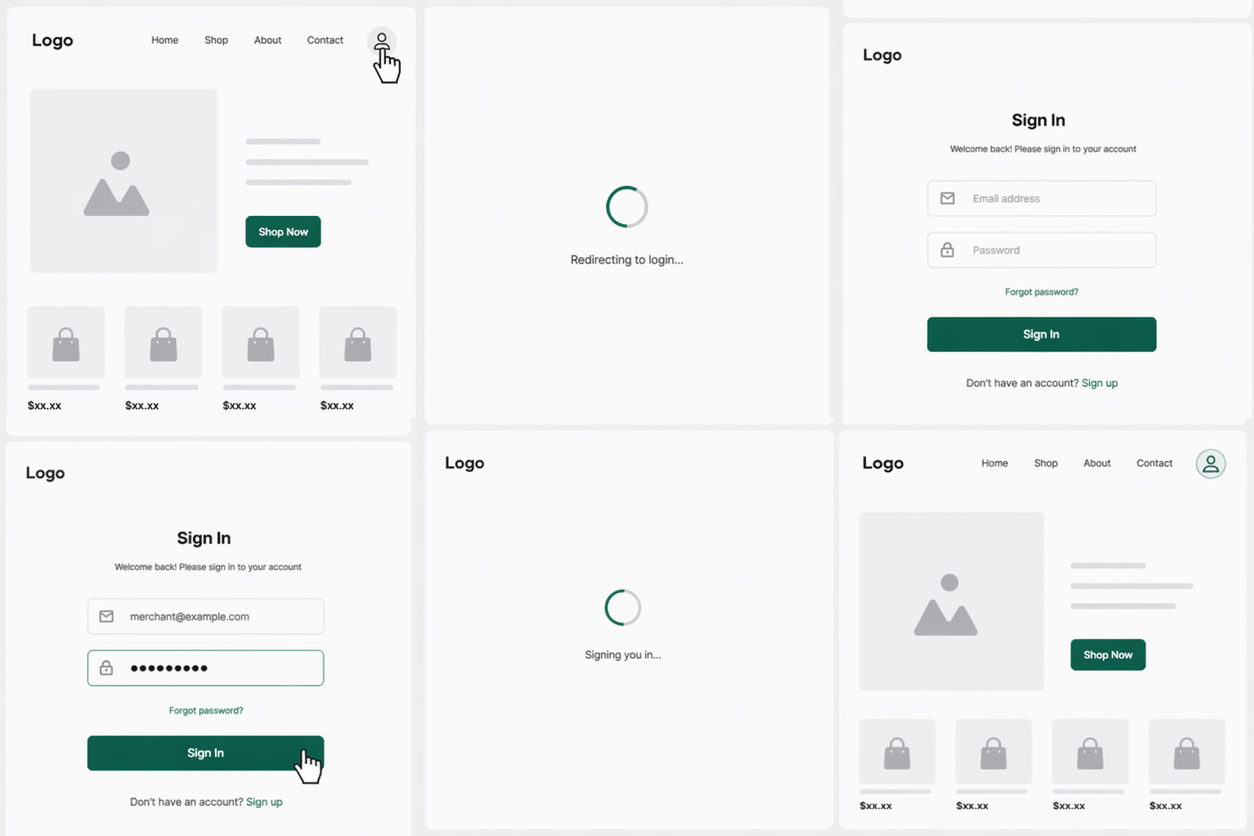
This format is effective when you want full control over the login environment without any distractions from the storefront.
Pop-up Login
The pop-up login appears as an overlay on the current page, allowing users to authenticate without leaving their browsing context.
Use this format when:
- You want to reduce navigation friction
- Login should feel quick and non-intrusive
- Users are likely to log in mid-session (e.g., during checkout or gated access)
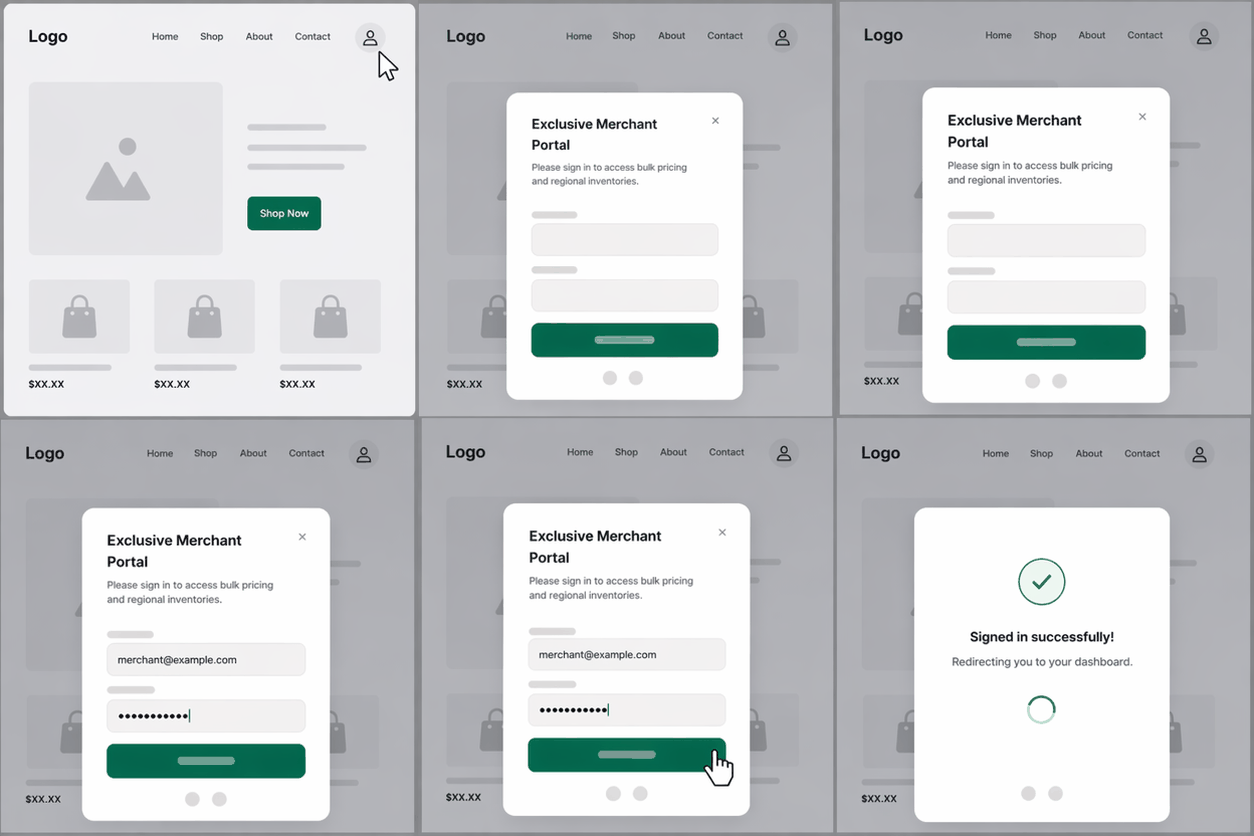
This format helps maintain continuity, keeping users on the same page as they complete authentication.
Drawer-Based Login
The drawer login slides in from the side of the screen, creating a structured yet non-disruptive login experience. It provides more space than a pop-up while still keeping users within the storefront.
Use this format when:
- You need a balance between visibility and continuity
- Additional login elements or instructions are required
- You want a modern, app-like interaction pattern
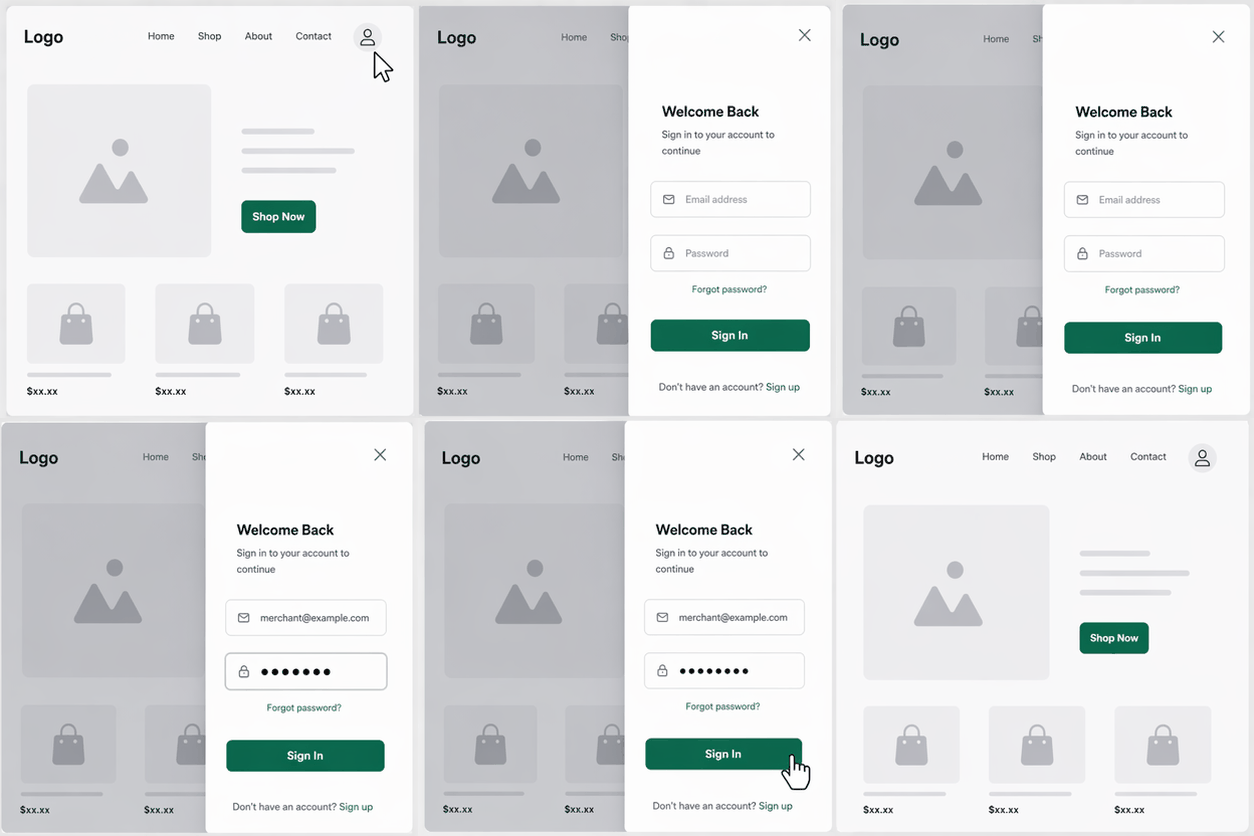
This approach is particularly effective for stores with layered navigation or complex user flows.
Dropdown Login
The dropdown login is embedded directly into the storefront, typically within the header or navigation bar. It allows users to access login functionality instantly without triggering a separate interface.
Use this format when:
- You want persistent, always-available login access
- The goal is speed and minimal interaction
- Login is a frequent action for returning users
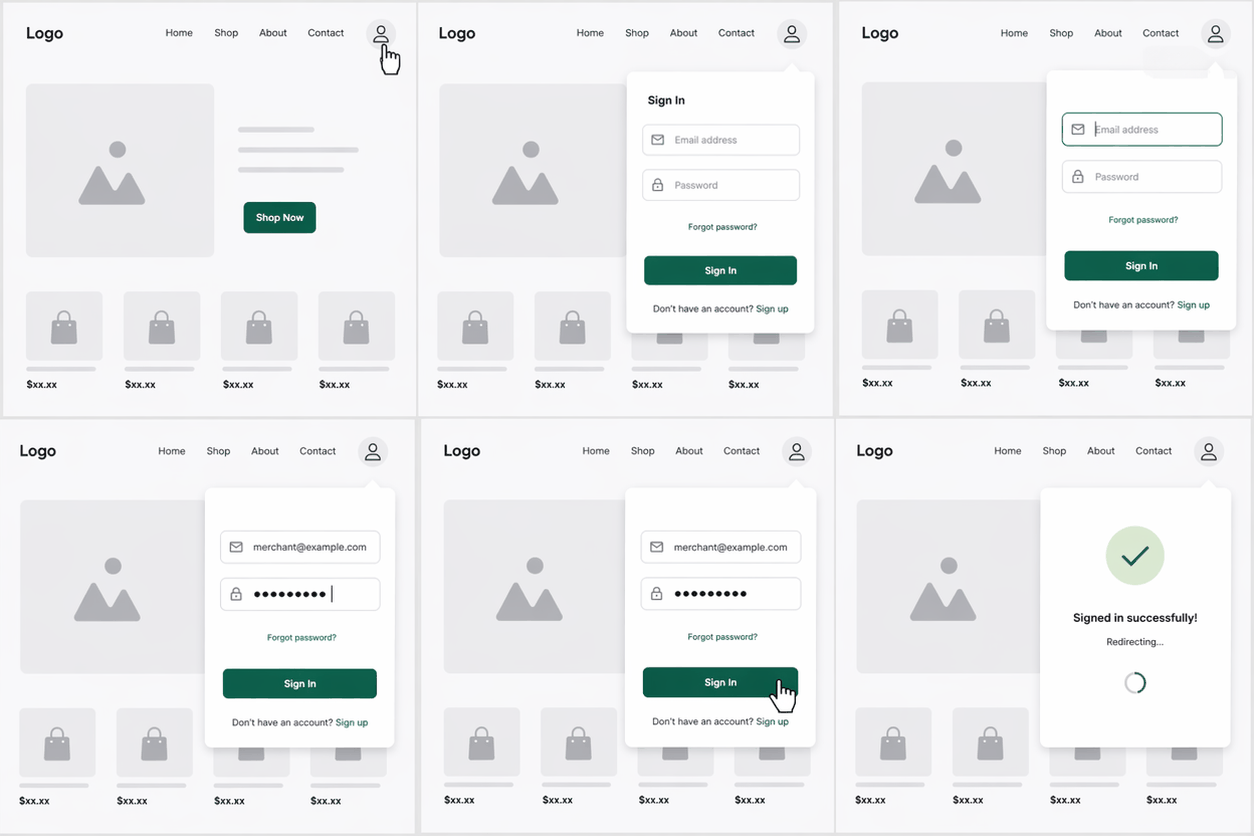
This format works well for Shopify stores where quick access and efficiency are priorities.
NOTE: Each of these formats can be fully customized in terms of colors, typography, layout, and branding. More importantly, they allow you to control how authentication is introduced within the user journey, ensuring that login feels like a natural part of the storefront rather than a separate system.
Frequently Asked Questions (FAQs)
Can I customize the login UI in Shopify Customer Accounts?
No. Shopify Customer Accounts do not allow customization of the login UI by default. While merchants can still customize product pages and certain order-related experiences, the login experience (layout, branding elements, and structure) is controlled within Shopify’s hosted environment.
How can I regain control over the login UI in Shopify?
Control can be reintroduced by moving the login interface outside Shopify’s native layer and embedding a custom login experience directly into the storefront, while still using Shopify for authentication.
What parts of the login experience can be customized using an external login layer?
An external login layer allows you to customize both the visual and structural aspects of the login experience. With a dedicated login solution for Shopify Customer Accounts, you can control branding elements such as colors, typography, and logo placement, as well as structural aspects like layout, positioning, and how the login interface appears within the storefront.
How does embedding login interfaces improve the customer experience?
Embedding login into the storefront avoids redirects to Shopify-hosted pages, maintaining visual consistency and ensuring users stay within the same branded environment throughout the login process.
What login interface formats can be implemented within the storefront?
Using the Shopify Customer Accounts login application, login can be implemented using multiple formats such as full-page redirects, popups, drawer-based panels, or dropdown modules embedded directly into the storefront.
Conclusion
Shopify Customer Accounts introduce a more standardized authentication model, but they also limit UI customization, especially in the login experience.
This creates a disconnect between storefront design and authentication flow. To restore control, merchants need a solution that operates outside Shopify’s UI constraints while remaining compatible with its authentication system. miniOrange provides this through a flexible identity layer that enables full control over login UI, structure, and user flow.
Ready to create consistent branding and structured login experiences?
Book a free demo to explore how miniOrange restores full login UI control on your Shopify Plus store.
Leave a Comment