

Magento security refers to the full set of practices, configurations, tools, and operational controls that protect a Magento Open Source or Adobe Commerce store from unauthorized access, data theft, credit card skimming (Magecart), session hijacking, defacement, and service disruption.
2026 is a pivotal year for a few reasons. Magento powers ~250,000 live storefronts globally — many mid-market and enterprise — making it an unusually high-value target for organized cybercrime. The average e-commerce data breach now costs $5.02M. PCI DSS 4.0.1 is fully enforced. And the exploitation window has collapsed: within 24 hours of CVE-2025-54236 ("SessionReaper") being disclosed, researchers observed hundreds of automated attacks, and fewer than one in three Magento stores had been patched in time. Attackers reverse-engineer patches within hours, and "we'll patch next sprint" is no longer a viable posture. In short: Magento security is a moving target, and the cost of falling behind keeps rising.

Why Version Hygiene Is the Starting Point
The most important starting point is version hygiene. As of April, 2026, Adobe Commerce 2.4.8 is the latest generally available release, while 2.4.9-beta1 is available as a beta. Adobe's current release guidance also makes it clear that older lines are nearing end of support: 2.4.4 ends regular support in April 2026, and 2.4.5 and 2.4.6 end in August 2026. That means any merchant still relying on old branches is carrying avoidable risk, even if the store "seems stable." In Adobe Commerce, stability without patch support is not a security strategy.
Here is what running an unsupported version actually means in practice:
- No more security patches. When a new critical vulnerability is disclosed, you will not receive a fix — ever.
- No official bug fixes or compatibility updates.
- Payment processors and PCI assessors increasingly refuse to certify stores on end-of-life software.
- Insurance carriers may exclude breaches on unsupported platforms from coverage.
- Extensions you rely on will stop testing against your version and will eventually drop it entirely.
The gap between "our store is running fine" and "our store has just been exploited" can be measured in hours after a CVE is published. Version hygiene is not a technical preference — it is the foundation everything else sits on. Where you should be in 2026:
- Currently on 2.4.8 (ideally 2.4.8-p4 or later): You are in good shape. Apply new security patches as they release.
- On 2.4.7: Apply the latest security patch immediately, and plan your upgrade to 2.4.8 within the next two quarters.
- On 2.4.4, 2.4.5, or 2.4.6: Start the upgrade now. 2.4.4 support ends this month; 2.4.5 and 2.4.6 end in August 2026. A typical upgrade project takes two to six weeks including extension testing, so working backwards from the August deadline means kicking off no later than May or June.
- On Magento 1 or any 2.3.x / 2.2.x / older: You are operating without a safety net. These versions reached the end of life years ago. The only secure path is a full migration to 2.4.8, ideally with professional help.
Also worth flagging for 2026 upgraders: MariaDB 11.4 LTS and MySQL 8.4 LTS replace versions hitting end of life this year, and Valkey 8.x and ActiveMQ Artemis are now supported as alternatives to Redis and RabbitMQ. Plan those infrastructure moves into the same window as the application upgrade.
The Six Layers of a Modern Magento Security Program
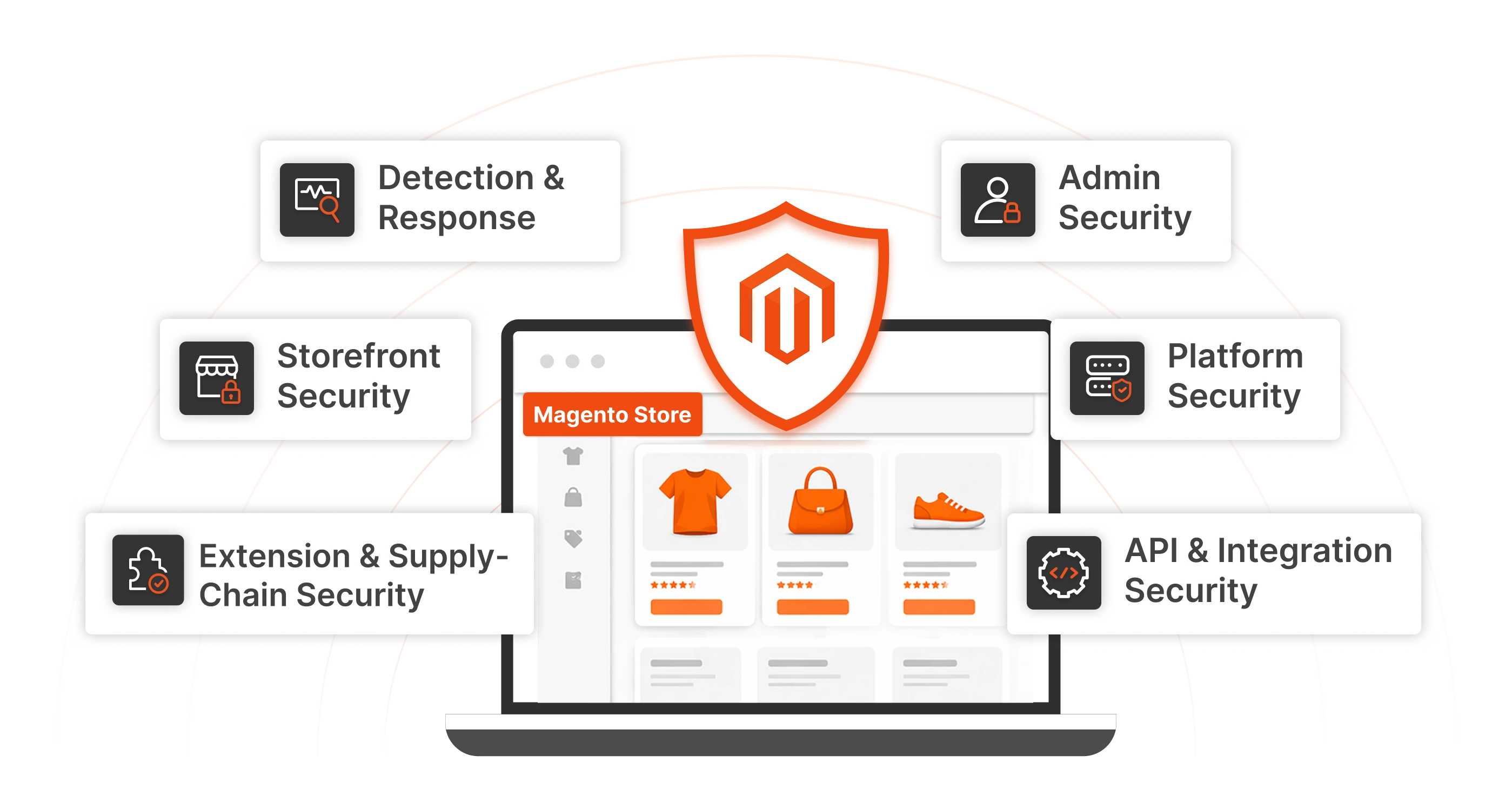
A modern Magento security program should cover six layers. None of these is optional — each one addresses a category of attack that the others cannot prevent. Think of them the way you would think of physical security for a retail location: you need locks on the doors, but also cameras, alarm monitoring, cash-handling procedures, staff training, and an insurance policy. Miss any one and the others cannot fully compensate. The six layers are:
- Platform security: apply security patch releases, hotfixes, and version upgrades quickly.
- Admin security: protect the backend with a custom admin URL, 2FA or Adobe IMS, strict session controls, and role-based access.
- Storefront security: enforce HTTPS, bot protection, CAPTCHA/reCAPTCHA, secure sessions, and login protection.
- API and integration security: shorten token lifetimes, use least-privilege integrations, monitor API abuse, and avoid anonymous exposure.
- Extension and supply-chain security: install only trusted, actively maintained extensions and keep them updated.
- Detection and response: use Adobe's Security Scan Tool, Site-Wide Analysis Tool, centralized logging, WAF/CDN telemetry, and an incident response plan. Each layer is covered in detail below. If you are new to Magento, read them in order — they build on each other. If you are an experienced admin auditing an existing store, jump to the layer you are weakest on and work outward from there.
Layer 1 — Platform Security
Platform security means keeping the Magento code itself current, patched, and free of known vulnerabilities. It is the single highest-leverage thing you can do for a Magento store, because every other layer assumes the platform underneath it is not carrying open, publicly disclosed flaws.
Adobe's 2026 patch cadence
Starting in January 2026, Adobe restructured how patches ship. The old quarterly model is gone. The current rhythm is:
- Monthly isolated security patches as needed, whenever a serious vulnerability warrants an out-of-cycle fix.
- One major version per year, in May — 2.4.9 is expected in May 2026.
- Aggregated security patch bundles twice a year, in May and November. The practical implication is that you can no longer treat patching as a quarterly event. You need a process that can absorb a security patch within days at any point in the year. The most recent stable release as of this writing is 2.4.8-p4, shipped March 10, 2026.
The 2025 and 2026 vulnerabilities that set the tone
Two incidents shape how serious teams think about patching right now. SessionReaper (CVE-2025-54236), disclosed September 2025 at CVSS 9.1, allowed remote session hijacking — and in some configurations, RCE — without user interaction. Adobe shipped an emergency patch, but fewer than one in three stores applied it in the critical first window. Within 24 hours of a public PoC, Sansec blocked over 250 exploitation attempts. PolyShell, disclosed in early 2026, was an unrestricted file upload flaw affecting all versions up to 2.4.9-alpha2; a parallel mass-defacement campaign starting February 27, 2026 compromised roughly 15,000 hostnames across 7,500 domains. The takeaway is simple: modern Magento attacks are automated, fast, and opportunistic. Attackers reverse-engineer patches within hours of release, integrate them into scanning tools within days, and sweep the internet continuously looking for stores that have not updated yet. "We'll patch next sprint" is no longer a viable posture.
What platform security looks like in practice
- Subscribe to the source of truth. Register for Adobe's PSIRT security bulletin mailing list. When a new CVE drops, you should hear about it from Adobe before you hear about it from a news article.
- Maintain a real staging environment. You cannot patch quickly if every patch requires rebuilding a test environment from scratch. Staging should mirror production closely enough that a patch you tested there will behave the same in production.
- Automate the patch pipeline. At minimum, your staging deploy should be one command or one button click. Extension and theme tests should run automatically. The goal is to compress the time between "Adobe released a patch" and "production is patched" to hours, not weeks.
- Know your SLA. Write down your internal patching service level — for example, critical CVEs patched within 72 hours, high within 7 days, medium within 30 days. Then track against it. If you miss it three times in a row, your process needs work.
- Plan your upgrades quarterly. Even when you are on a fully supported line, minor version upgrades should be on your calendar. The store that upgrades once a year in a panic is always more painful and riskier than the store that upgrades on a predictable cadence.
Layer 2 — Admin Security
The admin panel is the single highest-value target in a Magento store. An attacker with admin access can inject skimming JavaScript into the checkout, export customer data, manipulate orders, change payment configurations, and pivot to deeper access. Admin security is where disproportionate effort pays off.
Change the default admin URL
Leaving the admin at /admin is equivalent to leaving a neon sign out front. Automated scanners hit that path millions of times a day.
The quickest way to change it is through the CLI:
php bin/magento setup:config:set --backend-frontname="ops_9f3k2m"
php bin/magento cache:flush
Pick something random and non-guessable. Avoid anything human-readable like /backend, /manage, /login, or your brand name. This change alone eliminates the overwhelming majority of untargeted brute-force attempts against the admin panel.
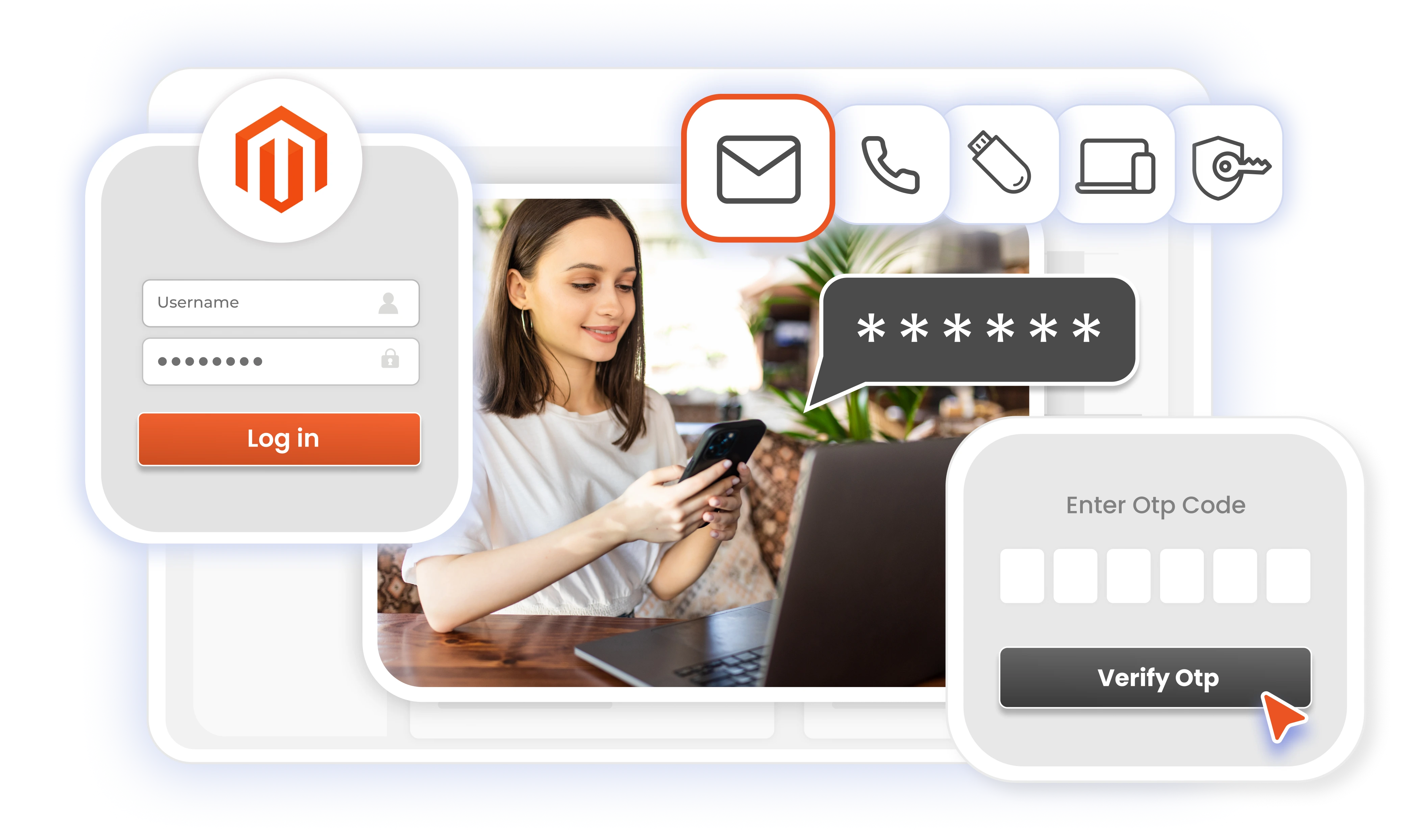
Enforce Two-Factor authentication (2FA)
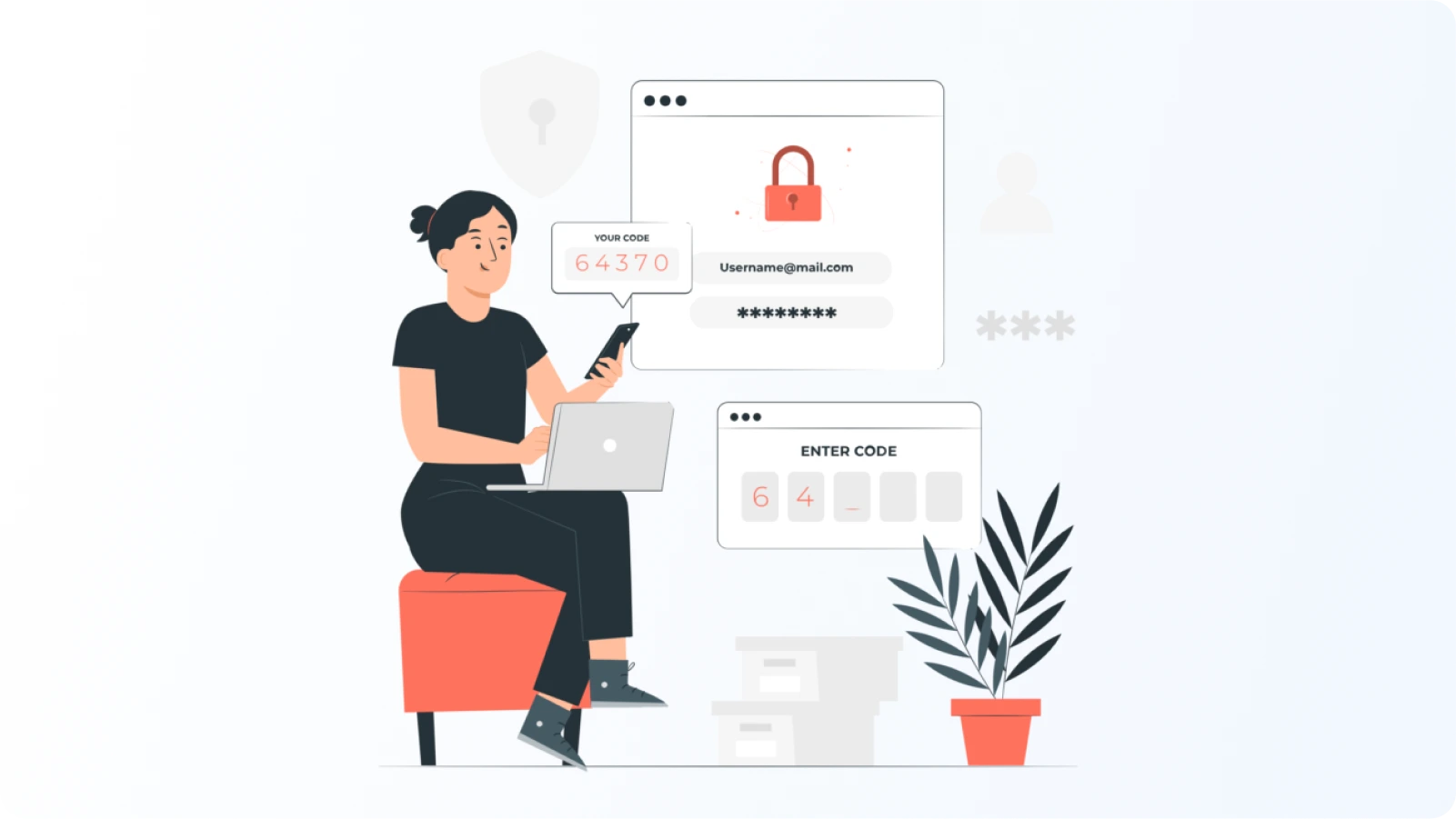
Two-factor authentication is built into Magento 2 (via the Magento_TwoFactorAuth module) and should be mandatory for every admin user without exception and should be enabled at the platform level. Out of the box, the native 2FA module supports four authentication providers: Google Authenticator, Duo Security, Authy, and U2F security keys. Enabling it is straightforward — the module is bundled with Magento 2.4.x and can be turned on with a CLI command, after which every admin user is prompted to configure a second factor on their next login. You can enforce specific providers globally (for example, requiring Google Authenticator for all admins) or allow users to pick from the providers you have enabled. Once it is on, an admin login requires both the password and a time-based one-time code from the authenticator app, which neutralizes the most common attack against Magento admin panels: credential stuffing using passwords leaked from unrelated breaches.
When you need more granular control over 2FA
The native Magento 2FA module covers the essentials well, but stores that want finer control — customer-facing 2FA, a wider range of authentication methods, conditional policies, or 2FA enforcement at the storefront login as well as the admin — usually reach for a dedicated extension. The Magento Two-Factor Authentication 2FA extension is a common choice here and extends what the native module offers in a few practical ways:
- Support for a wider set of authentication methods beyond TOTP — including OTP over email and SMS, push notifications, security questions, QR-code login, and hardware tokens — so you can match the factor to the risk profile of each user group.
- Role-based and user-based 2FA policies, so you can require stronger authentication for administrators and developers while keeping a lighter touch for lower-privilege roles.
- The ability to enforce 2FA on customer accounts, not just the admin panel — useful for B2B stores, high-value storefronts, or any store where account takeover has a real cost.
- Backup authentication methods and trusted-device options, which reduce the lockout and support-ticket overhead that often leads stores to weaken their 2FA policies over time.
- IP-based and time-based conditions, so you can, for example, skip the second factor for logins from a known office network while always requiring it from everywhere else. For most small and mid-sized Magento stores, the native module is sufficient. For stores that need 2FA on the storefront, more factor variety, or policy flexibility the native module does not provide, an extension like this is a reasonable upgrade path — and it works alongside, not instead of, the identity and SSO controls described above.
Restrict admin access by IP or network
Even with a custom URL and 2FA, you should narrow who can reach the admin at all. The most effective pattern is to require admin traffic to come from a known corporate network, a VPN, or a zero-trust proxy like Cloudflare Access, Tailscale, or Twingate. Here is a minimal nginx example that allowlists known IPs:
location ~* ^/ops_9f3k2m {
    allow 203.0.113.0/24;   # office
    allow 198.51.100.42;    # VPN
    deny all;
    try_files $uri $uri/ /index.php?$args;
}
For distributed teams or small merchants without dedicated infrastructure, a zero-trust proxy is easier to maintain than a manual IP allowlist and scales cleanly as your team grows. For stores that need more than a static IP allowlist — country-level restrictions, rate limiting on storefront login and checkout, or graduated responses like CAPTCHA and throttling instead of hard blocks — the miniOrange Magento IP Restriction and Rate Limiting extension handles this layer from inside the Magento admin, with per-endpoint rate limits, per-IP controls, and store-specific rules for multi-site setups.
Lock down sessions and login behavior
In the admin, go to Stores → Configuration → Advanced → Admin → Security and configure:
- Admin Session Lifetime: 900 seconds (15 minutes idle). Short sessions limit the blast radius of any hijacked cookie.
- Maximum Login Failures to Lockout Account: 5
- Lockout Time (minutes): 30
- Password Lifetime: 90 days
- Password Change: Forced
- Add Secret Key to URLs: Yes (this is a built-in CSRF defense for admin URLs)
- Login is Case Sensitive: Yes These settings together neutralize the bulk of credential-stuffing and brute-force attempts, and they contain the damage if an attacker ever does get a valid cookie. For stronger login protection — progressive delays after failed attempts, reCAPTCHA on risky actions, real-time email alerts on suspicious activity, and one-click user unblock from the admin — the Magento Brute Force Protection extension layers cleanly on top of these native settings and extends the same controls to customer login and password reset forms.
Use role-based access with least privilege
Magento's ACL system supports fine-grained roles. Use it. The default "Administrators" role should be reserved for two or three accounts maximum. Build additional roles for Content Editors, Catalog Managers, Customer Service, Developers, and Finance — each with only the permissions they actually need. Concrete examples:
- A content editor does not need access to Stores → Configuration.
- A customer service agent does not need access to Sales → Transactions.
- A developer working on theme code does not need access to payment provider credentials.
- A marketing contractor should not have a standing admin account at all — provision, use, revoke. Audit admin accounts every quarter. Remove accounts for departed staff immediately, not "when we get around to it." One forgotten contractor account with no 2FA is a full breach waiting to happen.
Enable admin action logging
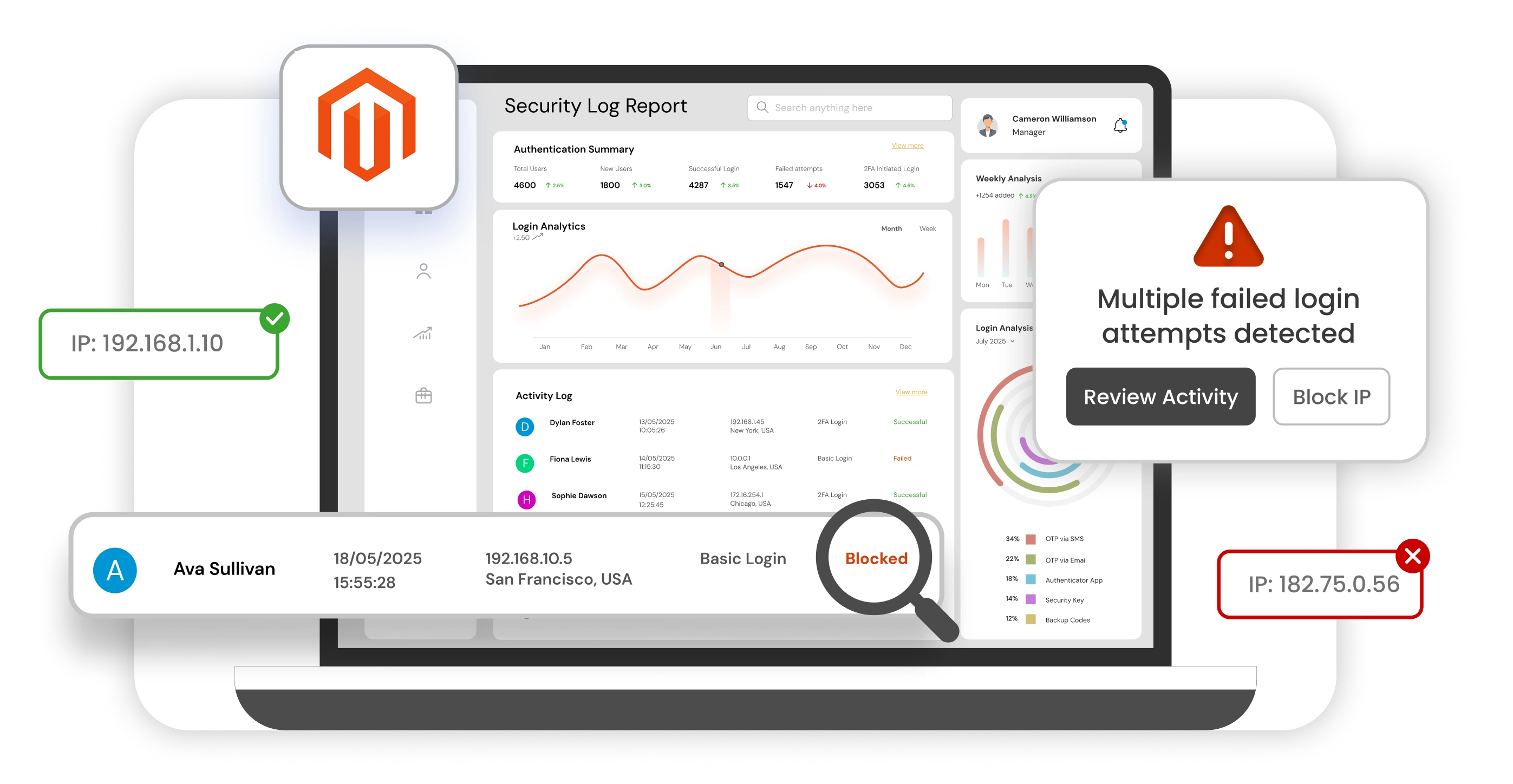
Adobe Commerce includes detailed admin action logging. Turn it on (Stores → Configuration → Advanced → Admin → Admin Actions Logging) and forward those logs to a centralized location. You want a full audit trail of who changed what — especially for payment configuration, module installs, and customer data exports. Magento Open Source users who don't have the built-in logging, or teams that want richer audit trails with per-user activity reports and easier search, can add this capability with the Magento Admin Logs & Activity Monitor extension — useful both for security investigations and for day-to-day accountability across a larger admin team.
Layer 3 — Storefront Security
Storefront security protects your customers during their interaction with the store — browsing, account creation, login, and checkout. It is the layer closest to the shopper, and it is where credit-card skimming, credential stuffing, and fraud live.
Enforce HTTPS everywhere
This should be obvious in 2026, but misconfigured stores still exist. In Stores → Configuration → General → Web:
- Use Secure URLs on Storefront: Yes
- Use Secure URLs in Admin: Yes
- Upgrade Insecure Requests: Yes
- HTTP Strict Transport Security (HSTS): Enabled Set up HSTS with a meaningful max-age (at least one year) and include subdomains if your setup allows. Make sure all assets — images, scripts, CDN content — load over HTTPS so the browser does not downgrade or warn.
Protect public forms with CAPTCHA and rate limiting
Enable Google reCAPTCHA v3 or hCaptcha on customer login, registration, forgot password, contact forms, reviews, and coupon application at checkout. This single step neutralizes the bulk of automated credential-stuffing and fake-account traffic — and typically lifts conversion rate rather than depressing it, because it removes bot load that was inflating cart abandonment numbers.
Beyond CAPTCHA, rate-limit the endpoints attackers abuse most: /customer/account/loginPost, /customer/account/createpost, /checkout/*, /rest/V1/carts/* and /graphql, and gift card balance checks. Most modern CDN-WAFs (Cloudflare, Sucuri, Akamai, AWS WAF) include managed bot rules that cover this out of the box.
Protect checkout from card skimmers
Magecart skimming is the dominant financial threat to Magento stores. The two most effective defenses are tokenized or hosted payment fields (Stripe Elements, Adyen Drop-in, Braintree Hosted Fields) — if the card number never touches your server, a skimmer cannot steal it, and this is also the biggest single PCI scope reducer available — and payment-page script monitoring, now explicitly required by PCI DSS 4.0 Requirement 6.4.3. Tools like Jscrambler, Sucuri, or a home-grown integrity monitor alert the moment an unexpected script appears on a checkout page.
Customer account security
Offer 2FA to customers, even if you cannot mandate it. Enforce a sensible password policy (minimum length, block the top 10,000 breached passwords). Send alerts for new logins from unusual locations. Rate-limit the forgot-password flow to prevent account enumeration.
Take customer account security seriously
Your customer accounts hold order history, addresses, stored payment methods, and sometimes loyalty balances. Treat them as the real assets they are:
- Offer 2FA to customers, even if you cannot mandate it.
- Enforce a sensible password policy (minimum length, complexity, block the top 10,000 breached passwords).
- Send alerts for new logins from unusual locations or devices.
- Rate-limit the "forgot password" flow to prevent account enumeration.
Layer 4 — API and Integration Security
Modern Magento stores are not standalone. They talk to ERPs, PIMs, marketplaces, shipping carriers, email platforms, analytics, CRM, payment providers, and custom mobile apps. Every one of those integrations is a door — and every door needs a lock.
Use short-lived tokens
Magento supports integration tokens with configurable lifetimes. Long-lived tokens are convenience bombs: if they leak, they stay useful to an attacker for months. Configure admin token and customer token lifetimes to be as short as your integration can tolerate — hours, not weeks. For OAuth-based integrations, rotate credentials on a predictable schedule.
Apply least privilege to integrations
When you create an integration in Stores → Settings → Integrations, Magento prompts you for exactly which API resources it needs. Resist the temptation to check the "All" box. An ERP sync integration probably needs catalog and order access, not customer password management. Your shipping rate integration needs shipping resources, not admin user management. Scope each integration tightly so a leaked token gives the attacker the narrowest possible foothold.
Monitor your APIs for abuse
Set up baseline metrics for your REST and GraphQL endpoints:
- Requests per minute per endpoint
- Error rate (especially 401, 403, 429, 5xx)
- Unusual source IPs or geographies
- Response size anomalies — a normal customerList call returns 20 records, not 20,000 Feed these metrics into alerts. If a legitimate integration suddenly makes 100x its normal traffic, either something is broken or the token has been compromised. Either way, you want to know within minutes.
Do not expose anonymous endpoints you do not need
Magento's default configuration exposes a range of GraphQL and REST endpoints without authentication — for legitimate reasons, like letting guests browse catalog data. Review which anonymous endpoints are enabled in your store and disable the ones you do not need. Every unnecessary anonymous endpoint is a scanning target.
Layer 5 — Extension and Supply-Chain Security
Third-party extensions are the single largest source of real-world Magento compromises — not the core platform. A fully patched Magento with a vulnerable extension is functionally equivalent to an unpatched Magento. Supply-chain security is about making sure every piece of code in your store earns its place.
Only install trusted, actively maintained extensions
Before installing anything, check:
- Source: Adobe Commerce Marketplace or a named, reputable vendor with a real support team. Avoid "free" repackages of paid extensions from third-party forums.
- Last update: If the most recent release was more than a year ago, treat it as abandoned until proven otherwise.
- Magento compatibility: The extension should explicitly list support for your Magento version, not just "2.x."
- Reviews and community signal: Are other merchants actively using it? What do they say about security and updates?
- Support model: Is there a security contact? Do they publish their own security advisories? For high-risk categories — payment, checkout, customer accounts, anything that can inject JavaScript into pages — raise the bar further. A sketchy analytics extension is one thing; a sketchy payment extension is a business-ending risk.
Remove, don't just disable
A disabled module is still on disk and can still be reached by URL in some configurations. Uninstall anything you are not using. composer remove vendor/module && bin/magento setup:upgrade is the clean path.
After every upgrade, re-test extensions
When you upgrade Magento core, every extension gets re-validated against the new version. Compatibility regressions are a common source of subtle security gaps — an extension might still load, but silently stop applying an input validation check that the new core expected it to handle. Test extensions in staging before declaring the upgrade done.
Safe custom module development
If you or your team write custom modules, the same rules apply. Use Magento's ORM for database access. Validate and escape all user input (\Magento\Framework\Escaper). Check form keys on state-changing controllers. Escape output (escapeHtml, escapeUrl, escapeJs, escapeHtmlAttr). Run Magento Coding Standard and a static analyzer like PHPStan or Psalm in CI. Never log PII or card data, even temporarily.
Layer 6 — Detection and Response
You cannot defend what you cannot see. The sixth layer is about knowing something is wrong as early as possible and having a practiced response when it happens.
Adobe's free tools
Magento Security Scan Tool (via account.magento.com) is free and officially supported. It scans your public URL for known CVE exposure, missing patches, malware signatures, and common misconfigurations. Schedule it weekly and actually read the reports. Site-Wide Analysis Tool (Adobe Commerce) goes deeper, giving you insight into performance and security across your whole store including extensions. Use it alongside Security Scan, not instead of it.
Centralized logging
Forward logs from every component to a central place (ELK, Grafana Loki, Splunk, Datadog, or similar):
- Web server access and error logs
- var/log/exception.log, system.log
- Admin action logs
- Authentication events
- Database slow-query logs
- WAF and CDN telemetry Retain at least 90 days, longer if you're in a regulated industry. You will never regret having the logs; you will always regret not having them.
File integrity monitoring
Magecart injections often show up as changes to files or database rows that should not be changing. Deploy a file integrity monitor like OSSEC, Wazuh, or Sucuri Monitor. Baseline the codebase, ``pub/media, and critical database tables (cms_block, cms_page, core_config_data, design_config_grid_flat). Alert on any unexpected change.
Alert rules that actually matter
Not every event deserves a page. Tune your alerts to the things that suggest real compromise:
- Multiple failed admin logins from one IP, or distributed failures against one account
- New admin user creation or role elevation
- Changes to payment, shipping, or security settings
- Outbound connections from the web server to unexpected domains
- 5xx error spikes specifically on checkout or API endpoints
- File modifications under pub/ or app/code/ outside known deployment windows
Practical Priority Order: What to Do First
If you have just inherited a Magento store, or you are auditing yours against this guide for the first time, do these things in order. Each one delivers outsized risk reduction for the effort it takes.
- Patch to the latest supported security release. For almost all stores in 2026 this means Adobe Commerce 2.4.8-p4 or the equivalent Magento Open Source release. If you are on 2.4.6 or earlier, start the upgrade plan today — support ends in August.
- Lock down the admin with MFA and least privilege. Enable 2FA for every admin account without exception. Audit the user list, remove dormant accounts, and tighten every role to the minimum permissions it needs.
- Audit extensions and remove anything unmaintained. Build your software bill of materials. Identify every extension that has not been updated in the last 12 months. Replace, remove, or explicitly accept the risk in writing.
- Secure APIs, tokens, and integrations. Shorten token lifetimes. Re-scope every integration to least privilege. Disable anonymous endpoints you do not need. Rotate any credential that might have been exposed.
- Add monitoring for malware, skimming, and suspicious admin activity. At minimum, schedule Adobe's Security Scan weekly, set up file integrity monitoring, and configure alerts for the events in the list above. Centralized logging is the foundation the rest of detection sits on.
- Review incident response and backup recovery before you need them. Write the runbook. Test a restore from backup. Run a tabletop exercise. None of this is exciting work, and all of it becomes priceless the moment something goes wrong. Work through this list in order. You will not finish it in a day, and you do not need to — but you will be meaningfully more secure after step 1, visibly more secure after step 3, and in a genuinely defensible position by the time you reach step 6.
Final Thought
Magento security in 2026 is not a destination; it is an operational discipline. The threat landscape evolves every month, and the gap between "patched" and "compromised" is now measured in hours. The stores that stay safe are not the ones with the biggest security budgets — they are the ones that patch fast, harden systematically across all layers, monitor continuously, and know exactly what they will do when something goes wrong. Work through the priority order above, hold yourself to a real patching SLA, and treat every layer as non-optional. Do that and you will be ahead of the overwhelming majority of Magento stores online today.
Leave a Comment