
Microsoft 365 is how modern businesses and teams work (emails in Outlook, files in OneDrive, collaboration in Teams, documents in Office apps, and more).
But with employees working from anywhere and data moving across multiple devices, how can you or any other business keep its data protected?
One of the best & most popular ways to do this is by using Microsoft Cloud Access Security Broker (Microsoft CASB Solution).
What is Microsoft Office 365 CASB?
A Microsoft CASB (Cloud Access Security Broker) is a security tool that monitors and protects user activity across all your Microsoft 365 apps. It protects your cloud apps against suspicious user activity, unauthorized data access, risky file sharing, and compliance violations.
To ameliorate further, a Microsoft 365 CASB can help you:
- Track all user activity across Office 365 apps
- Detect and stop abnormal or suspicious user behavior on Office 365 apps
- Restrict unauthorized data sharing from MS 365 apps
- Maintain compliance and governance
- Audit user actions for incident investigation
Why miniOrange Microsoft CASB?
miniOrange provides advanced Microsoft CASB solution that’s designed specifically to boost enterprise-level Office 365 security.
Here are the core Microsoft Cloud Access Security Broker features:
Network and IP-Based Restrictions
miniOrange CASB lets you allow access only from trusted office IPs, approved countries, or your VPN. Anyone outside these boundaries gets blocked instantly, reducing external threats before they even reach your cloud apps.
Device-Based Access Control
Microsoft CASB ensures employees can only log in from approved or managed devices, preventing personal or risky endpoints from reaching Office 365 resources.
Smart Download Controls
File downloads are one of the biggest causes of accidental data leaks. With CASB, you can control who is allowed to download or export files from SharePoint, OneDrive, Outlook, Teams, and more. User group–based restrictions make sure sensitive data stays where it belongs.
Monitor, Report & Audit MS 365 Apps
You get complete visibility into user actions, suspicious behavior, policy violations, and more. Easy-to-read audit logs and reports help your team respond to threats faster and maintain compliance effortlessly.
Compliance Enforcement Made Easy
Whether you're following GDPR, HIPAA, PCI-DSS, or internal governance rules, compliance is non-negotiable.
miniOrange Microsoft CASB helps you:
- Enforce compliance-based access rules
- Identify violations through real-time alerts
- Maintain audit logs for internal and external audits
You get stronger compliance without slowing down workflows or adding manual overhead.
What Else Does miniOrange MS365 CASB Offer?
Beyond core controls, miniOrange CASB adds a range of advanced, business-ready features to help you secure every corner of your Microsoft 365 setup.
Role-Based Access for MS 365
Not every user needs full access. With role-based access control, you can tailor what each department, team, or individual can see and do across Outlook, Teams, SharePoint, and OneDrive.
User Risk Scoring
Every user action is analyzed in real time. If the system detects risky behavior, like unusual logins or abnormal file activity, it can automatically block access, alert admins, or trigger security workflows.
Shadow IT Detection for Microsoft
Employees often use unofficial tools or extensions without realizing the risk. miniOrange CASB identifies these unapproved apps and hidden access points, helping you eliminate security blind spots.
Prevent File Deletion and Movement
Insider threats and accidental file deletion are common issues. CASB lets you block unwanted file movement, ensure critical documents cannot be erased, and maintain total control over sensitive data.
Integration With Additional Security Tools
Besides CASB, miniOrange offers additional Microsoft 365 security add-ons, including:
- Single Sign-On (SSO)
- Multi-Factor Authentication (MFA)
- Passwordless Authentication
- Adaptive Access Policies
These combine with CASB to deliver a complete Office 365 security ecosystem.
How Microsoft 365 CASB for Enterprise Security Works
Let’s look at a simple scenario.
A company uses Microsoft Teams for internal communication. To strengthen security, they set up IP-based access restrictions using a CASB.
Two employees:
- Tony (Inside corporate network)
- Joe (Working remotely from an unknown network)
Here’s how the Microsoft CASB solution acts:
Tony (Allowed Access)
- His IP is recognized and whitelisted
- CASB allows him to access Teams and other Office 365 apps
Joe (Blocked Access)
- His IP is not part of the approved list
- CASB blocks access to prevent unauthorized usage
This ensures that only trusted users and secure environments can access company resources, helping prevent data leakage and unauthorized access.
How to Set Up Microsoft CASB (Step-by-Step Guide)
Below is a simplified setup process for integrating MS CASB into your Microsoft 365 environment:
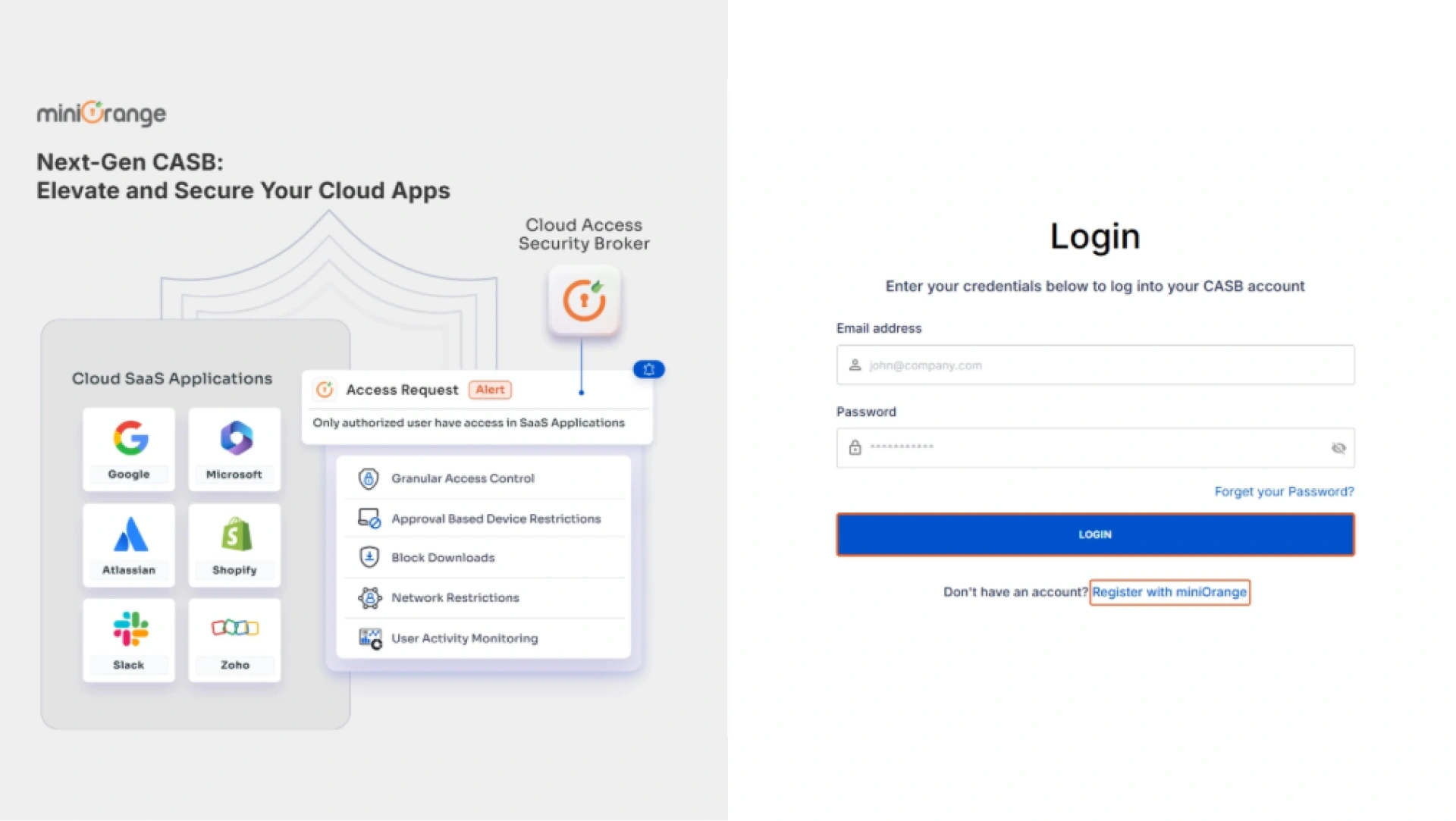
Step 1: Sign Up & Log In to miniOrange CASB
- Create your miniOrange CASB account and log in to the dashboard.
- Go to Authentication Source → Add New, enter a name, and click Download Metadata.
Step 2: Connect Microsoft Office 365 as Your Identity Provider (IDP)
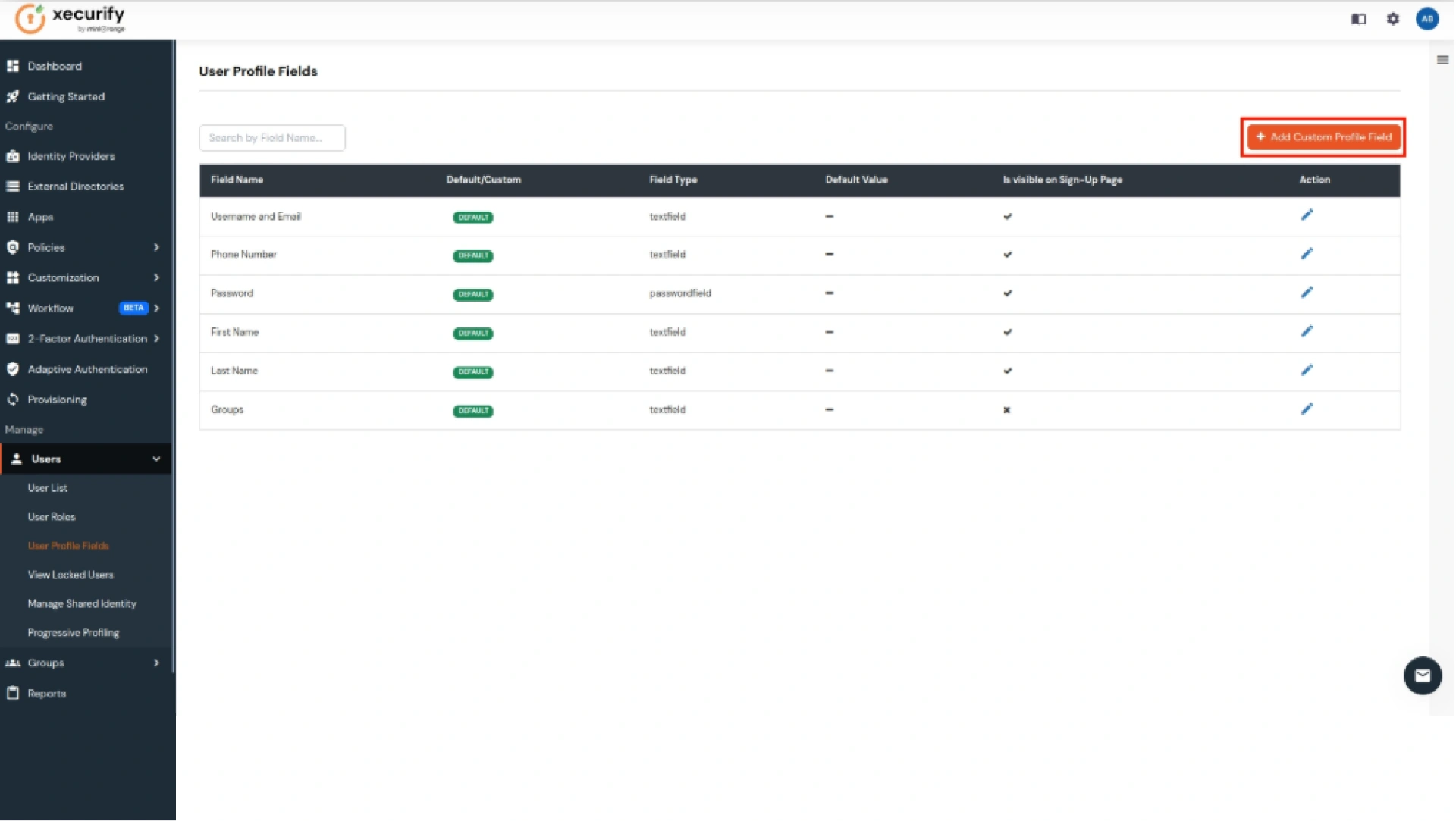
- Log in to miniOrange IAM and create a custom attribute named Guid.
- Then search for Office 365 in Apps, add it, map the Guid attribute, and complete Microsoft Admin verification.
- Finally, import your metadata into CASB to sync everything.
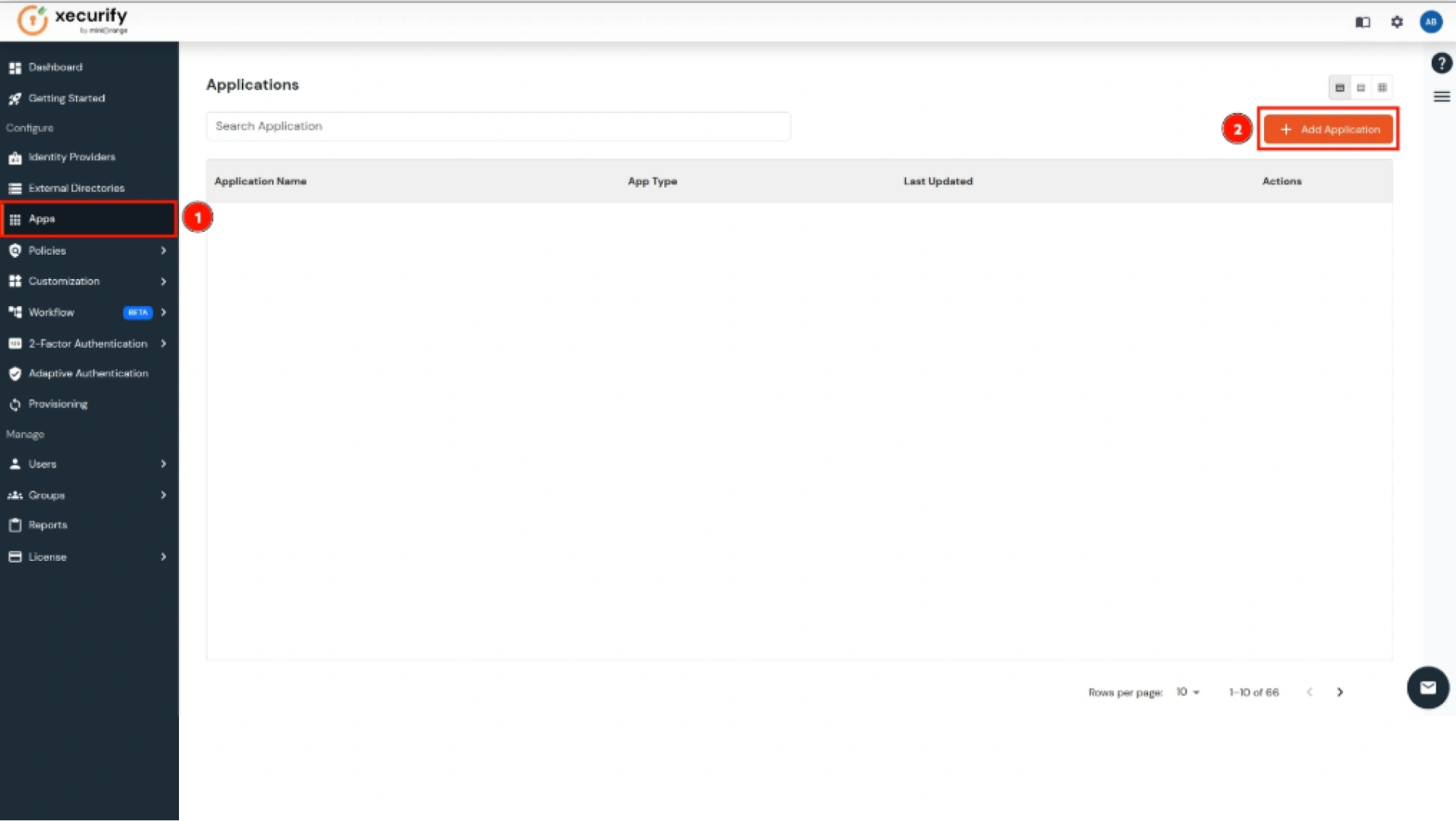
Step 3: Add Microsoft Office 365 Inside CASB
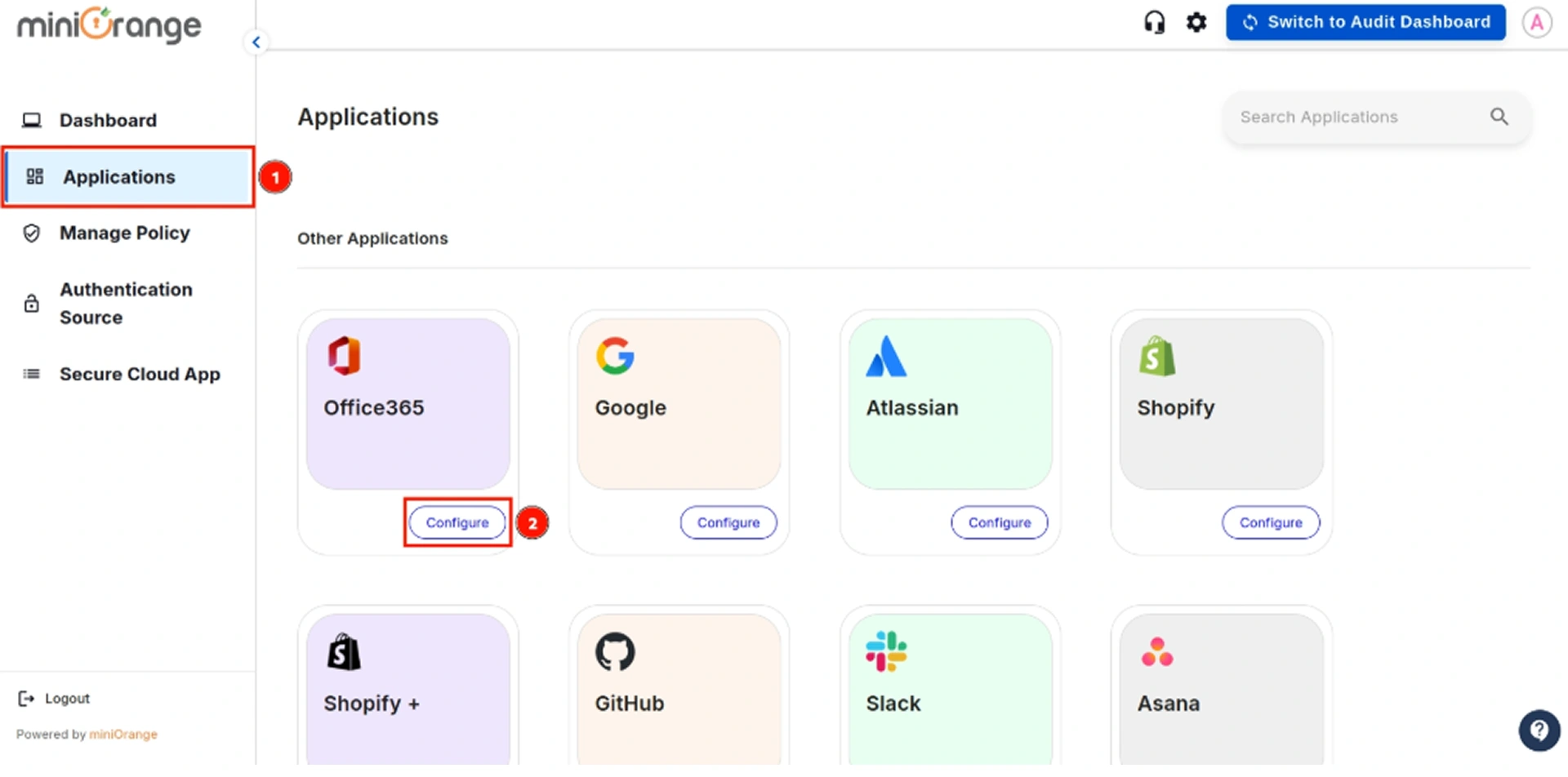
- In the CASB dashboard, go to Applications → Office 365 → Configure.
- Choose the authentication source, enter your domain, application name, ACS URL, and other details, then save.
Step 4: Run the Federation Script
- Download the federation script from CASB.
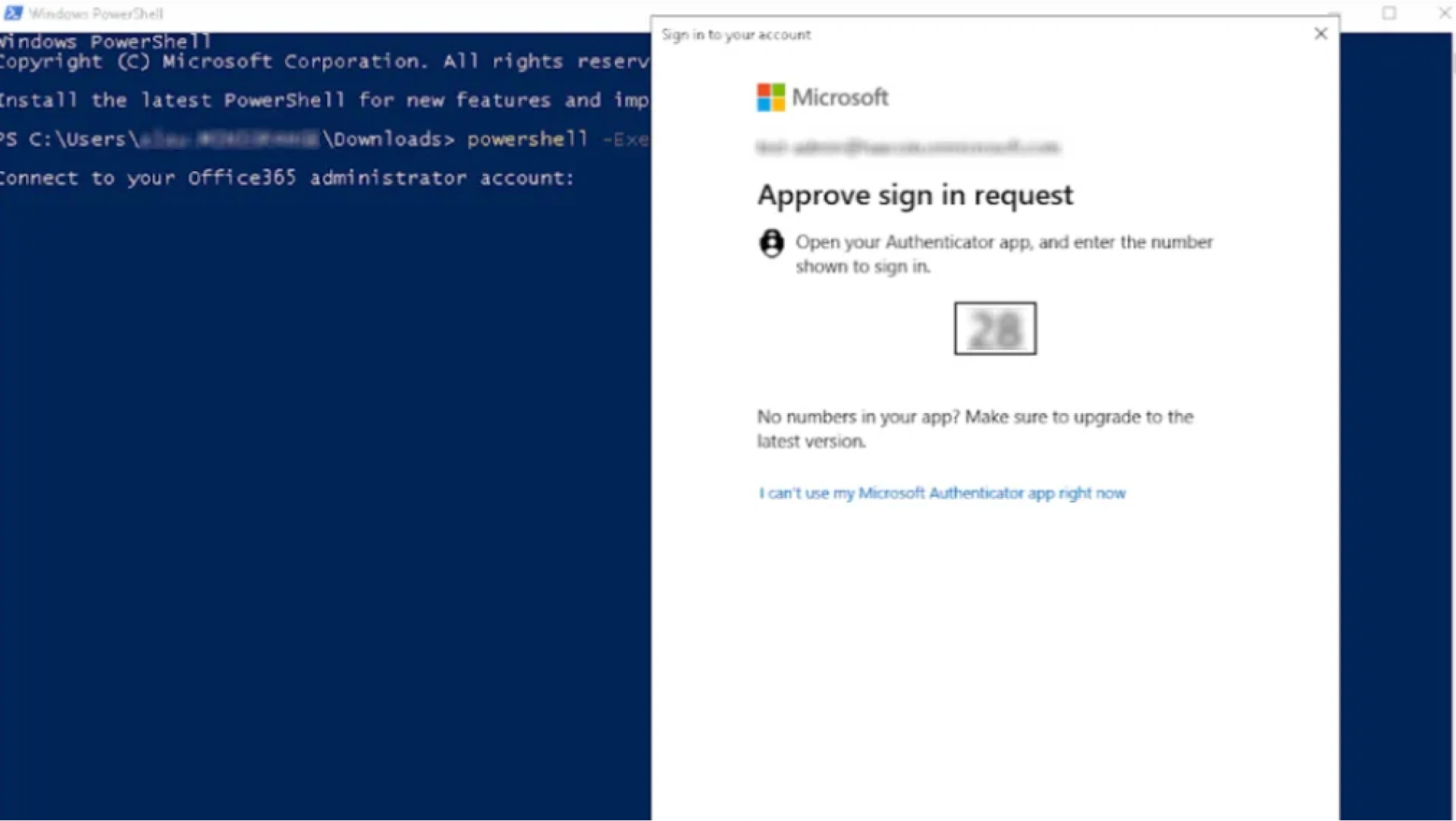
- Open PowerShell, run the script, and sign in with your Office 365 Admin account when prompted.
- Approve the sign-in request to complete the connection.
Step 5: Finalize Setup & Enable CASB Extension
Once federation is complete, install the miniOrange CASB browser extension to start enforcing policies and restrictions on Office 365 apps.
Benefits of Using Microsoft CASB for Microsoft Cloud Security
Adding a Microsoft CASB to your Microsoft 365 environment gives your business stronger control, smarter visibility, and far better protection across all your cloud apps. Here's how it helps you day to day:
Get complete visibility into cloud usage
See who’s accessing what, from where, and how. No more blind spots across Outlook, Teams, SharePoint, OneDrive, or any other M365 app.
Stop insider threats and prevent data leaks
Catch risky behavior early and block suspicious actions—whether accidental or intentional, before important files leave your organization.
Strengthen compliance effortlessly
Stay aligned with GDPR, HIPAA, PCI-DSS, and other industry regulations. Automated policies help you reduce violations and simplify audits.
Understand and act on user behavior in real time
Spot unusual logins, abnormal file movements, or suspicious download attempts instantly. Respond quickly with automated alerts and access controls.
Secure access from any device or location
Ensure that only trusted users and approved devices can reach your Microsoft 365 data. Whether employees work from home, the office, or on the go, access stays safe.
Reduce the risk of account compromise
Threat actors often target Microsoft 365 accounts. CASB adds an extra security layer that detects compromised credentials and blocks dangerous sessions.
Improve governance over file sharing and collaboration
Set the right restrictions for file sharing, external collaboration, and document access. Keep work flowing smoothly while protecting sensitive information.
Apps Supported by miniOrange Microsoft 365 CASB Solution
miniOrange CASB supports monitoring, control, and security across all major Microsoft 365 apps:
- Microsoft SharePoint
- Microsoft Office
- Microsoft Outlook
- Microsoft Word
- Microsoft Excel
- Microsoft PowerPoint
- Microsoft Teams
- Microsoft OneDrive for Business
- Microsoft OneNote
- Skype for Business
Conclusion
miniOrange Microsoft 365 CASB helps businesses protect their Office 365 environment with deep visibility, access control, adaptive restrictions, and policy-based governance. From detecting suspicious activity to blocking unauthorized access, it empowers your security team to stay ahead of threats.
If your organization relies heavily on Outlook, Teams, or OneDrive, a CASB is no longer optional, it's a necessity.
Strengthen your Office 365 security with miniOrange. Contact us at uemsupport@xecurify.com to learn more or visit our Microsoft CASB page to Get Started.
Frequently Asked Questions (FAQs)
What is Microsoft CASB?
It is a cloud access security broker that monitors and protects user activity across Microsoft 365 apps like Outlook, Teams, OneDrive, and SharePoint.
What is the difference between Microsoft CASB and other CASBs?
Microsoft CASB focuses specifically on the M365 ecosystem. Other CASBs support multiple cloud providers, but may not offer the same depth of integration for Office 365 apps.
Is Microsoft CASB included in Microsoft 365 plans?
Basic visibility features may exist inside Microsoft 365, but full CASB capabilities usually require a third-party solution like miniOrange for advanced control, threat detection, and compliance.
Can Microsoft CASB secure all cloud apps?
Yes. miniOrange CASB works across Microsoft apps and can also secure non-Microsoft cloud applications.
How much does Microsoft CASB cost?
Microsoft CASB pricing depends on the number of users and security features required. Contact the miniOrange team for customized pricing.
Leave a Comment