

Single Sign-On is one of the rare Magento investments that improves security and conversion at the same time, yet most merchants only discover it after password-reset tickets pile up or a B2B client asks to log in with their corporate credentials. This guide explains what Magento SSO is, the key benefits of SSO for Magento stores broken down by stakeholder, a ten-point checklist for choosing the best Adobe Commerce SSO extension, and how miniOrange measures up against it.
Why use SSO in Magento?
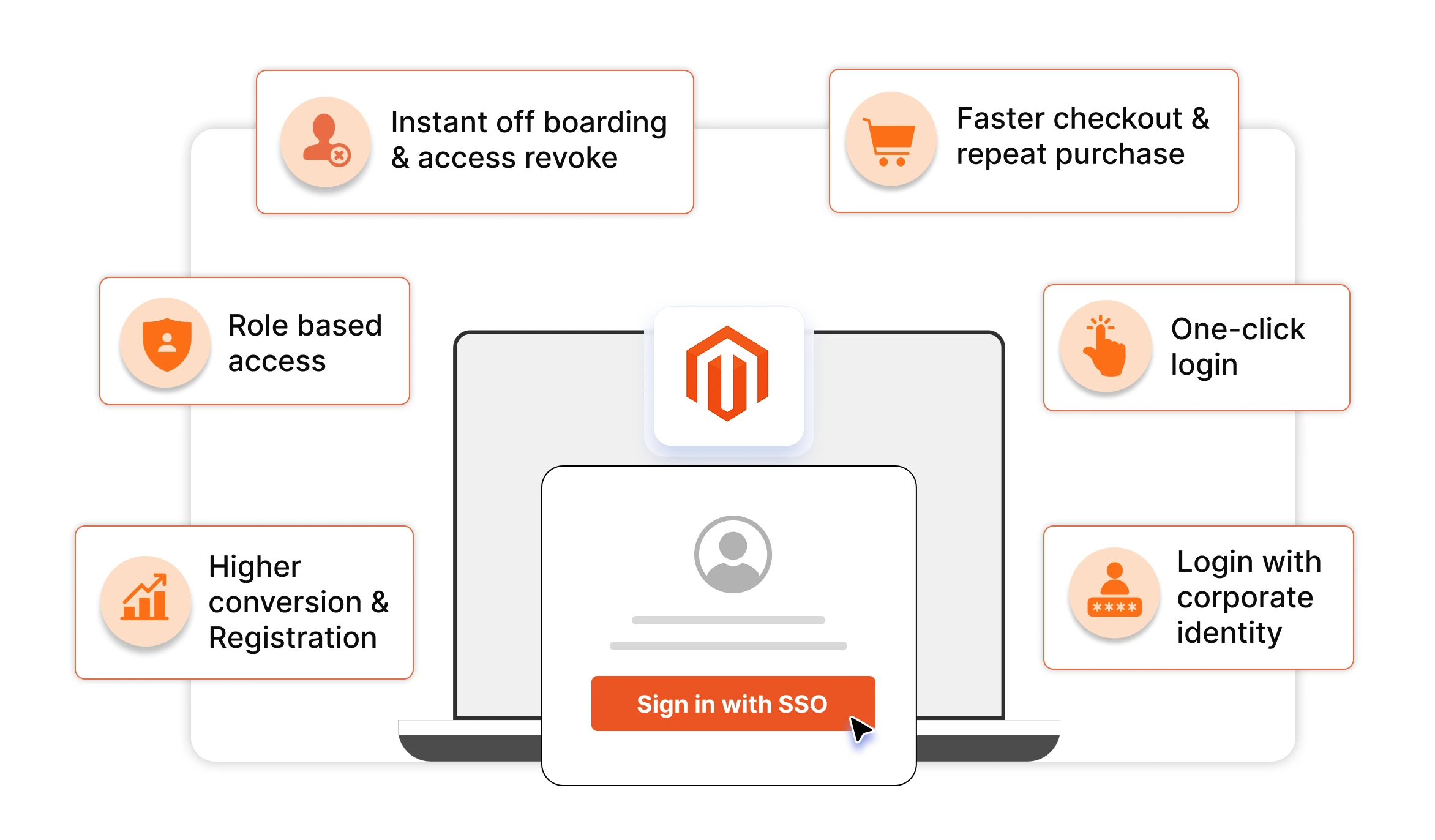
Merchants add single sign-on to Magento 2 / Adobe Commerce for five reasons:
- Higher conversion — shoppers log in with an account they already trust instead of registering again.
- Stronger security — authentication is centralized at your identity provider, inheriting its MFA and access policies.
- Instant onboarding and offboarding — access to your store is created and revoked automatically with the user's IdP account.
- Lower support costs — store-specific passwords (and their reset tickets) disappear.
- One identity everywhere — the same login works across multi-store, multi-brand, and headless storefronts.
The rest of this article unpacks each of these in detail.
What is Magento SSO?
Magento SSO (Single Sign-On) lets shoppers and staff log in to your Magento 2 or Adobe Commerce store with credentials from a central identity provider (IdP) such as Azure AD (Entra ID), Okta, Google Workspace, AWS Cognito, Keycloak, or Salesforce instead of creating and remembering a separate Magento password.
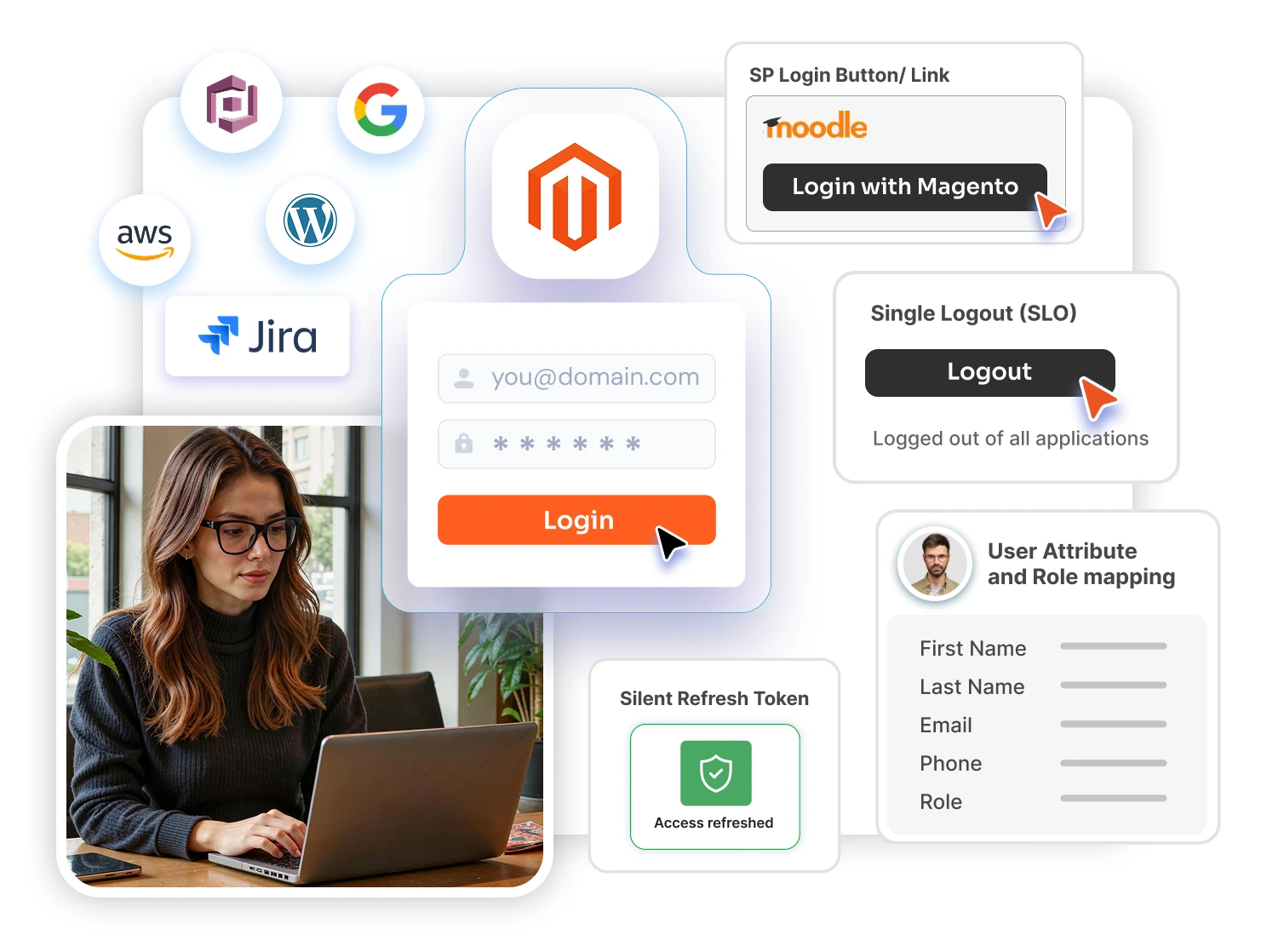
Here is how Magento single sign-on works: Magento acts as the service provider (SP). The user authenticates once at the IdP, and the IdP confirms their identity to Magento through a standard protocol such as SAML 2.0 or OpenID Connect (OIDC). No Magento-specific password is ever created, stored, or forgotten.
Does Magento have built-in SSO?
No, and this is the fact merchants most often miss. Magento does not ship with general-purpose SSO. Adobe Commerce can integrate Adobe IMS so admin users sign in with their Adobe credentials, but there is no native way to connect storefront customer logins or admin logins to your own corporate or customer identity provider. That always requires an extension, which is why choosing the right one matters.
Already know you want SSO and just need the setup steps? Follow our implementation walkthrough: How to Implement SSO on Adobe Commerce (Magento 2). This article focuses on the benefits and on choosing the right solution.
Key Benefits of SSO for Magento / Adobe Commerce Stores
SSO pays off differently for each group that touches your store. Here is what single sign-on delivers for an ecommerce website, stakeholder by stakeholder.
1. Benefits for customers and shoppers
- One-click login, less friction - Customers (frontend users) sign in with an account they already trust instead of completing another registration form. This matters more than most merchants realize: Baymard Institute's checkout research consistently finds that roughly a quarter of US shoppers have abandoned a purchase because the site asked them to create an account. SSO login for Magento customers removes that drop-off point entirely.
- Fewer abandoned sessions from forgotten passwords - "Forgot password" flows interrupt purchase intent; SSO eliminates the store-specific password entirely.
- Faster repeat purchases - Returning customers are recognized and authenticated in seconds, which keeps checkout momentum intact.
- A consistent identity across your brand - Customers use the same login across your store, community, support portal, and any other property connected to the same IdP.
2. Benefits for B2B buyers and enterprise commerce
- Buyers log in with their corporate identity. Employees of your B2B customers authenticate through their own company IdP (Entra ID, Okta, ADFS), so procurement teams never manage store specific credentials.
- Access follows the buyer's employment - When a buyer leaves their company, their IdP account is disabled and their access to your store ends automatically. No stale accounts left behind.
- Faster onboarding of entire buyer organizations - New buyer-company employees get store access the moment they exist in their IdP, with the right customer group and pricing applied through group mapping.
3. Benefits for store admins and employees
- One credential for the team - Staff access the Magento Admin with the same corporate login they use everywhere else Magento admin SSO means no shared admin passwords and no spreadsheets of credentials.
- Instant offboarding - Deactivating an employee in your IdP immediately revokes their Magento Admin access, closing one of the most dangerous gaps in eCommerce security: orphaned admin accounts.
- Role-appropriate access from day one. - Role mapping assigns the correct Magento admin role automatically based on the user's IdP group, so permissions stay consistent with your org structure.
4. Security benefits of SSO for Magento
- Centralized authentication with inherited MFA - Every login flows through your identity provider, so whatever multi-factor authentication, conditional access, device trust, or geo-restrictions the IdP enforces automatically protect your Magento store too with zero additional configuration in Magento.
- No store-specific passwords to steal or reuse - Magento stores are frequent targets of credential-stuffing attacks that exploit passwords leaked from other sites. When SSO removes the Magento password, that attack surface disappears with it.
- A smaller, better-monitored attack surface - Instead of Magento's login form being one more door for attackers to probe, authentication happens at an IdP purpose-built for it with anomaly detection, brute-force protection, and centralized audit logs of every sign-in.
- Elimination of orphaned accounts - Because access is tied to the IdP lifecycle, ex-employees and ex-buyers lose access the moment their identity is deactivated closing the gap that manual account cleanup routinely leaves open.
5. Benefits for the business
- Higher conversion and registration rates - Every removed login obstacle keeps more shoppers moving toward purchase.
- Lower support costs - Password-reset requests are consistently among the largest help-desk ticket categories. Gartner has estimated that 20–50% of all help-desk calls are password resets. SSO removes the store password from the equation.
- Unified identity across multi-store and multi-brand setups. One login works across all your Magento websites and store views. A structural advantage for retailers running several brands on one instance.
- Future-proof architecture. Standards-based Adobe Commerce single sign-on (SAML/OAuth/OIDC) means you can switch or add IdPs, launch headless storefronts, or expand to new properties without rebuilding authentication.
What Should the Best Magento SSO Solution Include? (Evaluation Checklist)
Whichever vendor you evaluate on the Adobe Commerce Marketplace or elsewhere, measure every option against these ten criteria:
- Full protocol coverage — SAML 2.0, OAuth 2.0, OpenID Connect, JWT, and LDAP, not just one protocol.
- Front-end and backend SSO — secure both customer logins and the Magento Admin, not the storefront alone.
- Broad IdP compatibility — works with the IdP you have today and any custom or future provider.
- Auto user creation (JIT provisioning) — first-time SSO users get a Magento account automatically, with no manual import.
- Attribute, group, and role mapping — IdP data (name, email, groups, custom attributes) flows into the right Magento fields, customer groups, and admin roles.
- Multi-store / multisite support — different sites can authenticate different user populations against different IdPs.
- Headless / PWA readiness — SSO that extends to React, Angular, Flutter, or other decoupled storefronts via JWT.
- Edition coverage — verified support for Magento Open Source, Adobe Commerce, and Adobe Commerce on Cloud, including current 2.4.x releases.
- Data privacy by design — authentication data should stay on your server, not pass through the vendor's cloud.
- Support, customization, and licensing clarity — responsive engineering support, the option to build custom features, and transparent licensing.
Most marketplace SSO extensions satisfy only a few of these points — typically a single protocol, storefront-only login, and a short list of supported IdPs. That gap is exactly where miniOrange stands apart.
Why miniOrange Is the Best SSO Solution for Magento / Adobe Commerce
Measured against the ten criteria above, the miniOrange Magento SSO extension is the most feature-complete single sign-on solution available for Magento 2 and Adobe Commerce — the only option that covers every evaluation point in one vendor's suite. Built by an Adobe Solution Partner and used by global enterprises including Accenture, HP, Nokia, Unilever, IBM, and Johnson & Johnson, Seagate, Dr Reddys, etc. here is how it maps to the checklist:
- Every major protocol in one place. miniOrange supports SAML 2.0, OAuth 2.0, OpenID Connect (OIDC), JWT, LDAP, and API-based authentication - so the same vendor covers you whether your IdP speaks SAML (Entra ID, Okta, Keycloak, ADFS, Shibboleth) or OIDC (Azure B2C, Cognito), or you authenticate against an on-prem Active Directory.
- SSO for customers and admins. Both the storefront login and the Magento Admin login page can carry an SSO button, securing your whole store — not just the frontend.
- Works with virtually any identity provider. Pre-built integrations cover Azure AD / Entra ID, Azure B2C, Okta, Office 365, Google Workspace, AWS Cognito, Keycloak, Salesforce, OneLogin, ADFS, PingFederate, WSO2, Discord, Clever, and more — plus any custom IdP that follows the SAML 2.0 or OAuth/OIDC standards.
- Auto user creation with attribute mapping. First-time SSO users are created in Magento automatically, with attribute mapping (username, first/last name, email, and custom attributes) and group/role mapping that places customers in the right customer group and admins in the right role based on the IdP response.
- Access control options others skip. Auto-redirect to the IdP can protect the entire site (force SSO for everything), and custom post-logout redirect URLs keep the journey on-brand.
- True multi-store / multisite support. Different Magento websites or store views can authenticate different user populations essential for multi-brand retailers and regional storefronts.
- Headless and PWA SSO. A dedicated headless SSO add-on converts the IdP response into JWT so decoupled storefronts built on React, Angular, Flutter, or similar frameworks get the same one-click login.
- Beyond service-provider SSO. Unique in the category, miniOrange can also run Magento as the identity provider letting users sign in to other applications with their Magento credentials and offers companion extensions for LDAP/AD login and SCIM user provisioning for full identity lifecycle automation.
- All editions covered. Verified support for Magento Open Source, Adobe Commerce, and Adobe Commerce on Cloud across current 2.4.x releases.
- Your data stays yours - miniOrange does not store or transfer the identity data exchanged between your IdP and Magento. Everything remains on your own server, which simplifies GDPR, DPDP, CCPA and security reviews.
- Proven in side-by-side evaluations. Marketplace reviewers who tested multiple SSO extensions side by side report choosing miniOrange as the strongest option, citing its feature depth and hands-on remote support.
- Flexible evaluation and licensing. A free version, a 7-day free trial, a sandbox demo, and live demos with a Magento expert make evaluation risk-free, and paid licenses are perpetual with 12 months of included updates. Full tiers and current pricing are on the Magento 2 SSO page.
- Custom development on request. If your use case needs a capability the extension doesn't have, the miniOrange engineering team can build it — a level of flexibility one-size-fits-all extensions can't match.
miniOrange vs. Other Magento SSO Extensions: Comparison
| Evaluation criterion | Typical Magento SSO extension | miniOrange Magento SSO |
|---|---|---|
| Protocols supported | Usually one (SAML or OAuth) | ✅ SAML 2.0, OAuth 2.0, OIDC, JWT, LDAP, API auth |
| Storefront (customer) SSO | ✅ Usually | ✅ Yes |
| Admin / backend SSO | ❌ Often missing | ✅ Yes |
| IdP compatibility | Short fixed list | ✅ All major IdPs + any custom SAML/OIDC provider |
| Auto user creation (JIT) | ⚠️ Basic or absent | ✅ Yes, with attribute mapping |
| Group & role mapping | ❌ Rare | ✅ Customer groups + admin roles |
| Force SSO / protect entire site | ❌ Rare | ✅ Auto-redirect to IdP |
| Multi-store / multisite | ⚠️ Limited | ✅ Per-site IdP configuration |
| Headless / PWA SSO (JWT) | ❌ Rare | ✅ Dedicated add-on |
| Magento as IdP (reverse SSO) | ❌ Not offered | ✅ SAML IdP / OAuth Server extensions |
| LDAP/AD + SCIM lifecycle suite | ❌ Not offered | ✅ Companion extensions |
| Data stored on vendor cloud | ⚠️ Varies | ✅ No — stays on your server |
| Custom feature development | ❌ Not offered | ✅ On request |
| Evaluation options | Varies | ✅ Free version, 7-day trial, sandbox, live demo |
Frequently Asked Questions (FAQs)
What are the main benefits of SSO for a Magento / eCommerce store?
SSO cuts checkout drop-off by removing the "create an account" step, centralizes login security under your identity provider's MFA, and automatically grants or revokes store access as employees and buyers join or leave. Merchants also see fewer password-reset tickets and one identity that works across every store, brand, or headless front end tied to the same IdP.
Why should I use SSO in Magento 2 instead of the default login?
Magento's native login stores a separate password per user, one more credential to leak, forget, or get stuffed by attackers. Routing that login through your IdP instead means one less password to manage, security policy enforced centrally, and access that shuts off the moment someone leaves the company, none of which the default login gives you.
Does Magento have built-in SSO?
Not for general use. Adobe Commerce only ships Adobe IMS login for its own admin staff — there's no out-of-the-box way to hook storefront customers or your Magento Admin into an outside IdP like Okta or Entra ID. That connection has to come from an extension.
What is the best SSO solution for Magento 2 / Adobe Commerce?
On protocol coverage, IdP breadth, and admin + storefront support combined, miniOrange comes out ahead of most marketplace alternatives, which typically cover only one protocol and the storefront side. It adds JIT provisioning, group/role mapping, and headless JWT support on top features most competing extensions skip entirely.
Does miniOrange Magento SSO support multi-store and multisite setups?
Yes. Each website or store view in your instance can be pointed at a different IdP or user population, which matters for multi-brand retailers who don't want every storefront pulling from the same identity pool.
Can I combine Magento SSO with two-factor authentication (2FA)?
Yes. SSO inherits whatever MFA your identity provider enforces, and it can be paired with the miniOrange Magento 2FA extension for storefront-specific second-factor scenarios such as OTP at login or checkout.
Conclusion
For a Magento or Adobe Commerce store, SSO is one of the rare investments that improves security and conversion at the same time: customers log in faster, staff access is governed centrally, and your attack surface shrinks. The deciding factor is the solution you choose — and against every criterion that matters (protocols, frontend + backend coverage, IdP breadth, provisioning, multi-store, headless, privacy, support), the miniOrange Magento SSO extension is the most complete option on the market, trusted by global enterprises and backed by an Adobe Solution Partner.
Next steps: explore the Magento SSO product page, follow the implementation walkthrough when you're ready to set it up, or contact magentosupport@xecurify.com for a live demo, trial, or custom requirements.
Leave a Comment