

Magento as an Identity Provider (IdP) lets your store become the trusted source of login for all your other applications. Over months or years, your Magento (Adobe Commerce) store has built up a real, verified base of customer accounts, complete with emails, names, roles, and order history. So when the business decides to launch a learning platform, a support portal, a partner dashboard, or any in-house application, an obvious question follows: why force those same people to create yet another account?
This is exactly the problem that Magento as an Identity Provider (IdP) solves. Instead of treating Magento as just a storefront, you turn it into the trusted source of identity for your entire application ecosystem. Your users sign in once with their existing Magento credentials and gain seamless, secure access to every connected application, no duplicate accounts, no extra passwords, no friction.
In this blog, we'll break down what "Magento as an IdP" actually means, how the login flow works, which applications your Magento users can sign in to, the key features of the miniOrange Magento as IdP extension, and the real-world use cases that make it worth implementing.
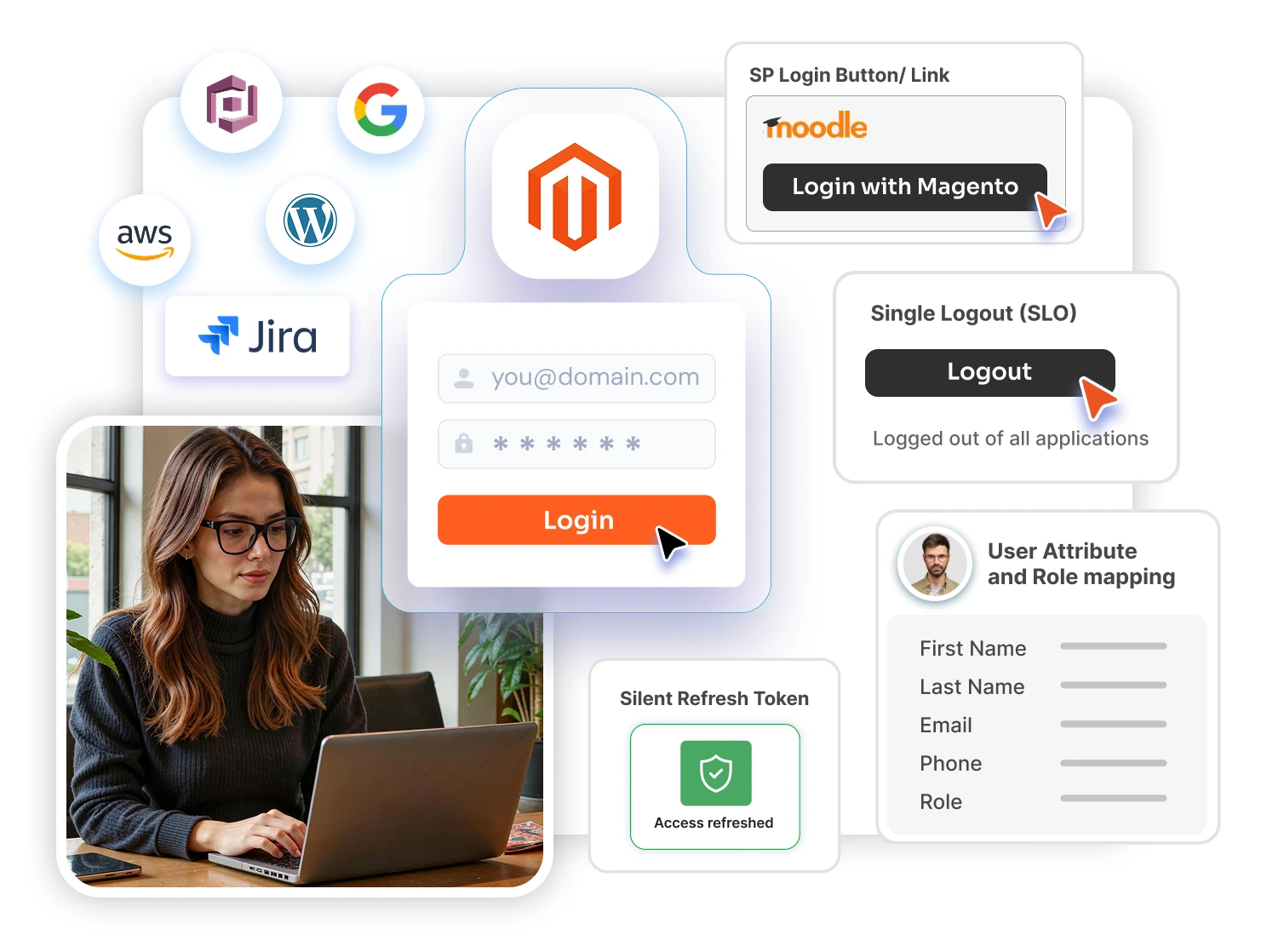
Identity Provider vs. Service Provider: A Quick Primer
Before we go further, two terms are worth defining clearly because the entire concept rests on them.
An Identity Provider (IdP) is the system that stores user credentials and verifies who a user is. It is the source of truth for identity. A Service Provider (SP) is any application a user wants to access that relies on the IdP to confirm the user's identity rather than maintaining its own separate login.
In most setups, Magento plays the role of the Service Provider (Magento Single Sign On -SSO) meaning users log in to Magento using credentials from Okta, Azure AD, Google, and similar providers. The Magento as an IdP model flips that relationship. Here, Magento becomes the Identity Provider, and other applications become the Service Providers that trust Magento to authenticate users on their behalf.
What Does "Magento as an Identity Provider" Mean?
The miniOrange Magento as Identity Provider (IdP) Single Sign-On extension allows users residing in your Magento store to log in to any SAML 2.0, OAuth 2.0, OpenID Connect (OIDC), or JWT-compliant application using their Magento store credentials, a model often described simply as "Login with Magento users."
In practical terms, your Magento site becomes the central authentication authority. When a user tries to access a connected application, that application hands off the login to Magento. Magento verifies the user, confirms their identity attributes, and tells the application "yes, this person is authenticated, here is who they are." The application then grants access, all without ever managing that user's password itself.
This establishes a single, trusted connection between Magento and each of your applications, which both strengthens security and dramatically simplifies the login experience.
How the Magento IdP Login Flow Works
The process is built on industry-standard authentication protocols, so it is secure and interoperable by design. At a high level, here is what happens:
- A user tries to access a connected application (the Service Provider), for example, your learning platform or internal dashboard.
- The application redirects the user to Magento for authentication. Alternatively, an IdP-initiated flow lets users start from Magento using a login button or link.
- The user enters their Magento credentials (or is already logged in to Magento, in which case the step is invisible).
- Magento verifies the user and issues a signed assertion or token, a SAML assertion for SAML SPs, or an access token for OAuth/OIDC SPs, containing verified identity attributes such as first name, last name, email, phone number, and role.
- The application validates that signed response, trusts it, and logs the user in. If the user does not yet exist in that application, attributes from Magento can be used to create the account automatically.
Because the signing and trust are cryptographically verified, the Service Provider never needs to see or store the user's password. Magento remains the single source of truth.
Which Applications Can Your Magento Users Log In To?
This is where the value becomes concrete. Once Magento is configured as your IdP, the same set of Magento credentials can unlock a wide range of applications across departments and use cases. Supported and commonly integrated Service Providers include:
- Adobe Experience Manager (AEM) for unified login across Adobe Commerce, AEM, and mobile apps.
- Learning Management Systems (LMS) such as Moodle, for course access, training portals, and customer education programs.
- Customer support and helpdesk tools like Zendesk, so customers access support tickets only after authenticating through Magento.
- Project and collaboration tools such as Jira.
- CRM and marketing platforms including HubSpot and Salesforce.
- Business intelligence tools like Tableau.
- Cloud identity services such as AWS Cognito.
- Content and web platforms like Drupal.
- Custom and legacy in-house applications, including ASP.NET-based enterprise platforms and any application that speaks SAML 2.0, OAuth 2.0, OpenID Connect, JWT, or WS-FED.
In short, if an application supports a standard authentication protocol, your Magento users can log in to it, whether it is a third-party SaaS product or a homegrown internal tool.
Key Features of the miniOrange Magento as IdP Extension
The extension is built to handle everything from a single integration to a complex multi-application environment. Its core capabilities include:
Single Sign-On (SSO). Give users easy, secure, and seamless access to any SAML 2.0, OAuth 2.0, OpenID Connect, or JWT-compliant platform with a single login, authenticating into every connected application using their Magento credentials.
User Attribute and Role Mapping. Pass user details directly from Magento to your Service Providers, including first name, last name, phone number, email address, and more. This keeps user data consistent across applications and supports role-based access on the receiving side.
Multiple Service Providers Supported. Configure many applications at once. A single Magento IdP can serve unlimited Service Providers, so one set of credentials opens the door to your entire app stack.
Magento Silent Refresh Token Flow. Keep sessions alive without interruption. When an access token expires, a background request silently obtains a new one from the IdP, so users stay logged in without being forced to re-authenticate.
Single Logout (SLO). When a user logs out of Magento or any connected application, their session is terminated across Magento and the configured Service Providers, an important safeguard against orphaned, still-active sessions.
SP Login Button / Link. Drop a login button or link anywhere on your Magento site to launch IdP-initiated SSO into any of your Service Provider applications, making the entry point intuitive for users.
Customization. Need a feature that is specific to your environment? The extension can be tailored to fit custom requirements rather than forcing you into a rigid template.
Supported Protocols
Standards compliance is what makes this approach future-proof. The extension supports:
- SAML 2.0 — the enterprise standard for web SSO and signed assertions.
- OAuth 2.0 — token-based authorization widely used by modern apps and APIs.
- OpenID Connect (OIDC) — an identity layer on top of OAuth 2.0.
- JWT — compact signed tokens, ideal for headless, mobile, and SPA frontends.
- WS-FED — for Microsoft-centric and legacy enterprise applications.
This breadth means you are not locked into one ecosystem; whatever protocol your Service Provider speaks, Magento can act as its IdP.
Real-World Use Cases
1. Single Sign-On into Adobe Experience Manager (AEM)
For organizations on the Adobe stack, this solution enables secure, unified authentication across Adobe Commerce (Magento), AEM, and mobile applications using OAuth-based tokens. A centralized login simplifies user management, strengthens security, and delivers a consistent experience across every digital channel, web, commerce, and mobile alike.
2. Magento IdP SSO with Just-in-Time (JIT) Provisioning
Magento storefronts frequently connect to external services, warranty portals, partner platforms, learning systems (LMS), and subscription services, that all require authentication. Asking customers to log in again creates friction, drives up password reset requests, and produces duplicate accounts.
With Magento acting as the IdP, existing users are logged in instantly. New users are created automatically using their Magento profile data through Just-in-Time (JIT) provisioning, so the account exists in the target application the moment it is needed, with zero manual setup.
3. Centralized SSO for Enterprise and In-House Applications
Many organizations running Adobe Commerce also need seamless access to internal enterprise applications, such as ASP.NET-based platforms. By configuring Magento as a SAML Identity Provider, users who authenticate in Magento can reach the in-house Service Provider without re-authenticating. Magento sends a signed SAML assertion carrying verified identity attributes, delivering secure, centralized authentication across systems.
4. Customer Education and Membership Portals
If you sell courses, run a membership community, or offer gated content through an LMS, Magento as an IdP lets your paying customers move straight from your store into their learning portal using the same login, no second sign-up, no support tickets about forgotten credentials.
Why It Matters: The Business Benefits
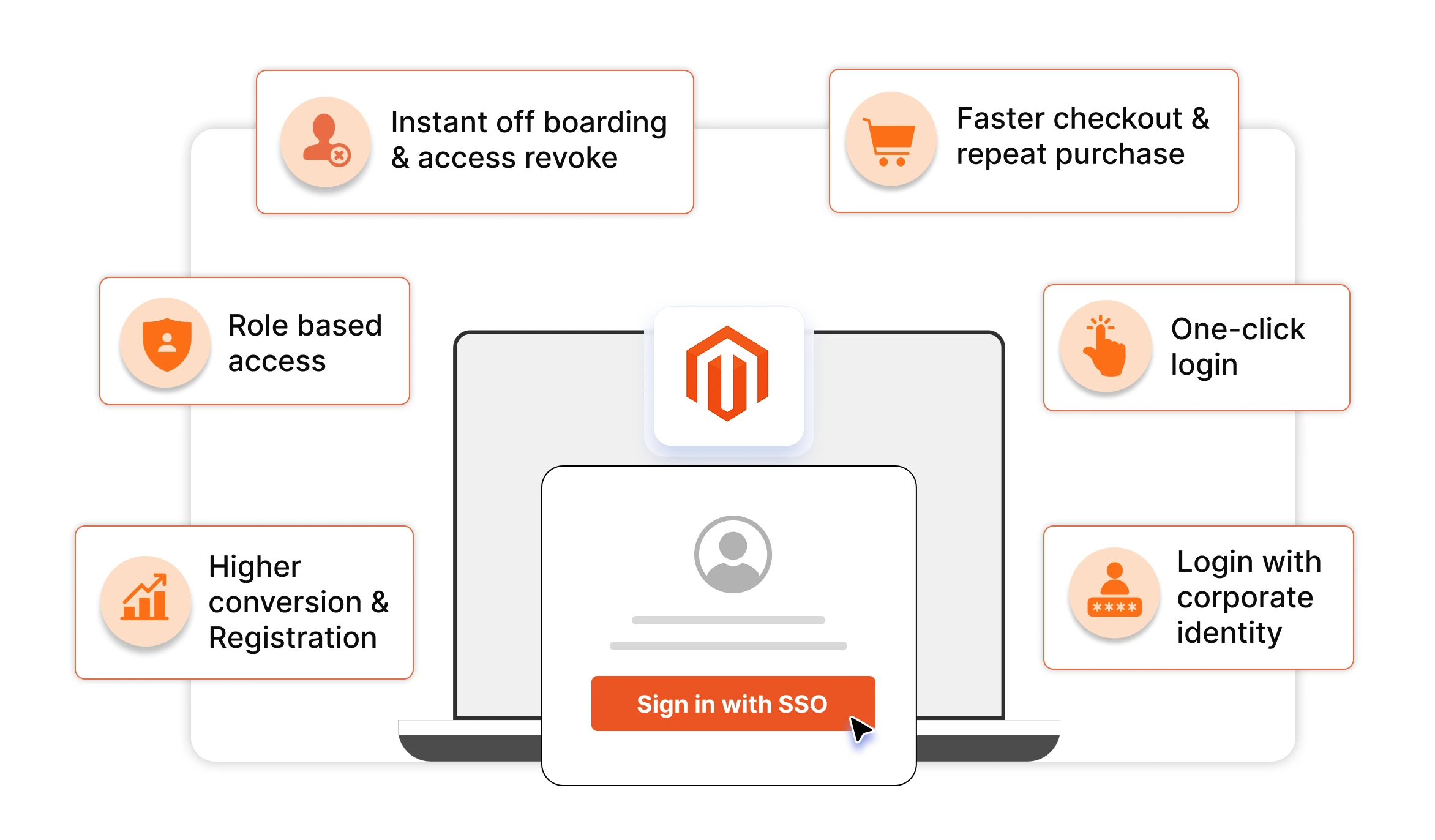
- One identity, everywhere. Your customers and staff manage a single set of credentials instead of juggling separate logins for every tool.
- Lower support overhead. Fewer passwords means fewer password reset requests and fewer account-related tickets.
- No duplicate accounts. JIT provisioning and centralized identity keep your user records clean and consistent.
- Stronger security. Signed assertions, single logout, and silent token refresh reduce the attack surface compared with scattered, independent logins.
- Faster onboarding. New applications can be added as Service Providers and immediately tap into your existing Magento user base.
- A consistent brand experience. Users stay within a familiar, unified login journey across all your digital properties.
How to Get Started
Setting up Magento as an Identity Provider typically follows a simple path:
- Install the Magento as IdP extension from the Adobe Commerce Marketplace (or via Composer/manual installation).
- Configure your Service Provider settings, entering details such as the SP Entity ID/Issuer and ACS URL for each application you want to connect.
- Map the user attributes (name, email, role, and so on) that Magento should send to each Service Provider.
- Set up the trust on the SP side by importing Magento's IdP metadata.
- Test the connection, then roll out IdP-initiated or SP-initiated login to your users.
Detailed, application-specific setup guides are available for popular Service Providers including Moodle, Zendesk, Jira, HubSpot, Salesforce, Tableau, AWS Cognito, and more.
Frequently Asked Questions
What does it mean to use Magento as an Identity Provider?
It means your Magento store becomes the central system that verifies user identity. Other applications (Service Providers) trust Magento to authenticate users, so people log in once with their Magento credentials and gain access to all connected apps.
Can my existing Magento customers log in to my LMS or other applications?
Yes. That is the core purpose. Your existing Magento users can sign in to any SAML 2.0, OAuth 2.0, OpenID Connect, or JWT-compliant application, including learning management systems like Moodle, using the credentials they already have.
Which protocols are supported?
SAML 2.0, OAuth 2.0, OpenID Connect (OIDC), JWT, and WS-FED, covering the vast majority of modern and legacy applications.
What happens if a user does not yet have an account in the target application?
With Just-in-Time (JIT) provisioning, the account is created automatically using the user's Magento profile data the first time they log in, so there is no manual setup.
Does miniOrange store my users' data?
No. The data flowing from the Identity Provider to Magento stays within your own premises and servers; miniOrange does not store or transfer it.
How many applications can I connect?
The premium plan supports multiple Service Providers, so a single Magento IdP can serve your entire application ecosystem at once.
Conclusion
If your Magento store already holds a trusted base of users, there is no reason to make them register again for every new application you launch. By configuring Magento as an Identity Provider, you transform your storefront into a secure, centralized login hub, letting your users access your LMS, support portal, CRM, BI tools, and in-house applications with a single set of credentials.
The result is a smoother experience for your users, less administrative overhead for your team, cleaner identity data, and stronger security across the board, all built on open, future-proof authentication standards.
Ready to let your Magento users log in everywhere? Explore the Magento as an IdP extension, start with a free trial, or talk to our team about your specific use case.
Leave a Comment