


Privileged accounts hold the keys to your organization’s most sensitive systems, and regulators know it. That’s why almost every major compliance framework, from GDPR to HIPAA to PCI DSS, expects organizations to prove they control, monitor, and audit privileged access at all times.
This blog walks through why compliance frameworks lean so heavily on Privileged Access Management (PAM), how PAM satisfies specific regulatory demands, and gives you a practical, 12-step checklist you can use to prepare for your next audit.
Why Compliance Frameworks Require Privileged Access Management
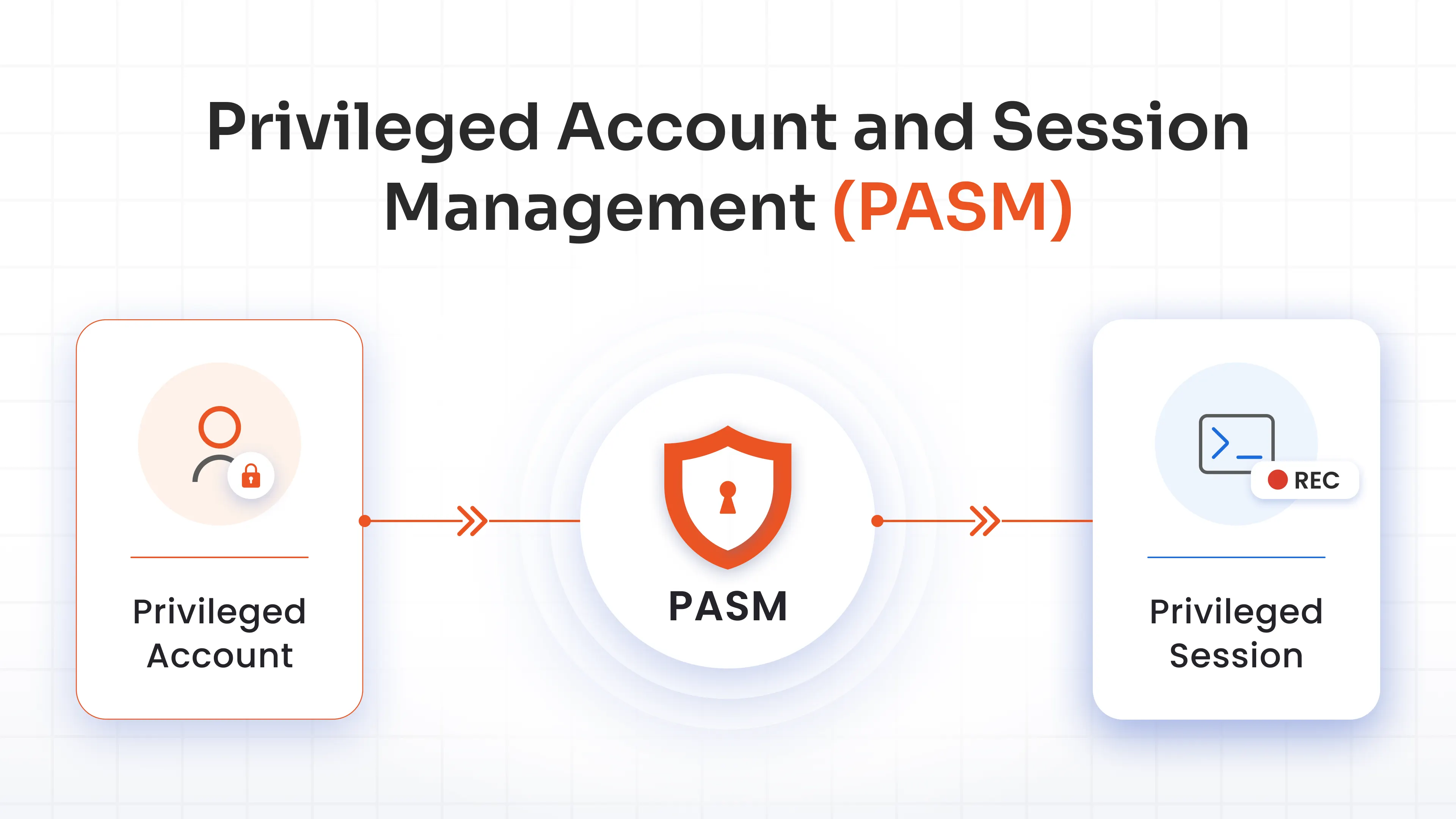
Privileged access management solution allows controlling, monitoring, and securing accounts that have elevated permissions. These accounts include domain admins, root users, database administrators, and service accounts.
PAM ensures that these accounts are governed by internal security policies and aligned with external regulatory mandates, making PAM compliance easier while reducing audit risks.
Here’s the nuance most teams miss: most regulators don’t explicitly say “you must deploy a PAM solution.” Instead, they mandate the security outcomes that PAM delivers, including:
- Least privilege enforcement
- Multi-Factor Authentication (MFA)
- Detailed audit logging
- Privileged session monitoring
- Time-bound access
- Ongoing access governance
It’s the practical mechanism organizations use to satisfy dozens of overlapping legal and industry obligations at once.
How PAM Helps Meet Compliance Requirements
Every major framework, whether it's PCI DSS for payment data or HIPAA for patient records, circles back to a handful of core controls. PAM operationalizes those controls so security teams aren't reinventing the wheel for each audit.
1. Principle of Least Privilege (PoLP)
The principle of least privilege means users, applications, and systems get only the minimum access needed to perform their job, nothing more. It’s a foundational requirement across PCI DSS, ISO 27001, GDPR, HIPAA, and NIST guidelines. All of these compliances call out excessive access as a top security risk.
A PAM solution enforces least privilege through fine-grained privilege control, letting administrators assign granular, role-based permissions instead of broad, standing access. This means a database analyst gets query rights without full admin control. And this distinction alone closes off a huge chunk of insider threats and lateral movement risk.
2. Just-In-Time Access
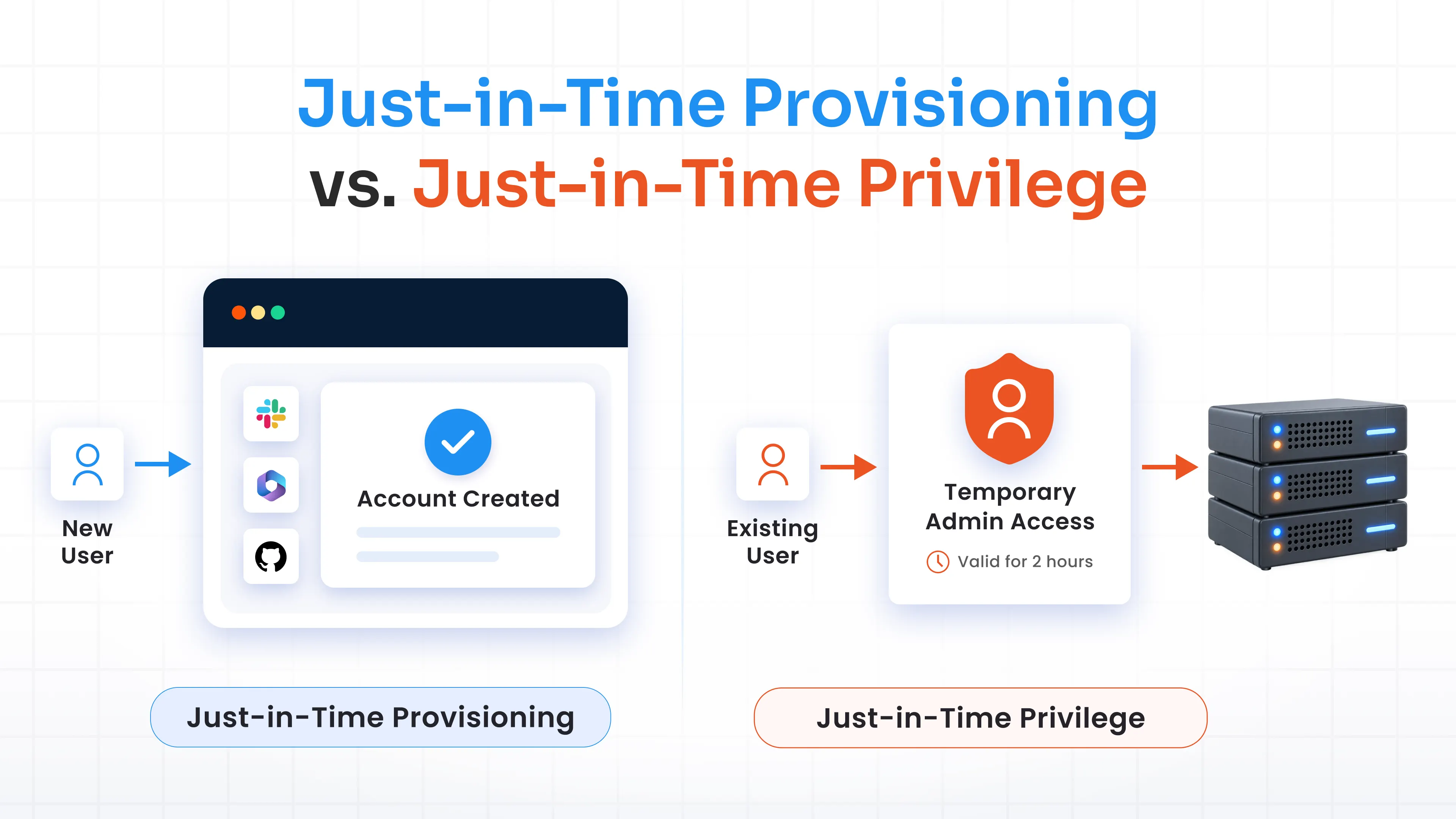
Just-in-Time (JIT) access flips the traditional model of always-on privileges. Instead of granting permanent admin rights, JIT provisions access only when it’s needed and automatically revokes it once the task is done. This shrinks the attack surface.
PAM solutions enforce JIT through temporary approvals and time-bound access windows. A vendor who needs to patch a server at 2 AM gets a short access window tied to that specific task. And the moment the window closes, the privilege disappears without anyone needing to remember to revoke it.
3. Credential Vaulting and Password Rotation
Credential vaulting stores privileged passwords, SSH keys, and API secrets in an encrypted, centralized repository. Instead of scattering them across spreadsheets, sticky notes, or shared documents. This single capability eliminates one of the most common causes of failed audits: unmanaged, reused credentials.
A PAM solution strengthens this vault with automatic password rotation and secure sharing mechanisms. So, credentials change on a schedule (or after every use) without human intervention.
4. Multi-Factor Authentication (MFA)
MFA adds a second layer of verification before anyone can access a privileged account, making stolen or guessed passwords far less useful to an attacker. Nearly every framework treats MFA as a baseline expectation for protecting privileged and sensitive access points.
PAM solutions usually include MFA directly into the login and session-elevation workflow.
5. Session Monitoring and Recording
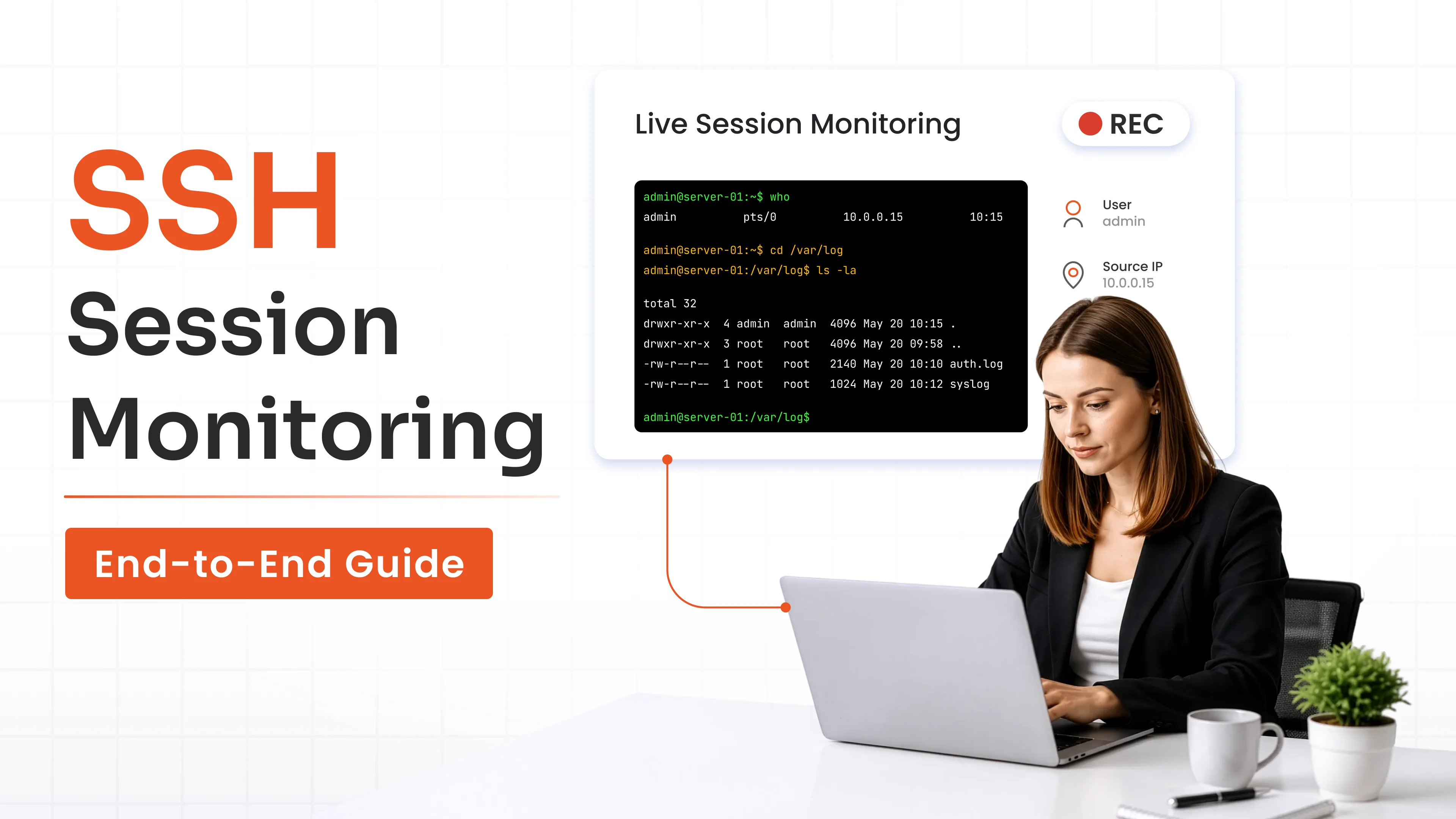
Session monitoring gives security teams real-time visibility into what privileged users are actually doing once they’re inside a system, not just whether they logged in. This is where PAM earns its keep during forensic investigations and audits alike.
Capabilities typically include screen recording, command logging, keystroke recording, and live monitoring. These features give auditors and incident responders a frame-by-frame reconstruction of any privileged session, which is invaluable when something goes wrong and you need to know exactly what happened.
6. Audit Logs and Compliance Reporting
Detailed, tamper-resistant audit logs turn privileged activity into evidence. Instead of scrambling to piece together access history from scattered system logs, a PAM platform centralizes this data. It can help to generate audit-ready reports on-demand, which is often the single biggest time-saver during a compliance review.
Your 12-Step PAM Compliance Checklist for Audit-Proof Access Control
Building a compliant PAM program isn't about buying software and walking away. It's a structured process, and this PAM compliance checklist breaks it into manageable steps you can act on immediately
Step 1: Inventory Privileged Accounts
Start by discovering and cataloging every privileged account across your on-premises, cloud, and hybrid environments, including forgotten service accounts and orphaned admin logins.
Step 2: Remove Shared Admin Accounts
Shared credentials make it impossible to tie any action back to an individual. Replace shared admin logins with individual, attributable accounts so every privileged action has a clear owner.
Step 3: Secure Credentials in a Vault
Move every privileged password, key, and secret into an encrypted vault. This removes credentials from spreadsheets and personal notes, and gives you a single source of truth that's protected by strong encryption and access controls.
Step 4: Enable MFA Everywhere
Apply multi-factor authentication to every privileged account, not just the ones administrators consider "high risk." Attackers often target the accounts that security teams assume are of low value.
Step 5: Implement Least Privilege
Audit existing permissions and strip away any access that isn't strictly necessary for a role. This step alone often eliminates the majority of standing privilege risk in an environment.
Step 6: Enable Just-In-Time Access
Convert standing privileged access into time-bound, approval-based access wherever operationally feasible. This limits the window of opportunity for both external attackers and malicious insiders.
Step 7: Monitor Privileged Sessions
Set up live monitoring so your security team can watch privileged sessions in real time and intervene immediately if something looks off. Rather than discovering an issue after the damage is done.
Step 8: Record Privileged Sessions
Enable session recording so every privileged action is captured for later review. This is often the single most requested artifact during a compliance audit or forensic investigation.
Step 9: Review Privileged Access Regularly
Conduct periodic access reviews to catch privilege creep. Reviews help remove access for employees who've changed roles and identify any accounts that no longer need elevated rights.
Step 10: Generate Audit-Ready Compliance Reports
Use built-in reporting tools to produce evidence packages that map directly to the controls your auditors will ask about, cutting weeks off audit prep time.
Step 11: Integrate with SIEM and Identity Governance
Connect your PAM platform to your SIEM and identity governance tools so privileged activity data feeds into your broader security monitoring and access certification workflows.
Step 12: Continuously Monitor Compliance Posture
Compliance isn't a once-a-year event. Set up continuous monitoring, so new standing privileges or unrotated credentials get flagged and remediated before they become audit findings.
Mapping PAM Controls to the Frameworks That Matter Most
Different regulations emphasize different controls, but PAM platforms are built to satisfy several frameworks simultaneously. The following are the key PAM features for compliance frameworks, showing how core PAM capabilities map to the standards your organization likely answers to.
| Compliance Framework | Key PAM Controls |
|---|---|
| GDPR | Least privilege, audit logs, MFA |
| PCI DSS | Credential vault, MFA, session recording |
| ISO 27001 | Access reviews, logging, and password rotation |
| HIPAA | Session recording, least privilege |
| NIST | Zero trust, privileged access control |
| SOX | Audit trails |
| SOC 2 | Monitoring |
| CIS Controls | Privileged access controls |
Want a deeper dive into any single standard? Read the complete implementation guide:
- GDPR Compliance with PAM
- PCI DSS Compliance with PAM
- ISO 27001 Compliance with PAM
- NIST Privileged Access Management
Common Compliance Challenges Without PAM
Without a dedicated PAM solution, organizations tend to fall into the same traps repeatedly, and auditors have seen every one of them. Here’s what typically goes wrong:
- Shared passwords: Multiple admins using one login makes it impossible to trace actions to a specific person.
- Standing privileges: Accounts keep elevated access long after it’s needed, expanding the attack surface indefinitely.
- Failed audits: Missing logs or inconsistent access records lead directly to audit findings and remediation deadlines.
- No accountability: Without individual attribution, incident response teams can’t determine who did what during a breach.
- Manual reporting: Compiling access evidence by hand from disparate systems eats weeks of staff time before every audit cycle.
- Password reuse: The same credential used across multiple systems means one compromise cascades everywhere.
- Shadow administrators: Unofficial or forgotten admin accounts operate outside normal governance and go unnoticed until an incident occurs.
Best Practices for Maintaining Continuous Compliance
Passing an audit once doesn't mean you're compliant forever. Compliance is a continuous discipline, and these practices keep your PAM program audit-ready year-round.
- Quarterly reviews: Reassess privileged access every quarter to catch role changes and unnecessary permissions.
- Rotate credentials: Automate password and key rotation on a fixed schedule or after every checkout.
- Review reports: Regularly examine compliance and session reports rather than waiting for audit season.
- Remove inactive accounts: Deprovision privileged accounts tied to former employees or decommissioned systems promptly.
- Automate onboarding/offboarding: Connect privileged access provisioning to HR workflows, so access changes happen the moment a role does.
- Continuous monitoring: Keep real-time visibility active so anomalies get flagged as they happen, not months later.
Choosing a PAM Solution for Compliance
Selecting the right PAM platform comes down to matching its capabilities to the compliance obligations your organization actually faces and your PAM implementation compliance requirements.
Look for a credential vault, JIT access, MFA, session recording, API integration, SIEM integration, audit reporting, and pre-built compliance templates before committing to a vendor.
A strong evaluation checklist also considers deployment flexibility, ease of integration with your existing identity stack, and how quickly the vendor can get you audit-ready.
This is where solutions like miniOrange PAM stand out, since the platform is built specifically to reduce the manual work of proving compliance while covering the technical controls auditors expect to see.
Why Organizations Choose miniOrange PAM for Compliance
miniOrange PAM was designed with audit readiness as a core requirement, not an afterthought, which shows up across every layer of the platform.
1. Built-in Compliance Reporting
The platform includes dedicated compliance dashboards, more than 30 customizable compliance report templates, one-click export for auditors, scheduled reporting, and full session history, so evidence collection stops being a scramble.
AI-powered reporting and analytics further streamline audit compliance for PAM by reducing manual evidence collection and accelerating audit preparation.
2. Audit-Ready Session Visibility
miniOrange PAM captures session recordings, command logging, and live monitoring, backed by tamper-resistant audit trails that hold up under regulatory scrutiny.
3. Automated Privileged Access Controls
Credential vaulting, automated password rotation, just-in-time access, and approval workflows work together to enforce least privilege without adding friction for legitimate users.
4. Enterprise Integrations
The platform connects with SIEM platforms, directory services, cloud and on-premises environments, and identity governance solutions, so PAM data flows naturally into your existing security stack.
5. Faster Audit Readiness
Centralized dashboards and automated compliance evidence collection cut down the manual effort auditors typically demand, shortening audit cycles significantly.
FAQs
Which compliance frameworks require privileged access management?
GDPR, PCI DSS, ISO 27001, HIPAA, NIST, SOX, SOC 2, and CIS Controls all require security outcomes, such as least privilege and audit logging, that PAM directly delivers.
How does PAM help during security audits?
PAM centralizes privileged account data, session recordings, and access logs into one system, letting teams generate audit-ready evidence in minutes instead of manually compiling records from scattered systems.
What reports should a PAM solution generate for audits?
Look for access reviews, session activity logs, credential rotation history, MFA enforcement records, and framework-specific compliance templates covering standards like GDPR, HIPAA, and PCI DSS.
Leave a Comment