

Atlassian Cloud has become very popular in the last couple of years. It offers competitive pricing, especially for small user-tier applications. Since the announcement of the Data Center's end of life, more and more customers are moving to the cloud.
If you use Atlassian Cloud apps like Jira, Confluence, Bitbucket or Jira Service Management, centralizing authentication is critical to maintaining security.
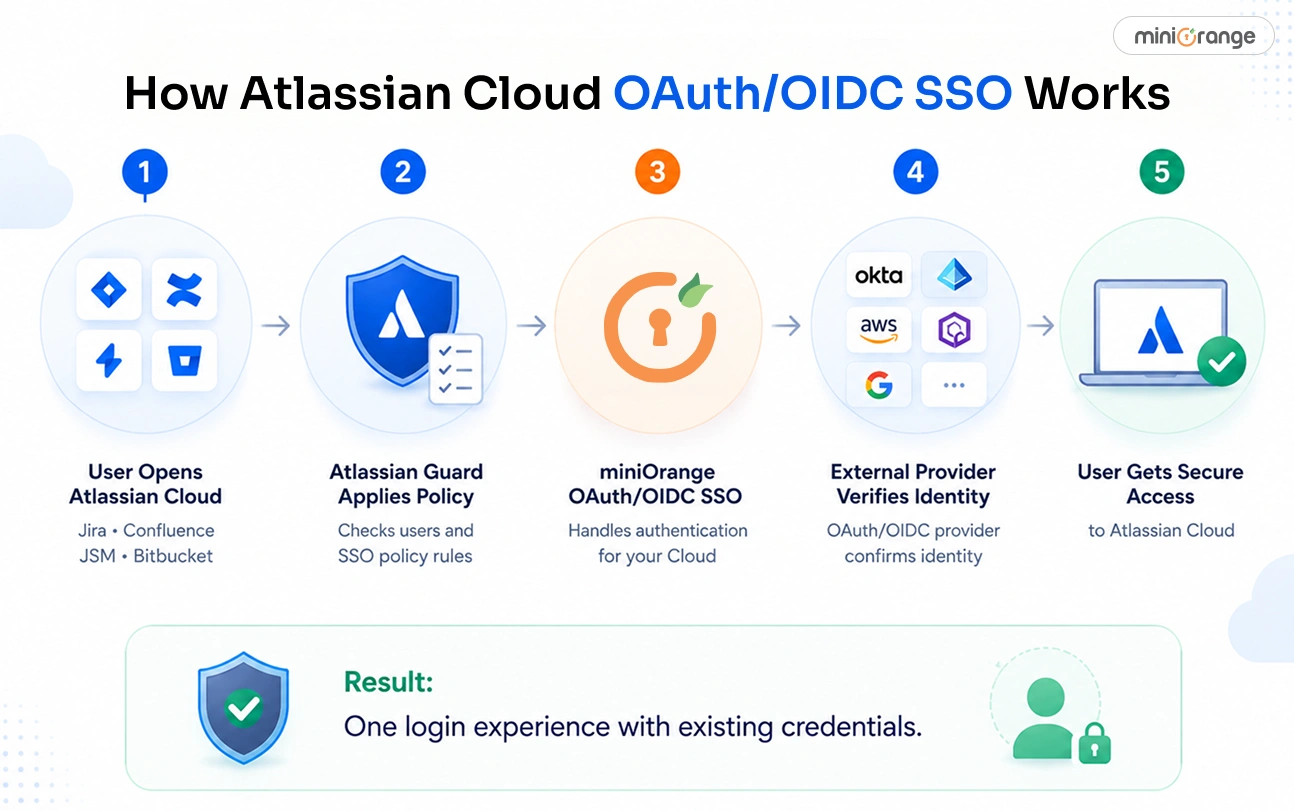
That’s where Single Sign On (SSO) comes in. Atlassian Cloud supports SAML 2.0 for organization-level SSO through Atlassian Guard.
But what happens when your identity ecosystem is built around OAuth 2.0 or OpenID Connect (OIDC) providers?
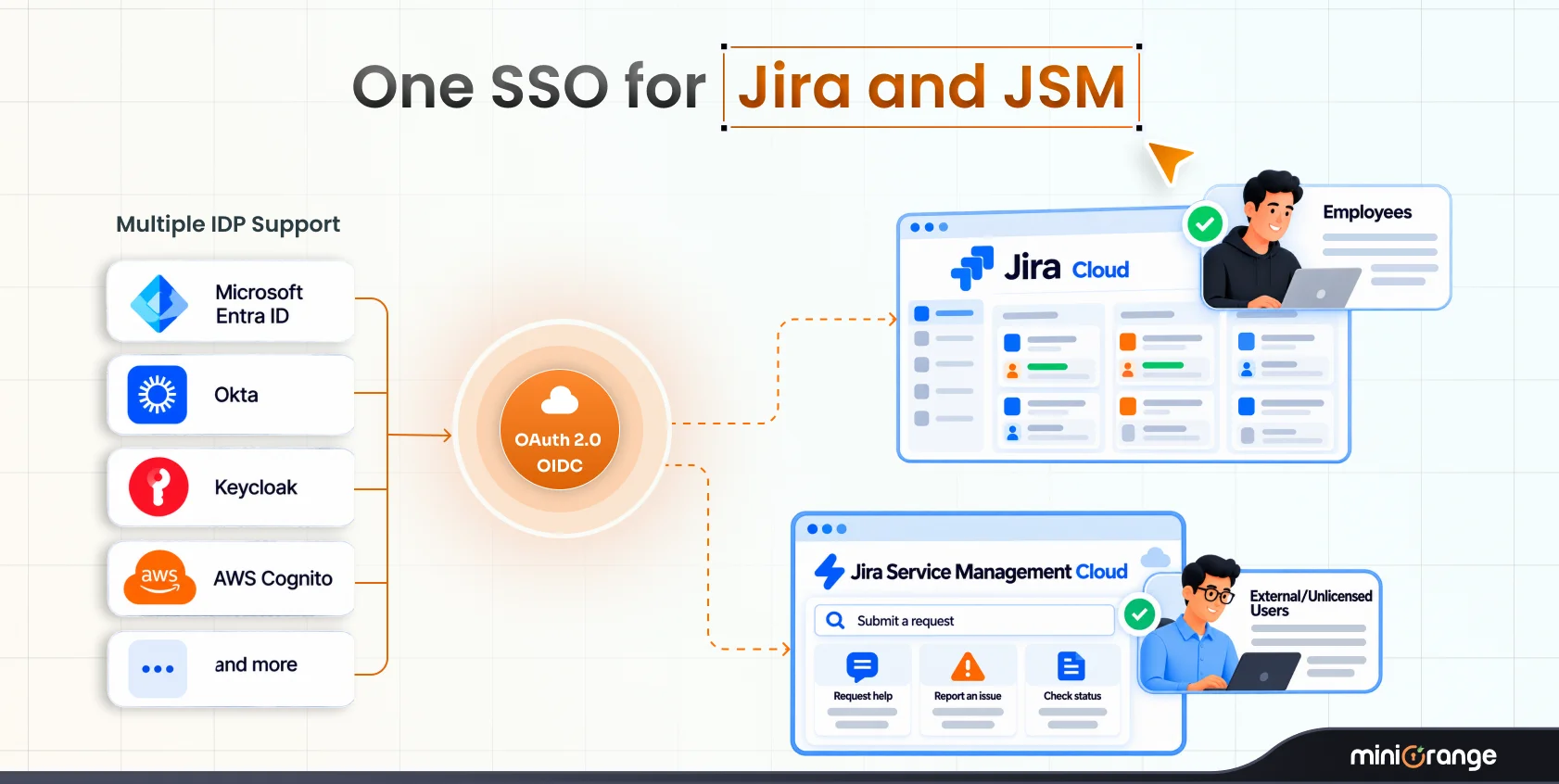
What if you rely on Okta, Microsoft Entra ID (Azure AD), AWS Cognito, Keycloak, GitHub, Google, or custom OAuth/OIDC platforms to manage workforce authentication? You want your Atlassian users to sign in with those existing credentials without introducing another identity system, switching your protocol to SAML, or changing how your users authenticate across the rest of your environment.
With miniOrange SSO via OAuth/OpenID for Atlassian Cloud, you can enable secure login to Atlassian Cloud using your external OAuth/OpenID provider. In this blog, we’ll explain exactly how that works.
Understanding Atlassian Cloud Authentication
Before configuring SSO, let’s understand how authentication works in Atlassian Cloud.
Atlassian Cloud organizations use Atlassian Guard Standard (formerly Atlassian Access) to manage centralized authentication across:
- Jira Software
- Jira Service Management (JSM)
- Confluence
- Bitbucket
To enforce SSO in Atlassian Cloud, you need an Atlassian Guard subscription applied across the above apps.
The Challenge: Your Identity Provider Uses OAuth/OIDC
This is where many organizations hit a roadblock.
Your enterprise identity provider (IdP) may already use OAuth 2.0 or OpenID Connect as its authentication framework. Or you were using OAuth/OIDC in the data center.
Naturally, you want your Atlassian users signing in through the same provider. But after migrating to the Cloud, you are bound to use SAML.
At the same time, implementing secure cloud SSO across different identity environments can quickly become complex if you need interoperability between existing OAuth/OIDC identities and Atlassian Cloud authentication requirements.
That is where miniOrange SSO via OAuth/OpenID for Atlassian Cloud comes in.
Enable Atlassian Cloud Login with Any OAuth/OIDC Provider
miniOrange SSO via OAuth/OpenID for Atlassian Cloud allows you to securely authenticate Atlassian users using your existing OAuth/OpenID provider credentials.
You don’t have to redesign your authentication architecture. The app allows you to integrate your existing identity environment into your Atlassian Cloud login flow.
You can configure SSO with providers including:
- Okta
- Microsoft Entra ID (Azure AD)
- AWS Cognito
- Keycloak
- Google Apps
- GitHub
- Custom OAuth providers
- Custom OpenID Connect providers
Once configured, users can access Atlassian Cloud applications using the same credentials they already use elsewhere in your organization.
How the Setup Works in Atlassian Cloud
The setup follows a structured, cloud-compatible configuration model.
At a high level, you configure:
Step 1: OAuth/OIDC Connection Between miniOrange and Your Provider
First, install the miniOrange SSO via the OAuth/OpenID app from the Atlassian Marketplace.
Then configure your external provider inside the app. For that, you need:
- Client ID
- Client Secret
- Authorization endpoint
- Token endpoint
- User Info endpoint
- Required scopes
This allows the app to establish a secure connection with your external OAuth/OpenID identity source.
Step 2: Configure Atlassian Guard Integration
After configuring the provider connection, you configure SSO between Atlassian Guard and the miniOrange application.
The app provides metadata required for configuration, including:
- IdP Entity ID
- SSO URL
- Public X.509 Certificate
Inside Atlassian Admin → Security → Identity Providers, you create or configure your SSO provider using those values.
You then complete the remaining configuration by exchanging:
- Service Provider Entity ID
- Assertion Consumer Service (ACS) URL
between Atlassian Guard and the miniOrange app.
Step 3: Apply Authentication Policies
Once the configuration is complete, you assign users to the appropriate authentication policy and enforce SSO for managed accounts.
After this, users can securely sign in to Atlassian Cloud using their configured OAuth/OIDC provider credentials.
Enterprise Features for Atlassian Cloud Beyond Basic SSO
The miniOrange SSO via OAuth/OpenID app provides you with many features beyond simple login functionality, like governance and automation.
It includes enterprise-ready capabilities designed for production environments.
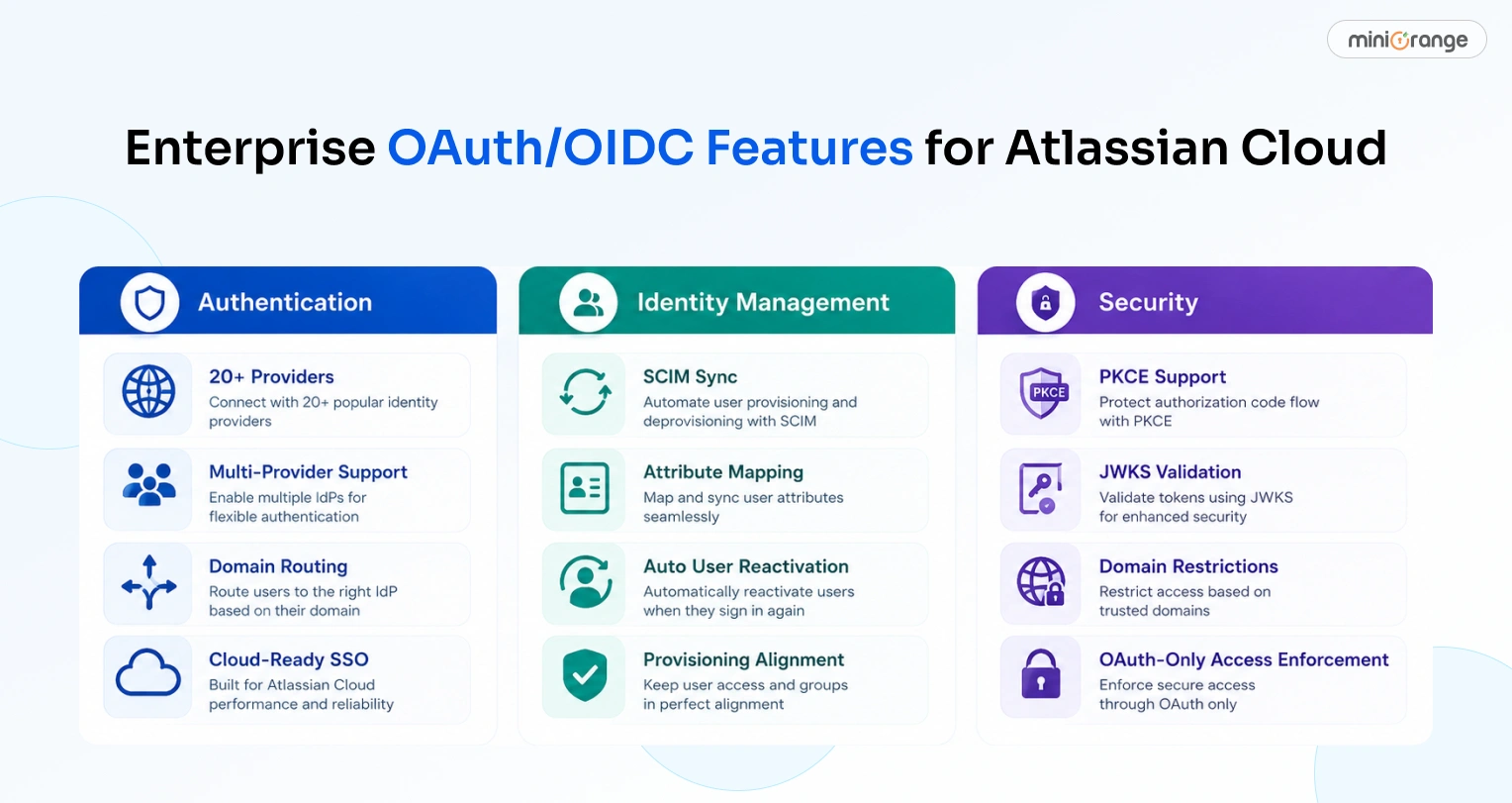
Connect 20+ OAuth/OIDC Providers
The app supports authentication through more than 20 providers, including custom, homegrown IdPs. These include widely used enterprise platforms and custom environments.
This means you don’t have to redesign your infrastructure because the IdP you use isn’t supported.
Integrate Multiple IdPs at Once
Connect multiple IdPs at once and route users to the right one based on their email domain and group without any extra cost.
Domain-Based Routing
As you scale, you’ll need user routing.
With the domain-based routing feature, you can redirect users to the correct IdP based on their email domain.
This creates a streamlined login experience while reducing administrative overhead.
SCIM Synchronization
Identity management is not just about authentication. User lifecycle management is also a critical part of it.
The platform supports SCIM synchronization. This means you can manage provisioning workflows and user identity alignment across systems.
You can learn more about it here.
Custom Login Template
Customize the look and feel of the login page to feel consistent with your brand experience. Change the page design using pre-built templates, tweak the button text, and use a custom post-logout URL.
Audit Logs and Visibility
The platform provides audit logging capabilities that help administrators monitor each and every activity in the app. This includes login attempts, admin actions, and configuration-related events.
This visibility helps with increasing security and maintaining compliance.
Strengthen Cloud Authentication Security
Strong security requires more than just convenience.
miniOrange SSO via OAuth/OpenID provides granular security controls that align with enterprise governance requirements.
OAuth/OpenID-Only Access Enforcement
You can enforce SSO-driven access policies to encourage consistent authentication behavior across your cloud environment.
Domain Restrictions
Restrict authentication based on approved domains to maintain tighter control over who can access your Atlassian environment.
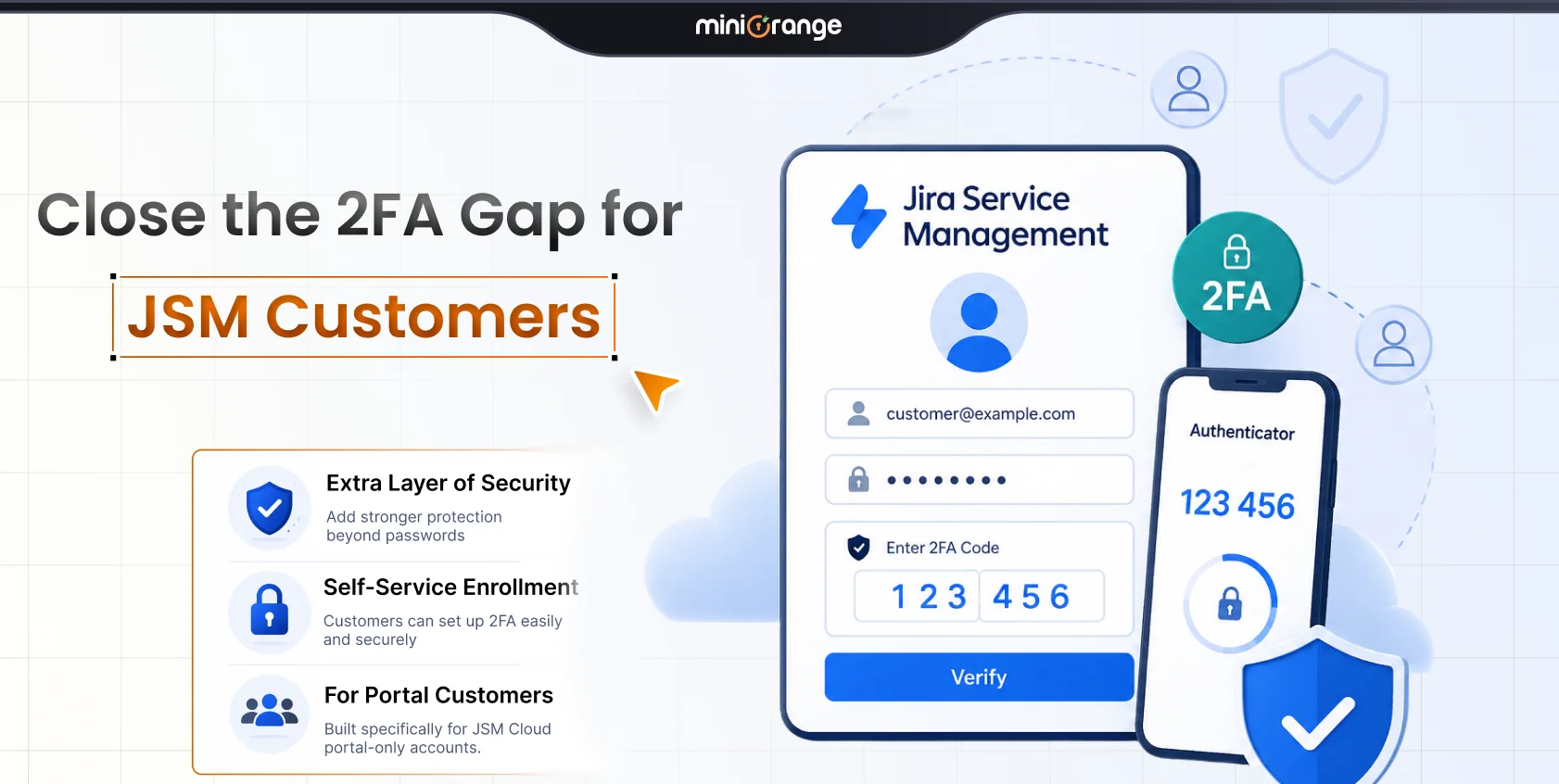
Optional 2FA Controls
You can enable additional authentication protections where appropriate.
Standards-Based Security Features
The platform supports security-focused capabilities such as:
- PKCE support for enhanced authorization security
- JWKS-based token validation
- Additional request parameter configuration for advanced deployments
Why Organizations Choose miniOrange OAuth/OpenID SSO For Atlassian Cloud
Organizations often need more flexibility than basic SSO alone can provide.
With miniOrange, you get extended cloud authentication capabilities with features designed equally for security and usability.
You get:
- Support for numerous OAuth/OIDC providers
- Multi-provider flexibility
- Domain-based routing
- Security-focused configuration options
- Detailed audit visibility
- Cloud-ready deployment model
- Guided setup assistance and technical support
The result is straightforward. Secure and scalable authentication that doesn’t add unnecessary operational complexity.
Conclusion
If your organization already uses an OAuth/OIDC identity provider, then you don’t have to rip out your infrastructure to enable SSO in Atlassian Cloud.
With the miniOrange SSO via OAuth/OpenID app, you can connect your existing identity provider to your Atlassian Cloud authentication flow.
You keep your existing IdP while retaining centralized control over access and authentication.
Ready to enable Atlassian Cloud SSO with your preferred OAuth/OIDC provider? Explore miniOrange SSO via OAuth/OpenID and start your free trial today.
FAQs
Q. Can you use an OAuth/OIDC provider with Atlassian Cloud?
Yes. You can log in to Atlassian Cloud using an external OAuth/OIDC provider such as Okta, Microsoft Entra ID (Azure AD), AWS Cognito, Keycloak, Google, GitHub, or a custom OAuth/OIDC provider using miniOrange SSO via OAuth/OpenID for Atlassian Cloud.
Q. Is Atlassian Guard required for OAuth/OIDC SSO in Atlassian Cloud?
Yes. The miniOrange OAuth/OIDC SSO for Atlassian Cloud plugin requires you to have an Atlassian Guard (formerly Atlassian Access) subscription to enable organization-level SSO.
Q. Can you use multiple OAuth/OIDC providers with Atlassian Cloud?
Yes, miniOrange supports multiple provider configurations for Atlassian Cloud. It’s useful if you use different identity providers across business units.
Leave a Comment