- Home
- Automate Access Request & Review
- Set Up Automate Access Request & Review with BambooHR

Integrate BambooHR with the Automate Access Request & Review App
BambooHR serves as the authoritative HR data source for the Automate Access Request & Review app, enabling automated access provisioning and deprovisioning across connected applications based on employee lifecycle events.
 Try it for free
Video Setup Guide
Pre-requisites
Before you begin, make sure you have the following:
- Admin access to Jira Service Management (JSM): Required to configure workflows, custom fields, and automation rules.
- Admin access to BambooHR: Needed to authorize integrations and manage access provisioning.
1: Generate a BambooHR API Key
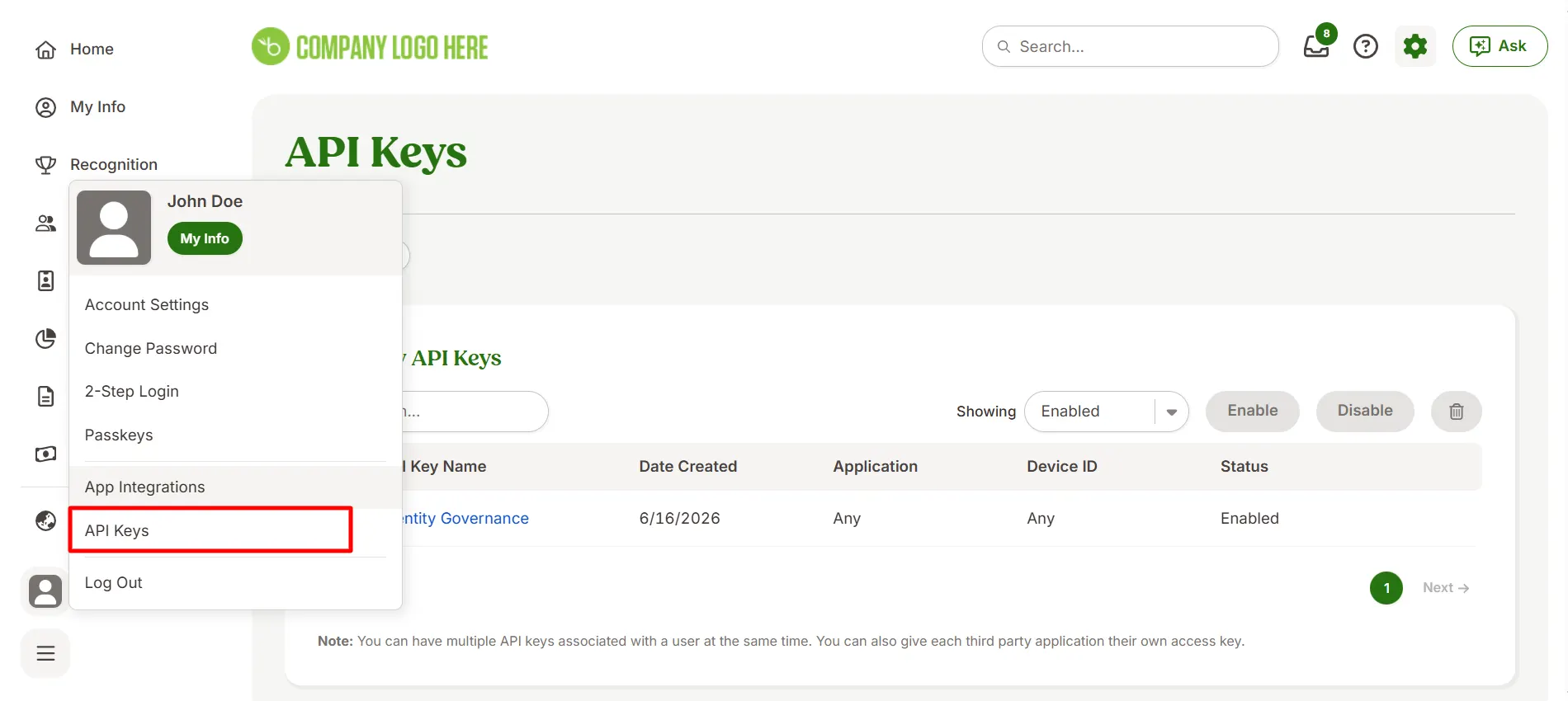
- Log in to BambooHR as an administrator.
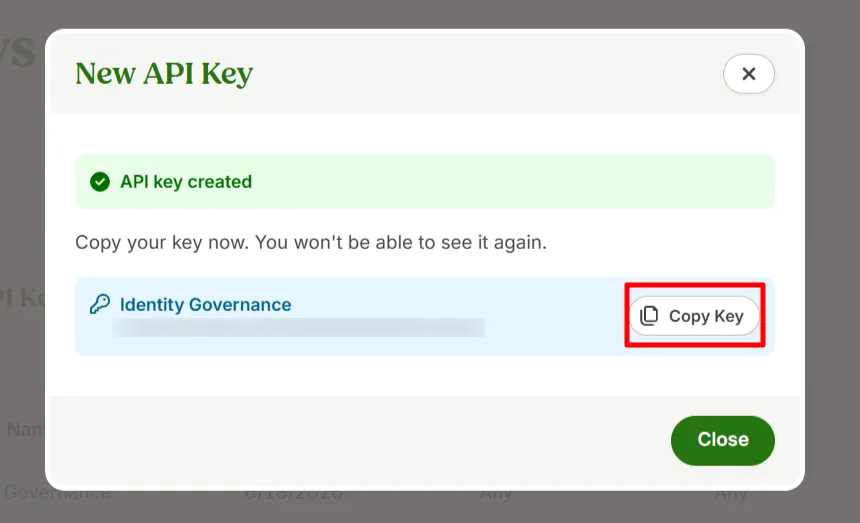
- Navigate to Profile → API Keys.
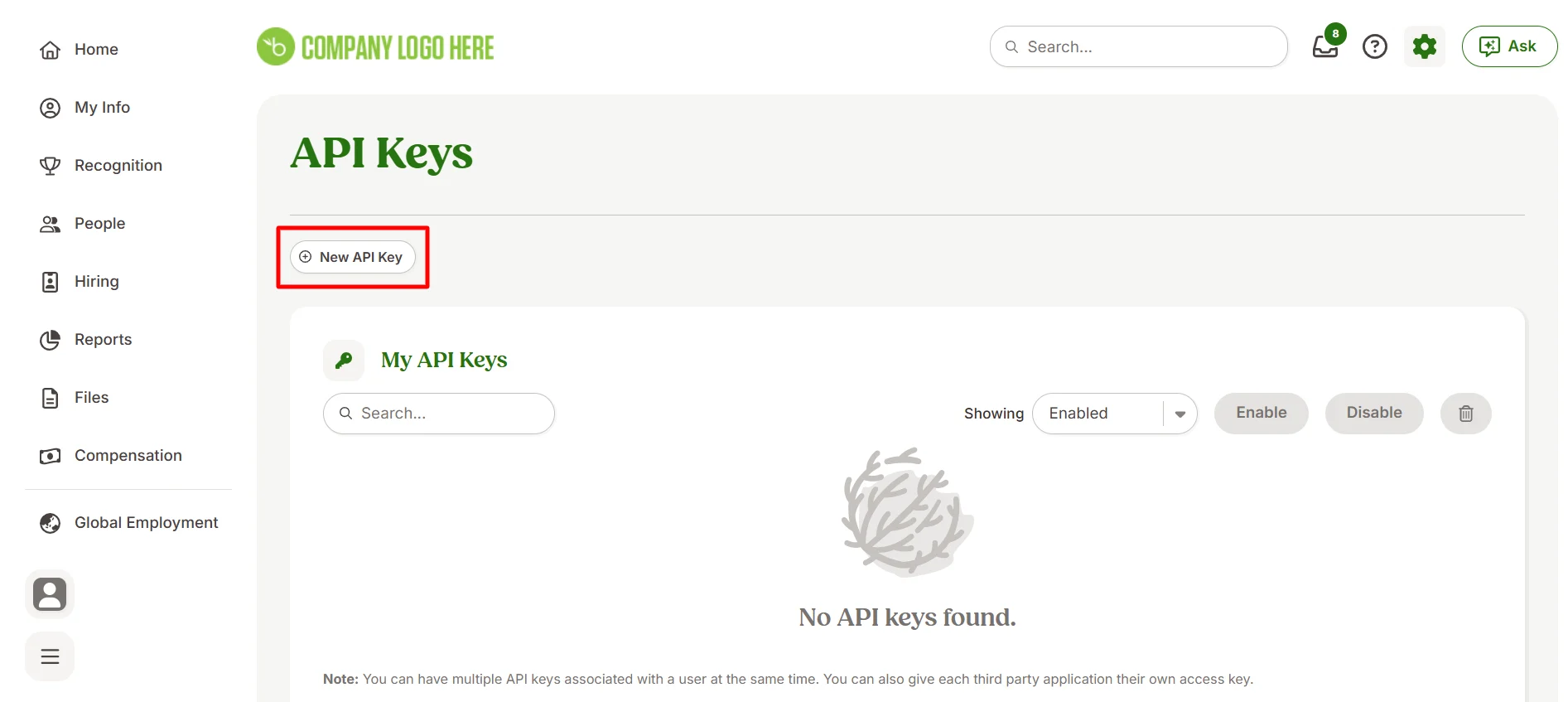
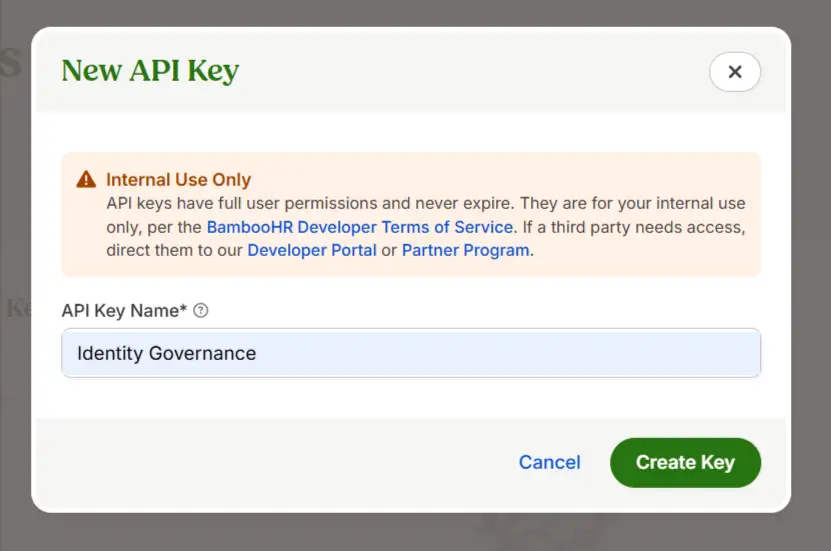
- Click Add New Key and enter a name for the key (e.g., "jira-workflow-plugin").
- Copy the API key — it is shown only once.
2: Connect BambooHR to the App
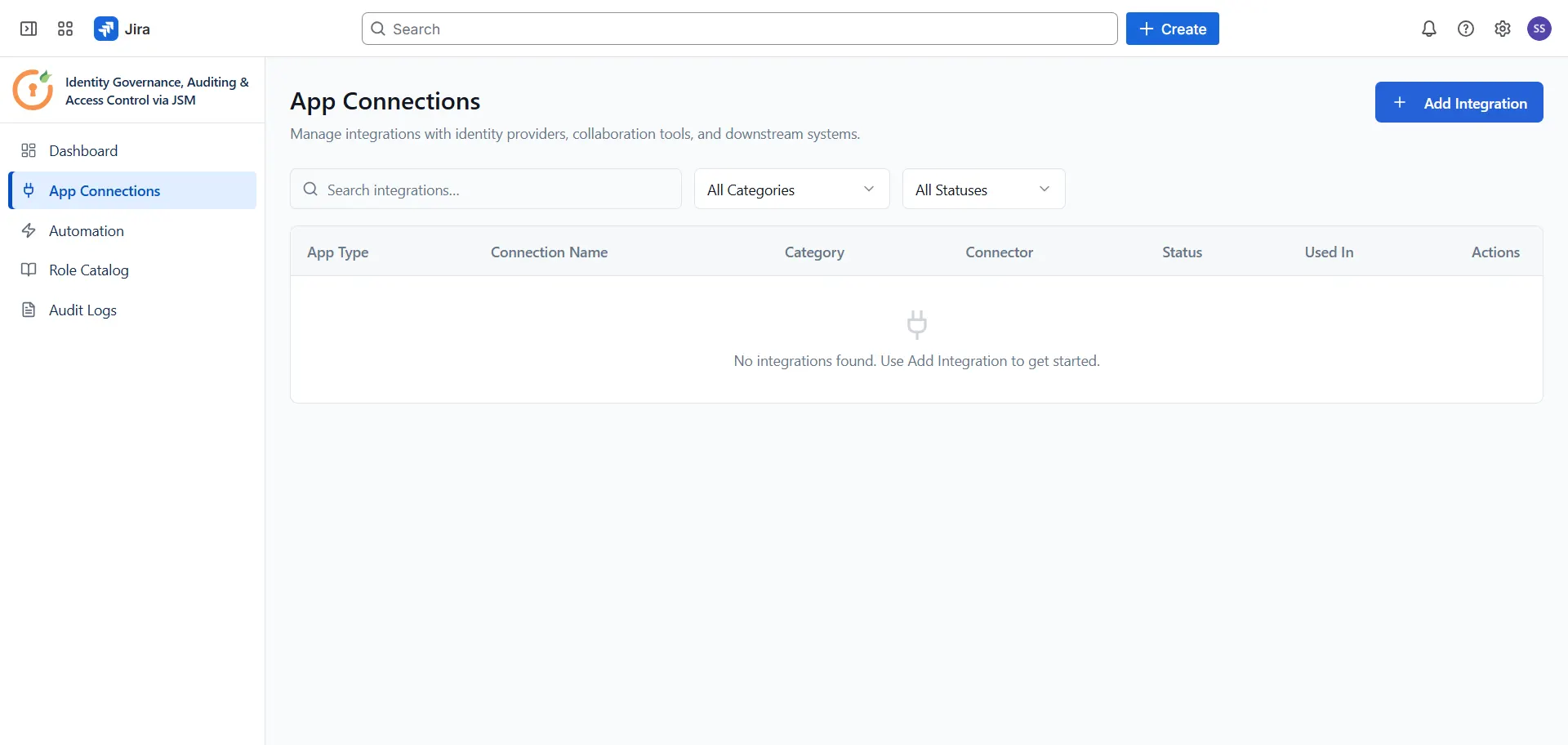
Open the Automate Access Request & Review app and navigate to App Connections from the sidebar. Click + Add Integration and select BambooHR from the list. Enter the following details in the Connect BambooHR panel:
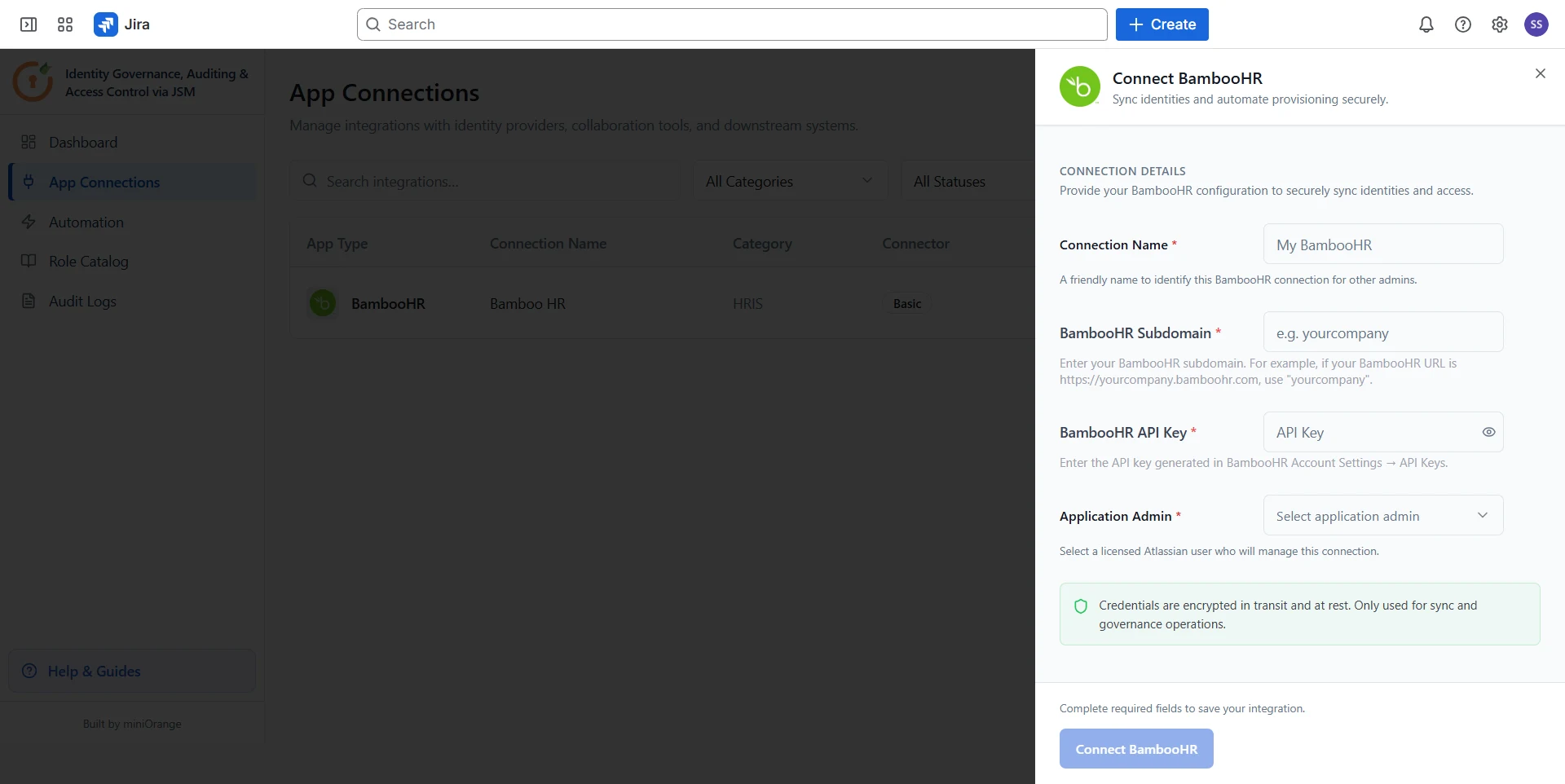
- Connection Name: A friendly name to identify this BambooHR connection for other admins (e.g., "My BambooHR").
- Company Domain: Your BambooHR subdomain (e.g., acme for https://acme.bamboohr.com).
- API Token: Paste the API key generated in Step 1.
- Application Admin: Select a licensed Atlassian user who will manage this connection.
Once all fields are filled in, click Connect BambooHR to save the integration.
Configure Automation Rules for BambooHR
Now that BambooHR is connected, configure automation rules to define how access requests are routed, approved, and provisioned in BambooHR. Follow the guides below to set up each rule type:
Did this page help you?