
A few years ago, during a routine investigation after a phishing incident, the security team believed the damage was contained. During the attack, one employee’s laptop was compromised. The security team removed the malware and the password was reset.
But the next morning, when analysts started reviewing authentication logs, something odd appeared. The same compromised account had logged into three internal servers overnight. Then a database server. Then a backup controller.
Nothing was flagged initially because every action used legitimate credentials and built-in administrative tools.
That is exactly how a lateral movement attack spreads. The attacker does not smash through defenses. They quietly move from one trusted system to another until they reach something valuable.
Most breaches do not become catastrophic during the initial compromise. They become catastrophic during lateral movement in cybersecurity environments, where attackers expand their access across the network. The real challenge is not stopping the first intrusion. It is detecting and containing what happens afterward.
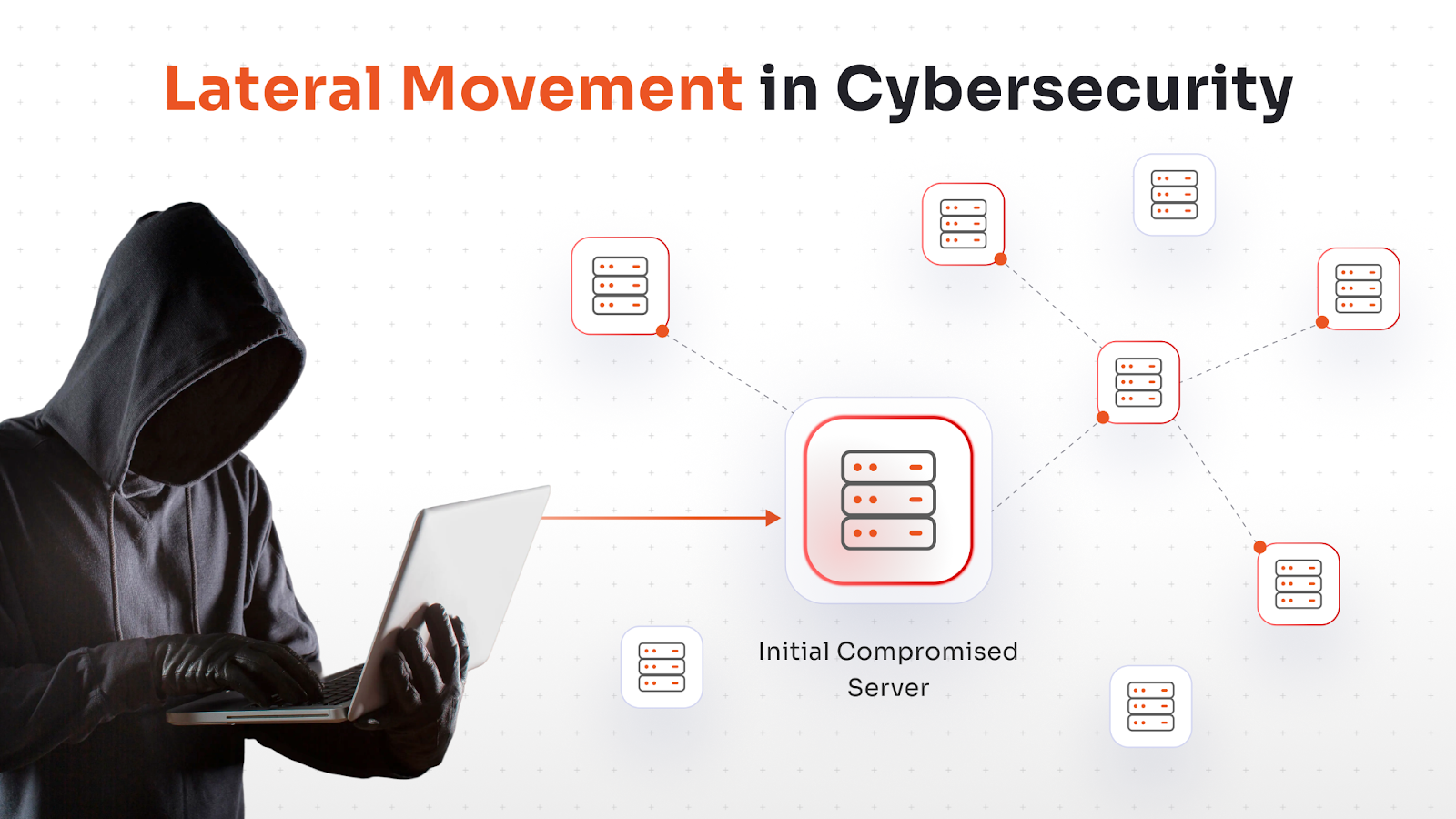
What Is Lateral Movement in Cybersecurity?
Lateral movement is a technique where, after an initial compromise, attackers use stolen credentials and trusted tools to navigate between systems, escalate privileges, and eventually locate high-value assets.
It involves moving from machine to machine (sideways) to avoid detection and map the network, commonly using stolen credentials or legitimate tools.
What makes lateral movement particularly dangerous is that attackers rarely introduce new tools. They rely on what is already in the environment: Remote Desktop Protocol, PowerShell, Windows Management Instrumentation, PsExec, and legitimate admin accounts. This is sometimes called “living off the land,” and it means your own infrastructure becomes the attack vector.
This is also why detection is hard. You cannot block RDP use broadly in an enterprise. You cannot flag every PowerShell command. So attackers hide inside normal behavior, which is exactly where most monitoring strategies have blind spots.
How Lateral Movement Works (The Attack Lifecycle)
In lateral movement, attackers expand access step by step, using stolen identities and legitimate tools to avoid detection. Understanding the attack lifecycle is the first step toward building meaningful controls.
Stage 1: Initial Compromise
Every lateral movement attack starts somewhere. Common entry points include:
- Phishing emails capturing credentials
- Vulnerable web applications
- Exposed RDP or VPN services
- Compromised developer tools
For attackers, the entry point itself is rarely the target. Their priority after the initial compromise is staying quiet and expanding from there. Over time, security teams sometimes stop their investigation here.
Stage 2: Credential Harvesting
Once inside a single system, attackers try to find credentials. Common targets here include:
- Cached domain credentials
- Kerberos tickets
- NTLM password hashes
- Service account passwords
- Tokens stored in memory
If the compromised machine belongs to an administrator, the attacker may already possess credentials capable of accessing multiple servers.
Stage 3: Internal Reconnaissance
With valid credentials in hand, attackers start mapping the environment. This phase looks like legitimate administrative activity. Typically it includes:
- Enumerating Active Directory users and groups
- Identifying domain controllers
- Scanning internal IP ranges
- Locating file shares and databases
- Identifying backup servers
This reconnaissance reveals which systems hold sensitive data and which accounts have elevated privileges. From here, the attacker decides where to move next.
Stage 4: Lateral Propagation
Now the attacker starts moving. Using the credentials and the network map they have built, they often rely on native administrative tools already trusted by the environment. This phase involves:
- RDP sessions from compromised workstations to servers
- SMB connections using harvested NTLM hashes
- PowerShell remoting
- Scheduled task creation
The attacker is careful here: they test access, validate it quietly, and move only when confident. And because these tools are legitimate, if monitoring is event-based rather than behavior-based, malicious activity is frequently missed.
Stage 5: Crown Jewel Access
This is the endgame. Eventually attackers reach high-value assets such as domain controllers, financial databases, backup infrastructure, source code repositories, and cloud management consoles.
Once these systems are compromised, the organization faces data exfiltration, ransomware deployment, or persistent backdoor installation.
At this point the damage is already done and containment becomes extremely difficult. Everything before this stage was the attack. The discovery here is just when you find out it happened.
Common Lateral Movement Techniques and Examples
Attackers rely on well-known techniques to move across networks. Understanding these lateral movement examples helps security teams recognize suspicious activity earlier.
- Pass-the-Hash (PtH) / Pass-the-Ticket (PtT): Instead of cracking a captured NTLM hash, the attacker uses it directly to authenticate against other systems. No password needed. This bypasses authentication on any system where that account has access, and it works silently because Windows authentication accepts the hash as valid.
- RDP Abuse: Remote Desktop Protocol is widely used by administrators, and attackers know this. They use harvested credentials to RDP into servers directly, or chain multiple RDP hops to obscure their path. RDP also creates a graphical session that can be harder to monitor than command-line activity.
- WMI and PowerShell Remoting: Windows Management Instrumentation and PowerShell Remoting are legitimate administrative tools that run over the network. Attackers use these to execute commands on remote machines without needing to copy files, reducing their footprint significantly.
- Token Impersonation: On systems where an attacker has local admin access, they can steal authentication tokens from running processes (including those belonging to domain admins who have recently logged in) and impersonate those identities without ever needing the underlying credentials.
- Remote Service Creation: Using tools like sc.exe or Sysinternals PsExec, attackers create and start services on remote machines to execute arbitrary code. This technique leaves event log entries, but they are often buried in high-volume environments where nobody is actively watching.
How to Detect Lateral Movement Early
Baseline Identity and Asset Behavior
Understanding normal identity behavior is one of the most effective detection techniques. If you do not know what normal looks like for each account and each system in your environment, you cannot detect anomalies effectively. User and Entity Behavior Analytics (UEBA) approaches, whether from dedicated tools or built into your SIEM, create baselines that make lateral movement patterns visible.
Monitor East-West Traffic
Most organizations have solid north-south monitoring (traffic in and out of the network). East-west traffic between internal systems is where attacks propagate, and it is frequently unmonitored. Implement internal network visibility with tools that log connections between endpoints, servers, and domain controllers.
Correlate Authentication Events Across Your Environment
A single authentication failure is noise. Fifteen authentication failures from the same source account against different systems within a short window indicate an attack pattern. A user logging into systems they normally never access should trigger an investigation.
Detect Abnormal Authentication Paths
A developer workstation authenticating to your domain controller at 2 AM using admin credentials that normally only log in during business hours from a specific subnet is an anomaly worth investigating. Build baselines of normal authentication patterns and alert on deviations.
Alert on Admin Tool Usage in Unusual Contexts
PsExec running from a user workstation, PowerShell Remoting initiated from a non-admin host, WMI queries being executed against multiple systems in sequence—these patterns indicate potential lateral movement even when the individual events look legitimate.
How to Prevent Lateral Movement
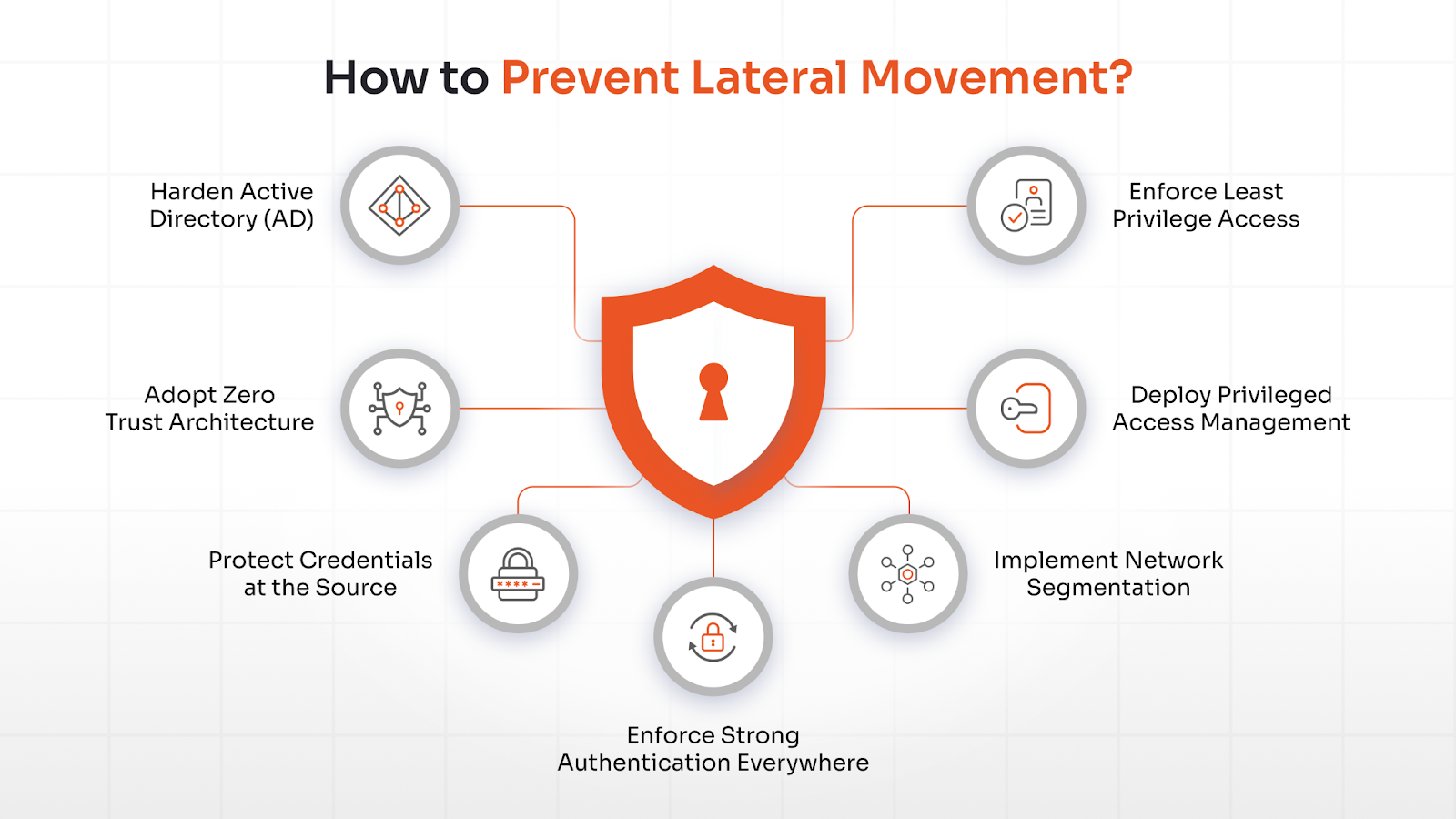
Detection alone is not enough. The goal is to make lateral movement operationally difficult enough that attackers cannot execute it silently, and ideally to contain any breach to the initial point of compromise.
Enforce Least Privilege Access
Permanent administrative privileges are one of the biggest enablers of lateral movement, and enforcing least privilege is a foundational control for preventing it. If privileged accounts only have access to the systems and resources they genuinely need—and only for the required time period—the blast radius of any compromise is limited.
Security teams should:
- Remove unnecessary local admin rights
- Separate admin and standard user accounts
- Implement just-in-time (JIT) privilege elevation
But In practice, least privilege is hard to maintain because it requires ongoing governance. Organizations frequently grant access liberally when provisioning accounts and almost never revoke it. A privileged access governance system can be useful here to continuously review and audit access levels and enforce least privilege.
Deploy Privileged Access Management (PAM)
Every lateral movement attempt happens to get privileged credentials to restricted systems. A privileged access management (PAM) system like miniOrange PAM can help in this case by controlling:
- Credential vaulting and rotation
A PAM solution discovers privileged passwords across the infrastructure and stores them in a secure vault where they are checked out only when needed, through a controlled workflow. Passwords are rotated on a schedule so that even if they are stolen, they become invalid quickly.
- Just-in-time access management
PAM allows admins to grant privileged access on a just-in-time basis for the required duration with only the required rights, making lateral movement more difficult.
- Session monitoring
A PAM tool provides recording and real-time monitoring of privileged sessions, which helps detect malicious lateral activity in real time and preserves recordings for investigations.
A modern PAM platform is often sufficient to help prevent organizations from lateral movement attacks, while implementing strict security across almost every type of cyberattack and making your organization security compliant.
Implement Network Segmentation
A flat network is a lateral movement highway. If a compromised workstation can freely communicate with every server, database, and domain controller in the environment, attackers will exploit that freedom systematically. Segmentation removes it.
The principle is default-deny between zones. Traffic between user workstations and servers, between servers and domain controllers, and between environments should be explicitly permitted based on documented business need—not allowed because nothing was ever blocked. In cloud environments, microsegmentation takes this further, restricting communication between individual workloads rather than just broad network zones.
Legacy environments make segmentation genuinely difficult. Years of undocumented application dependencies mean that blocking a port often breaks something unexpected. The practical approach is to start with the highest-value targets: domain controllers, backup infrastructure, and databases. Segment those first and work outward from there.
Enforce Strong Authentication Everywhere
Having Multi-factor authentication(MFA) prevents stolen passwords from being immediately useful. But it alone does not stop lateral movement, MFA still matters for VPN, RDP, SSH, and for step-up authentication on sensitive privileged actions. But it needs to be paired with credential protection at the endpoint level.
Protecting LSASS memory through Windows Credential Guard moves credential secrets into an isolated environment that the main operating system cannot access directly. This closes off the memory-scraping technique that attackers depend on after initial compromise. Service accounts deserve specific attention: credentials that have not been rotated in years and are shared across multiple systems are a reliable pivot point. Managed identities for cloud workloads and automated rotation for service accounts removes that attack surface.
Protect Credentials at the Source
Many lateral movement techniques rely on stolen credentials. If credentials cannot be stolen from endpoints, the attack lifecycle breaks early.
- Disable credential caching on workstations where it is not operationally required. Cached credentials are a primary target during memory-based attacks.
- Protect LSASS memory using Windows Credential Guard, which moves credential secrets into an isolated virtualization-based environment that cannot be accessed by the main OS.
- Use managed service identities for applications and workloads that need to authenticate to cloud services or APIs. Remove hardcoded credentials from code and configuration entirely.
- Rotate service account credentials regularly. Many breaches involve service account credentials that have not changed in years and are used across multiple systems.
Adopt Zero Trust and Harden Active Directory
Zero Trust operates on one principle: no implicit trust, regardless of network location. A workstation inside the corporate network is not automatically trusted to access servers on the same network. Every connection must be authenticated, authorized, and validated.
Practically, this means:
- Continuous verification of identity and device health, not just at initial login
- Device posture validation to ensure that only managed, compliant devices can access sensitive resources
- No implicit internal trust means that even internal service-to-service communication requires authentication
Zero Trust is an architectural direction, not a product. It takes time to implement fully and requires buy-in across networking, identity, and security teams. Start with the highest-risk access paths.
Harden Active Directory
Active Directory is the most valuable target in most enterprise environments. Control AD, control everything. Attackers know this. Many lateral movement techniques specifically target AD weaknesses.
- Implement a tiered admin model with Tier 0 (domain controllers and identity infrastructure), Tier 1 (servers and applications), and Tier 2 (workstations) separated so that credentials from lower tiers cannot authenticate to higher tiers.
- Restrict Domain Admin usage to domain controllers only. Domain Admins should never log into workstations or member servers, because doing so exposes their credentials to theft.
- Monitor AD replication traffic for DCSync attacks, where an attacker with sufficient privileges simulates a domain controller and requests password hashes for all accounts.
- Disable unconstrained Kerberos delegation on all systems except where strictly required. Unconstrained delegation is a well-documented attack path that allows credential impersonation across the domain.
How miniOrange PAM Helps Stop Lateral Movement
Controlling privileged access is one of the most effective ways to stop lateral movement. miniOrange PAM brings the critical controls for lateral movement prevention into a single, manageable platform:
Credential vaulting and password rotation
Privileged credentials are stored in a secure vault rather than shared manually between administrators. Attackers cannot harvest passwords from endpoints if they never exist there.
Even if a credential is compromised, automated rotation ensures it quickly becomes invalid. This breaks many lateral movement techniques.
Privileged session monitoring
Every privileged session can be monitored and recorded, giving security teams full visibility into which commands were executed and where access originated.
With miniOrange’s AI-based anomaly detection feature, malicious activities can also be detected in real time, allowing security teams to terminate sessions.
Just-in-time least privilege enforcement
Standing privileges are replaced with time-limited access grants. Administrators receive elevated access only when required. Eliminating permanent admin privileges removes one of the main enablers of lateral movement attacks.
Unauthorized attempts to access servers or infrastructure are blocked before they occur.
All These controls create strong lateral movement protection by limiting credential exposure and monitoring privileged activity across the environment.
About the Author

PAM Engineering Lead
Pradeep is a Senior Software Engineer at miniOrange, bringing over 7 years of experience in designing and securing enterprise access infrastructures. He leads the architecture and implementation of miniOrange’s Privileged Access Management solutions that help organizations enforce least-privilege controls, secure critical systems, and reduce identity-based risk across cloud and on-prem environments. He works closely with security and IT teams to build scalable privilege governance frameworks aligned with compliance and operational requirements. His expertise spans PAM architecture, secure system design, and identity-first security engineering for modern enterprises.
Leave a Comment