

If you manage Jira Service Management (JSM) for a single company, identity management is fairly straightforward. But if you have multiple customers, things become complicated.
If you’re a managed service provider, IT service provider, or any organization with customers spread across the map, JSM poses many limitations.
The major one is that Atlassian Guard Standard and Premium allow only one identity provider (IdP) per JSM site for portal-only customer authentication. Your customers aren't going to switch their entire IdP just to raise a ticket, and you shouldn't have to ask them to. You can opt for the Atlassian Guard Enterprise plan, but it can be very expensive.
The thing is, most default setups are built for a single company, not for a service provider managing ten or twenty.
You can find workarounds, but that’s just patchwork and not a long-term, reliable solution.
Read on as we explore the various challenges you face and how a flexible Jira Service Management SSO strategy can solve them.
Why Every Client on a Different Identity Provider Breaks Native JSM Authentication
The Limitation of Atlassian Guard
As we said, Atlassian Guard SSO (formerly Atlassian Access SSO) limits you to connecting just one IdP per JSM site. This is a major constraint for IT service providers who have multiple clients who use different IdPs.
Why Atlassian Guard Fails to Support Multi-Tenant MSP Architectures
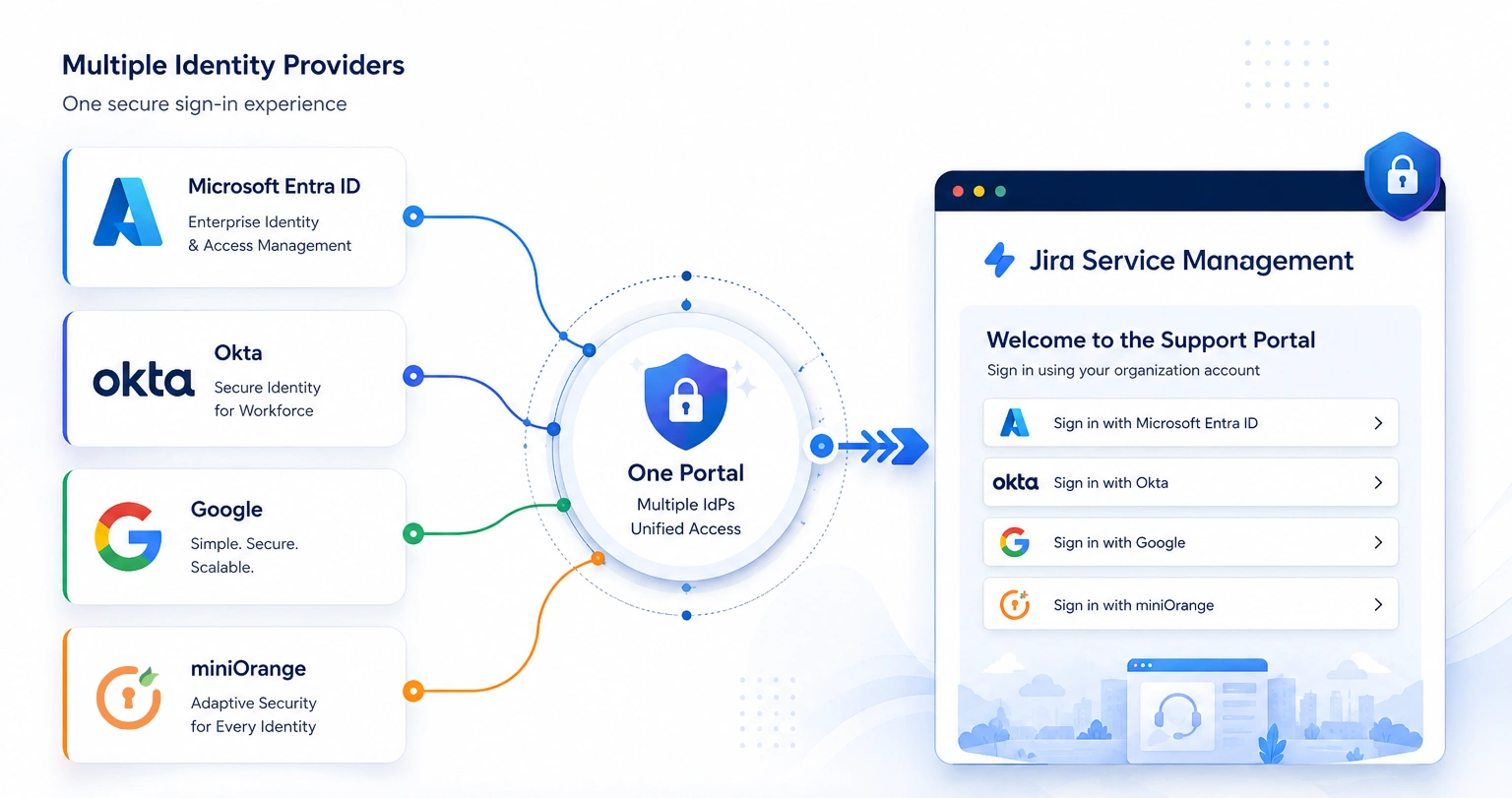
For MSPs or implementation partners who handle multiple enterprise clients across different IdPs, like Okta, Entra ID, and Keycloak, this is a major limitation. You'll have to ask all four customers to adopt a separate authentication method, which isn’t practical.
Or you can abandon SSO altogether, which forces you to manage extra, vulnerable passwords and increases the risk of getting spam tickets. This completely prevents you from managing all customer accounts from a centralized dashboard.
The Real Operational Costs of Identity Silos
When customers can’t log in with their preferred IdP, your team has to deal with password resets, slow onboarding, increased audit overhead, additional support tickets, and also spam tickets. Every one of those tasks chips away at your billable time. More importantly, it increases vulnerability.
How to Connect Multiple IdPs for JSM SSO?
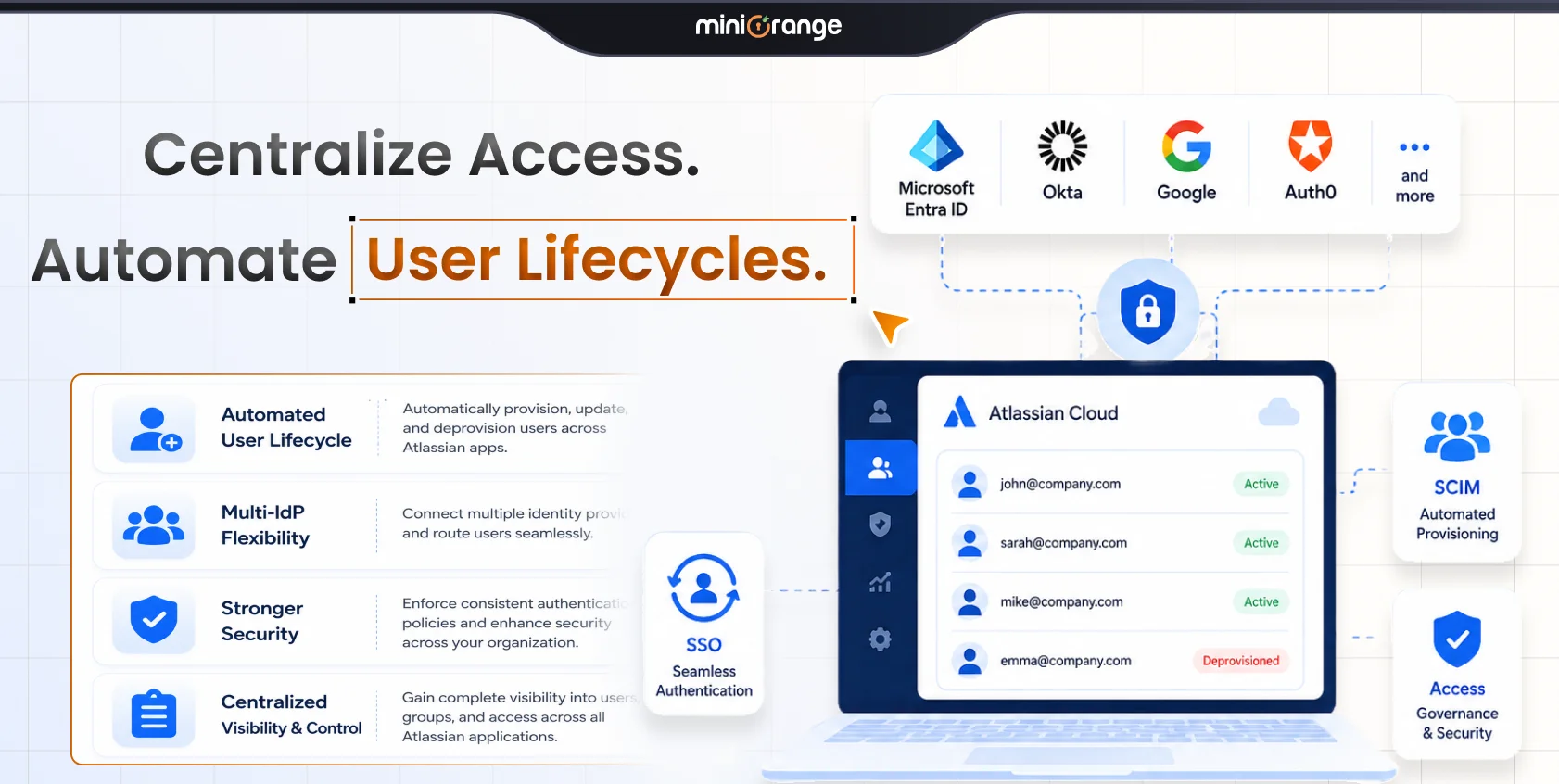
You can connect multiple IdPs for JSM SSO with the Atlassian Guard Enterprise plan. However, it can be expensive, and investing in it for just one feature isn’t ideal. That’s why miniOrange has built the SAML/OAuth SSO for JSM Customers app. It supports multiple IdPs so that customers can authenticate using their own SAML, OAuth, or OIDC provider while accessing the same JSM portal.
Why JSM Needs OIDC and OAuth Support, Not Just SAML
Is SAML Still the Standard for SSO?
SAML has been the enterprise standard for Jira single sign-on for years. But today, cloud-native IdPs and many modern identity platforms default to OpenID Connect (OIDC) and OAuth 2.0. Examples include Microsoft Entra ID, AWS Cognito, Auth0, and Keycloak. Atlassian’s native SSO for portal-only customers is restricted to SAML and lacks the flexibility to handle diverse, multi-IdP environments.
The Impact on Customer Authentication
Suppose a customer has standardized its entire identity architecture around OIDC. The last thing they want is to redesign their authentication workflow solely to access a support portal.
Automating Customer-to-Organization Mapping in JSM
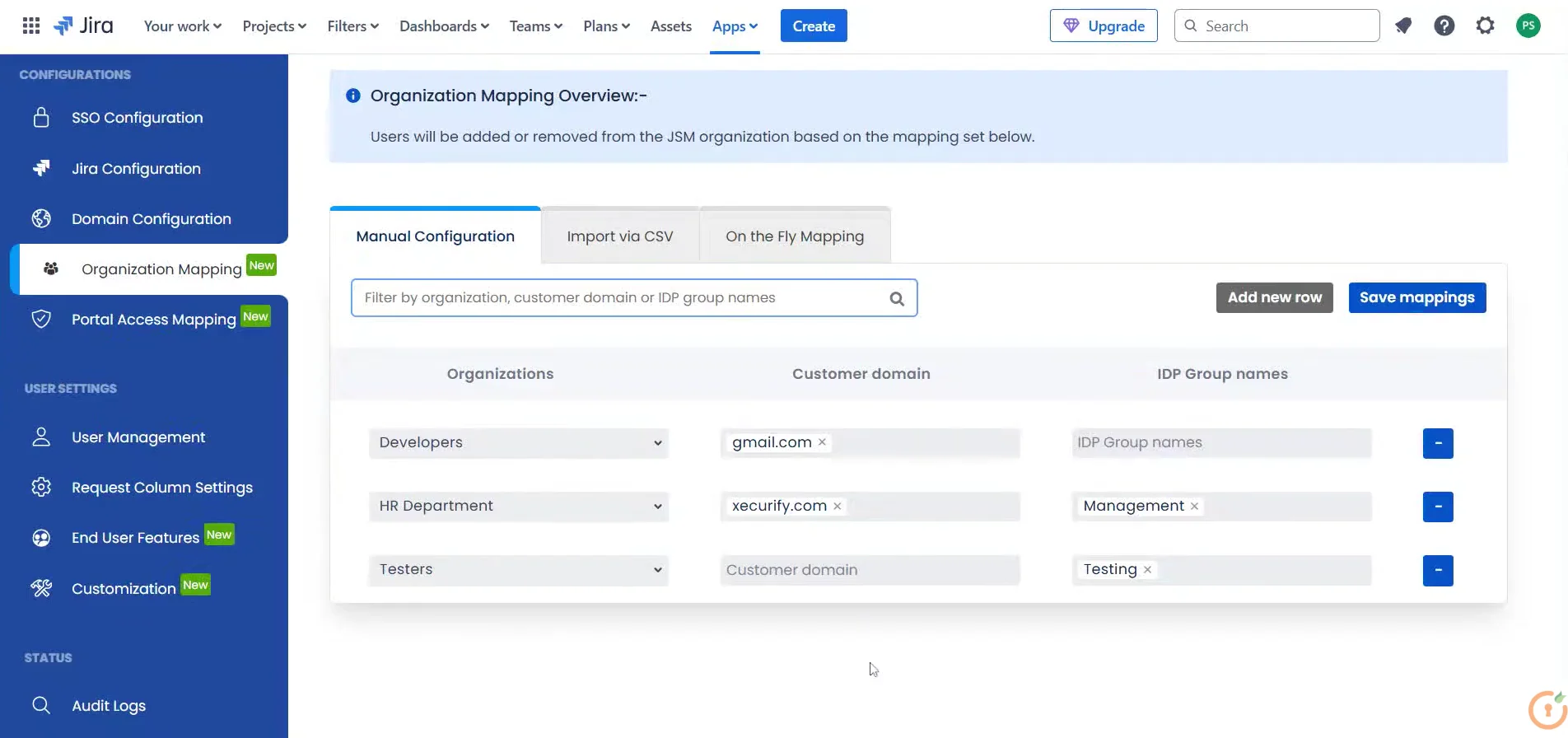
After users authenticate, they must be associated with the correct organization in JSM. Doing that manually is prone to human errors and difficult to scale. miniOrange simplifies this through automatic JSM organization mapping driven by the client's email domain or their specific IdP groups.
- Users from @companyA.com will automatically be sorted into Company A.
- Users from @companyB.com will automatically be sorted into Company B.
How to Automate Organization Mapping in JSM
With the miniOrange SAML/OAuth SSO for JSM Customers app, you can onboard entire customer groups through CSV imports without creating each mapping individually. The app also goes a step further with on-the-fly organization mapping. If a user logs in and their organization does not yet exist in your JSM system, the app dynamically creates and assigns that new JSM organization on the spot using user attributes pulled straight from their IdP.
How to Simplify Jira Service Desk Customer Portal SSO
Customers hate filling in basic details every time and want to get straight to raising their query. The miniOrange SAML/OAuth SSO for JSM Customers app speeds up the process with the Custom Field Attribute Mapping feature. It fetches basic details from the customer’s IdP and auto-populates the form. This speeds up ticket submission for your customers.
Granular Access Control: Not Every Client Should See Every Service
You don’t want every client to see every portal. For instance,
| Client | Accessible Services |
|---|---|
| Client A | IT Support |
| Client B | IT Support, Security Services |
| Client C | Premium Managed Services |
Each customer has purchased different services and should see the relevant portal. This is something Jira Service Management Customer SSO via Atlassian Guard doesn’t provide out of the box.
How to Restrict Portal Access After JSM SSO
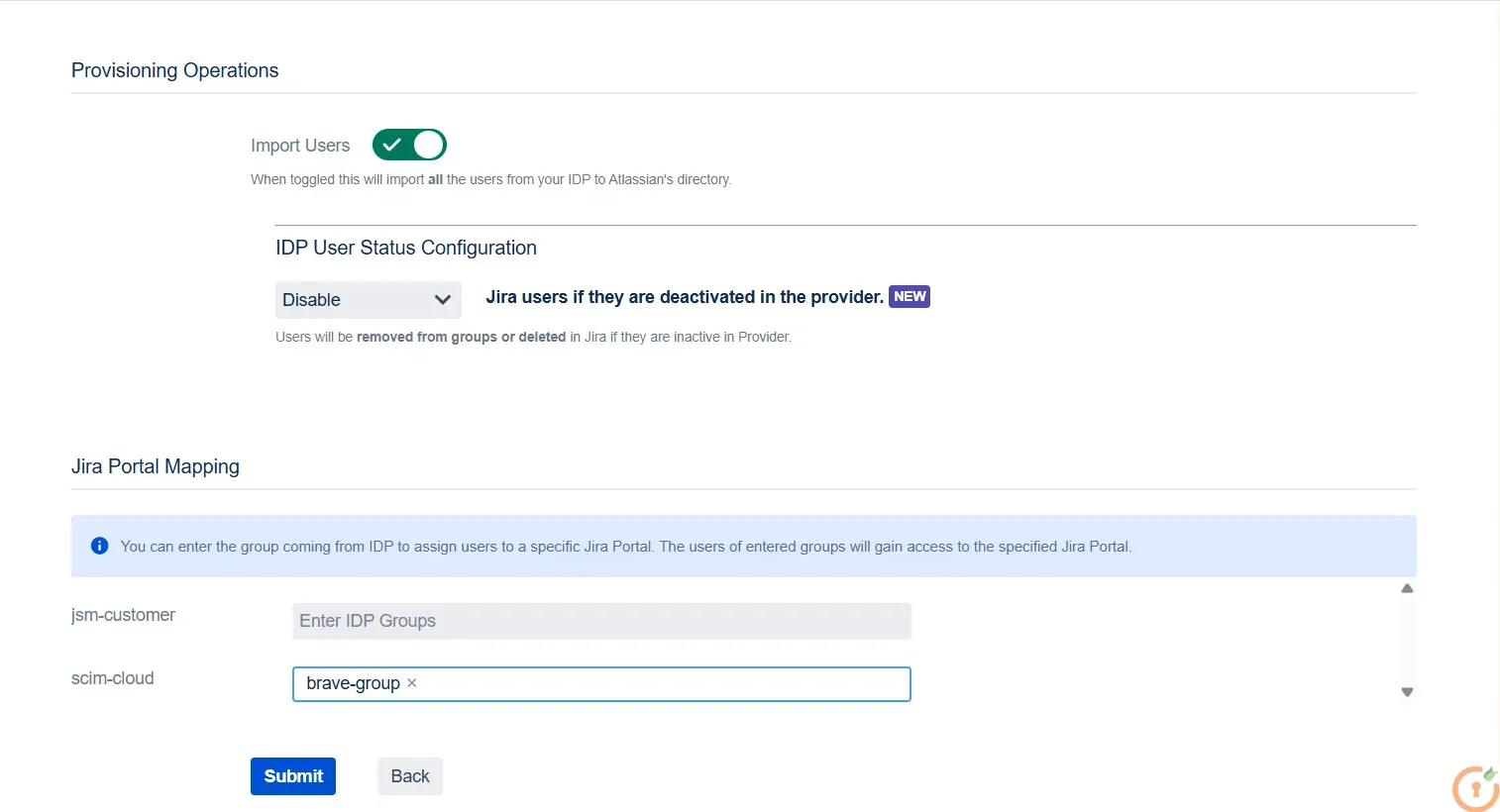
You can restrict access to JSM portals based on the customer’s IdP group and organization with the miniOrange SAML/OAuth SSO for JSM Customers app. This creates a clean, professional customer experience.
Access restrictions are built on top of mapping rules: once a user is mapped to Company B via IdP group or domain, that mapping determines which portals they see. This keeps everything deterministic and auditable.
Why a One-Size-Fits-All SSO Policy Doesn’t Work for Service Providers
As an MSP, you have customers with distinctive requirements:
- Some customers use traditional login methods
- A few customers require SAML-based SSO
- Enterprise customers with strict compliance requirements
Each group has different expectations.
Should You Enforce a Single Authentication Model?
Forcing SSO on every customer can slow down onboarding. Smaller customers may prefer a simpler login experience.
At the same time, enterprise customers often require authentication through their own identity provider before signing a contract. If you cannot support that requirement, you may lose the opportunity entirely.
What’s Selective SSO Rollout and Why It’s Important
With the miniOrange SAML/OAuth SSO for JSM Customers app, you can selectively enable JSM SSO for the organizations that need it, while keeping standard login available for the rest. This allows you to meet strict compliance requirements for your enterprise clients without disrupting the workflows of your everyday users.
Several organizations use this approach to balance enterprise SSO requirements with operational flexibility.
For instance, Avalon Healthcare Solutions, a leading healthcare technology company, enabled selective SSO for specific external users via Okta through miniOrange.
Other organizations like Bajaj Allianz, Munich RE, and Qarbon Tech have adopted customer authentication strategies that align with enterprise identity requirements.
Conclusion
Supporting multiple customers in Jira Service Management requires more than basic authentication.
You need the ability to support multiple IdPs, accommodate both SAML and Jira OAuth 2.0 environments, automate organization mapping, restrict access to the right portals, and selectively roll out SSO when required.
Taken together, these capabilities create a Jira Service Management Customer SSO experience that scales with your business instead of slowing it down.
If you're looking for Jira Service Management SSO that supports multiple identity providers without requiring Atlassian Guard or complex workarounds, try SAML/OAuth SSO for JSM Customers.
You can start with a free trial or schedule a meeting with our team for a live walkthrough of your customer authentication requirements.
Leave a Comment