
How much unnecessary access is quietly piling up inside your organization?
In 2027, identity goes far beyond human workers. As employees change roles and contractors finish projects, automated service accounts and AI agents also run in the background to handle routine tasks. Every move requires new permissions, yet the old ones rarely get revoked.
Manual reviews simply cannot keep up with the sheer volume of access changes. You need Identity Governance and Administration (IGA) platforms to take back control. A strong IGA platform helps you see exactly who or what holds access, reviews permissions automatically, and removes them the exact second they become unnecessary.
The market is packed with options, but which one will actually meet your specific needs? To help you decide, we compare the 11 best IGA solutions based on their core features, strengths, and limitations so you can pick the right one for your organization.
How We Selected These IGA Platforms
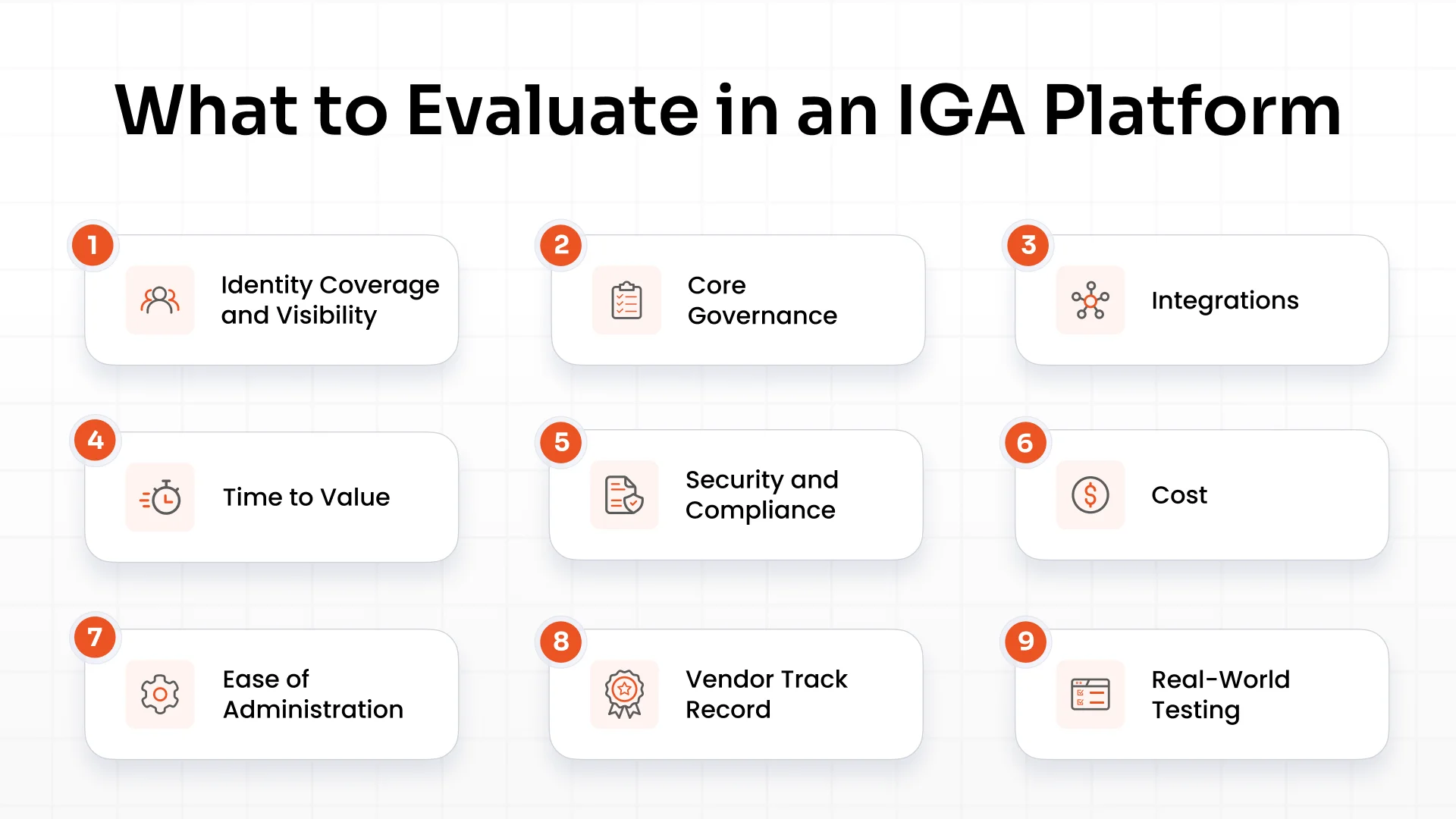
We compared these top IGA solutions against the exact criteria that matter most to enterprise security teams.
- Identity Coverage and Visibility: Can it securely manage employees, contractors, service accounts, and AI agents? Does it actively detect and eliminate shadow IT across your network?
- Core Governance: Does it handle the heavy lifting with full JML (Joiner, Mover, Leaver) automation, strict Segregation of Duties (SoD), and built-in Zero Trust enforcement?
- Integrations: How easily does it plug into your current tech stack? We checked for hundreds of out-of-the-box connectors for core systems like Azure AD, Okta, Salesforce, Google Workspace, SAP, and Jira.
- Time to Value: How fast is the rollout, and how much manual work will it dump on your internal team?
- Security and Compliance: Can it instantly generate audit-ready evidence for major global frameworks like SOX, HIPAA, ISO 27001, SOC 2 Type II, GDPR, PCI DSS, and the DPDP Act?
- Cost: We looked beyond the base subscription to factor in implementation, training, and ongoing maintenance.
- Ease of Administration: Can your team configure policies and manage approvals without fighting a frustrating interface?
- Vendor Track Record: Does the company have a proven history of supporting massive enterprise environments and evolving with new threats?
- Real-World Testing: Does the vendor offer a hands-on demo or proof of concept so you can validate your exact workflows before buying?
Top Enterprise IGA Platforms at a Glance
Here's a quick look at 11 enterprise identity governance platforms and what sets them apart.
| IGA vendor | Identity coverage | Key integrations | Compliance support | Deployment | Time to value | Pricing |
|---|---|---|---|---|---|---|
| miniOrange IGA | Employees, contractors, service and machine accounts, AI agents | 200+ integrations, including Entra ID, Okta, Salesforce, SAP, Jira, Workday, and more | SOX, HIPAA, ISO 27001, SOC 2 Type II, GDPR, PCI DSS, DPDP Act, and so on | Cloud, on-premises, hybrid | Weeks; some connectors in days | Custom quote based on users, deployment, and features |
| SailPoint Identity Security Cloud | Employees, contractors, non-human identities | Entra ID, Active Directory, Google Workspace, Jira, Salesforce, BambooHR, and more | Yes, can contact the vendor for more details | Cloud; IdentityIQ is a separate offering | Depends on integrations and rollout | Custom quote |
| Saviynt Enterprise Identity Cloud | Employees, contractors, external, non-human, and AI identities (product-dependent) | Microsoft, SAP, ServiceNow, Salesforce, AWS, Google Cloud, Oracle, and more | Yes | Cloud | 6+ months in supplied estimates; varies by scope | Tiered packages |
| Microsoft Entra ID Governance | Employees, guests, supported service identities | Microsoft 365, Azure, SAP, cloud and on-premises apps, and more | Microsoft compliance ecosystem and access reports | Cloud | Varies by environment | P1: $7/user/month; P2: $10/user/month, billed annually if not included in an eligible plan |
| Omada Identity Cloud | Employees, contractors, application identities | HR systems, directories, SaaS apps, enterprise systems, and more | Compliance workflows and access reports | Cloud, on-premises, hybrid options | Vendor advertises a 12-week implementation program | Custom quote |
| One Identity Manager | Employees, contractors, enterprise identities | Active Directory, SAP, Entra ID, Google Workspace, Salesforce, ServiceNow, and more | Audit trails and access controls | Cloud and on-premises options | Depends on integrations and rollout | Custom quote |
| IBM Verify Identity Governance | Employees and connected enterprise identities | Active Directory, LDAP, Oracle, APIs, SCIM apps, and more | Governance reports and audit support | Cloud or on-premises, product-dependent | Depends on deployment and integrations | Custom quote |
| Oracle Access Governance | Employees and supported application identities | Entra ID, Jira, SAP, Workday, ServiceNow, Oracle Fusion Cloud, and more | Access review evidence and governance reports | Cloud | Depends on integrations and configuration | Custom quote |
| Okta Identity Governance | Employees and connected application identities | 8,000+ integrations across the wider Okta Integration Network, including SaaS apps and SCIM systems | Access certifications and governance reports | Cloud | Weeks for many deployments (per supplied details) | $17/user/month through Essentials Suite, billed annually (per supplied details) |
| CyberArk Identity Security Platform | Employees, privileged and machine identities (product-dependent) | Privileged accounts, enterprise identity systems, machine identity tools, and more | Privileged access audit trails and reporting | Cloud and enterprise environments, product-dependent | Varies; often services-led | Custom quote |
| RSA Governance & Lifecycle | Employees and connected enterprise identities | Directories, enterprise apps, legacy systems, and more | Vendor materials reference HIPAA, ISO 27001, SOX, PCI DSS, CJIS, and NIST 800-53 | Cloud, on-premises, hybrid options | Depends on integrations and rollout | Custom quote |
Disclaimer: Feature availability, integrations, and deployment options vary by product and plan. Confirm the details with each IGA vendor before making a final decision
11 Best IGA Solutions for 2027
Below, we take a closer look at each IGA vendor comparison, covering their solution, key features, pros and cons, and pricing to help you compare your options.
1. miniOrange IGA
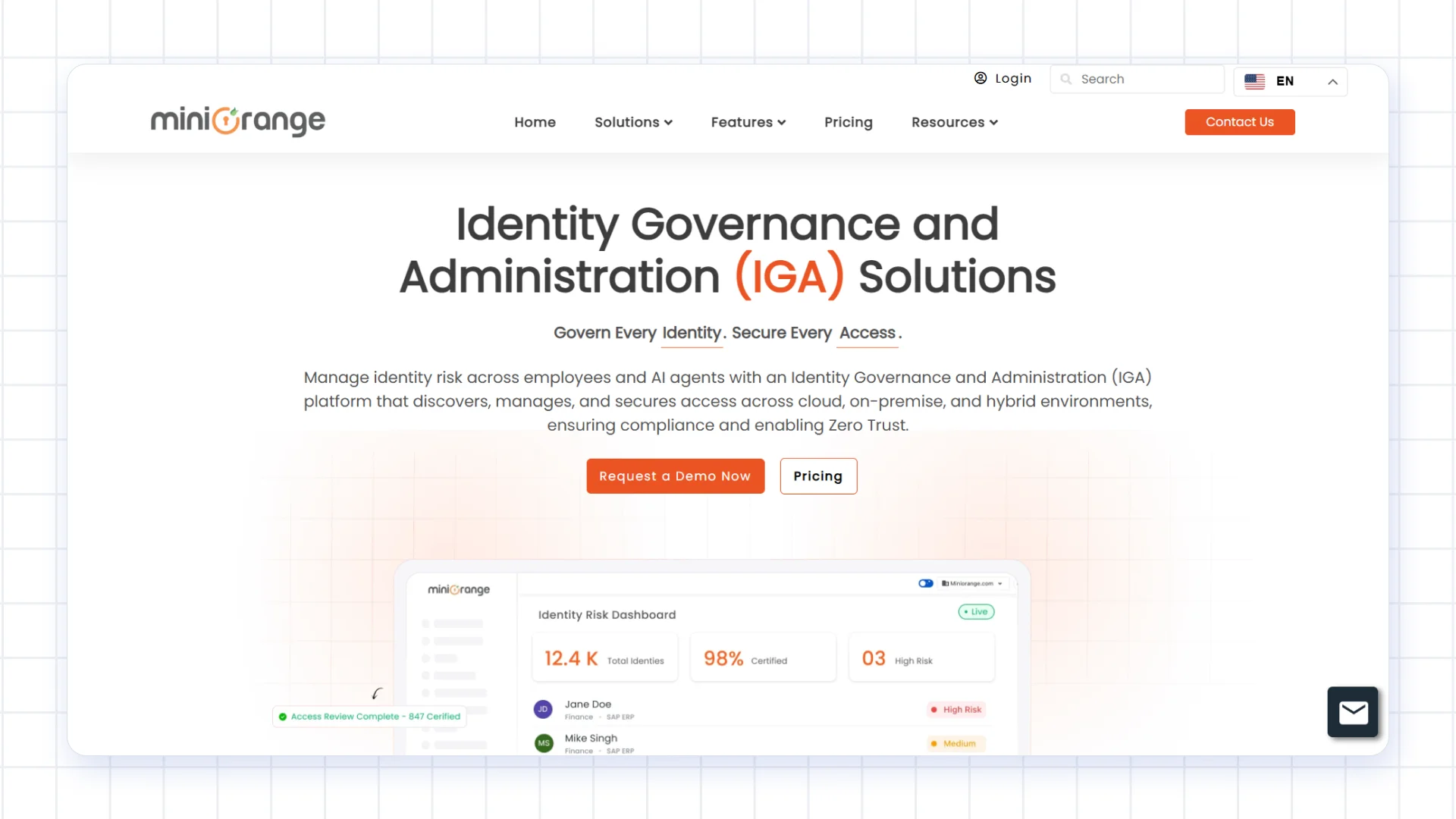
miniOrange IGA is developed by miniOrange, a cybersecurity company known for its Identity and Access Management (IAM) solutions. More than 30,000 premium customers use its broader product portfolio, and Gartner Peer Insights named miniOrange a Strong Performer for Access Management in its 2025 Voice of the Customer report.
Building on its IAM expertise, miniOrange IGA helps organizations discover identities, manage access, and automate changes when employees join, change roles, or leave. It supports employees, contractors, and machine identities, with AI agent governance depending on the selected plan. The platform offers 200+ integrations and cloud, on-premises, and hybrid deployment options to suit different IT environments. Implementation typically takes 2 to 3 weeks, while some integrations are completed in a few days, depending on customer requirements.
Core Features
- Identity Discovery: Find accounts across connected systems, including employee, contractor, service, and supported AI agent identities.
- Identity Lifecycle Automation: Create, update, and remove access as people join, change roles, or leave.
- Access Requests and Approvals: Let employees request permissions through a self-service portal and route requests through configured approval workflows.
- Access Reviews: Run review campaigns so managers can confirm whether people still need their assigned permissions.
- Segregation of Duties (SoDs): Flag conflicting permissions, such as allowing the same person to create and approve a payment.
- Risk Scoring: Highlight identities and access rights that need closer review.
- Non-Human Identity Governance: Govern AI agents and NHIs like service accounts and bots according to the capabilities included in the selected plan.
Pros
- Broad Integration Support: More than 200 integrations (like Microsoft Entra ID, Google Workspace, Salesforce, and others) help connect identity data across business systems.
- Flexible Deployment: Organizations can choose cloud, on-premises, or hybrid deployment.
- Centralized Administration: Manage access policies, requests, approvals, and reviews from one platform.
- Compliance Reporting: Reporting supports audit preparation for frameworks such as SOX, HIPAA, ISO 27001, SOC 2 Type II, GDPR, PCI DSS, and India's DPDP Act.
- Demo Available: Teams can assess the platform against their own requirements before purchasing.
Cons
- A Growing IGA Offering: miniOrange has a longer track record in IAM than in IGA, so organizations should evaluate the IGA capabilities against their specific needs.
- Integration Effort Varies: Some connections require technical configuration, depending on the application and environment.
Best For: Organizations looking for an IGA platform with flexible deployment, broad integrations, and access governance options for human and non-human identities.
Pricing: Custom quotes based on user count, deployment, and required features. The Essential plan covers human identities, Premium adds non-human identity governance, and Enterprise adds AI agent governance.
2. SailPoint Identity Security Cloud
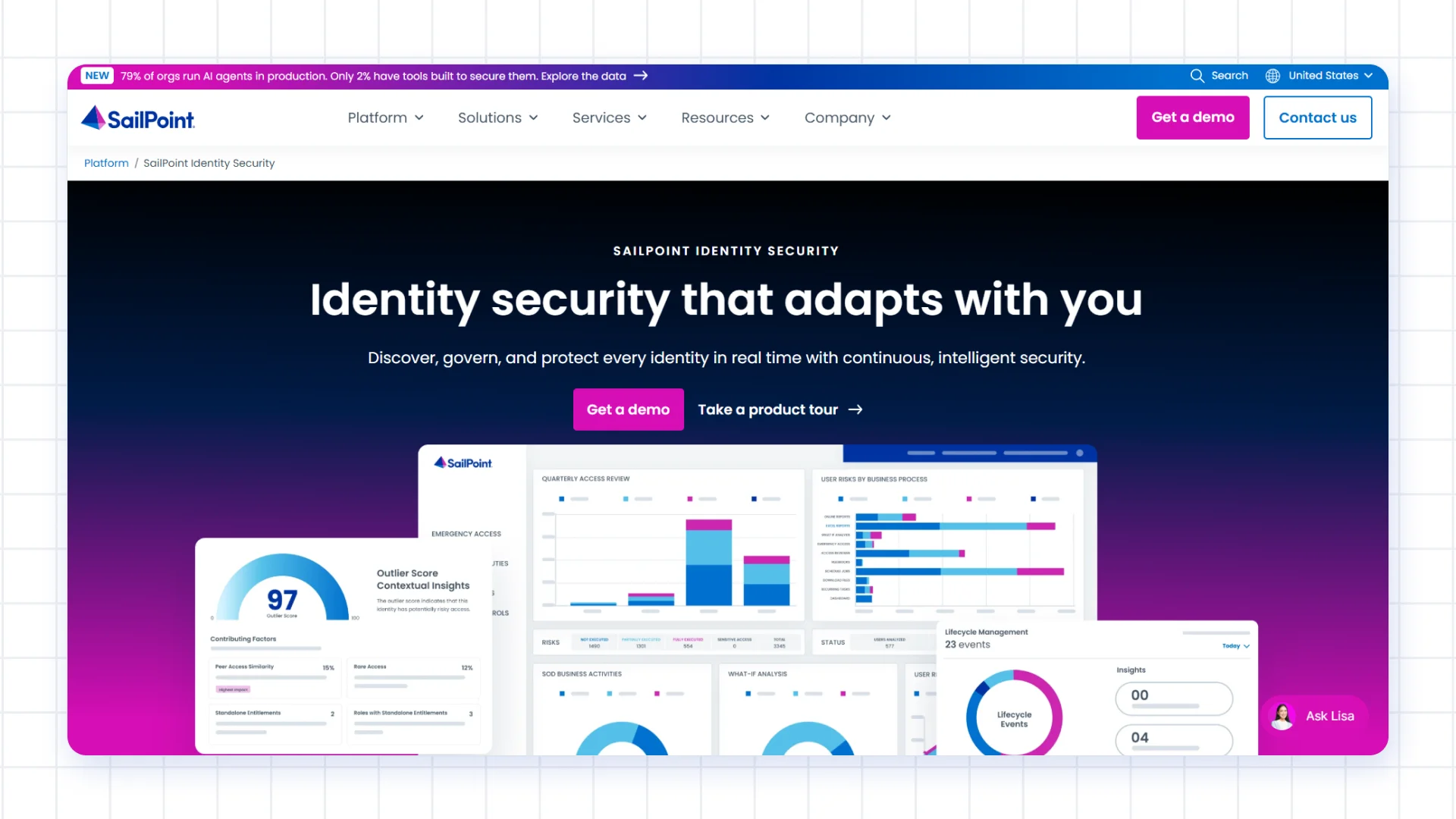
SailPoint specializes in identity governance for large organizations. Identity Security Cloud helps manage access for employees, contractors, and non-human identities across connected business systems. Its integrations include Microsoft Entra ID, Active Directory, Google Workspace, Jira, Salesforce, and BambooHR.
The platform brings access requests, reviews, lifecycle workflows, and reporting into a centralized system. Implementation time depends on the number of applications, the complexity of the environment, and the project scope. Buyers should also distinguish Identity Security Cloud from IdentityIQ, which SailPoint offers as a separate product.
Core Features
- Lifecycle Workflows: Automate access changes when employees join, move to new roles, or leave.
- Access Requests: Route permission requests through approval workflows.
- Access Certifications: Review assigned permissions and confirm whether access should continue.
- Role Management: Group permissions into roles based on job responsibilities.
- Risk Analytics: Highlight potentially risky access for further review.
- Agent Identity Security: Extend identity security controls to AI agents through applicable product capabilities.
Pros
- Specialist Focus: SailPoint concentrates on identity governance and serves large enterprise environments.
- Established Integrations: Connectors support common directory, HR, and business applications.
- Broad Identity Coverage: Governance extends beyond employees to contractors and supported non-human identities.
- Governance Reporting: Workflows and reports help organizations manage access reviews and prepare audit evidence.
Cons
- Complex Implementations: Larger or more customized deployments might require specialist support.
- Product Selection Matters: Buyers should compare Identity Security Cloud and IdentityIQ to determine which product fits their environment.
Best For: Large organizations that need dedicated identity governance across a broad range of business applications and identity types.
Pricing: Custom quote based on the organization's requirements and deployment scope.
3. Saviynt Enterprise Identity Cloud
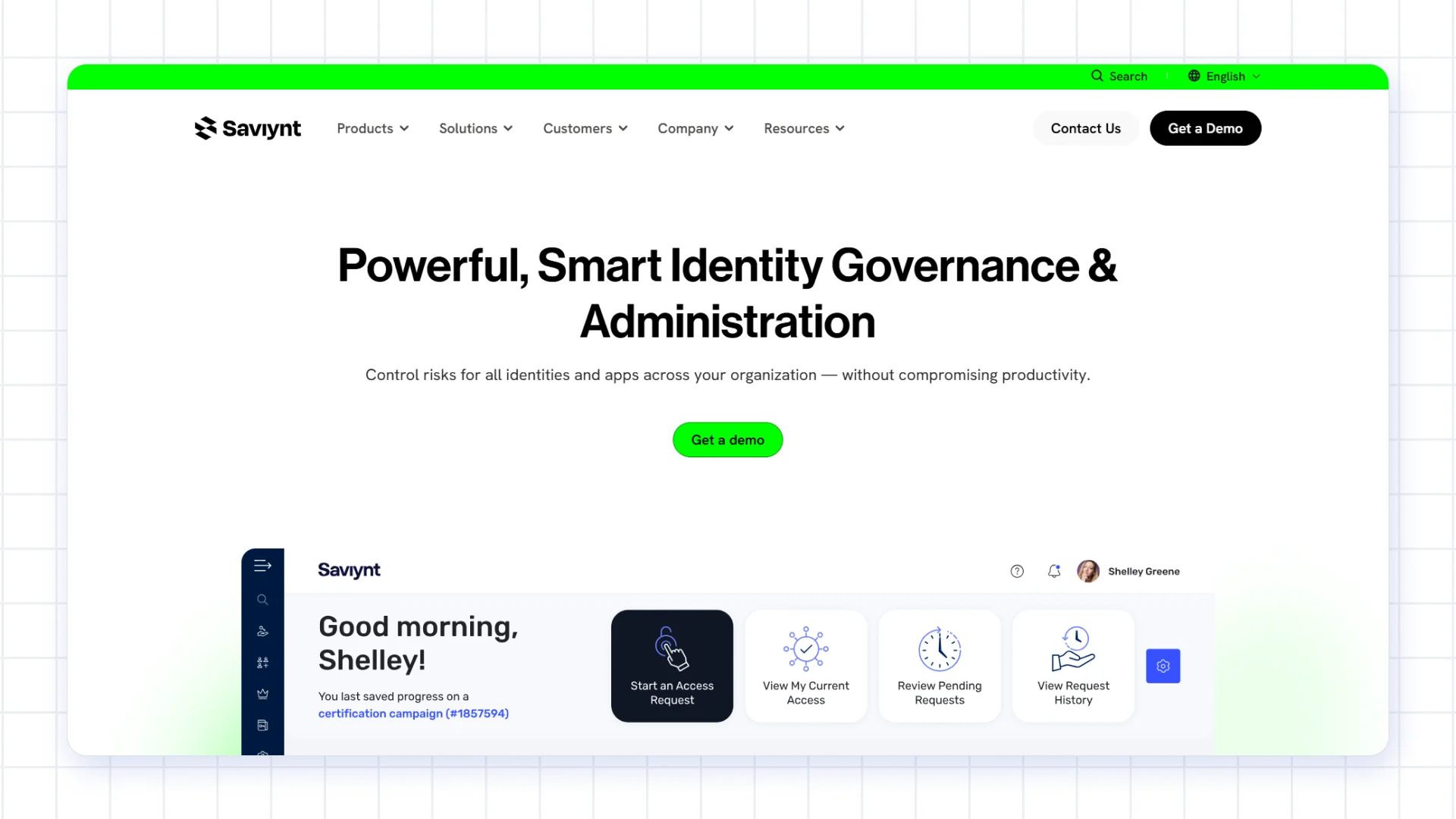
Saviynt Enterprise Identity Cloud combines identity governance with other identity security capabilities. Depending on the products selected, it supports employees, contractors, external users, non-human identities, and AI identities. Its integrations include Microsoft, SAP, ServiceNow, Salesforce, AWS, Google Cloud, and Oracle.
The platform supports access governance across business applications and cloud environments. It also offers capabilities like privileged access management and cloud infrastructure entitlement management. These options make it worth considering for organizations looking to manage several aspects of identity security through one platform. Implementation effort and training needs depend on the size and complexity of the deployment.
Core Features
- Identity Governance: Manage lifecycle changes, access requests, and access reviews.
- Application Access Governance: Review permissions within supported business applications, rather than looking only at directory-level access.
- Segregation of Duties: Identify conflicting permissions that could create business or compliance risks.
- Cloud Privileged Access Management: Manage privileged access through applicable product capabilities.
- Cloud Entitlement Management: Review permissions across supported cloud environments, including AWS, Azure, and Google Cloud.
- AI Identity Security: Extend identity security controls to AI identities through applicable product capabilities.
Pros
- Multiple Security Capabilities: The platform brings identity governance and other identity security functions together.
- Application-Level Governance: Access reviews and SoD controls help address risks within business applications.
- Wide Identity Coverage: Depending on the selected capabilities, organizations can govern employees, external users, and non-human identities.
- Flexible Product Options: Available packages help organizations select capabilities based on their needs.
Cons
- Implementation Planning: Broad deployments require careful planning, and implementation time depends on scope.
- Training Requirements: Administrators might need product training and configuration support.
Best For: Large organizations looking to combine identity governance with application and cloud identity security.
Pricing: Depends on the selected package, features, and deployment requirements. Contact Saviynt for a quote.
4. Microsoft Entra ID Governance
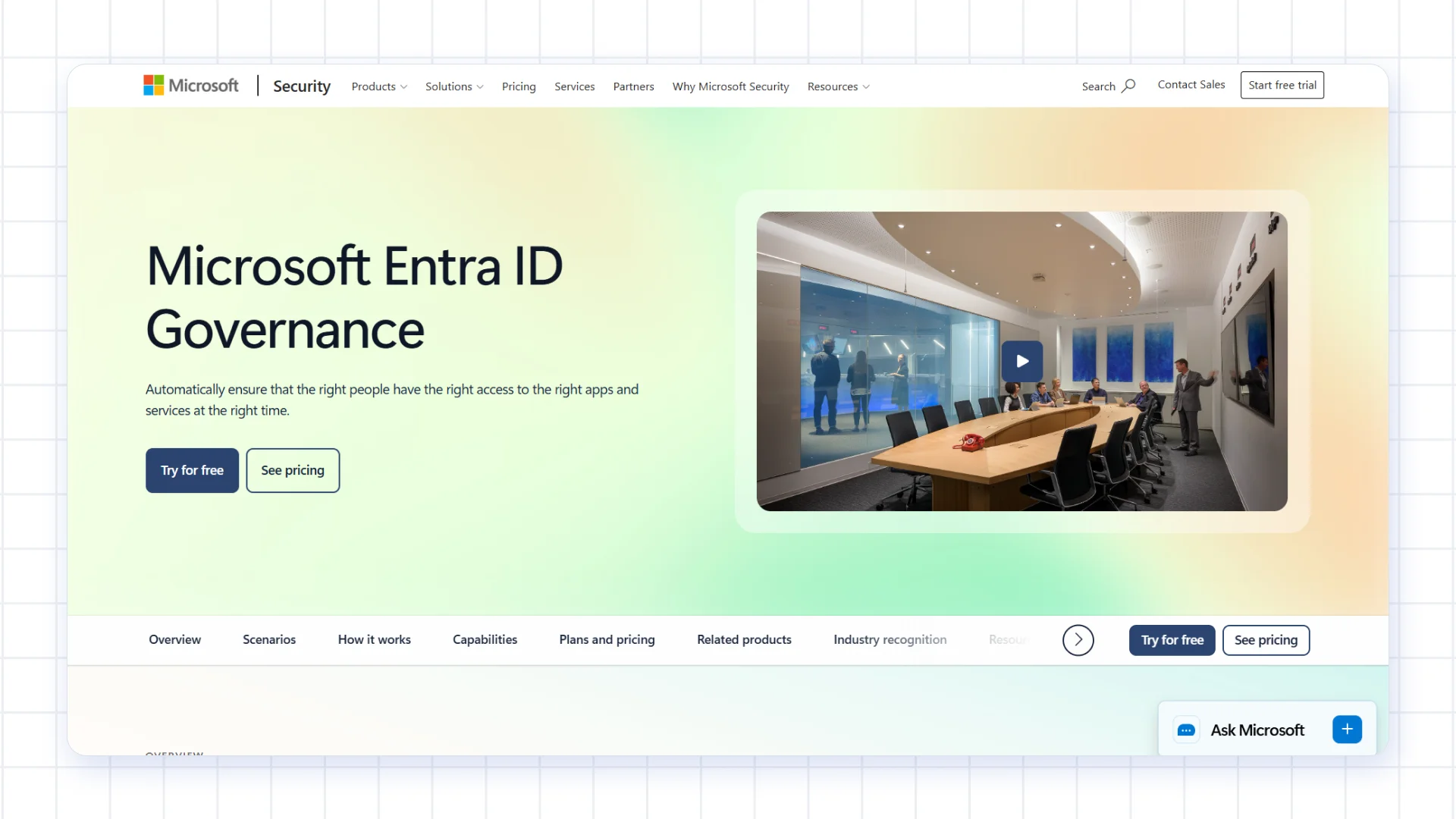
Microsoft Entra ID Governance is a natural option for organizations already using Microsoft 365, Azure, and other Microsoft identity services. It provides tools for managing access requests, reviewing permissions, automating identity lifecycle tasks, and controlling privileged access. It also connects with supported cloud and on-premises applications.
Organizations with an established Microsoft environment might find it easier to adopt than a platform built around a different ecosystem. Implementation effort depends on existing configurations and the applications involved. Organizations with many non-Microsoft systems should check connector support and governance requirements before choosing it.
Core Features
- Access Reviews: Schedule reviews so managers and other reviewers can confirm whether access should continue.
- Entitlement Management: Group resources into access packages that people can request.
- Lifecycle Workflows: Automate selected tasks related to onboarding, role changes, and offboarding.
- Privileged Identity Management: Grant eligible users temporary privileged access instead of leaving administrative permissions active indefinitely.
- Application Provisioning: Create and manage accounts in supported applications.
Pros
- Familiar Administration: Existing Microsoft administrators are likely to recognize the tools and interface.
- Microsoft Integration: Connections with Microsoft 365 and Azure suit organizations already using these services.
- Potential Licensing Savings: Some organizations already have eligible licenses that include relevant capabilities.
- Wider Compliance Ecosystem: Governance tools work alongside Microsoft's broader identity and compliance services.
Cons
- Microsoft Ecosystem Focus: Organizations with complex requirements across non-Microsoft systems should check integration and feature coverage carefully.
- Licensing Complexity: The required Entra plan depends on the capabilities already licensed and the features the organization needs.
Best For: Organizations that rely heavily on Microsoft services and want identity governance integrated with their existing identity environment.
Pricing: Microsoft lists Entra ID P1 at $7 per user per month and P2 at $10 per user per month, billed annually where applicable. These are license prices, so check which governance features are included in your existing plan and which require an upgrade.
5. Omada Identity Cloud
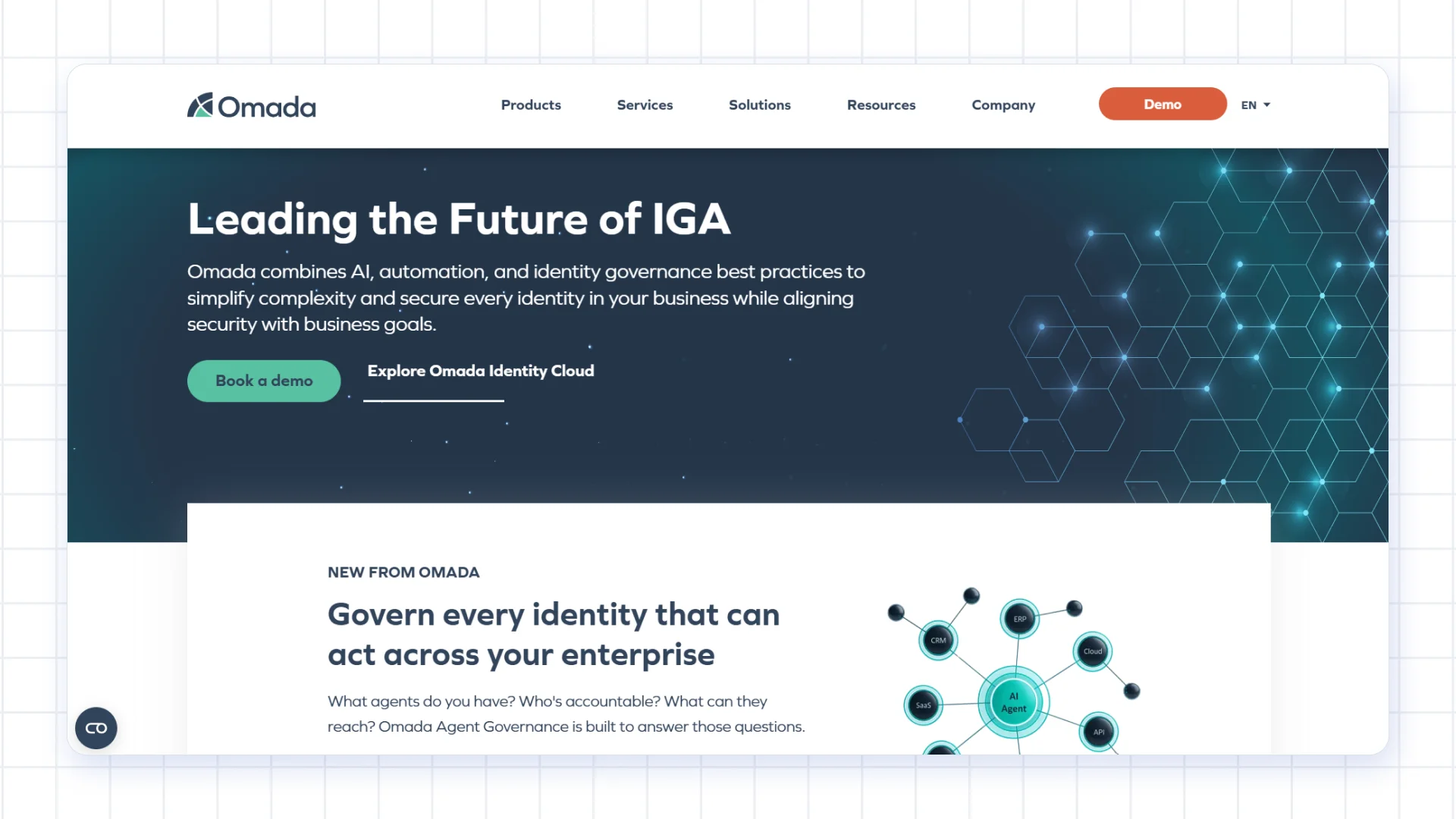
Omada Identity Cloud focuses on identity governance and helps organizations manage access throughout the employee lifecycle. It connects with HR systems, directories, SaaS applications, and enterprise systems so identity changes can trigger the appropriate access updates. Its governance workflows and reporting also support access reviews and audit preparation.
Omada advertises a 12-week implementation program, giving organizations a defined starting point for planning their rollout. The platform supports policy-based administration and workflow configuration, with cloud, on-premises, and hybrid deployment options. Actual implementation time depends on the project scope and the systems involved.
Core Features
- Access Requests: Let users request permissions through configurable approval workflows.
- Access Certification: Review access rights to confirm they remain appropriate.
- Birthright Access: Assign standard permissions based on a person's job or role.
- No-Code Configuration: Configure supported workflows and processes without writing code.
- IdentityPROCESS+: Provides a framework for organizing identity governance processes.
Pros
- Defined Implementation Program: Omada's advertised 12-week program helps set expectations for eligible implementations.
- Policy-Based Workflows: Automating routine access processes reduces the need for manual handling.
- Flexible Deployment: Cloud, on-premises, and hybrid options support different IT environments.
- Identity Governance Focus: Omada specializes in identity governance rather than offering it only as one part of a broader security suite.
Cons
- Implementation Scope Matters: Organizations with extensive customization needs should confirm what the implementation program covers.
- AI Agent Governance Needs Verification: Public product information should be checked for the specific AI identity capabilities required.
Best For: Organizations looking for a dedicated identity governance platform with configurable workflows and flexible deployment options.
Pricing: Custom quote based on requirements and implementation scope.
6. One Identity Manager
One Identity Manager helps organizations manage user accounts, permissions, and access across enterprise systems. Its integrations include Active Directory, Microsoft Entra ID, Google Workspace, Salesforce, ServiceNow, and SAP. Organizations with complex SAP environments might find its SAP-related capabilities particularly relevant.
The platform provides governance reporting and audit trails to help teams understand who has access to which systems. Cloud and on-premises options are available, depending on the offering. Implementation time varies with the number of integrations and the complexity of the environment, and administrators might need product-specific training.
Core Features
- Automated Provisioning: Create, update, and remove accounts and permissions as roles and responsibilities change.
- Governance Reporting: View who has access to which resources and review relevant access information.
- SAP Integration: Connect supported SAP systems to manage identity and access processes.
- Starling Connect: Connect supported cloud applications through available connectors.
- SAP Compliance Capabilities: Applicable add-ons help monitor SAP access against defined compliance requirements.
- Custom Connectors: Connect in-house applications where a suitable integration is available or developed.
Pros
- SAP Support: Relevant SAP integrations and add-on capabilities suit organizations with substantial SAP environments.
- Deployment Options: Available cloud and on-premises choices support different infrastructure needs.
- Enterprise Connectivity: Integrations cover directories, SaaS applications, and business systems.
- Broader Identity Security Portfolio: One Identity offers other identity and privileged access security products alongside One Identity Manager.
Cons
- Product-Specific Expertise: Administrators might need training or support to manage more complex configurations.
- Variable Implementation Time: Rollout effort depends on the number of applications, integrations, and governance requirements.
Best For: Organizations with complex enterprise environments, particularly those that rely heavily on SAP and need detailed access management.
Pricing: Custom quote based on the deployment and required capabilities.
7. IBM Verify Identity Governance
IBM Verify Identity Governance helps organizations manage identities and access across connected enterprise systems. It supports integrations with technologies such as Active Directory, LDAP, Oracle, APIs, and applications using SCIM. The platform provides workflows for access requests, identity lifecycle tasks, and governance reviews.
Its reporting and audit capabilities help teams document access decisions and support compliance reviews. Delegated administration allows responsibilities to be shared across teams. Deployment options and implementation effort depend on the specific product and environment, so organizations should confirm which IBM offering matches their requirements.
Core Features
- Business Activity-Based Segregation of Duties: Define conflicts around business activities, such as creating and approving a purchase order.
- Identity Analytics: Highlight potentially risky identities and access for review.
- Compliance Workflows: Help teams manage identified issues through review and remediation processes.
- Lifecycle Management: Automate selected onboarding and offboarding tasks.
- Access Request Workflows: Route requests to the appropriate approvers.
Pros
- Business-Focused SoD Controls: Rules based on business activities can make conflicts easier for business owners and auditors to understand.
- Risk Insights: Analytics help reviewers prioritize access that needs further investigation.
- Delegated Administration: Teams can share responsibility for access approvals and governance tasks.
- Enterprise Experience: IBM has a long history of serving enterprise IT environments.
Cons
- Planning Takes Time: Organizations need to map business activities and define the rules they want to enforce.
- Product Fit Needs Assessment: Teams should confirm how the selected IBM offering fits their existing systems and security tools.
Best For: Enterprises that need structured access governance, business-focused SoD controls, and audit support.
Pricing: Custom quote based on the selected product and deployment requirements.
8. Oracle Access Governance
Oracle Access Governance is a cloud service for reviewing and managing access across connected applications and identity systems. Its integrations include Microsoft Entra ID, Jira, SAP, Workday, ServiceNow, and Oracle Fusion Cloud. It is particularly relevant to organizations that already rely on Oracle applications, while also supporting selected systems outside the Oracle ecosystem.
The service provides a web console, configurable workflows, access reviews, and reporting to support governance and audit activities. Because it runs in the cloud, organizations do not need to host their own access governance servers. Teams with an existing Oracle Identity Governance deployment should assess how the cloud service fits alongside their current setup.
Core Features
- Access Visibility: View access assignments across connected systems.
- Access Reviews: Review permissions and gather evidence for governance and audit processes.
- Identity Orchestration: Automate supported access tasks after the required approvals.
- OCI Policy Reviews: Review policies and group memberships in Oracle Cloud Infrastructure.
- Oracle Integrations: Connect supported services, including Oracle Fusion Applications, NetSuite, and OCI IAM.
Pros
- Oracle Integration: Native connections make it relevant for organizations using Oracle applications and cloud services.
- Cloud Service: Teams avoid managing the service's underlying governance infrastructure.
- Configurable Workflows: Administrators can configure supported approvals and governance processes through the web console.
- Review Evidence: Reporting helps teams respond to audit requests.
Cons
- Strongest Fit in Oracle Environments: Organizations should validate the depth of support for their non-Oracle applications.
- Product Choice Matters: Buyers with existing Oracle Identity Governance deployments should compare the cloud service with their current product before deciding.
Best For: Organizations that use Oracle Fusion Applications or Oracle Cloud Infrastructure and want cloud-based access governance.
Pricing: Depends on the selected offering, user types, and integration requirements. Contact Oracle for pricing details.
9. Okta Identity Governance
Okta Identity Governance is designed for organizations that already use Okta to manage workforce identities and application access. It provides access requests, certifications, and entitlement management, with automation through Okta Workflows. Okta's wider Integration Network lists more than 8,000 integrations, although support for a particular governance task depends on the application and connector.
Organizations already familiar with Okta might find the platform easier to administer. Okta publishes pricing for its Essentials Suite, which includes Access Governance, Lifecycle Management, and Workflows. Teams with complex segregation-of-duties requirements, older applications, or specific AI agent governance needs should validate those scenarios before committing.
Core Features
- Access Requests: Let users request permissions from an access catalog.
- Time-Bound Access: Set access to expire when the approved period ends, where supported.
- Access Certifications: Review permissions through scheduled or event-driven campaigns.
- Entitlement Bundles and SoD Checks: Group access and check requests against configured conflict rules.
- Okta Workflows: Automate supported identity and access tasks using low-code workflows.
- AI Agent Governance: Okta offers AI agent security capabilities, but availability and maturity vary by feature.
Pros
- Familiar for Okta Customers: Existing users can build on their current identity environment.
- Broad Integration Network: The wider Okta ecosystem connects to many SaaS and SCIM-supported applications.
- Accessible Administration: Teams already using Okta are likely to be familiar with its interface.
- Published Pricing: The Essentials Suite has a publicly listed per-user price.
Cons
- Complex Requirements Need Testing: Organizations with advanced SoD or legacy application needs should validate support during a proof of concept.
- AI Feature Availability Varies: Check whether the required AI agent capabilities are generally available or still in early access.
Best For: Organizations already using Okta that want to add access governance to their identity management environment.
Pricing: Okta lists its Essentials Suite at $17 per user per month, billed annually. Confirm current pricing and package inclusions directly with Okta.
10. CyberArk Identity Security Platform
CyberArk Identity Governance and Administration (IGA), expanded through its acquisition of Zilla Security, is a cloud-based solution within the CyberArk Identity Security Platform. It helps organizations understand who has access to which resources and manage identities across cloud and hybrid environments.
The IGA platform automates access reviews and identity governance tasks, helping organizations reduce unnecessary permissions, manage access risks, and simplify compliance reporting.
Core Features
- Privileged Access Management: Protect administrator accounts and other high-risk access.
- Machine Identity Security: Manage machine certificates, keys, and related credentials through applicable products.
- Secrets Management: Protect credentials used by applications and automated processes.
- Identity Governance: CyberArk's expanded portfolio includes governance and provisioning capabilities associated with its Zilla acquisition.
- Zero Standing Privilege: Reduce the need for permanently assigned privileged access.
- AI Agent Security: Applicable capabilities address identity and access risks involving AI agents.
Pros
- Privileged Access Expertise: CyberArk has a long-standing focus on protecting high-risk accounts.
- Machine Identity Security: The portfolio addresses identities and credentials used by machines and applications.
- Audit Trails: Reporting helps teams review privileged access activity.
- Standalone Availability: CyberArk remains available as a standalone platform following its acquisition by Palo Alto Networks.
Cons
- IGA Capabilities Need Validation: Organizations looking for a full IGA platform should test governance workflows, access reviews, and SoD requirements carefully.
- Implementation Can Require Specialist Support: Larger deployments might involve vendor or partner services.
Best For: Organizations prioritizing privileged access and machine identity security, particularly those assessing how governance fits into a wider identity security strategy.
Pricing: Custom quote based on the products and capabilities selected.
11. RSA Governance & Lifecycle
RSA Governance & Lifecycle helps organizations manage and review access across enterprise applications, directories, and legacy systems. Its governance capabilities include identity lifecycle processes, access certifications, policy enforcement, and compliance reporting. It supports compliance with frameworks and standards such as HIPAA, ISO 27001, SOX, PCI DSS, CJIS, and NIST 800-53.
The product offers cloud, on-premises, and hybrid deployment options. Configurable workflows help teams manage reviews and approvals, while reporting supports audit preparation. Implementation time depends on the existing environment, integrations, and project scope. Organizations should confirm the available identity types and AI agent capabilities against their specific requirements.
Core Features
- Lifecycle Automation: Automate selected access tasks when people join, change roles, or leave.
- Access Visibility: Review assigned permissions across connected systems.
- Access Certification: Run review campaigns to confirm whether access remains appropriate.
- Policy Enforcement: Identify policy violations and manage the steps needed to address them.
- Compliance Reporting: Gather access and review information for audit processes.
Pros
- Legacy Application Support: Connections to enterprise and older systems help organizations with established IT environments.
- Compliance Focus: Product materials reference several standards and regulatory frameworks relevant to regulated industries.
- Flexible Deployment: Cloud, on-premises, and hybrid options support different infrastructure needs.
- Configurable Workflows: Teams can adapt supported approval and certification processes to their requirements.
Cons
- Custom Pricing: Organizations need to contact RSA to estimate the cost for their environment.
- AI Agent Governance Needs Verification: Public product information should be checked to establish whether the available capabilities meet specific AI identity requirements.
Best For: Organizations in regulated industries that need access governance, audit support, and deployment flexibility across established enterprise systems.
Pricing: Custom quote based on requirements and deployment.
How to Choose the Right Enterprise IGA Platform
Choosing an IGA platform starts with understanding your organization's systems, identity risks, and implementation needs. Compare IGA vendors against your actual requirements rather than choosing the platform with the longest feature list.
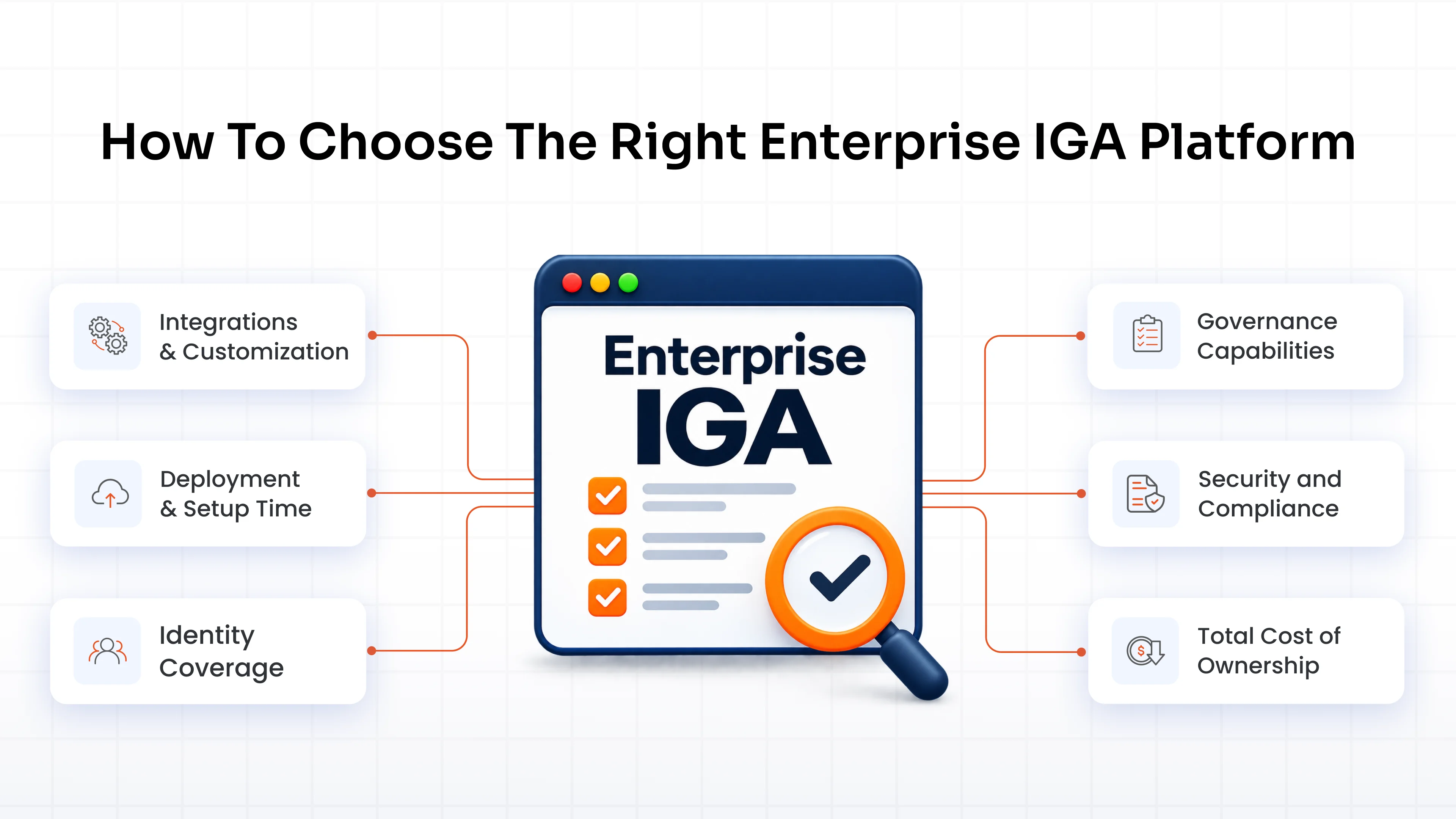
Integrations and Customization
Look for integrations with your HR systems, directories, cloud apps, and legacy applications. Make sure you can tailor workflows and policies to your business needs.
Deployment and Setup Time
Decide whether a cloud IGA platform, on-premises solution, or hybrid deployment fits your environment. Ask vendors about IGA deployment time, setup requirements, and the resources your team will need.
Identity Coverage
Look beyond employee accounts. Consider contractors, service accounts, bots, and AI agents. If you need IGA for AI agents, confirm which controls the platform supports and which plans include them.
Governance Capabilities
Look for access certification tools, identity lifecycle management, and ongoing access reviews. These features help manage permissions as people change roles and access needs evolve.
Security and Compliance
Consider how the platform supports your compliance requirements, including SOX, GDPR, NIS2, and DORA. Review how it works with your existing IGA and Privileged Access Management (PAM) tools.
Total Cost of Ownership
Compare IGA pricing beyond the license fee. Include implementation, integrations, customization, training, and ongoing maintenance. Request a demo or proof of concept to see how the platform handles your real-world workflows.
Avoid These Common Mistakes When Buying Any IGA Solution
Choosing an IGA platform based on features alone can lead to unexpected costs, delays, and gaps in access control. Avoid these common mistakes when comparing vendors.
1. Focusing Only on Feature Checklists
A long list of features doesn't guarantee a platform will solve your access management problems. Check whether it supports the workflows your organization needs, such as removing access after a role change or identifying conflicting permissions.
2. Underestimating Implementation and Maintenance
Integration work, configuration, training, and ongoing administration all affect the cost and time required to get value from an IGA platform. Ask vendors what your team will need to manage after deployment, not only during implementation.
3. Ignoring Connector Gaps
A vendor's total connector count doesn't tell you whether your applications are supported in the way you need. Validate the specific integrations, available governance actions, and any additional configuration required.
4. Choosing Only for Today's Environment
Your identity landscape will change as you add applications, move workloads to the cloud, and introduce automation or AI agents. Consider how the platform will support those changes without requiring a major redesign.
5. Comparing Licensing Prices Alone
A low subscription price might not reflect the full cost of implementation, integrations, training, and administration. Compare the total cost of ownership and confirm which features are included in the proposed package.
Final Thoughts
As organizations manage more applications, non-human identities, and AI agents, IGA plays an increasingly important role in controlling access, managing identity lifecycles, and meeting regulatory requirements.
All the IGA platforms covered in this guide have their own strengths. The right choice depends on your organization's needs, existing systems, and identity governance goals. If you are considering miniOrange IGA, connect with our IGA team or book a demo to explore its features and see how it fits your requirements.
FAQs
What is the best enterprise IGA platform?
The best platform depends entirely on your specific infrastructure, compliance goals, and identity coverage. While the market has many options, we built miniOrange IGA to deliver fast and secure governance for any enterprise. It gives you complete visibility and control over user access without slowing down your team.
How do you choose an IGA solution?
Start by identifying the identities you need to govern, including employees, contractors, service accounts, and AI agents. Then compare governance features, compliance support, deployment options, integrations, customization, and total cost of ownership.
How much does IGA cost?
The best IGA solutions mostly offer custom quotes because pricing depends heavily on your user count, identity types, and required features. You can usually request a custom quote directly on the vendor website to get an accurate estimate.
How long does IGA take to deploy?
Deployment timelines depend on your total application count and integration complexity. It can take a few weeks or, in some cases, months. For example, standard IGA deployments at miniOrange take just two to three weeks, and adding new application integrations only takes a few days.
Which IGA platform is best for Microsoft environments?
Microsoft Entra ID Governance is a natural fit for organizations heavily invested in Microsoft 365 and Azure. If you need broader coverage across both Microsoft and non-Microsoft applications, miniOrange IGA seamlessly integrates with Entra ID to provide a unified governance layer.
Do IGA platforms govern AI agents and non-human identities?
Yes, because AI agents access sensitive data just like your employees. Ignoring them creates a major security risk. This is why miniOrange IGA is built for both human and non-human identities. We secure your AI agents and service accounts with the exact same access controls and reviews as your regular staff.
What is the difference between IGA and PAM?
The main difference comes down to the level of access. IGA manages everyday permissions for everyone across the company. It ensures your staff has the exact access they need to do their work, and nothing more. PAM is built specifically for high-risk accounts. It strictly monitors the powerful IT admins who control your most critical systems.
Is cloud or on-prem IGA better?
Neither cloud nor on-premises IGA is universally better. The right choice depends entirely on your organization. You have to consider your company size, industry regulations, existing IT setup, and how quickly you need to deploy.
Leave a Comment