
A contractor finishes a three-month project in March. Nobody tells IT. In October, their login still works, and it still opens your customer data. No one owns that account, and no one is watching it.
Stories like this happen in companies of every size. Businesses now depend on freelancers, agencies, suppliers, and partners, and each one needs a way into your systems.
External identity governance keeps that access under control from the first request to the final day of the contract.
What Is External Identity Governance?
External identity governance means applying the same access controls you use for employees to people outside your workforce. These include contractors, vendors, partners, and other third parties. It is also called non-employee identity governance or third-party identity governance.
External identity governance applies the controls of Identity Governance and Administration (IGA) to people outside your regular workforce:
- Ownership: A named employee is responsible for every external user.
- Access Approvals: Someone signs off before any access is given.
- Access Reviews: Your team checks access regularly to confirm it is still needed.
- Access Removal: Access ends when the work ends.
This goes well beyond basic guest user management. A guest account only opens the door. Identity governance tracks who invited the person, why they got in, what they can reach, and when they must leave. It covers contractors, vendors, partners, and other external identities across their full access lifecycle.
Types of External Identities Enterprises Must Manage
External users aren't one big group. A consultant reading reports needs very different access from a managed service provider fixing your servers. Good contractor access management and vendor access governance start with knowing who is on your list.
| External Identity | Typical Access Needed |
|---|---|
| Contractors | Project tools, code, and shared files for a fixed period |
| Consultants | Business data and reports for advisory work |
| Vendors and suppliers | Ordering, billing, and support portals |
| Partners | Shared dashboards and joint project tools |
| Managed service providers | Admin access to servers, networks, and cloud systems |
| Seasonal staff | Basic apps and devices for a short season |
| Auditors | Read-only access to records and logs |
Why External Identities Create Higher Risk
People outside your company sit outside your normal systems, so your team can easily lose track of them. That raises third-party access risk in six main ways:
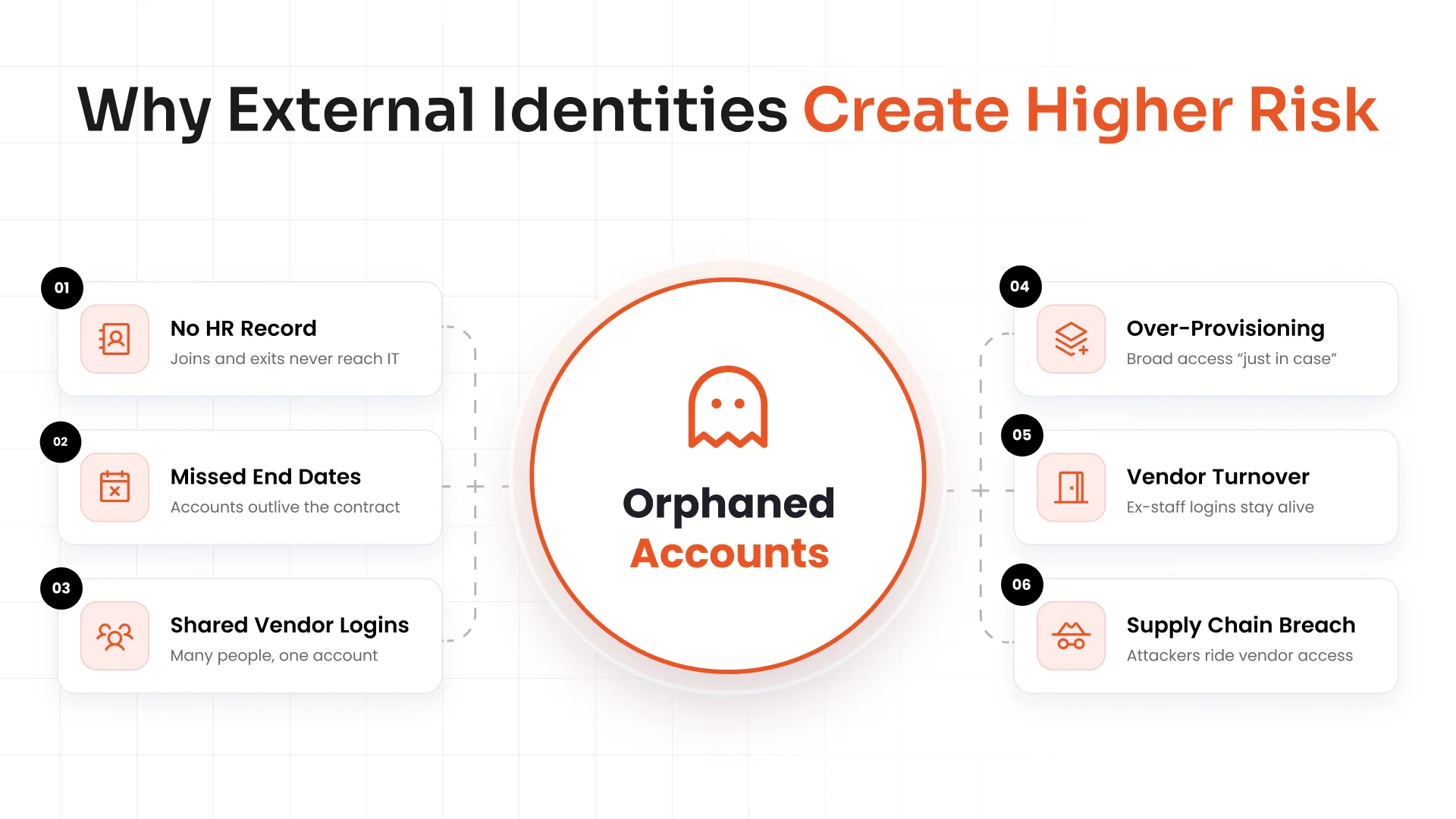
- Missing HR Source of Truth: Your HR system records employees. Many contractors never appear there, so nothing tells IT when they join or leave.
- Missed End Dates: A contract ends, but the account keeps working for months.
- Shared Vendor Accounts: When five people share one login, nobody can say who did what.
- Over-Provisioning: Teams hand out broad access "just in case," which goes against least privilege access.
- Vendor-Side Turnover: A vendor's employee quits, but their login to your systems stays alive.
- Supply Chain Breach Exposure: If attackers hack a vendor, they can ride that vendor's access into your network.
Accounts that stay active with no owner and no purpose are called orphaned accounts. Attackers love them because nobody is looking.
Employee vs. External Identity Governance
Employees and external users may open the same apps, but each group follows very different rules. Here is how employee and external identity governance differ.
| Area | Employee Governance | External Identity Governance |
|---|---|---|
| Source of truth | HR system | VMS, procurement tool, or request form |
| Accountable owner | Manager | Internal sponsor |
| Access duration | Ongoing while employed | Fixed and time-bound |
| Review frequency | Once or twice a year | Shorter cycles, such as every quarter |
| Offboarding trigger | HR termination | Contract end date or sponsor action |
| Audit evidence | HR and access records | Sponsor approvals, end dates, and review records |
Many teams get confused between IAM and IGA, and assume their current access tools already cover external users. Our guide on IAM vs. IGA explains how the two differ.
The External Identity Lifecycle
Identity lifecycle management means managing an account from the day someone creates it to the day someone deletes it. For external users, it has eight steps:
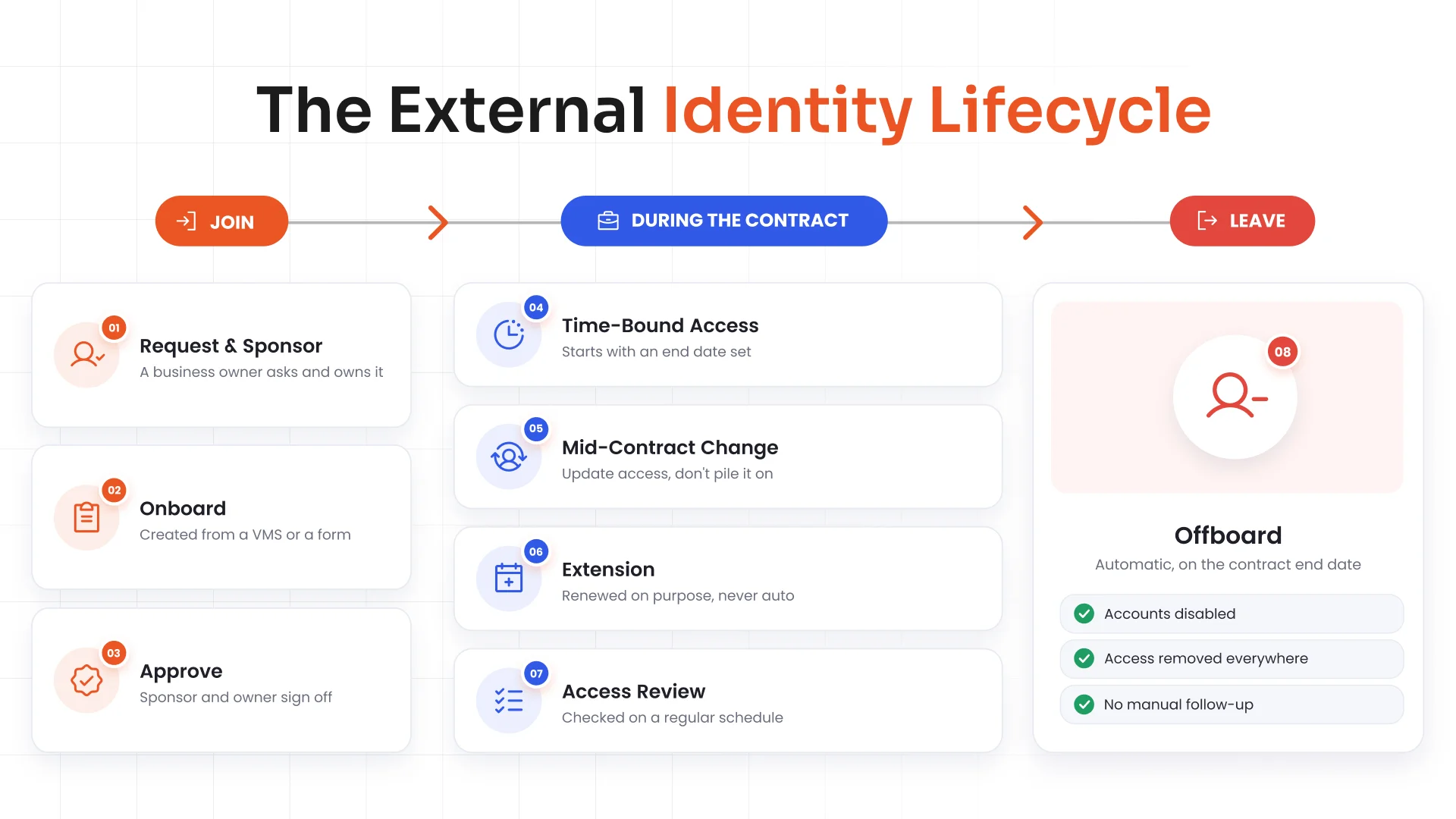
- Request and Sponsor Assignment: A business owner asks for access and becomes the sponsor.
- Onboarding From a VMS or Form: Your team creates the account from a vendor management system (VMS) or a simple form. This is contractor onboarding.
- Approval: The sponsor, and sometimes the system owner, signs off.
- Time-Bound Access: Access starts with an end date already set.
- Mid-Contract Changes: If the role changes, your team updates access instead of piling new rights on top of old ones.
- Extension: If the work continues, the sponsor renews access on purpose. It never renews by itself.
- Reviews: Your team checks access on a schedule.
- Offboarding: When the contract ends, the system removes access automatically. This is contractor offboarding.
Why Sponsorship and Ownership Matter
Every external identity needs an internal sponsor. This is a real employee who answers for that account. The sponsor knows why the person needs access, what they should reach, and when the work should end. That is sponsor-based access, and it gives each account clear identity ownership.
Without a sponsor, nobody asks if the access is still needed. The account just sits there, open and unwatched.
Sponsors change jobs too. When one leaves the company or moves to a new role, the system should flag every account they own and hand those accounts to a new sponsor. If your team skips that step, those accounts become orphaned the moment the sponsor walks out.
Access Reviews and Certification for Third Parties
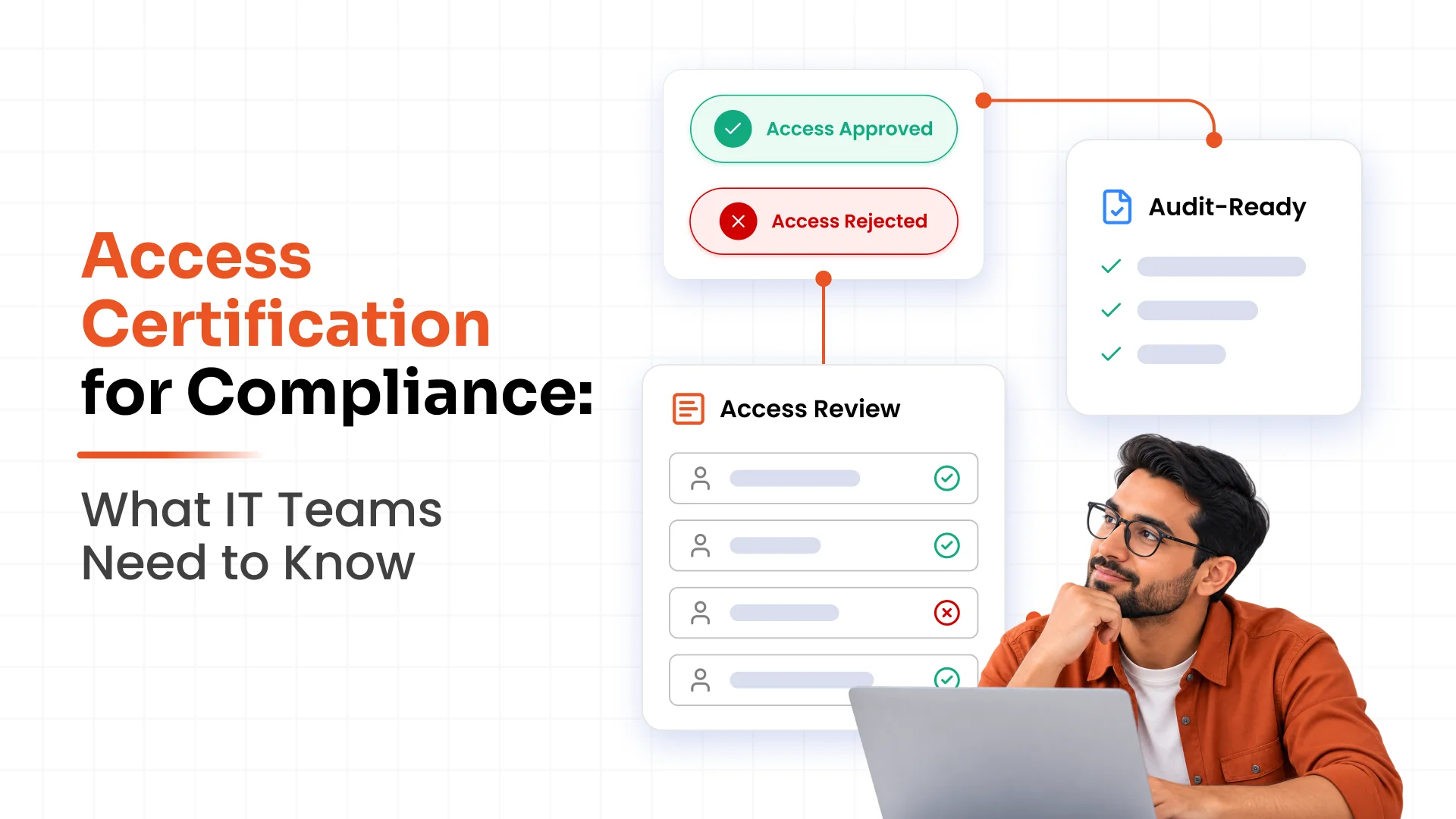
An access review is a regular check of who can reach what. For external users, these checks need to happen more often than they do for employees.
- Shorter Review Cycles: Check every quarter, or more often for powerful access such as admin rights.
- Sponsor-Led Certification: The sponsor confirms each person still needs access or removes it. This is access certification.
- Automatic Revocation: If nobody finishes a review on time, the system switches access off by default, so reviews can't be ignored.
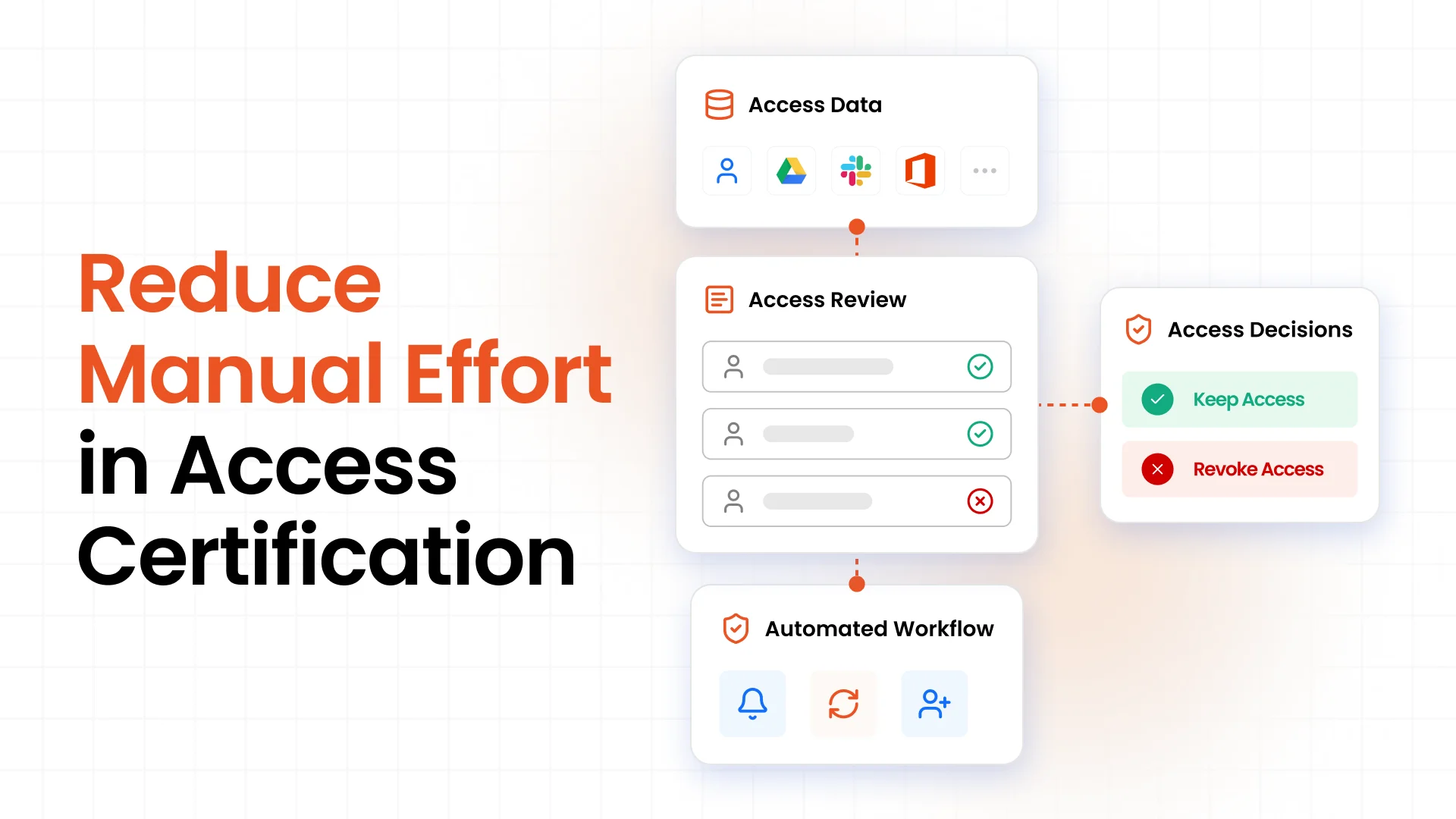
Modern access governance tools send reminders, collect decisions, and save a record, so nobody has to chase spreadsheets.
Key Metrics for External Identity Governance
Numbers show whether your program works, and they double as audit evidence. These governance metrics make a solid starting set:
- External Identities With an Assigned Sponsor: Check that every external account has an employee who answers for it.
- Identities With an End Date: Track the share of external accounts that have one.
- Orphaned Accounts Removed: Count how many you found and cleaned up.
- Time to Deprovision After Contract End: Measure how many days access stays active after the work is over.
- Review Completion Rate: Track how many reviews finish on time.
Common External Identity Governance Mistakes
Each of these weakens third-party access management:
- Treating Contractors as Guest Users: A guest login has no owner, end date, or review.
- No End Dates: Access runs on long after the work is done.
- No Sponsor: Nobody is accountable for the account.
- Reviewing Only Employees: External users skip the checks that staff go through.
- Relying on Vendors to Report Leavers: Vendors forget, and your company stays exposed.
Best Practices for Managing External Identities
Work through this checklist to put IGA best practices into action. If the full list feels like a lot, start with one group, such as contractors.
- Maintain an Inventory: List every external identity and assign an owner to each.
- Define Business Need, Role, and Duration: Write down why the person needs access, what role they have, and when it ends.
- Apply Least Privilege and Approvals: Give only what the job needs, and require sign-off.
- Conduct Regular Reviews: Run access reviews and certifications on a schedule.
- Remove Access Automatically: Switch it off when the engagement ends.
- Track Everything: Record approvals, reviews, and access changes for audits.
How miniOrange Helps Enterprises Control External Identities
Most organizations know that contractors and vendors need limited access to company systems. The challenge starts when projects end, or contracts expire, but their accounts remain active.
miniOrange IGA gives you a 360-degree view of external user access across cloud and on-premises systems. It helps you identify forgotten accounts, assign permissions based on business needs, and manage external identities throughout their lifecycle.
Here's how miniOrange IGA helps you keep external access under control:
- Time-Bound Access: Set access limits based on project requirements and contract duration.
- Policy and SoD Checks: Flag excessive permissions and segregation of duties (SoD) conflicts before granting sensitive access.
- Automated JML Lifecycle Workflows: Update or revoke access when contractors join, change roles, or finish their assignments.
- Access Certification: Let business and resource owners validate permissions and revoke access when they no longer serve a business need.
Every access request, approval, review, and removal creates an audit trail. These records help your team demonstrate access controls and support compliance with standards such as SOX, PCI DSS, and SAMA.
Do you know which external accounts still have access to your systems? Book a free demo to see how miniOrange IGA helps you identify access risks and strengthen external identity governance.
Frequently Asked Questions
What is external identity governance?
It is the practice of controlling access for people who aren't employees, such as contractors, vendors, and partners. It covers ownership, approvals, reviews, and removal from start to finish.
How do you manage contractor and vendor access?
Give each person a sponsor, a clear role, and an end date. Approve access before it starts, review it often, and remove it automatically when the contract ends.
How does IGA govern third-party identities?
IGA tools pull in data from a VMS or request form, run approval workflows, enforce end dates, schedule reviews, and handle offboarding. They also keep records for audits.
What is the difference between employee and non-employee identity governance?
Employee governance relies on HR data and managers. Non-employee governance relies on sponsors, contract end dates, and shorter review cycles.
Is guest user management the same as external identity governance?
No. Guest management only creates the account. Identity governance also covers ownership, time limits, reviews, and removal.
Who should sponsor an external identity?
An employee who knows the work, usually the manager or project owner who asked for the access.
How often should third-party access be reviewed?
Every quarter is a common starting point. Review high-risk or admin access more often.
How do you prevent orphaned vendor accounts?
Require a sponsor and an end date for every account. Reassign accounts when a sponsor leaves, and switch off access automatically when a contract ends or a review is missed.
About the Author

Content Writer
Alankrita Shrivastava is a B2B technical content writer specializing in SaaS, cybersecurity, and WordPress security. She translates complex security concepts into clear, practical insights that support both technical decision-making and business outcomes. At miniOrange, she develops content on IAM, including SSO, MFA, and User Lifecycle Management, along with WordPress Plugin Security. She also covers broader security areas such as UEM, MDM, CASB, and DLP. Her work focuses on real-world use cases, security best practices, and solution-driven guidance that helps organizations assess risks, improve access control, and strengthen their overall IT security posture.
Leave a Comment