

An access review can look complete on paper. The campaign closed, reviewers made their decisions, and the records were saved.
Then an auditor asks: Who reviewed this access, what did they decide, and what happened afterward?
That question can reveal problems that a completed review does not show. A rejected permission may still be active. An exception may have no clear reason. The team may also struggle to show when the review happened.
Access certification for compliance provides IT teams a defined way to review access, record decisions, follow up on changes, and maintain audit evidence. It supports a broader identity governance compliance program alongside access policies, identity lifecycle management, and other access controls.
For a basic overview, read our What Is Access Certification? article.
Why Access Certification Matters For Compliance
Access reviews can uncover problems that everyday access controls may not catch.
Consider a contractor who worked on a product launch. The project ends, but their access to internal collaboration tools and project systems remains active. Nobody planned to keep that access open. It simply did not come up for review.
Similar situations can involve employees, temporary workers, administrators, and other users. Common concerns include:
- Excessive Access: A user has more permissions than their current responsibilities require.
- Outdated Access: Permissions from an old role or project remain active.
- Sensitive Access: Someone retains access to confidential or regulated information without a current business reason.
- Privileged Access: Administrative permissions receive little or no additional review.
- Unclear Accountability: Nobody is clearly responsible for making the access decision.
- Missing Evidence: The organization cannot show who reviewed access or what happened afterward.
Compliance requires more than having access controls in place. IT Teams also need records that show those controls were reviewed and followed. That makes access review compliance an important part of access governance.
Learn More: Access Governance vs. Access Management: What’s the Difference?
What Access Certification Should Check For Compliance
Think of access certification as a regular check of a user’s access. A reviewer looks at what the user can access and confirms whether they still need it for their job. The review can answer a few practical questions.
Is The User's Access Still Required?
Start with the most basic question: Does this person still need this access to do their current job?
A product designer may need design tools but have no reason to access a deployment environment. Someone brought in for a short-term project may need access for a few months, but that need can disappear when the project ends.
The reviewer needs enough information to identify permissions that no longer have a clear business reason.
Is The Access Appropriate For The User's Role?
Application access and permission access are not always the same. A person may need an application for their job but may not need every role or permission in it.
Checking the user’s job and access together can help find permissions they no longer need. Every permission should have a valid reason behind it
Was The Access Reviewed By The Right Person?
The person making the decision needs to understand what they are approving.
A manager knows an employee's responsibilities. An application owner knows what different permissions allow. A data owner can identify which teams need access to sensitive information.
Clear access certification requirements define who reviews each type of access and when another approval is needed.
Does Privileged or High-Risk Access Need Additional Review?
Some permissions carry more risk than others. Administrative rights need closer attention. The same applies to production access, security tools, sensitive applications, and regulated data.
An inappropriate permission can cause serious problems. A risk-based certification process helps teams review these permissions more carefully.
Was Unnecessary Access Removed?
A rejection needs an action behind it. When a reviewer decides that access needs to go, the organization can track the requested change until the target system reflects that decision.
Recording a rejection is only one step. Teams also need to know whether the permission was actually removed.
How IGA Supports Compliance Through Access Certification
Identity Governance and Administration (IGA) brings identity information, access data, review workflows, and remediation into one process.
It helps organizations see who has access, send that access to the right reviewer, record the decision, and track any changes that follow.
A typical access certification workflow looks like this:
Identity Data → Access Data → Certification Campaign → Reviewer Decision → Remediation → Audit Evidence
Here is what happens at each stage.
1. Identity Data
The IGA platform stores information about the user, such as their role, department, manager, and employment status.
2. Access Data
It brings together information about the applications, groups, roles, and permissions assigned to that user.
3. Access Certification Campaign
The organization selects the users and access that need review and defines when the review takes place.
4. Reviewer Decision
An authorized reviewer approves the access, rejects it, or records an exception.
5. Remediation
When access is rejected, the required change moves to the appropriate process so the permission can be removed.
6. Audit Evidence
The system keeps records of the review, decision, timestamps, exceptions, and actions taken afterward.
Consider a reviewer who rejects a user's access to a sensitive application. The decision can move into a remediation workflow, where the organization tracks the requested change and confirms the user's final access status. That gives IT and compliance teams a clearer record for an access certification audit.
How Access Certification Supports Common Compliance Requirements
Access certification can support controls across several compliance frameworks. It does not make an organization compliant on its own.
Its role is to help teams review access, follow defined policies, document decisions, and retain evidence that supports applicable controls.
SOX
The Sarbanes-Oxley Act, commonly called SOX, sets requirements around financial reporting and internal controls for applicable public companies.
Access certification can help teams review permissions to financial systems, check whether access matches job responsibilities, identify segregation of duties concerns, and document review decisions.
Segregation of duties means separating sensitive tasks between different people so one person does not have conflicting control over a process.
ISO 27001
ISO/IEC 27001 is an international standard for building and maintaining an information security management system (ISMS).
Its controls include areas related to information access and security. An access review for compliance can help teams check whether access remains authorized and appropriate while maintaining records of those reviews.
Review frequency and scope can align with the organization's policies, risk assessment, and applicable controls.
HIPAA
HIPAA is a U.S. law that includes privacy and security requirements for protected health information (PHI).
Organizations that handle PHI need controls that limit access to people who require it for their work. Access certification can help teams review whether users still need access to systems containing PHI and whether their permissions match their responsibilities.
For example, when a healthcare employee moves from a clinical role to an administrative position, a certification campaign can prompt a review of their existing system access.
SOC 2
SOC 2 is an independent examination framework that evaluates controls related to areas such as security, availability, confidentiality, processing integrity, and privacy.
Access certification can support relevant controls by helping organizations review logical access, record decisions, identify unnecessary permissions, and track remediation.
The controls and evidence required depend on the organization's scope and applicable Trust Services Criteria.
What Evidence Should IT Teams Maintain For Access Certification?
During an audit, the question may be simple: "Show me how you reviewed access to your critical applications last quarter." The answer should not depend on searching through old emails and spreadsheets.
A useful access certification audit record can include:
- Users In Scope: Who participated in the review?
- Applications and Permissions: What access did reviewers examine?
- Assigned Reviewers: Who was responsible for each decision?
- Reviewer Decisions: What did each person approve or reject?
- Approval and Rejection Timestamps: When did each decision happen?
- Exceptions: Which access items received an exception, and why?
- Remediation Actions: What happened after access was rejected?
- Final Access Status: Was the unnecessary access removed?
- Audit Logs: What activity took place during the certification?
A policy can require quarterly access reviews. During an audit, the organization still needs records showing that those reviews happened.
The evidence connects the original access, the review decision, the action taken, and the final access status.
That makes it easier for IT and compliance teams to answer audit questions without rebuilding the process from several systems.
Manual vs. Automated Access Certification
The choice between manual and automated access certification affects more than speed. It also affects how easily teams can track decisions and produce evidence.
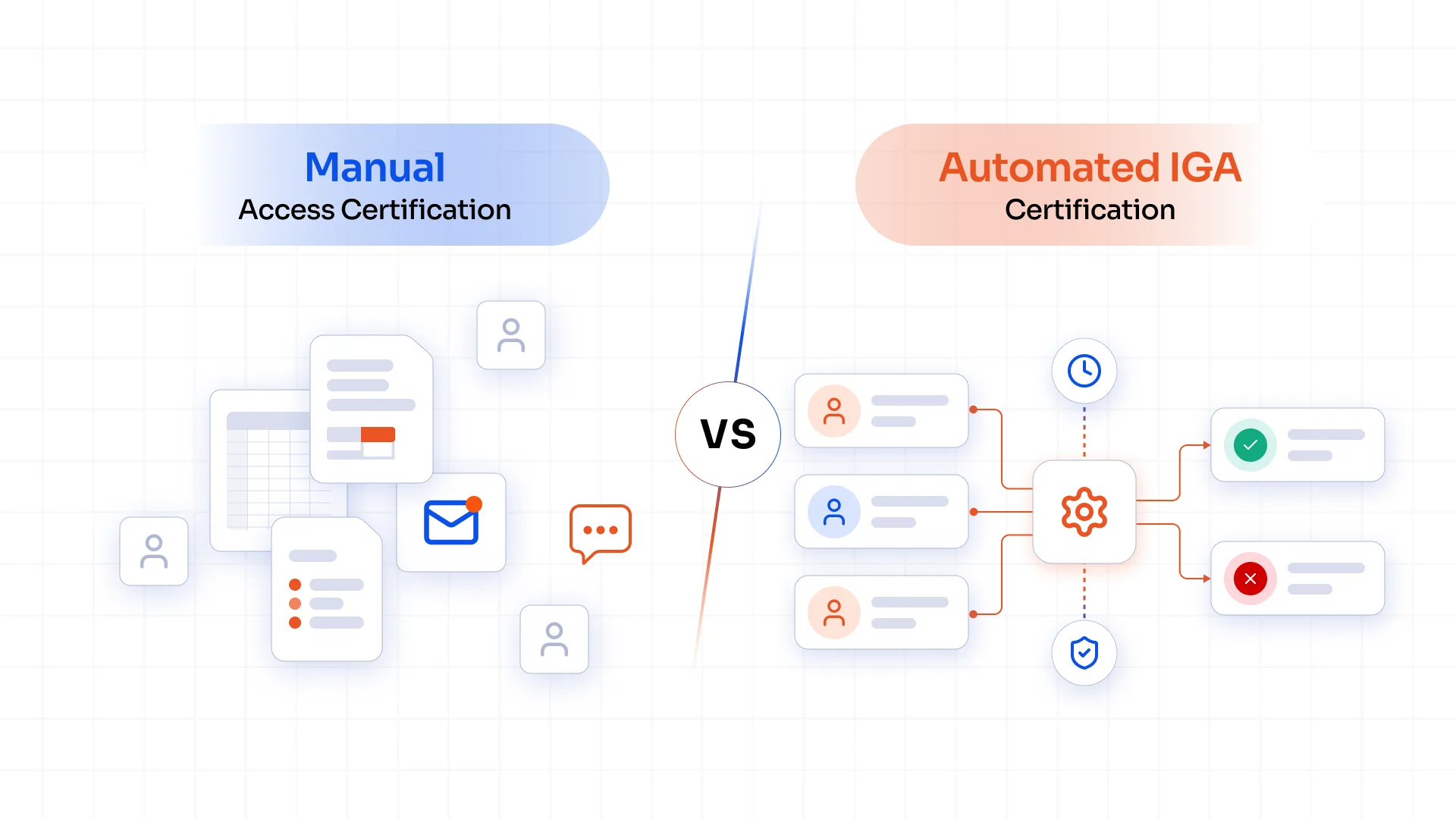
| Access Certification Area | Manual Access Certification | Automated IGA Certification |
|---|---|---|
| Review Scope | Teams identify users and applications manually | Rules define users, applications, roles, or risk in scope |
| Reviewer Assignment | Managers or administrators assign reviewers | Rules route reviews to the right reviewer |
| Review Decisions | Decisions sit across spreadsheets, emails, or tickets | Decisions stay within a certification workflow |
| Reminders | Teams follow up with reviewers manually | Automated reminders and escalations keep reviews moving |
| Rejected Access | Teams track removal through separate tasks or tickets | Rejected access can trigger a defined remediation workflow |
| Audit Evidence | Records may sit across several systems | Certification activity stays in a centralized audit trail |
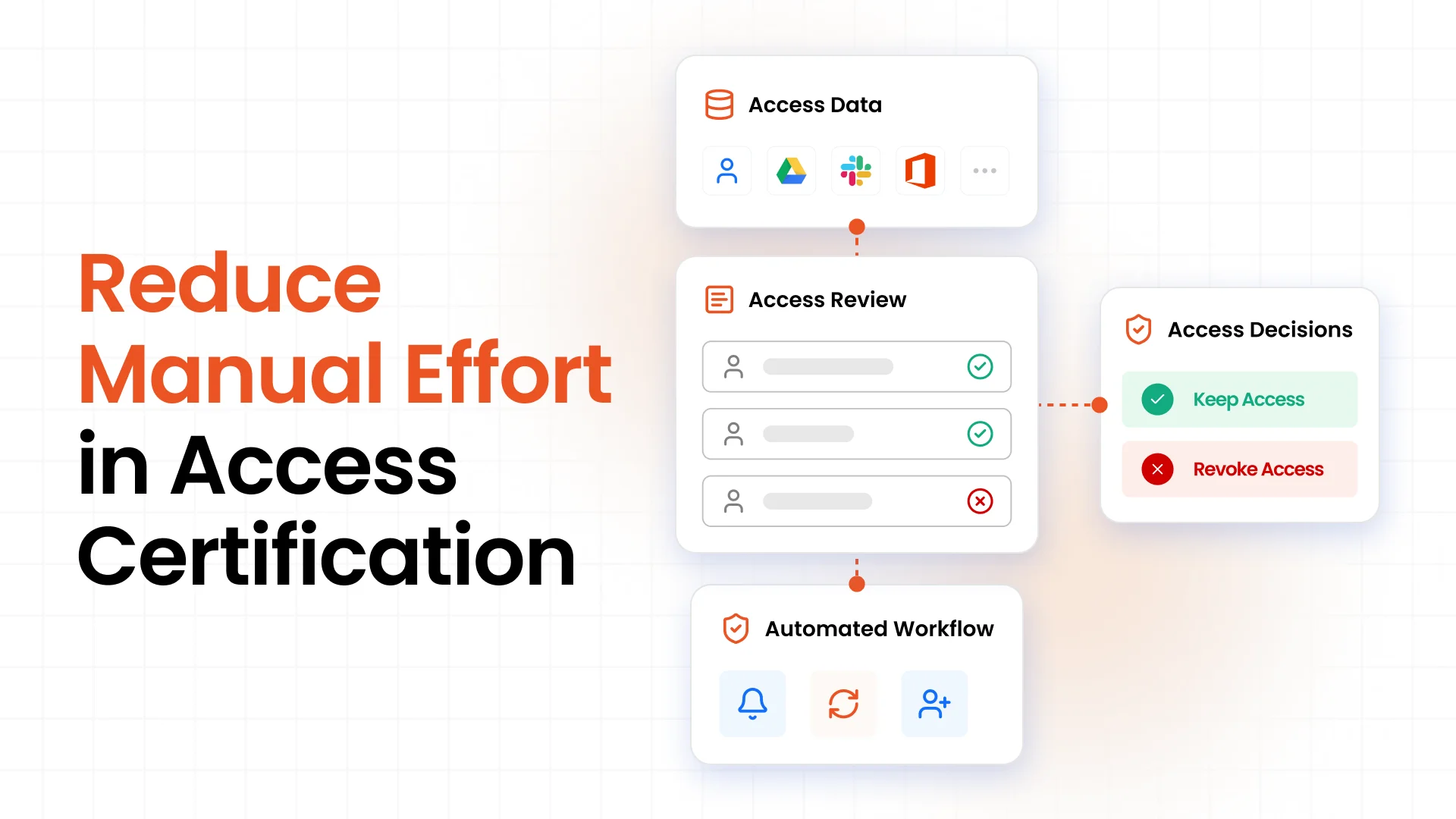
Manual certification can work for smaller environments with fewer users and applications. As review volumes grow, teams have more decisions to track, more people to follow up with, and more records to maintain.
Automation gives teams a defined workflow for assigning reviews, recording decisions, sending reminders, and tracking remediation.
The reviewer still makes the governance decision. The IGA platform keeps the process organized and records what happens around it.
Best Practices For Compliance-Ready Access Certification
A reliable access governance compliance program starts with clear rules. Technology then helps teams apply those rules consistently.
1. Define Clear Access Review Policies
Document what needs review, who reviews it, what decisions they can make, and what happens after a rejection.
2. Set Review Frequency Based on Risk
Critical applications, privileged access, and sensitive data may need more frequent reviews than lower-risk resources.
3. Assign Accountable Reviewers
Give each review to someone who understands the user's responsibilities or the resource being reviewed.
4. Prioritize Sensitive and Privileged Access
Pay closer attention to administrative permissions, critical systems, regulated data, and other high-risk access.
5. Document Exceptions
Record the reason and approval when a user receives access that falls outside the normal policy.
6. Track Remediation to Completion
Do not stop after recording a rejection. Confirm that the required access change reached the target system.
7. Maintain Complete Audit Evidence
Keep the information needed to verify the certification, including users, access, reviewers, decisions, timestamps, exceptions, remediation, and final status.
8. Review and Update Certification Policies Regularly
Users, applications, roles, risks, and compliance requirements change. Certification policies need to keep pace.
Access Certification Compliance Checklist
A quick review can help identify whether your current process covers the main requirements:
- Identify users and applications in scope
- Define certification frequency
- Assign appropriate reviewers
- Review sensitive and privileged access
- Record approval and rejection decisions
- Document exceptions
- Remediate unnecessary access
- Track remediation to completion
- Maintain audit evidence
- Review certification results periodically
Simplify Access Certification with miniOrange IGA
Access certification works best when identity information, access reviews, decisions, and remediation connect within one governance process.
miniOrange IGA brings these capabilities together to help teams define certification policies, identify users and access for review, assign the right reviewers, record decisions, and track rejected access through remediation.
Reviewers can see a user’s access across applications before they approve or reject permissions. This gives them the context they need to make informed access decisions and identify permissions that no longer match a user’s responsibilities.
miniOrange IGA also connects access decisions with the records needed for compliance reviews and audits. IT teams can track what happens after each decision, while compliance teams can find the evidence behind access reviews. Reach out to us for a free demo of miniOrange IGA and see how it can support your access certification process.
Frequently Asked Questions
What is access certification for compliance?
Access certification reviews whether users still need assigned access and records decisions, exceptions, and remediation for governance and audit purposes.
How does access certification support audits?
It records users reviewed, access examined, reviewer decisions, timestamps, exceptions, and remediation actions that can support audit evidence.
How often should access certification be performed?
Review frequency depends on risk, policies, regulatory needs, and access type. Privileged and sensitive access may need more frequent reviews.
What evidence should be maintained for access certification?
Maintain users and access reviewed, assigned reviewers, decisions, timestamps, exceptions, remediation actions, final access status, and relevant audit logs.
Can IGA automate access certification?
Yes, IGA can automate campaigns, reviewer assignment, reminders, escalations, decision tracking, remediation workflows, and certification reporting.
Is access certification required for SOX compliance?
SOX does not require a specific access certification product. Access reviews can support controls related to financial systems, permissions, and segregation of duties.
How does access certification compare with access review?
An access review checks whether access remains appropriate. Access certification usually adds a formal approval or rejection decision and records the outcome.
Leave a Comment