

Did you know that around 70% of successful data breaches initiate at the endpoints, as per the International Data Corporation (IDC) reports? Your employees' Windows (or any other endpoint) workstations are at risk and vulnerable.
The most sought-after method to safeguard Windows OS is implementing a Windows Data Loss Prevention (DLP) solution.
But which Windows DLP solution is the right fit for your organization? And what are the best Windows DLP solutions available in the market today? Let’s uncover them in this blog.
But before that, let’s have a quick look at “What is Windows DLP?”
What Exactly Is Windows DLP?
Windows DLP is a set of controls and policies that runs smoothly on Windows 10, Windows 11, and Windows Server, safeguarding these devices from any cybercriminal activity.
A Windows DLP solution encompasses several key features that protect the data on Windows-based laptops and desktops from potential threats.
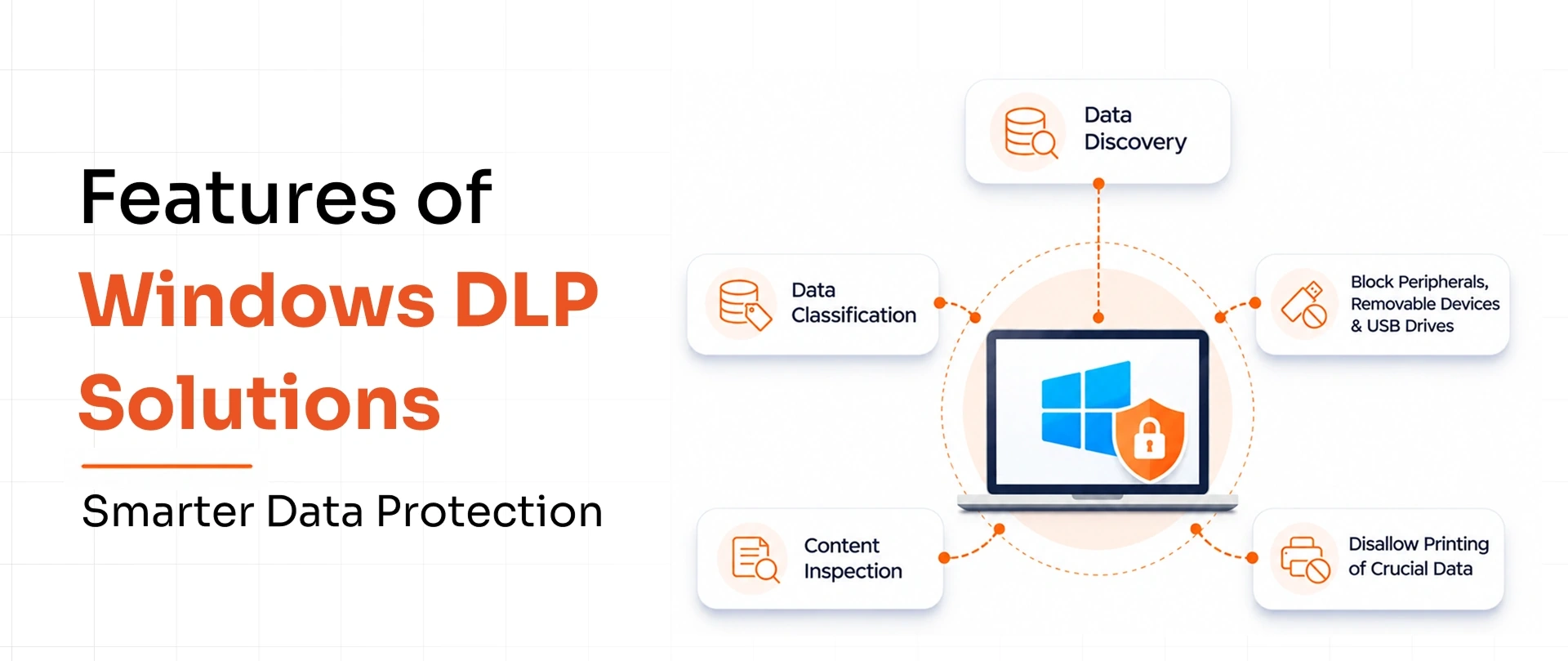
Key features include:
- Data discovery
- Data classification
- Blocking peripherals, removable devices, and USB drives
- Content inspection
- Disallowing crucial data from being printed
A Windows DLP solution is a must-have for all organizations supporting Windows OS. It is a useful tool against insider attacks and external breaches.
5 Reasons Why Windows Endpoints Need a DLP Solution
Windows runs on most corporate desktops, making it the largest attack surface. The following benefits explain why Windows data loss prevention is a necessity when building any security roadmap.
1. Complete Endpoint Protection
Windows devices are the one place where your employees spend most of their time. They execute work-related actions like editing, copying, uploading, or accessing sensitive information.
DLP is programmed to carefully watch these actions on the device and trigger certain actions in case of abnormal activity. The DLP policies apply the same way whether an employee is working from the office, home, or any other place.
2. External Media and USB Control
A USB drive is the easiest way to remove data from the office premises. DLP for Windows allows you to block all USB storage, enable only company-owned and approved drives, or allow read-only access. Every connection is logged for auditing and reporting.
3. Real-Time Automated Remediation
When someone breaks a policy, a DLP solution responds. It triggers actions like blocking, logging, or quarantining a file. An alert is also sent to the admin. Security teams don’t have to chase every alert, and risky activities stop immediately.
4. Improve Compliance and Visibility
Regulations like HIPAA, GDPR, PCI DSS, or India’s DPDP Act expect organizations to know where data lives and who is responsible for it. DLP locates that data via data discovery on Windows devices and records how it is used. This also helps with the audit.
5. Mitigate Insider Threat Risks
Insider threats can be intentional or accidental. But the outcome is the same — sending a crucial file to the wrong entity. Windows DLP flags this unusual activity, such as a large download at 2 AM.
Leading 10 Windows DLP Solutions for 2027
Here are the top 10 Windows DLP solutions, evaluated for their features, deployment, compatibility, pricing, and trade-offs.
1. miniOrange DLP for Windows
miniOrange DLP is designed to discover, monitor, and prevent data leaks on endpoints, networks, cloud, and emails. DLP for Windows possesses features and capabilities to secure Windows endpoints effectively.
- Windows features: Covers device and peripheral controls, file activity logging, sensitive content inspection, screenshot blocking, clipboard control, and more.
- Deployment: Cloud or on-prem.
- Windows compatibility: Supports Windows endpoints.
- Pricing: miniOrange offers Starter, Professional, and Enterprise pricing plans. Connect with miniOrange for a quote.
- Pros: Covers file activity, printer, and USB controls under one policy, along with content-aware detection of crucial data. Tiered plans suit small-sized organizations, but are also compatible with large-scale companies.
- Cons: Buyers may need to verify with the vendor which Windows versions are supported. There’s no public per-user price.
2. Microsoft Purview DLP
Microsoft Purview Endpoint DLP is an integrated, OS-level data loss prevention tool that natively monitors and restricts sensitive data movement across enterprise endpoints without requiring heavy on-device agents.
- Windows features: Endpoint monitoring, block USBs and printers, disallow clipboard use and network shares. It can also control Bluetooth transfers.
- Deployment: Cloud and on-premises.
- Windows compatibility: Windows 11 and Windows 10 (x64 or ARM64) Pro, Enterprise, and Education editions.
- Pricing: Microsoft Purview Suite ($10.59 per user/month, paid yearly), which includes DLP.
- Pros: Zero agent overhead, instant deployment, and a unified ecosystem and labelling.
- Cons: For organizations not already using Microsoft 365 E5, the licensing wall can feel steep and complex. It also has limited native scanning for complex external files.
3. Forcepoint DLP
Forcepoint Data Loss Prevention (DLP) is an enterprise-grade, intelligence-driven data security solution recognized for its extensive compliance coverage and advanced behavioral analytics.
- Windows features: Tracks and controls user activities directly on the device. Inspects actions inside applications to block or encrypt files, quarantine data, or prompt users for justification when high-risk activities are detected.
- Deployment: On-premises, cloud, and hybrid.
- Windows compatibility: Fully compatible with individual Windows user endpoints, including corporate laptops and desktops.
- Pricing: Request a quote.
- Pros: Has an AI assistant named ARIA for real-time protection. It contextualizes user behavior in real time to forecast threats and automatically adjust data controls before a breach occurs.
- Cons: Opaque enterprise costs, infrastructure upkeep for on-premises, and relies on software running directly on user devices to inspect local actions. This in turn increases system resource usage compared to modern built-in OS alternatives.
4. Nightfall
Nightfall AI is an AI-native data security platform that uses deep learning and machine learning models to discover, classify, and protect sensitive data. It specializes in unifying protection across cloud SaaS workflows, generative AI prompts, web browsers, and enterprise endpoints under a single detection brain.
- Windows features: AI-native content detection, exfiltration tracking, and generative AI and browser guarding.
- Deployment: Lightweight agent infrastructure and MDM rollouts.
- Windows compatibility: Fully compatible.
- Pricing: Standard packages include the Foundation Edition and the Premier Edition. Connect to get a quote.
- Pros: Nightfall's Windows agent is highly optimized. Machine learning classification allows it to scan over 100+ file types and execute Optical Character Recognition (OCR) with high accuracy and minimal rule tuning.
- Cons: Exact pricing data requires a direct engagement or Proof of Value (PoV) evaluation with sales. There’s no native ARM Windows support.
5. Trellix DLP
Trellix DLP Endpoint Complete is a highly mature, enterprise-grade data protection solution designed to discover, classify, and secure sensitive data across hybrid Windows environments.
- Windows features: Trellix DLP Endpoint Complete includes Device Control and finds and classifies data on Windows devices. It also encompasses Windows Visual Labeling and a powerful Optical Character Recognition (OCR) add-on.
- Deployment: On-premises or cloud.
- Windows compatibility: Compatible.
- Pricing: Quote only.
- Pros: Combining physical device control (USB/removable media blocking) and data-at-rest discovery in a single product remains a massive benefit. It remains an absolute premier tier fit for existing ePO ecosystem environments.
- Cons: ePO added extensive on-premises database and server infrastructure overhead (requiring a local SQL Server and high hardware minimums). While this is still a con for on-prem environments, utilizing Trellix ePO SaaS removes the infrastructure hosting burden, though managing the sheer policy complexity remains unappealing for non-Trellix security environments.
6. Symantec DLP
Symantec Data Loss Prevention (DLP), by Broadcom, is a premier enterprise-grade data protection platform engineered to discover, monitor, and protect sensitive assets across highly complex corporate infrastructures.
- Windows features: These include tracking and blocking unauthorized data actions across local Windows endpoints, including clipboard operations (copy/paste), printing, local network protocols, screen captures, and removable USB media. Plus, content detection and browser monitoring.
- Deployment: On-prem, cloud, and hybrid.
- Windows compatibility: Fully compatible with standard client endpoints running Windows 11, Windows 10, and Windows Server.
- Pricing: Ask for a quote.
- Pros: Better workflows, scalable, and native Windows ARM64 support.
- Cons: Steep learning curve, complex lifecycle management, and heavy infrastructure and database overhead.
7. Proofpoint DLP
Proofpoint Enterprise DLP is an AI-powered, cloud-native data security solution engineered to protect sensitive data across endpoints, email, cloud apps, and web vectors.
- Windows features: Easily control and monitor web uploads, USB transfers, and other exfiltration paths on Windows. Get unified data visibility and ensure user activity monitoring.
- Deployment: Cloud.
- Windows compatibility: Windows 11, Windows 10, and Virtual Desktop Infrastructure (VDI).
- Pricing: Gated, quote-based.
- Pros: Easy setup and maintenance, faster deployment, scalable, and offers integrations like SOAR, SIEM, and Teams.
- Cons: Lacks public pricing transparency and works well when coupled with a wider Proofpoint security system.
8. Fortra DLP
Fortra DLP (Digital Guardian) is a highly robust, enterprise-grade data protection platform recognized for providing unmatched visibility and control at the operating system level.
- Windows features: Data discovery and data classification, stopping data egress, reducing false alarms, and maintenance. Plus, real-time visibility into Windows activity.
- Deployment: SaaS, on-prem, and managed security program.
- Windows compatibility: Windows 11, Windows 10, and Windows Server.
- Pricing: Request a quote.
- Pros: Effective Windows controls, flexible content and context tagging, and in-depth device-level visibility.
- Cons: Complex onboarding and policy designs, along with a need for rigorous testing as endpoint agents use kernel-level drivers.
9. Endpoint Protector
Netwrix Endpoint Protector (formerly CoSoSys) is a multi-platform, client-server data loss prevention solution renowned for its highly efficient peripheral security and granular access controls.
- Windows features: Port and device controls, remote USB management, encryption, data discovery, content-aware data loss prevention, and remediation.
- Deployment: SaaS or on-prem.
- Windows compatibility: Windows 10 and Windows 11.
- Pricing: Request a custom quote.
- Pros: Widely recognized as one of the most flexible and thorough engines for setting conditional, read-only, or time-restricted hardware rules for USBs and external media.
- Cons: Acquisition transitions and non-standard costs.
10. Teramind
Teramind DLP is an insider threat management and data loss prevention platform that blends data discovery with extensive User Activity Monitoring (UAM) and behavioral analytics.
- Windows features: Track clipboard activity, file operations, app usage on workstations and laptops, and screenshots.
- Deployment: Cloud and on-premises.
- Windows compatibility: Fully compatible with standard client endpoints running Windows 10 and Windows 11, with additional optimization for multi-session Windows Server environments.
- Pricing: The DLP plan is priced at $32.48 per seat per month (billed annually).
- Pros: Better visibility and context, along with cost-effective pricing.
- Cons: Can have employee privacy and regulatory friction.
Windows DLP Solutions: An Overview
Evaluating enterprise Data Loss Prevention (DLP) requires aligning vendor strengths with your specific infrastructural architecture, cloud dependency, and data visibility needs.
The table below breaks down ten leading DLP solutions based on their core architecture, primary monitoring focuses, and optimal organizational use cases.
| Name | Primary Focus | Best for |
|---|---|---|
| miniOrange DLP | Content-aware channel guarding and unified Endpoint, Email, and Cloud protection. | Small-to-mid market and enterprise buyers needing a flexible, multi-channel DLP bundled with identity/IAM integrations. |
| Microsoft Purview DLP | Agentless native file labeling, data-at-rest categorization, and M365 suite integration. | Organizations deeply embedded in the Microsoft 365 E5 ecosystem seeking zero-agent endpoint footprints. |
| Forcepoint DLP | Cross-channel unified engine with AI-driven risk-adaptive user behavior automation. | Mature, multinational companies with extensive global compliance mandates and dedicated security teams. |
| Nightfall AI | Machine learning-based discovery, developer IDE guarding, and SaaS workflow protection. | Modern, cloud-first companies and developer-heavy engineering firms prioritizing lean endpoint footprints. |
| Trellix DLP Endpoint | Hardened local device access management, physical port lockdown, and ePO threat integration. | Traditional enterprise IT frameworks are already operating and standardized on the Trellix ePO environment. |
| Symantec DLP | Enterprise-scale exact data fingerprinting, vector machine learning, and deep compliance workflows. | Large-scale enterprises with heavy on-premises server estates and complex structured database fields. |
| Proofpoint Enterprise DLP | Correlating deep data content analysis with continuous contextual human intent tracking. | Teams utilizing Proofpoint's core email security catalog looking to unify insider threat hunting timelines. |
| Fortra DLP (Digital Guardian) | Deep operating-system kernel-level recording, process isolation, and automated tagging. | High-security sectors (Defense, Finance) requiring total local visibility over evasive exfiltration techniques. |
| Endpoint Protector | Fast peripheral port constraints, time-restricted USB policies, and enforced container encryption. | Mid-market businesses seeking rapid compliance deployment and ironclad physical workstation lockouts. |
| Teramind DLP | Visual forensic endpoint recording, real-time screen OCR, and exhaustive user behavior analytics. | Organizations prioritizing comprehensive insider threat forensics and worker activity timelines over basic file tagging. |
Industry-Standard Best Practices for Deploying Windows Data Loss Prevention
The data loss prevention solution fails not due to weak technology, but due to poor process. So, start narrow and then expand it.
1. Properly Define and Continuously Tune Policies
Start with monitor-only mode and then review it a few weeks later. Also, check for false positives and retire policies or rules that nobody uses anymore.
2. Establish Device Hygiene and Prerequisite Controls
DLP works best on well-managed Windows devices. So, make sure to confirm OS patch levels, disk encryption such as BitLocker, and a working deployment channel like Group Policy. Ensure that users cannot simply uninstall the DLP solution.
3. Secure “Blind Spot” Channels First
Mostly, hackers and cybercriminals favor channels that teams forget to secure. So, prioritize these first:
- Printers, including virtual PDF printers and network printers
- Removable storage and USB drives
- Screen sharing and screen captures
- Personal data uploads
- Bluetooth
- Clipboard copy and paste
5 Factors to Weigh Before Buying a Windows DLP Tool
Most Windows DLP tools look alike in a demo. These five questions show how each one will behave in your environment, so you can compare vendors on what matters.
1. Look for SIEM or SOAR Integration
DLP alerts matter the most when they successfully reach your SOC teams. Check how events reach the SIEM, such as Splunk or Microsoft Sentinel. Check for syslog in CEF format or a REST API. Also, confirm whether a SOAR integration can trigger actions like isolating a device.
A quick Test: During the trial, trigger a USB policy and check that the alert lands in your SIEM within minutes.
2. Check for Deployment and Administration Overheads
Your team is likely to lose productivity if a Windows DLP solution takes months to roll out. Or has a complicated setup process. Check what the setup involves: databases, servers, and how the software reaches your Windows devices.
Cloud tools are faster to start, while on-prem or self-hosted ones give more control, but require more upkeep.
3. Evaluate How Windows DLP Detects Data
Look for capabilities such as:
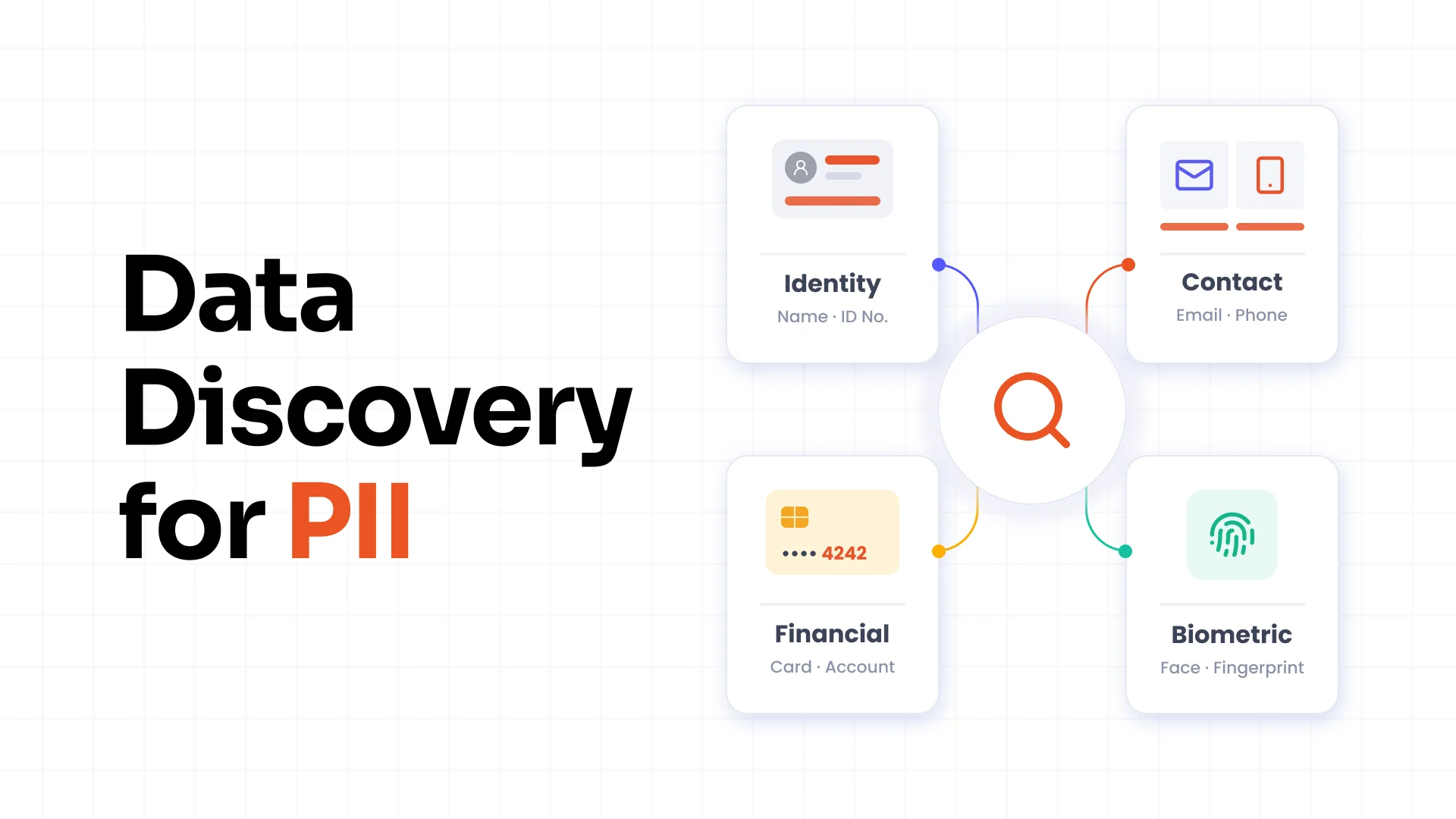
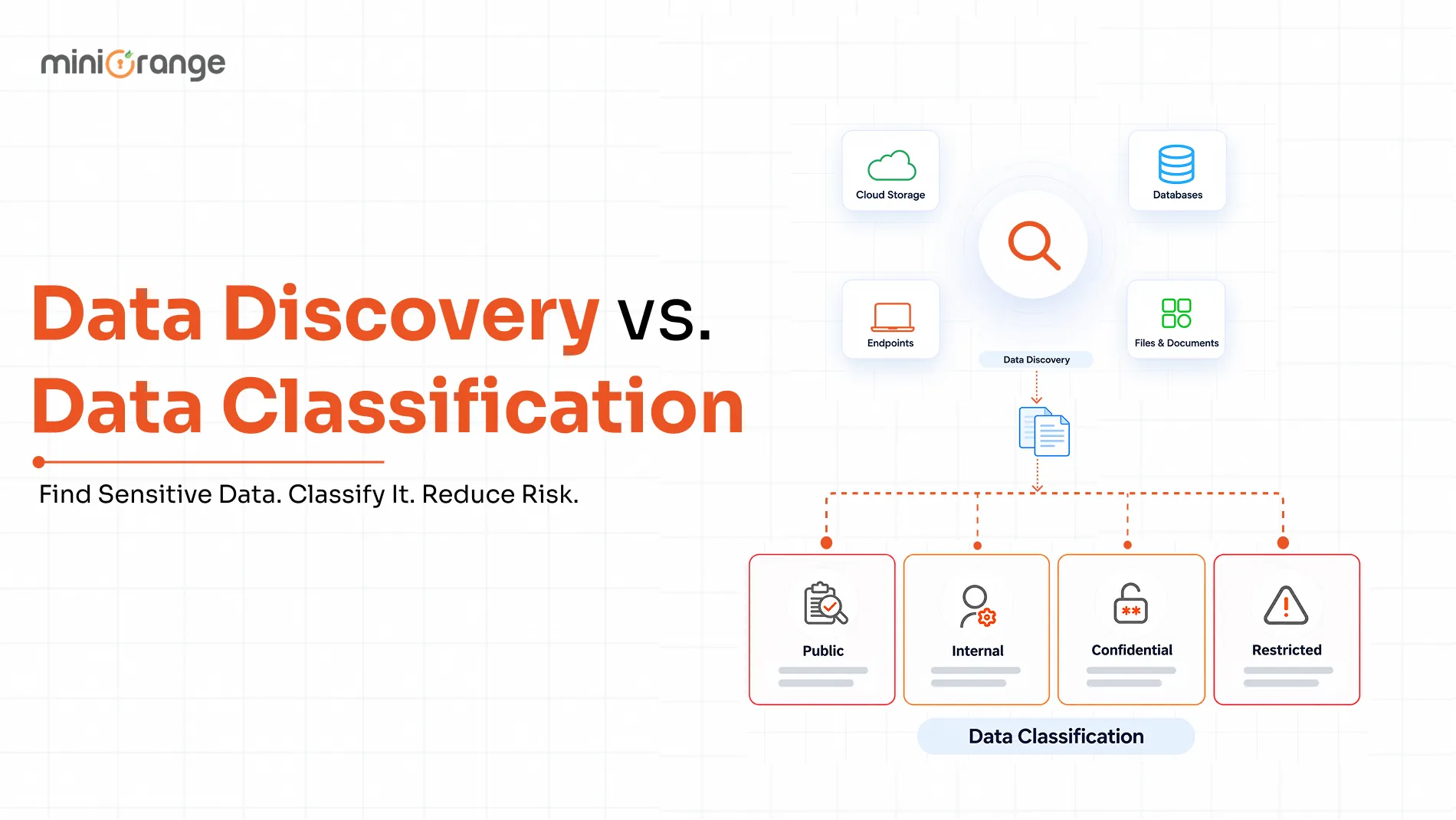
- Data discovery and classification
- Pattern matching
- Keyword matching
- Data fingerprinting
- OCR
4. Look Beyond Just Windows, Go Multi-OS
Even if Windows is your main platform, your fleet may not stay that way. Many companies also have Macs for designers or executives, and Linux machines for developers. Running separate DLP tools for each system means separate policies, reports, and training.
If you expect a mixed environment, pick a tool that applies one policy across all operating systems. If you are certain you will stay Windows-only, a Windows-focused tool may give you deeper controls at a lower cost.
5. Align DLP Features With Your Budget
The license is only a part of the entire budget. Prepare a budget for support plans, setup services, infrastructure (for on-prem), and the time needed to fine-tune policies. Some of the vendors bundle DLP into a larger suite. This can be a good buy if you need the rest of the features too. Otherwise, it is a waste.
You can ask each vendor for a quote for a fixed number of users, devices, and features. After this, compare the three-year cost, not just one.
Final Thoughts on Choosing Windows DLP
Windows data loss prevention works when policy, process, and the right tool align. Shortlist two or three vendors from this list, test them with your own data, and measure alert quality before you commit. A smaller, well-tuned deployment beats a sprawling one nobody trusts.
Out of the lot, miniOrange Windows DLP is one of the most sought-after solutions in the market.
Leave a Comment