Hello there!

Need Help? We are right here!

miniorange Support~
miniOrange Email Support
success

Thanks for your Enquiry.

If you don't hear from us within 24 hours, please feel free to send a follow-up email to info@xecurify.com

Search Results:

×

Protect Your Data with Endpoint DLP Solution

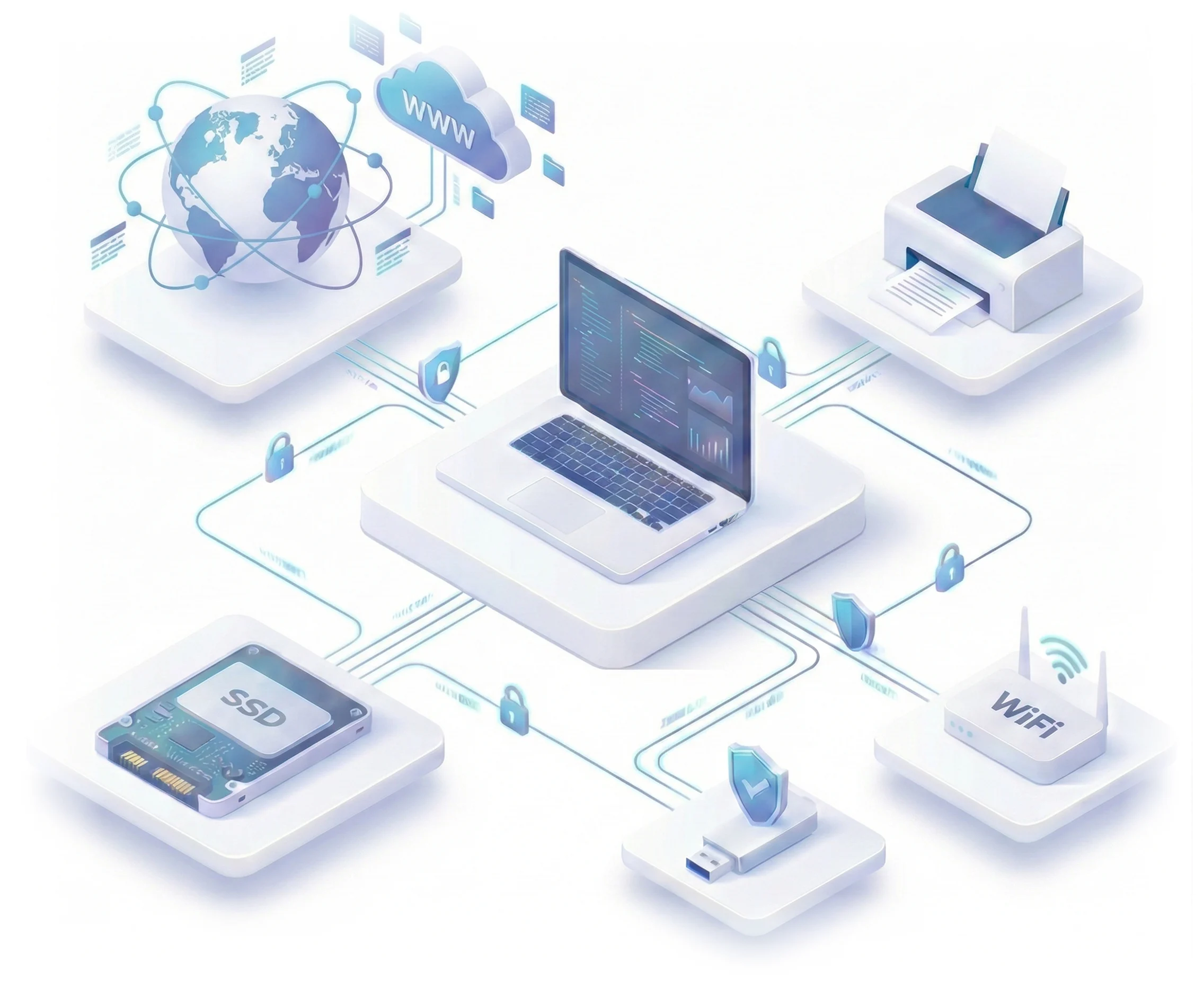
Monitor & control business data sharing between endpoint devices and any peripheral or storage media (USB Drives, external HDDs, printers, SSDs, and more) with Endpoint Data Loss Prevention (DLP) solution.

  • Track and block file transfers in real time.
  • Set data security policies that keep you secure.
  • Stay compliant with GDPR, HIPAA, PCI DSS, ISO, and SOC 2.
Schedule a demo Pricing

Endpoint DLP Solution - Protect business data across USB drives, printers, Wi-Fi and all endpoint devices

Key Features of Endpoint DLP Software

Get proactive control over every device where data can escape with our Endpoint DLP solution.
USB and External Device Control - Block unauthorized removable media and enforce VID/PID whitelisting

USB & External Devices

Eliminate data leakage by enforcing strict hardware-level controls on removable media. Block all unauthorized USB devices, allow only VID/PID-whitelisted drives, enable read-only access, block external HDDs and flash drives, and log all USB activity.

Wi-Fi Network Security - Block public hotspots and allow only whitelisted SSID networks

Wi-Fi & Network Safety

Ensure endpoints connect only to trusted networks with policy-driven Wi-Fi enforcement. Allow whitelisted SSIDs and BSSIDs, block public or personal hotspots, prevent rogue access points, and restrict access to secure corporate Wi-Fi only.

Printer Protection DLP - Control print access with VID/PID whitelisting and audit logs

Printer Protection

Maintain full control and visibility over print activities across endpoints. miniOrange Endpoint DLP allows printing only through approved printers based on VID/PID, prevents printing of sensitive documents, and logs every print action for audit and compliance purposes.
LAN Ethernet Control - Block unauthorized wired network access and enforce connectivity policies

LAN / Ethernet Control

Prevent unauthorized wired network access and enforce secure connectivity standards. Administrators can enable or disable Ethernet adapters, block data transfer over LAN connections, and apply network restrictions on a per-device basis to ensure compliance.

Screenshot and Camera Monitoring - Capture screen activity for audits and compliance tracking

Screenshots & Camera

Strengthen audits and compliance by capturing continuous visual evidence of endpoint activity. The solution enables screen capture at defined time intervals, supports employee productivity monitoring, and triggers real-time alerts for screenshot and camera policy violations.

Device Activity Monitoring - Track file operations, session logs and real-time endpoint behavior

Device Activity Monitoring

Gain complete visibility into endpoint behavior with real-time monitoring and detailed logging. miniOrange Endpoint DLP tracks device usage, logs file operations such as copy, move, and delete, records session-level activity, and generates alerts for suspicious endpoint actions.

Our Other Features

Advanced capabilities to elevate your email security.


Application Control DLP - Block unauthorized software and restrict file transfer tools

Application Control (Endpoint Level)

Reduce shadow IT by allowing only trusted applications to run on endpoints. Block unknown or risky software and control file transfer tools such as FTP clients and 7-Zip.


Location-Based DLP Rules - Enforce stricter access controls when devices leave office premises

Location-Based Rules

Minimize data exposure by enforcing policies based on device location. Automatically apply stricter access controls when devices move outside office premises.


Remote Device Control - Lock, wipe, shutdown or restart endpoints remotely for security incidents

Remote Control

Respond instantly to security incidents from anywhere. Remotely lock, wipe, shut down, or restart devices to prevent unauthorized access and data compromise.


Download Datasheet

Secure Your Business with Data Loss Prevention Solution


Download the Datasheet


Flexible Email DLP Deployment Options

Deploy a lightweight Windows agent via GPO to enforce endpoint DLP policies.



Agent-Based Endpoint DLP Deployment - Windows agent via GPO for real-time data protection

Agent-Based Endpoint Deployment

Monitor and block HTTP/HTTPS-based data exfiltration in real time by turning each endpoint into a secure local proxy.

Network and Web Traffic Monitoring - Monitor HTTP/HTTPS data exfiltration in real time

Network & Web-Traffic Monitoring

Manage on-premise, hybrid, and remote endpoints from one dashboard with centralized monitoring, geolocation tracking, and remote lock/wipe.
On-Premises Hybrid Remote Endpoint Management - Centralized dashboard for all deployment modes

Works On-Prem, Hybrid & Remote

Manage on-premise, hybrid, and remote devices from a single dashboard.


Why Businesses Choose miniOrange Endpoint DLP Solution

Prevent Data Leakage
Enforce Zero Trust
Stronger Protection
Full Device Visibility
Stay Compliance (RBI, SEBI, HIPAA, ISO, SOC 2)

Prevent Data Leakage

Keep sensitive files from leaving your devices through USB, apps, or networks. Reduce data exposure risks by controlling every action that interacts with business information.

  • Block unauthorized USB devices and external storage.
  • Prevent data transfer via unapproved applications and tools.
  • Restrict data movement over wired and wireless networks.
  • Log all file access and data transfer activities

Enforce Zero Trust

Verify every user and action so only approved activity is allowed on your devices. Strengthen your security posture by removing blind trust from all endpoint interactions.

  • Allow only whitelisted devices, applications, and networks.
  • Block unknown, risky software, and shadow IT.
  • Enforce access policies based on device and location.
  • Continuously validate every endpoint action.

Stronger Protection

Spot risky behavior early and block actions that could lead to data loss. Minimize internal risks with real-time controls that act before damage occurs.

  • Real-time monitoring of endpoint behavior.
  • Instant alerts for suspicious or policy-violating actions.
  • Proactive blocking of high-risk data movements.
  • Reduced insider and accidental data leakage risks.

Full Device Visibility

See exactly what users do on their devices with clear, real-time activity logs. Identify issues faster with complete insights into file, network, and device activity.

  • Real-time device and session-level activity logs.
  • File operation tracking (copy, move, delete).
  • Network usage visibility across LAN and Wi-Fi.
  • Screenshot and visual activity capture for audits.

Stay Compliance (RBI, SEBI, HIPAA, ISO, SOC 2)

Stay audit-ready with automated policies that meet major security and industry standards. Avoid penalties and compliance gaps with continuous monitoring and enforcement.

  • Policy-driven controls aligned with regulatory requirements.
  • Detailed audit logs for compliance reporting.
  • Continuous enforcement across all endpoints.
  • Reduced compliance risks and audit overhead.

Endpoint DLP Security Use Cases

Solve real enterprise data-risk challenges.


Block USB Data Theft - Prevent unauthorized USB devices from copying sensitive business files

Block USB Data Theft

Stop unauthorized USB devices from copying or extracting sensitive files. Keep business data safe by ensuring only approved storage devices can connect.

Prevent Print Leaks - Control printing of confidential documents with trusted printer policies

Prevent Print Leaks

Control what gets printed to stop confidential documents from being shared or taken out. Ensure every print action is tracked and limited to trusted printers.

Stop Wi-Fi Network Hopping - Block public and unsafe wireless network connections

Stop Wi-Fi network hopping

Restrict devices from connecting to public or unsafe Wi-Fi networks. Keep employees on secure corporate networks to reduce exposure to attacks.

Employee Misuse Prevention - Detect and block risky user actions causing data loss

Employee Misuse Prevention

Detect and block risky user actions that could lead to data loss or misuse. Protect your company by enforcing safe behavior across all endpoints.

Secure Work From Home Devices - Apply enterprise security controls to remote endpoints

Secure WFH Devices

Apply the same strong security controls to remote and home-office devices. Maintain full visibility and policy enforcement no matter where employees work.

Prevent Screen Capture - Block screenshots and screen recordings of sensitive data

Prevent Screen Capture

Block screenshots and screen recordings of sensitive applications and data. Stop confidential information from being captured and shared outside the organization.

Frequently Asked Questions

Get answers to the most common Endpoint DLP security questions.

Contact us

What is Endpoint DLP Software?

How is endpoint DLP different from network DLP?

Can endpoint DLP protect against insider threats?

Does endpoint DLP work offline?

What is DLP endpoint security?

Why is endpoint DLP important for remote work?


x

Work Email*


Your Requirements (Optional)


 Your download should start now. If not, please email us at uemsupport@xecurify.com or contact us.

Please enter your work email-id



Want To Schedule A Demo?

Request a Demo