Hello there!
Need Help? We are right here!

Need Help? We are right here!
Search Results:
×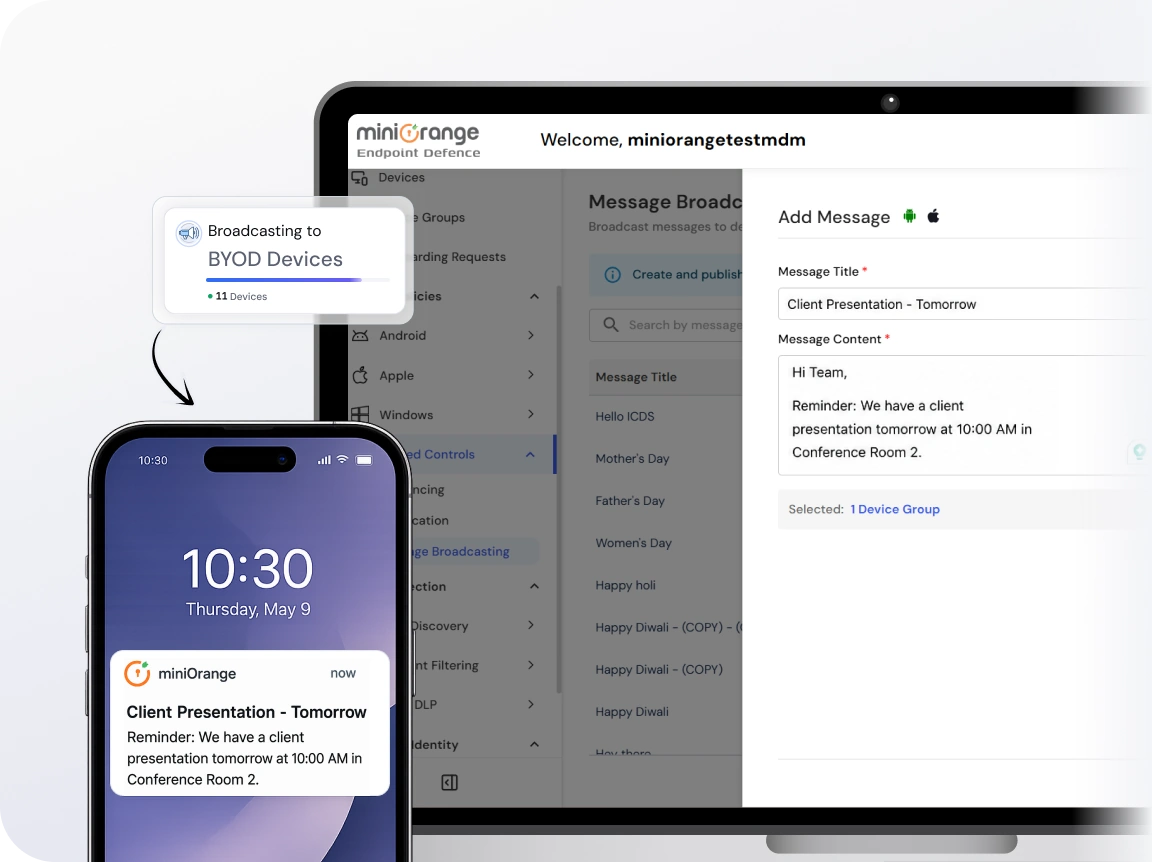
Message broadcasting helps to deliver messages to every managed device regardless of its type or operating system.

Inbox overload means important updates are often missed or delayed. Broadcast messaging ensures that alerts reach users directly on their devices.

IT updates shouldn't stay with IT. Share maintenance schedules, policy changes, and announcements so every user stays informed.

Ditch the back-and-forth across tools. Use a single channel to send updates across teams, locations, and devices.

Not every message needs a response. Broadcast updates stay focused, so communication remains clean and distraction-free.
Deliver the right message to the right devices at the right time, without added complexity.

Every device stays within reach from a single dashboard. Send bulk messages in a few clicks to groups, individual users, or both. Whether it's 10 or 10,000 users, the process stays simple and consistent.

Easily manage your audience with dynamic broadcast lists. Add, remove, or edit subscribers anytime to keep communication accurate and relevant. You can also deactivate or delete lists whenever they are no longer needed.

Messages are saved directly on user devices for easy access. This ensures important updates are always available when users need to revisit them. It reduces confusion and keeps everyone aligned with the latest information.

Go beyond plain text with support for images and files. Choose the format that best fits your message and audience. This helps improve clarity, engagement, and faster understanding across teams.

Plan ahead by scheduling messages in advance. Automate reminders, alerts, or maintenance updates without manual follow-ups. Ensure timely communication even outside working hours or across different time zones.

Get full visibility into message delivery with detailed reports. Track when messages are sent, delivered, and acknowledged. Define message sources to maintain context and ensure consistent communication across devices.
No extra tools. No complex setup. Just open your miniOrange MDM dashboard and start communicating instantly.
Compose your message with a title, content, and optional attachments. Keep it simple or format it based on your communication needs.
Choose exactly who should receive the message. Target individual users, device groups, or a combination of both with just a few clicks.
Send messages instantly or save them as drafts for later. Once triggered, messages are delivered directly to devices.
Monitor delivery status in real time. Get visibility into sent, delivered, and read messages to stay in control of communication.
Deliver updates directly to every managed device without delays. Keep your workforce informed and connected, wherever they are.
Ensure important messages get the attention they need. Mark your messages clearly, and send them to the right group. Check delivery and read status in the reports, so nothing slips through the cracks.
Reduce dependency on multiple communication tools. Streamline messaging and content sharing within a single platform.
Manage devices, data, and communication from one place. With built-in capabilities like broadcast messaging, policy management, and web filtering, miniOrange simplifies IT.

