The SonarQube Crowd SSO Connector allows users to enable SAML Authentication from any SAML compliant Identity Provider(IDP), where SAML SSO requests and responses to and from the IDP will pass via the Crowd server. The IDP will perform user authentication, while user permissions can still be controlled using Crowd.
Download And Installation
- After purchasing the license, miniOrange will share a download link for the plugin.
- Once downloaded, copy and paste the plugin into <sonarqube_installation>/extensions/plugins folder, and then restart the SonarQube server.
 Steps To Activate The Plugin
- Log into SonarQube as administrator and go to Administration >> Configuration>> General Settings and select the miniOrange SAML from the plugin list.
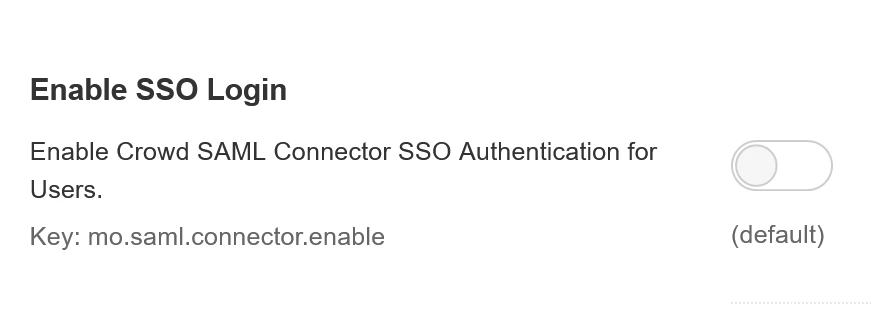
- Enable the SAML Login toggle, and save the changes.
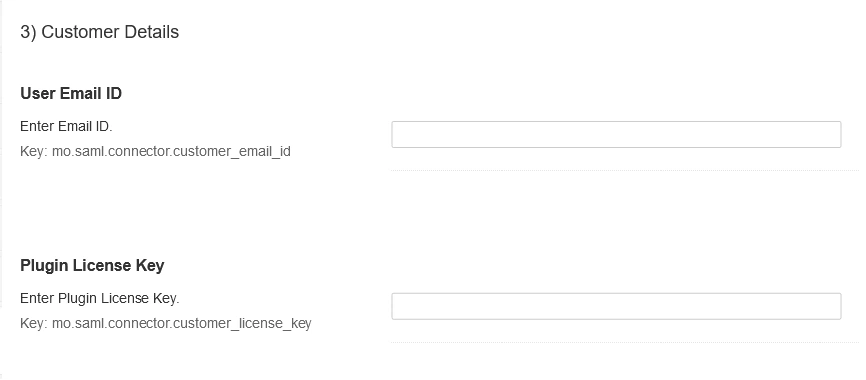
- Now scroll down to the Customer Details section and enter your email address and the plugin license key received from miniOrange. Save the settings.
Steps To Configure The Plugin
- To configure the Crowd details, you need to create a new application on Crowd.
- Log into Crowd Admin account. Go to Applications from top menu, and click on Add application.
- Now choose the Generic Application option from the Application type dropdown, provide a Name, and Password for this application (Please note down the Application name and the password).
- Confirm your password and then click on Next button.
- Provide the base URL of your SonarQube server, and click Resolve IP Address button. Once the process is done, click on Next button.
- On the next screen, select the desired Crowd directory, and click on Next.
- Now select the desired groups from the selected directory, or you can also select Allow all users to authenticate checkbox to allow all the groups.
- On confirmation page, verify all the details and click on Add application button.
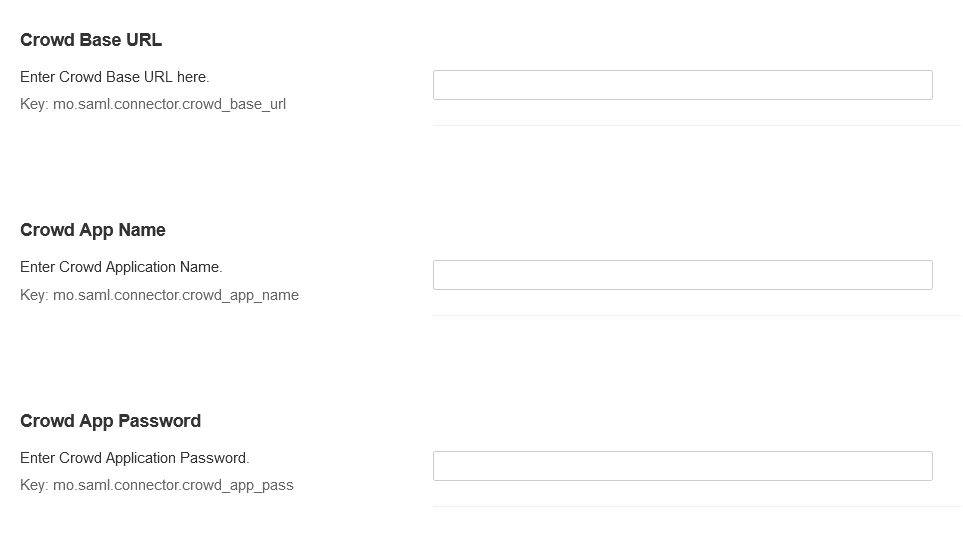
- On the plugin configuration page, scroll to the Crowd Setup section, and configure the below Crowd details.
- Crowd Base URL
- Crowd Application Name
- Crowd Application Password
- Now you can perform SSO, using Log in with SAML button available on the login page.
Crowd Troubleshooting
If you encounter any difficulties while setting up miniOrange Crowd add-ons, please refer to this Crowd troubleshooting page for assistance.
Recommended Add-Ons

Crowd SAML SSO
Enabling SAML SSO allows users to login to Crowd using Identity provider credentials.
Know MoreCrowd Bulk User Management
It allows to manage users in Crowd and Automatically and efficiently deactivate users.
Know MoreJira Bulk User management
Deactivate users automatically by their last active time to save user licenses.
Know More
Our Other Apps:
SAML SSO Apps
|
OAuth Apps
|
Crowd Apps
|
2FA Apps
|
REST API Apps
|
User Sync Apps
|
Bulk User Management
|
Secure Share
|
Bitbucket Git Authentication App | Kerberos/NTLM Apps | Word/PDF Exporter | WebAuthn | SonarQube SSO | Jenkins SSO
Bitbucket Git Authentication App | Kerberos/NTLM Apps | Word/PDF Exporter | WebAuthn | SonarQube SSO | Jenkins SSO
If you don't find what you are looking for, please contact us at support-atlassian@miniorange.atlassian.net or raise a support ticket here.


