

Your DevOps team doesn't log into one app from one office. They're in cloud consoles, Git repos, CI/CD pipelines, and production, often at 2 am, often from home. IAM for DevOps has to work for that reality, not the one from 2016.
Traditional identity and access management was built for employees signing into a handful of business apps from a managed laptop. But the DevOps team blew past that model years ago. Developers, contractors, SREs, service accounts, CI/CD runners, and containers all need access now.
The result: overprivileged developer accounts, secrets sitting in pipeline configurations, service accounts nobody owns, and production access granted during last quarter's outage that's still active today.
GitGuardian's latest research found 29 million new hardcoded secrets on public GitHub in 2025, a 34% jump from the year before. 59% of the exposed machines behind those leaks were CI/CD runners, not personal laptops (GitGuardian, State of Secrets Sprawl 2026). That's an identity problem.
This piece breaks IAM for DevOps into 3 areas: securing developer identity and privileged access, governing machine identities and secrets across CI/CD, and replacing standing access with just-in-time controls.
Why IAM Is a Different Problem for DevOps Teams
A typical IdP user list doesn't cover what a DevOps team actually looks like. You've got developers, contractors, DevOps and SRE and platform engineers, service accounts, CI/CD runners, containers, and a growing pile of automation bots nobody remembers approving.
CI/CD pipelines aren't just building code. They deploy infrastructure. They touch secrets. They push straight to production, assume cloud roles, and talk to Kubernetes and internal services without asking anyone first. A pipeline is a privileged actor, whether your security team treats it that way or not.
That's what makes CI/CD pipeline security IAM a core part of DevOps identity management, not a side project you get to later.
Everything about the environment is temporary and spread out, too: cloud consoles, infrastructure-as-code, remote engineers, staging and production running side by side, containers that live for minutes. There's no fixed perimeter to defend.
IAM for DevOps identity management only works if it's fast enough that people actually use it.
The 5 Biggest IAM Risks in Distributed DevOps Teams
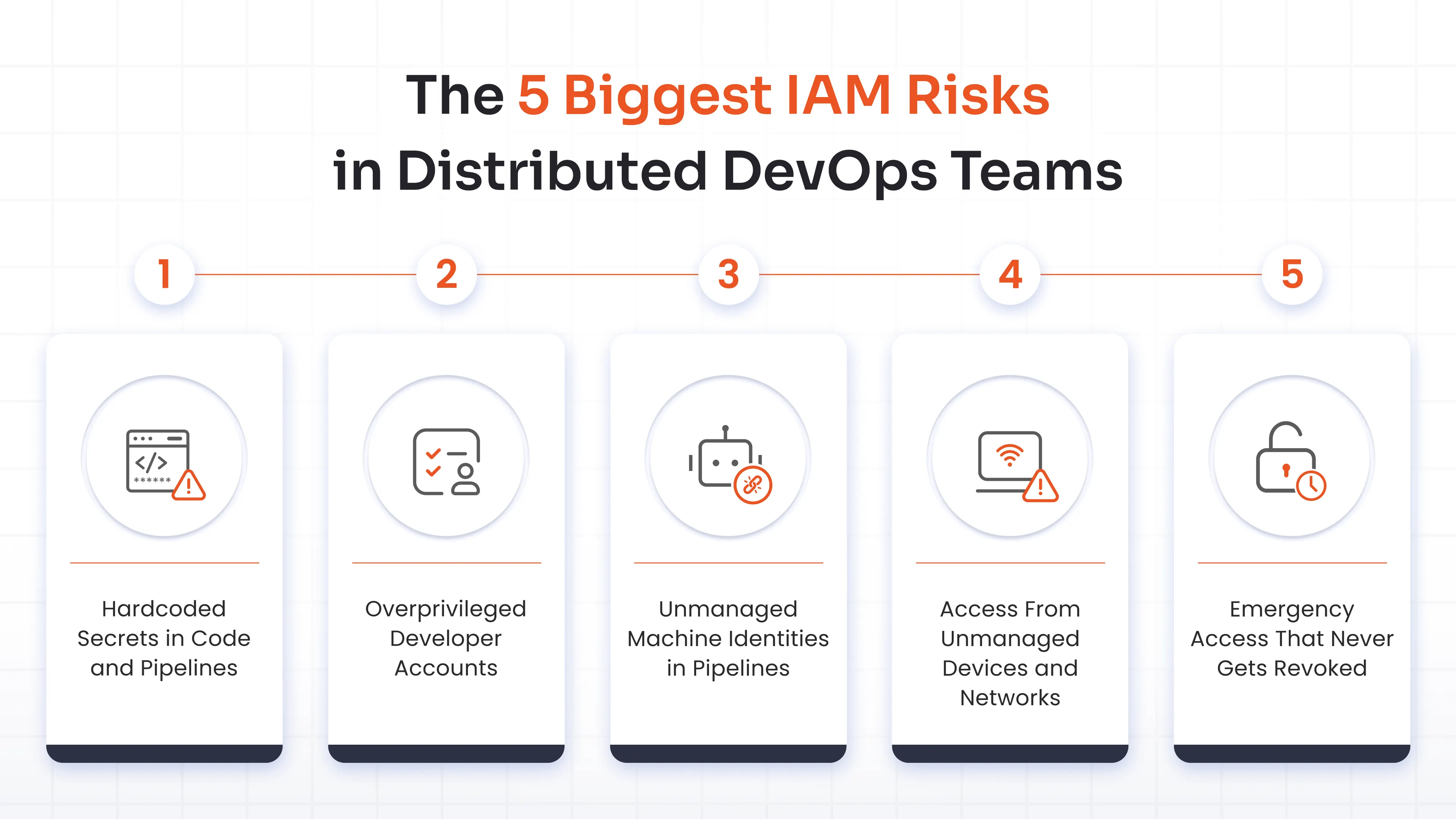
Hardcoded Secrets in Code and Pipelines
Secrets end up in source code, configuration files, pipeline variables, and build scripts because that's the fastest way to make a deploy work today. Nobody plans to leave an API key in a YAML file forever. It just happens, then it stays.
Static credentials are especially dangerous in CI/CD because a pipeline runs unattended and often holds broad permissions. If that key leaks, an attacker doesn't need to trick anyone. They just use it. Secrets management in CI/CD has to move away from keys sitting in files and toward credentials issued at runtime that expire on their own.
Overprivileged Developer Accounts
A developer gets emergency access to production during an incident. The incident ends but the access doesn’t.
Multiply that across a year of on-call rotations, tool migrations, and "just add me to this role for now" requests, and you get developers holding standing access to production, cloud consoles, Kubernetes, and admin tools they haven't touched in months.
Unmanaged Machine Identities in Pipelines
Service accounts, API tokens, workload identities, runner credentials, automation bots. In most DevOps environments, machine identities outnumber human ones by a wide margin, and far fewer of them have an owner, a rotation schedule, or a defined scope.
Access From Unmanaged Devices and Networks
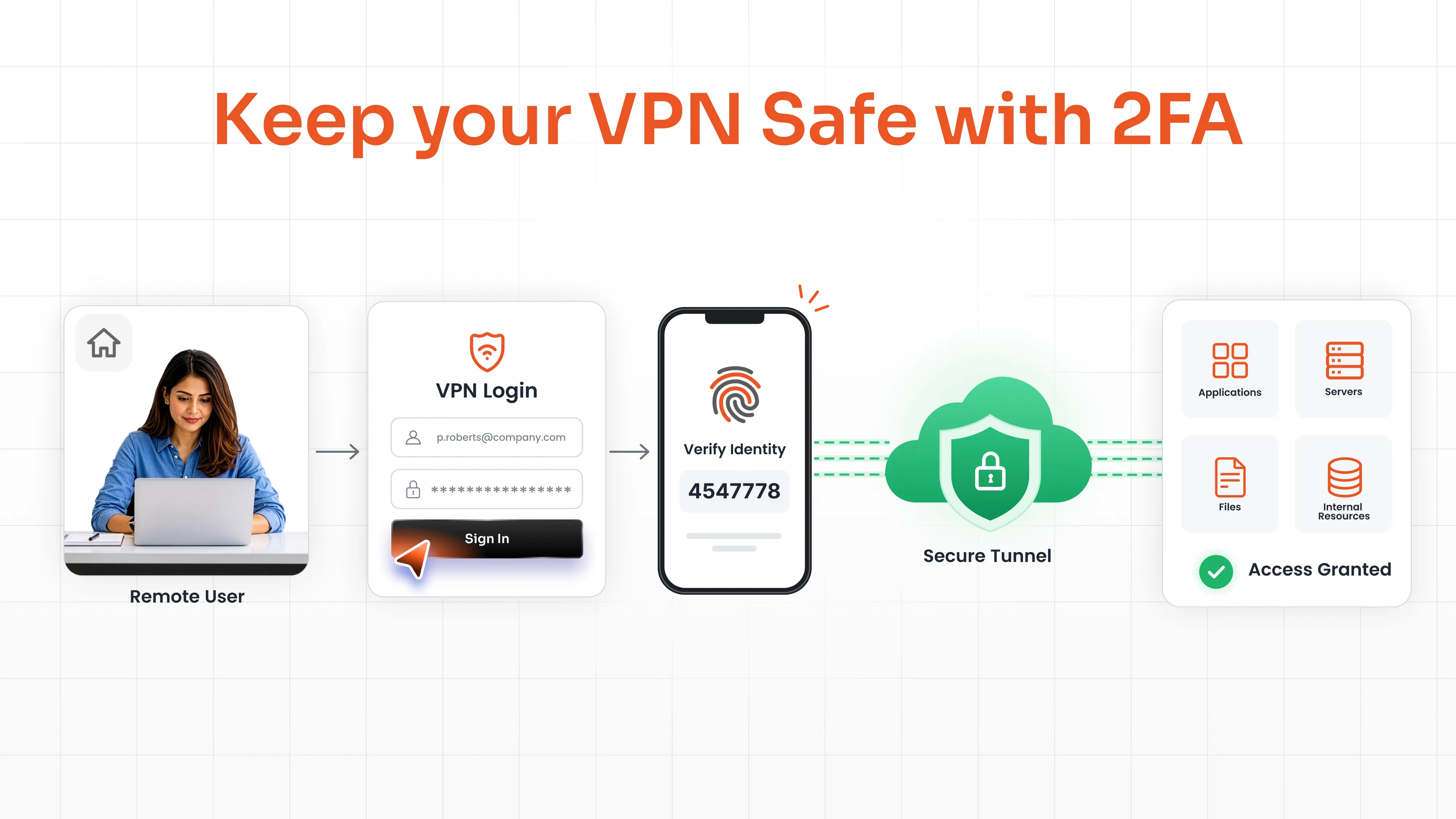
Remote engineers and contractors connect from home Wi-Fi, personal laptops, coffee shop networks, etc. None of that fits the old model of trusting anything that connects from inside the corporate network.
Emergency Access That Never Gets Revoked
Let’s take an example. An outrage hits at 2 am. Someone grants break-glass access to fix it.
Then the outage ends, the postmortem gets written, and the access just sits there. This is exactly the gap just-in-time access is built to close.
In practice, these risks fall into 3 access-control problems: securing developer access to tools and production systems, governing machine identities and secrets across CI/CD and cloud workloads, and eliminating standing privileges through just-in-time access.
Here's how to handle each one.
Human identity: Securing Developer Access Without Slowing Teams Down
Developers, SREs, platform engineers, contractors, and on-call responders; all of them need access without turning every action into a ticket queue.
SSO Across Dev Tools and Cloud Environments
GitHub, GitLab, Jira, Confluence, AWS, Azure, GCP, Kubernetes dashboards, internal admin tools. Every one of these usually ends up with its own login, its own password, and its own orphaned account after someone leaves.
Single sign-on collapses that into one identity with one lifecycle. This way, when someone leaves the company, one deprovisioning action closes every door at once.
Adaptive MFA to High-Risk Developer Actions
Not every action deserves the same friction. Reading a ticket and pushing to production shouldn't require the same verification.
Step-up MFA for production access, admin console changes, secret access, and high-risk cloud actions raises the bar exactly where it matters. Low-risk daily workflows stay fast. Risk signals like a new device, an unfamiliar location, or an unmanaged endpoint trigger extra verification automatically; no manual review required.
Role-Based Access Aligned to Dev Environment Tiers
Dev and production aren't in the same risk category, so they shouldn't get the same access model.
| Environment | Default Access Level | Access Model |
|---|---|---|
| Development | Broad, self-service | Standing RBAC, developer-managed |
| Staging | Limited, role-scoped | RBAC with approval for elevated actions |
| Production | Minimal, time-bound | JIT access only, requires approval and audit log |
| Secrets / Vaults | Zero standing access | Dynamic credentials issued per task, auto-expired |
Production access should be the narrowest, most closely watched tier you have. Least privilege means something different at each level, and your access model should reflect that.
Machine identity: governing secrets, service accounts, and CI/CD pipelines
IAM for DevOps has to cover machines too: service accounts, runner tokens, workload identities, secrets, automation credentials, everything talking to everything else across CI/CD and the cloud.
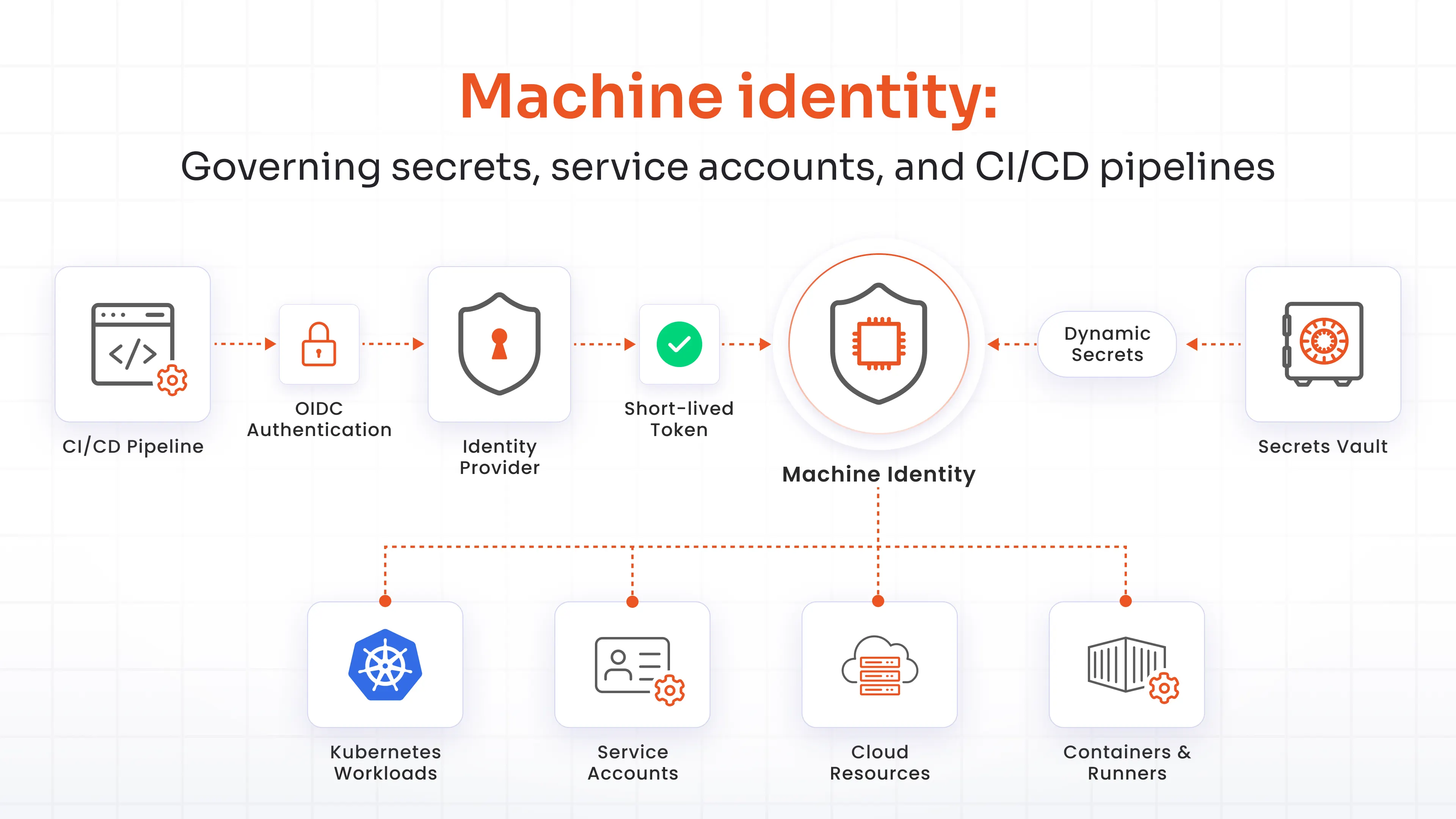
Eliminating Hardcoded Secrets With Dynamic Credential Injection
Secrets shouldn't live in code, repos, config files, or pipeline definitions, period. They should get pulled at runtime, from a vault, as short-lived credentials that expire whether or not anyone remembers to rotate them.
OIDC and workload identity federation let a pipeline authenticate to a cloud provider without a stored key at all.
Service Account Lifecycle Governance
Every service account needs an owner, a purpose, a scope, and an expiration date, starting from the moment it's created.
Rotate credentials on a schedule. Scope by environment. Disable anything that's gone unused for 90 days. And stop handing five different pipelines the same broadly-permissioned service account, because when it leaks, all five go down with it.
Container and Workload Identity in Kubernetes Environments
A long-lived service account key sitting in a cluster is a liability waiting to be found. Workload identity federation lets containers, runners, and deployed services authenticate to the cloud without a key file anywhere.
Machine identity/NHIs carry the same weight as human access now. It belongs on the same priority list, not a footnote below it.
Just-in-time access is the right privilege model for DevOps
This connects directly back to 2 of the risks above: overprivileged accounts and emergency access that never gets revoked. Just-in-time access for DevOps isn't a nice-to-have PAM feature. It's one of the most practical ways to shrink standing privilege in engineering environments.
How JIT Access Works in a DevOps environment
A developer requests temporary elevated access for a specific task. A policy check or approval runs. Access gets granted for a limited window, tied to that task, not to the person indefinitely.
Every session gets logged. When the window closes, access revokes itself automatically, without anyone needing to remember.
Common use cases:
- A production hotfix
- Temporary database admin access
- Kubernetes cluster troubleshooting
- Access to a sensitive secret or vault
Zero Standing Privilege as the Default State
Standing access is a door that's always unlocked, whether or not anyone's using it right now. Zero standing privilege means the door only opens when there's an approved reason, and it locks itself again afterward.
| Standing Privilege | Just-in-Time Access |
|---|---|
| Permissions exist continuously | Permissions exist only for the duration of the task |
| Attacker can exploit access at any time | Attacker finds no access between tasks |
| Manual cleanup is required to remove access | Access auto-revokes on task completion or expiry |
| Audit log is incomplete: access existed, but was not used | Full audit trail: who requested, approved, used, and when access expired |
| Privilege creep accumulates over time | No accumulation: each task starts from zero |
IAM Capabilities DevOps Teams Need From a Platform
Everything above translates into a short list of platform requirements. A platform that can't check most of these boxes will get outgrown fast.
| Capability | Why It Matters for DevOps |
|---|---|
| SSO across developer tools and cloud consoles | Removes credential sprawl across GitHub, Jira, AWS, Kubernetes, and internal tooling without adding login friction |
| Adaptive MFA with risk-based step-up | Applies stronger authentication only for high-risk actions, keeping low-risk developer workflows frictionless |
| Just-in-time privileged access | Eliminates standing production access; credentials are issued on request, scoped to the task, and auto-revoked |
| Dynamic secrets and machine identity governance | Replaces hardcoded credentials with short-lived, runtime-injected tokens for pipeline runners and service accounts |
| Environment-tier RBAC | Enforces separate access policies across dev, staging, and production at the platform level |
| Audit logging and SIEM integration | Provides full attribution for every developer and pipeline access event, essential for compliance and incident response |
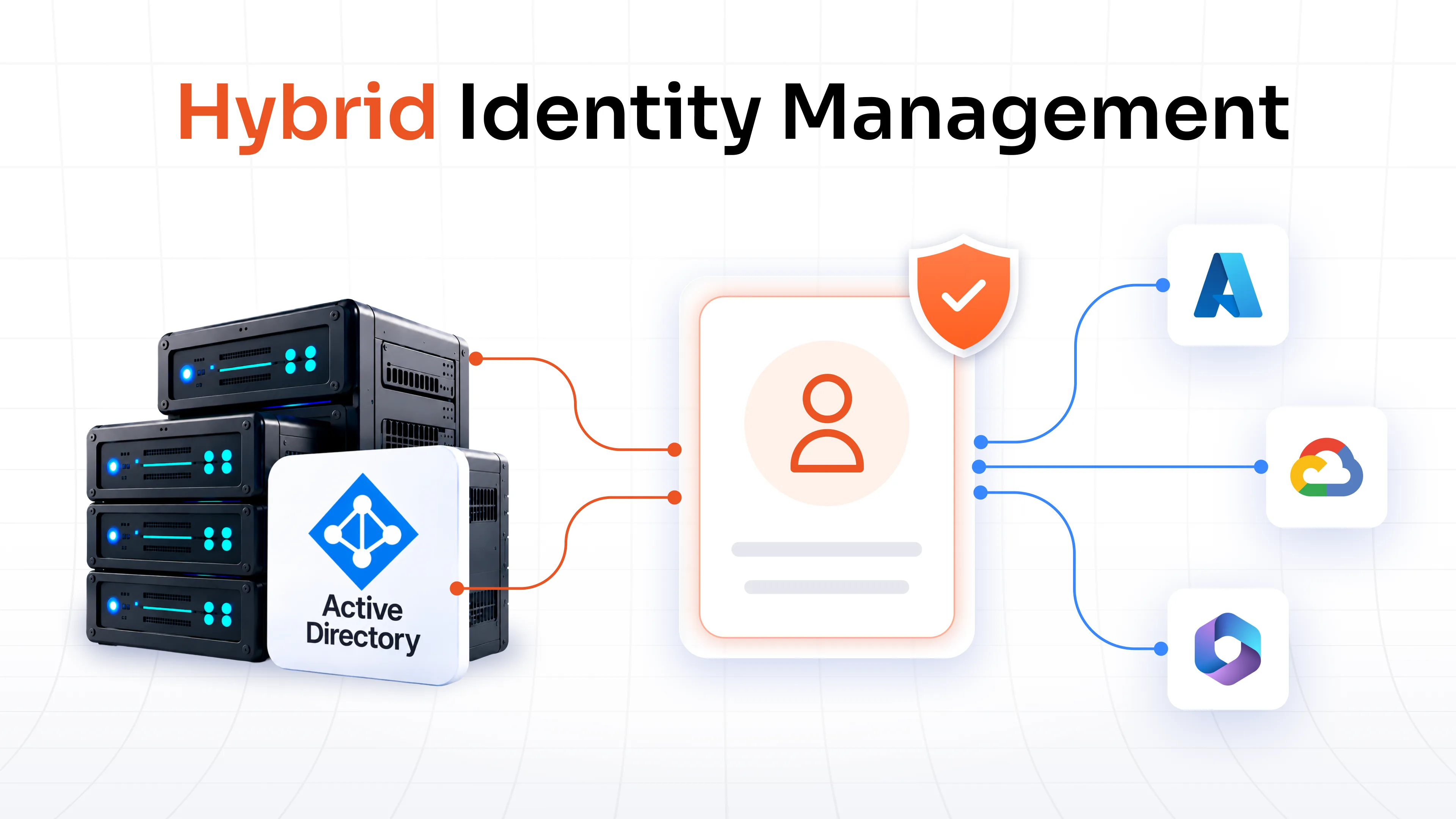
| Flexible deployment: cloud, on-premise, hybrid | Supports distributed teams and organizations that cannot route all developer traffic through a cloud-only IdP |
How to Evaluate IAM Vendors for Distributed DevOps Teams
Most vendors sell workforce SSO well. Fewer actually handle what a DevOps team needs. Before signing anything, check for:
- Human and machine coverage: A platform that nails workforce SSO but treats service accounts, secrets, CI/CD credentials, and workload identity as an afterthought isn't built for IAM for DevOps.
- Real JIT workflows: Ask specifically about cloud console elevation, production troubleshooting, Kubernetes access, and sensitive admin actions, not just "temporary access" as an abstract feature.
- Actual reduction in static secrets: Look for runtime secret delivery, rotation, workload identity integrations, and service account governance. A vault that stores secrets without rotating them hasn't solved anything.
- Environment-aware access models: Dev, staging, and production need different rules. If a platform treats all three the same, that's a gap.
- Fit with your real stack: Cloud, on-prem, hybrid, your CI/CD tools, Kubernetes, your cloud providers, your internal tooling.
- Usable audit trails: Login logs alone don't cut it. You need privileged action context: who approved what, how long access ran, what happened during the session.
miniOrange Supports IAM for DevOps and Remote Teams
miniOrange handles IAM for DevOps by combining developer access controls, privileged access workflows, and identity security across cloud, on-prem, and hybrid environments.
- SSO across developer tools, cloud apps, and internal platforms
- Adaptive, risk-based MFA for sensitive engineering actions
- JIT privileged access with time-bound elevation for production workflows
- Developer privileged access management (PAM) controls are built for engineering, not just IT
- Secrets and machine identity governance support across the product scope
- Environment-aware access controls and policy enforcement across dev, staging, and prod
- Audit logging, reporting, and SIEM integration for real forensic visibility
If engineers on your team are routing around IAM because it's slower than the work itself, that's worth fixing before an incident forces the issue.
FAQs
What is IAM for DevOps?
It's identity and access management built for engineering environments: developers, contractors, service accounts, CI/CD runners, and containers, not just employees logging into business apps. It covers human access, machine identity, secrets, and privileged production access as one connected system.
Why is IAM different in DevOps environments?
Because DevOps has more than one kind of identity. Developers and SREs sit next to service accounts, CI/CD pipelines, and containers, all needing access to production, cloud infrastructure, and sensitive systems, often without a fixed network to anchor trust to.
What is developer identity management in DevOps?
It's the practice of securing how developers, SREs, and platform engineers authenticate and access tools like Git, cloud consoles, and Kubernetes, using SSO, adaptive MFA, and scoped roles instead of standing, unmanaged access.
How should secrets be managed in a CI/CD pipeline?
Secrets shouldn't sit in code, config files, or pipeline variables. Pull them at runtime from a vault, use short-lived credentials, and rotate automatically instead of relying on someone to remember.
What is just-in-time access in DevOps?
Temporary, task-scoped access granted only when needed and revoked automatically once the window closes. It replaces standing privilege with access that exists only as long as the task does.
Why do DevOps teams need machine identity governance?
Because service accounts, tokens, and workload identities usually outnumber human accounts, and most of them lack an owner, a rotation schedule, or a defined scope. Left unmanaged, they become the easiest way into production.
What is developer privileged access management?
The set of controls, JIT elevation, environment-tier RBAC, and approval workflows, that stop developers from accumulating standing access to production, cloud consoles, and admin tools over time.
Leave a Comment