

Every new hire, role change, and new SaaS app adds more permissions for your IT team to track. Most teams start by handling these changes one request at a time. That works for a while, but the process breaks down as the company grows.
When manual tracking fails, you lose visibility over who has access to what. Today, 58% of SaaS companies struggle to enforce correct privileges, and 54% lack automated identity lifecycle management. Old permissions stay active, which gives attackers an opening and gives auditors something to question.
To stay secure as you grow, you need the right SaaS identity governance best practices. Here are nine practical steps to automate application access and keep permissions strictly aligned with your business needs.
IGA vs. IAM for SaaS: Where Authentication Ends, and Governance Begins
IAM and IGA play different roles in SaaS security. IAM manages who can sign in to SaaS applications, while IGA manages what users can access and whether they still need those permissions.
| Aspect | IAM: Authentication and Access | IGA: Access Governance |
|---|---|---|
| Main purpose | Verifies user identities and manages application sign-ins | Manages user access and permissions across SaaS applications |
| Authentication | Secures sign-ins through SSO and MFA | Ensures users receive access according to their job roles |
| Access permissions | Controls entry into applications | Determines which applications, files, and features users need |
| Access approvals | Enforces configured access policies | Manages access requests and approval workflows |
| Access reviews | Focuses on secure application access | Reviews permissions and identifies unnecessary access |
| User lifecycle | Manages user authentication during sign-ins | Updates or removes access when employees join, change roles, or leave |
| Security goal | Prevents unauthorized application access | Prevents excessive permissions and unauthorized access to sensitive data |
Together, they help organizations secure SaaS sign-ins and maintain control over user access across applications.
For a deeper comparison, explore our guide to IGA vs. IAM: Key Differences and Why Enterprises Need Both.
9 SaaS Identity Governance Best Practices for Stronger Access Control
Organizations need clear identity governance policies to manage user access across SaaS applications. The following nine best practices help establish better access controls and reduce security risks.
1. Build and Maintain a Complete SaaS Inventory
You can’t secure what you can’t see. A comprehensive SaaS inventory gives your team a clear picture of every application running across the business and exactly who has access to it. Without this visibility, unauthorized tools can easily slip through the cracks, creating risky shadow SaaS blind spots.
To get a handle on things, start by casting a wide net. Check your identity providers, HR systems, expense reports, and OAuth connections to uncover any apps operating outside of IT’s view.
Once you find them, document the essentials for each tool: the designated owner, business purpose, data sensitivity, and active users.
This is where an Identity Governance and Administration (IGA) solution comes in handy. It automates application discovery and centralizes all this data, making it easy to classify tools as approved, restricted, or unauthorized so you can confidently decide what stays and what goes.
Pro Tip: Schedule regular, automated application sweeps through your IGA platform to keep your inventory accurate as your organization grows.
For a deeper dive, check out our guide on application onboarding in IGA.
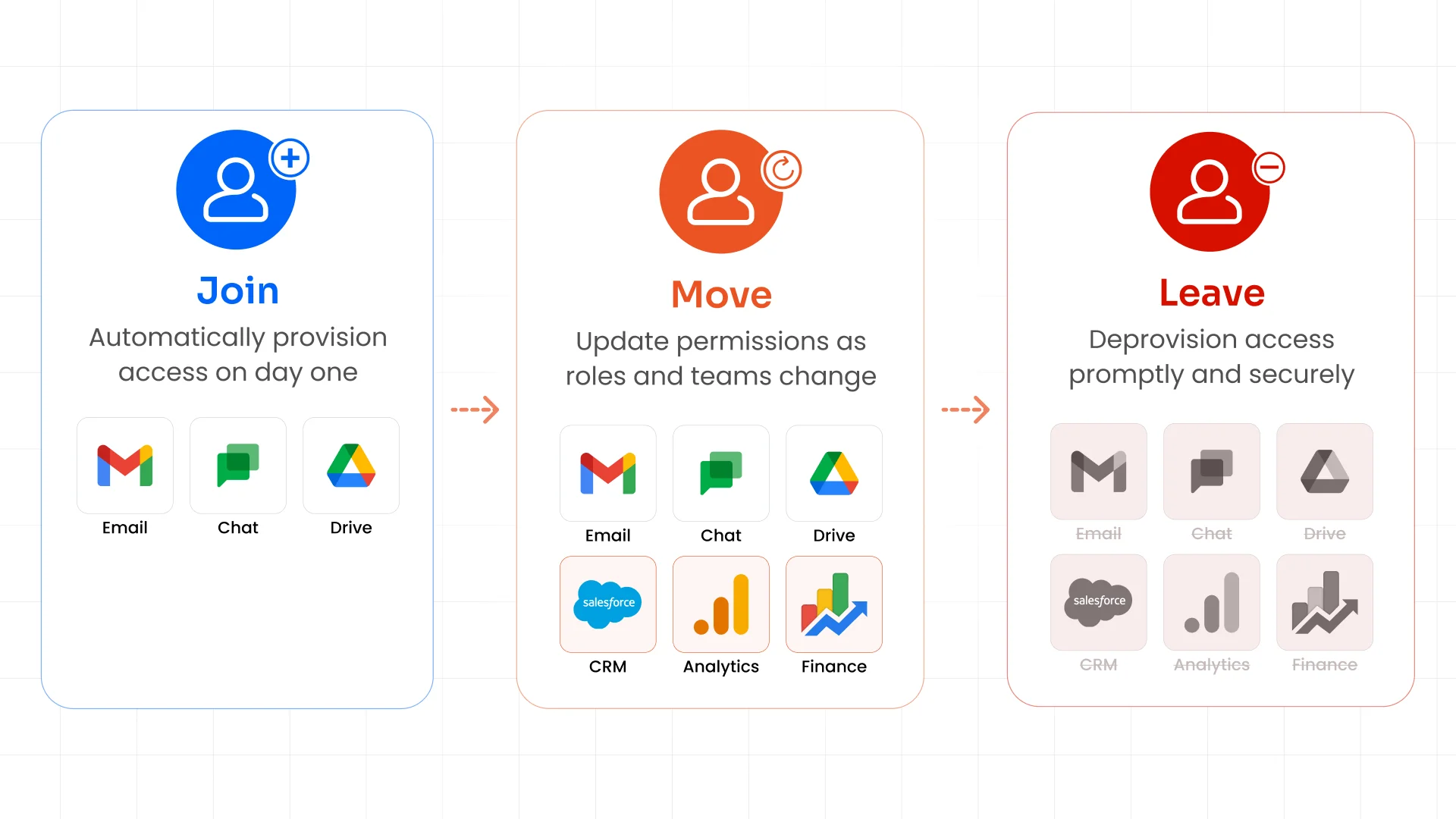
2. Automate Joiner-Mover-Leaver (JML) Provisioning and Deprovisioning
As your company grows, application counts multiply. Manual access updates overwhelm your IT team. They also leave old permissions dangerously active. You can avoid this with smart automation. Just connect your HR system to your IGA. Profile updates will then trigger access changes automatically.
Here is how that works in practice:
- Joiners: Smooth SaaS user provisioning happens instantly. New hires get their tools on day one.
- Movers: Employees frequently change roles or departments. Lifecycle automation handles this transition smoothly. It grants new apps and revokes old ones.
- Leavers: Complete SaaS deprovisioning takes place immediately. System access ends the minute someone leaves. Your business data remains totally secure.
Pro Tip: Watch employee transfers closely. Employees often collect permissions as they move between teams, which leads to privilege creep. Review and remove old access at every role change.
3. Choose the Right IGA Connectors for Your SaaS Applications
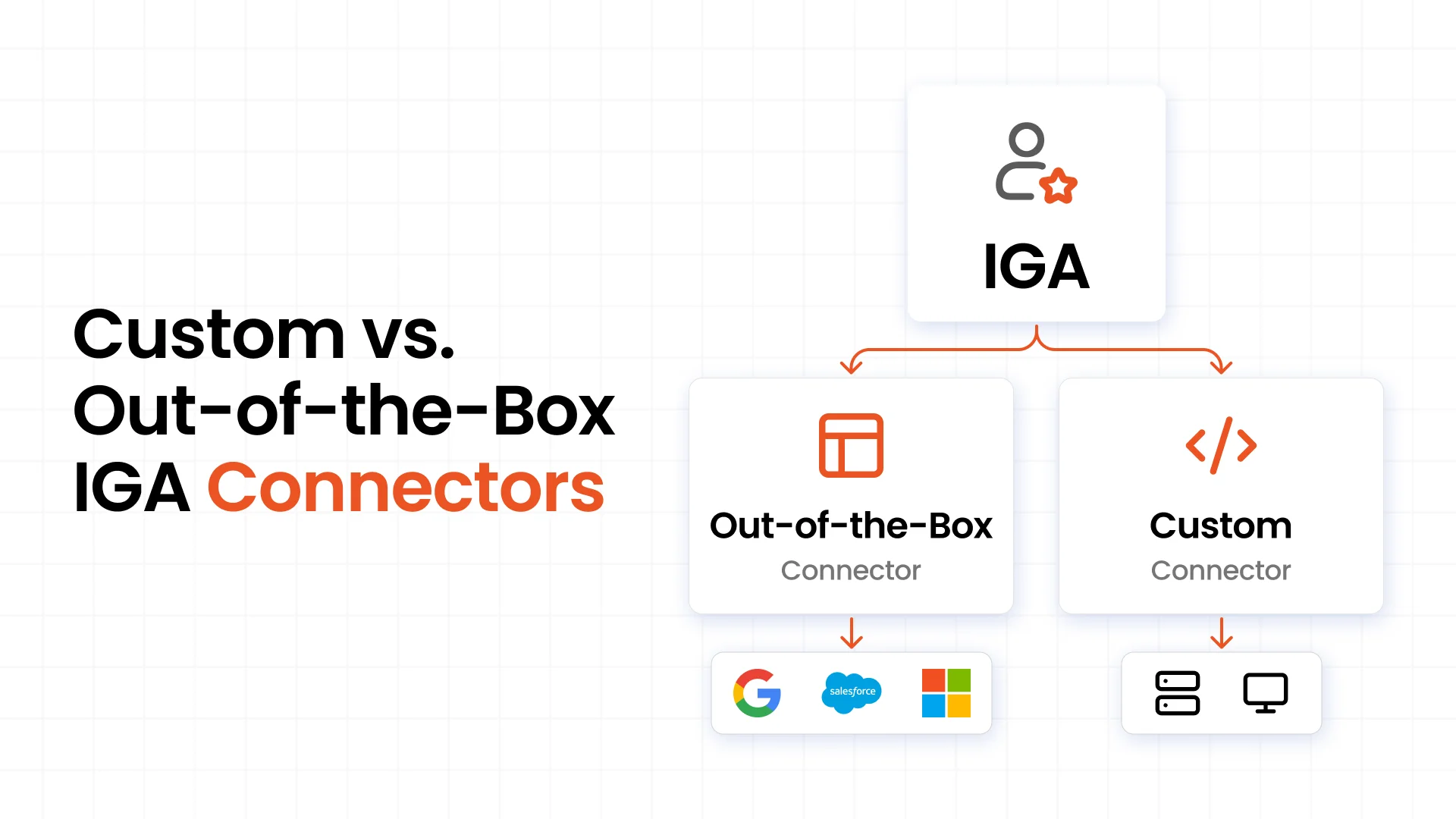
Every SaaS application handles integrations differently. Some support SCIM for automated user management, while others rely on APIs or custom integrations. Your IGA platform needs the right IGA connectors to communicate with these applications and manage access across your SaaS stack.
The choice of IGA connector also affects how much control you get over each application. A basic integration might support account creation and deactivation, while a more comprehensive connector might also support group synchronization and entitlement management.
Pro Tip: Select custom integrations only when your team has the time and technical expertise to maintain them. Otherwise, look for an IGA provider with pre-built connectors for your SaaS applications. Check whether these connectors cover the applications and access permissions your business relies on.
Wondering whether pre-built connectors or custom integrations suit your needs better? Explore our guide to custom vs. out-of-the-box IGA connectors to find out.
4. Align Access with Business Roles
Managers review access and see technical jargon. They face system tags like API_Write or Export_Data. An entitlement is a single, specific right. It controls exactly what someone can do inside an app. IT teams understand these technical codes perfectly. Business managers usually do not. This confusion slows down access reviews.
SaaS entitlement management and role-based access control (RBAC) handle this exact problem. You can align access with actual job functions by bundling related entitlements into standard business roles.
Here is how this simplifies access for a sales department:
| Business Role | Responsibilities | SaaS Entitlements (Individual Permissions) |
|---|---|---|
| Sales Development Rep | View and update prospect records. | Read_Lead, Write_Lead |
| Account Executive | View sales opportunities, create quotes, and export sales data. | Read_Opp, Write_Quote, Export |
| Sales Manager | Approve discounts and delete records when required. | Approve_Discount, Delete_Record |
Managers can now approve the familiar role name. They can skip decoding the underlying system code. This structure makes access decisions incredibly fast. Employees also get their required access automatically.
Pro Tip: Replace email and ticket-based access requests with a self-service portal. When employees need additional tools or permissions, requests route automatically to the right manager or app owner based on role and risk. Every approval and denial is logged automatically for audits.
5. Run Risk-Based Access Reviews and Certifications
Annual access reviews often miss outdated permissions. Reviewing every employee at once puts extra pressure on your IT team and leaves unnecessary access active for months.
Instead, match your review schedule to the actual risk. Privileged accounts need closer attention than everyday apps. Use this framework to plan your review cycles:
| Risk Level | Target Profile | Recommended Frequency |
|---|---|---|
| High Risk | System administrators and financial applications | Monthly or quarterly |
| Medium Risk | Department managers and core business platforms | Biannually |
| Low Risk | Standard employees and basic communication tools | Annually |
During each cycle, managers confirm what their team actually needs. They approve essential permissions and revoke the rest. This process, known as access certification, creates a clear audit trail of who approved what.
An IGA platform automates this workflow. It routes approval requests to the right managers, records every decision, and tracks permission changes between scheduled reviews. These controls also help your organization meet access governance requirements under SOC 2 and ISO 27001.
Pro Tip: Set a clear deadline for every access review and send automatic reminders to managers who haven't responded. Escalate pending reviews to department heads so critical access decisions don't remain unresolved.
6. Enforce Least Privilege and Segregation of Duties (SoDs)
Keeping old permissions after role changes causes privilege creep, creating conflicting access rights that invite fraud and costly errors.
Make least privilege your default rule for SaaS applications. Give your employees only the permissions they need to do their jobs. Strong SaaS access control also requires strict segregation of duties (SoD) rules to prevent any one person from controlling an entire critical workflow.
For example, if your developer writes code in GitHub, assign pull request approval to another team member before the code reaches production.
Set your IGA platform to automatically flag these conflicts, keep privileged access tightly restricted, and resize permissions during every review cycle.
Pro Tip: Make elevated access temporary by default. Avoid permanent permissions for contractors, project teams, and one-off admin tasks. Set a fixed expiration date instead. For tighter security, use Just-in-Time (JIT) access to grant elevated rights only when requested and revoke them automatically once the task ends.
7. Manage OAuth Apps and Non-Human Identities (NHI)
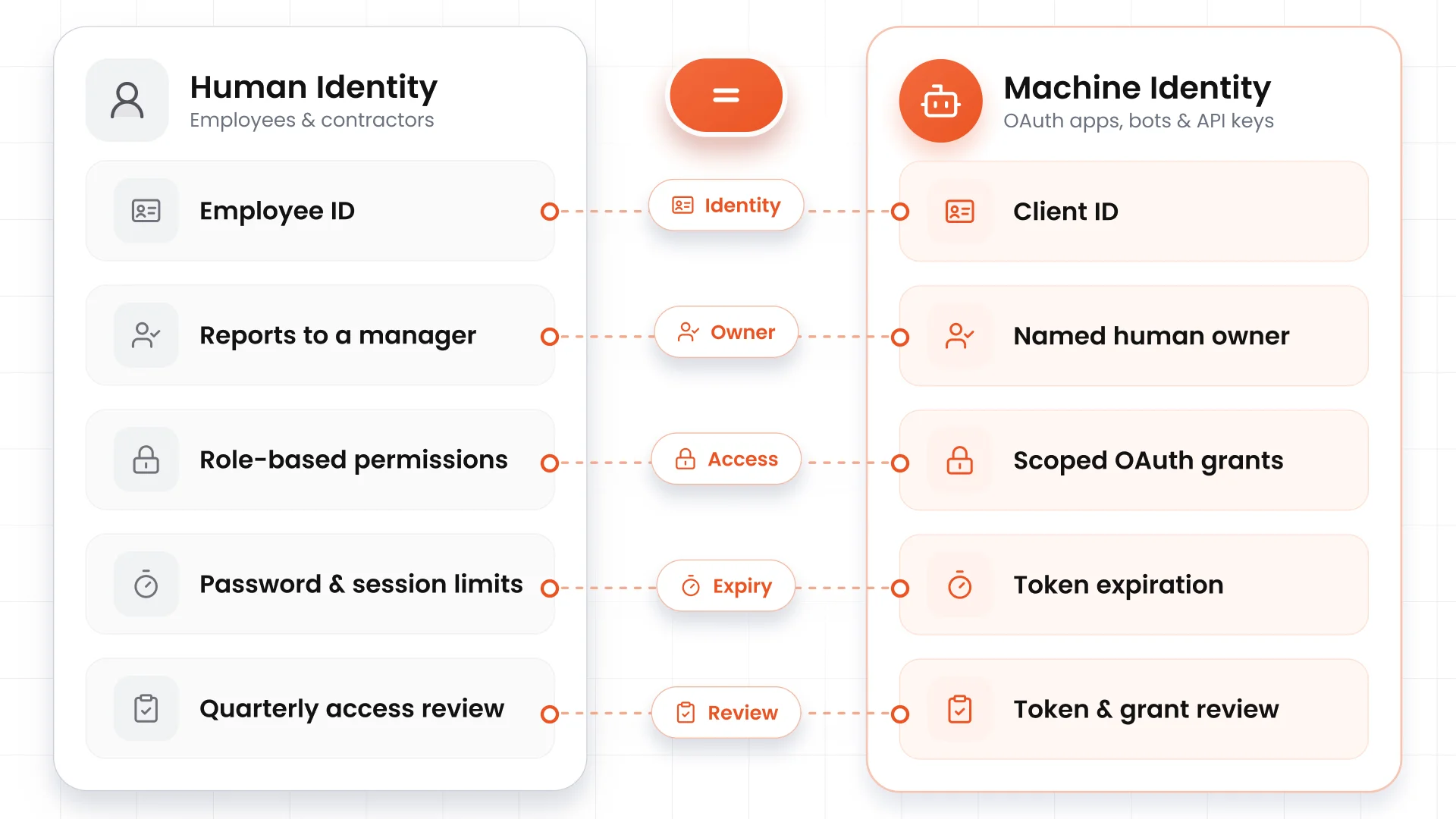
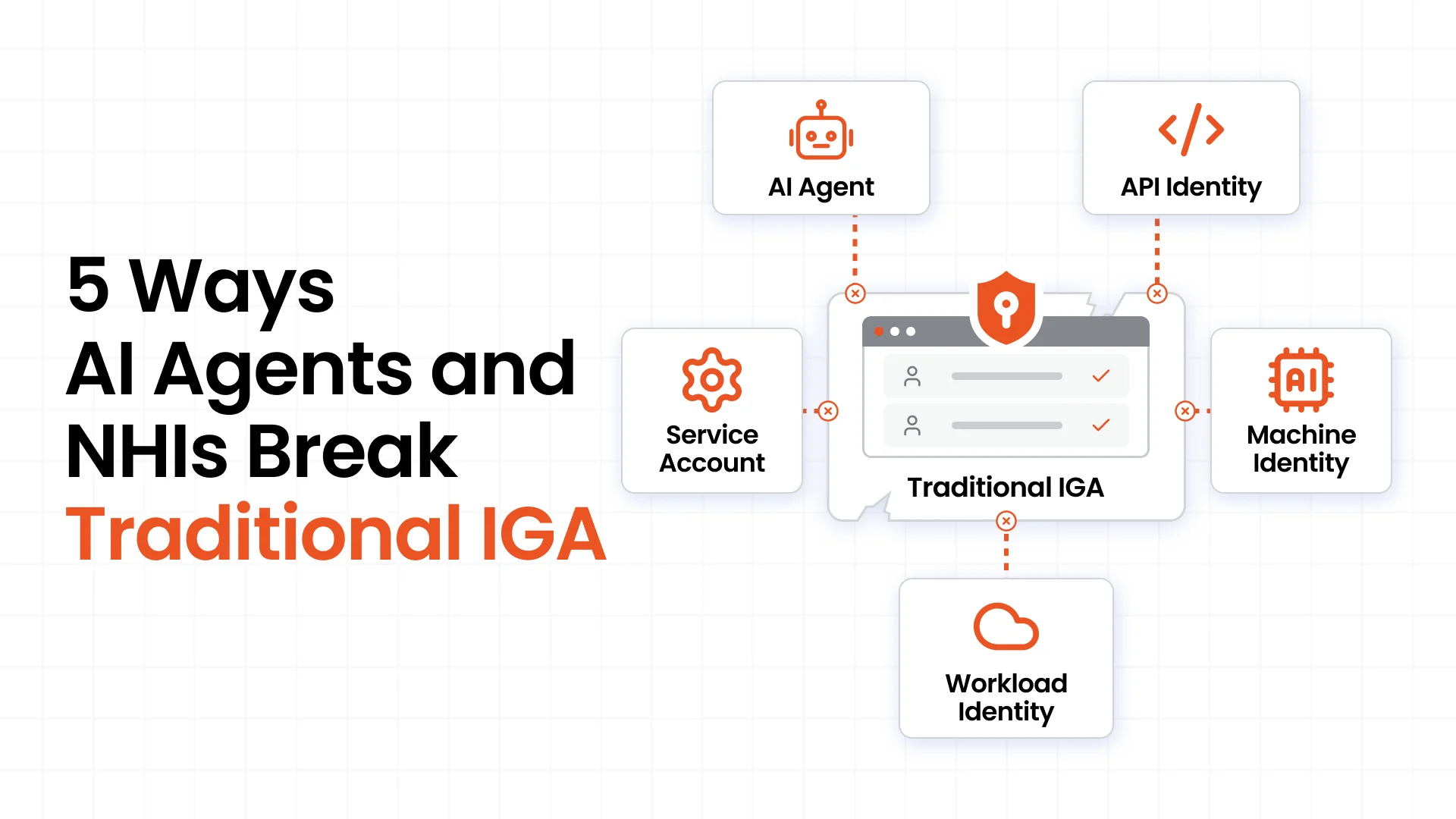
API keys, service accounts, AI agents, and third-party plugins usually run quietly in the background without much oversight. These non-human identities (NHIs) are multiplying fast across modern tech stacks, making them a massive security blind spot for most companies.
Strong OAuth app governance means treating machine credentials exactly like human logins. Assign every bot, integration, and API token a clear human owner. Give them tight permission boundaries and a strict expiration date. Schedule regular reviews to clear out unused tokens, stale access grants, and orphaned accounts before an attacker exploits them.
Pro Tip: Avoid pasting raw API keys or service tokens into Slack channels or code repositories. Even private repos get copied or leaked, handing bad actors instant access to your connected apps. Lock all machine credentials inside a dedicated secrets manager that rotates keys automatically behind the scenes.
8. Close All Offboarding Gaps
Disabling an employee's SSO profile only finishes half the job. Direct logins, local accounts, and background OAuth connections often stay active. Attackers use these orphaned accounts to bypass your primary defenses and steal company data.
Effective SaaS offboarding best practices rely on an IGA platform connected directly to your HR system. The platform triggers an automated exit workflow the exact moment HR terminates an employee.
Remember: SaaS deprovisioning is complete only after you verify access removal across every connected application.
Pro Tip: Cross-reference your SaaS billing invoices against your active employee roster every month. If an invoice charges for more seats than your HR system shows, you have unintegrated apps with lingering accounts that bypassed your exit workflow.
9. Maintain Audit-Ready Records
Collecting screenshots and email approvals before an audit wastes time. Maintain clear records of access decisions and administrative activities through dedicated governance reports.
- Access Certification Report: Review access certification details for each campaign.
- Admin Audit Report: Track administrative activities and organizational changes.
- Access Request Report: Track access requests and their approvals or denials.
- SoD Breaches Report: Monitor segregation of duties violations and compliance issues.
These reports help IT and compliance teams track governance activities and retrieve audit evidence during reviews. They also support identity governance compliance for SaaS by documenting access decisions and control activities.
Pro Tip: Set a retention period for audit records based on your compliance requirements. Review your policy regularly to ensure you keep evidence for the required duration.
Common SaaS Identity Governance Mistakes
Even strong security teams leave dangerous security and access gaps open when they treat access governance as an occasional checkbox exercise. Watch out for these common pitfalls:
- Govern only apps behind Single Sign-On (SSO): Teams often secure their main identity provider while they ignore standalone SaaS tools, Shadow IT, and local accounts outside SSO.
- Copy permissions from existing users: If IT clones a coworker's profile to save time, new hires inherit years of old privilege creep instead of a clean baseline.
- Grant permanent access for short-term work: Open-ended permissions for temporary projects or quick fixes leave high-level privileges active long after the task ends.
- Overlooking nested group memberships: Employees might inherit permissions through multiple group memberships without realizing how much access they receive. Check inherited permissions to identify excessive access.
- Skipping access reviews after organizational changes: Mergers and team restructuring often change job responsibilities. Update affected accounts to match the new structure.
- Failing to review privileged service accounts: Shared administrative accounts and service credentials often retain broad permissions without regular oversight.
Simplify SaaS Identity Governance with miniOrange IGA
Manual spreadsheets and disconnected tools cannot keep pace with modern SaaS sprawl. To put these nine best practices into action, you need a single IGA platform with full visibility and control over every human and non-human identity across your tech stack.
miniOrange IGA unifies your entire access lifecycle under one roof, from day-one onboarding to instant offboarding. Instead of endless manual tickets, your team gets:
- Automated lifecycle management: Connect your HR system to provision and revoke access across SSO, local accounts, and OAuth apps in real time.
- Proactive risk prevention: Enforce strict role-based access control (RBAC) and flag Segregation of Duties (SoD) conflicts before they become security gaps.
- Frictionless access certifications: Route risk-based reviews to managers with full login context so they approve valid access fast.
- Audit-ready compliance: Capture every request, approval, and revocation in a centralized log mapped directly to SOC 2, ISO 27001, HIPAA, and GDPR controls.
Stop excess permissions before they turn into costly breaches. Book a free demo with miniOrange today to see how our IGA solution automates access governance across your organization.
Frequently Asked Questions (FAQs)
1. What are the most important SaaS identity governance best practices?
The top practices include enforcing least privilege, separating critical duties, and running risk-based reviews. You must also govern non-human identities, automate offboarding, and log audits continuously. These steps eliminate blind spots and block unauthorized access.
2. How often should SaaS access reviews be run?
Base your review schedule on account risk. Review high-risk admin and financial accounts every month or quarter. Check core business apps every six months and audit standard employees once a year.
3. What is the difference between IAM/SSO and IGA for SaaS?
IAM and SSO verify an identity so the user can log in. IGA controls what that user can do after signing in. It tracks who accesses what, why they need it, and how you prove compliance.
4. How do you govern OAuth apps and non-human identities in SaaS?
Treat machine identities exactly like human users. Assign every API key, bot, and service account a clear human owner. Give them strict permission limits, set hard expiration dates, and secure their secrets.
5. Which best practices matter most for SOC 2 and ISO 27001 readiness?
Auditors look for regular access reviews, fast employee offboarding, and strict duty separation. An IGA platform tracks every approval and revocation automatically. This provides instant proof that you follow your own security rules.
6. How do you prevent access (privilege) creep in SaaS apps?
Never copy coworker profiles to set up new accounts. Assign standard role templates instead. You must also automate permission removals during role changes and use temporary access for admin tasks.
Leave a Comment