New Hires Wait for Access
Manual onboarding delays accounts, applications, and group membership needed for a productive first day.
Need Help? We are right here!

Search Results:
×
Employment changes happen every day. Access often depends on tickets, spreadsheets, and follow-ups that create delays and security risks.
Manual onboarding delays accounts, applications, and group membership needed for a productive first day.
Promotions and department moves can add entitlements while former access remains, creating privilege creep.
A disabled account may not remove access to SaaS applications, VPNs, directories, or business tools.
HR, IT, security, and application owners struggle to trace approvals, access changes, and unresolved offboarding actions.
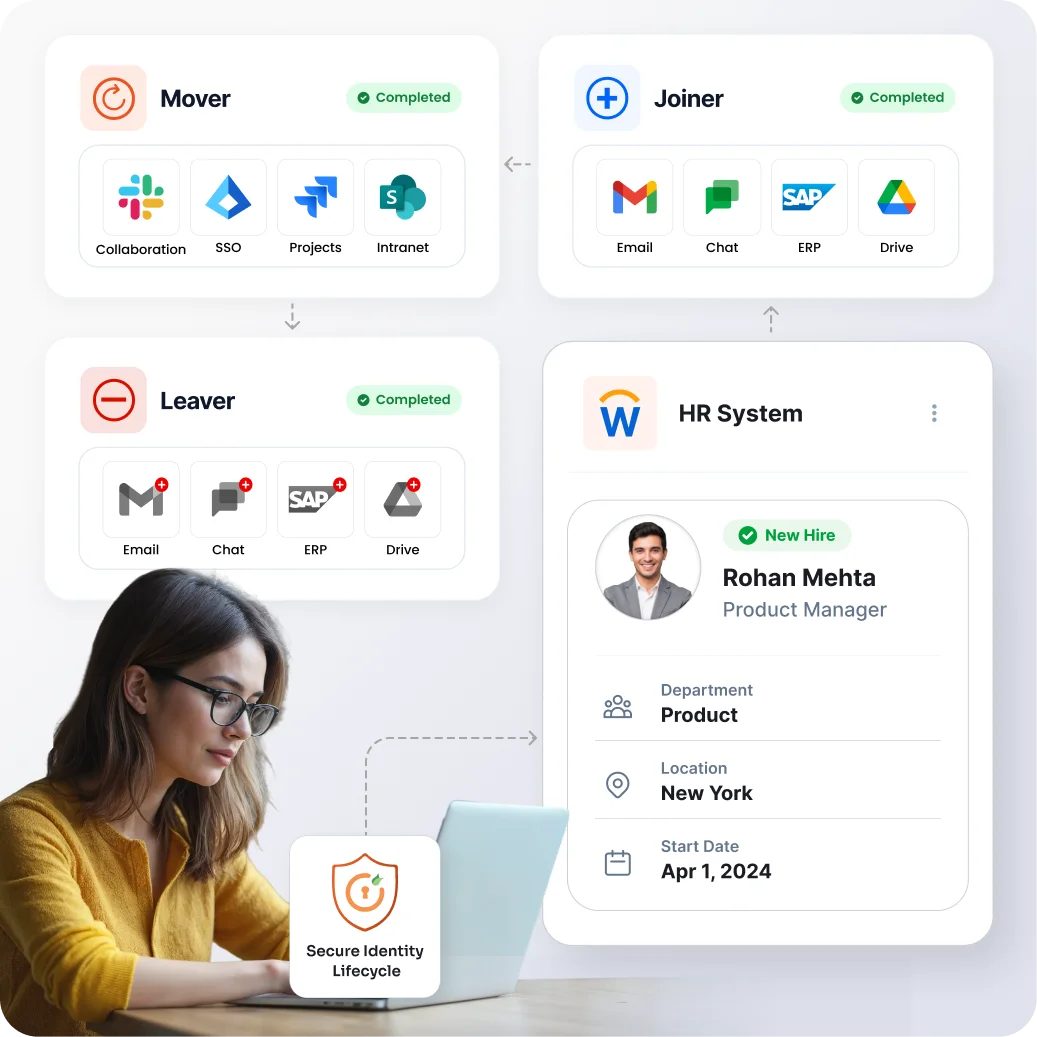
Joiner Mover Leaver (JML) automation manages digital identities as people join, change roles, or leave. A trusted HR system or directory starts the relevant JML workflow. miniOrange IGA then creates, updates, or removes access through a defined JML process that supports identity and access management (IAM).
Automatically give, update, remove access based on user lifecycle changes.

A hire event creates an identity, assigns birthright access, and provisions approved accounts and applications.

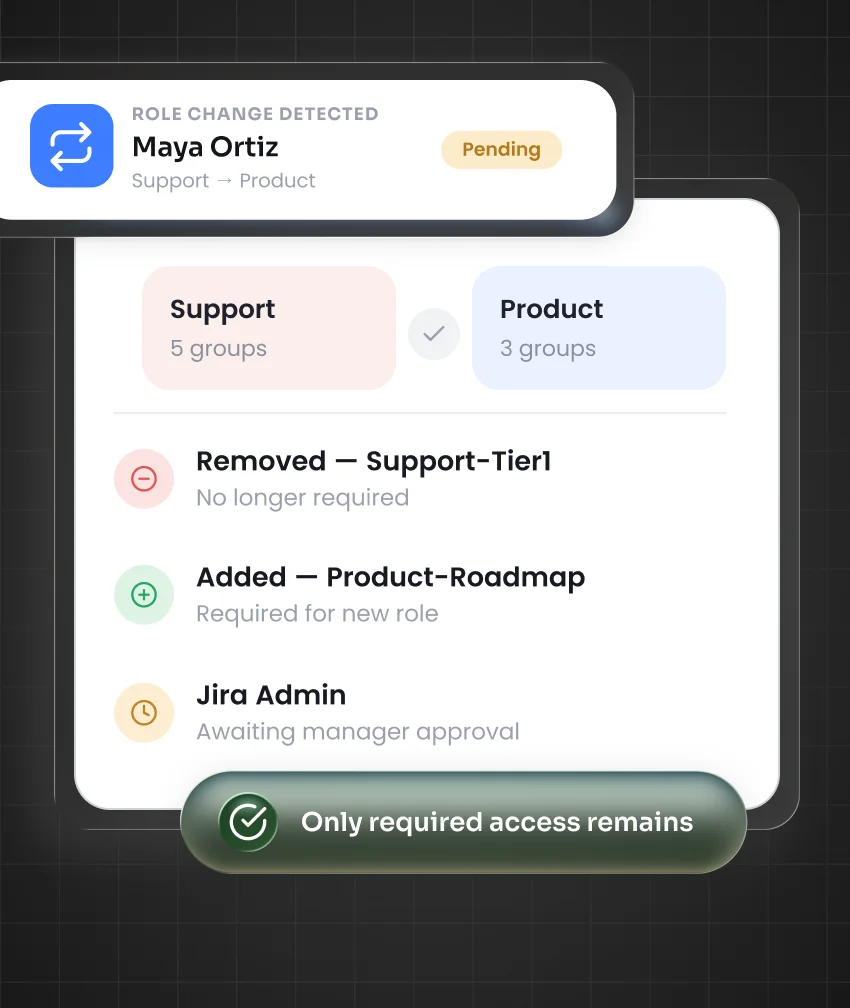
A role change reviews existing permissions, removes outdated access, and adds entitlements for new responsibilities.

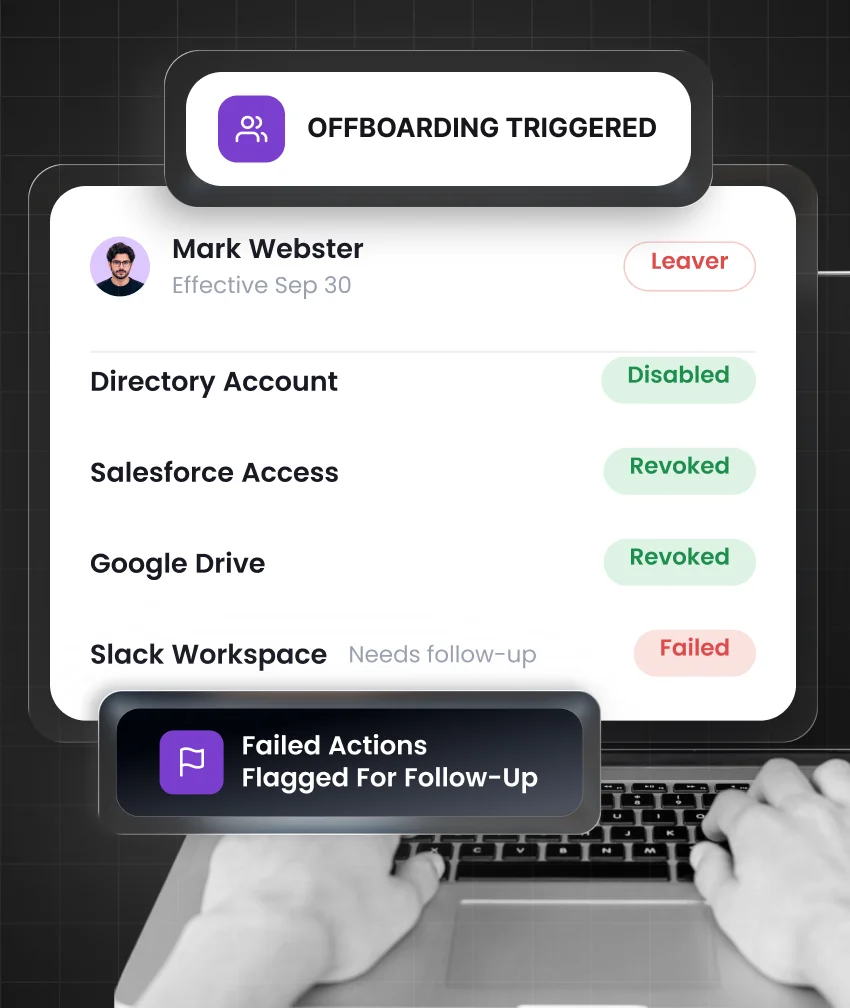
An exit event starts automated deprovisioning to disable accounts and complete timely access removal.
miniOrange IGA evaluates policies and approvals to determine who gets access, what they get, and when access changes.

Start with an authoritative identity source such as an HR system, Active Directory, or Microsoft Entra ID.

Match user attributes to roles, access policies, approval paths, and least privilege requirements.

Create accounts, provision applications, update entitlements, manage group membership, and revoke obsolete access.

Route sensitive requests through access approvals, time limits, policy checks, and access review workflows.

Record each lifecycle event, decision, approval, action, exception, and outcome in a searchable audit trail.
Each lifecycle event should result in access that fits the worker’s current role and business need.
A confirmed hire starts joiner automation and employee onboarding automation. miniOrange IGA creates or matches the identity, applies HR-driven provisioning, assigns approved birthright access, and provisions required accounts. Non-standard requests follow the right approval path.
A new job title, department, manager, location, or employment type starts mover automation. The workflow reviews role change access, retains justified permissions, removes previous-role entitlements, and grants access required for the worker’s new responsibilities.
A termination date or urgent departure begins leaver automation and the offboarding process. Automated provisioning and deprovisioning remove accounts, applications, groups, and entitlements to help reduce lingering orphaned accounts.

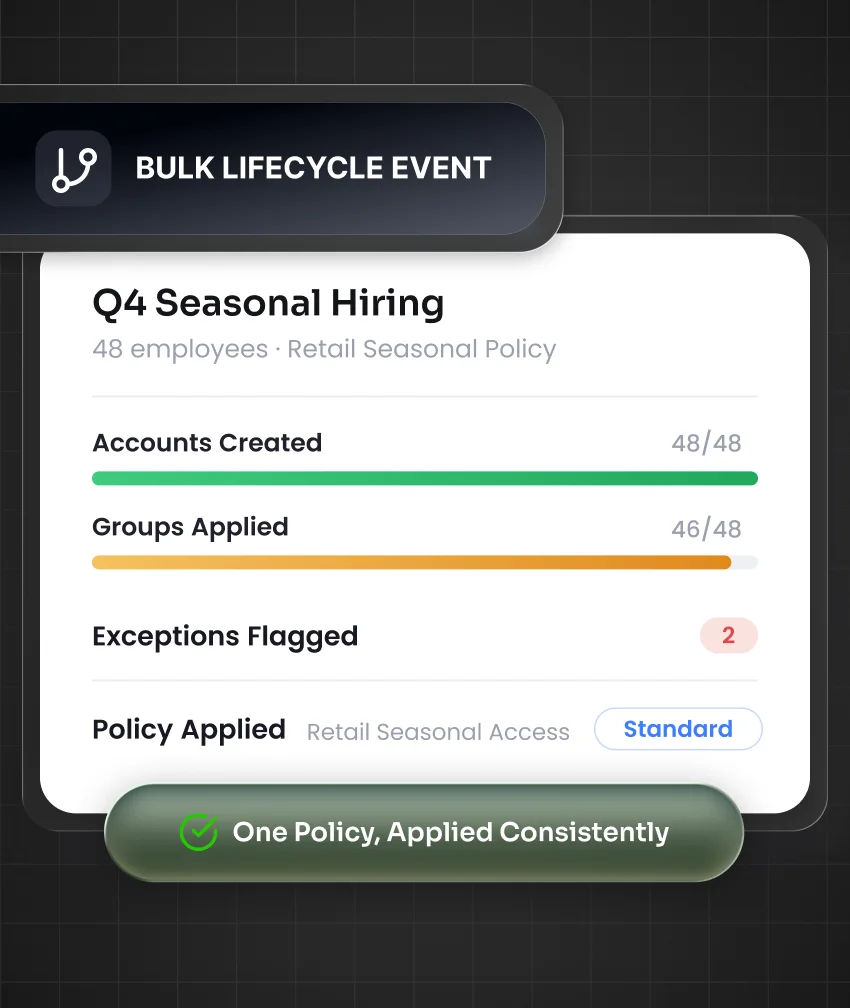
Role-Based Access Control (RBAC) maps approved workforce roles to standard access. Policy-based provisioning applies consistent permissions while elevated access stays outside the default package until it receives approval.

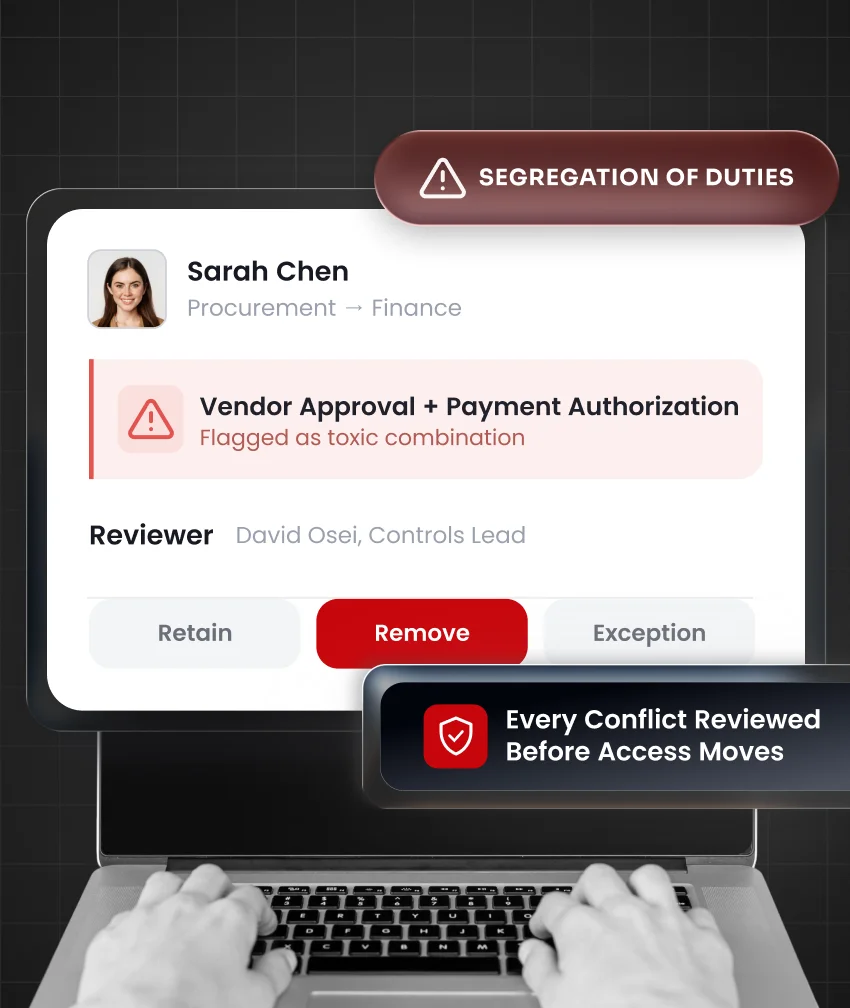
SoD checks assess access combinations during role changes. This helps identify toxic access before conflicting permissions are granted in finance, procurement, or operations.

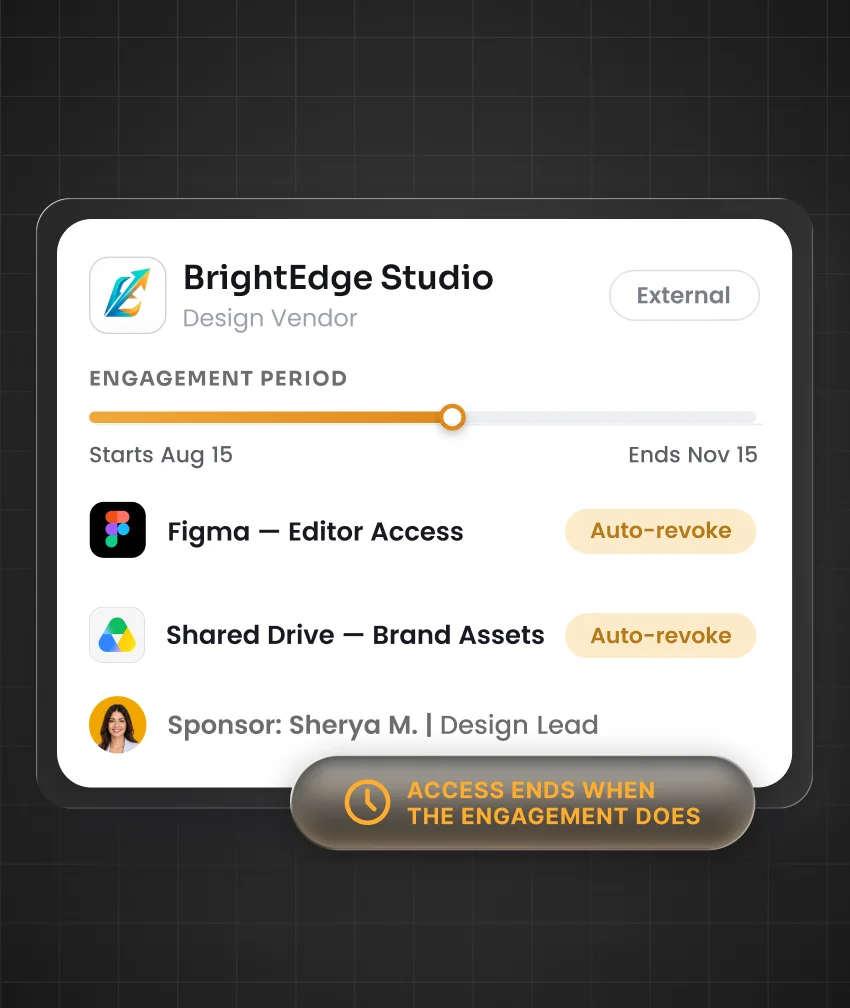
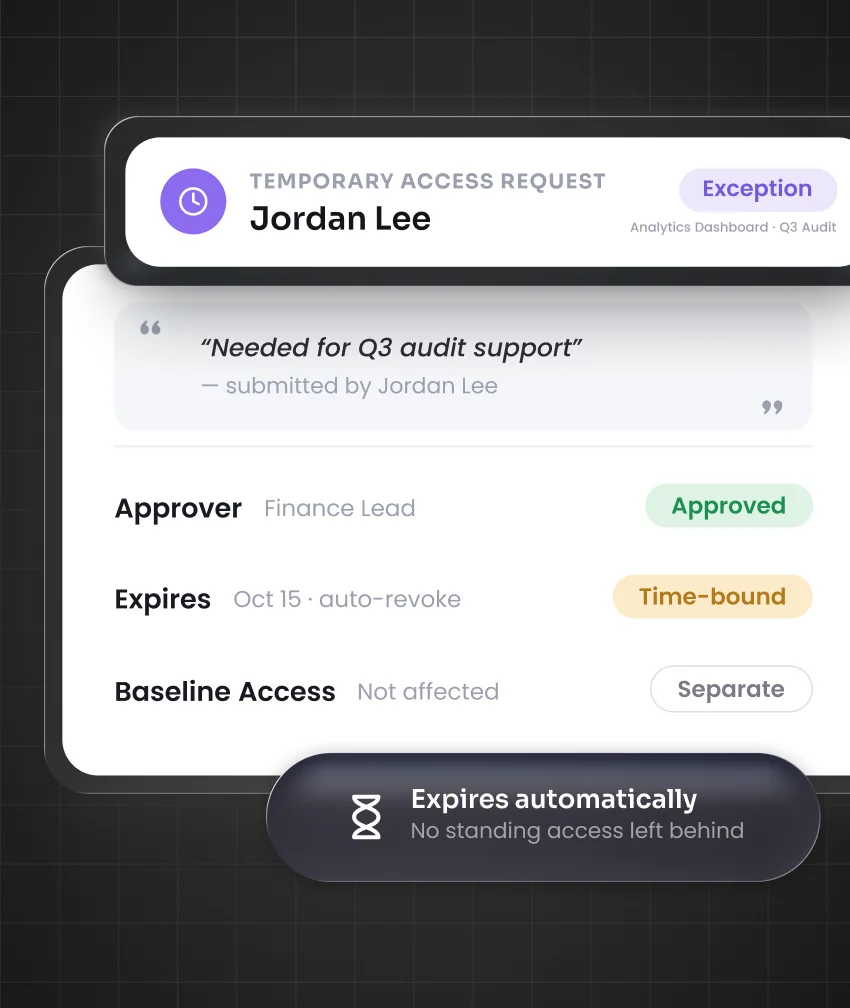
Standard permissions follow the approved policy. Elevated, unusual, or out-of-role access follows an access-approval workflow with the appropriate manager, application owner, or control owner. Temporary access can include a fixed expiry date.

Prebuilt app connectors, SCIM provisioning, APIs, webhooks, Active Directory, and LDAP integrations carry approved lifecycle actions into SaaS, cloud, directory, and on-premises applications.

Access certification confirms whether sensitive or exceptional permissions remain appropriate after a lifecycle change. Periodic recertification helps security teams identify stale access that needs human review.

Detailed lifecycle reporting records provisioning, approvals, entitlement updates, deprovisioning, failures, and remediation actions. Teams gain reliable evidence of compliance for investigations and audits.
A role change should review existing access before new permissions follow the employee.
Retain email, collaboration applications, and baseline corporate access that remain justified by policy or the new role.
Remove CRM editor rights, prior department groups, and shared-resource access tied only to the previous role.
Assign the ERP role, reporting group, and business applications required for the employee’s new responsibilities.
Route temporary cross-team access to an approver and apply an expiry date for the handover period.
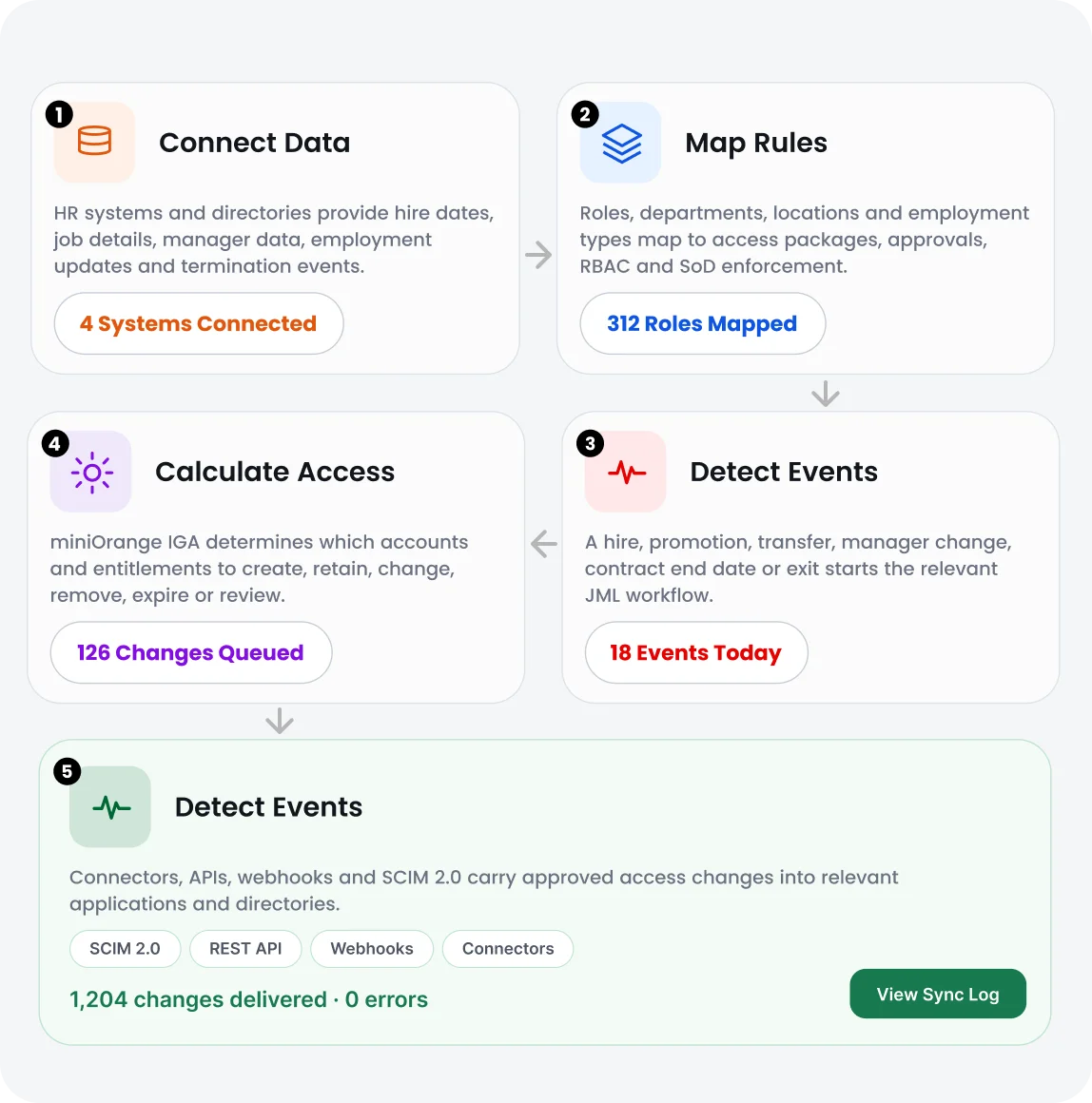
Trusted workforce information follows a clear path from lifecycle event to governed access action.
HR systems and directories provide hire dates, job details, manager data, employment updates, and termination events.
Roles, departments, locations, and employment types map to access packages, approvals, RBAC, and SoD policy enforcement.
A hire, promotion, transfer, manager change, contract end date, or exit starts the relevant JML lifecycle workflow.
miniOrange IGA determines which accounts and entitlements to create, retain, change, remove, expire, or review.
Connectors, APIs, webhooks, and SCIM 2.0 carry approved access changes into relevant applications and directories.
Routine workforce events should lead to timely access decisions, not delayed tickets or untracked follow-ups.
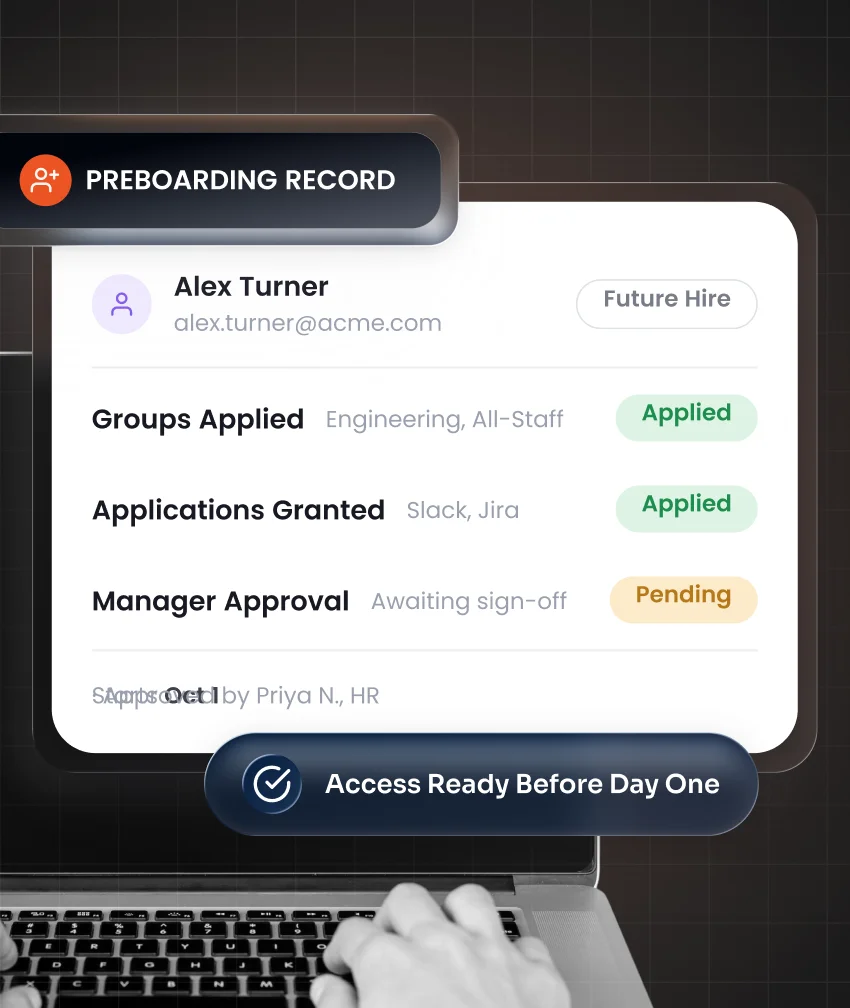
An approved future hire record can start preboarding before the new employee begins work. This gives IT time to prepare the required digital identity and baseline access.
Track how quickly workforce updates become accurate access actions and identify where manual intervention is still required.
Documented access decisions, approval records, reviews, and lifecycle activity can support audit readiness across regulated environments.
View Compliance Frameworks
Data Privacy

Payment Card Data

ISMS

Healthcare Privacy

Type II

Cybersecurity

Data Protection

Banking

Saudi Finance

National Cybersecurity
Joiner-mover-leaver automation works alongside access requests, access reviews, roles, SoD controls, and reporting within miniOrange IGA.
HR platforms, directories, SaaS applications, cloud services, and on-premises environments can connect through flexible provisioning methods.
Access follows the employee’s current role. Previous-role permissions can be removed before unnecessary access becomes a security concern.
Approved rules guide standard changes. Exceptions move through defined approvals, expiry controls, and governance checks.
miniOrange helps teams connect identity data, map access rules, configure lifecycle workflows, and prepare for evolving access requirements.
miniOrange offers support plans with 24/7 availability options for customers who need technical assistance during deployment and ongoing operations.
It is a structured identity lifecycle management process that creates, changes, and removes user access when people join, change roles, or leave an organization.
User provisioning creates or updates accounts. JML automation determines when access should change, what permissions fit the role, and whether approval is required.
For employees, an HR system often serves as the authoritative identity source because it stores job details, manager information, employment status, start dates, and exit dates.
Yes, an approved future hire date can begin preboarding. This helps ensure required accounts and approved access are ready before the employee’s first day.
Mover automation checks what access remains appropriate. It can retain valid permissions, remove outdated access, add new entitlements, or send exceptions for review.
A termination event or planned exit date starts the leaver process. The workflow can disable accounts, revoke permissions, remove groups, and record each deprovisioning action.
Yes, contractors, vendors, interns, and seasonal staff can receive sponsor-based time-bound access with a defined start date, end date, and offboarding workflow.
Elevated or unusual requests follow an access approval workflow. Managers, application owners, or control owners can review the request before access is granted.