
An expense app, a payroll system, and a project management tool support different parts of your business. Yet each raises the same access questions: Who can use it? What are they allowed to do? And do they still need those permissions?
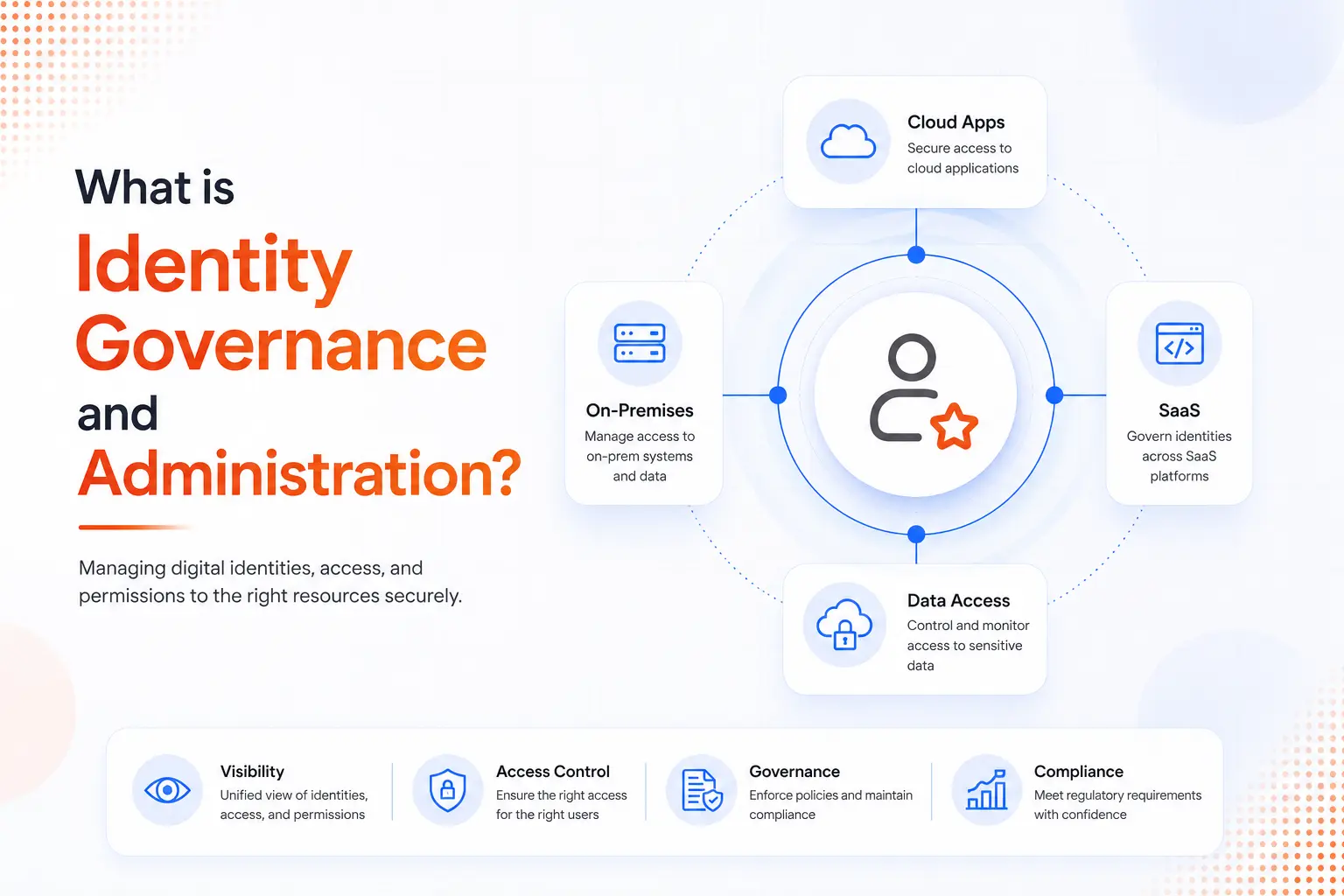
Identity governance and administration (IGA) helps teams manage these questions. But first, each application needs to be brought into the governance process. That means understanding its user accounts and permissions, identifying who approves access, and deciding how that access will be reviewed.
For a few applications, your identity team may be able to work through these details one at a time. As the list grows into the hundreds, starting from scratch for each application takes time away from managing access itself.
Scaling IGA application onboarding therefore depends on a repeatable process. Your team needs a clear set of steps it can reuse, adapt to each application, and follow to confirm that the application is ready to be governed.
Here's how to build that process without treating every new application as a separate project.
What Does Scaling Application Onboarding Actually Mean?
Scaling application onboarding means increasing the number of applications your team can bring under governance without increasing setup and maintenance work at the same rate.
Suppose your company has 40 applications with similar account details and access rules. Your team could configure each one separately. Or it could test a shared setup and save it as a template. For the remaining applications, it would adjust only the details that differ.
That template gives the team a starting point. It also makes onboarding easier to plan because more steps follow a familiar process.
A scalable process should support four things:
- Consistent Setup: Similar applications follow the same onboarding steps and use reusable configurations.
- Reliable Governance: Access requests, approval rules, access reviews, and ownership requirements follow defined standards.
- Shared Responsibility: Identity teams manage governance policies, while application owners provide details about their systems.
- Measurable Progress: Teams track the time to onboard, application coverage, and the quality of identity data.
The important question is not simply how many applications connect to your IGA platform. It is whether the right accounts, permissions, and governance controls are in place after the connection.
Learn more about identity governance and administration.
Why Does Application Onboarding Become Harder as You Grow?
Applications differ in how they store accounts, describe permissions, and approve access. Their connection options vary too. A small difference may be easy to handle once. Repeated across hundreds of applications, it can become a regular source of delays.
1. Every Application Starts From Scratch
Some applications have ready-made connectors. Others need API setup, custom development, or scheduled file imports.
Different connection methods are expected. The problem starts when every setup is built separately, even where a shared approach would fit.
Each setup then needs its own fixes and updates. Over time, this creates application onboarding debt (extra upkeep that builds up from one-off setups and unresolved problems).
It also creates a dependency on individual knowledge. If only one person understands a setup, even a small change can leave the team waiting for help.
2. Older Applications Keep Getting Delayed
An older application may have limited documentation, no standard connector, or no clearly assigned owner. Teams may delay it while they work through applications that are easier to connect.
But integration difficulty says little about business importance. An older system may still hold payroll records, financial data, or other sensitive information.
These long-tail applications need a place in the onboarding plan, even when they require a different approach.
3. Account and Permission Data Are Incomplete
One application may identify people by employee ID. Another may rely on email addresses. A third may still contain old usernames.
Account correlation (matching application accounts to the right people) becomes difficult when these details are missing or inconsistent. This also increases the risk of orphaned accounts, which remain active after users leave the organization or lose their connection to it.
Identifying these accounts during onboarding helps teams investigate ownership, verify whether the accounts still serve a business purpose, and address unnecessary access.
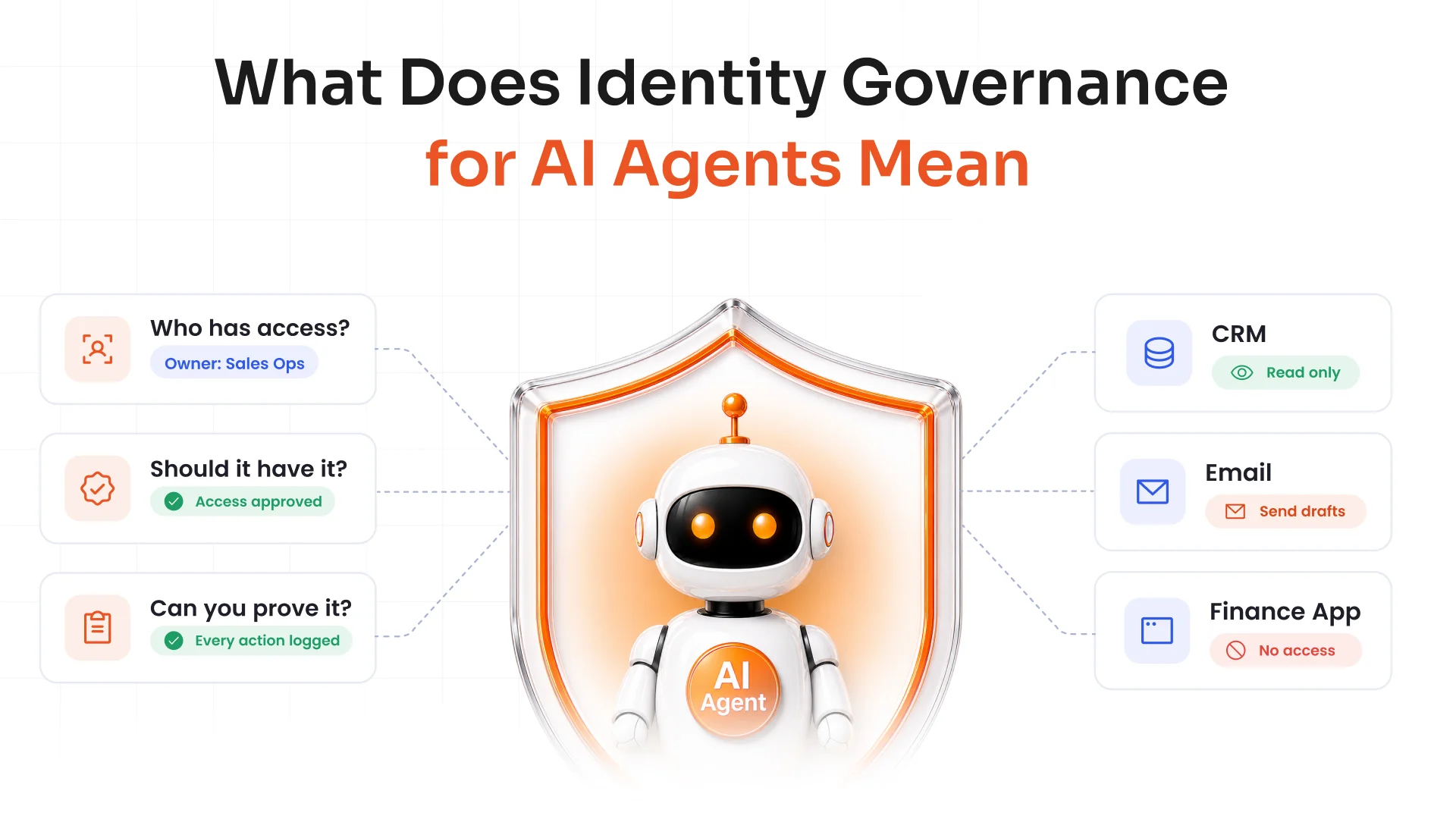
Permission data needs attention too. Entitlement aggregation, which collects roles, groups, and permissions from applications, is only useful if reviewers can understand what that access allows. A permission label such as "Group_27" tells a reviewer very little without a clear description and owner.
4. Every Application Gets the Same Controls
A business-critical financial system and a low-risk internal tool may not need the same governance requirements.
Without application tiering, teams can spend too much time applying extensive controls to low-risk applications while sensitive systems need more attention.
The answer is to match governance requirements to application risk, business impact, and technical capabilities.
Build a Repeatable Application Onboarding Process
Treat application onboarding as a regular business process rather than a separate onboarding project every time a new system enters the environment.
A standard workflow helps teams understand what must happen, who owns each step, and when an application is ready for governance.
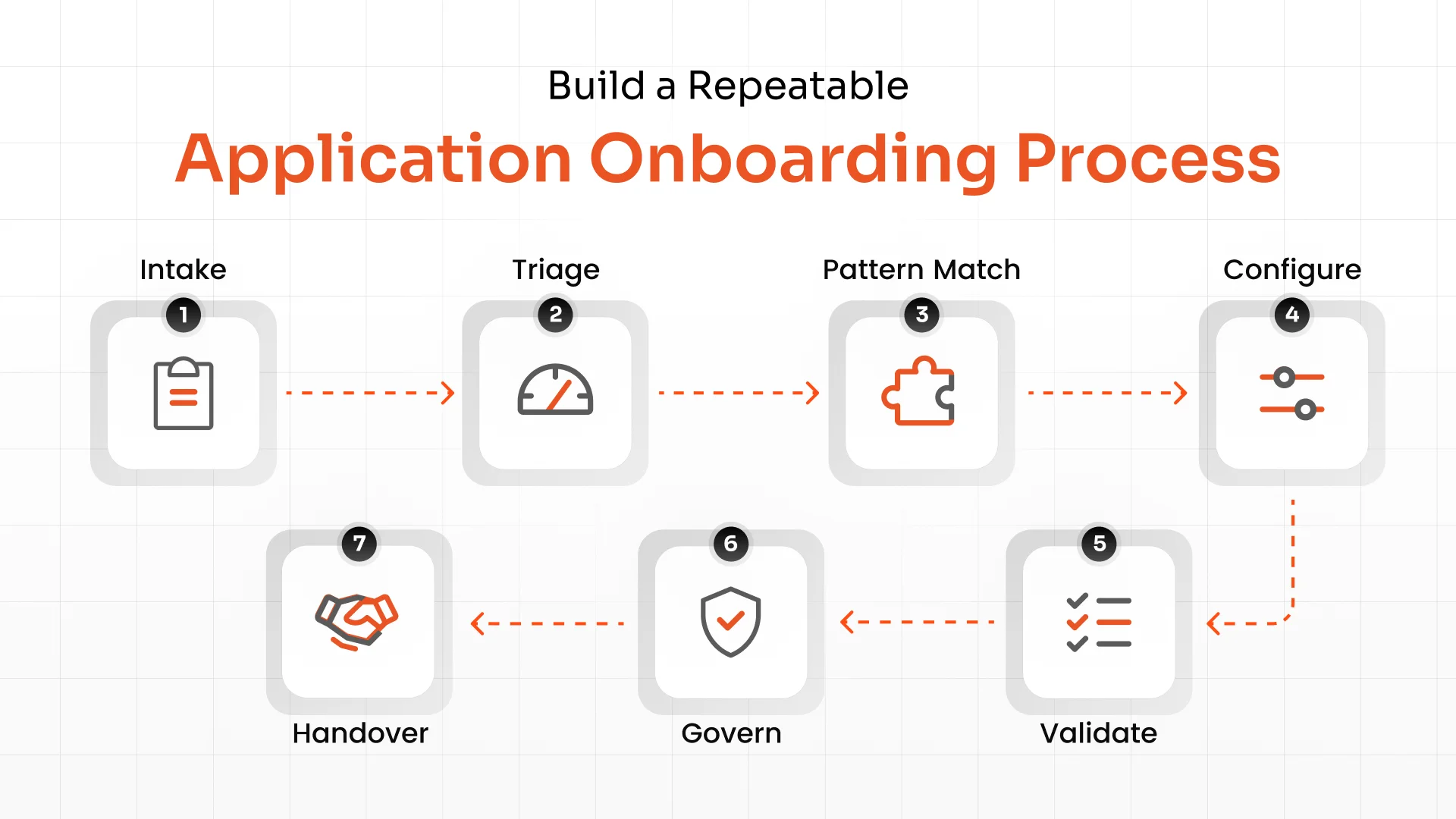
| No. | Stage | What Happens | Expected Result |
|---|---|---|---|
| 1 | Intake | Record the application's purpose, owner, and user groups. | Complete application details |
| 2 | Triage | Assess business importance, access risk, and integration readiness. | A priority and governance level |
| 3 | Pattern Match | Check for an existing connector or reusable template. | A matching configuration or documented exception |
| 4 | Configure | Set up identity sources, account matching, and permission collection. | Application identity data becomes available |
| 5 | Validate | Check account matches, permissions, ownership, and data quality. | Reliable identity and access records |
| 6 | Govern | Enable the required access reviews, requests, and lifecycle controls. | Governance controls are active |
| 7 | Handover | Assign ongoing responsibilities and record exceptions. | The application enters routine operations |
Each stage needs a clear owner and completion criteria.
For example, a successful connection does not mean onboarding is complete. The team must also confirm that accounts match the right identities, permission data is useful, and someone is responsible for reviewing access.
A shared identity discovery and visibility process can help teams find applications and accounts that may have been missed.
Group Applications Into Reusable Patterns
Two applications do not need to belong to the same department to share an onboarding pattern. If they use similar integration methods and access rules, your team may be able to reuse the same configuration for both.
Start by grouping applications according to their technical and access governance needs.
| Application Pattern | Typical Characteristics | Reusable Onboarding Rules |
|---|---|---|
| Cloud Applications | Standard APIs or prebuilt connectors | Account matching, permission collection, and supported lifecycle controls |
| SCIM-Enabled Applications | Support standardized user provisioning | Attribute mapping, provisioning rules and reconciliation |
| API-Connected Applications | Custom endpoints or application-specific APIs | API authentication, account mapping and permission retrieval |
| File-Based Applications | Identity and access data supplied through scheduled files | File validation, account matching and reconciliation schedules |
| Legacy Applications | Older technology or limited integration options | Supported data collection, documented exceptions and ownership checks |
| Business-Critical Applications | Sensitive data, privileged access or high business impact | Stronger validation, closer reviews and additional controls |
Treat business risk as a separate consideration. A cloud application and a legacy application may both be business-critical, even though they need different integration patterns.
For each pattern, document:
- Connection Method: How the IGA platform collects identity and access data
- Account Matching Rules: Which attributes connect application accounts to the right identities
- Permission Details: Whether the platform collects roles, groups, and individual permissions
- Review Requirements: Who reviews access and how often
- Remediation Process: How teams handle inappropriate access, unmatched accounts, and other issues
- Audit Evidence: Which records show that onboarding checks and governance controls took place
Store these settings in an application onboarding template or reusable connector configuration wherever the platform supports it.
When another application fits the same pattern, the team can reuse the relevant settings and validate the details that differ. When it does not fit, document why. This helps prevent the same integration problems from being investigated repeatedly.
A clear connector strategy also helps teams decide when existing application connectors will work, when configuration is enough, and when a custom connector is necessary.
Choose the Right Integration Method and Governance Level
Applications offer different ways to share identity and access data. The right integration method depends on what the application supports and what your governance program needs to manage.
Match the Integration Method to the Application
Start with the simplest supported method that provides the required data and actions.
- Prebuilt Connectors: Check whether the connector supports the specific account data, permissions, and access changes you need.
- SCIM Provisioning: Apply supported SCIM functions to create, update, or remove accounts. Confirm which attributes and operations the application supports.
- APIs and Flexible Connectors: Connect through APIs or a flex connector when the application provides the required data but needs specific configuration.
- File-Based Imports: Use scheduled files when direct integration is unavailable and the data can be collected reliably.
- Legacy Integration Methods: Document the supported approach, its limits, and any manual steps that remain.
Collecting account data is not the same as changing access. An integration may support visibility and reviews without supporting automated provisioning or removal. Integration capabilities depend on the application, connector, and supported protocols.
Record those differences before the application goes live. Teams should know whether a removal decision triggers an automated action or creates work for an application administrator.
Match Governance Depth to Risk
Once you understand the integration options, decide which governance controls the application needs.
| Governance Level | What It Covers | When It May Fit |
|---|---|---|
| Full Lifecycle Governance | Account lifecycle events, provisioning where supported, access requests and reviews | Applications that need ongoing access control and lifecycle management |
| Access Review and Request Governance | Access visibility, review campaigns and controlled access requests where supported | Applications that need regular access decisions but have limited lifecycle integration |
| Visibility and Ownership | Account inventory, ownership records and basic access visibility | Applications with limited integration options or lower governance priority |
These levels are not substitutes for a risk assessment. An application that is difficult to integrate may still contain sensitive data and need strong oversight.
Use risk scoring to help identify applications that need greater attention. The integration method determines what the platform can technically do. The application's risk and business needs determine which controls it should receive.
These controls might include access certification to review user permissions and confirm that access remains appropriate. This helps teams make better application governance decisions without forcing every application into the same setup.
Prioritize Applications, Plan Onboarding Waves and Delegate Work
Onboarding every application at once can overwhelm identity teams and application owners. Planned onboarding waves give teams manageable batches and time to improve the process between them.
Start by considering two factors:
- Application Risk: Could inappropriate access expose sensitive data, create compliance issues, or disrupt an important business process?
- Readiness: Is there a clear owner? Can the application provide account and permission data? Are its integration options documented?
A rollout could follow this structure.
| Wave | Focus | Example |
|---|---|---|
| Wave 0 | Establish standards and test the process | Onboard a small group of well-understood applications |
| Wave 1 | Apply proven patterns to common applications | Connect similar cloud applications using established connectors |
| Wave 2 | Handle complex or higher-risk systems | Configure API integrations and validate detailed permission data |
| Wave 3 | Address remaining applications and exceptions | Work through legacy systems and difficult data sources |
Do not reserve all high-risk systems for a later wave. If a critical application lacks access visibility, begin its discovery and control work early while other applications move through standard onboarding.
A phased rollout gives teams a chance to resolve data and workflow issues before applying the same approach more widely.
Give Application Owners a Clear Role
Identity teams should not have to discover every application detail themselves. Application owners can explain how their systems are used, confirm access requirements, identify relevant roles, and participate in access reviews.
The identity team can maintain connector standards, account matching rules, governance policies, and final validation.
This is delegated onboarding. Application owners handle clearly defined tasks, while the identity team keeps governance consistent.
A shared checklist should explain what information application owners must provide, which checks the identity team must complete, and what evidence each side needs to maintain.
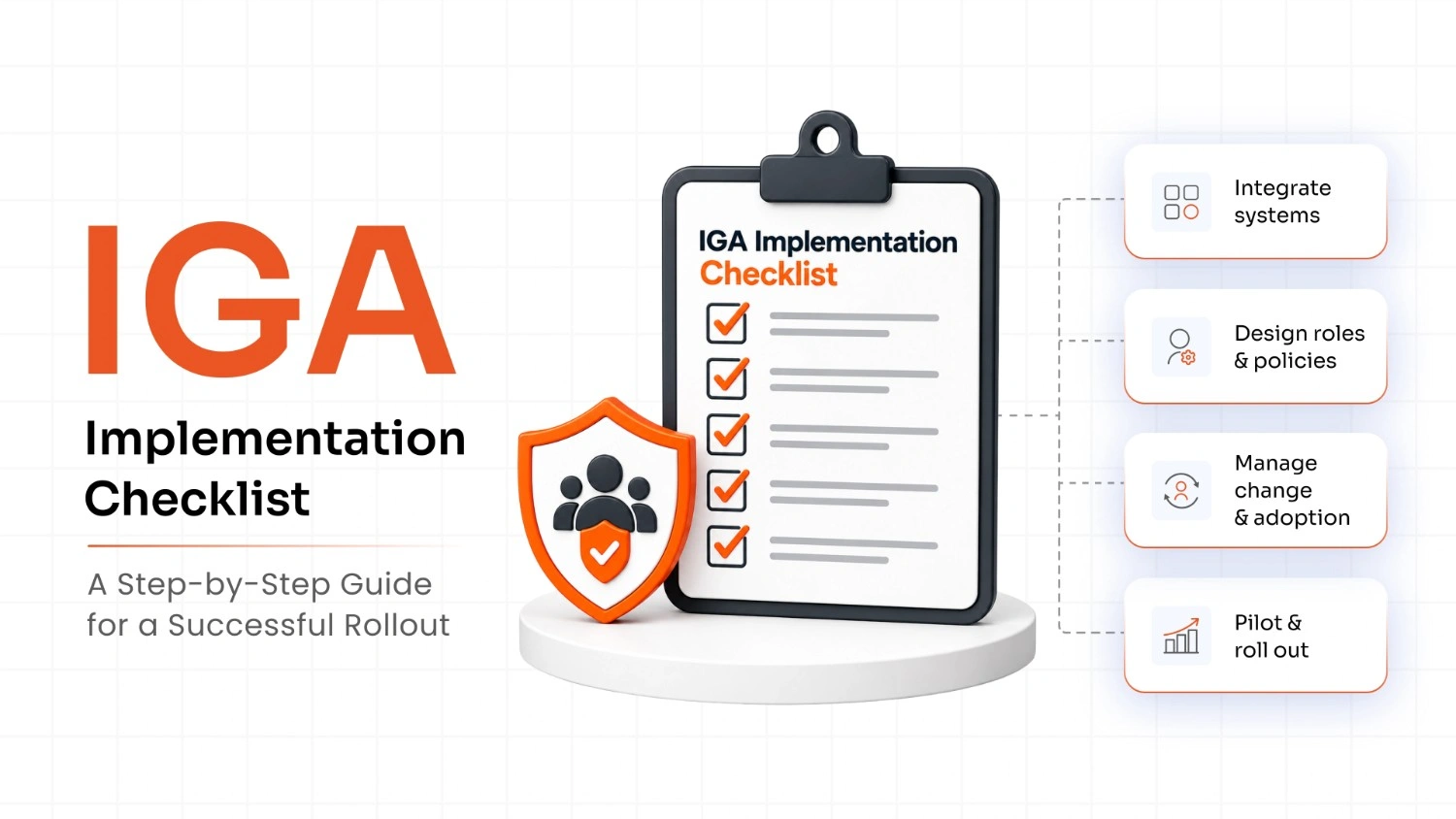
For more guidance, see the IGA implementation checklist.
Apply Automation and AI Where They Add Value
Automation can help teams handle repetitive tasks throughout the onboarding process, from discovering applications to checking identity data.
Useful examples include:
- Application Discovery: Find applications and accounts that may sit outside the governance program.
- Connector Recommendations: Suggest an existing connector or established pattern based on an application's capabilities.
- Account Matching: Flag possible matches between application accounts and authoritative identity records.
- Permission Collection: Group and organize entitlements so teams can review access more easily.
- Data Validation: Identify missing attributes, unmatched accounts, and incomplete ownership records.
- Evidence Collection: Capture onboarding checks, approvals, and exceptions for future audits.
AI can also help interpret application documentation and suggest how application attributes map to identity attributes.
However, a suggestion is not proof that a mapping is correct. Administrators should validate account matches, permission data, and governance rules before approving them.
The same principle applies to automated provisioning and access changes. Defined policies and appropriate approvals should keep important access decisions under control.
Configuration-driven IGA makes it easier to apply approved settings across similar applications. Combined with automation, it can help teams automate onboarding while maintaining the checks needed to protect access.
Include Non-Human Identities in Your Onboarding Plan
Application onboarding often focuses on employees and contractors. But applications also rely on service accounts, API tokens, bots, integration accounts and shared credentials.
These non-human identities can access sensitive systems and data. Some may not have a clear owner or documented business purpose. Include them in the standard onboarding checklist.
For each non-human identity, record:
| Detail | What to Confirm |
|---|---|
| Owner | Who is responsible for the identity? |
| Purpose | Which application or process depends on it? |
| Access | Which systems, permissions, and data can it reach? |
| Status | Is it active and still needed? |
| Review Schedule | When will its access and purpose be checked? |
| Credentials | How are credentials protected and rotated under policy? |
An unfamiliar service account should not be removed without investigation. It may support an important business process.
The aim is to establish ownership and understand its access. That makes it possible to review the account safely.
Learn more about non-human identity governance.
Measure Governance Coverage, Not Just Connected Applications
Your monthly report might show 50 connected applications. That is useful progress, but it leaves important questions unanswered.
Are accounts matched correctly? Can reviewers understand the permissions? Are access removal decisions being completed? Track governance quality alongside onboarding volume.
| Metric | What It Measures | Why It Matters |
|---|---|---|
| Governance Coverage | Percentage of in-scope applications with required governance controls in place | Shows how much of the application estate is actually governed |
| High-Risk Application Coverage | Percentage of high-risk and privileged applications governed | Highlights gaps in the most sensitive systems |
| Time to Onboard | Average time from accepted intake to completed governance checks | Shows whether onboarding is becoming more predictable |
| Onboarding Throughput | Number of applications that complete onboarding in a set period | Helps teams plan capacity and future waves |
| Account Matching Quality | Percentage of accounts correctly linked to identities | Shows whether identity records are reliable |
| Permission Data Quality | Completeness and accuracy of collected permissions | Indicates whether access reviews can support sound decisions |
| Custom Configuration Rate | Percentage of applications requiring one-off configuration or code | Shows how often teams must work outside established patterns |
| Application Onboarding Debt | Unresolved exceptions, unsupported integrations, and custom configurations that require ongoing maintenance | Reveals whether current work is creating future maintenance problems |
Define what "onboarded" means before tracking these numbers. An application should not count as fully governed simply because a connector works.
For example, your completion criteria might require a confirmed application owner, validated account matching, reliable permission data, and the agreed governance controls.
Review the metrics by application risk and integration type. If one pattern consistently takes longer or produces more unmatched accounts, investigate the cause before applying it to another large batch.
Best Practices for Scaling IGA Application Onboarding
Follow these practices to make application onboarding at scale more predictable:
- Maintain an Application Inventory: Track owners, business purpose, integration methods, and risk levels.
- Reuse Configurations: Apply consistent account matching, permission collection, and governance rules to similar applications.
- Prioritize by Risk: Consider business impact and integration readiness.
- Validate Data: Verify account matches, permissions, and ownership before enabling governance.
- Define Responsibilities: Assign tasks to application owners and identity teams.
- Document Exceptions: Record integration issues, control gaps, and accepted risks.
- Include Non-Human Identities: Identify service accounts, API tokens, and other machine identities.
- Review Progress: Monitor governance coverage, data quality, and onboarding time to identify issues and improve processes.
A good onboarding process should become easier to repeat as the team learns from each completed application.
How miniOrange IGA Helps Organizations Scale Application Onboarding
As your organization adds more applications, managing who has access to what becomes harder. You need a clear way to approve access, prevent conflicting permissions, and keep user accounts up to date.
miniOrange Identity Governance and Administration (IGA) helps you manage application access from one platform. It helps your team:
- Manage access requests by letting employees request the applications they need and routing requests to the right people for approval.
- Enforce segregation of duties (SoD) by preventing employees from holding conflicting permissions that could create security risks.
- Simplify identity lifecycle management by creating, updating, and deactivating user accounts when employees join, change roles, or leave.
- Review user access regularly to identify unnecessary permissions and remove access employees no longer need.
With miniOrange IGA, organizations can work toward better visibility into application access, consistent governance practices, simpler operations, and clearer accountability across their application environment.
Frequently Asked Questions
What is application onboarding in IGA?
Application onboarding brings an application under identity governance by connecting account data, collecting permissions, and enabling the required controls.
How is application onboarding different from application integration?
Application integration connects systems so they can exchange data. IGA onboarding also establishes the information and controls needed to govern identities and access.
What is application onboarding debt?
Application onboarding debt is the extra maintenance work created by custom configurations, unresolved exceptions, and unsupported integrations.
What should an application onboarding checklist include?
It should cover application ownership, integration requirements, account matching, permission data, governance controls, and validation results.
How should organizations prioritize applications for onboarding?
Organizations should consider application risk, business importance, compliance requirements, privileged access, and integration readiness.
Can every application be fully integrated with an IGA platform?
No, not every application supports a standard connector. Some require APIs, file imports, or custom integrations, depending on their capabilities.
What is the role of application owners in IGA onboarding?
Application owners confirm business requirements, clarify permissions, and help determine which access is appropriate for their applications.
How can organizations measure onboarding progress?
They can track onboarding time, governance coverage, account matching quality, permission data quality, and the number of applications completed.
Should non-human identities be included in application onboarding?
Yes, service accounts, API tokens, and bots should be included because they can access sensitive systems and data.
About the Author

Content Writer
Alankrita Shrivastava is a B2B technical content writer specializing in SaaS, cybersecurity, and WordPress security. She translates complex security concepts into clear, practical insights that support both technical decision-making and business outcomes. At miniOrange, she develops content on IAM, including SSO, MFA, and User Lifecycle Management, along with WordPress Plugin Security. She also covers broader security areas such as UEM, MDM, CASB, and DLP. Her work focuses on real-world use cases, security best practices, and solution-driven guidance that helps organizations assess risks, improve access control, and strengthen their overall IT security posture.
Leave a Comment