Introduction
Employees use browsers to access business apps, portals, dashboards, and cloud services, but unmanaged browsers or personal devices can expose corporate data to malicious websites, leakage, and unauthorized downloads. Traditional browsers offer limited control, so miniOrange’s MDM Secured Browser enables secure, policy-based access to approved websites and web apps while protecting corporate data across devices.
Problem Statement
A retail company with 300 employees, operating through both online and offline stores, faces the following challenges:
-
Access from Unapproved Devices
Employees were accessing corporate applications, such as Google Workspace, Shopify, Freshworks (FreshDesk/FreshChat), Logiwa, and Ryver from unapproved devices.
-
Risk of Data Breaches on External Networks
Risk of data breaches when corporate-owned devices are used outside the work premises from unauthorized WiFi networks.
-
Inconsistent Access Policy Enforcement
Difficulty enforcing access policies consistently across various device types, including Android, iOS, Windows, and macOS.
-
Need for Secure Device & IP-Based Access Control
The company needed a secure solution that restricts access to work applications based on the device type and IP address, while ensuring a seamless user experience for employees.
Solution
The miniOrange MDM and IAM solution addressed the company’s challenges with:
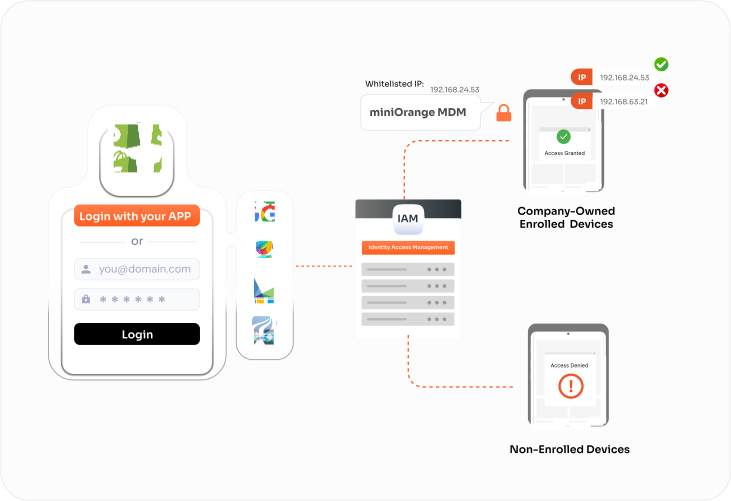
miniOrange MDM IP Restriction
IP Restriction:
- Ensured that work applications like Google Workspace, Shopify, Freshworks (FreshDesk/FreshChat), Logiwa, and Ryver can only be accessed from approved corporate networks.
Device Address Restriction:
- Limits application access to registered corporate-owned devices only, supporting Android, iOS, and macOS platforms.
Centralized Control:
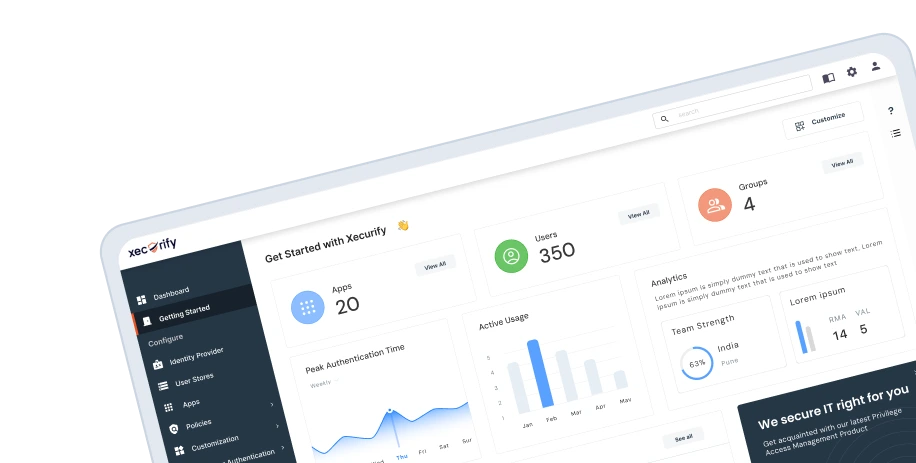
- Provides IT admins with a unified dashboard to monitor and manage access policies.
- This ensures that sensitive business data remains secure while employees retain efficient access to tools during work hours.
Secure Every Device, Protect Every Login miniOrange MDM & IAM Solution
Verify users, devices, and networks before granting access to your critical business applications
Start free trial
Book a Demo
Outcomes
By implementing miniOrange MDM, the retail company achieves a secure and efficient working environment, ensuring data safety and streamlined operations across all devices.
-
Improved Security
Unauthorized access to corporate applications is completely blocked on Android, iOS, and macOS devices, reducing the risk of data breaches.
-
Operational Efficiency
Employees can continue to use business-critical applications seamlessly within approved devices.
-
Device Management Across Platforms
Centralized policies ensure secure access on Android, iOS, and macOS devices.
-
Centralized Management
IT administrators gain a single platform for monitoring and enforcing device and IP-based access policies.