Hello there!

Need Help? We are right here!

miniOrange Support Chat - Get Help and Support
miniOrange Email Support
Success Checkmark - Form Submitted Successfully

Thanks for your Enquiry.

If you don't hear from us within 24 hours, please feel free to send a follow-up email to uemsupport@xecurify.com

Search Results:

×

MDM Remote Control Software

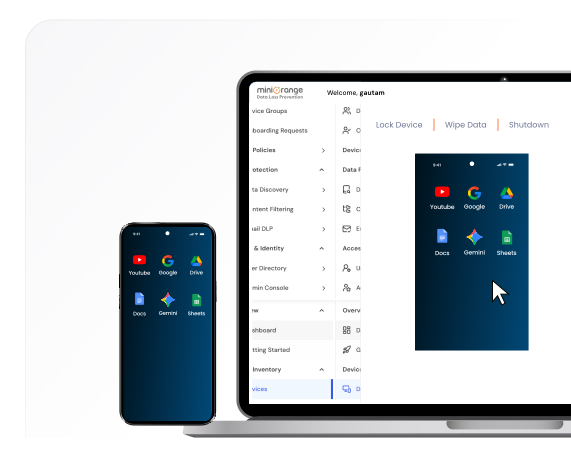
Ensure complete control over enterprise devices with mobile device management remote control, a core capability of our Mobile Device Management (MDM) solution. Remotely access, troubleshoot, and manage Android, iOS, and Windows devices without compromising user privacy. From remote wipe and shutdown to real-time screen sharing and app management, our MDM Remote Control solution gives IT teams full visibility while maintaining enterprise compliance and data security.

Try Now for Free Book a Demo Pricing

MDM Remote Control Software — enterprise device access, troubleshooting, and management

Features of Remote Control Software

miniOrange Remote Control Software for Android and other platforms provides a robust, technically advanced set of features designed for enterprise IT teams.
Real-Time Screen View and Control

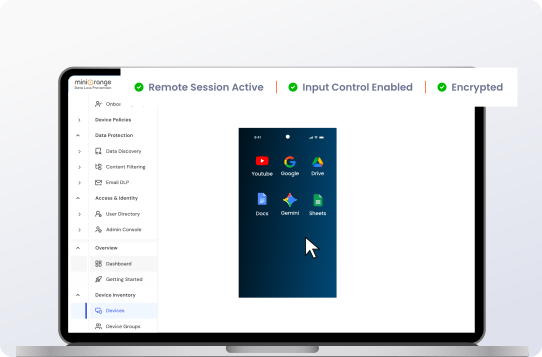
1. Real-Time Screen View & Control


Remotely view and control Android devices in real time to assist employees instantly. Troubleshoot issues, provide guided support, or configure policies without requiring physical device access.

  • Live Android device screen sharing for instant troubleshooting.
  • Remote input control to perform actions directly on the device.
  • Secure, encrypted remote sessions to protect enterprise data.

2. Remote Device Troubleshooting


Fix device errors, reset settings, or deploy patches from a central console, reducing downtime and IT support costs.
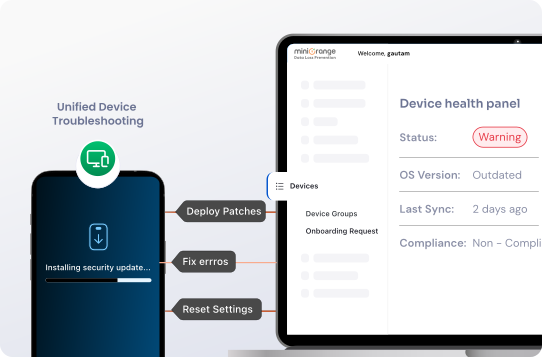
  • Diagnose and resolve device issues remotely.
  • Deploy software patches and security updates instantly.
  • Reset device configurations without end-user intervention.
Remote Device Troubleshooting

Remote Lock, Wipe, Restart, Shutdown

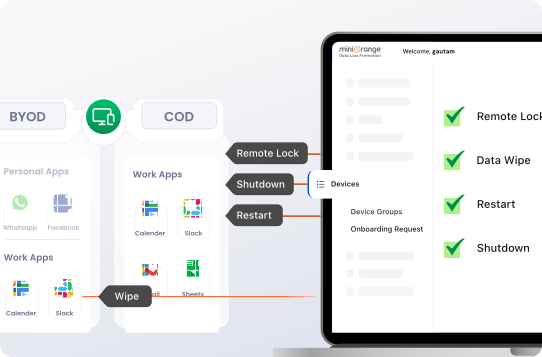
3. Remote Lock, Wipe, Restart, Shutdown


Instantly protect corporate data with remote actions while keeping personal content untouched. Remotely lock, wipe, restart, or shut down devices in case of compromise.

  • Remote corporate data wipe without affecting personal files.
  • Reboot devices remotely to apply updates or fixes.
  • Shut down compromised devices to prevent unauthorised access.
  • Force device lock to secure sensitive information immediately.

4. Remote App Management


Ensure secure deployment, update, and removal of corporate apps and data without disturbing personal apps or files.
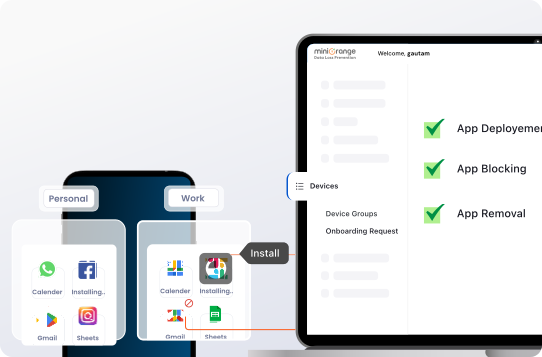
  • Push updates or remove apps remotely across devices.
  • Enforce app whitelisting/blacklisting for security.
  • Restrict access to unapproved apps or app stores.
  • Control app permissions to prevent data leakage.
Remote App Management

Add-On Features


Custom Policies and Silent Access

Custom Policies & Silent Access

Define granular policies for remote actions while enabling secure silent access for lock, wipe, app management, and troubleshooting without disrupting users.


Cross-Platform Support

Cross-Platform Support

Manage Android, iOS, Windows, and macOS devices from a single interface with consistent remote control, policy enforcement, and real-time monitoring.


Automated Event Workflows

Automated Event Workflows

Trigger remote actions automatically based on events like low battery, network changes, data limits, blocked apps, or device incompatibility.


Secure Remote Control Management for IT Teams

miniOrange provides enterprise-grade remote control management capabilities, ensuring that device access is secure, auditable, and compliant.


Role-Based Access Control

Role-Based Access Control

Define granular permissions for IT admins, managers, and support teams. Limit remote control capabilities based on responsibilities.

Privilege Access and Risk Management

Privilege Access and Risk Management

Restrict critical actions like wipe, restart, or shutdown to authorized administrators while monitoring for unusual remote access, ensuring secure and accountable device management.

Encrypted Remote Sessions

Encrypted Remote Sessions

All remote control communications are fully encrypted, ensuring that data in transit remains secure and confidential during every remote session.

Why Choose Our MDM Remote Control Solution

Boost productivity, reduce IT downtime, and maintain enterprise security with our mobile device management remote control solution.


Faster IT Support

Faster IT Support

Provide real-time troubleshooting and device assistance across all employee devices.

Centralized Device Control

Centralized Device Control

Manage all remote actions from a single dashboard. Deploy updates, wipe data, or reboot devices with one click.

Scalable for MSPs & Enterprises

Scalable for MSPs & Enterprises

All remote control communications are fully encrypted, ensuring that data in transit remains secure and confidential during every remote session.



Got Questions? We've Got Answers.

More FAQ's →


What is remote control software?

What's the difference between remote access and remote control in MDM?

Can MSPs manage multiple customers using remote control?

Which devices support remote control functionality?

Can multiple administrators access and control devices at the same time?

Does the remote control feature work with fully managed devices?


Want To Schedule A Demo?

Request a Demo