Hello there!
Need Help? We are right here!

Need Help? We are right here!
Search Results:
×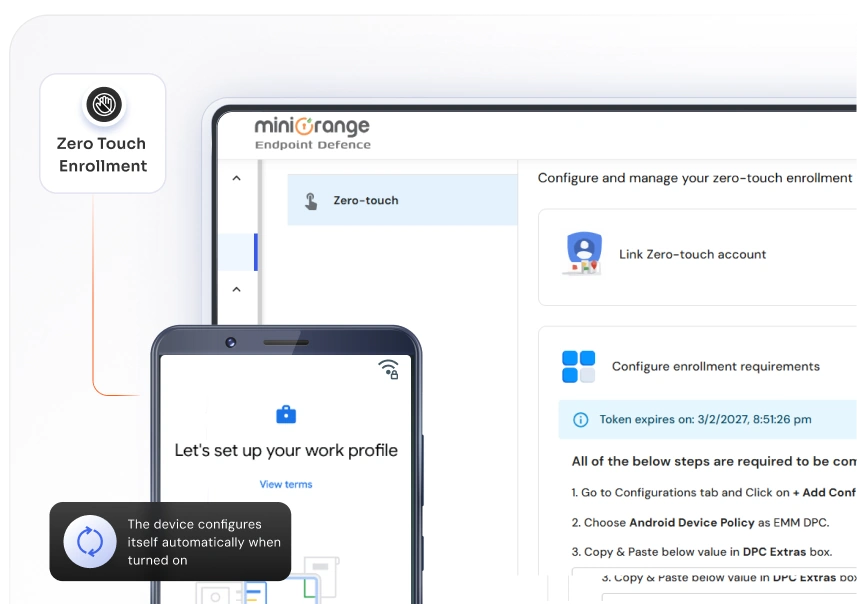
Zero touch mdm enrollment enables structured Android deployments by automating setup, enforcing policies from the start, and supporting remote management at scale.

Devices enroll into the MDM platform as soon as they power on, eliminating manual configuration and accelerating deployment timelines.

Deploy hundreds or thousands of devices with bulk enrollment for Android while maintaining standardized configurations across the entire fleet.

Apply security settings, Wi-Fi, VPN configurations, restrictions, and business apps during enrollment to ensure devices remain compliant from day one.

Devices are enrolled before end-user access, reducing unauthorized use and strengthening data protection.

Assign and configure devices through the zero touch enrollment portal, giving administrators centralized control over provisioning and deployment workflows.

Manage devices from enrollment to re-enrollment and retirement with consistent policies and remote updates.
Zero Touch Enrollment simplifies Android deployment from provisioning to ongoing management.
Upload device details or purchase devices from authorized resellers connected to the zero touch enrollment portal.
Define security policies, Wi-Fi settings, VPN configurations, restrictions, and required applications within MiniOrange before devices are activated.
When devices power on, they automatically complete zero touch mdm enrollment and apply predefined configurations without manual setup.
Monitor, update, and enforce policies across all enrolled devices from a centralized MiniOrange console.
miniOrange delivers a dependable approach to zero touch mdm designed to support fast rollouts,
strong policy enforcement, and long-term device oversight.

Automate provisioning and reduce the time spent preparing devices for users.

Support growing Android fleets with consistent configurations and centralized control.

Manage security settings, applications, and updates from a single console across the device lifecycle.
Get the clarity you need before you commit.

