Configure SCIM with SAML
Step 1: Get SCIM Client Details
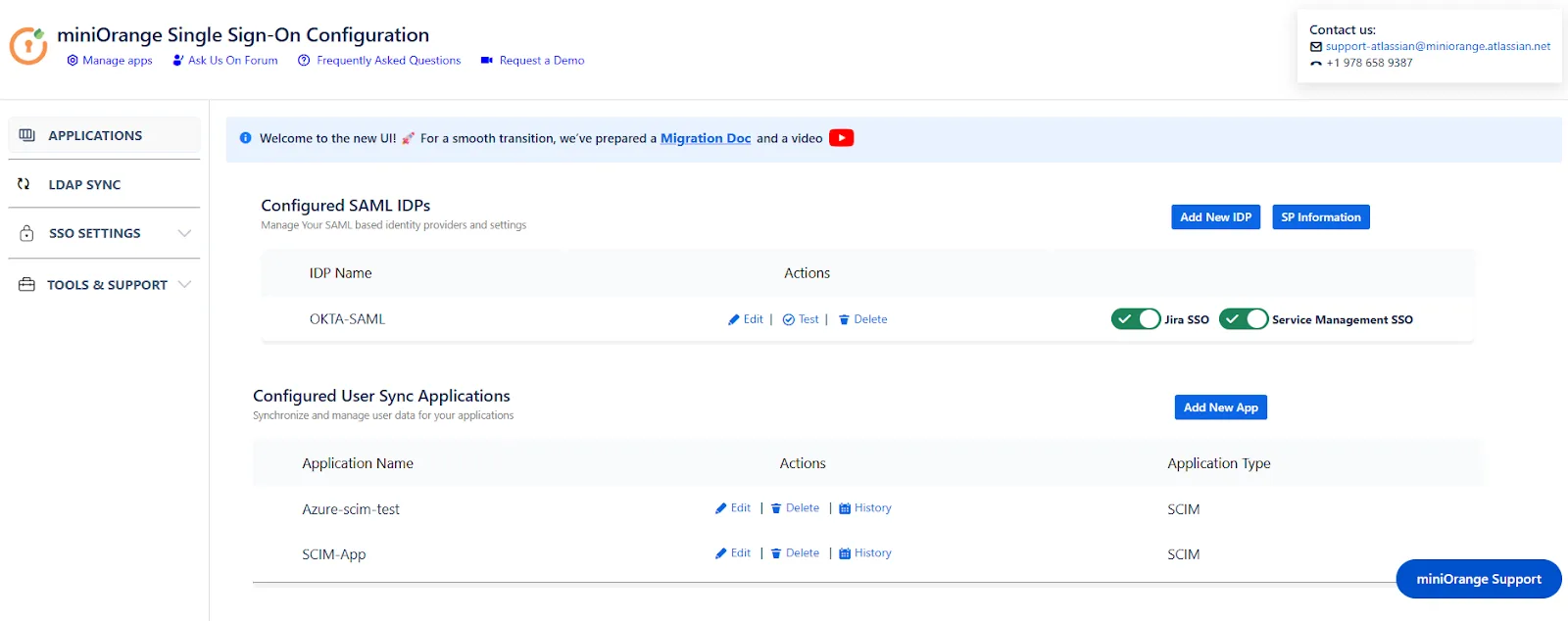
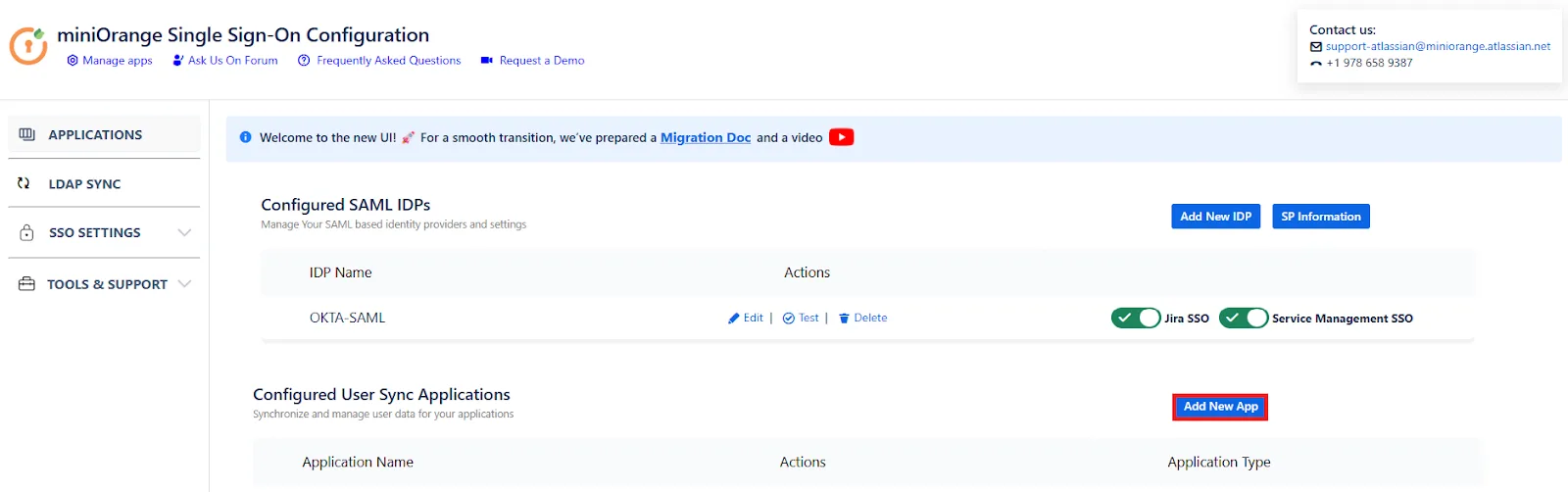
- To configure Custom IDP, first select the Add New App button in the Configured User Sync Applications section.
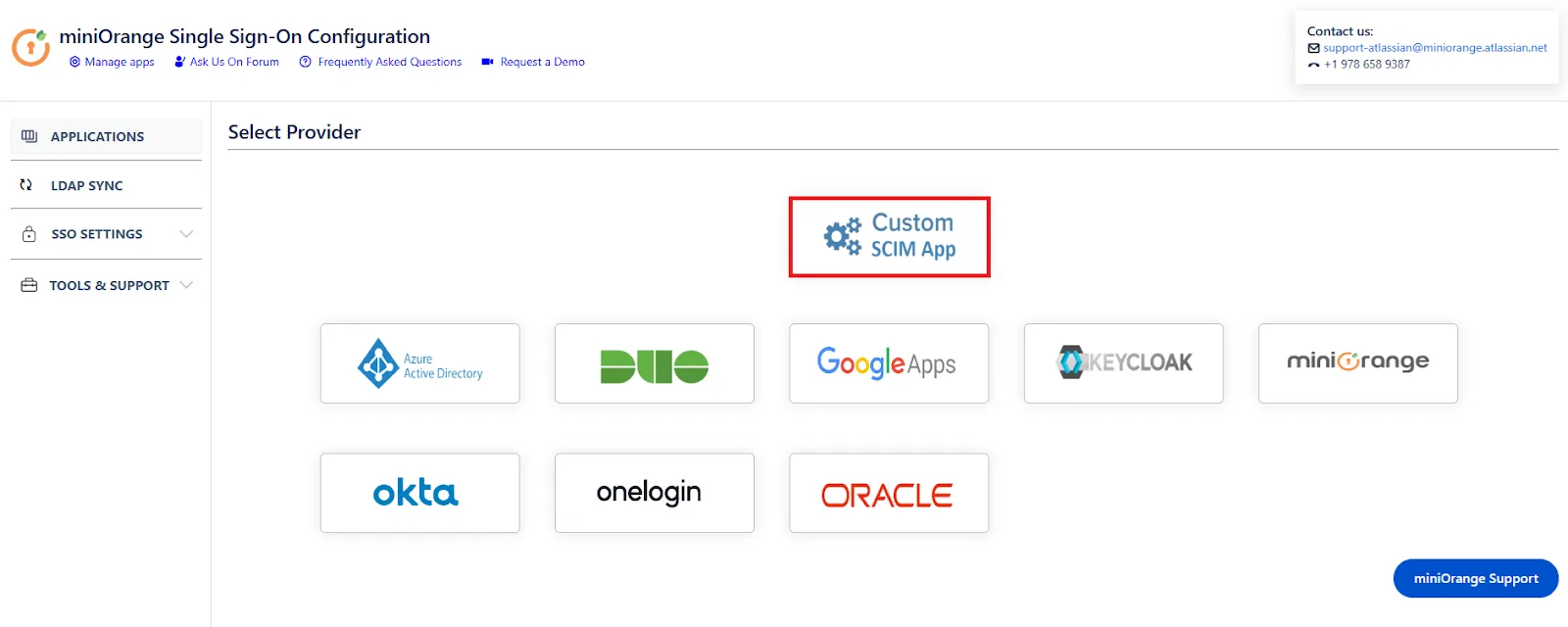
- In the Select Provider tab, select Custom SCIM App.
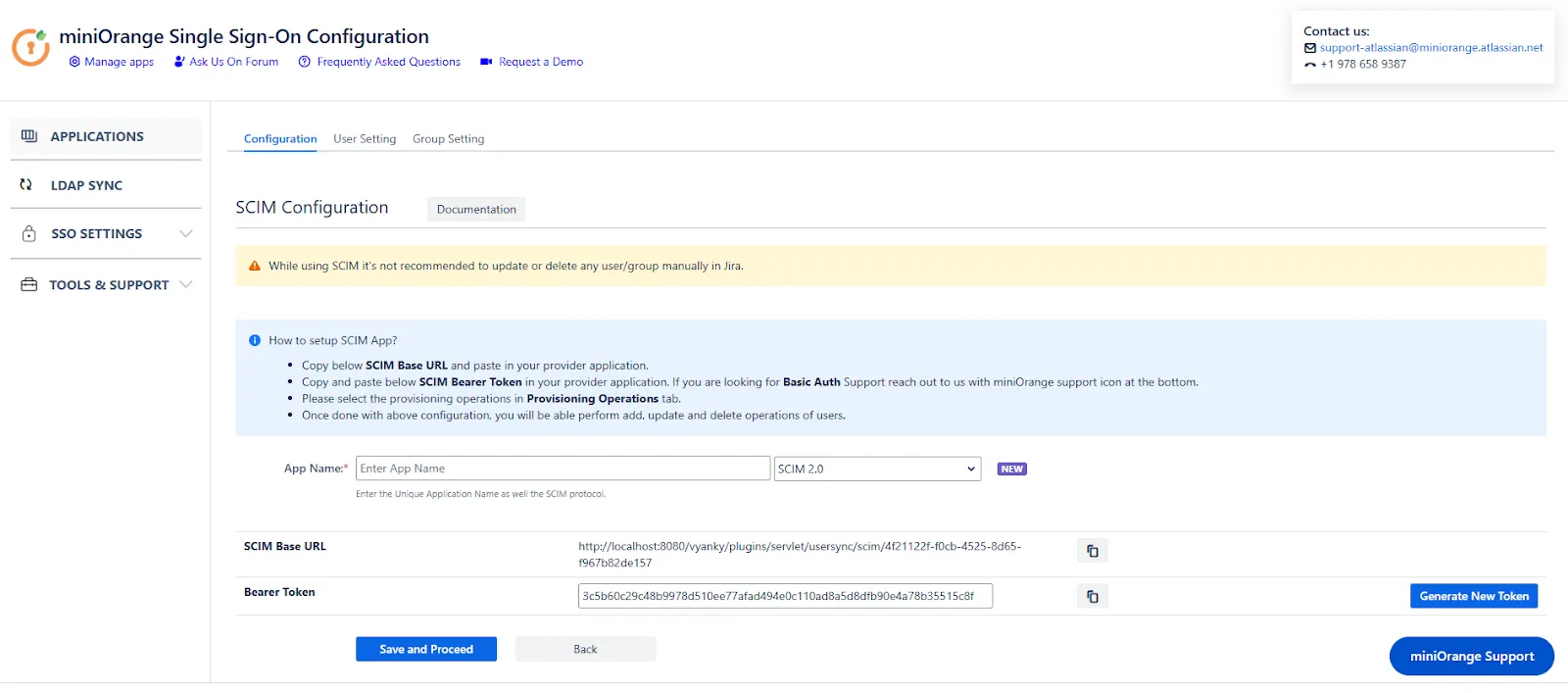
- In SCIM configuration, Please enter App Name and click on Save Settings button. Copy the SCIM Base URL and SCIM Bearer Token, these will be used later to configure the SCIM application on your IDP.
Step 2: Setup Provider SCIM Configuration in IDP
- Copy the SCIM Base URL and SCIM Bearer token from the plugin.
- Create an application that supports SCIM provisioning.
- Provide the base URL and bearer token to your application.
- Test and save the settings.
- Assign users and groups to this application.
Step 3: User Sync Settings
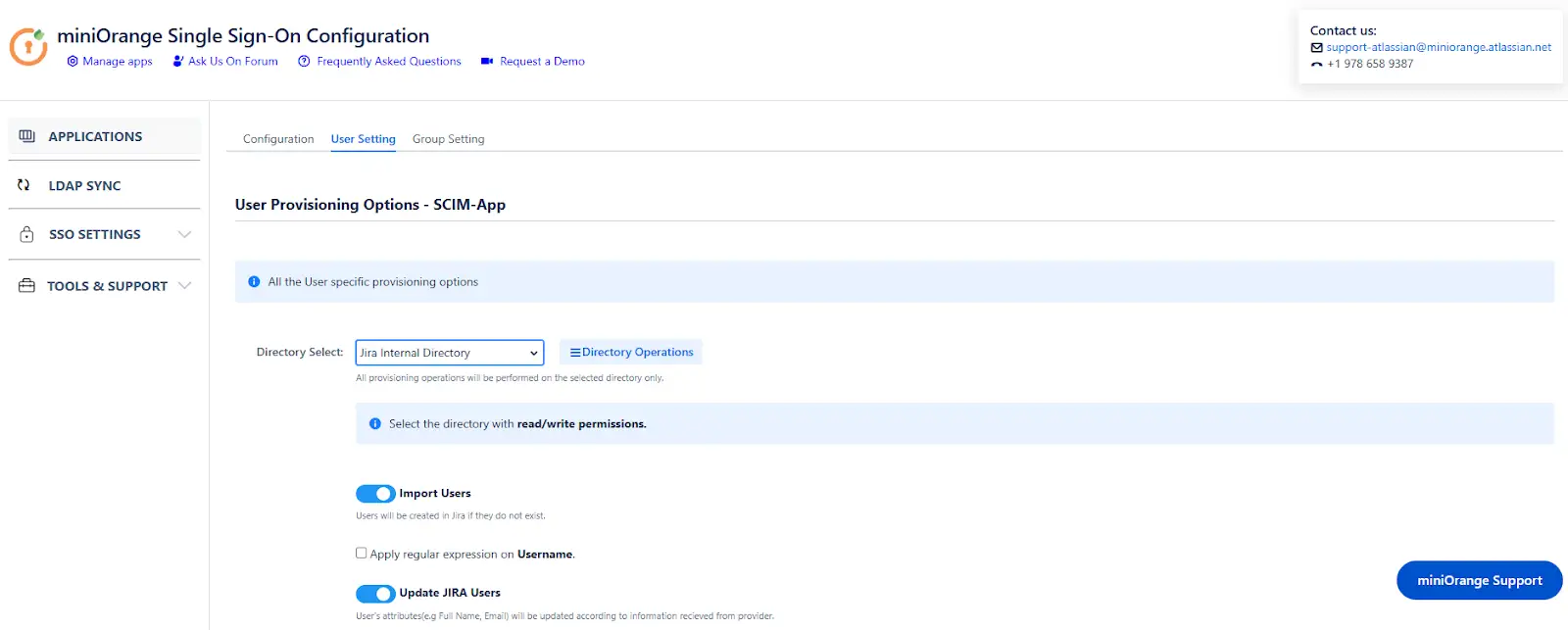
- Under the User Settings tab, you can configure different settings about user creation and updation.
- You can select the directory, enable or disable user import, update process.
- The user can be automatically enabled or disabled here based on IDP configuration.
- You also have an option to set Default Project Lead and Default Component Lead.
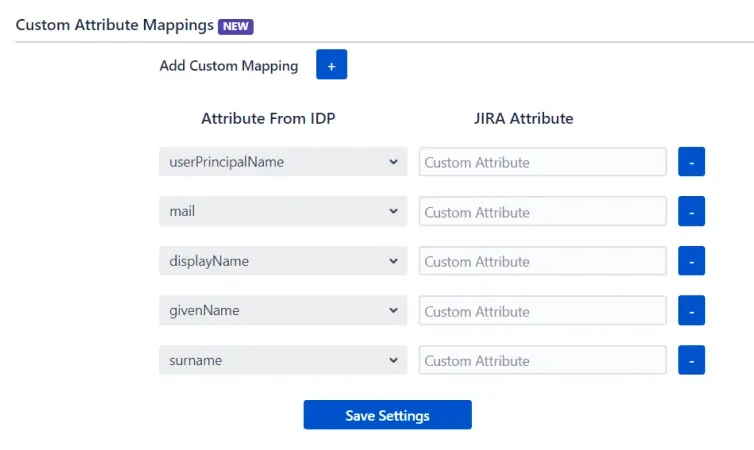
- User sync also supports mapping of custom attributes. Here, you can create custom attributes and automatically assign values to them from the IDP (Identity Provider). Select the desired attributes from the IDP that you want to display in Jira and provide a name for the custom attributes to be shown in Jira.
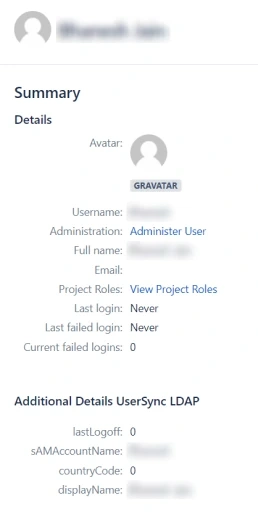
- Custom fields will be displayed in the user profile section as shown below.
Step 4: Group Sync Settings
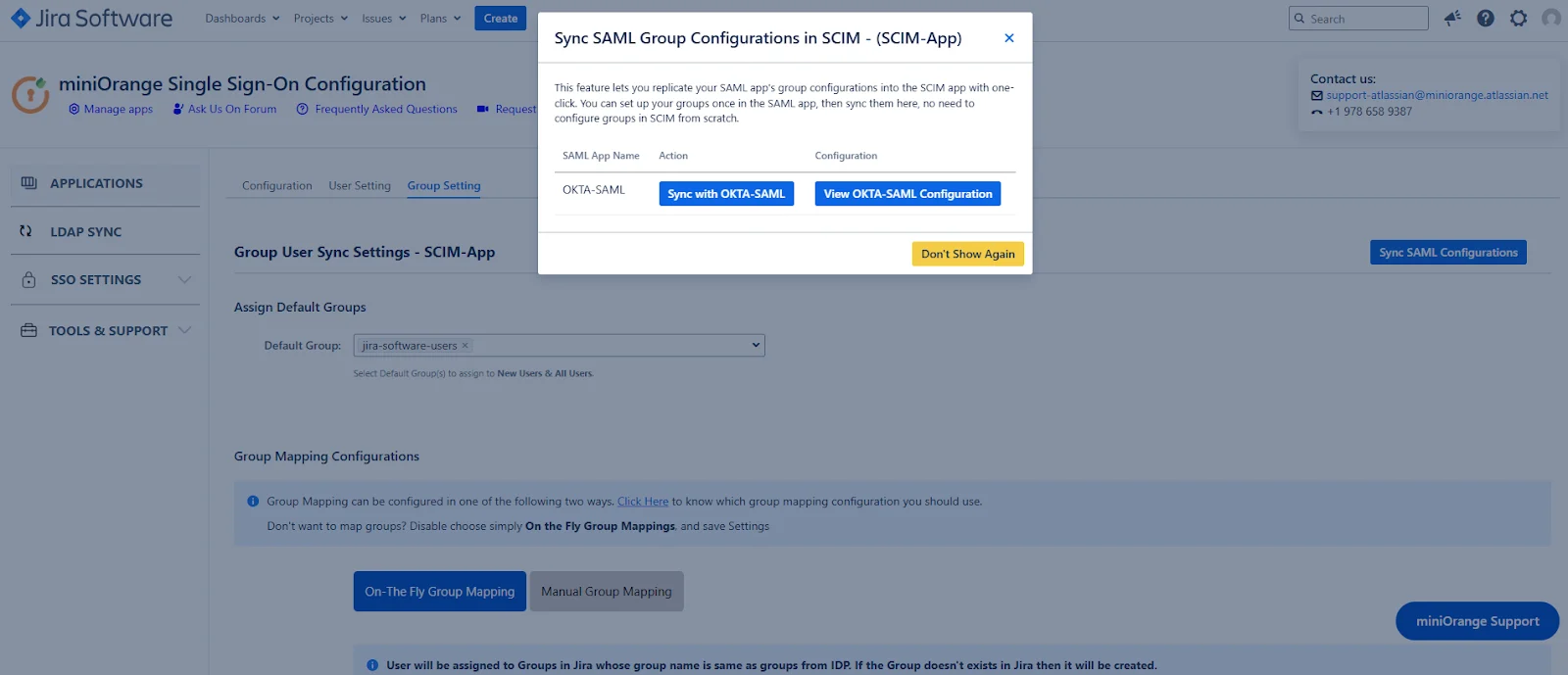
- When you select the Group Setting tab, you will be prompted to sync the group configurations from SAML to SCIM. You can select the IDP from which you want to mirror the group sync setting in SCIM.
- If you choose to not sync the group settings, you can manually configure them by following the given steps:
- Configure the Default groups setting for users through Manual Group Mapping or On-The Fly Group Mapping.
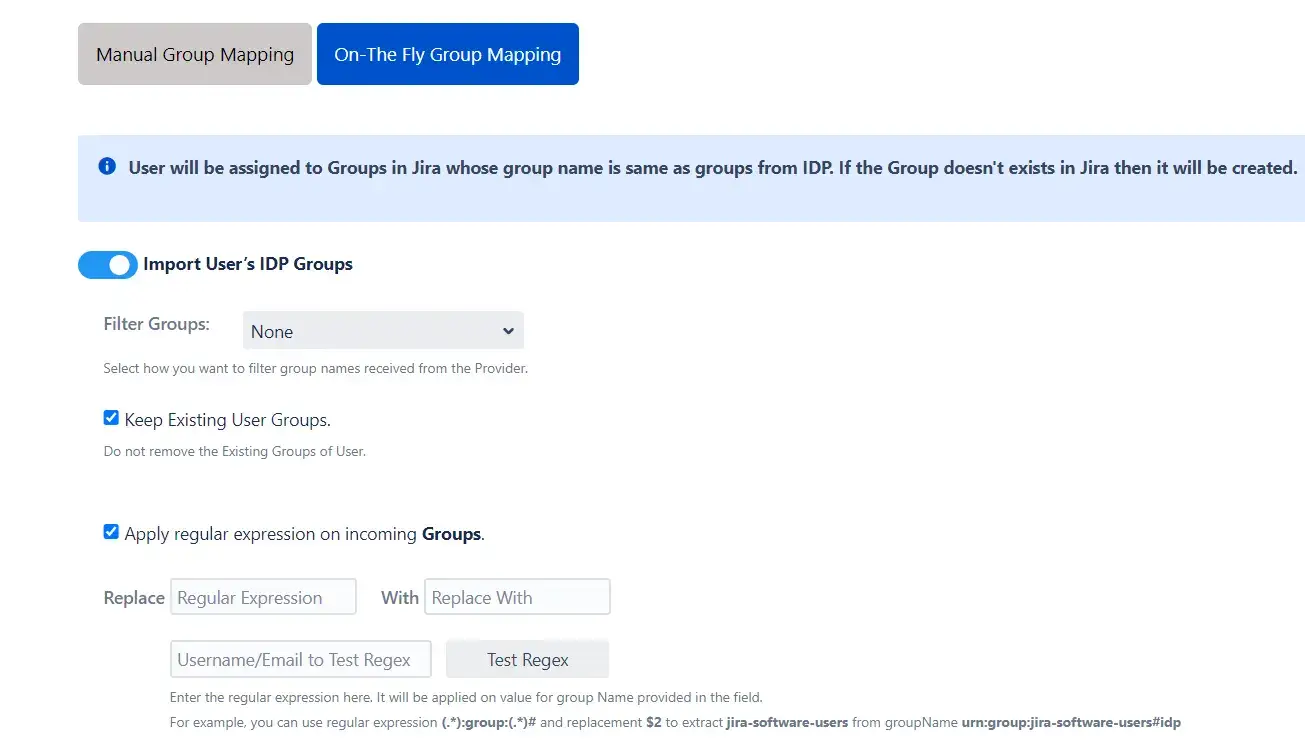
1. On-The Fly Group Mapping
- Here users will be assigned to groups in Jira whose group name is the same as groups from IDP. If the group doesn't exist in Jira then it will be created.
- You can configure to keep the existing user groups, filter groups and apply regular expressions on the groups.
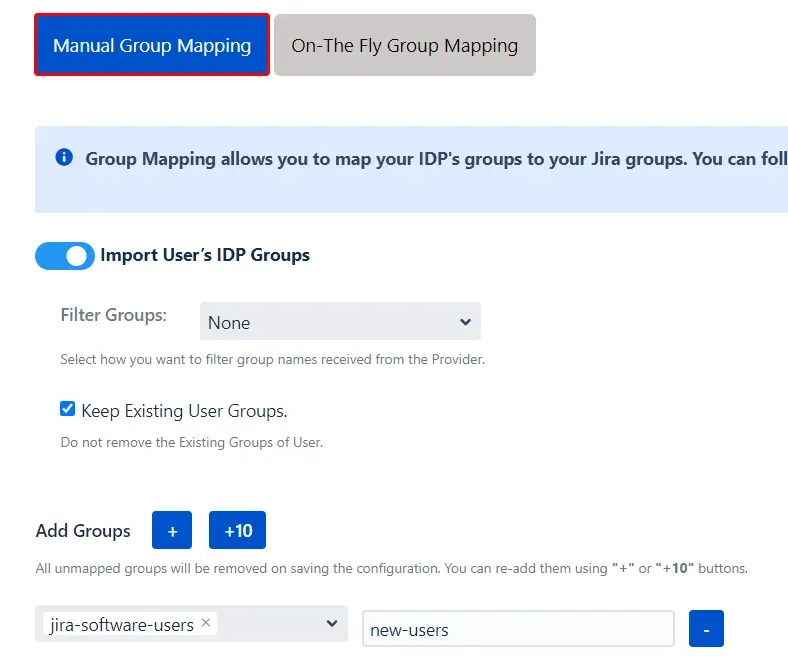
2. Manual Group Mapping
- Here you can manually map Jira groups with the groups from IDP.
- You can also configure to import IDP groups, filter groups and whether to keep existing users or not.
Step 5: Multiple IDPs
- The plugin allows for configuring SCIM provisioning on your SP (Service Provider) to accommodate your specific use case. To add another IDP, simply navigate to the "Configured IDPs" section. Select on Add new App to configure multiple provisioning connections.