Automatically Manage Groups from the provider
On-the-Fly Group Mapping automatically places users into the appropriate groups when they perform SSO. If the required groups do not already exist in the application, they are created automatically, reducing manual setup for admins.
Step 1: After selecting the configured provider, navigate to the "User Groups" tab. In this example, we will configure On-the-Fly Group Mapping to fetch groups from Okta and create them automatically in Confluence during the SSO process.
Step 2: Before configuring On-the-Fly Group Mapping, identify the attribute that contains the user's group information. Click "Test Configuration" and check which attribute returns the user's groups from the provider.
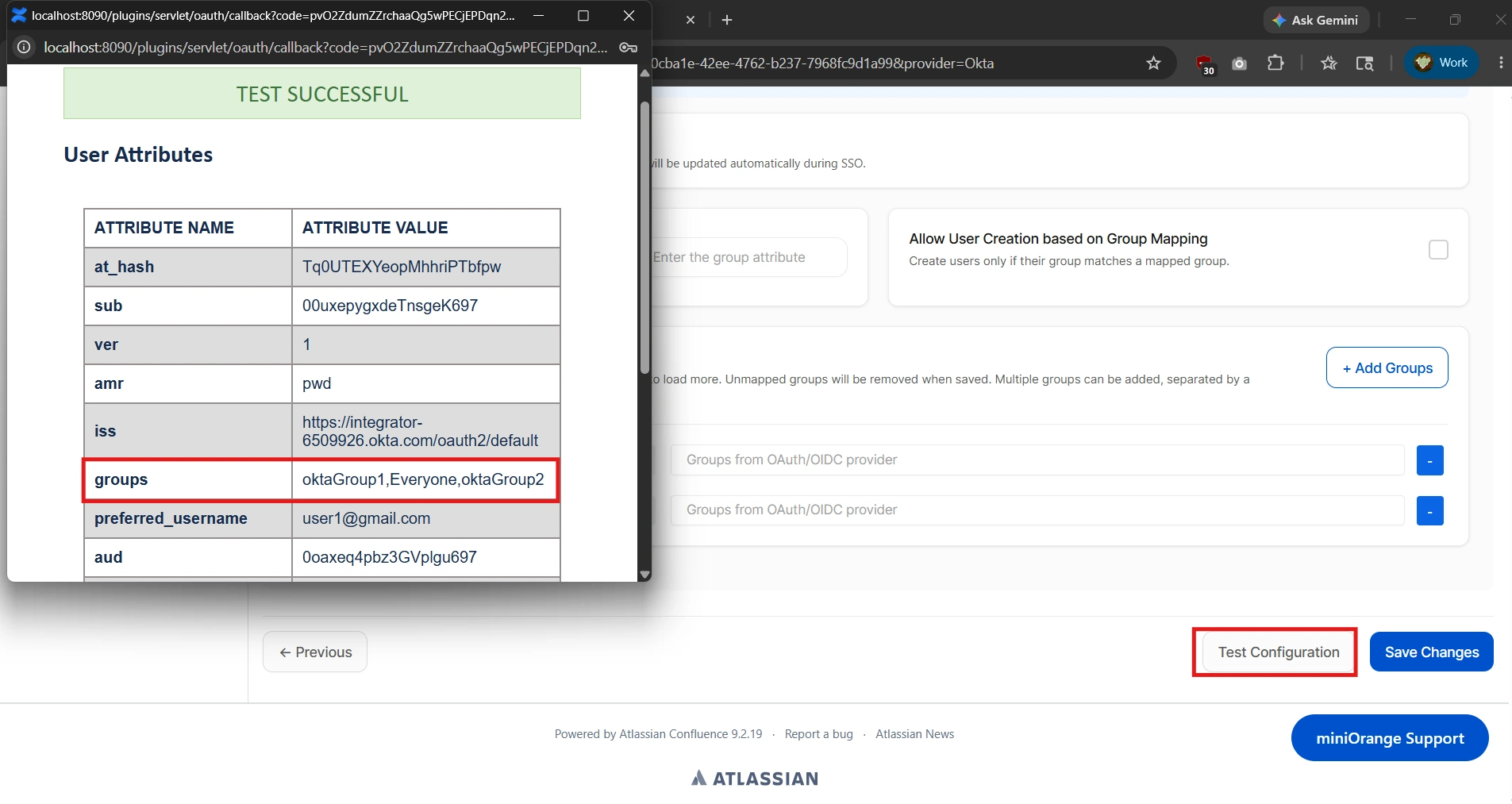
Step 3: Now to Configure On-the-Fly Group Mapping
- Navigate to the "On-the-Fly Group Mapping" section.
- Enable the "Enable Group Mapping" option.
- Enter the "Group Attribute" name identified during the Test Configuration step.
- Click "Save Changes" at the bottom of the page.
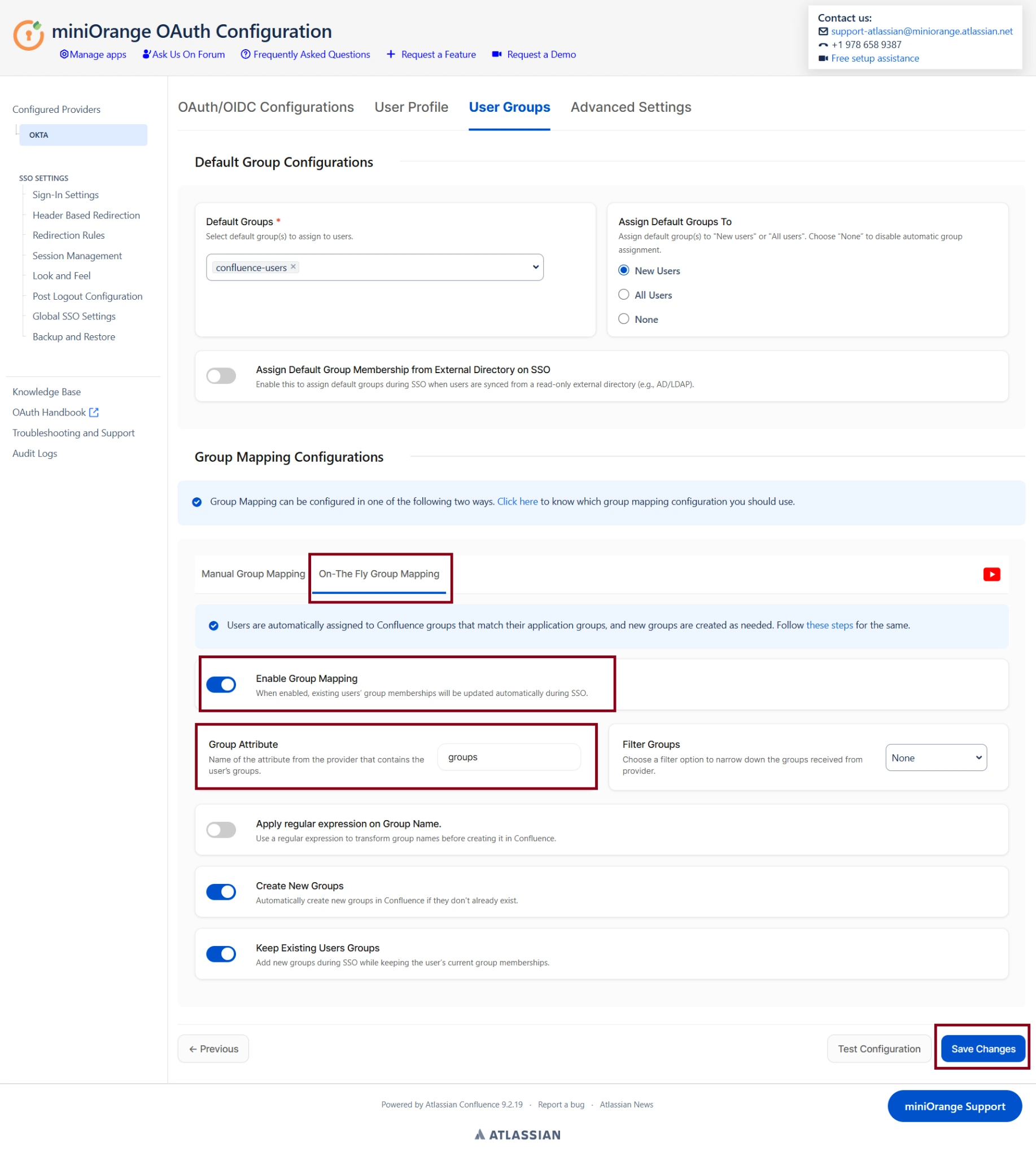
Verification:
As observed in the Test Configuration, the user user1@gmail.com from Okta belongs to three groups: oktaGroup1, oktaGroup2, and Everyone. Let us now log in using this user through SSO and verify that the same groups are automatically created and assigned in the user's Confluence profile.
As shown below, user1@gmail.com has been assigned four groups in Confluence: oktaGroup1, oktaGroup2, and Everyone, which were synchronized from Okta, along with confluence-users, which was assigned based on the default group policy.
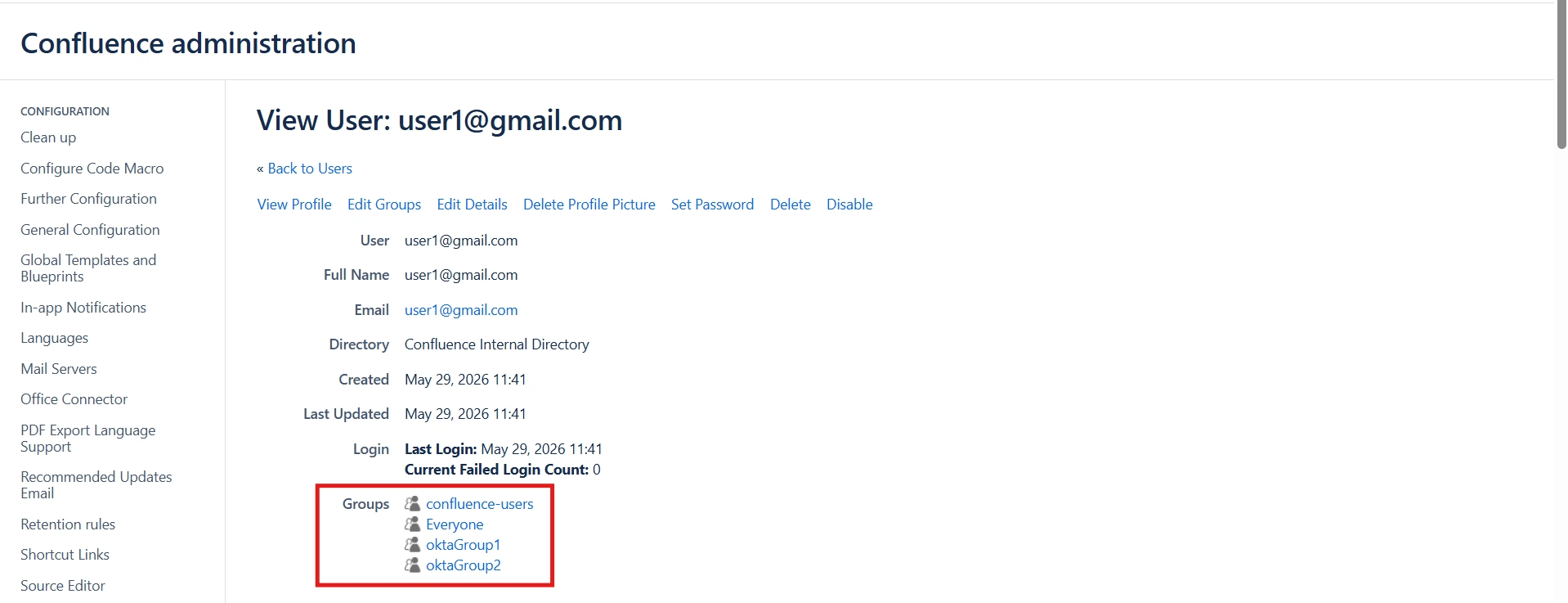
Success confirmation: This concludes the configuration and verification of On-the-Fly Group Mapping, ensuring that user groups from the OAuth/OIDC provider are automatically synchronized and assigned in Confluence during the SSO process.