Business Challenge
Organizations that work with external agencies, contractors, and implementation partners often come across several roadblocks in governing access:
- Limited visibility into which Jira projects vendor groups can access.
- Difficulty identifying the actual users behind contractor groups.
- Vendor accounts inheriting broader access through shared groups and project roles.
- External users retaining access after a project or contract ends.
- Time-consuming manual reviews across project settings, groups, and permission configurations.
- Preparing evidence for periodic access reviews and compliance audits.
Solution Overview
Access Reviewer360 helps you review external user access from multiple perspectives without manually tracing every permission assignment.
Instead of switching between project settings, group membership pages, and permission configurations, you can review contractor access from a centralized dashboard, identify potential exposure to sensitive projects, investigate how access was granted, and document review decisions for future audits.
The solution combines automated policy-based detection with project, user, and group access visibility, making vendor access reviews faster, more consistent, and easier to repeat.
How It Works
Configure an External User Access Policy
Create an External User Access Policy by defining:
- Sensitive project keywords such as finance, HR, payroll, or restricted
- External group keywords such as vendor, contractor, or partner
During every scan, Access Reviewer360 checks for projects and groups that match those keywords and flags potential exposure for review.
Review Vendor Access by Group
Open the Roles & Permissions section and switch to the By Group view.
Search for a contractor or vendor group to review every project and role that group can access across your Jira environment.
The view also expands group membership, allowing you to review the individual users associated with the group while evaluating project access.
Trace How Access Was Granted
When you find unexpected vendor access, select View Access Path.
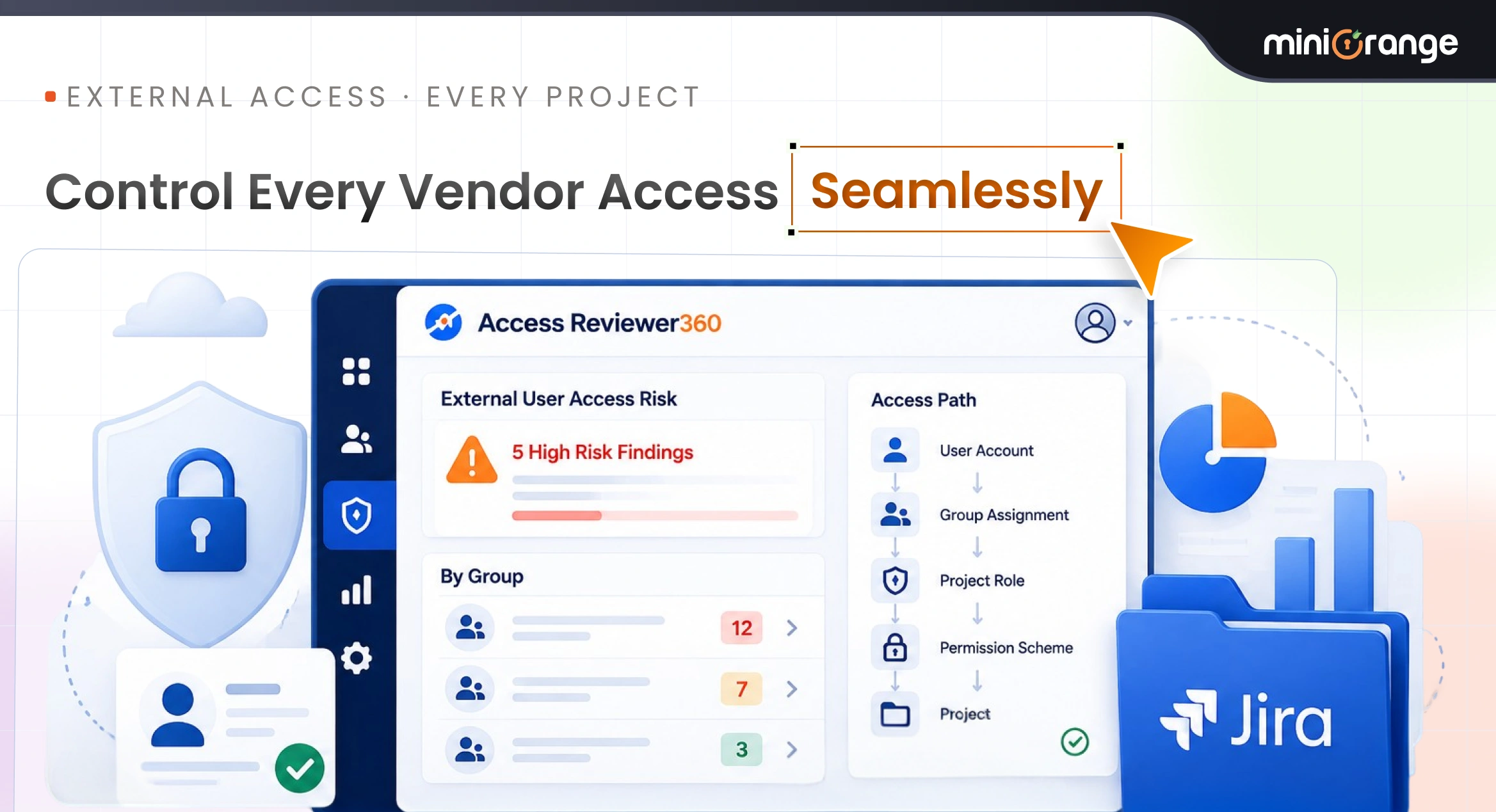
Access Reviewer360 traces the complete permission chain, showing how the user's access became effective through:
- User account
- Group assignment
- Project role
- Permission scheme
- Project
This makes it easy to understand why a vendor has access before deciding whether it should be retained.
Document Review Decisions
After reviewing the findings, you can:
- Create Jira remediation tickets for follow-up.
- Suppress accepted findings with a business justification and expiry date.
- Export findings and governance records for internal reviews or compliance reporting.
Key Benefits
Secure external collaboration with automated governance
Review Vendor Access from One Place
Understand which projects contractor groups can access without manually checking every project.
Identify External Access to Sensitive Projects
Automatically flag potential exposure using configurable project and group keywords.
Understand the People Behind Every Group
Expand vendor groups to review the user associated with those permissions.
Explain How Access Was Granted
Use Access Path to trace permissions from the user through the group, project role, and permission scheme.
Support Audit-Ready Access Reviews
Export findings and governance records to support periodic access reviews and compliance reporting.
Reduce Manual Investigation
Replace repetitive permission checks across multiple Jira screens with a centralized review process.
Conclusion
Granting contractors access to Jira is usually straightforward. Reviewing that access over time is much harder.
Access Reviewer360 helps security teams and Jira administrators understand where external users have access, identify potential exposure to sensitive projects, investigate how permissions were granted, and maintain evidence for periodic access reviews. By centralizing vendor access visibility and governance, it helps organizations perform consistent, repeatable access reviews as their Jira environments grow.