
It's a familiar story: a new employee shows up on day one, laptop in hand, ready to work, only to spend the next three days waiting for access to email, shared drives, and the applications their job depends on. IT teams juggle tickets, managers chase approvals, and productivity stalls before it starts.
Manual provisioning doesn't just slow onboarding. It also creates security gaps. Teams often grant access on an ad hoc basis, assign more permissions than users need, and fail to remove unnecessary access. Birthright access solves these challenges by automatically granting every new user the minimum access required for their role as soon as their identity is created.
In this blog, you'll learn what birthright access is, how birthright access provisioning works, where it fits in identity and access management (IAM) and IGA, the risks to watch for, and the best practices for implementing it well.
What Is Birthright Access?
Birthright access is the baseline set of applications, systems, and permissions that organizations automatically grant when they create a user's digital identity. Organizations assign this access based on the user's role, department, or other attributes, not on individual access requests.
It's called “birthright” because the access is tied to the birth of the identity in your systems. The moment HR creates the employee record, the entitlements follow automatically, just as a birthright is granted at birth rather than earned later.
Two principles define birthright access:
- Minimum Required Access: Birthright access includes only the applications and permissions every user in a specific role or department needs to perform their job. It provides a practical starting point for least privilege instead of granting unnecessary access.
- Automatic Provisioning: Policies evaluate user attributes and automatically provision the required access without manual requests or approvals.
Common examples of birthright access include email and calendar, single sign-on (SSO), HR self-service applications, the corporate intranet, collaboration platforms such as Microsoft 365 and Slack, VPN access, and department-specific applications. For example, every new sales employee automatically receives access to the organization's CRM.
Birthright Access vs. RBAC vs. ABAC
Birthright Access, Role-Based Access Control (RBAC), and Attribute-Based Access Control (ABAC) are closely related, but they serve different purposes. Birthright access is the outcome, while RBAC and ABAC are the access control models used to achieve it.
| Aspect | Birthright Access | RBAC | ABAC |
|---|---|---|---|
| Definition | Automatically provisions baseline access for new users. | Grants access based on predefined roles. | Grants access based on user attributes and policies. |
| Primary Goal | Ensure employees have the right access from day one. | Standardize access for users with the same role. | Provide context-aware, fine-grained access control. |
| Access Decision Based On | Onboarding policies | Assigned role | Attributes such as department, location, employment type, or business unit |
| Best Used For | New employee onboarding and baseline provisioning | Common job-based permissions | Dynamic access based on business context |
| Example | New employees receive email, collaboration tools, and business applications automatically. | Software Engineers receive developer tools. | Contractors receive time-bound access, or employees in Europe receive region-specific resources. |
| Relationship | Business outcome | One method used to implement birthright access | Refines access beyond roles to implement birthright access |
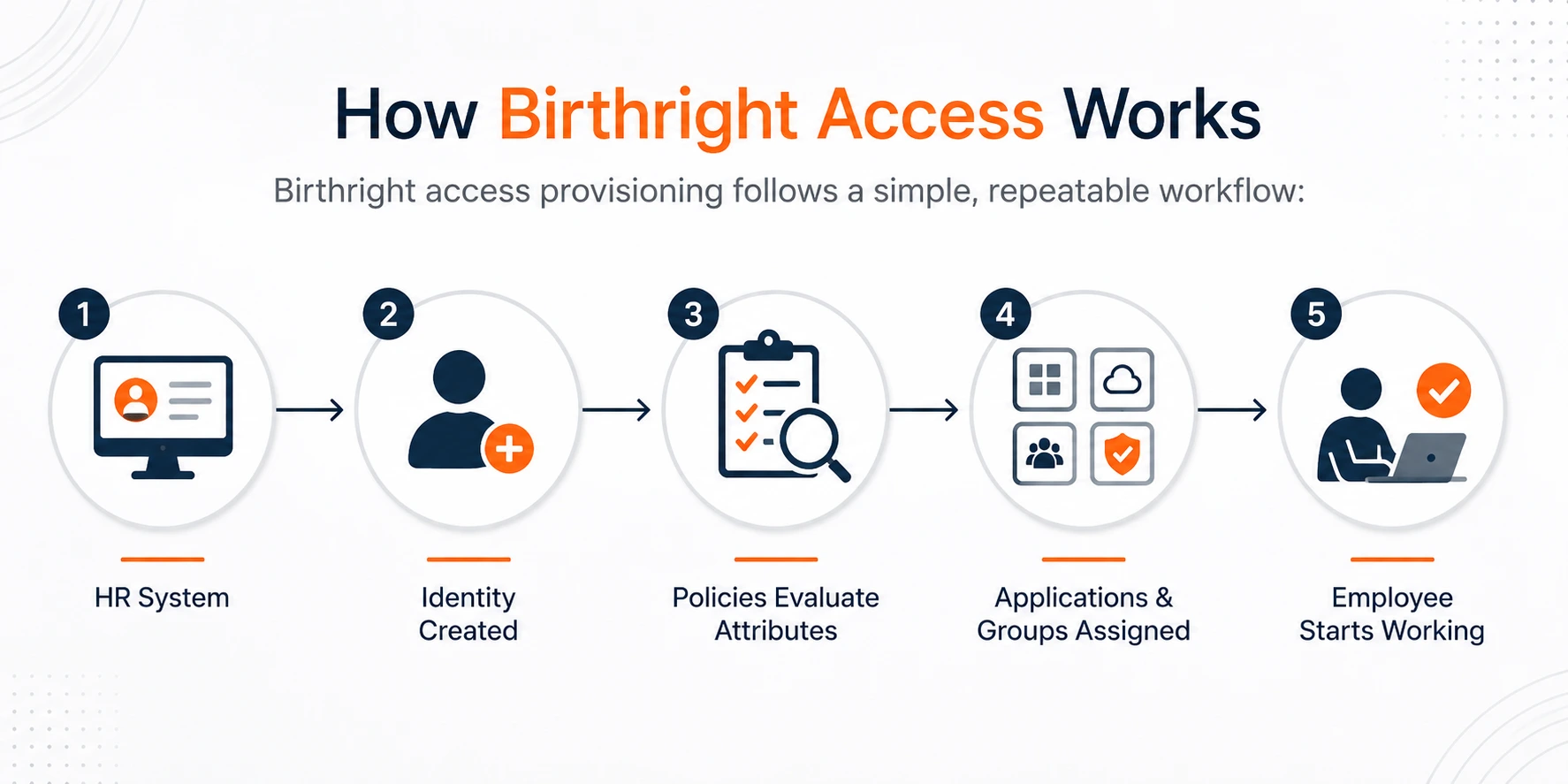
Here's what happens at each stage:
- HR as the Authoritative Source: The HR system (Workday, BambooHR, SAP SuccessFactors, or similar) is the source of truth for who a person is, what they do, and where they sit in the organization. Identity is created downstream from HR, not the other way around.
- User Attributes Flow Into the Identity System: Department, job title, location, employment type, and other attributes synchronize into your identity platform.
- A Policy Engine Evaluates Those Attributes: Provisioning rules, such as "if department = Finance, assign the Finance group," determine which entitlements apply.
- Applications and Groups Are Assigned Automatically: Automated user provisioning creates accounts, assigns group memberships, and grants application access across connected systems, typically through SCIM 2.0 or direct integrations.
- Continuous Updates: This isn't a one-time event. When HR data changes, such as a promotion, a transfer, or a departure, the same policies re-evaluate and adjust access automatically.
This means employees log in on day one with all the applications and permissions they need to start working immediately.
What Determines a User's Birthright Access?
Birthright access is driven by user attributes, the information HR already maintains about each person. The most common attributes used in provisioning rules include department, job title, business unit, employment type (full-time, contractor, intern), location, manager, cost center, and worker type.
These attributes become provisioning rules through policy definitions. For example:
- Department = Marketing: Automatically grants access to marketing applications, social media management tools, analytics platforms, and brand assets required for marketing activities.
- Location = North America: Assigns region-specific resources such as the appropriate VPN configuration, office printer access, and physical access badge permissions.
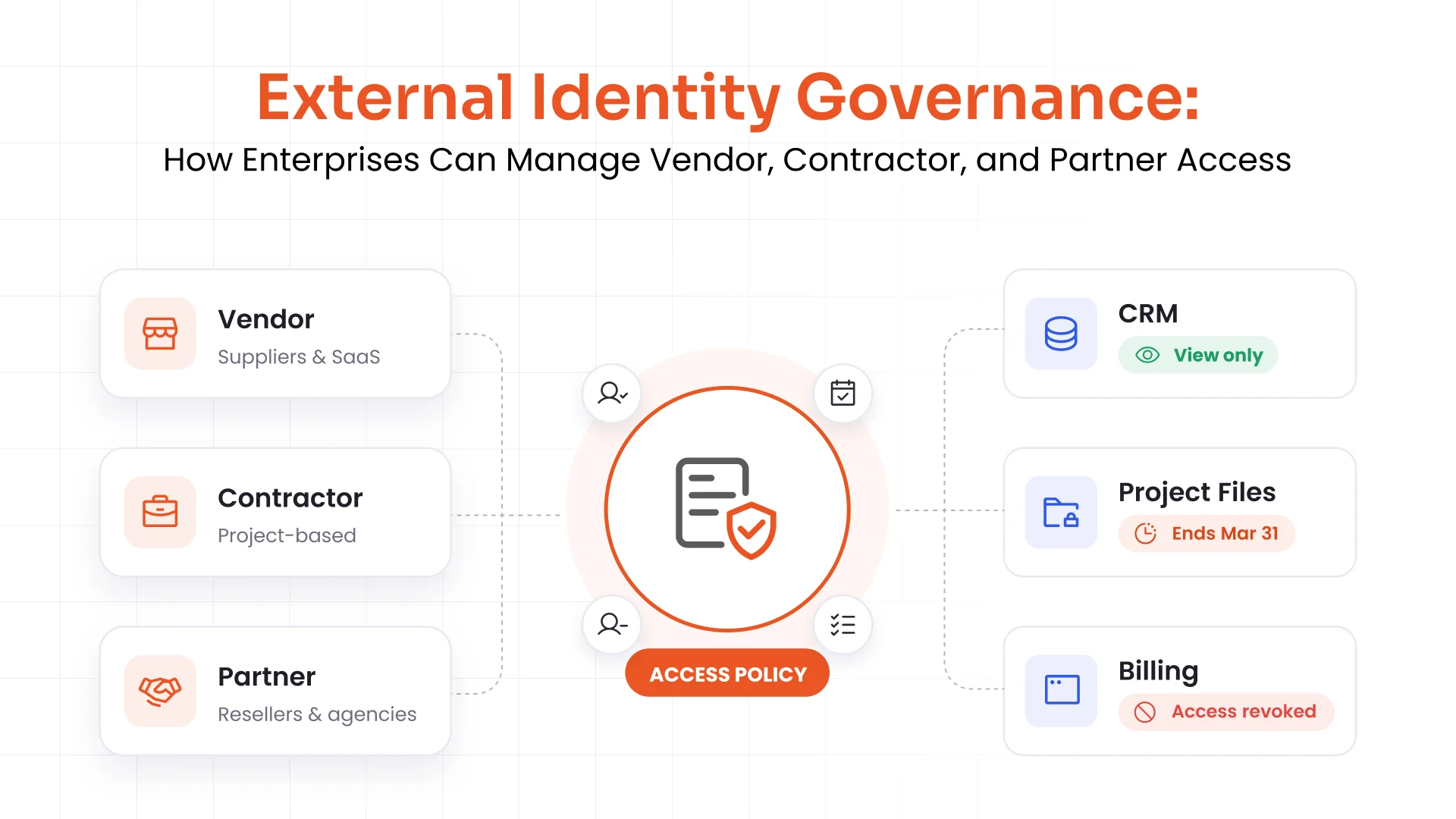
- Employment Type = Contractor: Limits access to applications required for the engagement, applies time-bound permissions, and blocks access to sensitive business systems.
- Job Title Contains "Engineer": Provisions source code repositories, CI/CD tools, development environments, and technical documentation needed for software development.
Birthright access is only as accurate as the data behind it. Well-maintained HR records ensure users receive the right access, while inconsistent or outdated information results in incorrect provisioning.
Birthright Access Across the Joiner, Mover, Leaver (JML) Lifecycle
Birthright access is most powerful when it operates across the full Joiner-Mover-Leaver (JML) lifecycle, not just at onboarding.
Joiner
When HR creates a new employee record, birthright policies automatically provision accounts, groups, and applications before the employee's first login. This gives employees the access they need on day one, eliminating delays caused by manual provisioning and access requests.
Mover
When an employee changes roles or departments, their attributes change, and birthright access should change with them. This is where many organizations struggle. They grant new access but fail to remove existing permissions, leading to privilege creep. A well-implemented birthright access model automatically removes entitlements associated with the previous role and grants those required for the new one.
Leaver
When an employee leaves the organization, deprovisioning must happen immediately. Because birthright access is policy-driven, terminating the employee's HR record automatically revokes every entitlement it granted. This prevents orphaned accounts, one of the most common attack vectors in identity security.
Example of Birthright Access in Action
Consider a new Finance Analyst joining your organization:
- HR Creates the Employee Record: The HRMS records the employee with Department = Finance, Job Title = Financial Analyst, and Location = Mumbai.
- The IGA Platform Evaluates the User: The IGA platform detects the new identity and evaluates its attributes against birthright policies.
- Active Directory Is Provisioned: An Active Directory account is created with the correct OU and group memberships.
- Microsoft 365 Is Assigned: Email, Calendar, Teams, and the standard Microsoft 365 license are provisioned automatically.
- Finance Applications Are Provisioned: The core finance application is assigned to the Analyst role, and the Finance shared drive is provisioned with read/write permissions.
- Secure Access Is Configured: A VPN profile is assigned, and the employee is automatically added to the appropriate email distribution lists, such as Finance-All and Mumbai-Office.
- Additional Access Follows Approval Workflows: The analyst requests access to a specific ERP module. The manager reviews and approves the request through a request-based workflow with Segregation of Duties (SoD) checks.
On day one, the new finance analyst signs in through SSO and starts working. The baseline access is provisioned automatically, while additional access follows approval workflows.
Birthright Access vs. Request-Based Access
Birthright access and request-based access work together. Birthright handles standard access, while request-based workflows manage additional or elevated permissions.
| Aspect | Birthright Access | Request-Based Access |
|---|---|---|
| Provisioning Method | Automatic | Approval-based |
| Purpose | Standard access | Additional or elevated access |
| Triggered By | User onboarding | User request |
| Access Criteria | Roles and user attributes | Business needs and approval |
| Approval Required | No | Yes |
| Provisioning Time | During onboarding | When requested |
| Typical Examples | Email, collaboration tools, HR applications | Production systems, financial applications, and administrator access |
| Primary Benefit | Faster onboarding | Stronger governance |
A strong identity program keeps birthright access limited to baseline permissions and routes access to financial systems, production environments, and administrator privileges through approval workflows with documented business justification.
Benefits of Birthright Access
When implemented correctly, birthright access provisioning delivers measurable business and security outcomes:
- Faster Onboarding: Employees receive the applications and permissions they need before their first day, allowing them to become productive immediately.
- Reduced IT Workload: Automated provisioning eliminates repetitive access requests, allowing IT teams to focus on higher-value work instead of manual account management.
- Consistent Access Across the Organization: Employees in the same role receive the same baseline access, reducing inconsistencies and ensuring standardized provisioning.
- Least Privilege by Default: Access policies grant only the permissions required for each role, reducing excessive privileges and lowering security risk.
- Better Compliance and Audit Readiness: Every access decision is based on predefined policies and HR attributes, making audits simpler and demonstrating compliance with frameworks such as SOC 2, ISO 27001, and GDPR.
- Scalable Identity Management: The same policy-driven process supports hundreds or thousands of employees without increasing administrative effort.
How Identity Governance Supports Birthright Access
Birthright access is only as trustworthy as the governance around it. This is where Identity Governance and Administration (IGA) turns an automation feature into a security control. A mature identity governance framework provides:
- Identity Lifecycle Management: Lifecycle automation keeps access synchronized with HR events across the entire JML journey.
- Automated Provisioning: Creates accounts, assigns groups, grants application access, and removes access automatically based on provisioning policies.
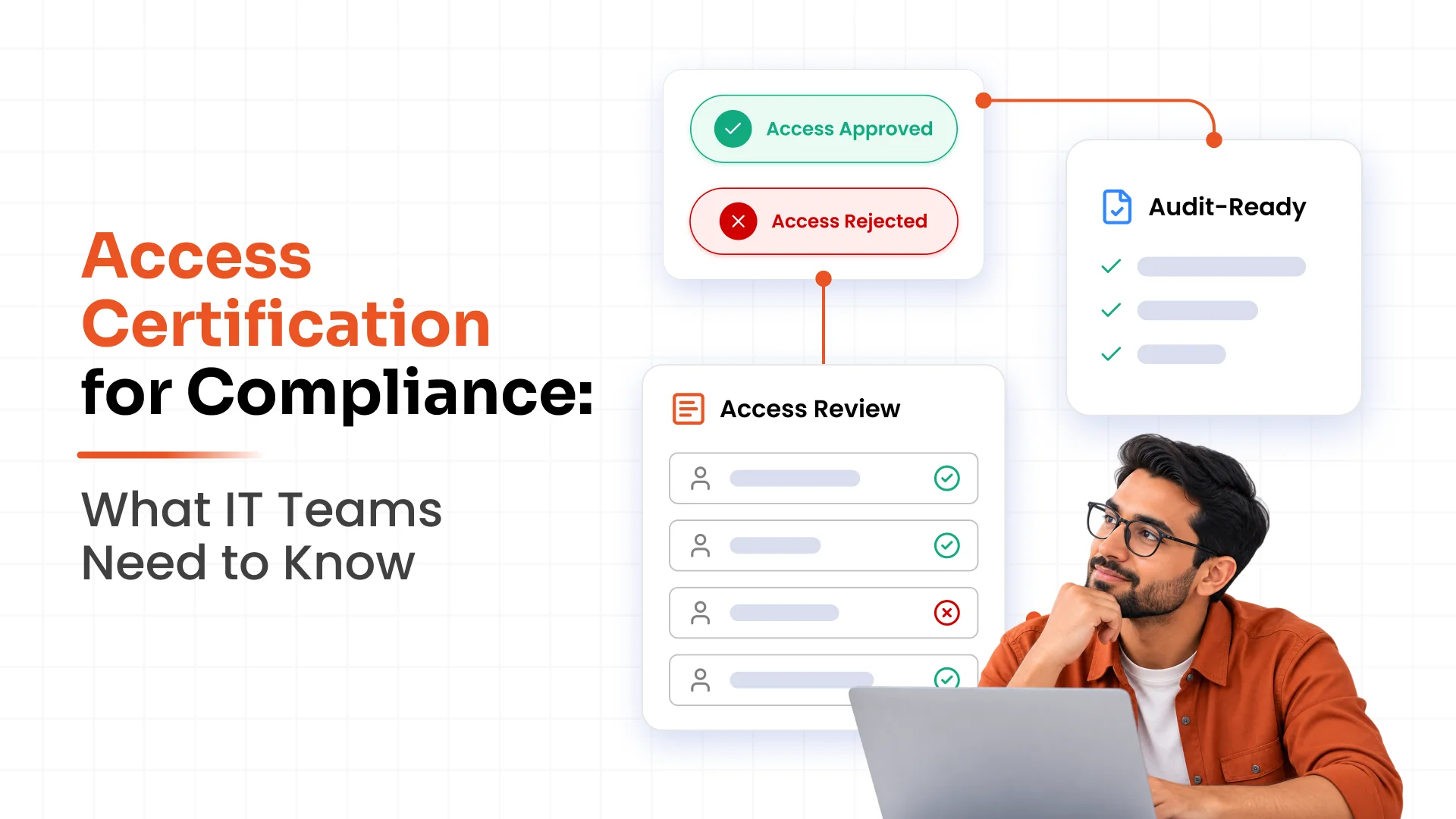
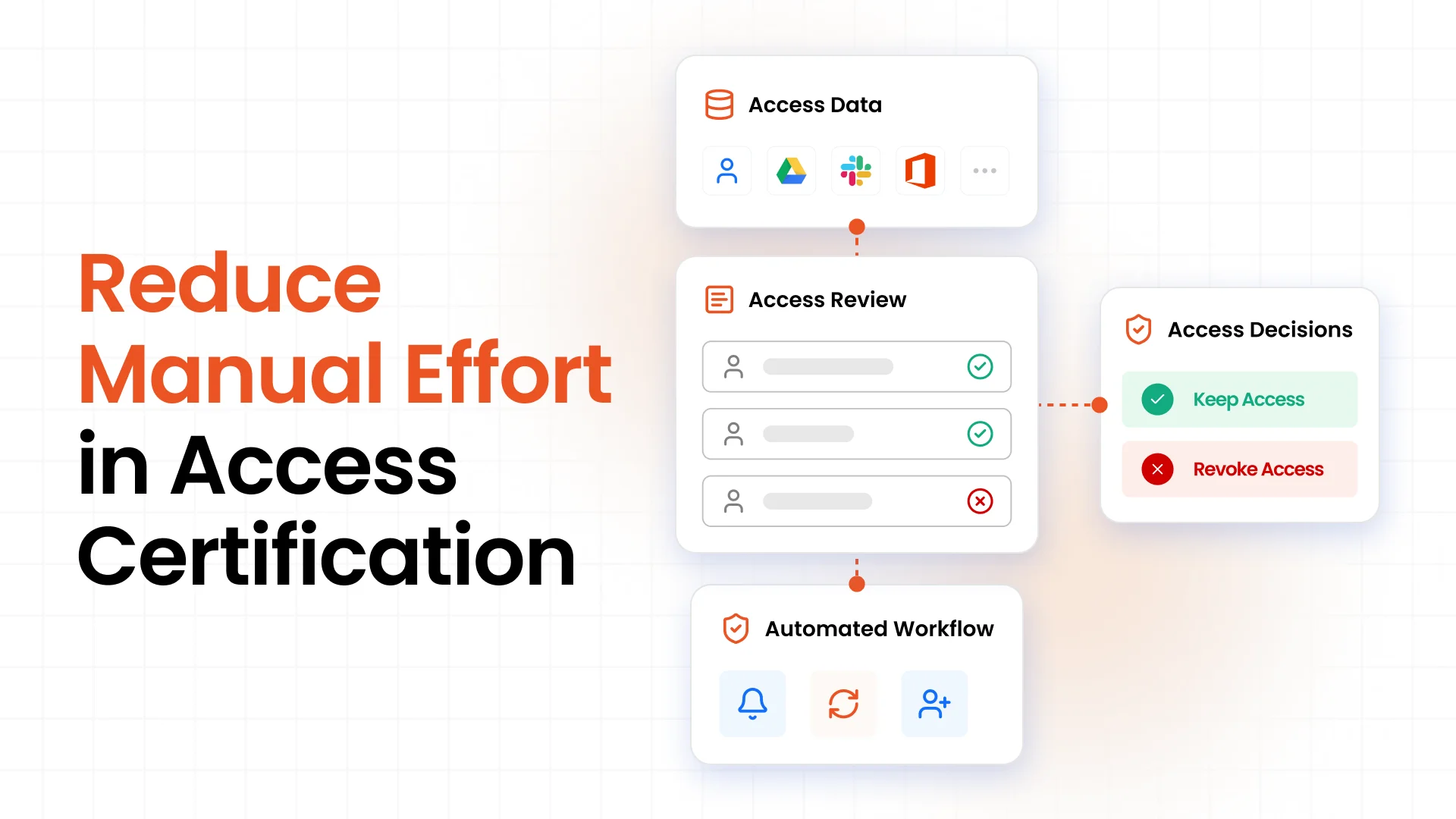
- Access Certification: Enables managers and application owners to regularly review and certify that birthright access remains appropriate.
- Policy Management: Centralizes the policies that define, manage, and audit birthright access across the organization.
- Segregation of Duties (SoD): Detects and prevents conflicting access combinations that could increase security and compliance risks.
- Compliance and Audit Reporting: Generates detailed audit records that show who has access, why it was granted, and which policy assigned it, helping organizations meet SOC 2, ISO 27001, GDPR, and HIPAA requirements.
With miniOrange IGA, organizations can manage birthright policies, automate provisioning, perform access certifications, and generate audit-ready reports from a single platform.
Best Practices for Implementing Birthright Access
- Start with Least Privilege: Define the minimum access employees need to perform their jobs. Grant additional permissions through request-based workflows only when required.
- Keep HR as the Source of Truth: Base every provisioning decision on accurate HR data, including department, job title, location, and employment type.
- Automate End-to-End Provisioning: Eliminate manual steps by implementing SCIM 2.0 or native integrations across connected applications.
- Define Clear Access Policies: Document every birthright entitlement, the conditions for granting it, and the owner responsible for maintaining the policy.
- Integrate Access Certification: Include birthright access in regular certification campaigns so managers can review, approve, or revoke permissions that are no longer required.
- Review and Update Access Regularly: Periodically evaluate birthright policies and remove outdated or unused permissions to keep baseline access aligned with business needs.
- Monitor and Audit Access Changes: Track every provisioning and deprovisioning event, identify policy violations, and maintain detailed audit logs for compliance and troubleshooting.
Automate Birthright Access with miniOrange IGA
Ready to deliver day-one access without day-one risk? miniOrange Identity Governance and Administration automates birthright provisioning across 6000+ integrations, enforces least privilege with built-in SoD checks, and keeps you audit-ready with access certification and compliance reporting. Schedule a demo or talk to our identity experts at idpsupport@xecurify.com.
Frequently Asked Questions
1. What is birthright access?
Birthright access is the baseline set of applications and permissions automatically granted to a user when their identity is created based on attributes such as department, job title, and location, without requiring a manual request or approval.
2. What is birthright access in IAM?
In IAM, birthright access is the automated entitlement layer of the identity lifecycle. When a new identity enters the system from HR, provisioning policies grant the standard access required for the user's role, ensuring consistency and least privilege from day one.
3. What is birthright provisioning?
Birthright provisioning is the automated process of creating accounts, assigning groups, and granting application access based on provisioning policies and HR attributes. Organizations typically implement it through SCIM 2.0 or direct application integrations.
4. Is birthright access the same as RBAC?
No, birthright access is the outcome of automatically assigning baseline access when a user's identity is created. RBAC is one of the access control models used to deliver it by assigning permissions through predefined roles. Many organizations combine RBAC with ABAC to implement birthright access.
5. How does birthright access support least privilege?
Birthright access grants only the minimum permissions required for a user's role. Additional permissions follow request-based workflows, making least privilege easier to enforce across the organization.
6. Can birthright access change automatically?
Yes, because birthright access is policy-driven, it automatically updates whenever HR attributes change. For example, a department transfer revokes access associated with the previous role and grants the permissions required for the new one without manual intervention.
7. What are the risks of birthright access?
The most common risks include overprovisioning, privilege creep, inaccurate HR data, outdated access policies, and policy misconfigurations. Regular access certification, policy reviews, and identity governance help reduce these risks.
8. How does IGA automate birthright access?
An IGA platform connects to HR as the authoritative source, evaluates user attributes against provisioning policies, automatically provisions and deprovisions access across connected applications, and applies governance through access certifications, Segregation of Duties (SoD) checks, and audit reporting.
About the Author

Content Writer
Alankrita Shrivastava is a B2B technical content writer specializing in SaaS, cybersecurity, and WordPress security. She translates complex security concepts into clear, practical insights that support both technical decision-making and business outcomes. At miniOrange, she develops content on IAM, including SSO, MFA, and User Lifecycle Management, along with WordPress Plugin Security. She also covers broader security areas such as UEM, MDM, CASB, and DLP. Her work focuses on real-world use cases, security best practices, and solution-driven guidance that helps organizations assess risks, improve access control, and strengthen their overall IT security posture.
Leave a Comment