

A Customer Identity and Access Management platform (CIAM) manages how customers register, log in, and maintain their profiles across your website, mobile apps, and portals. The right one handles all three as a single system, protects customer data, and connects to the apps you already run without slowing down sign-ups at all.
Judge vendors on all three at once. A polished login screen sitting on a weak profile store will only cost you later. And without a CIAM platform at all, every app keeps its own user table, its own password rules, and its own version of who the customer is.
That only works until your customer base grows. Then you’re chasing duplicate accounts, answering reset tickets, and explaining to compliance why consent records are present in four different places.
So choosing a CIAM platform means weighing technical capabilities against your business requirements. The six areas discussed below cover both.
What to Look For When Choosing a CIAM Platform?
Six areas decide whether a platform fits your business. Weigh each against your own numbers: how many customers you have, how many apps they log in to, which regions you serve, and which regulations apply.
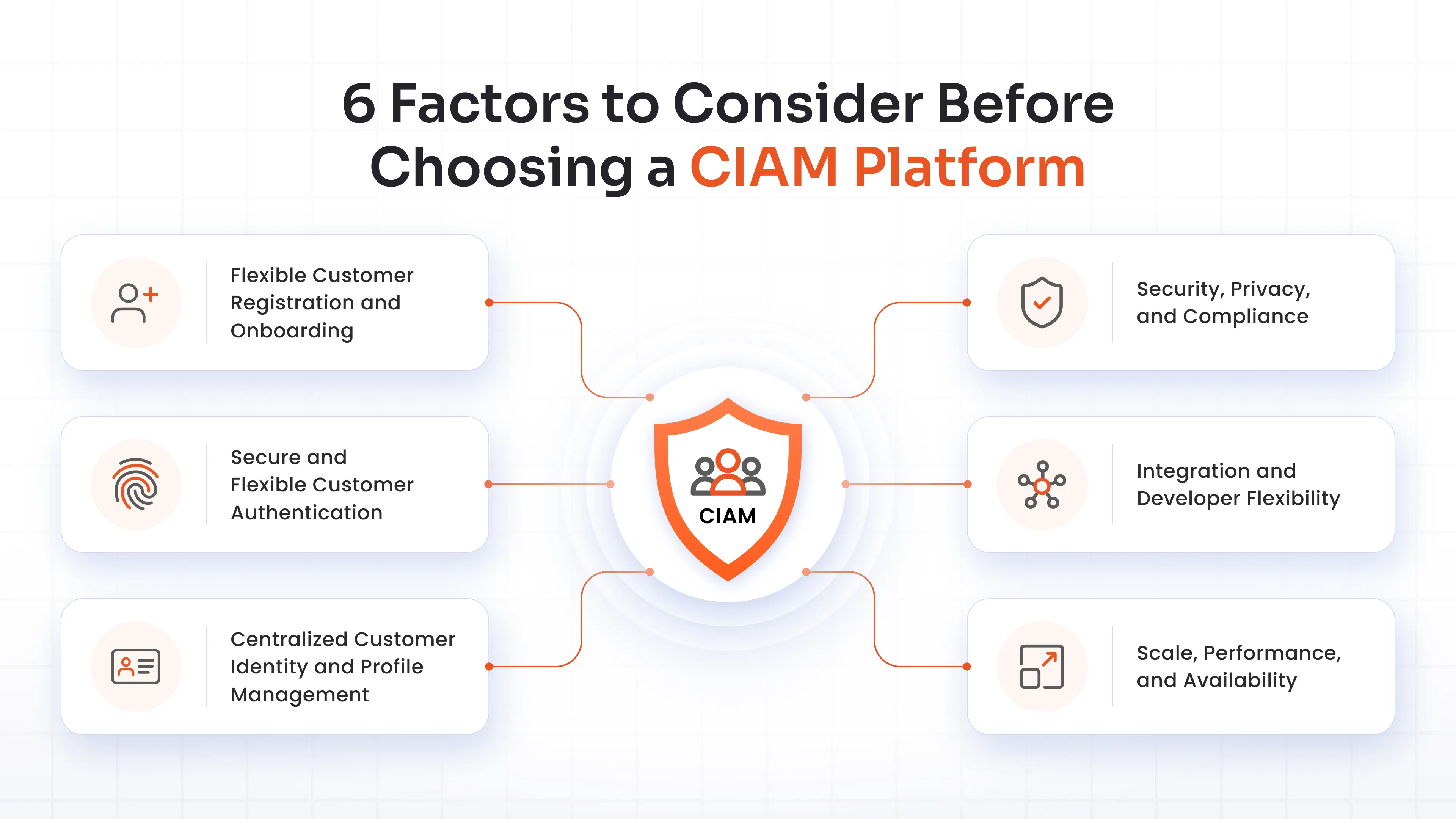
1. Flexible Customer Registration and Onboarding
Registration is where customers decide whether to bother logging into your business or not. Every extra field costs you sign-ups. So look for a workflow or platform that lets your team edit the sign-up flow without writing code. Edits like which fields appear, in what order, and whether people can sign up with an email, a phone number, or a Social Security number. Otherwise, every form of tweak waits in a developer’s queue.
The progressive profiling feature earns its place here. Ask for a name and email at sign-up, collect a shipping address at first checkout, and ask about preferences after the third order. Email and phone verification keep fake accounts out, and self-service sign-up means nobody on your team creates accounts by hand.
2. Secure and Flexible Customer Authentication
Passwords will stay, but they shouldn’t be the only item. A strong platform supports passwordless login (passkeys, OTPs, magic links) and Multi-Factor Authentication (MFA) that you can apply selectively. Social login and Single Sign-On (SSO) let a customer sign in once and move across your apps.
Risk-Based Authentication keeps friction low. A login from a known device goes straight through. One from a new device in another country gets an extra check.
Check account recovery too. If a password reset skips MFA, attackers will use it as the back door.
3. Centralized Customer Identity and Profile Management
One customer should be one record, whether they show up on your website, your app, or a partner portal. Without that, a customer updates their address on the site, and the app still ships to the old one. Or the same person ends up with two accounts under two emails.
Look for features like unified profiles, self-service updates, custom attributes, and consent and preference records stored on the profile itself. Then check how that data syncs to your CRM and other systems, and which side wins when the two disagree.
4. Security, Privacy, and Compliance
Customer accounts are a target. Verizon’s 2026 Data Breach Investigations Report found that credential abuse was the way in for 13% of breaches, and that it appears in 39% of breaches across the full attack progression, long after the first foothold.
So the platform has to defend the front door and everything behind it. Look for encryption of identity data in transit and at rest, Role-Based Access Control (RBAC) and secured APIs for your admins and partners, and protection against credential stuffing and brute-force attacks. Audit logs matter the day someone asks what happened to an account.
On privacy, check consent management, data deletion and export requests, and regional data residency. For U.S. buyers, that usually means CCPA and other state privacy laws, plus HIPAA for patient portals, and GDPR if you serve EU customers. Ask for the vendor’s SOC 2 or ISO 27001 documentation, not a logo on a web page.
The deeper controls are covered in our CIAM security guide.
5. Integration and Developer Flexibility
A CIAM platform’s features sit between your customers and every app you own, so it has to speak your stack’s language. That starts with SAML, OAuth 2.0, and OpenID Connect, plus LDAP if you keep a directory. Then come REST APIs and SDKs for apps you build yourself, and pre-built connectors for the CMS, commerce platform, CRM, and marketing tools you already pay for.
Deployment belongs in this section too. Some teams need cloud, others need on-premises or hybrid because of data residency rules or internal policy. Confirm the platform supports yours without a custom build.
Ask for the connector list against your actual stack, and have a developer on your team try the API during the proof of concept.
6. Scale, Performance, and Availability
Login traffic is spiky. A retailer’s Black Friday looks nothing like a Tuesday in March, and a product launch can bring a month of sign-ups in a day.
Ask how the platform handles that: autoscaling, the uptime commitment in the SLA, regional hosting, and disaster recovery targets (recovery time and recovery point). Ask for load-test results or a reference customer near your volume. And check that one platform can serve several apps, brands, and regions, since that’s where growth usually goes.
How to Evaluate and Compare Different CIAM Solutions?
Work through the following steps in order and score every vendor the same way.
1. Write down your use cases. B2C shoppers, B2B partners, or both? How many identities today, and how many in three years?
2. Rank the six areas above by how much each matters to you. A bank and a media site won’t weigh them the same.
3. Shortlist 3 or 4 vendors. More than that and the demos blur together.
4. Check fit with your stack: applications, directories, CRM, and any legacy login you plan to retire.
5. Run a proof of concept on your real flows: sign-up, login with MFA, a profile update, and account recovery, with a small group of testers.
6. Compare total cost. Pricing models differ (per active user, per registered user, flat tiers), and SMS fees, extra environments, and support tiers can change the bill.
The checklist below covers what to verify in each area. Fill in one copy per vendor during the demo and the proof of concept.
| Evaluation Area | What to Verify? |
|---|---|
| Registration | Can you change fields, order, and verification steps without code? Is progressive profiling supported? |
| Authentication | MFA, passwordless login, and social login; risk-based rules; recovery that doesn’t skip MFA |
| Profile Management | One profile per customer, self-service updates, custom attributes, consent records |
| Security | Encryption, access controls, brute-force protection, audit logs, and SOC 2 or ISO 27001 documentation. |
| Integration | SAML, OAuth 2.0, OpenID Connect, APIs, SDKs, connectors for your CRM and apps. |
| Scale | Authentication capacity at peak, uptime SLA, disaster recovery targets, multi-region support. |
| Deployment | Cloud, on-premise, hybrid, or private cloud, and data residency |
| Pricing | Licensing model, usage limits, SMS, and add-on fees or support tiers |
Common Mistakes to Avoid When Selecting a CIAM Platform
A few errors that cause most of the regret after deployment.
- Choosing on price alone
- Judging the login screen and skipping profile management
- Ignoring your existing stack
- Planning for today’s volume
- Treating privacy as a checkbox
- Accepting limited customization
The fix for all six is the same: TEST REAL FLOWS BEFORE YOU SIGN.
Why Choose miniOrange as Your CIAM Platform?
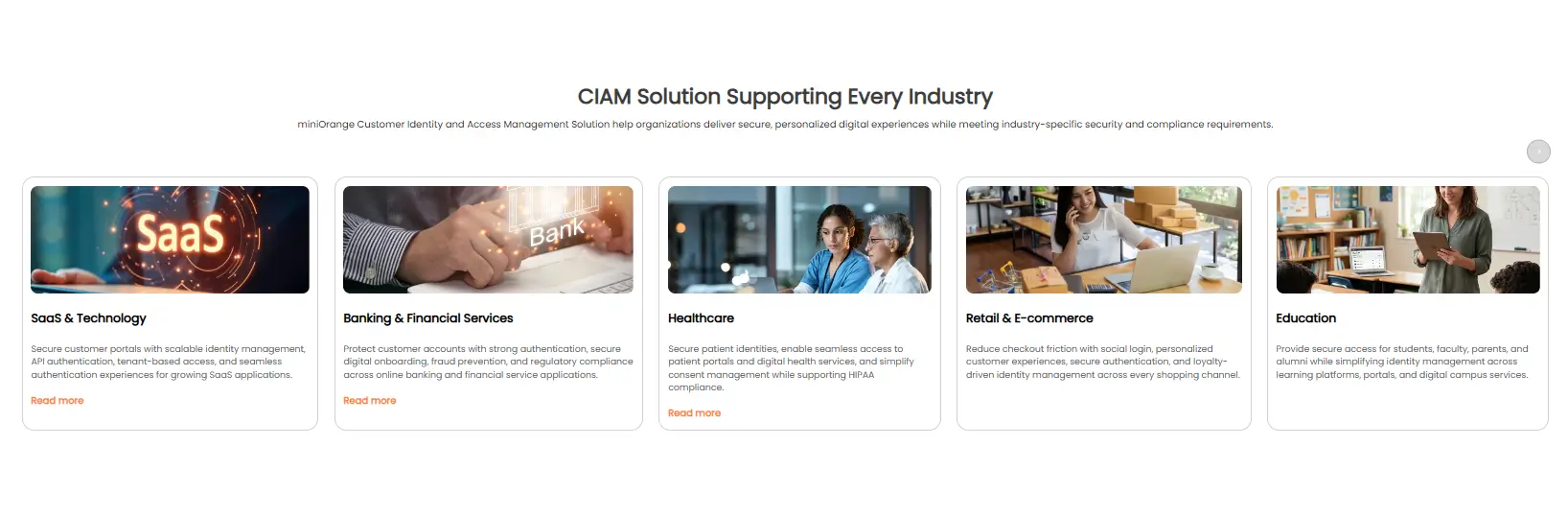
miniOrange CIAM brings registration, authentication, and profile management into one platform for B2C customers and B2B partners.
Sign-up flows are branded and support progressive profiling. Customers can log in with SSO, social accounts, passkeys, magic links, biometrics, or OTP, with MFA and risk-based policies layered on top. Profiles sit in a central repository with self-service updates and consent controls.
For integration, miniOrange supports SAML, OAuth 2.0, OIDC, and LDAP, plus REST APIs, SDKs, and 6,000+ pre-built integrations. You can deploy on cloud, hybrid, on-prem, or private cloud.
Conclusion
The only way to pick the best CIAM platform for your environment is by testing registration, login, profile management, security, and integration together. A platform that’s great at one and weak at another will show its gaps once real customers arrive.
The right one fits your requirements today and absorbs the growth you expect without a migration. If miniOrange is on your shortlist, evaluate miniOrange CIAM against your own flows, and use the checklist above to do it.
FAQs
What should you look for in a CIAM platform?
Six things: flexible registration, strong authentication options, centralized profile management, security and privacy controls, integration support (protocols, APIs, SDKs), and the capacity to scale. Weigh them together and test them with your own flows in a proof of concept.
How does a CIAM platform manage customer registration and login?
It collects and verifies sign-up details, creates a profile, and authenticates each login with passwords, passwordless methods, or MFA. After a successful login, it passes the customer’s identity to your apps through standards such as SAML, OAuth 2.0, or OpenID Connect, so one login works across them.
What is the difference between CIAM and IAM?
Workforce IAM controls employee access to internal systems. CIAM manages external identities such as customers, partners, and subscribers. It adds self-service sign-up, consent management, and room for very large user counts, and it puts customer experience on equal footing with security.
Does a CIAM platform support social login and passwordless authentication?
Most do, though depth varies, so check which social providers and which passwordless methods are available. miniOrange supports social login, passkeys, magic links, biometrics, and OTP.
How does CIAM protect customer profile information?
Through encryption, role-based access controls, MFA, brute-force protection, and audit logs, plus consent controls that let customers decide what the business can store and use. Ask any vendor which of these are on by default and which need configuration.
Can a CIAM platform integrate with existing CRM and business applications?
Yes, through APIs, SDKs, standard protocols, and pre-built connectors. Confirm that your specific CRM is supported, which direction data syncs, and how conflicts get resolved.

Leave a Comment