Hello there!

Need Help? We are right here!

miniOrange Support Chat - Get Help and Support
miniOrange Email Support
Success Checkmark - Form Submitted Successfully

Thanks for your Enquiry.

If you don't hear from us within 24 hours, please feel free to send a follow-up email to uemsupport@xecurify.com

Search Results:

×

Enroll Your Organisation into Apple Mobile Device Management (MDM) Solution


Mobile Device Management (MDM) provides a simple and secure way to manage iOS and Mac devices within your organization. This guide will walk you through enrolling your organization in the miniOrange MDM solution to manage your fleet of Apple devices.

Begin by uploading an APNs certificate to miniOrange MDM, which enables you to remotely manage iOS and Mac devices. This step establishes a trusted connection between your Apple account and miniOrange MDM.

For more information on Apple MDM, check out the miniOrange Apple Mobile Device Management (MDM) Solution.
Follow the Step-by-Step Guide given below to configure Apple APNs in miniOrange MDM

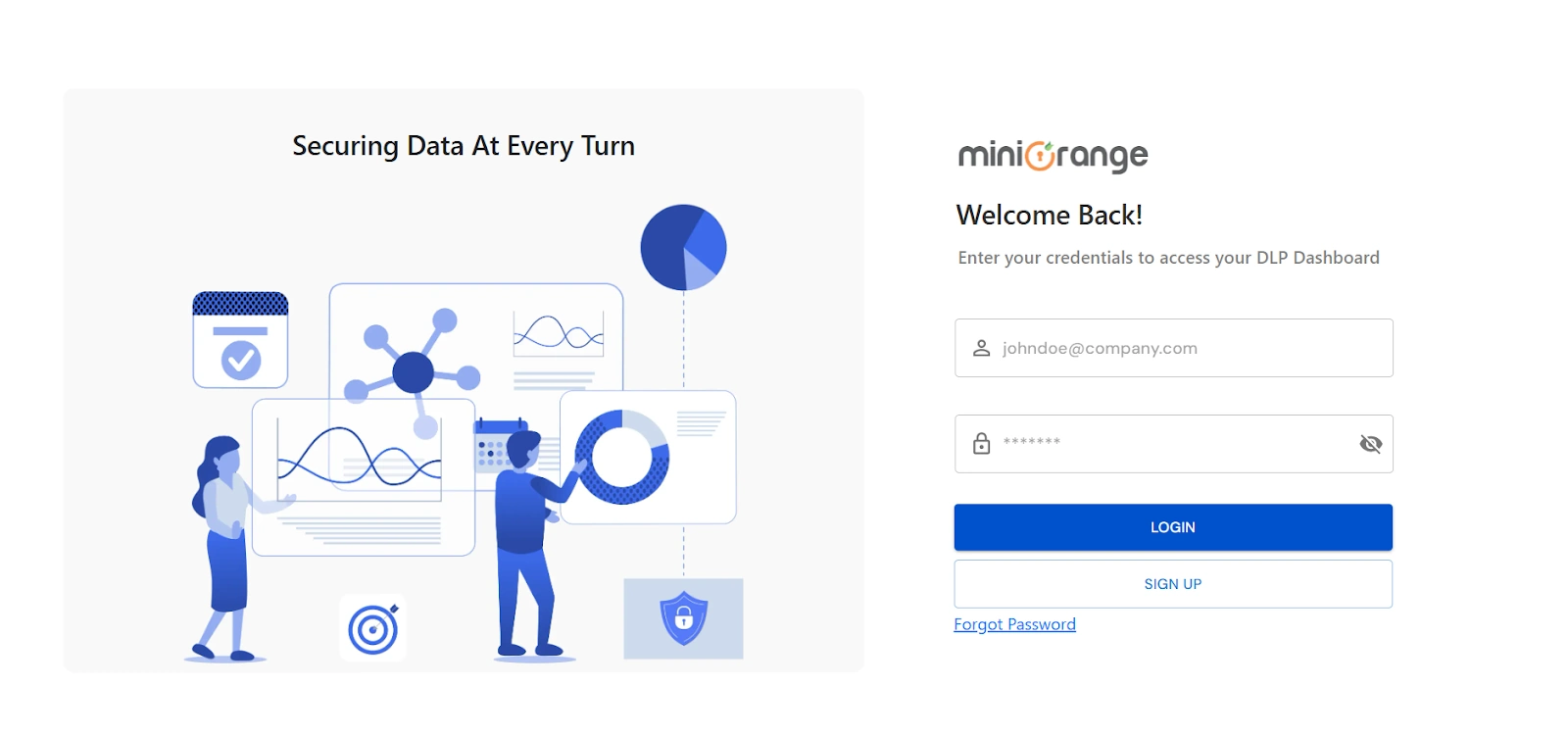
Step 1: Log in with miniOrange

Step 2: Configure Apple APNs Certificate

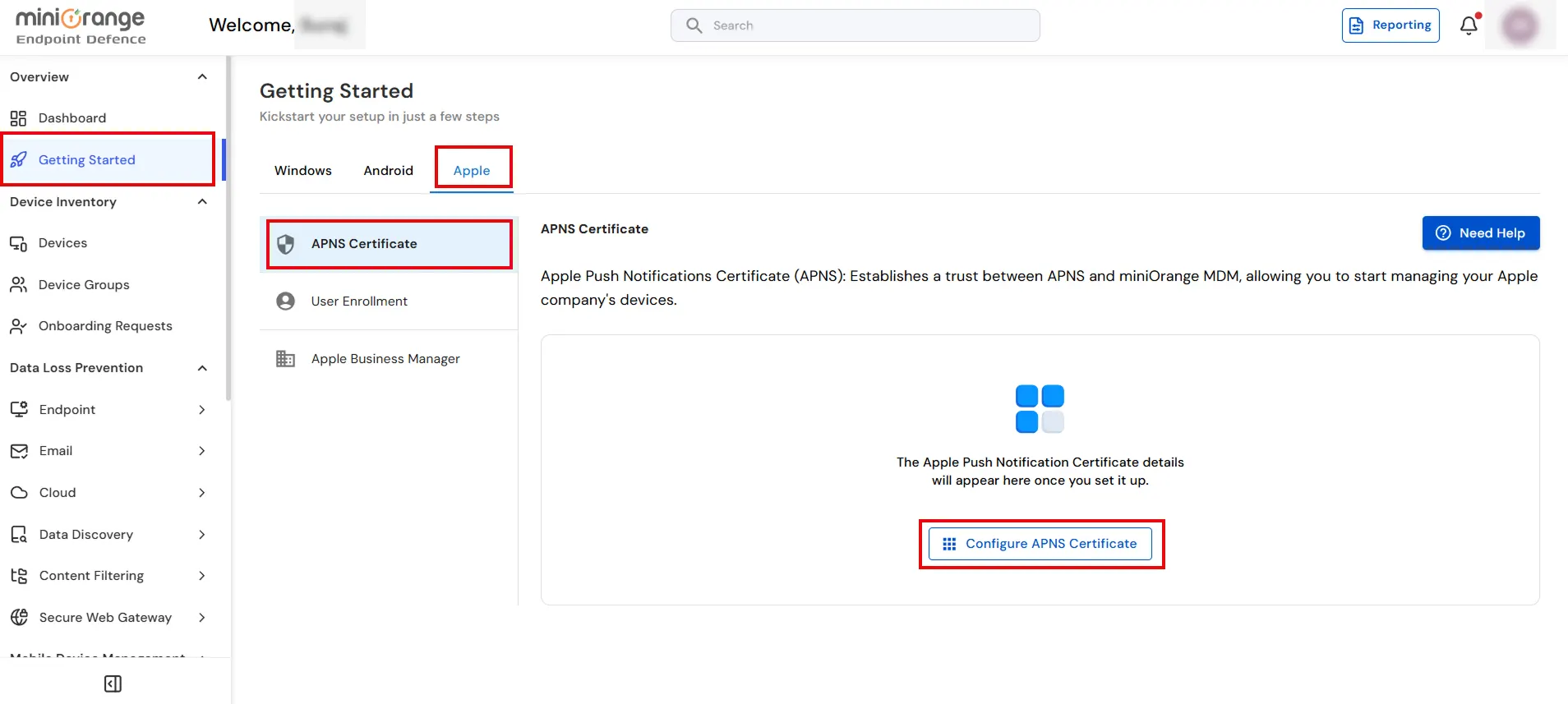
  • Once logged in, Navigate to Getting Started -> Apple → APNS Certificate and click on Configure APNS Certificate button.
  • Configure Apple APNs Certificate

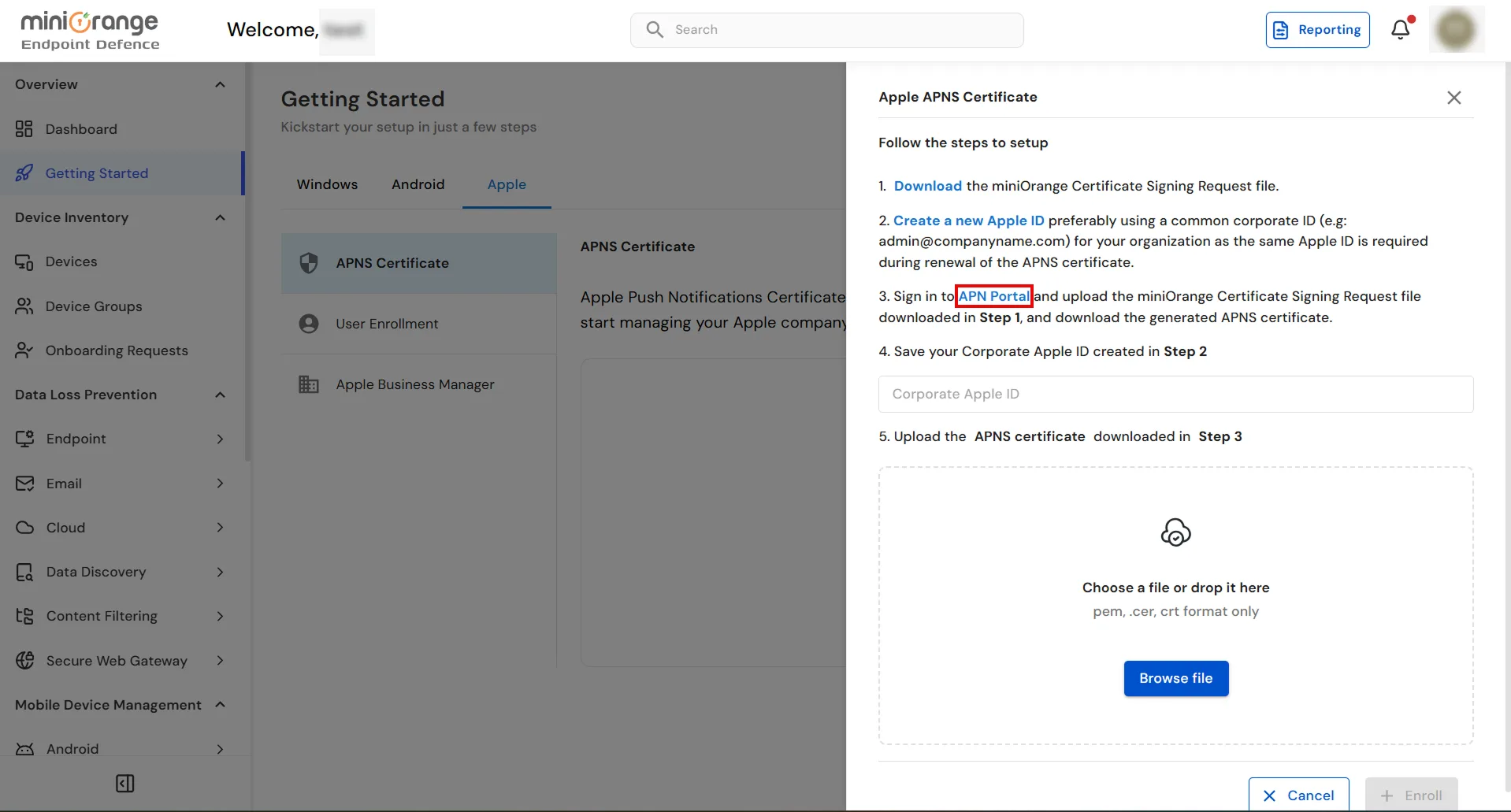
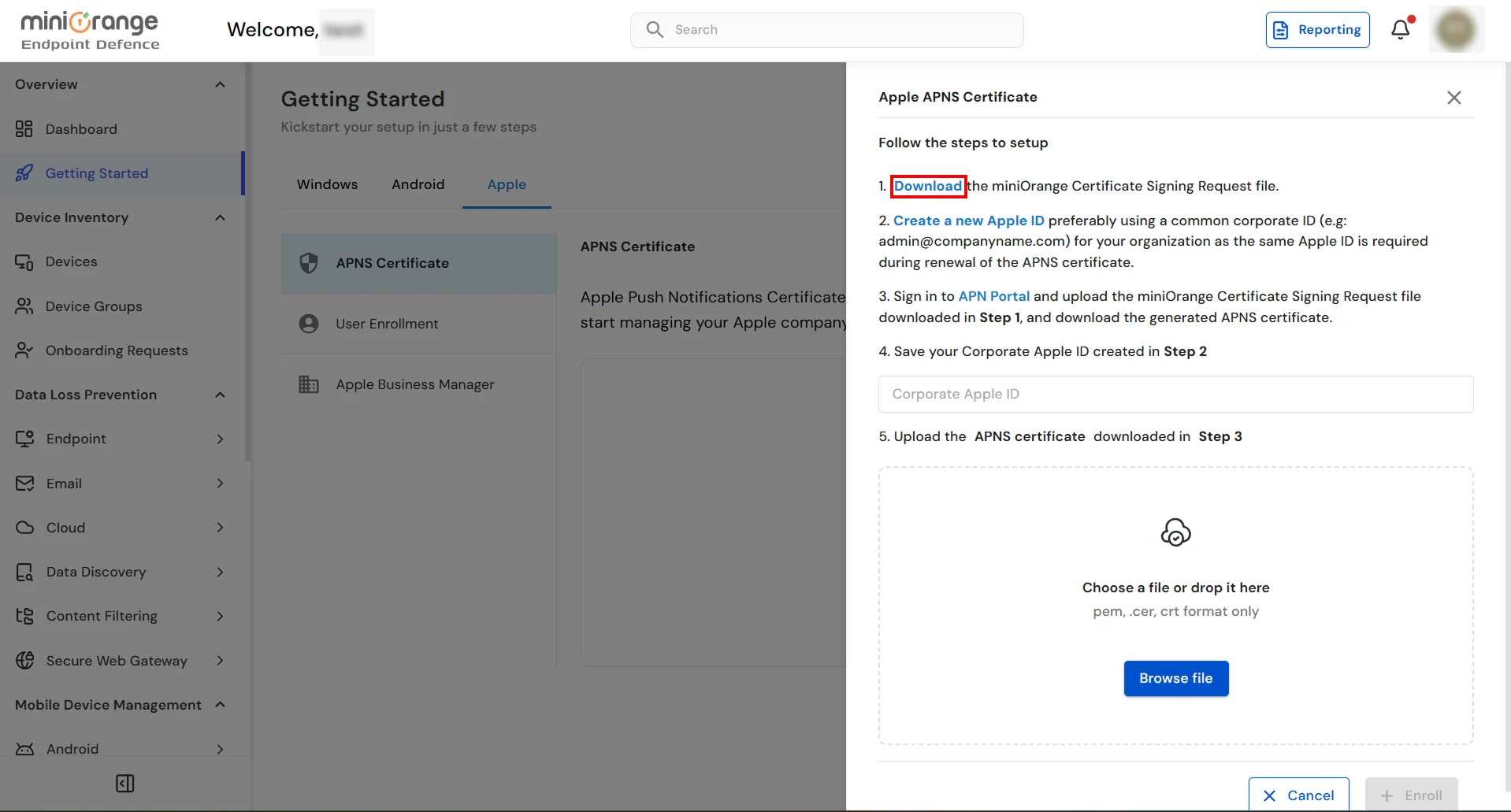
  • Click on the Download option to download the miniOrange Certificate Signing Request file.
  • Configure Apple APNs Certificate

  • Now, Click on APN Portal for Sign-in to the Apple APN portal.
  • Download CSR and access APN Portal

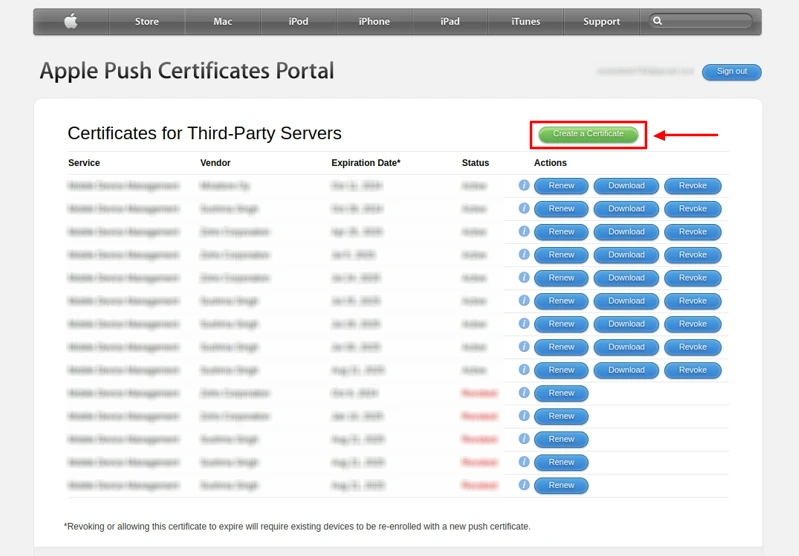
  • After logging in to the APNs Portal, click Create a Certificate.
  • Apple Push Certificate Portal

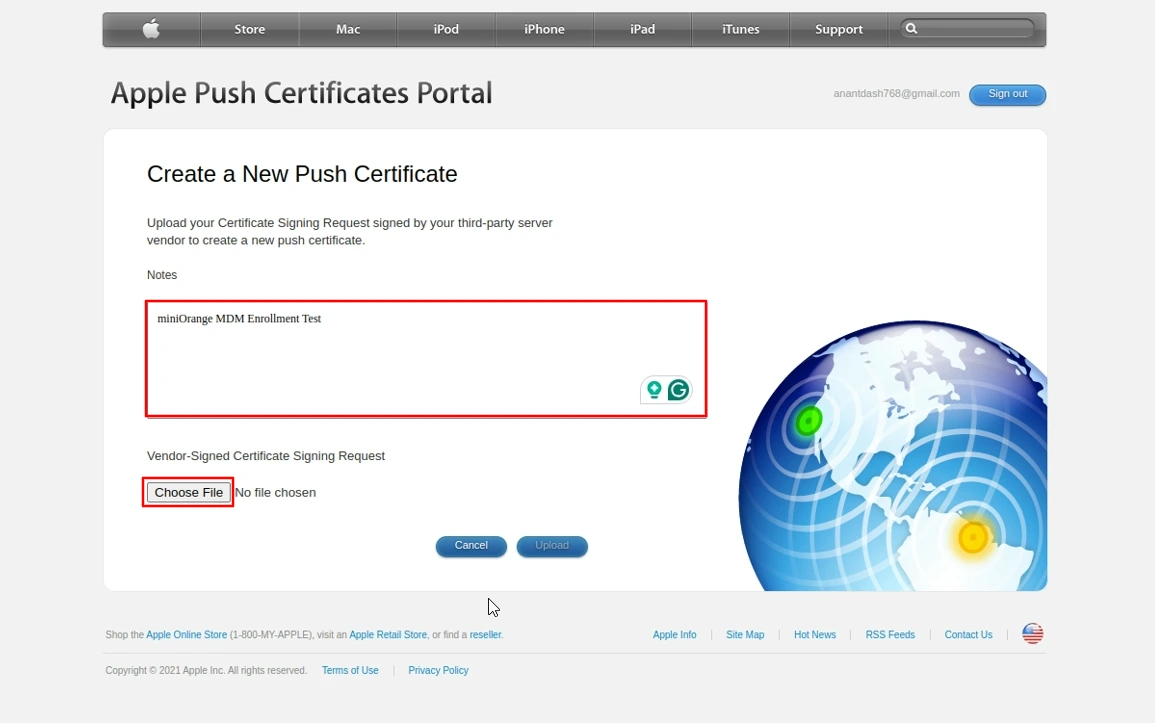
  • Enter a note if needed, then click Choose File option to upload the miniOrange Certificate Signing Request file.
  • Create new push certificate

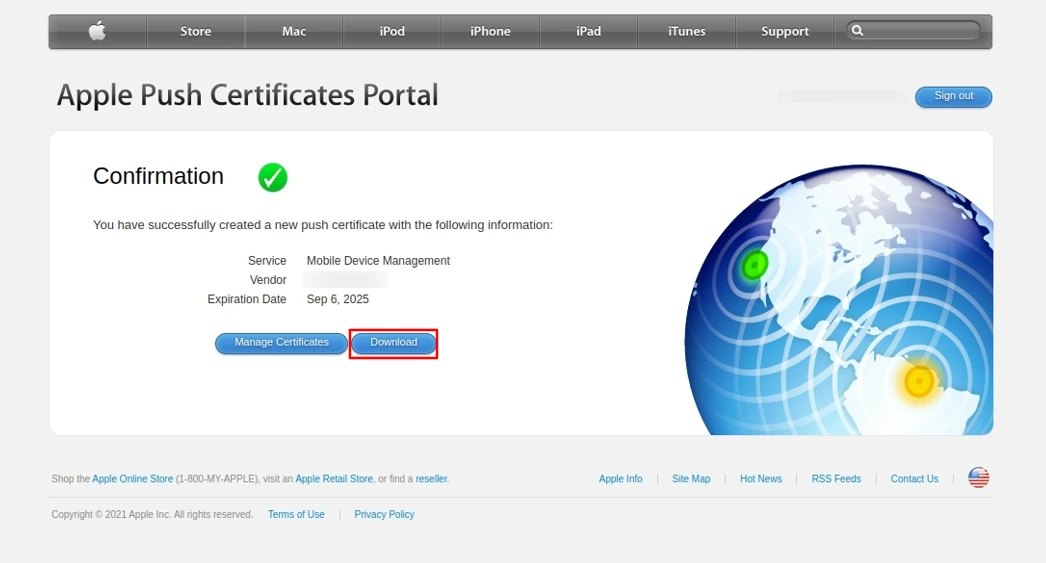
  • Click the Download button to download the Apple APN Certificate (.pem).
  • Download Apple APN Certificate

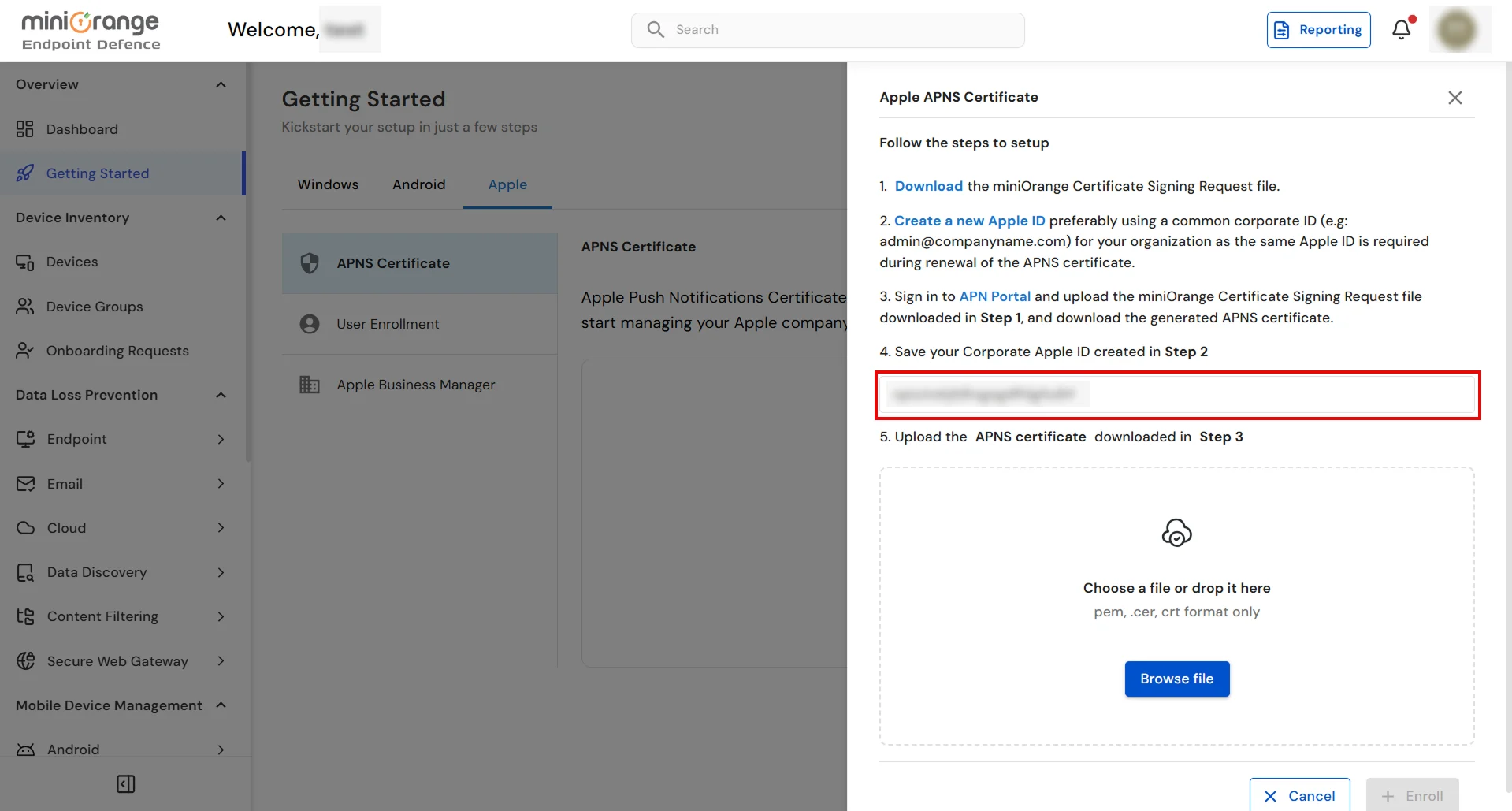
  • Provide the Apple ID used to get the Apple APN certificate. This is required to send you a notification for renewal before it expires.
  • Upload APNs certificate

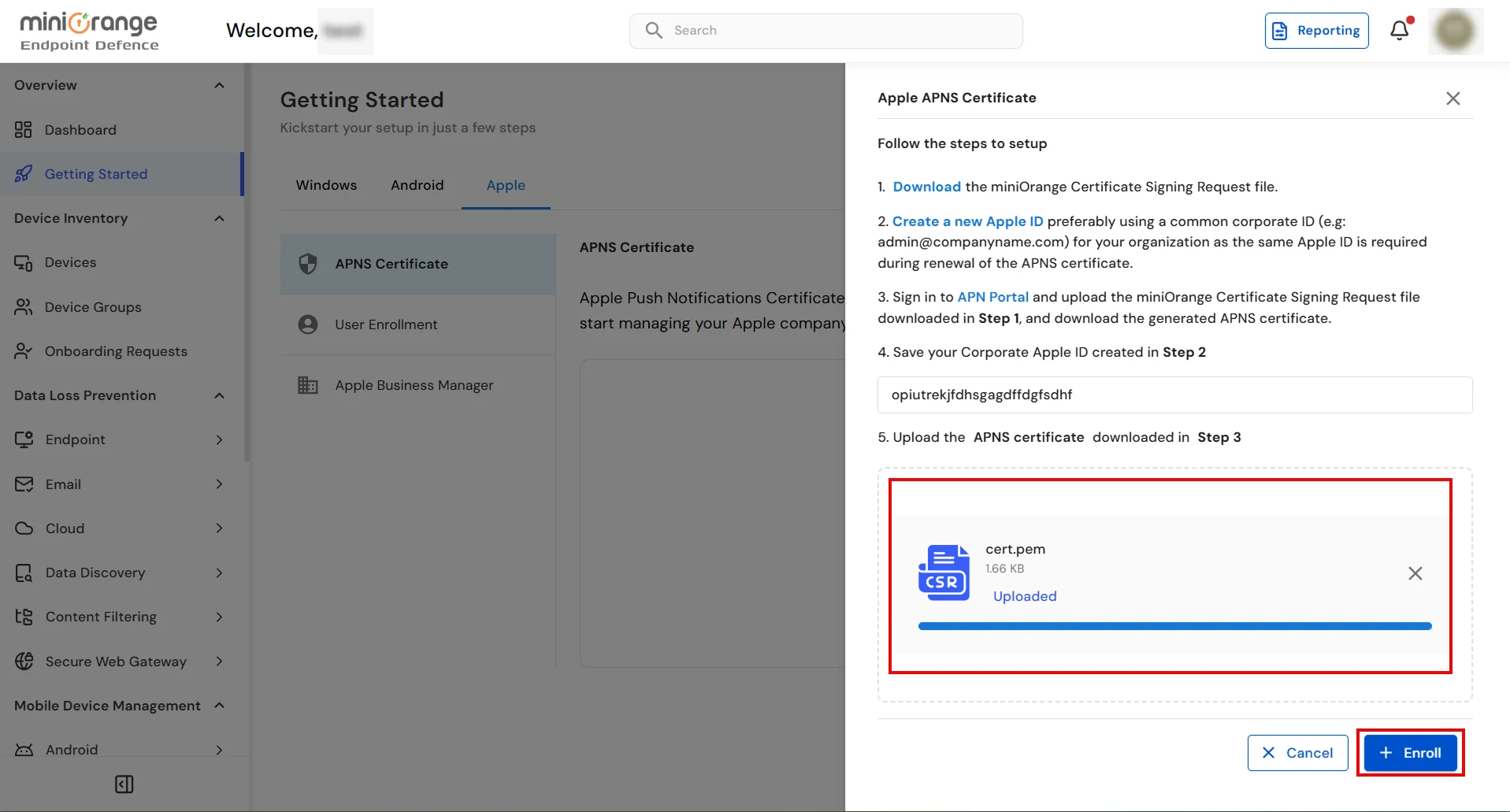
  • Click on the Browse File button to upload the downloaded APN certificate and click on the Enroll button.
  • Upload APNs certificate

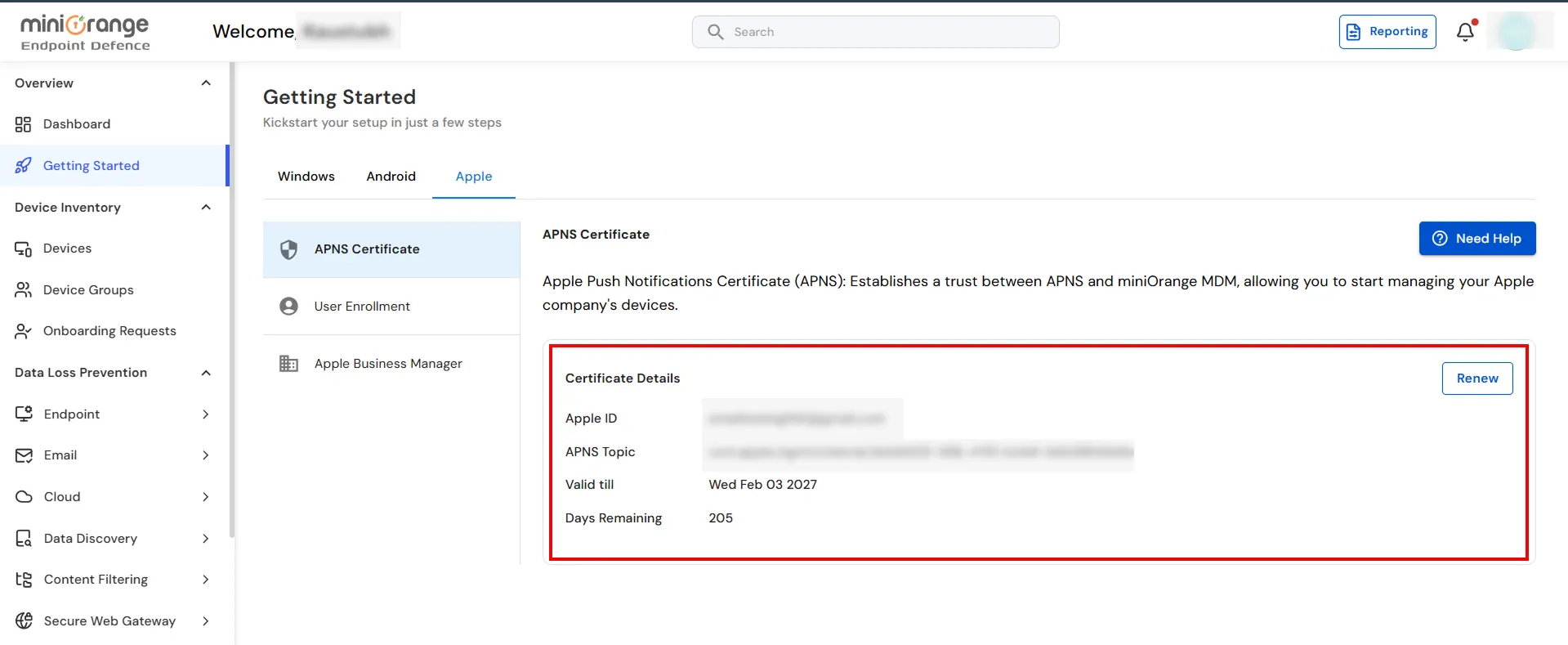
  • Congratulations! Your organization is now successfully enrolled with miniOrange MDM for managing your Apple device fleet.
  • Apple enrollment successful

Need help to configure or enroll apple device?
Contact us or email us at uemsupport@xecurify.com and we'll help you setting it up in no time.


External References


miniOrange unified endpoint management offers a wide variety of security features with flexible scalability, all available at the most affordable price to all types of businesses. Start by signing up now!


Want To Schedule A Demo?

Request a Demo