Access Reviewer360 – Project Access, Roles, Permissions & Audit for Jira

See who has access to every Jira project, flag risky permissions automatically, and stay audit ready. Access Reviewer360 turns scattered Jira permissions into one clear access dashboard and an exportable audit trail.
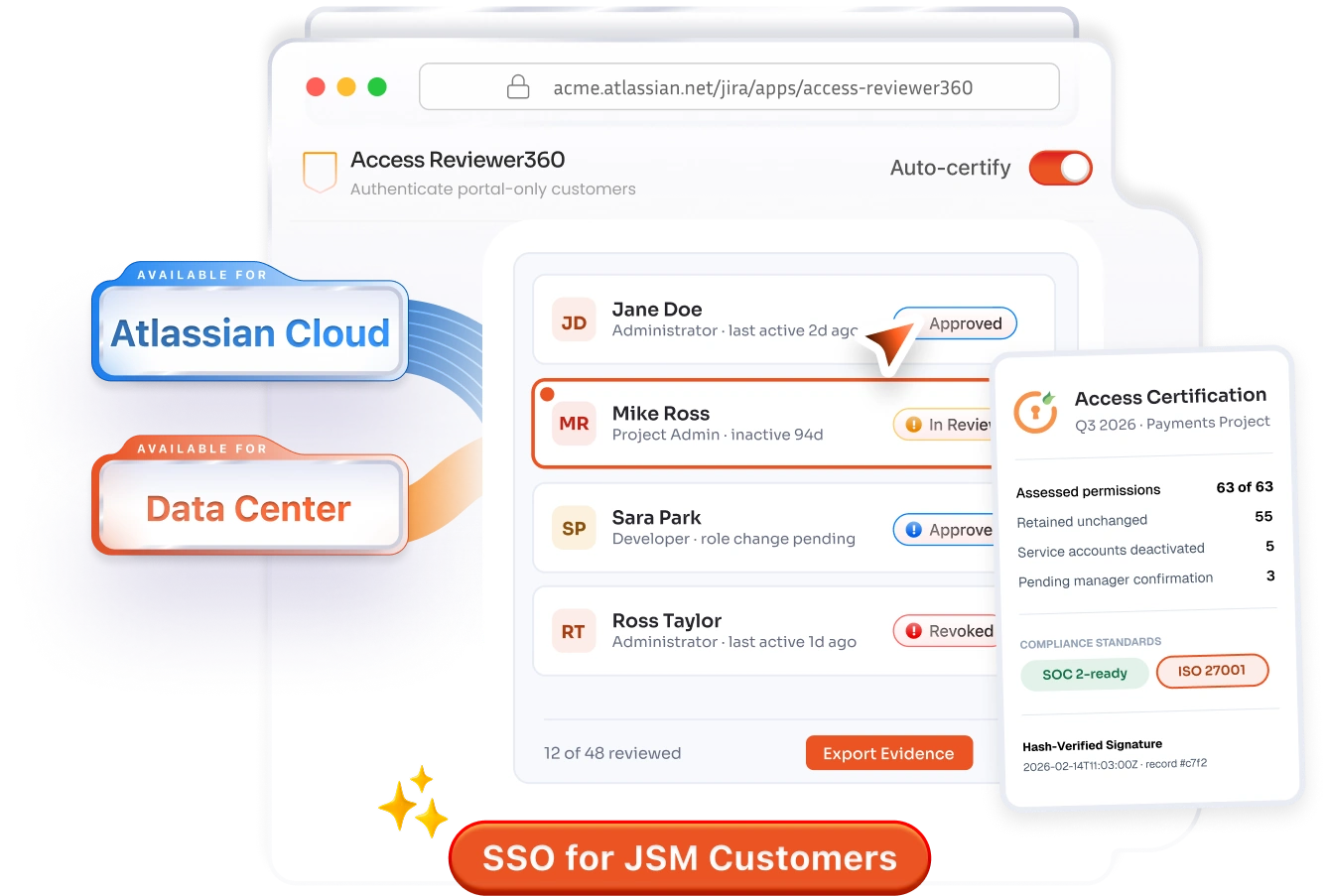
Access Reviewer360 access dashboard for Jira

Why Teams Choose miniOrange

100%
Audit Trail Coverage
8+
Built-in Risk Policies
24x7
Developer Support

Access Reviewer360 Features for Jira

By Project, By User & By Group Views

Project leads see who can reach a project, security reviewers see what a user can reach across Jira, and compliance teams see what a group grants, no manual cross-referencing.

Roles, Permissions & Access Path Analysis

Trace the exact chain of role, group, and grant behind every permission. Find why someone has access, so you can enforce least privilege by removing the link.

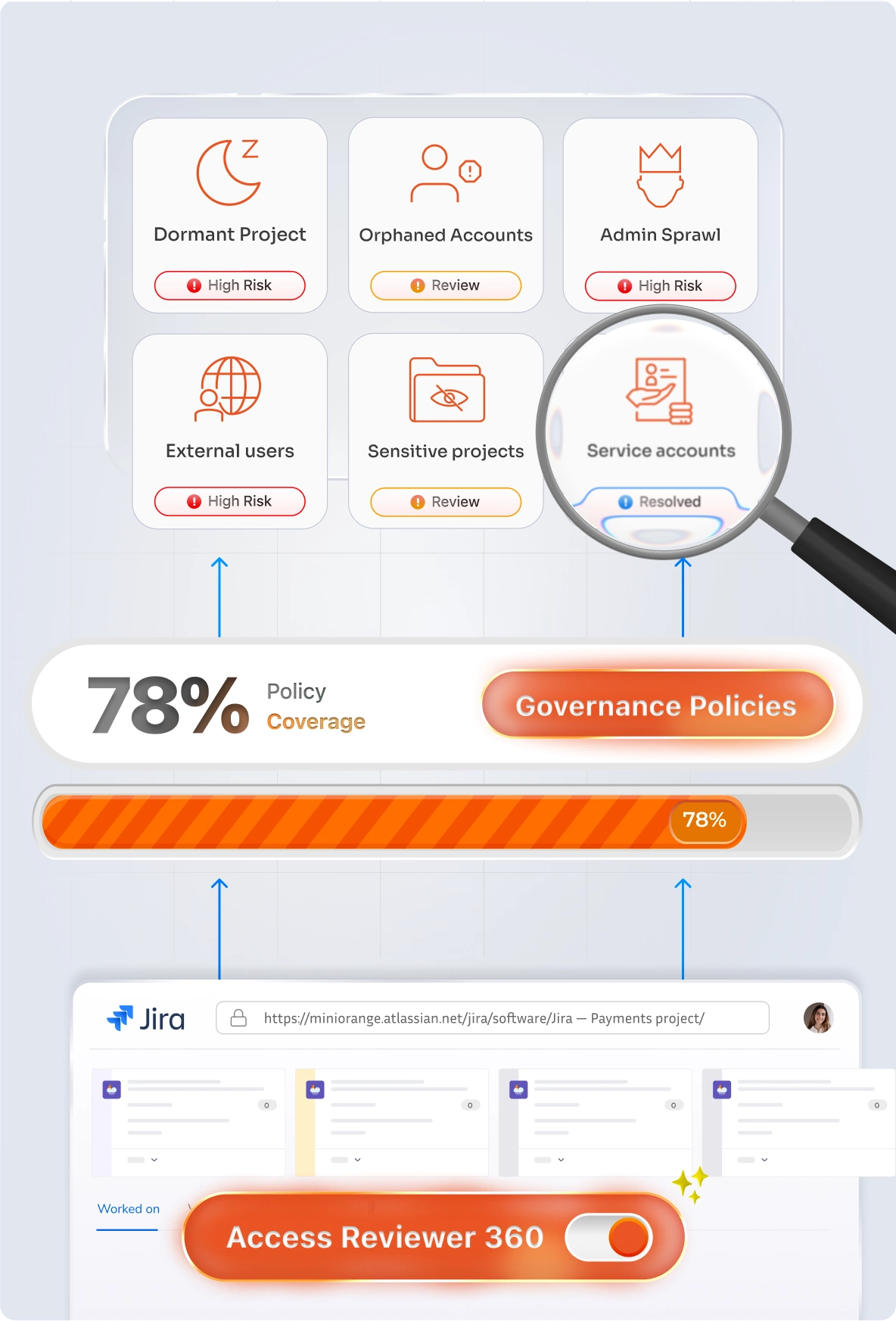
Governance Policies & Risk Detection

Automatically flag dormant project access, inactive and orphaned accounts, excessive admins, external users, sensitive project exposure, and ungoverned service accounts.

Privileged Access Reviews

Run focused reviews on the accounts that can change the most, making segregation of duties in Jira enforceable, with every decision recorded.

Activity & Login Monitoring

Track administrative changes, user activity, login activity, applications, and automation together in one place, building a continuous admin activity audit trail.

Centralized Audit Trail & Export

Every governance decision is logged to a single audit trail, and any access view or review exports to a clean, shareable report with one click, ready to hand to an auditor.

Access Reviewer360 governance policies and risk findings
Access Reviewer360 vs Jira Native Tools

Comprehensive Comparison

Access Reviewer360 vs Jira Native Tools (Audit Log & Permission Helper) for Jira Cloud

FEATURES
Access Reviewer360
Jira Native Tools
Project-level access views
View access for projects, users, and groups in one place.
green tick
green tick
green tick
green tick
green tick
green tick
green tick
cross One user / One item at a time
Access path analysis
Trace how a user gained access.
cross
Automatic risk detection
Flags dormant accounts, excessive admins, and external users.
cross
Service account & automation visibility
Bot surfaces and integration accounts are often missed in audits.
cross
Pre-project Dormancy Detection
Identifies inactive users before they accumulate unused access
cross
Activity & login monitoring
Logs admin actions and activity in a reviewable format.
Raw audit log only
Audit-ready certification
Generates exportable records for compliance and audit sign-off
cross
CHECKOUT MORE FEATURES external link icon

From install to audit-ready in four steps

Access Reviewer360 connects natively through Atlassian APIs — no data leaves your Jira instance.

Step 1

Connect Jira

Install from the Atlassian Marketplace. Access Reviewer360 auto-discovers your projects, roles and permission schemes.

Step 2

Scope a campaign

Choose what to review and who certifies it. Set a cadence — monthly, quarterly, or on a joiner-mover-leaver trigger.

Step 3

Review & remediate

Reviewers approve or revoke in a clean queue. Risky access is flagged and revocations sync back to Jira instantly.

Step 4

Export evidence

Generate a signed, timestamped report. Hand auditors a complete access-certification trail in seconds.

SOC 2 and ISO 27001 Access Review with Evidence Built In

Auditors ask four specific questions about your Jira access controls. Access Reviewer360 answers all four and produces the evidence in an exportable format.

Who has access?

Full access matrix, exportable by project, user, or group: every role assignment mapped to the account that holds it.

How was access granted?

Evidence path on every finding: user → group → role → project. Each link in the chain is shown and exportable.

Do you review access periodically?

Scan history with timestamps. Run scans on your review cadence; the result is a point-in-time certification record.

Are dormant accounts addressed?

Dormant access findings with configurable thresholds, flagged HIGH or MEDIUM, with remediation tickets to close the loop.

Pass audits with evidence, not effort

Purpose-built for the access-certification controls auditors ask about most.

SOC 2 ISO 27001 GDPR HIPAA PCI DSS

Globally trusted by 3000+
premium clients and counting!

Google KPMG Mercedes-Benz MISUMI Porsche

Here's what our awesome customers say

View All Reviews

miniOrange support helped us integrate the product! They were very responsive and very professional during the integration process, saved us a lot of valuable time!..

BHAA AMASHA

⭐ ⭐ ⭐ ⭐ ⭐

miniOrange support helped us integrate the product! They were very responsive and very professional during the integration process, saved us a lot of valuable time!..

BHAA AMASHA

⭐ ⭐ ⭐ ⭐ ⭐

As an SSO novice, miniOrange support was always there to guide me in integrating their tool into our ASP.NET application. The miniOrange team was very generous with their time helping me get the final configurations correct in our production environment. Thank you miniOrange!

MICHAEL CATELLO

⭐ ⭐ ⭐ ⭐ ⭐

We needed secure SSO for our external JSM customers across multiple identity providers. miniOrange made setup straightforward and support was excellent throughout rollout.

BHAA AMASHA

⭐ ⭐ ⭐ ⭐ ⭐

Frequently Asked Questions

Everything You Need to Know

Chat Icon Contact us

Plugin Inquires

Does Access Reviewer360 work on Jira Cloud?
Yes. Access Reviewer360 is built for Jira Cloud and connects natively through Atlassian APIs with zero data egress.
Can I review access by project, user, and group?
Yes. You get project, user, and group views so reviewers can see who has access and what a group grants without manual cross-referencing.
Does it show how access was granted?
Yes. Every finding includes an evidence path — user → group → role → project — so you can see each link in the chain.
Can it detect dormant or risky accounts?
Yes. Built-in policies flag dormant access, excessive admins, external users, orphaned accounts, and ungoverned service accounts.
Can I export audit-ready evidence?
Yes. Generate signed, timestamped certification reports and export access views as shareable audit evidence.

Security & Support

Does my Jira security data leave the instance?
No. Access Reviewer360 is Atlassian Forge native — your Jira security data never leaves your instance.
What support is included?
24×7 developer support covering installation, configuration, access-review campaigns, and ongoing issues.
miniOrange Atlassian Contact Us

Book a Free Consultation with
Our Experts Today!

Schedule a call now!


Contact Us