

SSH keys let you authenticate to remote systems without entering an account password. The catch is that managing these keys becomes harder as your organization scales. You may end up with hundreds of SSH keys across servers, developer machines, cloud environments, and CI/CD pipelines.
For many organizations, these SSH keys are not a part of their identity governance. These organizations don't track who created them or where they are stored. This is risky. If any of those keys are compromised, an attacker can access every system that trusts the corresponding public key.
That is why SSH key management is an integral part of privileged access security. When combined with privileged password management, it provides centralized control over privileged credentials, helping organizations maintain visibility, control access, protect credentials, and establish clear rotation and revocation policies.
What Is SSH Key Management?
SSH key management is the end-to-end process of discovering, generating, distributing, protecting, authorizing, rotating, monitoring, and revoking Secure Shell (SSH) keys throughout their lifecycle.
SSH authentication relies on asymmetric cryptography using a public-private key pair:
- The Private Key: Stored securely on the client machine or in an approved key-management system. It is used to generate cryptographic signatures during authentication and must remain strictly confidential.
- The Public Key: Placed in the ~/.ssh/authorized_keys file on every remote target server the user needs to access.
When you initiate an SSH connection, the client uses the private key to prove its identity. The server verifies that proof using the corresponding public key. The private key itself does not need to leave the client.
Protecting private keys alone is not enough. If you cannot track where corresponding public keys are authorized, you lose control over access paths.
Why Is SSH Key Management Important?
Like passwords and API tokens, SSH keys provide access to some of your most critical resources, including Linux servers, network switches, hypervisors, and remote environments. While standard credential management covers user authentication credentials, SSH keys that provide access to privileged accounts require additional controls through privileged password management.
Keys frequently remain active after employees change roles or systems are decommissioned. They often provide access to more systems or accounts than their owner needs. Shared keys make this problem worse.
An SSH key management system reduces these risks by providing visibility into your keys and control over the access they provide. Let’s explore it in more detail.
What Is a Centralized SSH Key Management System?
A centralized SSH key management system helps you manage SSH key inventory, authorization, lifecycle operations, and oversight across multiple systems from a coordinated management framework.
You can implement centralized SSH key management through several architectural approaches:
- Dedicated SSH Key Management Software: Purpose-built platforms that discover authorized keys across servers, map ownership, enforce rotation, and clean up orphaned files.
- Privileged Access Management (PAM): Brokering SSH connections through a secure gateway that vaults credentials, applies access policies, and injects keys without exposing them to users.
- SSH Certificate Authorities (CAs): Systems that issue cryptographically signed, short-lived certificates. Servers trust the CA rather than maintaining static authorized_keys files.
- Directory-Backed Authorization: Leveraging centralized directories like LDAP or Active Directory to map user identities directly to permitted public keys at login time.
SSH Key Management for DevOps Environments
DevOps teams need SSH access to connect with remote machines. Now, how do you enable automated deployments without having unmanaged private keys present across your pipeline?
CI/CD runners, such as GitHub Actions, GitLab CI, and Jenkins, regularly use SSH keys to deploy code or run database migrations. In a time crunch, developers often drop static SSH private keys directly into build variables, configuration files, and automation repositories. This leads to secret sprawl.
If an attacker breaches a test runner or reads an unencrypted pipeline variable, they can grab a high-privilege SSH key and move laterally into production.
To secure automated environments:
- Eliminate hardcoded credentials and instead integrate your CI/CD pipelines with secrets management platforms to pull credentials dynamically at runtime.
- Use application-to-application password management to govern machine-to-machine access.
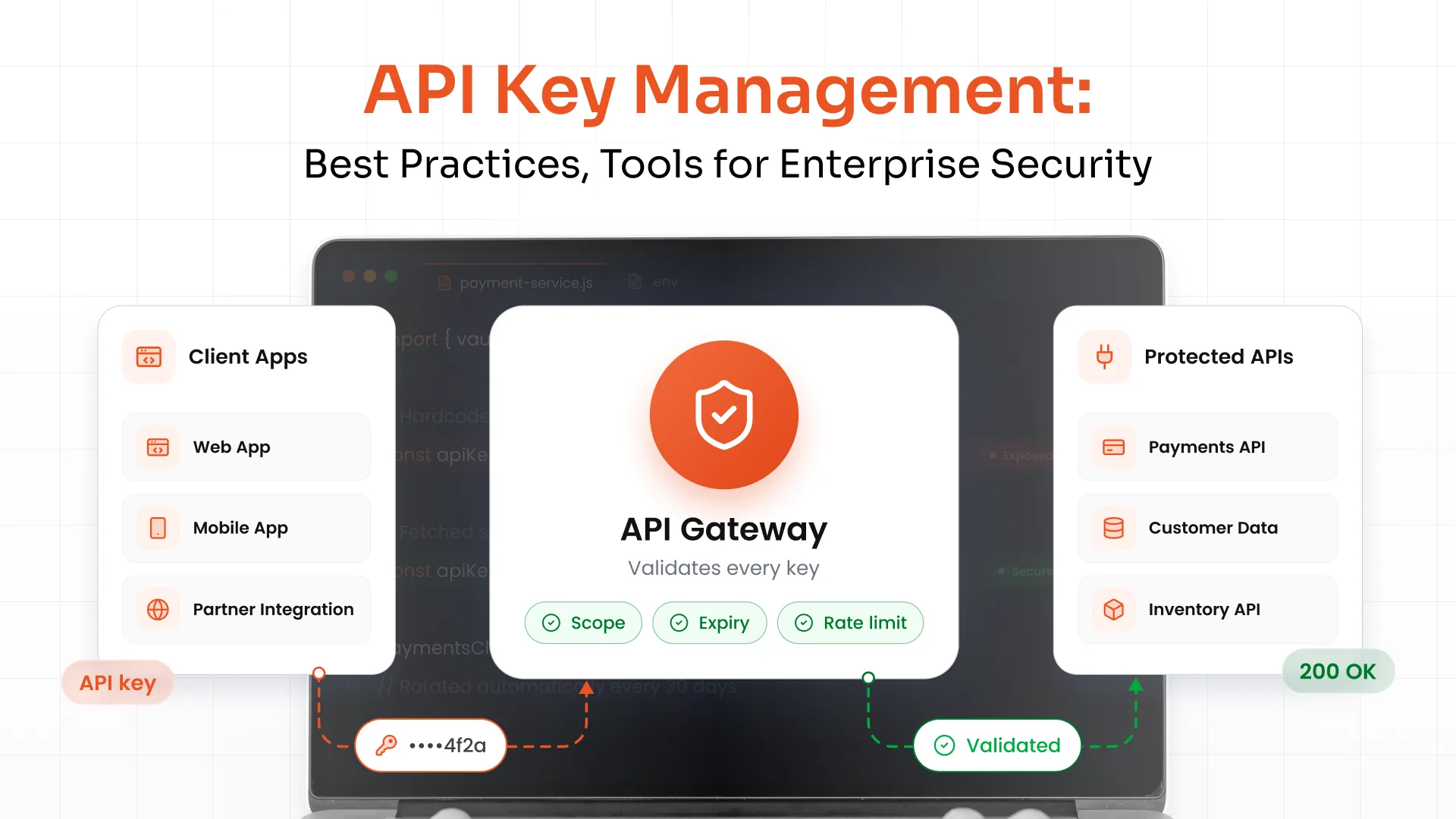
- Complement your SSH policies with structured API Key Management to ensure automated tokens rotate systematically alongside server access keys.
- Apply least privilege across development and production. Isolate keys by environment and restrict their permissions.
- Audit both human logins and automated scripts accessing mission-critical servers.
SSH Key Management & Rotation Best Practices
You need clear ownership and regular audits for an SSH key management strategy to be effective. Apply these SSH key management best practices to maintain control over your server fleet:
1. Discover and Maintain a Centralized SSH Key Inventory
Start by identifying the SSH keys authorized across your infrastructure. Scan the configured authorized-key files and other authorization sources. Use public-key fingerprints to correlate keys with their owners, associated service accounts, and authorized systems. Flag keys with missing ownership information or no confirmed business use.
2. Enforce Least-Privilege Access and Clear Key Ownership
Every key must have a clear human or machine owner. Reduce the use of shared keys, such as team-wide dev-team-key.pem files. Shared keys destroy accountability because your logs cannot identify the individual behind an action.
Use SSH configuration options inside authorized_keys to enforce least privilege:
- from="IP_ADDRESS": Restrict key usage to specific source IP addresses or CIDR ranges.
- command="/path/to/script.sh": Force the key to execute a specific command instead of allowing arbitrary commands or shell access.
- no-port-forwarding: Prevent TCP port forwarding.
- no-pty: Prevent pseudo-terminal allocation, which is useful for automated jobs that don't require an interactive terminal.
3. Establish SSH Key Rotation Policies and Automate Rotation
Rotating credentials reduces the damage if one of them is compromised. However, SSH key rotation is distinct from privileged password rotation. It involves asymmetric key pairs.
You must generate a new private key, distribute the new public key across target endpoints, update connection configurations, test the connection, and scrub the old public key from every authorized_keys file across the fleet.
Executing this manually across hundreds of servers is error-prone and risks breaking automated jobs. You must establish automated SSH key rotation best practices. Set programmatic schedules, e.g., every 60 to 90 days, or trigger rotations automatically when a key is suspected of being compromised or an endpoint experiences a security incident.
4. Revoke SSH Keys When Access Is No Longer Required
You should revoke SSH keys immediately when an employee or contractor leaves your organization or when an application or service account is decommissioned.
Automate revocation by linking it with your HR or Identity Provider (IdP) directory. When an employee leaves, trigger a deprovisioning process that identifies their associated SSH keys and removes their authorization across all connected systems. For environments using static authorized_keys files, ensure your automation explicitly updates those files.
If you use SSH certificates, make sure your revocation process also accounts for the certificate authority's trust and revocation mechanisms.
5. Secure Private Keys and Eliminate Hardcoded Credentials
Enforce strong local security on client endpoints. Developers should always protect their private keys with strong passphrases and store them in secure OS keychains or hardware security tokens, such as FIDO2/YubiKey.
For automation, avoid embedding credentials directly in deployment scripts or application configurations. Use an approved secrets management solution and controlled retrieval mechanisms.
You should also prevent secrets from appearing in build logs, container images, and deployment artifacts.
6. Monitor SSH Access and Audit Key-Related Activities
Set automated alerts for unexpected login locations, off-hours administrative access, or rapid brute-force connection attempts.
You should also monitor activity after a successful SSH login. See what commands are being executed.
Privileged session monitoring and recording can provide that additional visibility. It helps you investigate suspicious activity and establish accountability for administrative actions.
How Does PAM Improve SSH Key and Privileged Access Management?
Basic key management tools focus on distributing and tracking files. The miniOrange PAM solution directly addresses the risks associated with giving users access to privileged credentials.
PAM acts as an intelligent proxy between engineers and infrastructure. Instead of distributing private keys to local laptops, engineers authenticate to the PAM platform using Single Sign-On (SSO) and Multi-Factor Authentication (MFA). Once authorized, PAM establishes the connection to the target server.
miniOrange PAM offers credential injection to protect privileged credentials during access.
When an authorized user initiates an SSH session, the PAM gateway retrieves the required SSH credential from the encrypted vault and uses it to authenticate to the target server through a separate connection. The user gets access to the command line but does not see the underlying private key.
Beyond credential protection, miniOrange PAM gives you:
- An encrypted vault to protect and rotate SSH keys.
- An agentless architecture that doesn’t require maintaining local software agents.
- Browser-based secure remote access.
- Real-time session monitoring and the option to terminate sessions.
- Just-in-time access management to eliminate standing privileges.
- Detailed logs of every access request and session activity.
Together, these capabilities help you manage privileged credentials and control SSH access without treating authentication as the only layer of security.
FAQs
What Is the Difference Between SSH Keys and SSH Certificates?
SSH keys are public/private key pairs used for authentication. SSH certificates are public keys signed by a trusted SSH Certificate Authority (CA), along with identity information and validity constraints. Certificates let servers trust a CA instead of maintaining individual authorized public keys for every user.
How Often Should SSH Keys Be Rotated?
There is no universal rotation interval for every SSH key. Set a schedule based on the sensitivity of the systems, the level of access, and your organization's security requirements. Rotate keys immediately if you suspect a compromise.
What Is a Centralized SSH Key Management System?
A centralized SSH key management system provides a coordinated way to inventory, authorize, monitor, rotate, and revoke SSH keys across multiple systems. It reduces reliance on manual, server-by-server key management.
How Do You Manage SSH Keys Across Multiple Servers?
Maintain a centralized inventory that maps each key to its owner, purpose, and authorized systems. Use automation or SSH certificate-based authentication where appropriate to simplify distribution and access management. Review authorizations regularly and revoke keys that are no longer needed.
What Should You Look for in SSH Key Management Software?
Look for key discovery, centralized inventory, clear ownership tracking, secure private key storage, access controls, rotation and revocation workflows, automation, and audit reporting. For larger environments, consider support for SSH certificates, cloud infrastructure, and DevOps workflows. If you also need to control privileged sessions, evaluate PAM capabilities such as just-in-time access, credential vaulting, and session recording.
Leave a Comment