

Before the COVID-19 pandemic, when hybrid and remote work became common, Identity and Access Management (IAM) worked in the background. It was important, but mostly invisible outside IT and security teams.
That’s not the case anymore. Today, identity shows up in almost every digital interaction. Employees move between devices. Customers expect sign-ins to just work. Compliance teams want clear answers about access trails.
Industry trends reflect this shift. Analysts now point to identity threats as a primary driver of IAM adoption, with a recent report predicting that a majority of organizations will move toward identity-first security models in the coming years.
IAM has moved from being a technical layer to something that directly shapes how organizations run. It affects security, user experience, and even how quickly teams can scale.
In this blog, we explore the use cases of IAM in day-to-day environments, not as a concept, but in practical use.
Core IAM Use Cases for Security and Operations
Most IAM value shows up in everyday operations. These are the practical areas where identity management quietly reduces risk and removes friction:
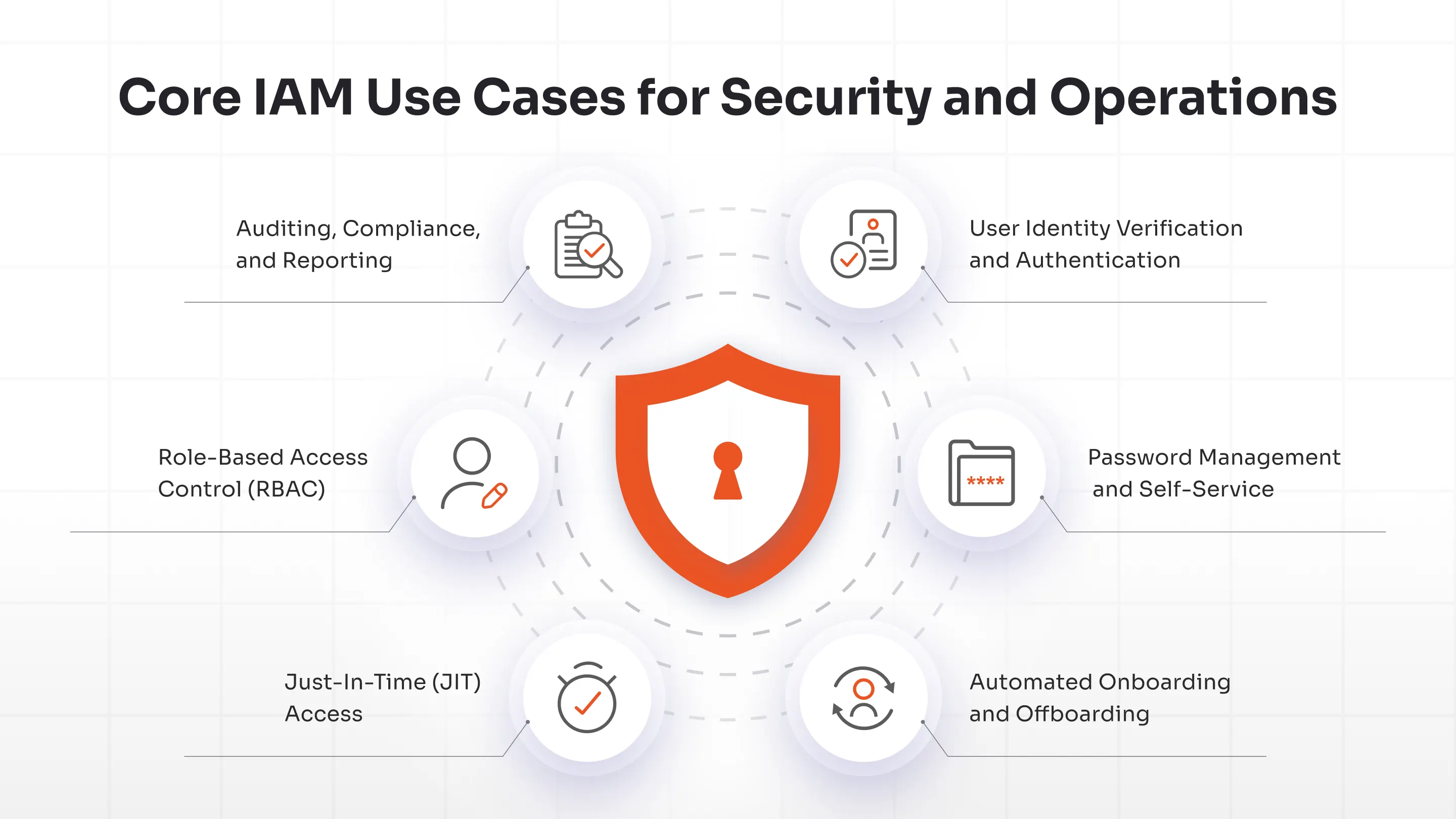
1. User Identity Verification and Authentication
Fundamentally, IAM is about verifying user access; while that used to mean simple passwords, today’s landscape requires much more. Today, it includes Single Sign-On (SSO), Multi-Factor Authentication (MFA), Adaptive MFA, passwordless logins, and more. Instead of trusting a single factor, IAM evaluates multiple identity aspects before granting access.
For instance, a login from a new location might require extra verification, but a login from a trusted device would go through without any problems. This layered approach makes it harder for unauthorized access without making every login a pain.
2. Password Management and Self-Service
Still, password resets are one of the most common reasons people create IT tickets. Many modern IAM solutions like miniOrange now offer built-in Self-Service Password Reset (SSPR) capabilities, allowing users to securely reset or unlock accounts without relying on help desks. Users can get back in without having to create a ticket, and help desks can spend less time on routine requests. It's a small change in how things work, but the effect is immediate.
3. Automated Onboarding and Offboarding
Manual provisioning rarely scales well. People join, change roles, and leave constantly. This lifecycle is often described as the Joiner–Mover–Leaver (JML) model, where identities continuously evolve as people join, switch roles, or exit the organization.
IAM automates these lifecycle events. New employees get access based on roles or departments. Departing users lose access automatically across systems.
This removes orphaned accounts, which is one of the most common identity risks, while also cutting administrative overhead. Over time, it also helps prevent privilege creep, where users quietly accumulate access they no longer need.
4. Access Requests, Approvals, and Just-In-Time (JIT) Access
Not everyone needs permanent access to every system and the modern IAM makes sure they don’t get it by default. Even baseline IAM platforms provide verification, policy enforcement, provisioning workflows, and audit trails to control how access is granted and used. In enterprises, Privileged Access Management (PAM) makes access temporary, enabled just for the task and revoked afterward. This eliminates standing privileges without disrupting the flow of day-to-day work. Just-In-Time (JIT) access takes this further by granting temporary, time-bound privileges only when they are needed and automatically revoking them once the task or session ends.
5. Role-Based Access Control (RBAC)
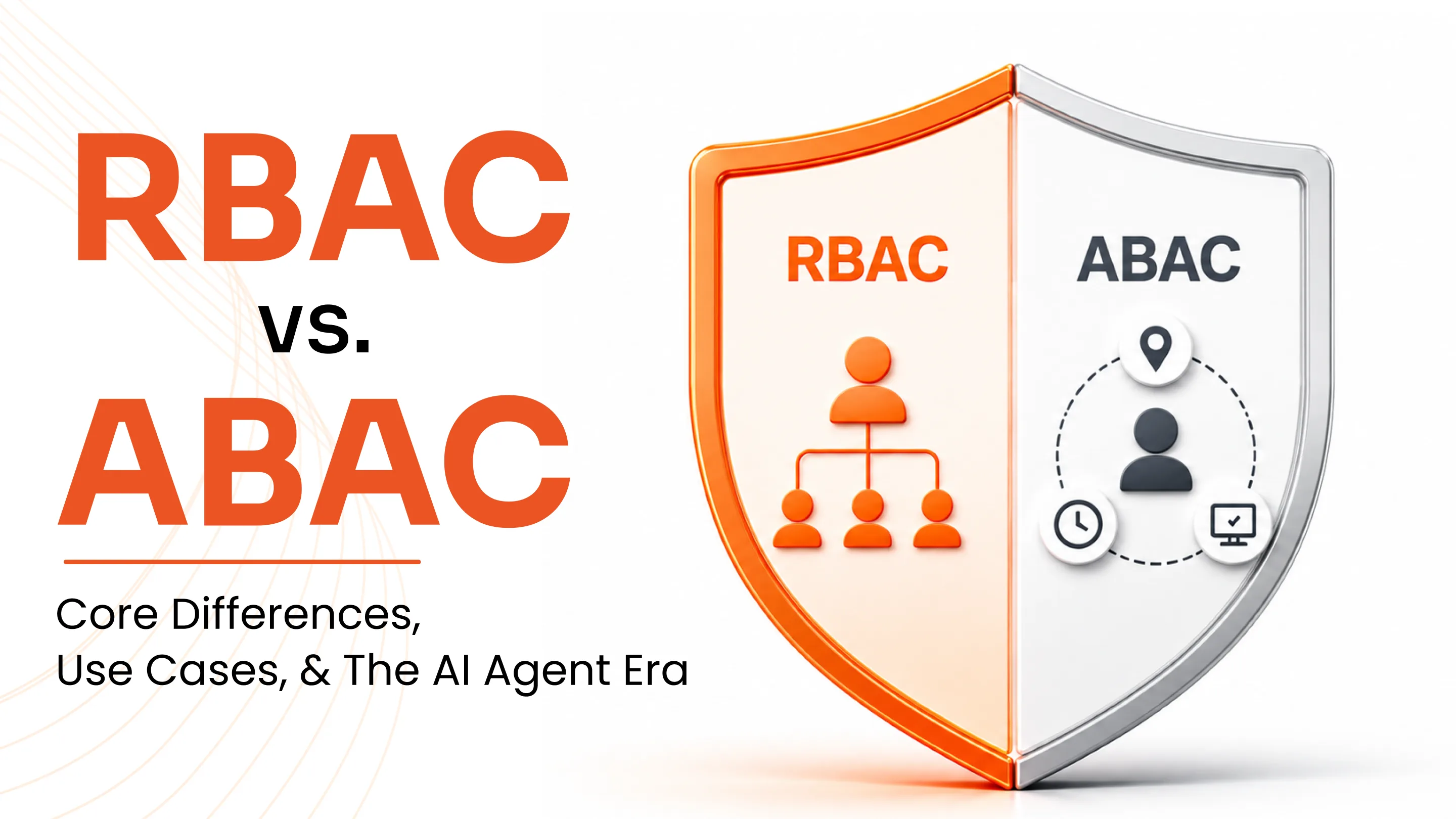
RBAC simplifies identity governance by assigning permissions based on roles instead of individuals. Finance teams get finance tools. Developers inherit engineering access. Admin privileges stay restricted. This aligns with least-privilege security and also makes audits easier because access structures are predictable.
6. Auditing, Compliance, and Reporting
For compliance teams, visibility into identity activity is critical. IAM systems record things like logins, access changes, user behavior, and policy actions. Having this data readily available makes it easier to support standards such as GDPR, HIPAA, SAMA, and more, and removes much of the scramble that typically happens during audits.
Customer-Focused IAM Use Cases
IAM isn’t just an internal tool. Customer Identity and Access Management (CIAM) applies the same principles to external users, but with a stronger focus on the experience. Below are some examples of customer-focused IAM use cases.
1. Self-Service Account Management
Many CIAM deployments include self-service portals where users can update their own profile details, email addresses, preferences, or linked accounts. This reduces dependency on support teams while giving customers direct control over their identity.
2. Customer Profile Unification and Personalization
Modern digital journeys span apps, devices, and channels. IAM platforms help unify fragmented identities into a single customer profile. This enables consistent experiences and lets users manage preferences securely. It also improves personalization without increasing data exposure.
3. Fraud Detection and Mitigation
Credential stuffing and account takeovers are two types of attacks that target identity layers. IAM systems look at patterns of behavior and risk signals in real time. Suspicious behavior may lead to step-up authentication or automatic blocking. This changes how organizations protect themselves from threats—from reactive to proactive.
4. Consent Management
IAM platforms also handle consent and lifecycle management for customers. A centralized identity repository allows organizations to track user consent, manage preferences, and maintain visibility into how identity data is used. This supports compliance while giving users or customers more transparency and control.
5. Social Login
Many IAM platforms support login using social identities like Google or Facebook. Social login simplifies onboarding and reduces password fatigue while relying on federated identity standards to maintain security across applications.
6. Progressive Profiling
Some IAM platforms support progressive profiling, where user information is collected gradually instead of asking for everything upfront. Users begin with minimal details, and additional data is captured over time through interactions. This keeps onboarding simple while still helping organizations build richer customer profiles.
Advanced IAM Use Cases
As traditional security perimeters fade, identity has become the primary control layer for access decisions. Below are some of the key use cases of advanced IAM.
Zero Trust Identity Frameworks
Zero Trust starts with one assumption: never trust by default, always verify. IAM makes this possible by validating every access request continuously. Trust isn’t based on network location anymore, it is based on identity signals such as user behavior, device posture, location, and risk context. This is especially relevant in hybrid and remote work environments where users rarely sit behind a corporate firewall.
Adaptive and Risk-Based Authentication
Static authentication models don’t hold up anymore. Adaptive authentication looks at things like the device's posture, location, behavior, and risk signals in real time. Low-risk logins go through without a hitch, but higher-risk attempts need more verification. This balance between security and usability is what modern enterprises need.
Benefits of IAM Adoption
Organizations implementing IAM typically see improvements across multiple dimensions. Here are some of the key benefits of IAM adoption:
- Stronger security posture: IAM reduces exposure to credential-based attacks and insider misuse by enforcing strong authentication and centralized visibility.
- Compliance readiness: Detailed identity logs make it easier to meet regulatory expectations and reduce audit stress.
- Better user productivity: SSO, self-service resets, and automated provisioning remove common access friction.
- Operational efficiency: Identity lifecycle automation reduces manual work and frees IT teams for higher-value initiatives.
- Centralized visibility: Security teams can see access patterns in one place, which helps them respond to incidents faster and enforce policies more strongly.
- Scalability: IAM makes it feasible to work from home, use multiple clouds, and build partner ecosystems without losing control over who can access them.
Many organizations moving toward mature IAM frameworks report fewer breaches and smoother audits.
miniOrange IAM Use Cases by Industry
Identity challenges don’t look the same across industries. The risks, user types, and compliance pressure vary a lot. That’s why IAM implementations tend to look different from one sector to another. Here’s how miniOrange IAM typically fits into real-world environments.
Healthcare
Healthcare environments run on urgency. Clinicians need quick access to systems, but patient data cannot be exposed in the process. miniOrange helps strike that balance by enforcing strong identity checks while keeping access fast. Features like SSO reduce constant logins between systems, and MFA adds an extra layer of verification without slowing down time-sensitive workflows. This helps teams stay aligned with standards like HIPAA while keeping care delivery smooth.
Banking and Financial Services (BFSI)
In financial services, identity controls sit at the center of both compliance and fraud prevention. Banks deal with constant pressure from regulators and attackers alike. miniOrange helps teams tighten authentication using adaptive MFA and layered access controls while maintaining detailed audit trails for regulatory visibility. With built-in governance and policy enforcement, institutions get clearer oversight into who has access and how it’s being used.
SaaS and Technology Platforms
SaaS platforms usually juggle two identity layers at once, employees and customers. miniOrange supports both sides through SSO, CIAM capabilities, and lifecycle automation that scales as user bases grow. New users can be onboarded quickly, access can be controlled centrally, and identity flows stay consistent across distributed cloud environments.
Manufacturing and Industrial Environments
Manufacturing setups are rarely centralized. Access spans plants, vendor networks, and operational systems spread across locations. miniOrange helps bring structure to that complexity by managing workforce identities across facilities while securing connections to production tools and partner systems. This becomes especially useful in Industry 4.0 environments where identity boundaries extend beyond the factory floor.
Education
Educational institutions deal with constant identity churn. Every term brings new students, changing roles, and external collaborators. miniOrange helps simplify that movement through automated identity lifecycle controls and scalable onboarding. With SSO and adaptive authentication in place, students and faculty can access learning platforms and academic systems securely without adding friction to everyday use.
Retail and eCommerce
Retail identity flows sit at the intersection of experience and risk. Customers expect fast logins, but weak authentication opens the door to fraud. miniOrange helps retailers add adaptive MFA and identity intelligence behind the scenes while keeping login journeys simple. This allows brands to protect accounts without hurting conversions or personalization efforts.
Government and Public Sector
Public sector organizations manage complex identity ecosystems and sensitive citizen data. miniOrange supports strong access controls, policy enforcement, and audit readiness, while enabling secure digital services like e-governance portals and citizen identity platforms.
Secure Your Enterprise Ecosystem with miniOrange IAM
As identity environments grow, managing access manually becomes difficult. More apps, more users, and more integrations often have more complexity than expected.
miniOrange IAM brings identity controls into one place, whether systems run in the cloud, on-prem, or across both. Instead of stitching together multiple tools for login, verification, and access control, teams can manage identity from a single layer that stays consistent across environments.
Some of miniOrange IAM’s core capabilities include:
- Single Sign-On (SSO): Reduces login fatigue by letting users move across apps without repeated sign-ins.
- Multi-Factor Authentication (MFA): MFA methods add stronger verification using OTPs, push notifications, and adaptive checks that adjust based on context.
- Role-Based Access Control (RBAC): Assigns permissions based on roles instead of individuals, helping enforce least-privilege access at scale.
- Identity lifecycle automation: Automates provisioning and deprovisioning as users join, move roles, or leave, reducing manual work and limiting orphaned accounts.
- Access governance: Approval workflows and policy enforcement help maintain clarity around who has access to what.
- Customer Identity and Access Management (CIAM): Supports secure external user access with features like adaptive authentication, consent controls, and scalable identity handling.
- Social login: Enables users to sign in using trusted providers like Google or Facebook through federated identity protocols.
- Flexible integrations: Works with cloud apps, legacy systems, and custom environments without requiring major infrastructure changes.
Whether the goal is simplifying access, improving compliance readiness, or moving toward Zero Trust, miniOrange provides a practical way to strengthen identity security while keeping user experiences smooth.
FAQs
How Does IAM Control Access Across Systems?
At a basic level, IAM decides who gets access to what. It uses roles, policies, and identity checks to make sure people only see the apps and data they’re supposed to. Instead of managing permissions, app by app, access is handled centrally and applied consistently.
What’s the Difference Between IAM and SSO?
Think of IAM as the bigger picture. It covers identity management, access rules, authentication, and governance. Single sign-on (SSO) is one part of IAM. It simply lets users log in once and allow them access to multiple apps without signing in again. It’s like a one-click login!
Is IAM Useful for Small and Mid-Sized Businesses?
Yes, IAM is useful and increasingly necessary. Smaller teams face the same identity risks as large enterprises but often with fewer resources. Modern IAM platforms are designed to scale down, so SMBs can secure access without running complex infrastructure.
What Typically Makes Up an IAM Solution?
Most IAM platforms include solutions for user lifecycle management, MFA, SSO, access policies, passwordless logins, AD Management, and more. Together, these pieces help manage identities across cloud, on-prem, and multi-tenant cloud environments.
How Long Does it Take to Implement IAM?
It really depends on scope. A focused rollout covering a few apps might take a few weeks. Larger deployments that involve integrations, migrations, and phased onboarding can stretch across several months.
Leave a Comment