Hello there!
Need Help? We are right here!

Need Help? We are right here!
Search Results:
×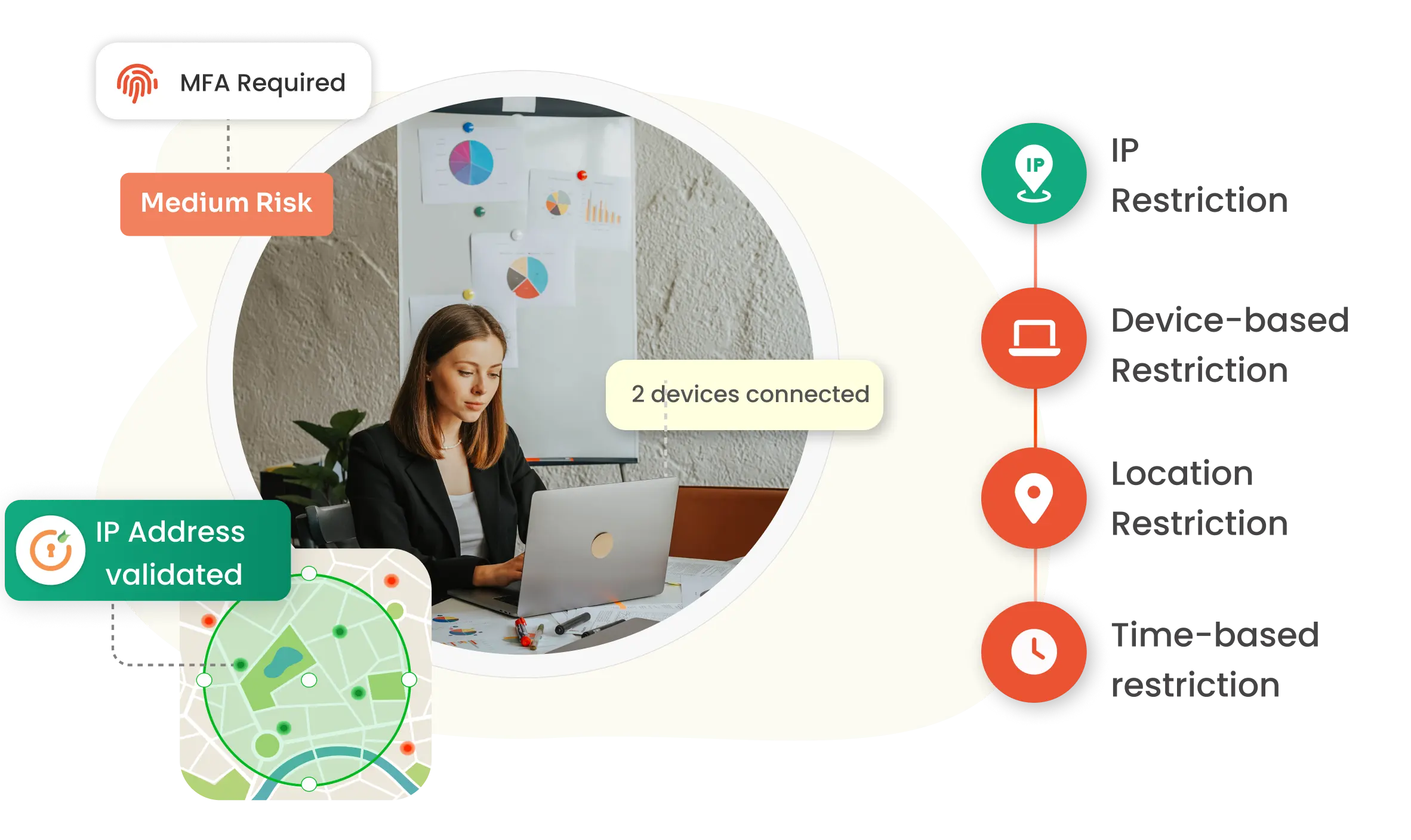
Ensure proactive, continuous protection against cybersecurity threats with Adaptive MFA product features.

Continuously assess authentication requests using contextual signals such as location, device, and network conditions to enforce MFA only when suspicious activity is detected.

Behavior-Based Authentication analyzes user login patterns and behavioral deviations to identify anomalies, applying additional verification when access requests appear unusual.

Recognize trusted and unknown devices using unique device attributes to strengthen authentication decisions and reduce unauthorized access risks.

Assign dynamic risk scores to authentication requests based on contextual factors, enabling organizations to trigger MFA only when elevated risk exists.

IT teams define clear conditional access rules "if-this-then-that" logic based on role, location, device trust, time, IP risk, and more to decide whether to allow, enforce MFA, or block access.

Present authentication methods dynamically based on user context, policy conditions, and risk levels to balance security with user experience.
miniOrange Adaptive Authentication secures the business applications your teams rely on with intelligent, context-aware access control. By evaluating device trust, location, and user behavior in real time, it ensures seamless access for trusted users and stronger verification when risk increases. From productivity suites to enterprise platforms, miniOrange protects access without disrupting workflows.
Explore miniOrange app Integration Catalog








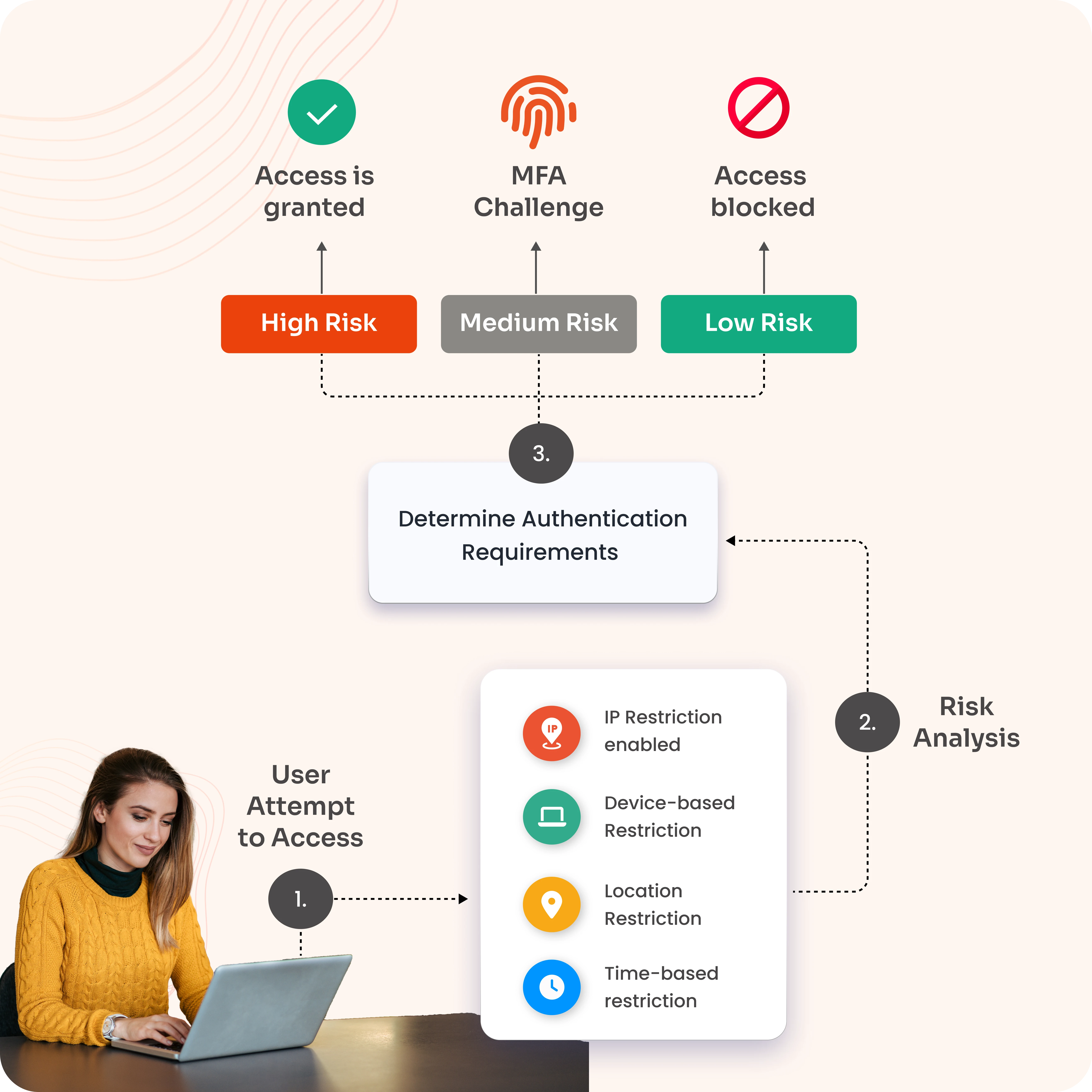
Adaptive Multi-Factor Authentication adjusts security based on how risky a login or action looks. When risk is high, it adds extra checks like biometrics or OTPs; when risk is moderate, it applies lighter verification; and when risk is low, users get smooth, low-friction access. The steps are explained below:
The user attempts to log in or perform an action (e.g., logging in, making a transaction) on a system or application.
The system performs a risk-based authentication assessment by analyzing various factors such as
The process verifies and approves new or unrecognized devices so that only trusted devices can log into a network or system.
The user provides the required authentication factors as requested by the system.
If the user successfully completes the required authentication steps, they are granted access.
Check out Adaptive MFA Demo to see how you can enable risk-based authentication for your applications.
*Please contact us to get volume discounts for higher user tiers.
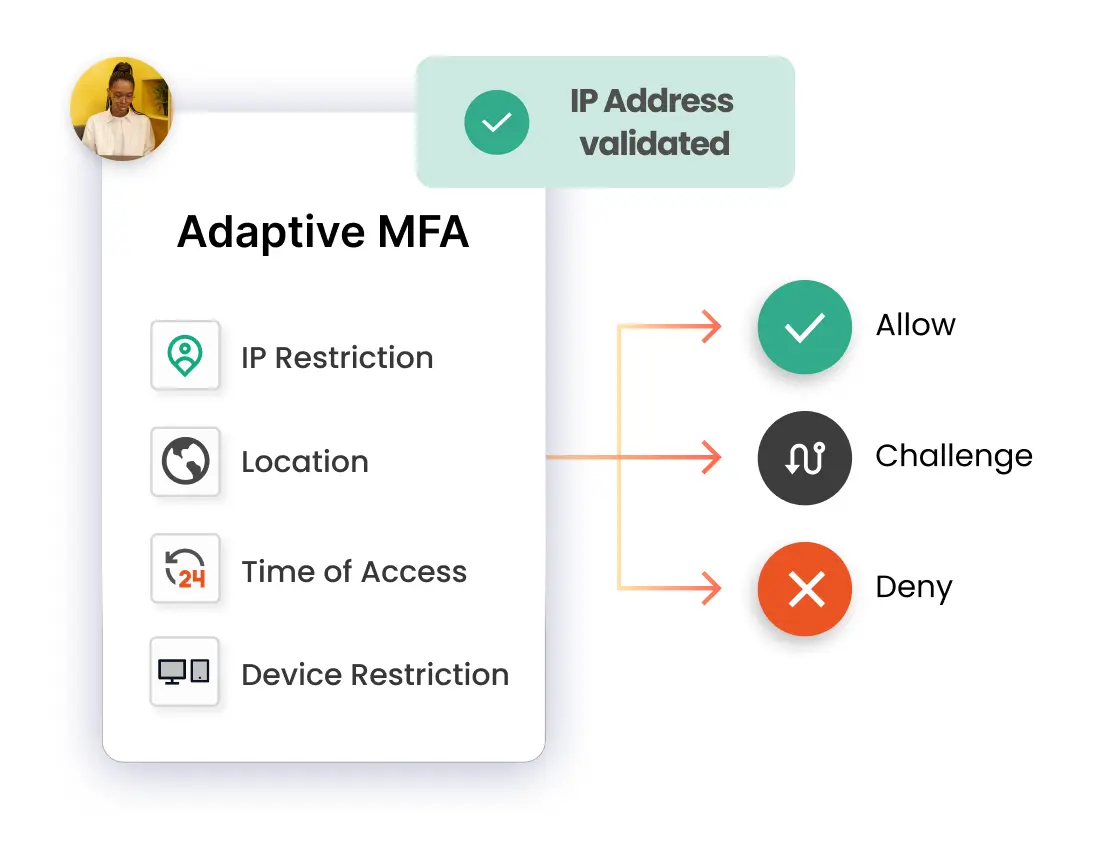
When using IP Restriction as risk-based authentication, IP addresses are configured and enlisted by the admin, and access is either allowed or denied accordingly. When a user attempts to log into one of the risk-based authentication-enabled apps, his IP address is checked against the preset IP list, and appropriate action is taken (i.e., Allow, Deny, or Challenge).
In Location-based Risk-Based Authentication restriction, the admin shortlists and configures a list of Geo-locations. Based on the location restrictions set by the admin, end-users are either allowed or denied the login. When a user tries to log in with Risk-Based Authentication enabled, his location attributes are verified against the location list configured by the admin, and based on this, the user will be either allowed, challenged, or denied access to resources.
Using Device-based Risk-Based Authentication, the admin can enforce device restriction by allowing end-users to register a set number of trusted devices (a device refers to a browser session). Once registered, a trusted device allows users to log in without restriction. If the number of registered devices exceeds the configured limit, the administrator can challenge or deny additional device registrations.
Risk-Based Authentication includes a Time Restriction policy that allows admins to define permitted login hours and time zones. During login, the user's time zone and system time are evaluated against the configured policy to grant access, deny access, or trigger additional authentication based on the defined rules.
Adaptive MFA strengthens security by dynamically analyzing risk signals (location, device, time, user behavior, etc.) and triggering additional authentication steps only when suspicious activity is detected.

Dynamically adjusts security checks based on contextual aspects such as location, device, or IP address, and authenticates every access request, not just at login, but throughout the user’s session.

Home and public networks often lack enterprise-grade protections, making remote users a prime target for threats. So, dynamic work cultures make it essential to verify every access attempt to protect resources.
Privacy by design, data residency by choice choosing dedicated hosting in the US, EU, India, or Australia cloud data centers
Google Workspace Security to protect Gmail, Drive, & other Workspace apps by prompting Adaptive MFA only when risk signals appear. Also, protect high-value workloads like Exchange Online, SharePoint, Teams, & admin portals with strong verification.
Add Adaptive MFA to the VPN network for secure remote access with 15+ authentication methods. For example, if a user attempts VPN access from a new location at odd hours, MFA challenges kick in while regular logins stay friction‑free.
Prevent cyberattacks on apps like Salesforce, Slack, or Dropbox with an SSO and MFA solutions. For example, if login behavior deviates from the norm (e.g., sudden access from multiple devices), Adaptive MFA requests extra verification across all connected apps.





I can't speak highly enough regarding miniOrange, I am totally satisfied with the process and results in every regard.
5.0

Awesome tech service, Awesome product. Overall Awesome people. This solution is very simple and easy to implement
5.0