
In 2022, Uber's systems were breached by an 18-year-old. Multi-Factor Authentication (MFA) was active, but the attackers flooded an employee's phone with push requests until they approved one, just to stop the annoyance. Authentication worked as designed, and the attacker got in. This is, in general terms, an MFA fatigue attack.
Fast forward to Q1 2025. Rapid7 found that more than 56% of all compromises resulted from stolen credentials where no MFA was in place.
Hackers are not guessing your passwords anymore; they are waiting for you to hand them access. MFA bypass through phishing kits, push bombing, and Adversary-in-the-Middle (AitM) attacks is no longer edge-case behavior. It's a documented, scalable attack strategy. And implementing MFA poorly creates a false sense of security that's arguably worse than having no policy at all.
So scroll down and start at the foundation for multi-factor authentication best practices, because a lot of what goes wrong with MFA implementation starts with a misunderstanding of what it actually is.
Key Takeaways
- Passwordless ≠ phishing-resistant, this distinction matters a lot in 2026.
- MFA is foundational, but not all MFA methods are equal.
- Phishing-resistant methods (FIDO2, passkeys) are the target state.
- Adaptive MFA reduces friction without lowering the security bar.
- Recovery workflows frequently skip or weaken MFA and risk checks; plan them deliberately.
What Is MFA & Why Does It Matter?
Before we get into the MFA best practices, it helps to understand the fundamentals of what is the difference between MFA & 2FA, and how multi-factor authentication actually works.
MFA software requires users to verify their identity using more than one factor. Whereas, 2FA solution is technically a subset, two factors specifically, though most vendors use the terms interchangeably at this point.
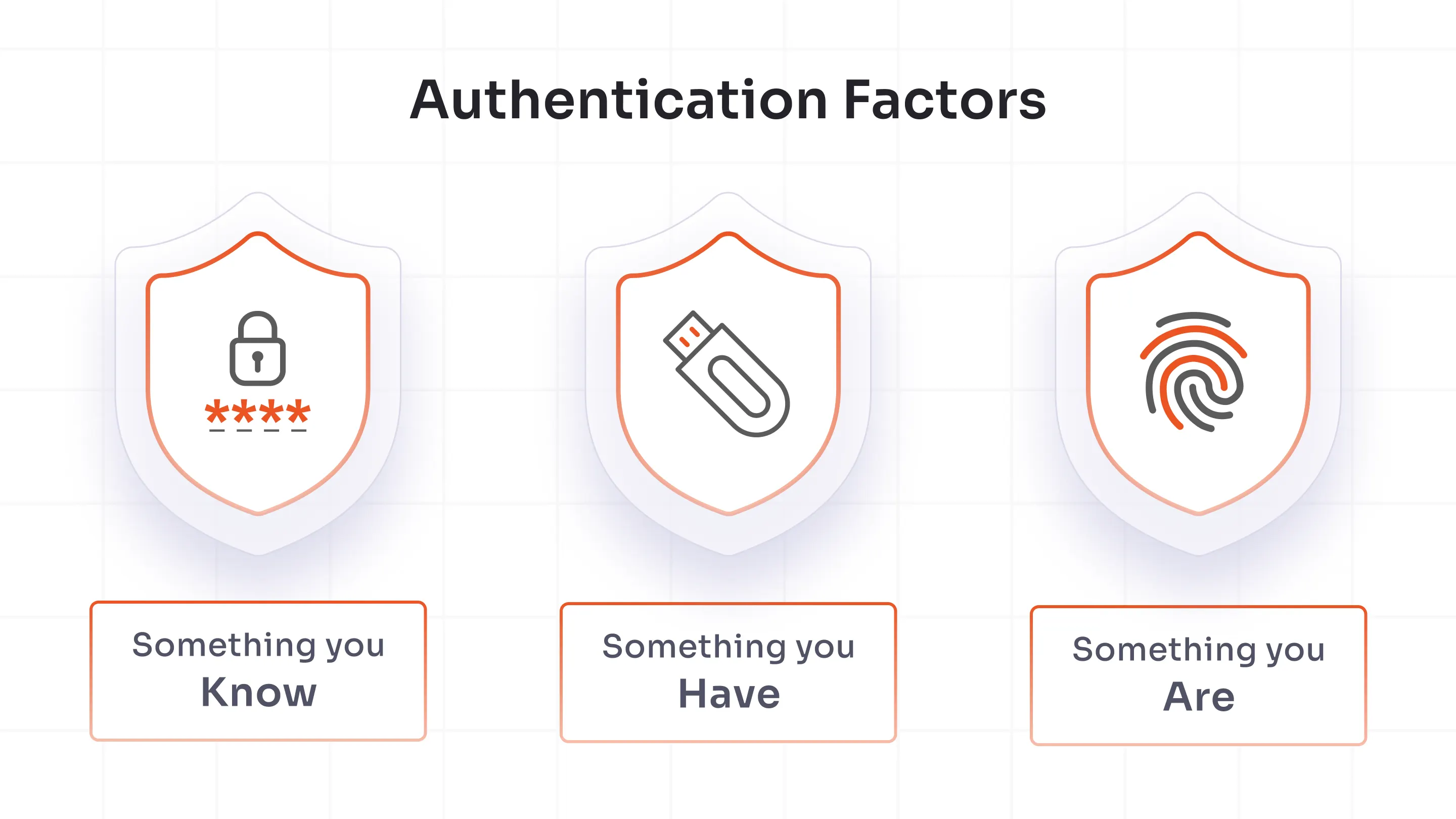
The three categories of MFA methods haven't changed:
- Something you know - passwords, PINs
- Something you have - a phone, a hardware key
- Something you are - biometrics
What has changed is how attackers are finding ways to bypass these protections, which is one of the key reasons why the type of MFA you choose matters even more in 2026.
MFA Best Practices That Hold Up in 2026
MFA failures don't always happen because organizations skipped it entirely. Many times, it's because the implementation just stops halfway. Here's where the gaps usually are.
1. Enforce MFA for All Users, Not Just Admins
Admin accounts are the obvious starting point, and yes, secure those first. But attackers don't limit themselves to admins. Email accounts, VPN access, and cloud apps are frequently the actual entry point. Once an attacker is in a standard user's inbox, lateral movement does the rest.
The rollout order that makes practical sense: admins → VPN → email → cloud apps → full organization.
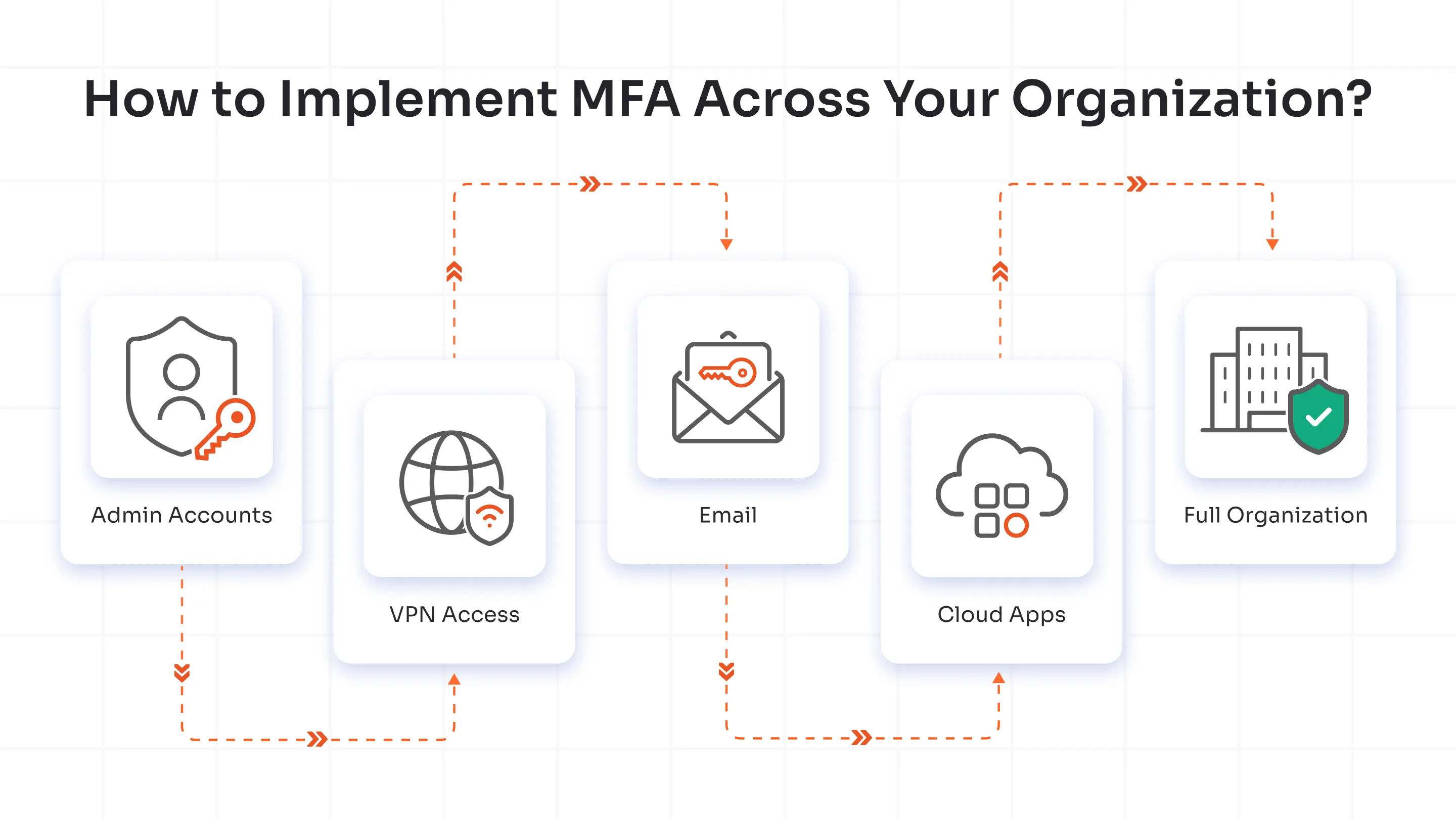
Conditional access policies help here you can phase MFA in without dropping everything on users at once, which is typically where rollout resistance comes from.
2. Prioritize Phishing-Resistant MFA Methods
Not all MFA stops phishing. That's the part most organizations miss.
Phishing-resistant authentication methods work because they use cryptographic challenge-response mechanisms tied to the origin of the login request. When a user authenticates via FIDO2 or WebAuthn, the credential is bound to the specific domain. A phishing site at login-microsoft.fake.com simply cannot complete the handshake — the origin doesn't match. The authentication fails before the user can be tricked into approving anything.
The methods that actually qualify as phishing-resistant:
- FIDO2 security keys
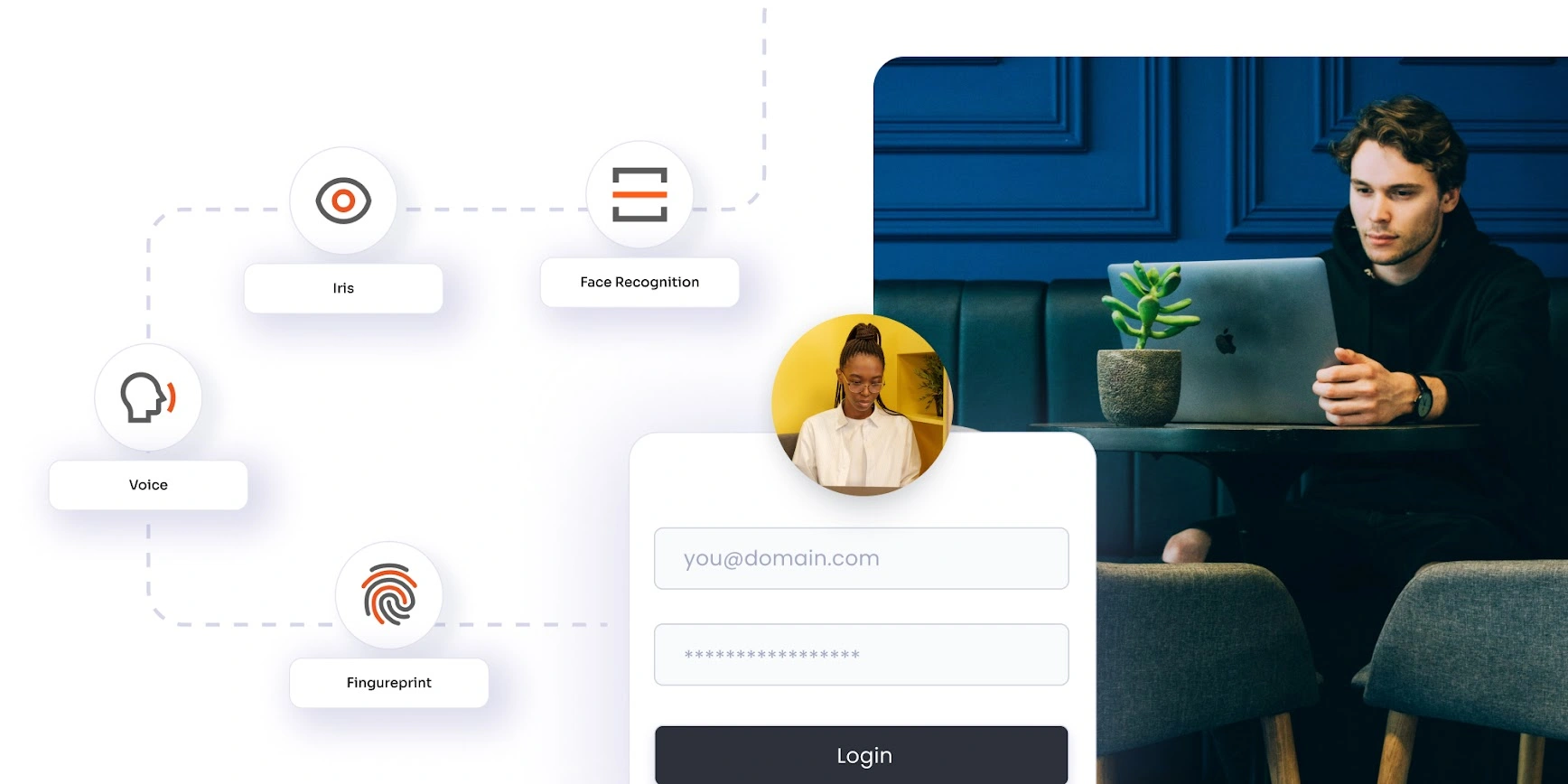
- Biometric authentication
- WebAuthn-based authentication
- Passkeys (FIDO-based credential stores on a device rather than a physical key.)
Push notifications and TOTP codes are better than nothing, but they don't offer origin binding. An adversary-in-the-middle phishing kit can intercept a TOTP code in real time and replay it before it expires. That attack is not theoretical; it's in active use.
The key advantage of phishing-resistant authentication methods over TOTP & push notifications is that the authentication simply cannot be completed on a malicious site. This removes the possibility of users accidentally approving fraudulent login attempts.
3. Avoid SMS and Email OTP for High-Risk Accounts
SIM swapping is the main reason SMS OTP breaks down for sensitive accounts. An attacker convinces a mobile carrier to transfer your number to their SIM. From that point, every SMS verification code goes to them. The process is social engineering against the carrier, not against you and it scales.
Use SMS and email OTP only where the risk profile is low and friction tolerance is minimal, like low-stakes consumer flows. For anything touching financial data, admin access, or sensitive systems, move away from the OTPs to more secure methods like grid pattern matching, and offline MFA in the case of defence & government sectors.
4. Use Adaptive MFA/Risk-Based MFA
Blanket MFA enforcement is better than nothing. Adaptive MFA solutions and Risk-based MFA are better than blanket enforcement.
Conditional access in Adaptive or Risk-Based MFA lets you define what triggers step-up authentication: an unrecognized device, an unusual login geography, impossible travel detection, or a device out of compliance with your security baseline. Low-risk, familiar logins move fast. High-risk signals get challenged. This is the model that makes MFA sustainable at scale without a constant stream of friction complaints.
5. Go Passwordless, Strategically
Going passwordless is the right move, but the path looks different depending on where you're starting from. Organizations evaluating a passwordless authentication solution should align their approach with their existing infrastructure and security requirements.
- Greenfield deployment? Go passwordless from the start. Skip the weaker middle steps & avoid inheriting technical debt you'll have to undo later.
- Legacy infrastructure? Phase in phishing-resistant methods first. Start where the blast radius is biggest: admin accounts, privileged access, high-value systems.
One distinction that gets glossed over constantly: passwordless is not automatically phishing-resistant.
Passwordless removes the password from the equation. It does not remove the session. An attacker can still intercept, proxy, or socially engineer their way through a passwordless flow if it isn't built on phishing-resistant standards. Passkeys built on FIDO2 and WebAuthn are what actually close that gap.
6. Centralize MFA Policy Management
Fragmented MFA policy is a liability. If some apps enforce it through one system and others handle it differently, you'll have inconsistencies and attackers will find the gaps faster than your audit logs will.
Centralize through your identity provider. Integrate SSO so the policy applies uniformly. Where privileged access is involved, connect PAM tooling so that elevated access requires stronger verification. This is the architecture that makes a Zero Trust model actually enforceable rather than aspirational.
7. Plan Account Recovery Carefully
Recovery is the most consistently overlooked part of any MFA deployment, and it's often the weakest link. If an attacker can reset MFA by answering three knowledge-based questions, the rest of your authentication policy doesn't matter.
Recovery best practices: use step-up verification, for example, confirming the request from a previously registered device or requiring admin approval for high-privilege accounts, provision hardware backup keys and authenticator app for high-value accounts so that the users have a secure fallback if their primary device is unavailable.
The support load from recovery requests is also worth planning for before launch, not after.
8. Monitor, Audit, Improve
MFA isn't set-and-forget. The security team should log authentication events, track failed MFA attempts, and review policies regularly to detect evolving attack patterns.
At a minimum, organizations should track signals such as:
- Repeated MFA failures or approval denials
- Multiple MFA requests triggered within a short period of time
- Login attempts from unusual locations
- Session anomalies
These audits also help the organization maintain compliance with common security frameworks and regulations such as SOC 2, ISO 27001, HIPAA, and PCI DSS Organizations that treat MFA as a one-time deployment rather than an ongoing security control often develop gaps over time.
Follow these 8 MFA best practices, and you're ahead of most organizations. But it's worth understanding exactly what you're up against, because the attacks targeting MFA in 2026 are and would be more deliberate than ever.
Four Reasons MFA Best Practices Have Had to Evolve
Traditional MFA or poorly implemented MFA can be easily bypassed today. Phishing-as-a-Service (PhaaS) toolkits now come pre-configured to harvest OTP codes and session tokens in real time, lowering the skill floor for credential theft significantly.
Token Theft
Rather than breaking authentication, attackers steal the session token after it's issued. Since the MFA step has already happened, the session token remains valid & allows attackers to continue interacting with the system as the legitimate user.
According to Verizon's 2025 Data Breach Investigation Report, credential abuse caused 22% of 2025 breaches. This shows how the hackers exploit authentication sessions rather than bypassing login controls directly.
Adversary-in-the-Middle (AiTM) Phishing
A proxy sits between the user and the legitimate service, relaying credentials and MFA codes in real time. The user sees what looks like the real site. The attacker sees everything.
MFA Fatigue (Push Bombing)
Attackers flood users with push authentication requests until someone approves one just to make it stop. Number matching helps. It doesn't fully solve it. In such MFA Fatigue cases, attackers exploit human psychology here in a textbook way; persistence eventually wins against impatient users.
OTP Replay
One-time-password (OTP) replay means real-time interception and reuse of OTPs before they expire. In most cases, attackers capture time-based one-time-passwords (TOTP) or SMS OTPs during a phishing session and immediately replay them to complete authentication. This attack is largely automated now through Phishing-as-a-service (PhaaS) and credential/OTP interception tools.
All four of these attack methods share one thing: they exploit the gap between proving identity and completing authentication. This gap is what FIDO2 and WebAuthn are built to close.
In plain terms, here's what they do:
- Origin binding - scopes the credential to a specific domain. This way, the authentication failed before the user could be tricked into approving anything.
- Cryptographic challenge-response - instead of transmitting a code that can be intercepted and replayed, the device uses a cryptographic challenge that's only valid for that session, which means no replayable tokens.
This is what CISA (Certified Information Systems Auditor) and NIST (National Institute of Standards and Technology) have been pushing organizations toward for a reason.
Knowing how attacks work changes how you think about the solution, doesn't it? But know that the solution doesn't stop at MFA. It extends into how your entire access architecture is built.
B2B vs. B2C MFA Best Practices
Now, MFA doesn't look the same across every user base, and applying the same concepts to employees as you would to consumers is a design mistake that either frustrates users or, worse, leaves huge gaps.
| Features | MFA Best Practice for B2B | MFA Best Practice for B2C |
|---|---|---|
| Security tolerance | High | Low |
| Preferred methods | - Hardware tokens - FIDO2 (Biometrics) - Passkeys |
- Push notifications - OTP over SMS/email - Call verification |
| MFA triggers | - Always-on - Risk-based |
Contextual - Only when risk signals fire |
| Friction tolerance | Acceptable | Costly |
The core difference comes down to one thing:
In B2C, friction has a direct business cost. A consumer who hits a confusing authentication step abandons the flow. That's measurable. So MFA should only escalate when behavior deviates from baseline, say, unusual device, new geography, high-value transaction, etc.
In B2B, users are managed. Stronger controls are deployable. That tolerance should be used.
What Does NIST Say About MFA Best Practices?
National Institute of Standards and Technology (NIST) SP 800-63B is the practical reference point. Its direction is clear: SMS-based OTP should not be used for high-assurance authentication. Phishing-resistant authenticators are preferred where the risk profile justifies them, and NIST's definition of phishing-resistant aligns with FIDO2 and WebAuthn specifically because of origin binding.
Verifier name binding, the concept that a credential is cryptographically tied to a specific origin, is the mechanism that separates real phishing-resistant authentication from methods that only look like it on the surface.
Payment Card Industry Data Security Standard (PCI DSS) and Health Insurance Portability and Accountability Act (HIPAA) implementation guidance also suggest multi-factor requirements for privileged and remote access scenarios. If your organization operates in regulated industries, NIST 800-63B compliance is a reasonable baseline that often satisfies adjacent framework requirements without duplicate effort.
Conclusion
The attacks covered in this blog aren't hypothetical. They are happening at scale, against organizations that thought MFA alone was enough.
Getting MFA right in 2026 means picking methods that hold up against modern attacks, not just methods that satisfy a compliance checkbox. It means planning recovery. It means knowing the difference between passwordless and phishing-resistant before you find out the hard way.
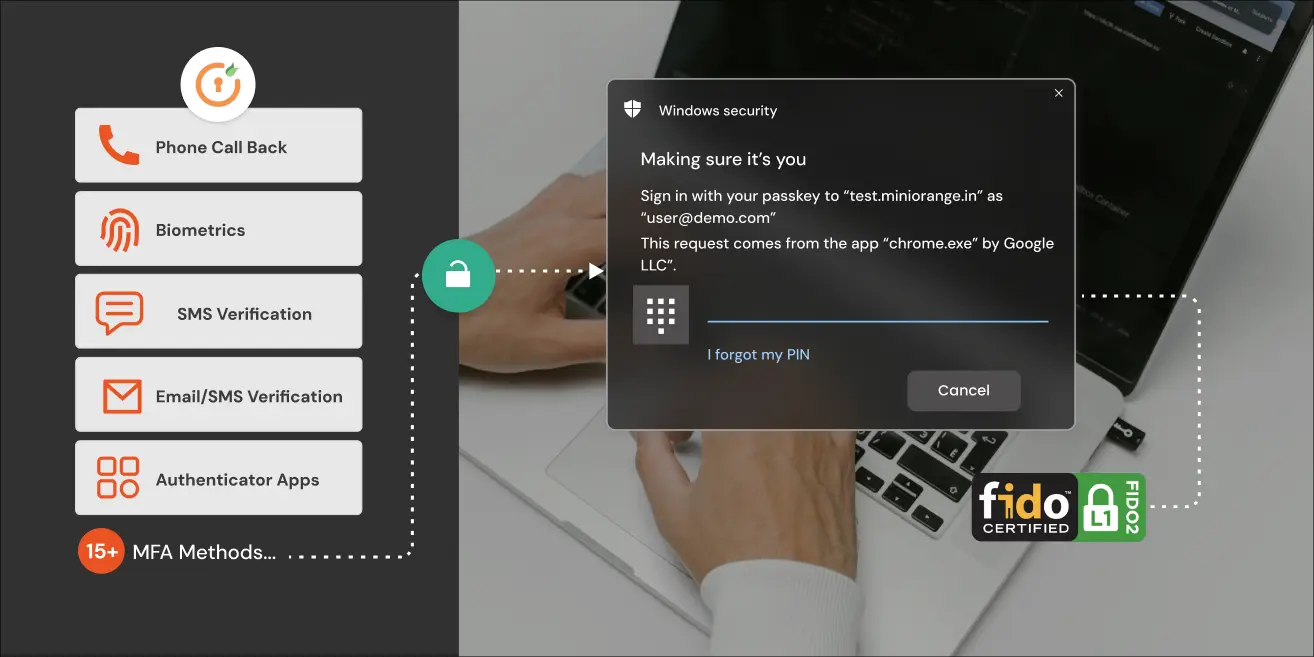
If you're evaluating where your current setup stands, or building one from scratch, miniOrange MFA solutions cover the full stack - phishing-resistant methods, adaptive policies, VPN & Windows integration, and centralized management.
FAQs
What are MFA best practices for small businesses?
Implementing MFA across the organization, incorporating methods like hardware keys or biometrics instead of SMS/Email OTPs, is some of the most important MFA best practices for small businesses.
What are the most secure MFA methods?
FIDO2 security keys and passkeys are currently the strongest available MFA method. They use a cryptographic challenge-response tied to the login origin, which means phishing kits and adversary-in-the-middle attacks can't intercept anything useful.
What is MFA conditional access?
Conditional access is a policy layer in MFA that automatically adjusts authentication requirements based on real-time risk signals, device compliance, login location, user behavior patterns, and more.
What are the key features of a reliable MFA solution?
Look for VPN and Windows login integration, IdP compatibility, phishing-resistant method support, centralized policy management, detailed audit logs, and well-defined recovery workflows.
How long does MFA implementation take?
For a basic TOTP and push deployment, setup on the tenant side typically runs 30–60 minutes. Testing against edge cases, VPN flows, legacy app integrations, and recovery scenarios adds time.
About the Author

Leave a Comment