

Most SSO comparisons focus heavily on features but that’s rarely where teams run into trouble. The real friction appears later, during implementation, scaling, and ongoing ownership. Questions like who maintains the system, how quickly new applications can be integrated, and how security or compliance updates are handled tend to matter far more than feature lists.
This is why the choice between open source and enterprise SSO isn’t just a technical decision. It’s an operational one. Both can deliver secure authentication, but they differ significantly in who builds, manages, and is ultimately accountable for the identity layer as your organization grows.
What is Single Sign-On (SSO)?
Single Sign-On (SSO) is an authentication method that allows users to access multiple applications using a single set of login credentials.
Instead of logging into each application separately, users authenticate once through a central identity provider, and that session is reused across all connected systems.
How SSO works
- A user logs in through an identity provider (IdP)
- The system verifies their identity
- The user gains access to multiple applications without logging in again
Example:
You log into your Google account once and can access Gmail, Drive, and YouTube without re-entering your password.
Common protocols behind SSO
- SAML (Security Assertion Markup Language): Common in enterprise environments
- OAuth 2.0: Used for delegated access (e.g., “Login with Google”)
- OpenID Connect (OIDC): Built on OAuth for modern authentication
Why SSO matters
- Reduces password fatigue
- Improves user productivity
- Centralizes access control
- Enhances security when combined with MFA
What is Open Source SSO?
Open Source SSO refers to identity and authentication solutions where the source code is publicly available, allowing organizations to deploy, modify, and manage the system themselves. Unlike commercial platforms, open source SSO gives you complete control over how authentication is built and managed.
How Open Source SSO works
- You deploy the SSO server on your infrastructure (cloud or on-prem)
- Configure identity providers, user directories, and authentication flows
- Integrate applications using standard protocols like SAML, OAuth, or OIDC
- Maintain updates, patches, and scaling internally
Popular Open Source SSO solutions
- Keycloak
- Gluu
- WSO2 Identity Server
These SSO platforms provide enterprise-grade capabilities, but require internal expertise to unlock their full potential.
When companies typically use Open Source SSO
- Startups with strong engineering teams
- Organizations needing deep customization
- Internal tools and developer ecosystems
- Companies prioritizing data control and flexibility
What is an Enterprise SSO Solution?
An Enterprise SSO solution is a commercially managed identity platform designed to provide secure, scalable, and ready-to-deploy authentication across applications.
These platforms are typically cloud-based and come with built-in features for security, compliance, and integration at scale.
How Enterprise SSO works
- The provider hosts and manages the identity infrastructure
- You configure applications through an admin console
- Users authenticate via a centralized login portal
- Access policies, MFA, and security controls are enforced automatically
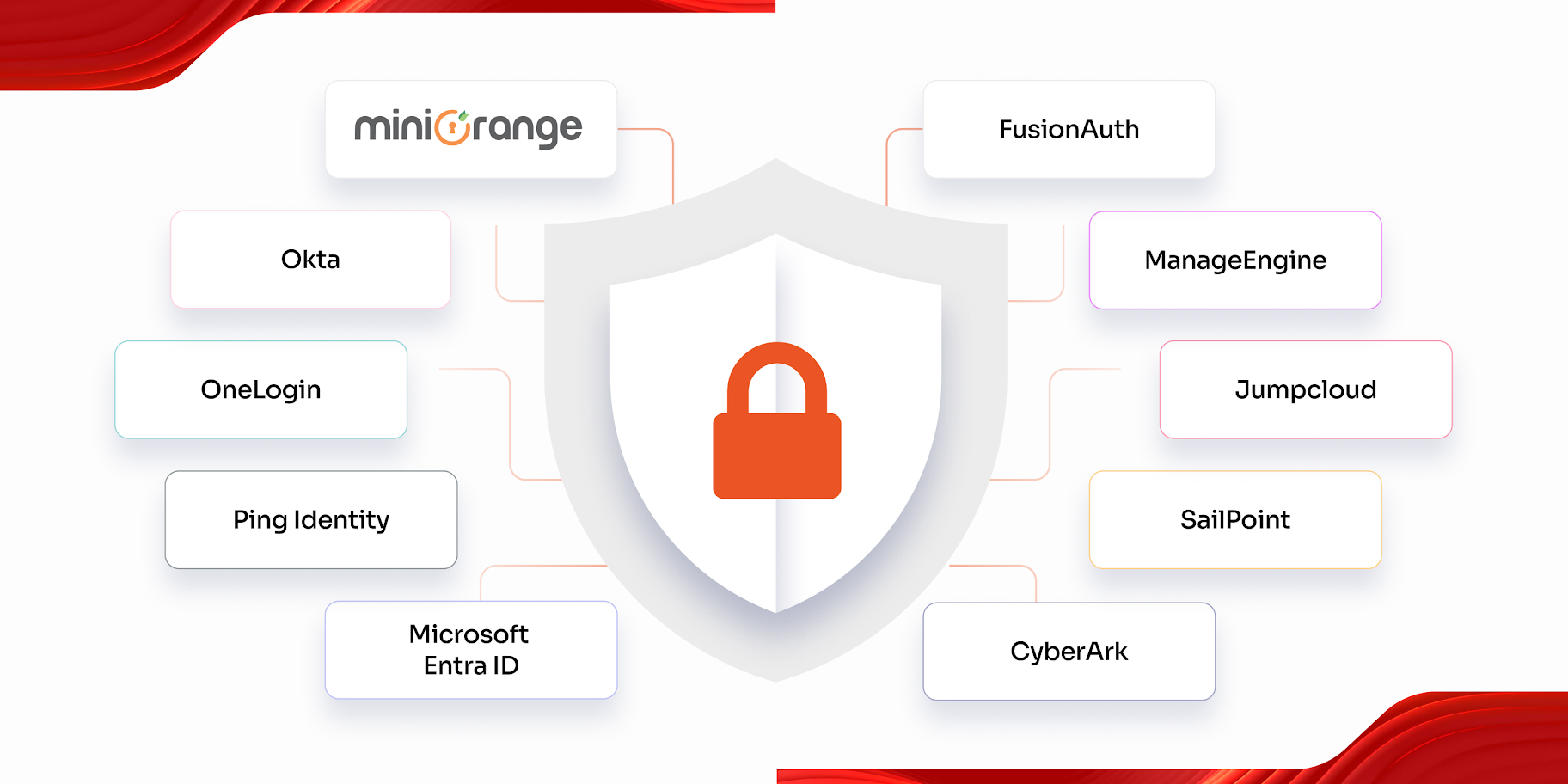
Popular Enterprise SSO providers
- miniOrange
- Okta
- Microsoft Entra ID
- Ping Identity
These solutions focus on reducing operational complexity while delivering enterprise-grade security.
Typical use cases
- Enterprises managing thousands of users
- B2B SaaS platforms offering SSO to customers
- Regulated industries (finance, healthcare, government)
- Organizations needing compliance (SOC 2, ISO 27001, GDPR)
Open Source SSO vs Enterprise SSO: 10 Key Differences
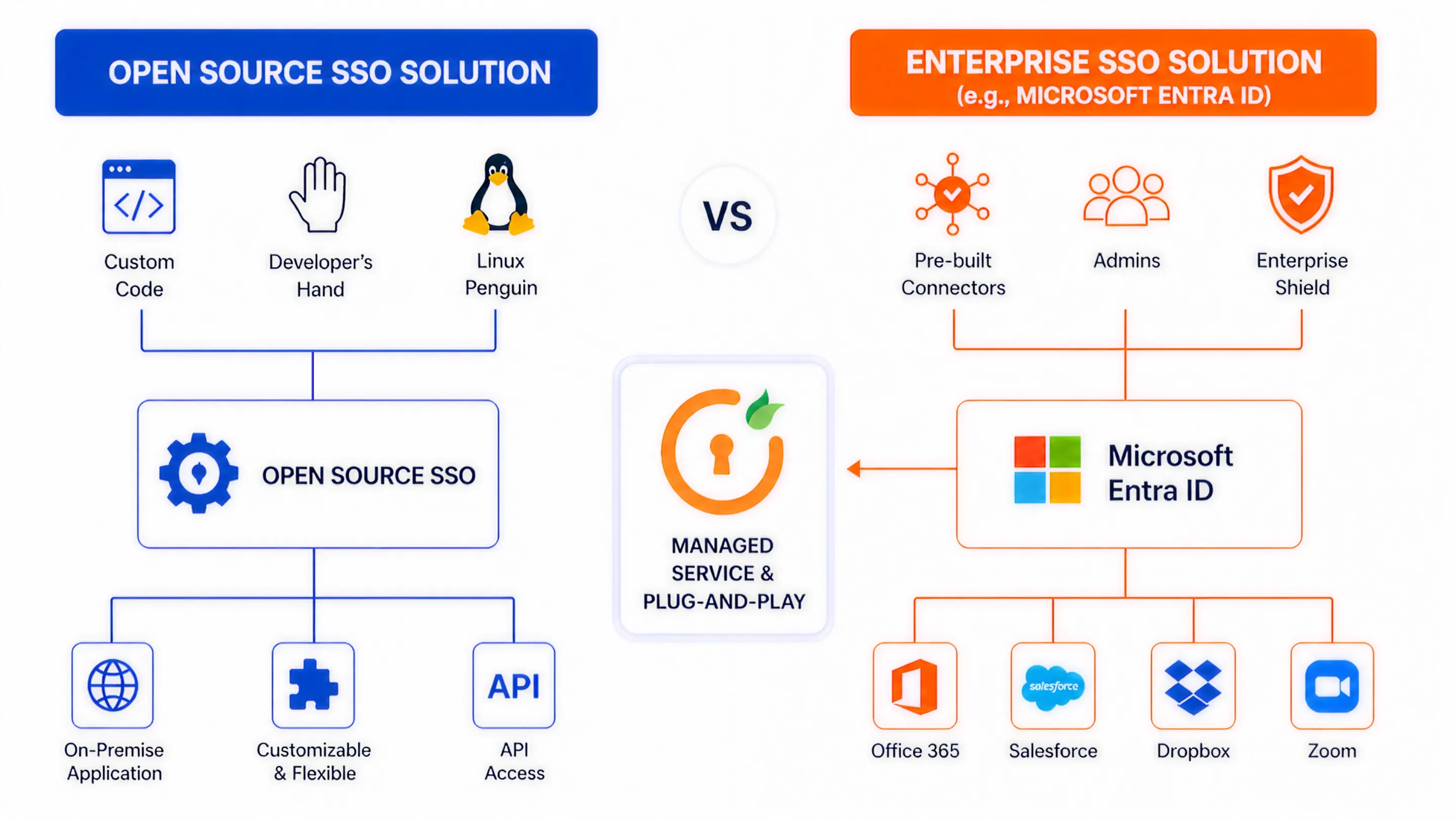
| Factor | Open Source SSO | Enterprise SSO Solution |
|---|---|---|
| 1. Ownership & Control | You fully own the identity stack, from code to infrastructure. This gives you deep control over authentication flows, data handling, and integrations. | The vendor owns and manages the platform. You configure policies and integrations, but do not control the underlying system. |
| 2. Deployment Approach | Requires manual setup, including provisioning servers, configuring identity providers, setting up protocols, and integrating applications. | Guided onboarding with pre-built connectors and admin consoles. Most deployments follow a structured and faster setup process. |
| 3. Time to Implementation | Can take weeks or months, depending on customization, team expertise, and the number of integrations. | Typically faster. Many organizations roll out initial SSO within days and expand gradually. |
| 4. Customization Depth | Full flexibility to modify authentication logic, user interfaces, token handling, and workflows at the code level. Ideal for highly specific use cases. | Customization is configuration-driven through policies, workflows, and branding. Deep changes beyond platform capabilities are limited. |
| 5. Security Management | Your team is responsible for patching vulnerabilities, configuring MFA, monitoring threats, and ensuring secure configurations. | Security is built in and continuously updated by the provider, including MFA, adaptive authentication, and threat detection. |
| 6. Compliance & Audit Readiness | Requires manual alignment with standards such as SOC 2, ISO 27001, or GDPR. Audit readiness depends on your implementation and documentation. | Comes with compliance-ready frameworks, detailed audit logs, and reporting features designed to meet regulatory requirements. |
| 7. Scalability & Performance | Scaling depends on your infrastructure design, load balancing strategy, and performance tuning. Requires proactive planning. | Designed to scale across users, applications, and regions with minimal internal effort. |
| 8. Integrations Ecosystem | Integrations often require custom development or community-supported plugins, which may vary in quality and maintenance. | Large library of pre-built integrations with popular applications and directories, reducing setup time and effort. |
| 9. Maintenance & Operations | Continuous effort is required for uptime, upgrades, backups, and incident response. Identity becomes an ongoing engineering responsibility. | Minimal operational overhead. The provider handles uptime, updates, and infrastructure reliability under defined service agreements. |
| 10. Cost Structure (Visible vs Hidden) | No licensing fees, but costs increase through engineering time, infrastructure, security management, and ongoing maintenance. | Predictable subscription pricing. Higher upfront cost, but reduces hidden operational and staffing expenses over time. |
Pros and Cons of Enterprise SSO
Enterprise SSO solutions are designed to simplify identity management by packaging authentication, security, and integrations into a managed platform. They reduce complexity, but also introduce certain constraints.
Advantages of Enterprise SSO
1. Faster deployment and rollout With pre-built integrations and guided setup, organizations can enable SSO across multiple applications quickly. This reduces time spent on configuration and integration.
2. Built-in security features Enterprise platforms include capabilities such as multi-factor authentication, adaptive authentication, device-based policies, and anomaly detection without requiring additional development.
3. Compliance-ready infrastructure Providers align their platforms with standards such as SOC 2, ISO 27001, and GDPR. Audit logs, reporting, and policy enforcement are built in, which simplifies compliance efforts.
4. Scales without engineering overhead These platforms are designed to handle large user bases, multiple applications, and global access without requiring your team to manage infrastructure or performance tuning.
5. Extensive integration ecosystem Solutions like miniOrange, Okta, Microsoft Entra ID, and Ping Identity offer thousands of pre-built integrations, which significantly reduces setup time.
Limitations of Enterprise SSO
1. Higher cost at scale Pricing is typically based on users or features. As your organization grows, costs can increase significantly compared to open source alternatives.
2. Limited deep customization While configuration options are flexible, you cannot modify core authentication logic beyond what the platform supports. This can be restrictive for highly specific requirements.
3. Vendor dependency You rely on the provider for updates, feature availability, and long-term roadmap decisions. Switching platforms later can be complex.
4. Less control over infrastructure You do not manage where or how the system is hosted. For some organizations, this may be a concern for data residency or internal policies.
5. Integration gaps in edge cases Although most common applications are supported, niche or custom-built systems may still require additional work to integrate.
Pros and Cons of Open Source SSO
Open source SSO appeals to teams that want flexibility, control, and the ability to shape authentication around their exact requirements. But that flexibility comes with trade-offs that are often underestimated early on.
Advantages of Open Source SSO
1. Full control over authentication architecture You are not restricted by platform limitations. You can design authentication flows, token handling, and integrations exactly the way your systems require. This is especially useful when dealing with complex or non-standard use cases.
2. No licensing cost There are no subscription fees tied to users or applications. This can make open source SSO attractive for startups or organizations trying to minimize upfront software costs.
3. Flexibility across environments You can deploy on-premise, in private cloud environments, or across hybrid setups. This is valuable for organizations with strict data residency or infrastructure requirements.
4. No vendor dependency You are not locked into a specific provider. This reduces long-term risk related to pricing changes, feature limitations, or vendor roadmap decisions.
5. Strong protocol support Solutions like Keycloak, Gluu, and WSO2 Identity Server support standards like SAML, OAuth, and OIDC, making them compatible with most modern applications.
Limitations of Open Source SSO
1. High operational overhead Setting up the system is only the beginning. Ongoing tasks like monitoring, scaling, backups, and updates require continuous effort from your engineering team.
2. Security responsibility lies with you You are responsible for applying patches, configuring secure defaults, managing vulnerabilities, and ensuring proper access controls. Any gaps can directly impact your security posture.
3. Slower time to value Implementation takes longer, especially when integrating multiple applications or customizing workflows. This can delay broader adoption across teams.
4. Limited built-in enterprise features Advanced capabilities such as adaptive authentication, risk-based access, or detailed audit reporting often require additional development or integrations.
5. Requires specialized expertise Identity management is not trivial. Teams need a strong understanding of authentication protocols, security practices, and system design to avoid misconfigurations.
Open Source vs Enterprise SSO: Which One Should You Choose?
At this stage, the decision is less about features and more about fit. The right choice depends on how your team operates, how fast you need to move, and how much responsibility you are willing to take on.
Choose Open Source SSO if:
- You have a dedicated engineering team that understands identity protocols and security practices
- Your use case requires deep customization beyond standard authentication flows
- You need full control over infrastructure and data handling
- You are building internal tools or developer platforms
- You are comfortable investing time in setup, maintenance, and long-term ownership
What you are optimizing for: control, flexibility, and independence
Choose Enterprise SSO if:
- You need to roll out SSO quickly across multiple applications
- Security and compliance are non-negotiable requirements
- You are serving enterprise customers who expect SSO support
- Your team does not want to manage identity infrastructure
- You want predictable scaling without engineering overhead
What you are optimizing for: speed, reliability, and reduced operational effort
Common Mistakes to Avoid When Choosing an SSO Solution
Many SSO decisions fail not because of the technology, but because of incorrect assumptions early on.
1. Underestimating maintenance effort
Teams often assume open source SSO is a one-time setup. In reality, it requires continuous monitoring, updates, and scaling decisions.
2. Choosing based only on cost
Open source may seem cheaper upfront, but hidden costs such as engineering time, infrastructure, and security management can add up quickly.
3. Ignoring future scale
What works for 50 users may not work for 5,000. Decisions should account for growth in users, applications, and integrations.
4. Overlooking compliance requirements
If your business needs to meet standards like SOC 2 or ISO 27001, building compliance controls from scratch can slow you down significantly.
5. Not considering user experience
SSO is not just a backend system. Poor login flows, inconsistent access, or delays can directly impact productivity and customer experience.
6. Locking into a decision too early
Some teams commit fully to one approach without considering how their needs might evolve. Flexibility matters as your architecture grows.
Summing Up
The choice between open source and enterprise SSO is not about which one is better. It is about which one aligns with how your organization operates. Open source SSO gives you control but requires ongoing investment.
Enterprise SSO reduces effort but introduces dependency on a platform. The key is to think beyond initial setup and evaluate how identity will be managed as your systems grow, your users increase, and your security requirements evolve.
FAQs
Is open source SSO secure?
Yes, open source SSO can be secure if properly configured and maintained. Security depends on how well your team handles updates, access controls, and monitoring. Misconfigurations or delayed patches can introduce risks.
Why is enterprise SSO expensive?
Enterprise SSO includes infrastructure, security features, compliance readiness, and support. The cost reflects reduced engineering effort, faster deployment, and built-in reliability rather than just the software itself.
Can I switch from open source to enterprise SSO later?
Yes, many organizations start with open source and migrate later. However, migration requires planning around user data, integrations, and authentication flows, so it is not always seamless.
Which SSO is best for startups?
It depends on priorities. Startups with strong engineering teams may prefer open source for flexibility. Others may choose enterprise SSO to move faster and avoid operational overhead.
Does SSO improve security or weaken it?
SSO improves security when combined with controls like MFA and centralized policies. It reduces password sprawl and makes access easier to monitor and manage.

Leave a Comment